
Description
Layout Now turns your posts into polished, modern layouts in about a minute. Pick a layout, choose a skin, fine-tune it with a few smart controls while you watch a live preview, then drop the shortcode anywhere.
Four layouts
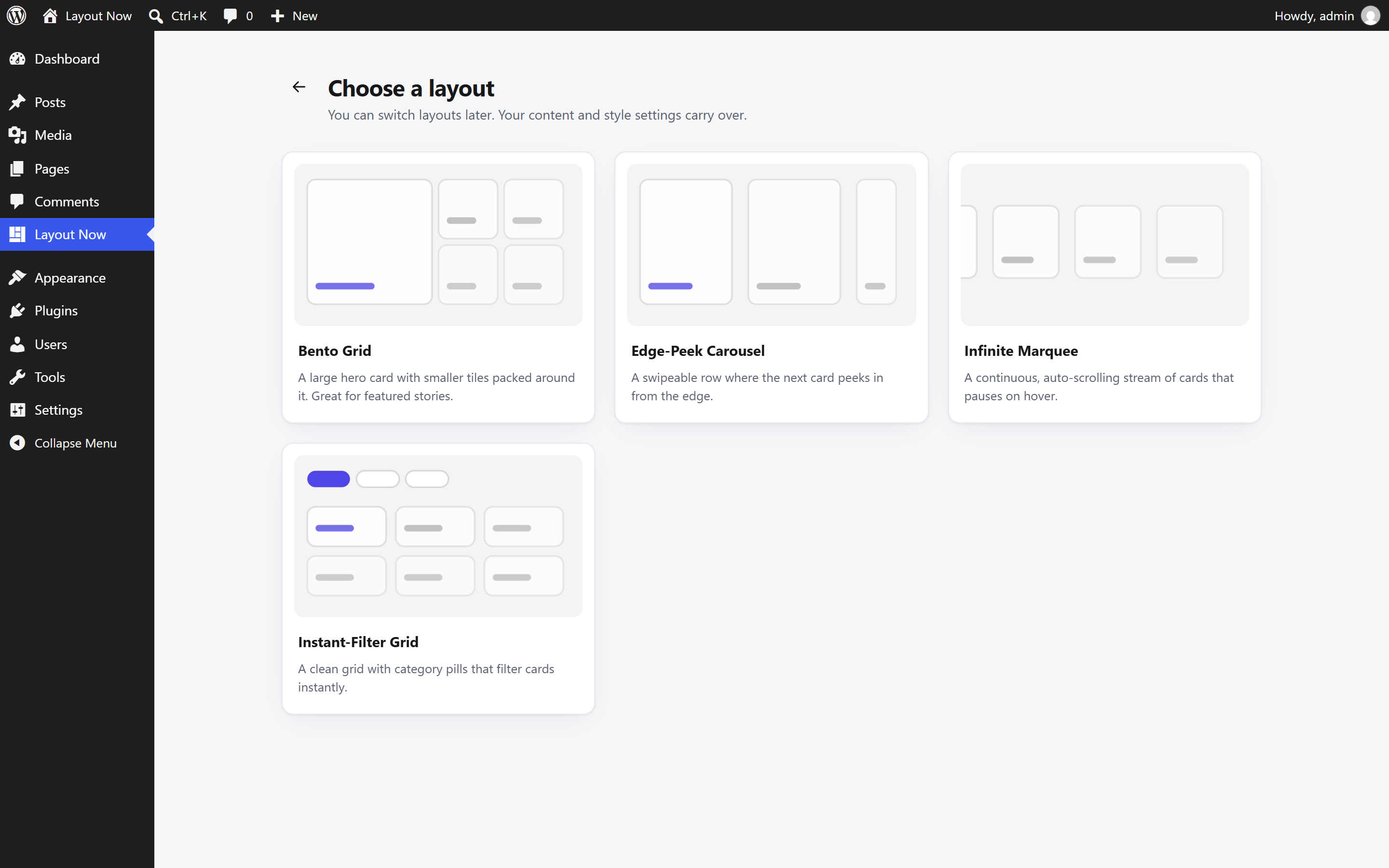
- Bento Grid — a large hero card with smaller tiles packed around it. Four patterns that always fill the grid without gaps, even when a category has only a few posts.
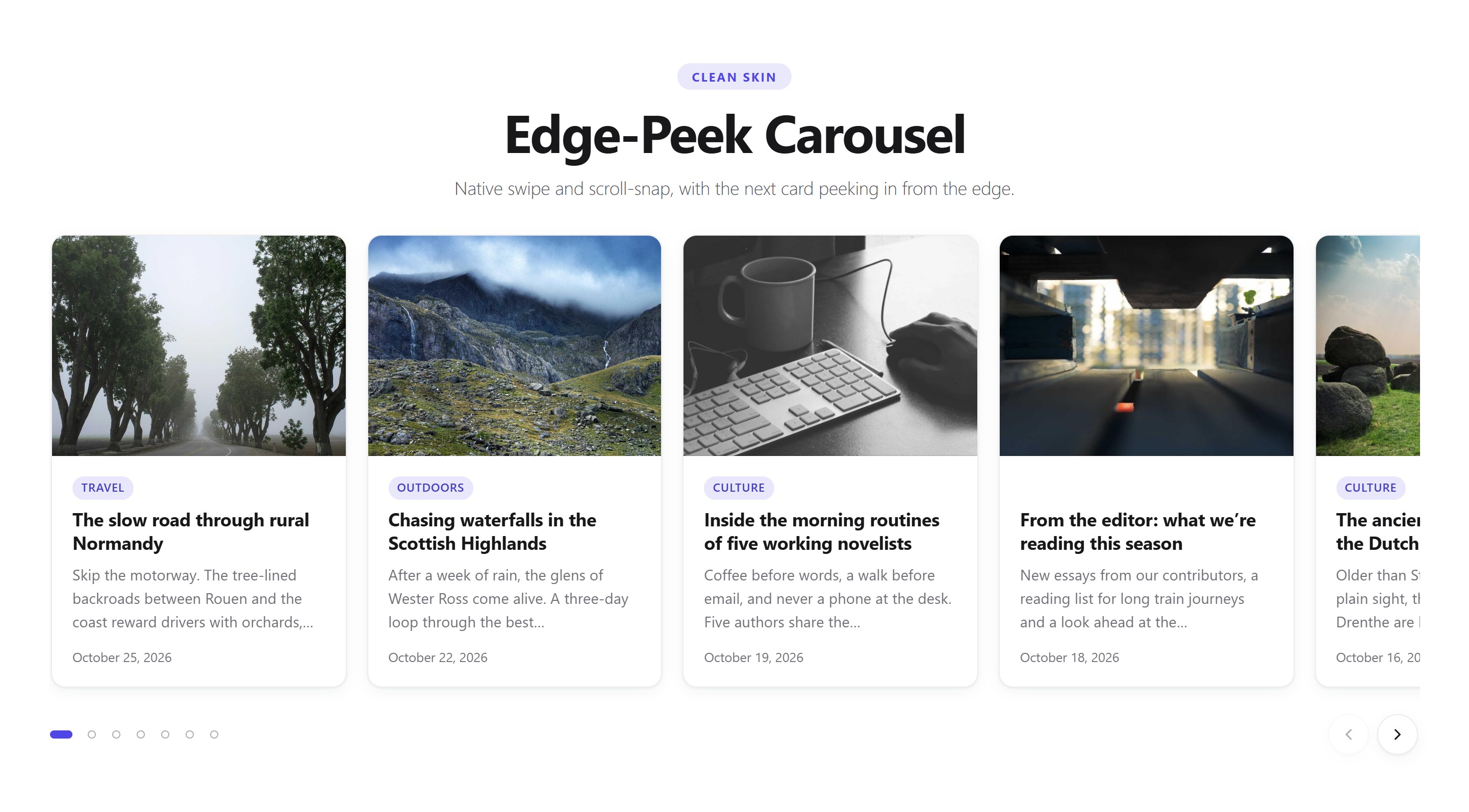
- Edge-Peek Carousel — a swipeable row where the next card peeks in from the edge to invite scrolling. Native touch scrolling, with optional arrows and dots.
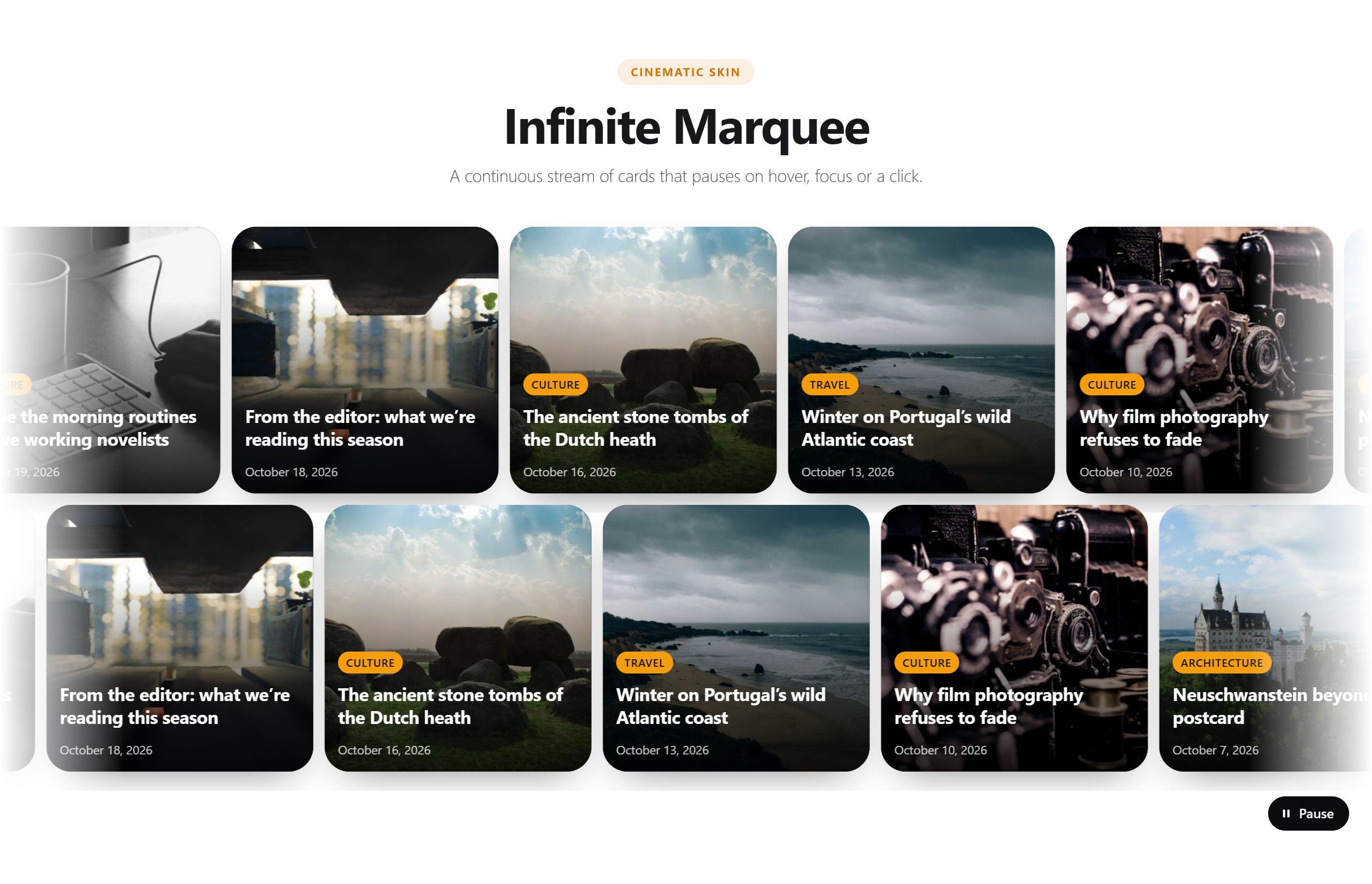
- Infinite Marquee — a continuous, auto-scrolling stream of cards with softly faded edges. Pauses on hover and focus, and includes a pause button.
- Instant-Filter Grid — a clean grid topped with category or tag pills. Clicking a pill filters and animates the cards into place without reloading the page.
Skins and smart controls
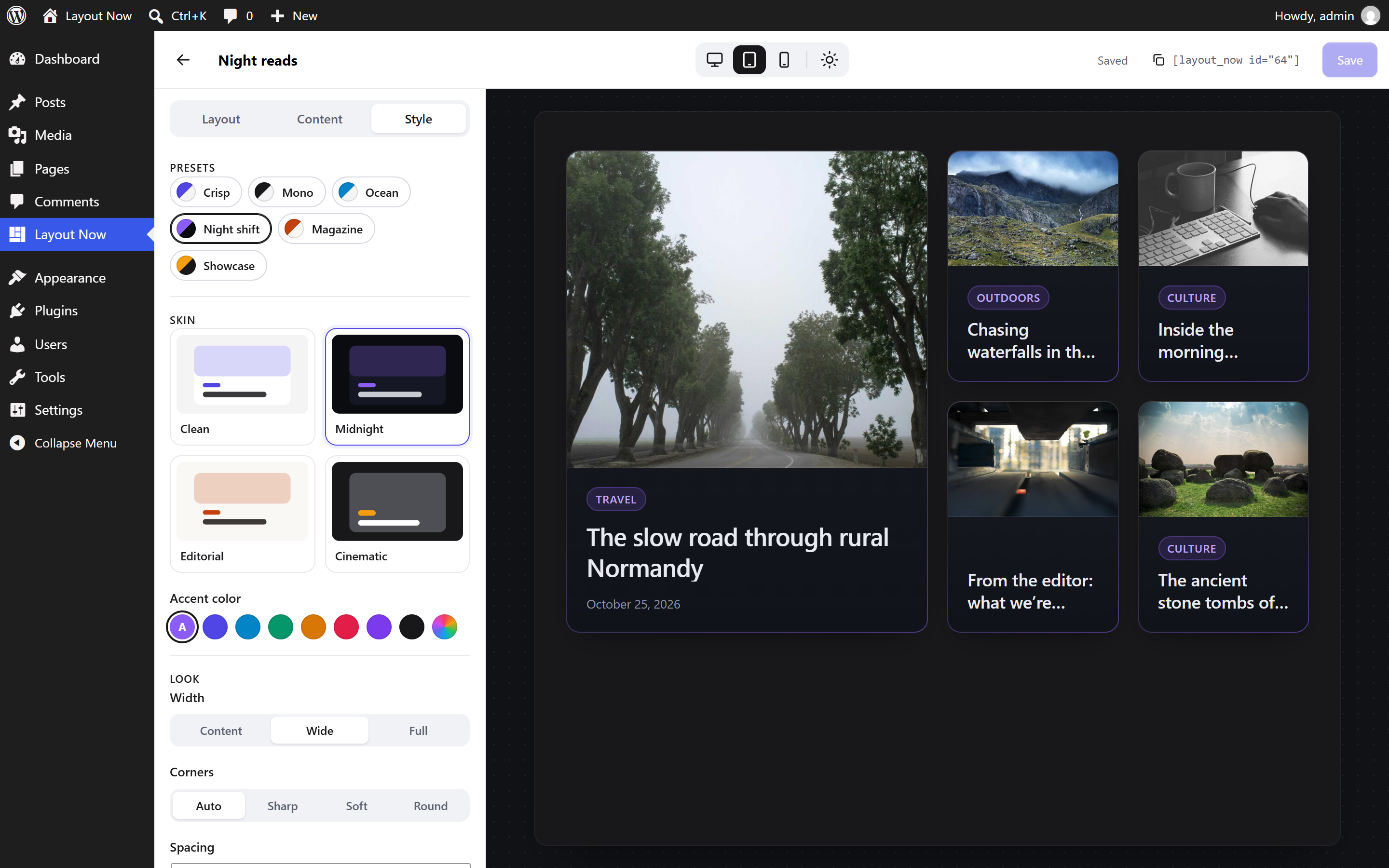
Four skins — Clean, Midnight, Editorial and Cinematic — work with every layout. One-click presets change the whole vibe at once, and stepped controls (corners, spacing, hover effect, image ratio, title size, width, light/dark/auto mode, accent color) keep every combination looking designed.
Fast and theme-proof
- Loads nothing on pages without a layout. Each page loads only the CSS of the layouts and skins it actually shows, plus a tiny script (2–3 KB) for interactive layouts. The Bento Grid needs no JavaScript at all.
- No jQuery and no slider libraries.
- Layouts respond to the space they are placed in (container queries), so they look right in a full-width section or a narrow column.
- Scoped styles protect layouts from aggressive theme CSS, so they look the same on any theme.
- Post queries are cached and refreshed automatically when your content changes.
Accessible
Keyboard and screen reader friendly: real links and buttons, labelled carousel regions and slides, announced filter results, a pause control for moving content, and full support for the “reduce motion” system setting.
For developers
Data sources, layouts and skins are registered through the layout_now_sources, layout_now_layouts and layout_now_skins filters. Templates can be overridden with the layout_now_template filter, and post queries adjusted with layout_now_posts_query_args.
Source code
The admin app is built with @wordpress/scripts. Its human-readable source is included in the plugin at admin/src. To rebuild it, run npm install and then npm run build in the plugin folder. Frontend scripts and styles in assets/ are not compiled.
Screenshots




Installation
- Install the plugin from Plugins Add New, or upload the
layout-nowfolder to/wp-content/plugins/. - Activate it.
- Go to Layout Now in the admin menu and click Create a layout.
- Choose a layout and a skin, adjust it in the live preview, and click Save.
- Copy the shortcode, for example
[layout_now id="12"], and paste it into any post, page or widget. In the block editor, use the Shortcode block.
FAQ
-
Does it slow down my site?
-
No. Nothing is loaded on pages that don’t show a layout, and pages that do only load what that layout needs.
-
Will it look right with my theme?
-
Layouts carry their own scoped styles, so theme CSS doesn’t break them. You can choose to inherit your theme’s font, and set the width to Content, Wide or Full to match your theme’s layout.
-
Which content can I show?
-
Posts, filtered by categories and tags, in any order. Developers can register other sources through the
layout_now_sourcesfilter. -
What happens to my layouts if I delete the plugin?
-
Deleting the plugin from the Plugins screen removes all saved layouts and their cached data. Your posts are never touched. Deactivating the plugin keeps everything.
-
Does it collect data or load anything from other sites?
-
No. Layout Now makes no external requests, sets no cookies and collects no data. Everything is served from your own site.
Reviews
There are no reviews for this plugin.
Contributors & Developers
“Layout Now” is open source software. The following people have contributed to this plugin.
Contributors
Translate “Layout Now” into your language.
Interested in development?
Browse the code, check out the SVN repository, or subscribe to the development log by RSS.
Changelog
1.0.0
- Initial release.
- Layouts: Bento Grid, Edge-Peek Carousel, Infinite Marquee and Instant-Filter Grid.
- Skins: Clean, Midnight, Editorial and Cinematic, with light, dark and auto color modes.
- Layout editor with a live, responsive preview, one-click presets and stepped style controls.
- Loads assets only on pages that show a layout; no jQuery, no external requests.