
Description
LanzNav turns a semantic WordPress menu into a responsive navigation experience without replacing your menu content or locking locally implemented features.
Included features:
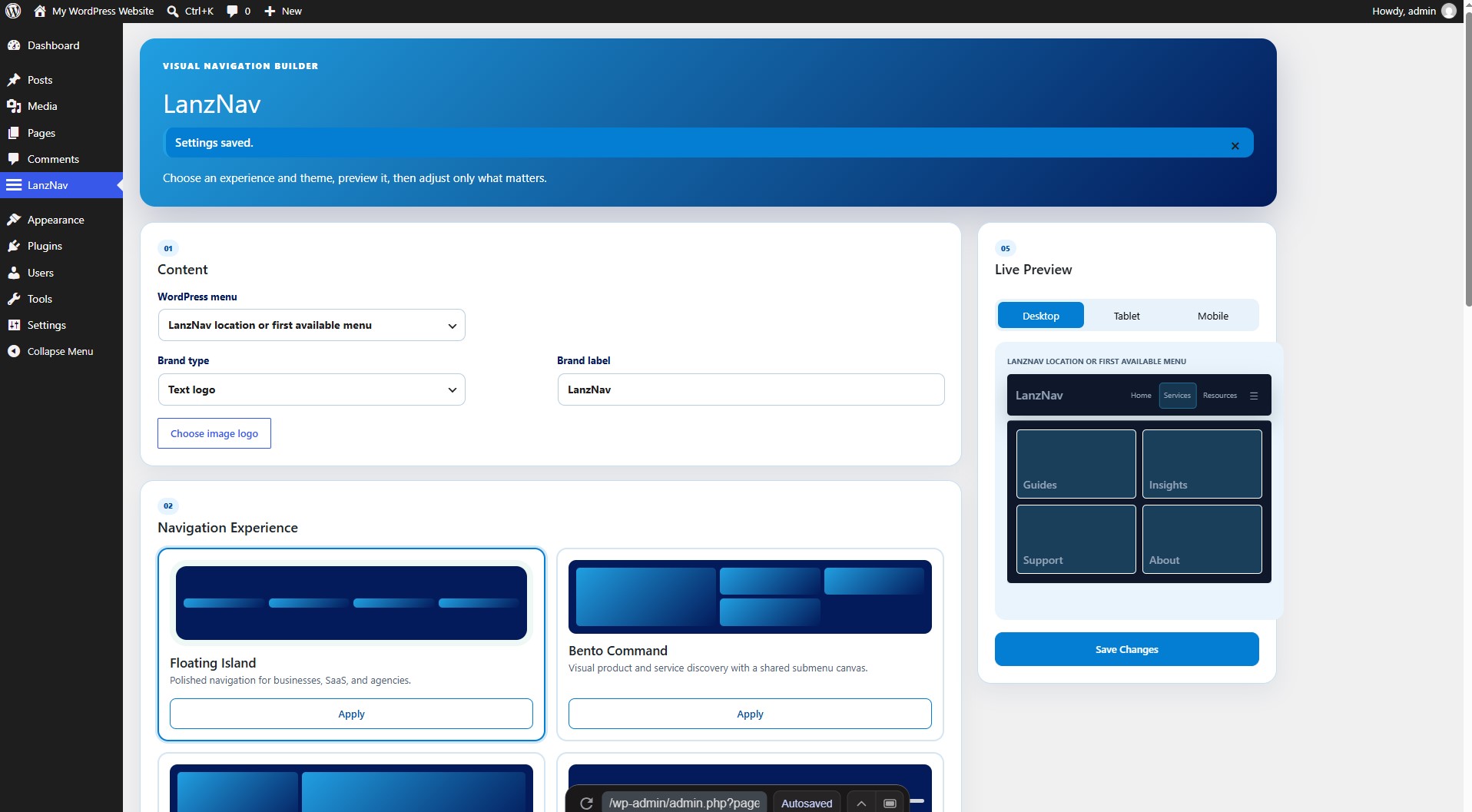
- Floating Island, Bento Command, Editorial Split, and Minimal Precision experiences
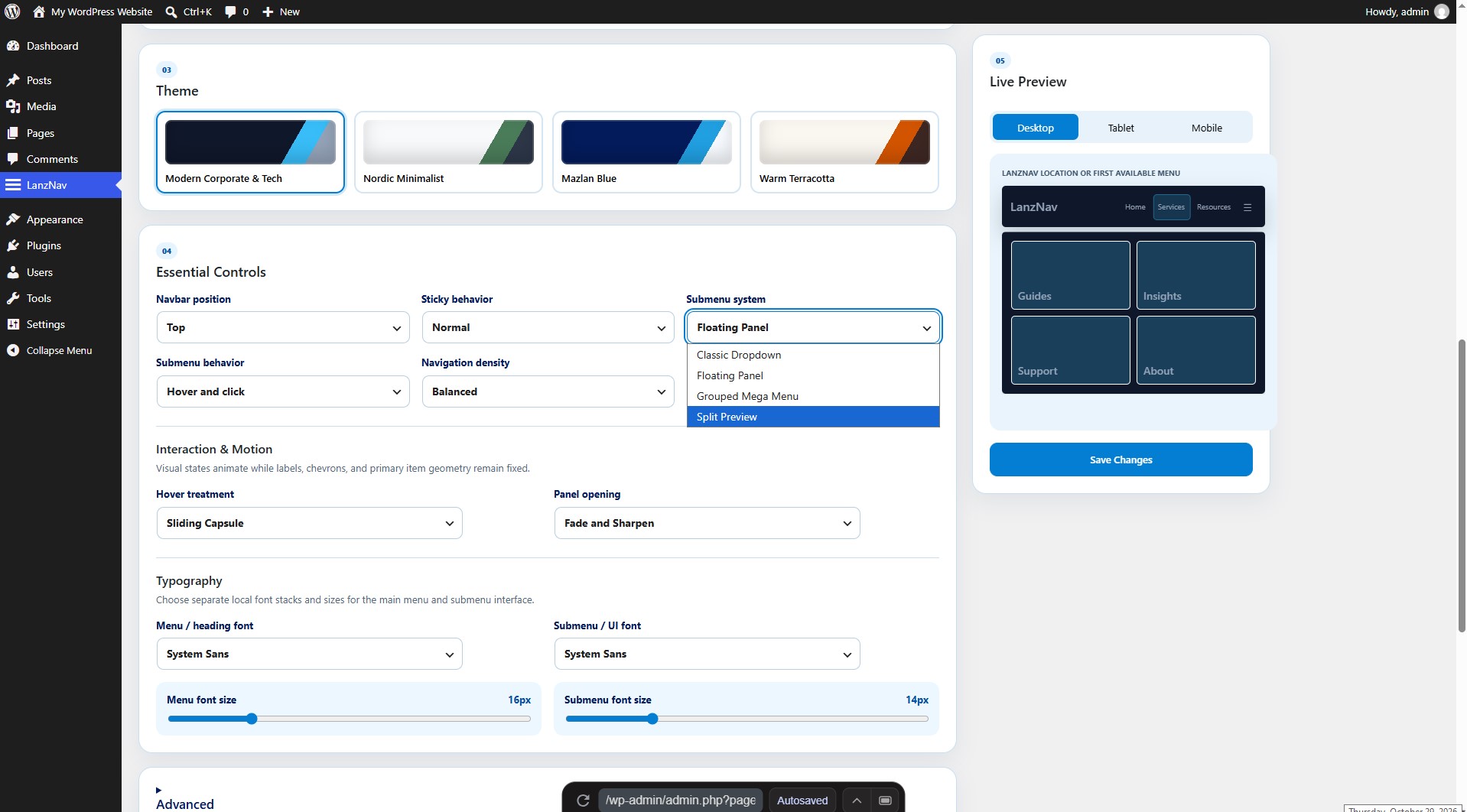
- Classic Dropdown, Floating Panel, Grouped Mega Menu, and Split Preview submenus
- Accessible nested mobile accordion navigation
- Modern Corporate & Tech, Nordic Minimalist, Mazlan Blue, and Warm Terracotta themes
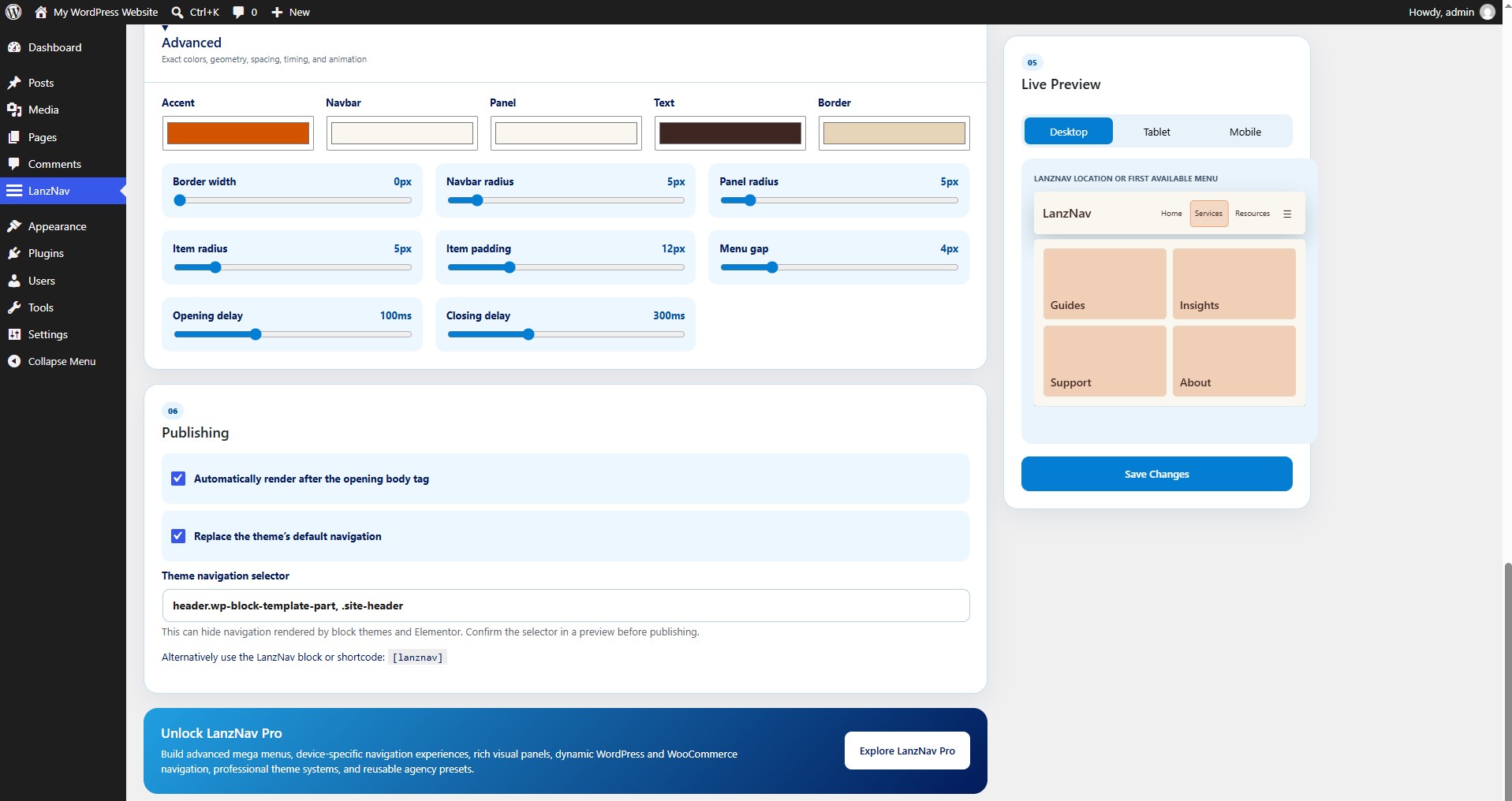
- Custom accent, navbar, panel, text, and border colors
- Adjustable typography, density, spacing, timing, radius, and border sizing
- Separate local font-family and size controls for menus and submenus
- Preset-first visual builder with desktop, tablet, and mobile preview modes
- Hover-and-click or click-only submenu behavior
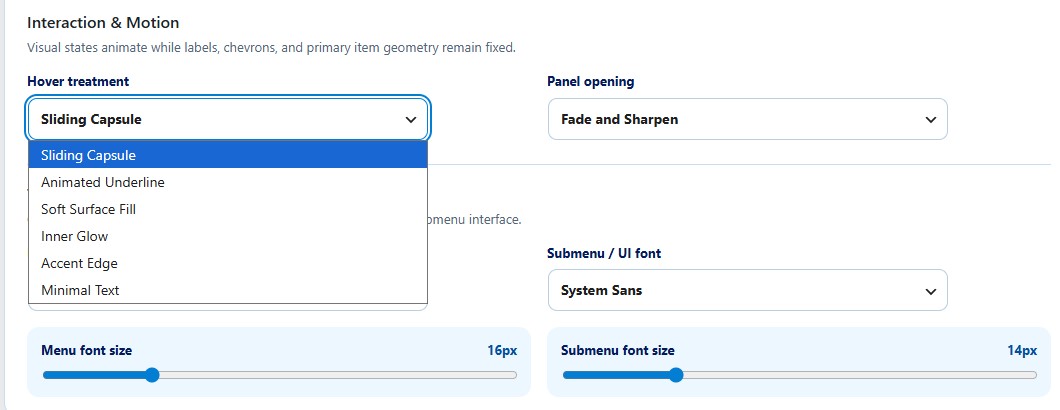
- Six geometry-stable hover treatments and four restrained panel-opening styles
- Optional sticky navigation
- Text logos and uncropped rectangular image logos
- Live preview in the settings screen
- Automatic placement, dynamic block, shortcode, and registered menu location
- Optional, reversible theme-navigation replacement
- Keyboard, touch, RTL, and reduced-motion support
The JavaScript and CSS distributed with LanzNav are directly maintained, human-readable source files. No compilation or build step is required.
Upgrade
Explore LanzNav Pro for advanced mega menus, device-specific navigation experiences, rich visual panels, dynamic WordPress and WooCommerce navigation, professional theme systems, and reusable agency presets. LanzNav Pro is a separately distributed product; its implementation is not bundled in this plugin.
Screenshots
Installation
- Upload the
lanznavfolder to/wp-content/plugins/, or install the ZIP from Plugins Add New. - Activate LanzNav.
- Open LanzNav from the main WordPress dashboard menu.
- Choose an existing WordPress menu and configure the navigation.
- Save your changes.
FAQ
-
Yes. Enable theme-navigation replacement and confirm the supplied selector in a preview. The original menu is not deleted, and replacement activates only when LanzNav has usable menu items. The default selector supports common block-theme and Elementor header containers.
-
Yes. Use the LanzNav block or the
[lanznav]shortcode. The legacy[superb_navbar]shortcode remains available so existing pages continue working after the rename. -
No. LanzNav does not include analytics, licensing, remote font loading, or external API requests.
-
Is a build process required?
-
No. All distributed PHP, JavaScript, and CSS files are the human-readable source used by WordPress directly.
-
What happens to themes saved before version 1.0.3?
-
Legacy theme names are mapped conservatively to the closest current theme. Existing custom colors, radius values, and border widths are preserved; only a deliberate theme selection applies a complete new palette.
Reviews
There are no reviews for this plugin.
Contributors & Developers
“LanzNav – Visual Navigation Builder” is open source software. The following people have contributed to this plugin.
Contributors
Translate “LanzNav – Visual Navigation Builder” into your language.
Interested in development?
Browse the code, check out the SVN repository, or subscribe to the development log by RSS.
Changelog
1.0.6
- Corrected WordPress Coding Standards formatting found during the directory pre-submission audit.
1.0.5
- Removed the obsolete manual translation-domain loader now handled automatically by WordPress.org.
1.0.4
- Updated the LanzNav admin identity to the Mazlan blue logo palette.
- Replaced Cyberpunk Night with the Mazlan Blue navigation theme while preserving customized legacy colors.
- Fixed clipped third-level menus in Floating Island and Minimal Precision.
- Confirmed the Advanced border-width default remains 0px.
1.0.3
- Stabilized primary menu geometry across hover, focus, current, and expanded states.
- Added Sliding Capsule, Animated Underline, Soft Surface Fill, Inner Glow, Accent Edge, and Minimal Text treatments.
- Added Fade and Sharpen, Clip Reveal, Gentle Scale, and Instant panel opening choices.
- Added a stationary shared Bento panel with content crossfades and improved Escape focus restoration.
- Expanded live preview and browser geometry regression coverage.
- Replaced the legacy theme set with four coordinated palettes and migrated old theme names without overwriting saved custom colors.
- Changed new-install and reset geometry to 5px radii and a 0px border while preserving existing saved geometry.
- Made closed submenus inert and visually empty, kept all opened content sharp, and added top, bottom, left, and right mobile placement behavior.
- Updated LanzNav admin branding to the green-to-orange gradient and refreshed live-preview theme and position behavior.
1.0.2
- Added clearly labeled menu and submenu typography controls with four privacy-friendly local font stacks.
- Added immediate font-family updates to the Live Preview.
1.0.1
- Renamed the public product identity to LanzNav – Visual Navigation Builder.
- Rebuilt the WordPress.org package around its fully functional Free feature set.
- Removed dormant commercial feature implementations and artificial Free-edition limits.
- Preserved compatible settings, shortcode, block, and menu-location identifiers for existing sites.
- Added four coordinated navigation experiences, four submenu systems, four themes, and a preset-first builder.
- Fixed submenu pointer gaps with delayed hover closing, click-open persistence, viewport positioning, and a shared Bento submenu canvas.
1.0.0
- Initial WordPress.org Free release under the LanzNav identity.