
Description
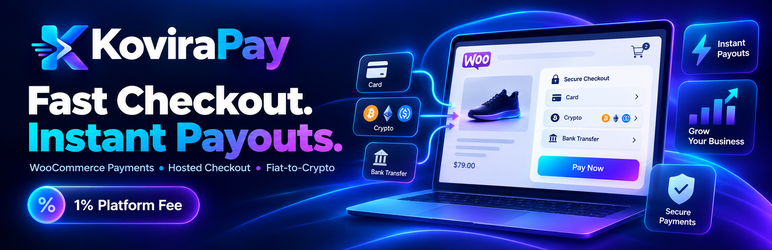
KoviraPay for WooCommerce connects your store to the external KoviraPay payment service, including hosted checkout, eligible direct payment-provider handoff, Checkout Blocks and Classic Checkout integration, signed payment-status webhooks, and authenticated payment-status reconciliation.
A free merchant account is required: https://kovirapay.com/register
Registering does not require payment details. KoviraPay advertises a platform fee starting at 1% on eligible routes; provider, conversion and blockchain network charges may apply. Payment availability and permitted business use depend on provider eligibility, geography, verification, and applicable rules. Customers may undergo KYC checks.
External service and data disclosure
The plugin connects to https://kovirapay.com (or the HTTPS KoviraPay API server that the merchant configures). Its authenticated API exchanges merchant connection credentials and obtains eligible payment methods, routing and optional payment logos. On order creation, customer/order details required for payment processing are transmitted to KoviraPay and may be passed to the selected payment provider, subject to the selected method and gateway policies. These can include the order identifier, transaction amount and currency, shop information, customer billing details and customer email. Payment sessions redirect customers to the KoviraPay checkout or eligible payment provider. Signed webhook notifications and authenticated status reconciliation update order status. The plugin may perform periodic status checks for outstanding sessions and an API request for payment-method availability. Checkout method logos may be loaded from the configured KoviraPay domain if the merchant enables them; no checkout advertising tracking script is installed. The optional “Powered by KoviraPay” attribution link is off by default, sends UTM parameters only when clicked, and can be explicitly enabled by the store owner.
KoviraPay Terms of Use (including its Privacy and Data Handling section): https://kovirapay.com/terms
KoviraPay service and integration information: https://kovirapay.com/woocommerce-payment-gateway
KoviraPay is a separate external service required for payment functionality. Connection details, merchant API credentials and installation URL are transmitted when the merchant explicitly connects or configures the gateway. When an enabled payment gateway is displayed in checkout, the plugin requests available payment methods from KoviraPay and can send the cart currency and total. When the shopper submits an order, the plugin sends the order reference, total, currency, customer email and return URL for creation of a checkout session. KoviraPay may direct the shopper to a third-party provider and share relevant details under that provider’s policies. While an order remains pending, authenticated payment-status requests may be sent to KoviraPay using its payment identifier; incoming signed webhooks are also accepted to synchronize order status. Remote checkout logo images are OFF by default and require a separate merchant opt-in; enabling them makes the customer’s browser request images from the configured KoviraPay origin. An optional Powered by KoviraPay checkout link is OFF by default and is only displayed with a separate merchant opt-in. There is no automatic analytics telemetry or heartbeat at activation.
Installation
- Install WooCommerce and activate this plugin.
- Create a free KoviraPay merchant account at https://kovirapay.com/register and verify your email.
- Visit WooCommerce > Settings > Payments > KoviraPay, then generate a short-lived connection code in your KoviraPay merchant dashboard and save it in the gateway settings. Your site must be accessible via HTTPS for the connection challenge.
- Alternatively configure a merchant API key and signed webhook secret using the documented manual procedure. Webhook endpoint:
https://YOUR-SHOP/wp-json/kovirapay/v1/webhook. - Select Hosted or Direct mode, enable the payment gateway and run test orders before enabling live payments.
FAQ
-
Is an account required?
-
Yes. A free merchant account is needed to access the external KoviraPay payment service. Processing fees may apply.
-
Does registration mean live payment methods are immediately available?
-
No. Provider availability, compliance checks, settlement setup, and eligible routes must be completed before accepting live payments.
-
How are WooCommerce orders marked paid?
-
Only after verified payment events or authenticated reconciliation, not simply when a shopper returns to your website.
-
Is the Powered by KoviraPay link required?
-
No. It is disabled by default and can be enabled in the KoviraPay gateway settings.
-
Can I use WooCommerce Checkout Blocks?
-
Yes. Both the classic checkout and WooCommerce Checkout Blocks are supported.
Reviews
There are no reviews for this plugin.
Contributors & Developers
“KoviraPay for WooCommerce” is open source software. The following people have contributed to this plugin.
Contributors
Translate “KoviraPay for WooCommerce” into your language.
Interested in development?
Browse the code, check out the SVN repository, or subscribe to the development log by RSS.
Changelog
0.8.9
- Privacy and external service notices expanded; remote payment images disabled by default.
- Tighten webhook payload and input validation; remove development-only notes.
- Keep opt-in checkout attribution and existing payment routes.
0.8.8
- WordPress.org distribution compatibility: native WordPress.org plugin updates, metadata and translation directory.
- Add free merchant registration guidance in the WooCommerce settings.
- Make checkout attribution opt-in by default; retain existing payment/session/webhook behavior.
0.8.7
- Payment method logos and optional checkout attribution.