
Description
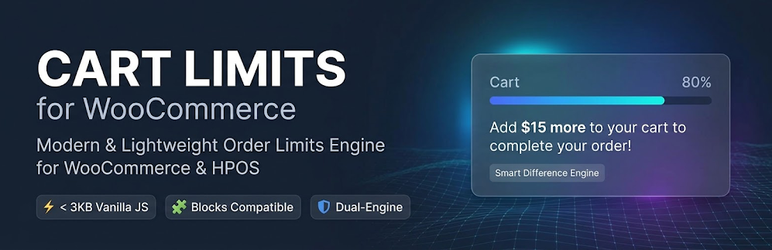
KossLabs Cart Limits is a modern, ultra-lightweight order limits engine engineered specifically for modern WooCommerce stores. It is built from the ground up to support the new React-based Cart & Checkout Blocks, the official WooCommerce Store API, and High-Performance Order Storage (HPOS).
Whether you run a B2B wholesale store requiring minimum purchase thresholds or a retail store preventing unprofitable micro-orders, KossLabs Cart Limits provides frictionless limits without slowing down your website.
🚀 Key Technical Differentiators
- Dual-Engine Validation (Store API + Classic): Complete protection across traditional checkout and modern Gutenberg React Cart/Checkout blocks (
/wp-json/wc/store/v1/cart). Customers cannot bypass rules by switching checkout layouts. - Smart Difference Engine (CRO-Driven Notices): Instead of cold, frustrating error messages, CartRules displays encouraging, conversion-focused notices with real-time mathematical calculations:
{min_amount},{current_amount},{needed_amount}(exact missing money to checkout){min_qty},{current_qty},{needed_qty}(remaining quantity needed){product_title},{max_qty},{excess_qty}
- Intelligent Stock Management (Allow Remaining Stock): If your remaining stock is lower than your minimum order threshold (e.g. 2 units left in stock but minimum is 5), CartRules automatically adjusts the threshold so your last inventory does not get stranded unsold.
- Auto-Bump Loop Integration: When customers click “Add to Cart” directly from archive/shop loops, the system automatically adds the minimum required quantity instead of locking them in an error loop.
- Zero-Bloat & HPOS Native: Zero custom SQL database tables. Zero jQuery dependency (< 3 KB pure Vanilla JS). Full Redis, Varnish, and LiteSpeed cache compatibility.
🌟 Free Features (Core)
- Set minimum order quantity per individual product.
- Set maximum order quantity per individual product.
- Enforce store-wide minimum cart amount.
- Choose amount calculation basis: Subtotal (Excl. Tax – ideal for B2B), Subtotal (Incl. Tax), Cart Contents Total, or Grand Total.
- Enforce store-wide minimum total items quantity across the entire cart.
- Full protection across Single Product, Shop Archives, Drawer/Mini-Carts, Cart, and Checkout Blocks.
- 100% translatable with clean internationalization standards (
.potincluded).
💎 Advanced PRO Features
Need enterprise B2B capabilities? KossLabs Cart Limits PRO adds:
- B2B & User Role-Based Limits: Define separate cart thresholds for Wholesalers ($500) vs Retail customers ($30).
- Category-Specific Limits: Enforce unique order thresholds based on product categories.
- Dynamic Cart Progress Bar: Visual progress tracker in cart blocks (“Add $15 more for free shipping!”).
- Tiered Cart Notices: Multi-tiered encouragement for higher order values.
Installation
- Upload the
kosslabs-cart-limitsfolder to your/wp-content/plugins/directory, or install directly via the WordPress Plugins menu. - Activate the plugin through the ‘Plugins’ menu in WordPress.
- Ensure WooCommerce is installed and active.
- Navigate to WooCommerce > Settings > Cart Rules to configure store-wide thresholds and notice templates.
- To set product-specific limits, edit any product and navigate to the Product Data > Inventory tab.
FAQ
-
Does this plugin work with the new WooCommerce Cart and Checkout Blocks?
-
Yes! 100%. CartRules hooks directly into the official WooCommerce Store API (
woocommerce_store_api_cart_errors). When a limit is violated, the Checkout Block is immediately locked with a native, seamless alert banner. -
Does this plugin slow down my store?
-
Not at all. The frontend script is written in pure Vanilla JavaScript and weighs less than 3 KB. It loads conditionally only on shop, product, cart, and checkout pages. Zero external libraries, zero custom database tables.
-
What happens if I have only 2 items left in stock but the minimum order quantity is 5?
-
With our “Allow Remaining Stock” feature enabled, CartRules automatically lowers the minimum requirement to the remaining stock (2) so you can sell out your inventory without getting stuck.
-
Can I customize the notice messages?
-
Yes. In WooCommerce > Settings > Cart Rules, you can customize all notification templates using dynamic tags like
{min_amount},{needed_amount},{min_qty}, and{needed_qty}.
Reviews
There are no reviews for this plugin.
Contributors & Developers
“KossLabs Cart Limits” is open source software. The following people have contributed to this plugin.
Contributors
Translate “KossLabs Cart Limits” into your language.
Interested in development?
Browse the code, check out the SVN repository, or subscribe to the development log by RSS.
Changelog
1.0.1
- Connected official Freemius PRO upgrade checkout link.
- Added direct Settings and Upgrade action links in plugins list.
1.0.0
- Initial public release.
- Added Store API and Gutenberg Checkout Blocks validation.
- Added Smart Difference Engine with dynamic placeholder tags (
{needed_amount},{needed_qty}). - Added intelligent remaining stock fallback.
- Added Auto-Bump loop add-to-cart integration.
- Full HPOS (High-Performance Order Storage) declaration.