
Description
Klickkonnect for WooCommerce connects your shop to Klickkonnect, a messaging platform built on the WhatsApp Business Platform (Cloud API) and the Instagram and Messenger APIs from Meta. You need a Klickkonnect account and a connected WhatsApp Business number. The plugin itself is free; Klickkonnect has a free plan and paid plans.
Everything runs from a Klickkonnect menu in WordPress:
- Dashboard: messages sent, delivered and read, customer replies, shop results and recent campaigns.
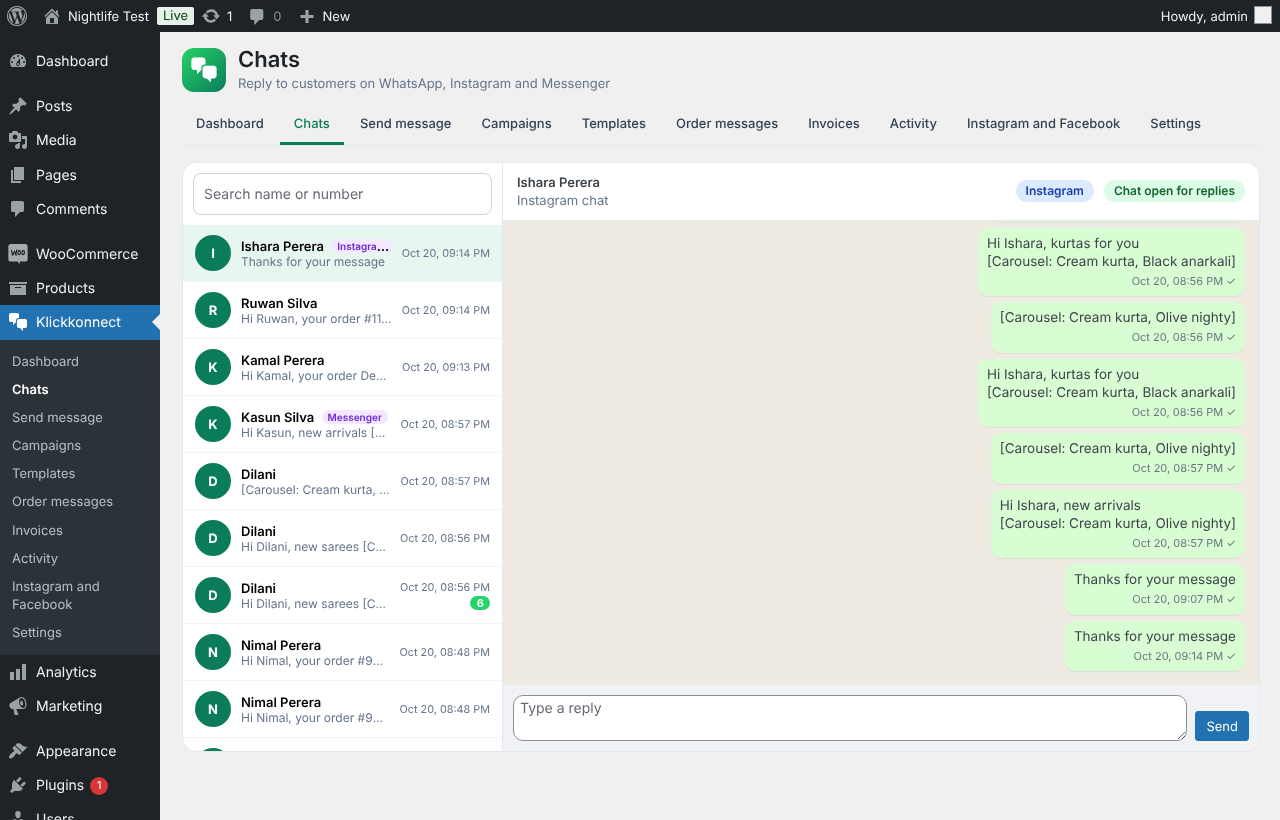
- Chats: read and answer customers on WhatsApp, Instagram and Messenger. Outside the 24-hour window on WhatsApp, send an approved template in two clicks.
- Send message: find a customer by name, phone or order number and send a template. Variables fill in from their order.
- Campaigns: choose customers by order status, products or categories bought, money spent, number of orders, recent or lapsed buyers, city or tag. Preview, send now or schedule, then follow sent, delivered, read and failed.
- Templates: build message templates with a header, variables, footer and buttons, or a product carousel by ticking products from your shop, with a live preview. Templates are sent to Meta for approval.
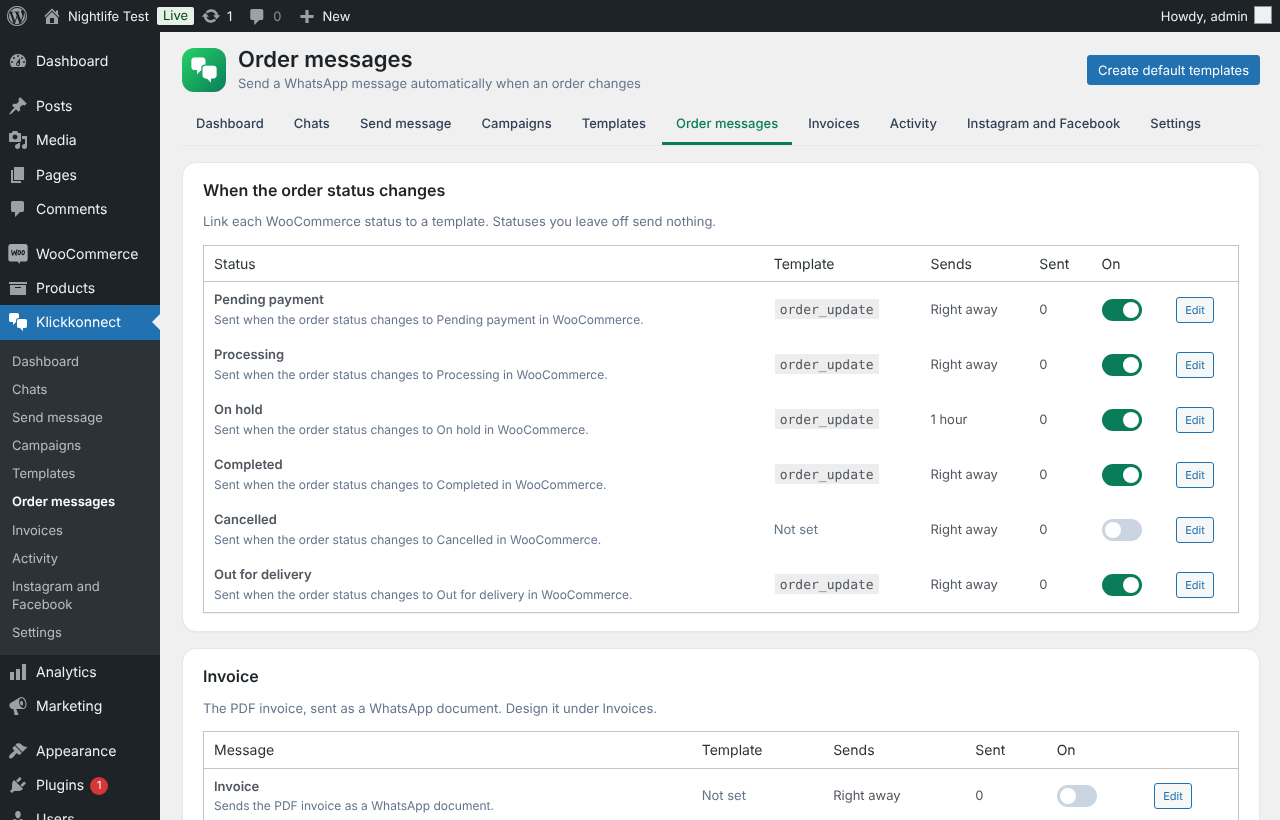
- Order messages: link each WooCommerce order status, including custom ones, to a template. Cash on delivery confirmation, abandoned cart reminders, reorder and feedback messages.
- Invoices: a PDF invoice with your logo and details, sent as a WhatsApp document automatically or from any order.
- Activity: what happened to every order and cart message, with a health check.
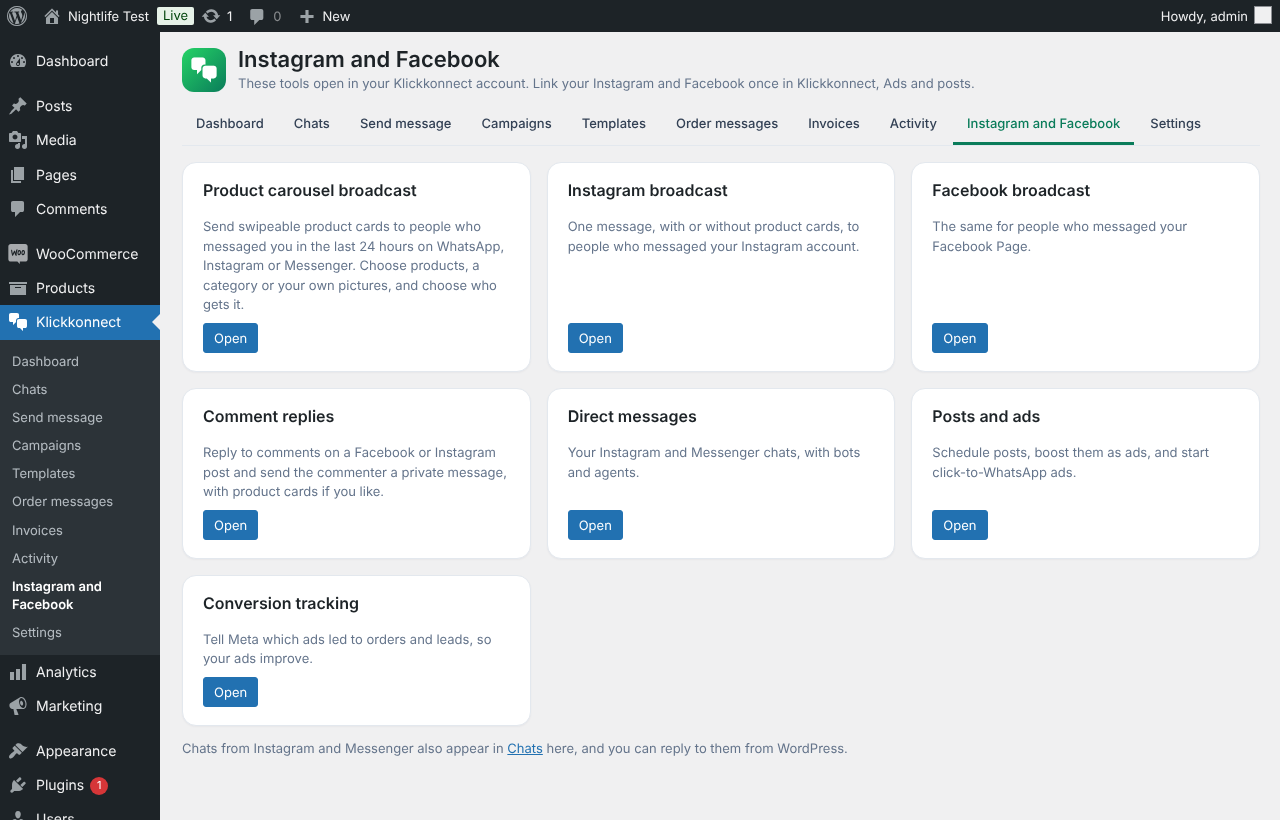
- Instagram and Facebook: links to product carousel broadcasts, Instagram and Facebook broadcasts, comment replies, posts and ads, and conversion tracking in your Klickkonnect account.
- On every order: see the conversation and send a message with the order details filled in.
- On every product: share it to Facebook and Instagram, schedule it, or boost it as an ad.
- Checkout: an opt-in box for WhatsApp messages (classic and block checkout) and an optional chat button on your shop.
Messages to customers are only sent to people who ticked the opt-in box, when you keep “Only message customers who ticked the box” switched on.
External services
This plugin is a connector for the Klickkonnect service (https://www.klickkonnect.com/), run by Klickkonnect. It does nothing until you paste your Klickkonnect API base URL and API key in Klickkonnect, Settings. From then on it sends data to the API base URL you entered (your Klickkonnect account), over HTTPS:
- When you press Save connection, Test connection, Refresh or Sync: your shop name and web address, the WooCommerce and plugin versions, your country calling code, your order statuses, your product list (name, price, picture link, page link, category, stock), and your orders from the last 30 days (as described in the next point).
- When an order is placed or its status changes: the order number, status, date, totals, currency, items, payment method, tracking link and the customer’s first and last name. For customers who agreed to messages, also their phone number, email, billing and shipping address and order note. Klickkonnect uses this to send the order messages and invoices you set up.
- On the cart and checkout pages, while a customer types their phone number: the phone number, name, country and the cart items and total, so Klickkonnect can send abandoned cart reminders. When “Only message customers who ticked the box” is on, nothing is sent unless the box is ticked.
- When you use the Klickkonnect screens in WordPress: the requests you make, for example sending a message, creating a template or a campaign, or reading chats.
- When you share or boost a product: the product name, price, picture and link, and the caption you write.
- Once a day: your product list, to keep product carousels up to date.
If you switch on the chat button, the script for the button is loaded from your Klickkonnect account on the pages of your shop.
Klickkonnect sends messages through Meta (WhatsApp, Instagram and Messenger). The Klickkonnect terms of service and privacy policy are here: https://www.klickkonnect.com/legal.html. Meta’s terms: https://www.whatsapp.com/legal/business-terms and https://www.facebook.com/privacy/policy.
Source code
Everything in this plugin is hand-written and shipped as readable source: there is no build step, bundler or minifier. The files assets/admin.js, assets/ads.js and assets/admin.css are the source files themselves. They use no third-party libraries.
Screenshots

Installation
- In WordPress go to Plugins, Add New, search for “Klickkonnect for WooCommerce”, then Install and Activate. WooCommerce must be active.
- In Klickkonnect, create an API key (Developer hub, API keys) and copy the API base URL (Integrations, Developers).
- In WordPress open Klickkonnect, Settings. Paste both, press Save connection, then Test connection. Your shop, products and recent orders connect by themselves.
- Open Klickkonnect, Order messages. Press Create default templates, or link your order statuses to your own templates.
- Optional: open Klickkonnect, Invoices and add your logo and details.
If you used the older “Klickkonnect WhatsApp for WooCommerce” plugin, deactivate and delete it after installing this one. Your settings are kept.
FAQ
-
Do I need a Klickkonnect account?
-
Yes. The plugin connects your shop to your Klickkonnect account, where your WhatsApp number, Instagram and Facebook Page are connected. You can sign up at https://www.klickkonnect.com/.
-
Do I need a WhatsApp Business API number?
-
Yes. Connect your number in Klickkonnect first. Message templates must be approved by Meta before they can be sent.
-
Will customers get messages they did not ask for?
-
Not when “Only message customers who ticked the box” is on, which is the default. Customers who do not tick the opt-in box at checkout get no WhatsApp messages.
-
A message was not sent
-
Open Klickkonnect, Activity. Each message shows its result and the reason, and the health check shows which part needs attention.
-
Does it work with the block checkout and High-Performance Order Storage?
-
Yes, both.
-
Where do I get help?
-
Use the support forum on this page, or email skanujan@gmail.com.
Reviews
There are no reviews for this plugin.
Contributors & Developers
“Klickkonnect for WooCommerce” is open source software. The following people have contributed to this plugin.
Contributors
Translate “Klickkonnect for WooCommerce” into your language.
Interested in development?
Browse the code, check out the SVN repository, or subscribe to the development log by RSS.
Changelog
3.3.1
- All data sent from the plugin screens is size limited and cleaned before it is used.
- The admin JavaScript is now shipped in readable, unminified form.
3.3.0
- Renamed to Klickkonnect for WooCommerce, with a Klickkonnect menu in WordPress.
- Chats shows Instagram and Messenger chats next to WhatsApp, and you can reply to them inside the 24-hour window.
- New Instagram and Facebook screen with links to product carousel broadcasts, Instagram and Facebook broadcasts, comment replies, posts and ads, and conversion tracking.
- Updates now come only from WordPress.org.
- Suggested text for your privacy policy, and clean removal of the plugin’s settings when you delete it.
3.2.1
- Works with several stores in one Klickkonnect workspace: the plugin tells Klickkonnect which shop it is.
3.2.0
- Post and boost: every product has Share to Facebook, Share to Instagram, schedule and Boost as an ad, using the product image, price and link. Link your accounts once in Klickkonnect, Ads and posts.
3.1.1
- Refresh reads your latest settings from Klickkonnect straight away.
3.1.0
- Invoices: design your PDF invoice and send it on WhatsApp automatically or from the order screen.
- Create default templates for every order status in one click.
- Orders send addresses, line totals, shipping, discount and tax for the invoice (only for customers who agreed to WhatsApp updates).
3.0.0
- New WhatsApp menu with Dashboard, Chats, Send message, Campaigns, Templates (with product carousels), Order messages, Activity and Settings.
- WhatsApp box on every order.
- Campaign audiences built from your WooCommerce customers.
2.3.0
- Fix: the plugin starts after WooCommerce has loaded, so order, cart and checkout events are always sent.
- Test connection brings in your orders from the last 30 days, without sending messages for them.
2.2.0
- Order updates are sent straight after the page loads instead of through WP-Cron. Failed sends are tried again after 5 minutes.
2.1.0
- Sends your shop’s order statuses, including custom ones.
2.0.0
- Orders, abandoned carts and products sync to Klickkonnect.