

Description
Kirki eCommerce is a lightweight, fully featured eCommerce plugin for WordPress. It gives you everything you need to create and run an online store, products, inventory, orders, checkout, payments, tax, and shipping, without depending on any other third-party plugin.
Kirki eCommerce is open source and developed in the open on GitHub.
👉 Source Code: GitHub Repository
👉 Feedback: Feedback Form
👉 Community: Kirki on Facebook
Features
Everything You Need to Run Your Store
Kirki eCommerce brings everything you need to run an online store together in one place. Create and organize your products, manage inventory, accept payments, process orders, configure shipping and taxes, offer discounts, and give customers a complete shopping experience from browsing through checkout and beyond.
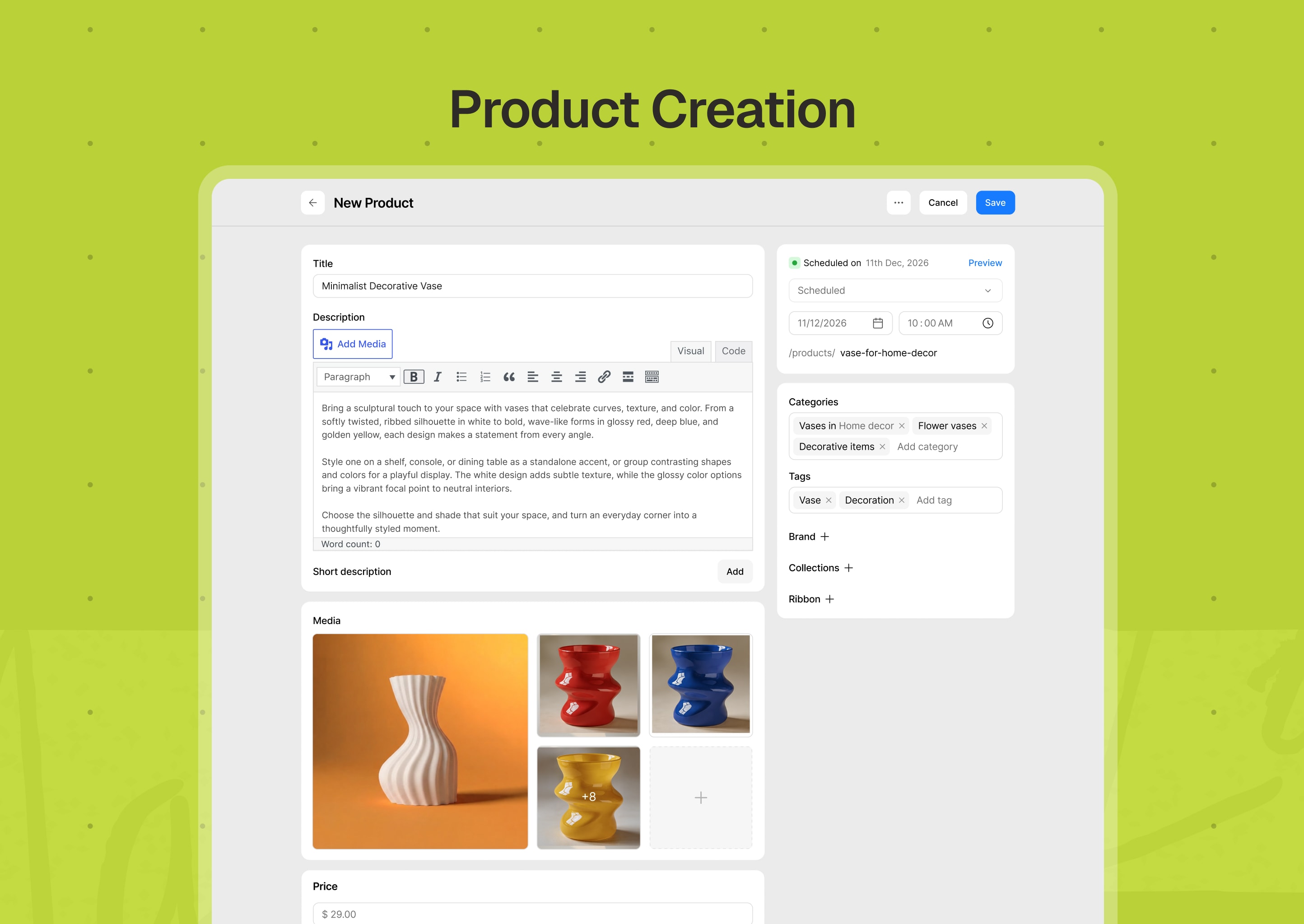
Product Creation & Management
Create unlimited products with simple or multiple product variations, then organize your catalog with categories, tags, brands, and collections. Add rich product information, galleries, variant-specific images, promotional ribbons, and additional information to help customers make informed purchases.
- Create and manage products with multiple product variations.
- Generate purchasable variants from your product attributes.
- Set individual prices, SKUs, stock levels, and images for each variant.
- Reuse attributes, color swatches, and variation presets across your catalog.
- Organize products with categories, tags, brands, and collections.
- Update products and variants in bulk when you need to make changes quickly.
- Preview products before publishing and easily duplicate existing products.
- Schedule products to publish automatically at a set time.
- Generate SKUs for products and variants with rules.
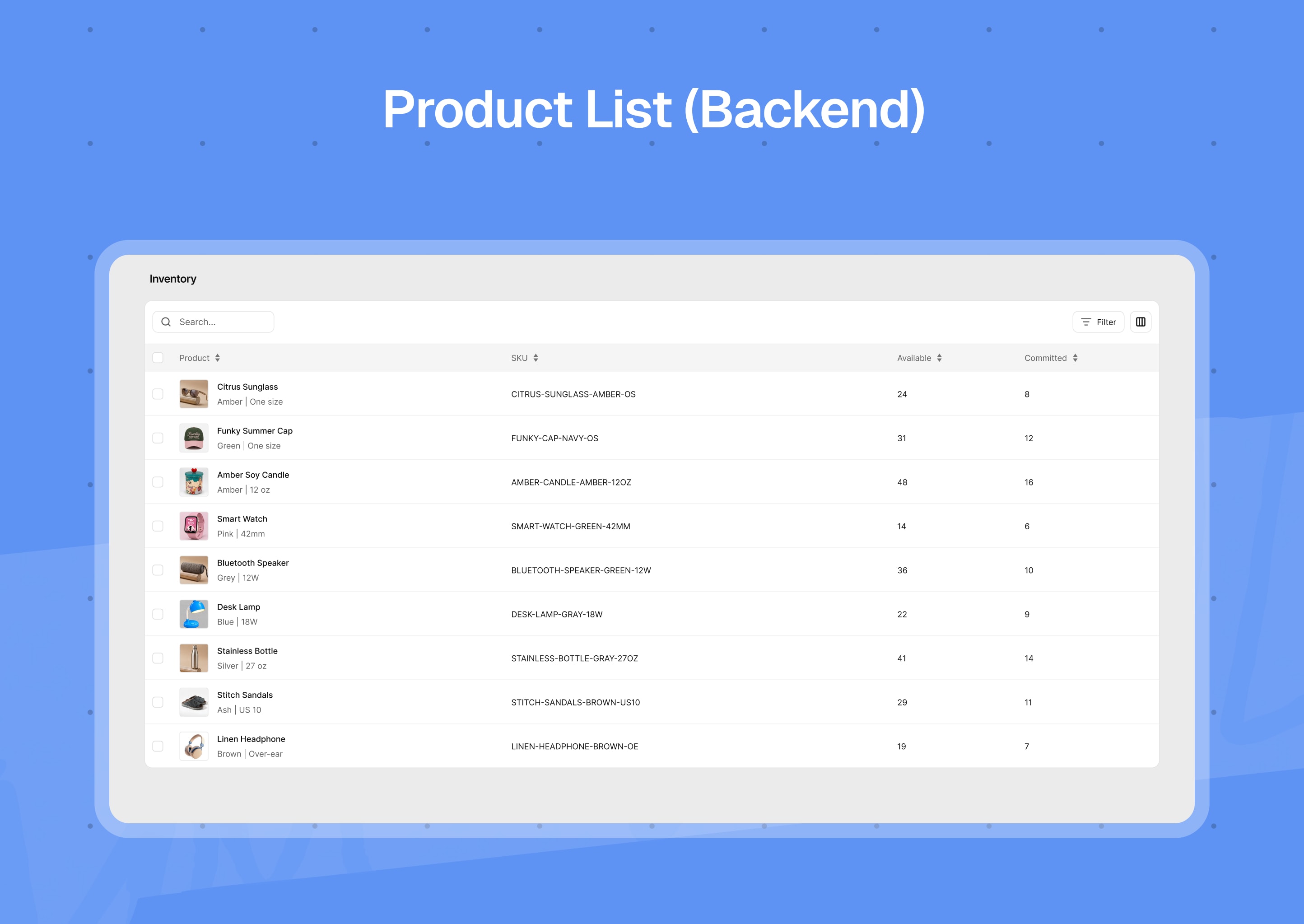
Stock & Inventory Management
Get complete inventory management control without constantly checking individual products. Kirki eCommerce tracks stock as orders move through your store and gives you the tools to handle low-stock products, backorders, and purchase limits.
- Track available and committed inventory.
- See inventory across your catalog from a dedicated inventory workspace.
- Set low-stock thresholds for your entire store, individual products, or variants.
- Allow backorders when you want to continue selling beyond available stock.
- Reserve stock while orders are being processed.
- Prevent customers from purchasing unavailable products.
- Set limits on how many units a customer can purchase in one order.
- Get low-stock and out-of-stock alerts by email.
Product Pricing & Currency
Set the prices that make sense for your business and give customers a clear view of what they’ll pay.
- Set regular, sale, and cost prices for each variant.
- Support unit-based pricing for products sold by weight, length, volume, or other units.
- Sell in multiple currencies.
- Automatically convert displayed prices using exchange rates.
- Use CurrencyApi or ExchangeRatesApi for currency conversion.
- Control currency symbols, decimal places, separators, and formatting.
- Let shoppers choose their currency with a currency switcher shortcode.
- Update exchange rates automatically on a schedule, or sync them manually.
Discounts & Coupons
Give customers more reasons to buy with coupons that can be tailored to your products, customers, locations, and campaigns.
- Offer percentage, fixed-amount, or free-shipping discounts.
- Target specific products, customers, countries, or categories.
- Set minimum spending or item-count requirements.
- Schedule when coupons become active and when they expire.
- Set overall and per-customer usage limits.
- Control whether multiple coupons can be combined.
- Generate coupon codes and validate them before they’re applied.
- Offer coupons that shoppers enter, or coupons that apply automatically.
- Limit a coupon to everyone, specific customers, logged-in customers, guests, or first-time buyers.
- Duplicate a coupon in one click.
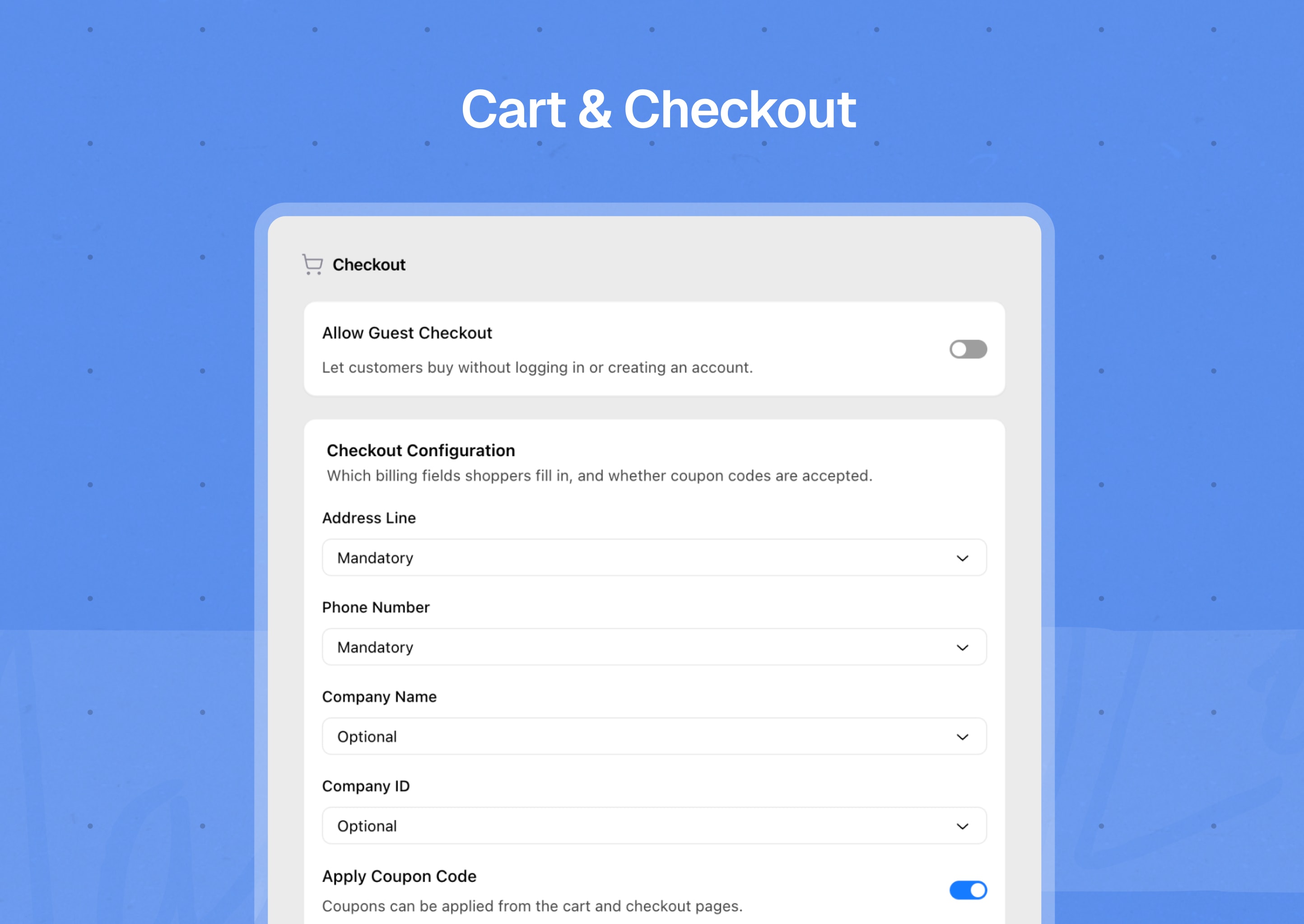
Cart & Checkout
Make it easy for customers to move from browsing to buying. Kirki eCommerce includes cart and secure checkout functionality out of the box, including support for guest purchases.
- Let customers shop with or without an account with guest checkout.
- Add, update, remove, and manage items directly from the cart.
- Apply coupons and automatically recalculate totals, discounts, tax, and shipping.
- Customize checkout fields and validation rules.
- Collect terms and privacy consent where required.
- Create or match customer accounts during checkout.
- Provide dedicated success and failure pages.
- Keep guest and logged-in carts in sync, including applied coupons.
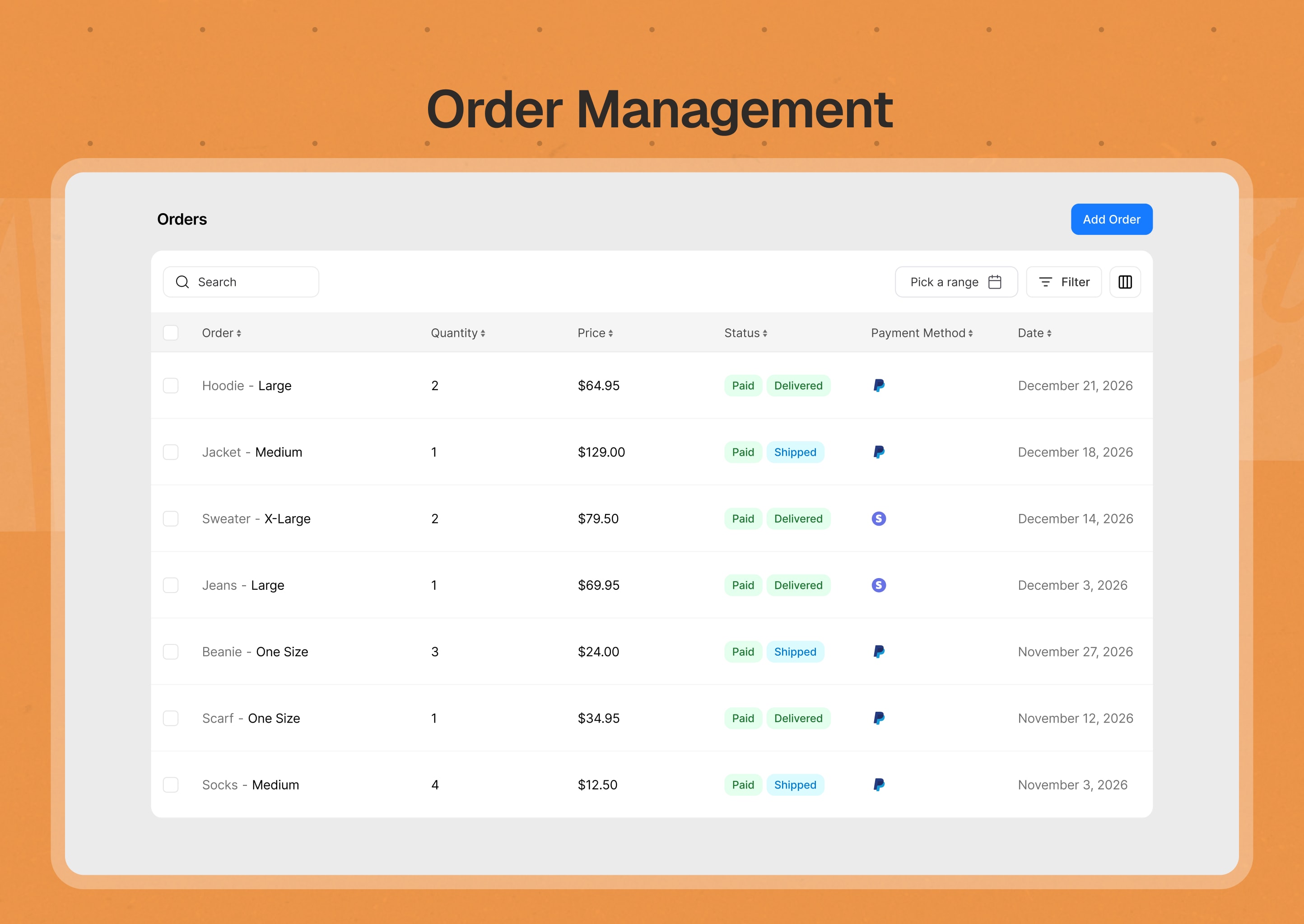
Order Management & Fulfillment
Get a complete view of every order, from payment through fulfillment. Create orders manually, track what happened over time, and keep important purchase information together.
- Complete order & fulfillment management.
- Keep payment and fulfillment status separate so you always know what needs attention.
- Create orders manually when you need to handle an order outside the normal checkout flow.
- Manage payments, invoices, cancellations, shipping, and tracking.
- Add notes and view a chronological order timeline.
- Keep a snapshot of important order information at the time of purchase.
- Merge eligible guest orders with customer accounts.
- Edit items, addresses, and shipping on an existing order.
- Add tracking numbers with a carrier so customers get a working tracking link.
- Resend order emails and archive orders.
Payments
Choose the payment methods that work best for your customers with no transaction fees. Kirki eCommerce has a flexible gateway system that lets you add online payment providers through separately installable companion plugins.
Core payment methods:
- PayPal
- Cash on Delivery
- Bank Transfer
- Custom manual payment methods
Install more payment gateways from the built-in gateway catalog as companion plugins:
- Stripe
- Mollie
- Square
- Razorpay
- Klarna
- Paddle
- PayStack
- PayU
- PayFast
- PayMongo
- AuthorizeNet
- Eway
- QuickPay
- Redsys
- 2Checkout
Payment gateways can send payment updates back to your store through webhooks, and payment provider fees can be recorded against orders.
Shipping
Whether you ship locally or across regions, configure your delivery options around how you actually fulfill orders.
- Create shipping zones for different destinations.
- Offer flat-rate shipping, local pickup, or weight-based rates.
- Reuse shipping profiles across products.
- Define shipping boxes and package dimensions.
- Create rules based on destination, cart value, weight, product category, or shipping profile.
- Show customers the shipping methods available for their order.
- Choose the weight and dimension units used by your store.
- Add shipping carriers, with tracking link templates and logos, for each zone.
- Offer free shipping above an order amount.
Taxes
Configure your store’s tax behavior based on where you sell and how your products are priced.
- Create tax profiles and regional tax rules.
- Support EU tax requirements, including reverse charge.
- Choose whether product prices include or exclude tax.
- Apply tax to shipping where required.
- Capture customer tax IDs such as VAT, GST, or EIN.
- Mark individual products or variants as tax exempt.
Customers & Accounts
Customers get a built-in account area where they can manage their information and keep track of their purchases.
- Let customers register and log in from the storefront.
- Verify customer email addresses.
- View order history and individual order details.
- See order activity from their account.
- Manage multiple billing and shipping addresses.
- Update profile information and passwords.
- Link customers to WordPress users, with email addresses kept in sync.
Built-in Storefront
You don’t need to build the essential shopping pages yourself. Kirki eCommerce automatically provides the core pages customers need to browse and buy.
- Shop and product pages.
- Product detail pages with variations, galleries, and purchasing controls.
- Cart and checkout pages.
- Login, registration, and customer account pages.
- Product search and filtering.
- Breadcrumbs, product cards, pagination, and empty states.
- Automatic generation of required storefront pages.
- Built-in notifications for common customer actions.
- Storefront SEO metadata.
- Let logged-in customers save products to a wishlist, with an optional variant.
- Add a mini cart with a Gutenberg block or a shortcode.
Email Notifications
Keep order communication running automatically with built-in email notifications.
- Send order updates to customers for new, cancelled, failed, processing, and completed orders.
- Notify store administrators about important store events.
- Customize email subjects, headings, and content.
- Add dynamic order and customer information using email shortcodes.
- Customize email branding with your logo and colors.
- Enable or disable individual email templates.
- Send through SMTP or PHP mail.
- Queue emails in the background for more reliable delivery.
Product Schema & SEO
Give search engines and social networks the information they need to understand and display your products.
- Configure product SEO metadata.
- Preview how products can appear in search results.
- Add Open Graph and social sharing information.
- Create reusable product schema profiles.
- Preview structured product data.
Store Configurations
A guided setup experience helps you get started, while dedicated settings give you control as your store grows.
- Start with industry and location presets for categories, attributes, shipping zones, tax regions, and legal texts.
- Load optional sample products from the setup wizard.
- Prefill the setup wizard from your WooCommerce settings when WooCommerce is found.
- Find and repair missing store pages from the Advanced settings.
- Configure store information, selling locations, products, payments, shipping, taxes, currencies, emails, and checkout.
- Restrict where you sell.
- Manage countries and regions used throughout your store.
- Configure product units, inventory, and barcode defaults.
- Manage your email templates and store branding.
- Configure advanced store behavior when you need more control.
Analytics & Reports
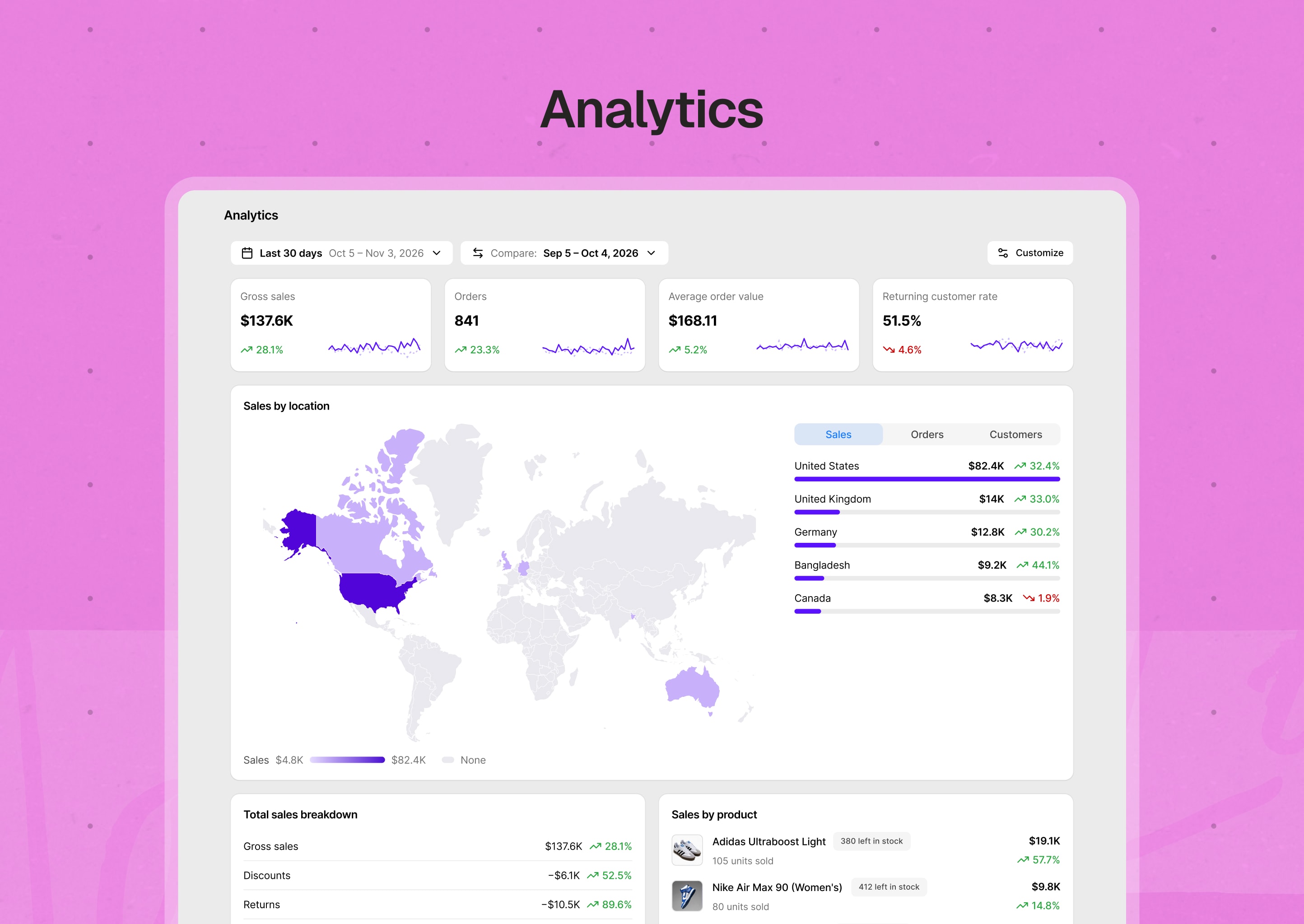
See how your store is performing from one dashboard. Compare any date range with the period before it, and choose which metrics and cards to show.
- Track gross sales, orders, average order value, and returning customer rate.
- See total sales over time, with a breakdown of discounts, returns, shipping charges, and taxes.
- View sales by product, category, coupon code, payment method, and location.
- See orders over time, by fulfillment status, and by time of day.
- Compare new and returning customers.
- Review taxes collected by region and shipping charges by method.
- Monitor inventory health with out-of-stock, low-stock, and in-stock counts.
- Customize the dashboard layout.
Migrate from WooCommerce
Moving from WooCommerce? Bring your store with you. Your WooCommerce data does not change.
- Move settings, terms, attributes, categories, tags, brands, products, customers, coupons, and orders.
- Resume, retry, revert, or clean up a migration run if something goes wrong.
Built to Grow With Your Store
Kirki eCommerce is designed to be extended without making the core plugin dependent on every feature or service you might need.
- REST API for integrations and custom applications.
- Extension hooks and WordPress actions and filters.
- Companion plugin support for payment gateways and other extensions.
- Background jobs for tasks that don’t need to run during a customer’s request.
- Caching and session management.
- Rate limiting and policy-based authorization.
- Database migrations and upgrade routines.
- Internationalization support.
The result is a complete eCommerce foundation that can work on its own while remaining flexible enough to adapt to different types of stores.
Best For
- Store owners who want a complete eCommerce solution without paying for a premium tier
- Merchants selling products with multiple variants, sizes, colors, materials, or other attribute combinations
- International sellers who need multi-currency pricing and EU tax handling, including reverse charge
- Stores that need flexible payment options, from major gateways to offline methods like Cash on Delivery and Bank Transfer
- Anyone replacing a heavier eCommerce setup with something simpler to manage
- Developers and agencies building client stores who want a REST API and extension hooks to customize
- Store owners moving from WooCommerce who want to bring their products, customers, and orders with them
Feedback & Support
If something doesn’t work as expected, or a feature you need is missing, we want to hear about it.
- Share feedback or feature ideas in the feedback form or join the Kirki eCommerce Facebook community.
- Report a bug on GitHub Issues.
Source Code
Kirki eCommerce is open source. Find the full source code on GitHub.
The JavaScript and CSS in the assets/ folder are compiled. Their readable source is in the public GitHub repository:
resources/app/is the source of the admin app (assets/js/kirki-ecommerce.*.js,assets/js/chunks/,assets/js/pages/and the admin CSS).resources/site/is the source of the storefront script and styles (assets/js/site.jsandassets/css/site.css).
To build them, clone the repository. You need Node.js 22 or later:
- In the repository folder, run
cd resources/app && npm install && npm run build. - Then run
cd ../site && npm install && npm run build.
Each build writes the compiled files to the assets/ folder.
External Services
This plugin connects to third-party payment gateway services depending on which payment method a store owner configures. Data is only sent after a store owner has set up a gateway, and only for customers who choose that gateway at checkout.
PayPal ships with the core plugin. It is used only after the store owner enters PayPal API credentials in the payment settings.
- When a customer pays with PayPal at checkout, the plugin creates a PayPal order. It sends the item names, a description of each item (price, quantity, subtotal, discount and tax), the order number and internal order ID, the order total, item total and shipping total, the currency, the store name (site title), and the return and cancel URLs for the checkout success and failure pages.
- To get an access token for each request, the plugin sends the store owner’s PayPal client ID and client secret.
- When the customer approves the payment, the plugin asks PayPal to capture it.
- When the store owner refunds a PayPal order, the plugin sends the refund amount, the currency, the refund reason, and the internal refund ID.
-
When PayPal sends a webhook to the store, the plugin sends the webhook event, its signature headers, and the store’s webhook ID back to PayPal to verify it.
The plugin can also connect to a currency exchange rate service to convert displayed prices into other currencies. This only happens after a store owner selects a provider and enters an API key in the currency settings. Rates are then fetched automatically at the configured update frequency, or when the store owner syncs them manually. No customer or order data is sent.
CurrencyApi receives the store owner’s API key, the store’s base currency, and the list of currency codes to fetch rates for. The API key is also sent to read the account’s monthly usage quota.
ExchangeRate-API receives the store owner’s API key and the store’s base currency.
Third-Party Libraries
Kirki eCommerce is licensed under GPLv2 or later. It bundles the following GPL-compatible libraries. Each keeps its own license.
- themeum/framework: GPL-2.0-or-later
- brick/math: MIT
- brick/money: MIT
PayPal is a trademark of PayPal, Inc. CurrencyApi and ExchangeRate-API are trademarks of their respective owners. Kirki eCommerce is not affiliated with or endorsed by these companies. Their names and logos are used only to identify the services the plugin connects to.
Screenshots







Installation
- In your WordPress dashboard, go to Plugins Add New Plugin.
- Search for “Kirki eCommerce”.
- Click Install Now, then Activate.
- Go to Kirki eCommerce Settings to configure your store and payment gateway.
- Create your first product and start selling.
To install manually, download the plugin ZIP file, go to Plugins Add New Plugin Upload Plugin, upload the file, then install and activate it.
FAQ
-
Do I need Kirki installed to use Kirki eCommerce?
-
No. Kirki eCommerce is a fully standalone eCommerce plugin, built independently from the Kirki website builder, and works without requiring Kirki or any other plugin installed.
-
Is Kirki eCommerce free?
-
Yes. Every feature in Kirki eCommerce is free, with no premium tier or paid upgrades.
-
Does Kirki eCommerce require a specific theme?
-
No. Kirki eCommerce includes its own storefront styling and doesn’t depend on your active theme to function or display correctly.
-
Which payment gateways are supported?
-
PayPal ships with the core plugin. Offline options include Cash on Delivery, Bank Transfer, and custom manual payment methods. You can add more online gateways as companion plugins, including Stripe, Mollie, Square, Razorpay, Klarna, Paddle, PayStack, PayU, PayFast, PayMongo, AuthorizeNet, Eway, QuickPay, Redsys, and 2Checkout.
-
Can I move my store from WooCommerce?
-
Yes. The migration tool moves your settings, products, customers, coupons, orders, and more from WooCommerce. Your WooCommerce data does not change.
-
Does Kirki eCommerce include analytics?
-
Yes. The Analytics dashboard shows sales, orders, customers, and inventory health, and lets you compare any date range with the period before it.
-
How do I report a bug?
-
Open an issue on the GitHub repository with steps to reproduce, expected vs. actual behavior, and screenshots if relevant.
-
Fill out the feedback form or join the Kirki eCommerce Facebook community.
Reviews
There are no reviews for this plugin.
Contributors & Developers
“Kirki eCommerce” is open source software. The following people have contributed to this plugin.
Contributors
Translate “Kirki eCommerce” into your language.
Interested in development?
Browse the code, check out the SVN repository, or subscribe to the development log by RSS.
Changelog
1.0.0 – Nov 04, 2026
- Initial release
- Adds a setup wizard with industry and location presets, optional sample products
- Adds products with variants, a variation library, categories, tags, brands, collections, ribbons, scheduling, preview, duplication, bulk edit, SKUs, and trash management
- Adds inventory tracking with committed stock, low-stock thresholds for the store, products, and variants, backorders, out-of-stock protection, per-order quantity limits, and email alerts
- Adds orders with separate payment and fulfillment statuses, manual orders, order editing, notes, a timeline and activity log, tracking links, archiving, and guest order merge
- Adds coupons with percentage, fixed-amount, and free shipping discounts, targeting and customer eligibility rules, usage limits, validity windows, and duplication
- Adds cart and checkout with guest checkout, legal consents, and cart syncing between guest and logged-in sessions
- Adds payments with PayPal, Cash on Delivery, and Bank Transfer, and more gateways as companion plugins
- Adds shipping with zones, flat rate, local pickup, and weight-based methods, profiles, boxes, carriers, and rules
- Adds tax with profiles, regional rates, rules, EU VAT and OSS support
- Adds multi-currency pricing with automatic exchange rate sync and a currency switcher shortcode
- Adds transactional emails for customers and administrators, with a template editor, live preview, and SMTP or PHP mail delivery
- Adds a built-in storefront with shop, product, cart, checkout, and account pages and search
- Adds a wishlist for logged-in customers and a mini cart block and shortcode
- Adds customer accounts with order history, saved addresses, email verification, and profile management
- Adds an Analytics dashboard with comparison periods and a customizable advanced layout
- Adds WooCommerce migration
- Adds product SEO and schema tools