

Description
Turn Trello into a client portal: live job tracking, two-way messaging, and file exchange, branded to your business.
Keyideas Connect for Trello Overview
A WordPress plugin that bridges Trello and your clients. E-commerce businesses using Trello to manage manufacturing and production jobs can give customers a branded portal showing live job status, messaging, file exchange, and new-order submission – all without exposing Trello credentials or board access.
Client Job Tracking
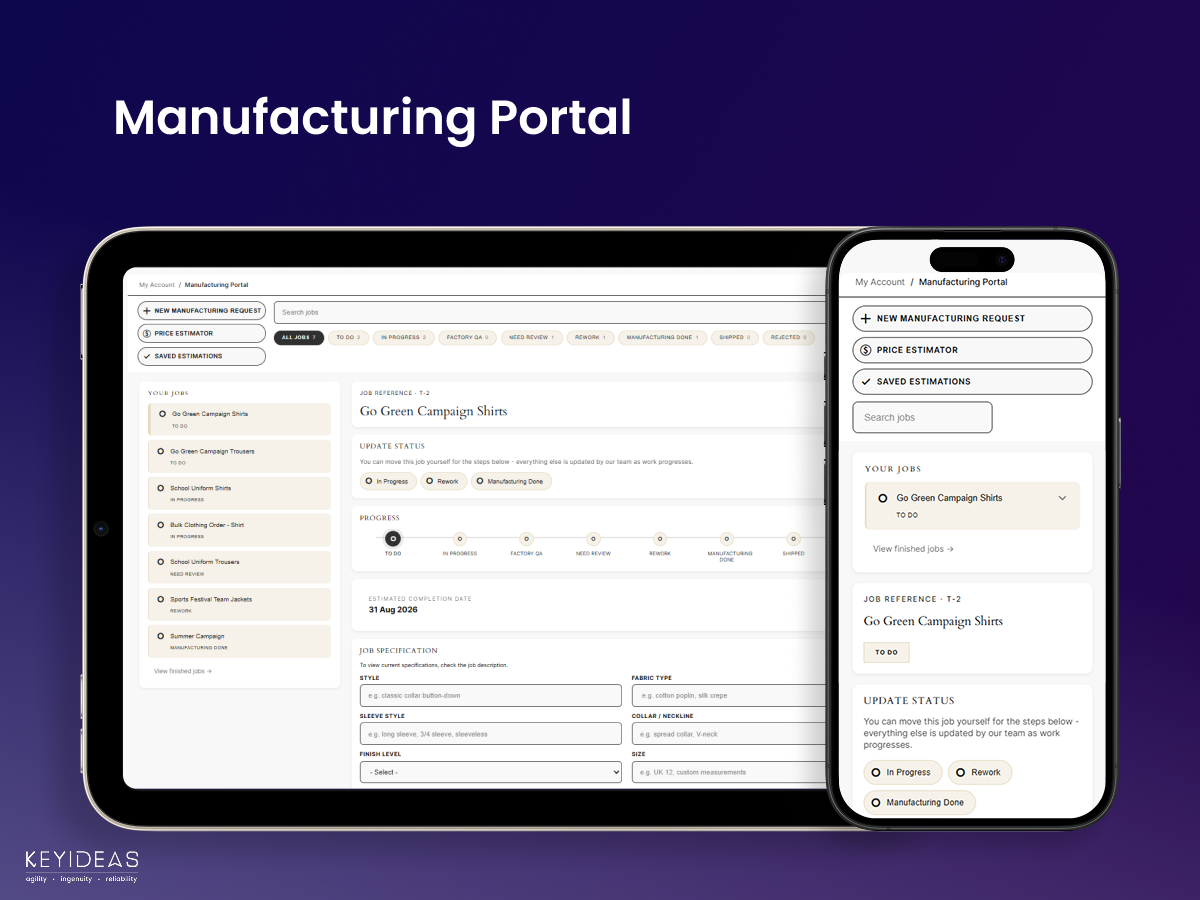
Transform your Trello board into a secure customer portal where clients can monitor job progress, upload files, exchange messages, and submit requests. Keep customers informed with real-time manufacturing updates while managing every project directly from Trello.
Track Every Job with a Live Client Portal
Display customer-specific Trello cards securely using their login email and provide a complete view of every job. Clients can monitor production stages, view important details, search projects, and stay informed throughout the manufacturing process.
Collaborate with Clients Without Leaving Trello
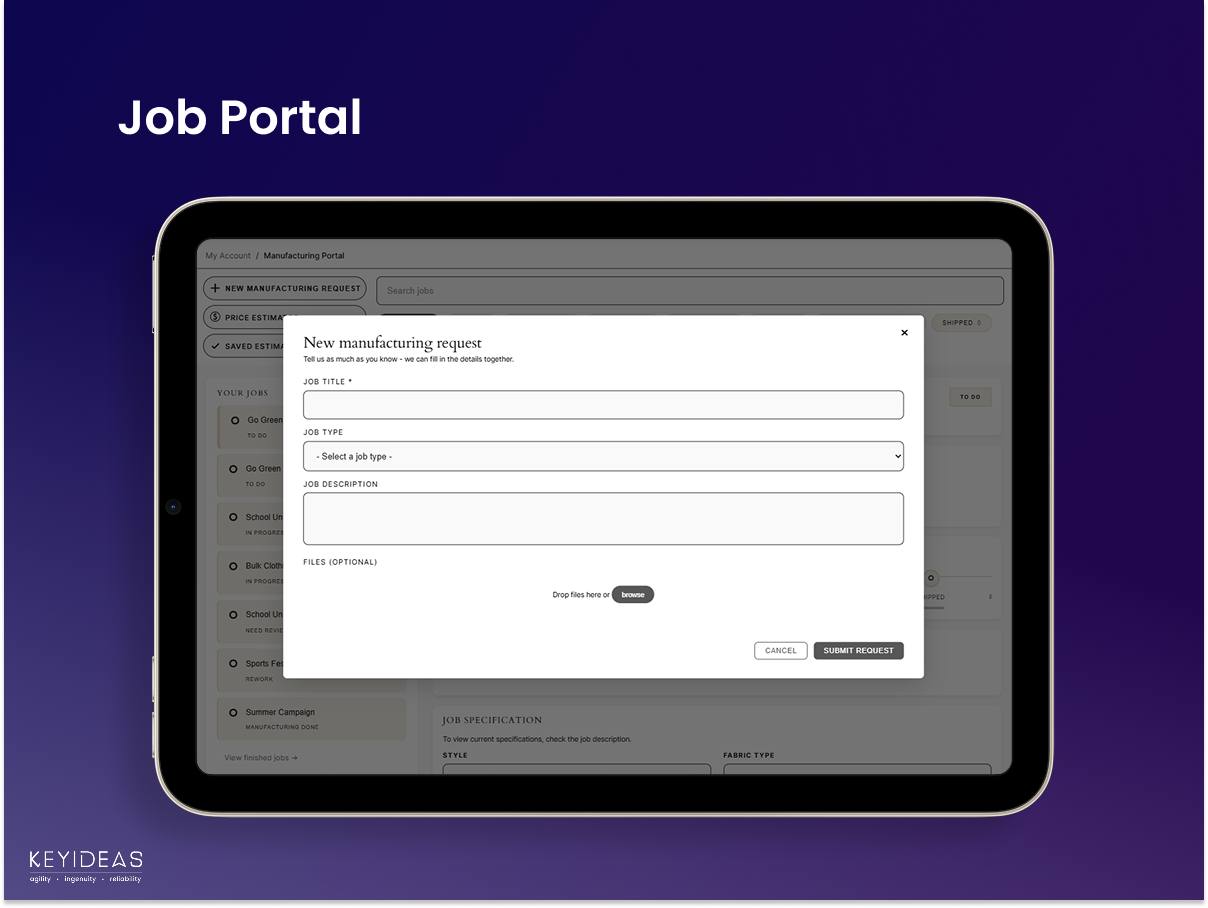
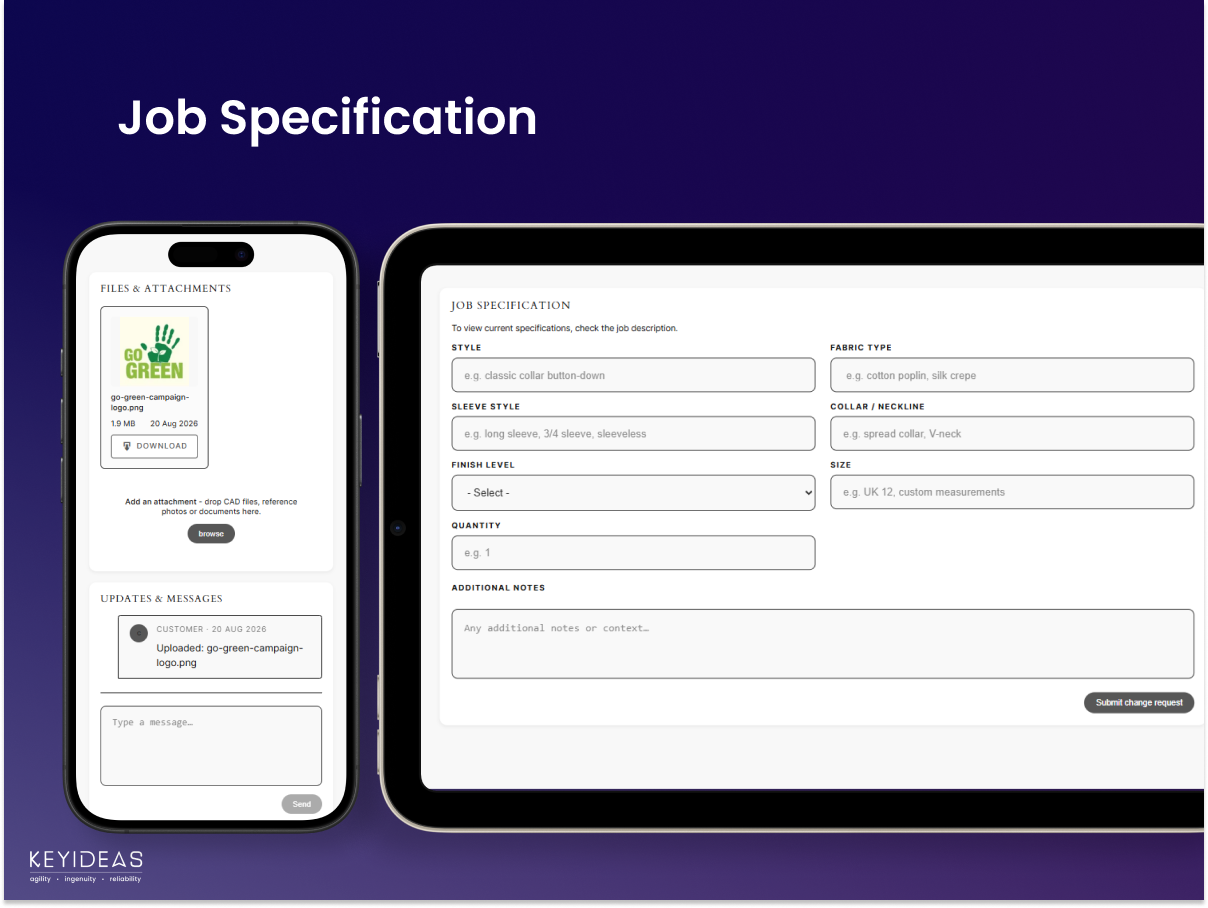
Allow customers to upload files, send messages, request specification changes, and create new manufacturing jobs directly from your website. Every interaction is automatically synchronized with the appropriate Trello card for efficient project management.
Customize Your Workflow & Client Experience
Configure job types, custom forms, workflow stages, branding, notifications, and customer actions to match your business process. Create a professional self-service portal that improves communication while reducing manual project updates.
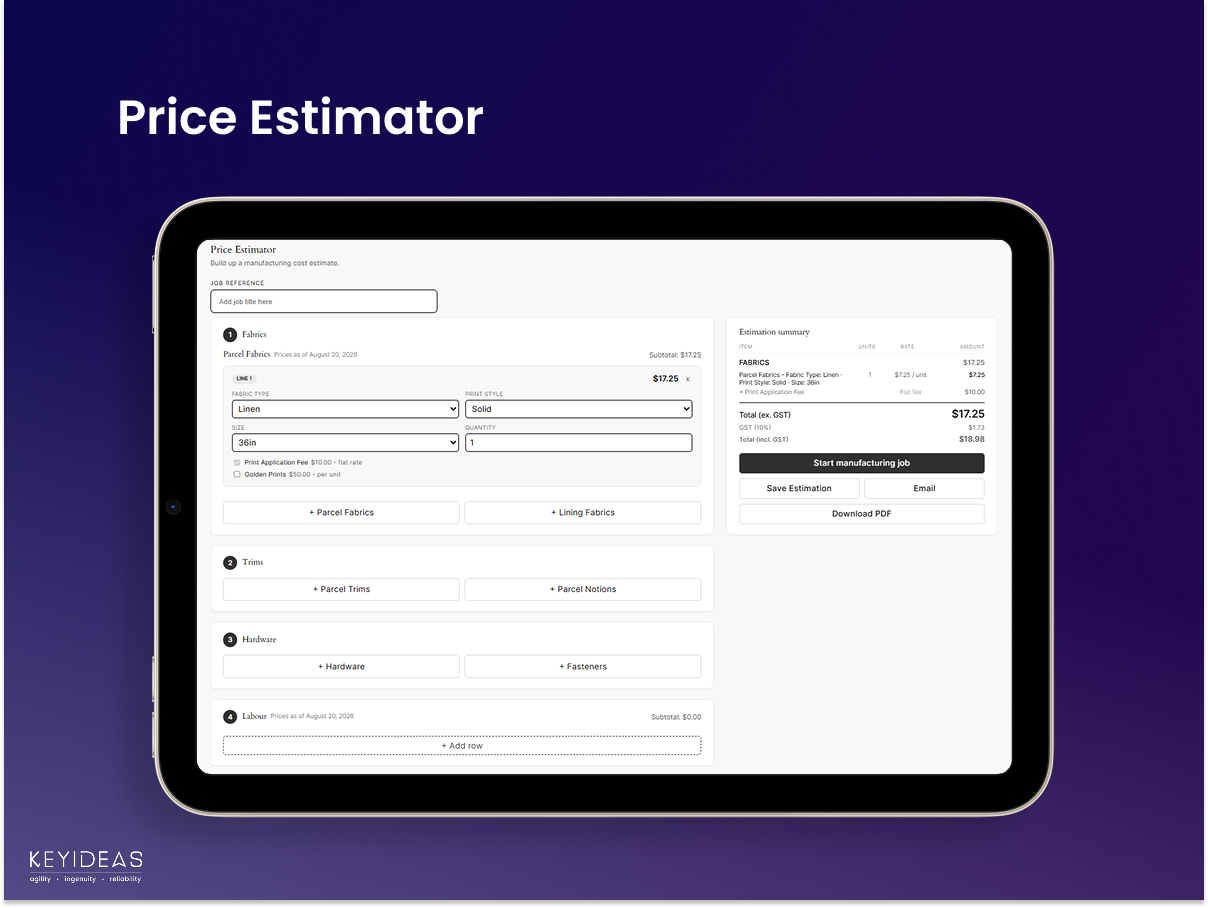
Price Estimator and Saved Estimations
Clients build a quote from an admin-configured pricing grid, then save, email as PDF, download, or submit it as a new manufacturing request – all from the same portal.
Free Version Features
✔ Secure Trello integration
✔ Client job tracking portal
✔ Manufacturing request forms
✔ File uploads & attachments
✔ Client messaging
✔ Job progress timeline
✔ Search & stage filters
✔ Custom branding
✔ WooCommerce login integration
Trello External Service
This plugin connects to the Trello API to automatically create and manage Trello cards based on WooCommerce events. This external connection is essential for the plugin’s core functionality and cannot be disabled while the plugin is active.
This plugin is not affiliated with, endorsed by, or sponsored by Trello or Atlassian. Trello is a trademark of Atlassian Pty Ltd. This plugin connects to Trello’s publicly documented API using an API key and token that you provide.
Trello’s terms of service: https://trello.com/legal/terms-of-service
Atlassian’s privacy policy (Trello is owned by Atlassian): https://www.atlassian.com/legal/privacy-policy
Screenshots
Installation
Minimum Requirements:
- PHP 8.0 or higher
- MySQL 5.6 or higher
- WordPress 6.0 or higher
Plugin Installation:
- Log in to your WordPress admin panel
- Navigate to Plugins Add New
- Search for ‘Keyideas Connect for Trello’
- Click Install Now, then Activate
- The plugin will appear in your WordPress left side menu
Plugin Link: Keyideas Connect for Trello
Post-Installation Setup:
After installation, create a page for your portal and select ‘Trello Sync Portal’ page attribute template, or add ‘[kcfx_trello_sync_portal]’ shortcode to the page.
Accessing the Plugin Dashboard:
After activation, click on ‘Keyideas Trello for Connect’ in your WordPress left side menu. From there, you can access the settings for the Trello connection, Portal Configuration, Theme Configuration, Client Interaction, and Price Estimator.
FAQ
-
How does the Trello Sync Portal work?
-
The plugin connects your Trello board to WordPress and displays each customer’s jobs by matching their login email with the client email stored on Trello cards.
-
Can customers only see their own jobs?
-
Yes. Customers only see Trello cards that contain their own email address. They cannot access jobs belonging to other clients.
-
Can customers upload files through the portal?
-
Yes. Customers can upload files directly to their Trello cards, and existing attachments can also be viewed and downloaded from the portal.
-
Can customers send messages to our team?
-
Yes. Customers can exchange messages with your team directly through the portal. Messages are synchronized as comments on the corresponding Trello card.
-
Can customers submit new manufacturing requests?
-
Yes. Customers can create new requests using a configurable form. Each submission automatically creates a new Trello card in the selected target list.
-
Can different job types have different forms?
-
Yes. Administrators can create custom specification forms for different job types, allowing each workflow to collect relevant information.
-
Can customers track job progress?
-
Yes. Customers can monitor every visible production stage through a visual progress timeline and filter jobs by status.
-
Can administrators customize the portal?
-
Yes. You can configure visible stages, custom fields, branding, portal layout, notifications, client actions, and job-specific forms from the WordPress admin.
-
Are email notifications supported?
-
Yes. The plugin can send notifications for team comments, stage changes, and weekly job summaries after email notifications are configured.
-
Can the portal be added to any WordPress page?
-
Yes. The portal can be embedded using a shortcode or a dedicated page template and is intended for logged-in users.
Reviews
There are no reviews for this plugin.
Contributors & Developers
“Keyideas Connect for Trello” is open source software. The following people have contributed to this plugin.
Contributors
Translate “Keyideas Connect for Trello” into your language.
Interested in development?
Browse the code, check out the SVN repository, or subscribe to the development log by RSS.
Changelog
1.0.0
- Initial release.