

Description
Complete WordPress CRM with Contact Management, Email Campaigns, Newsletters, Visual Marketing Automation, and Reports
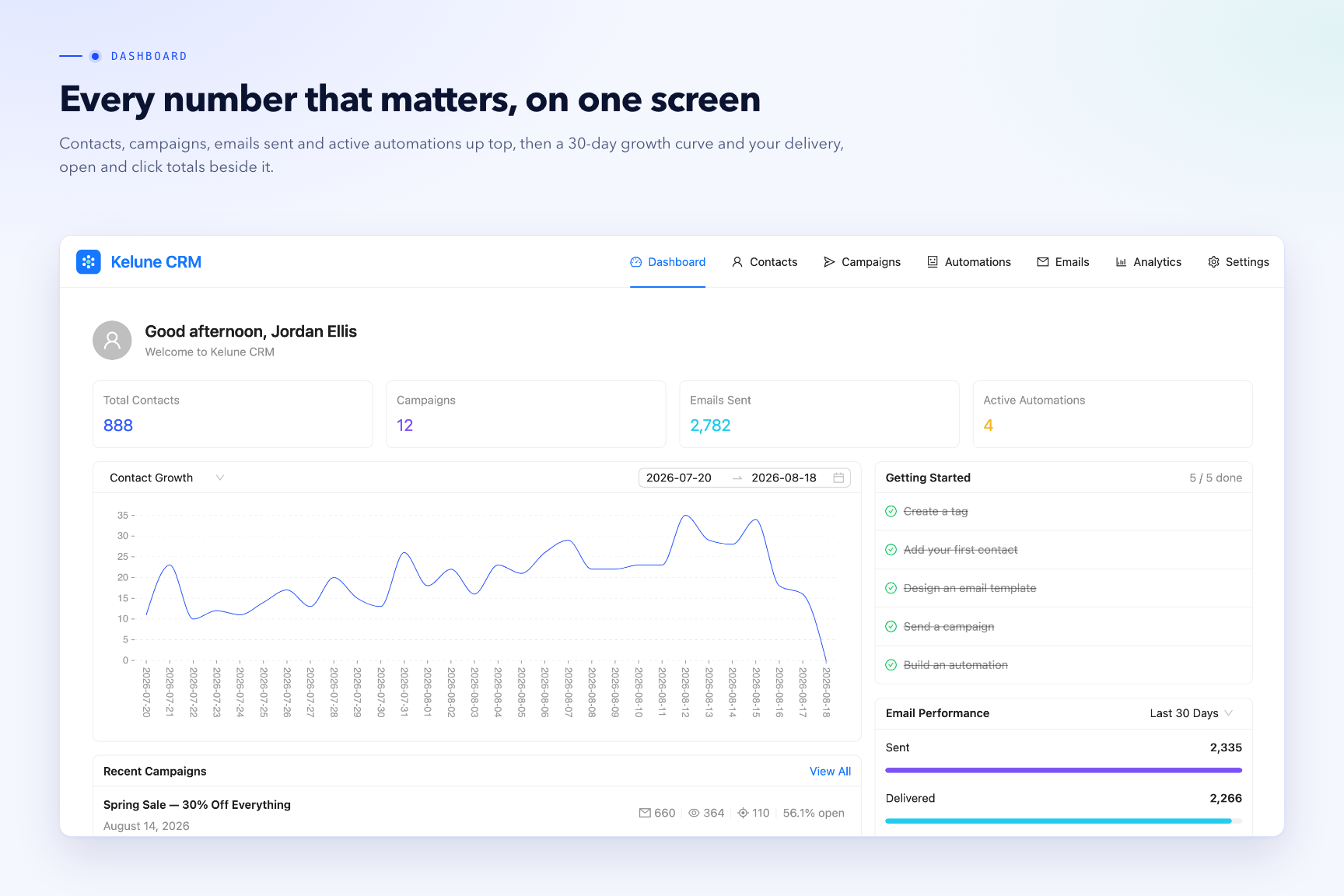
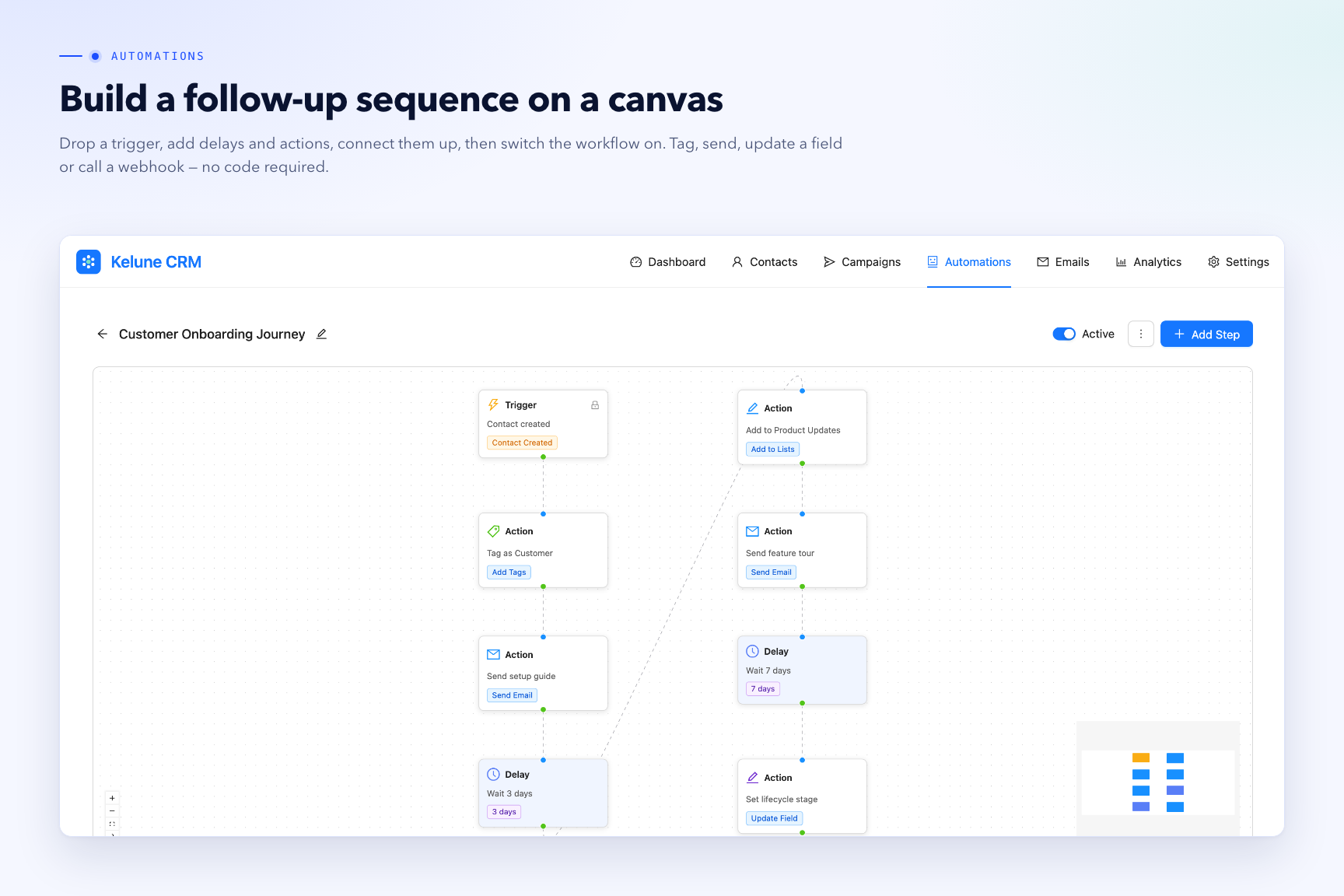
Kelune CRM is a self-hosted CRM and marketing platform for WordPress. Manage your contacts, organize them with tags and lists, design emails with a drag-and-drop builder, run campaigns, and automate follow-ups with a visual automation builder — all from your WordPress admin.
Every feature in the Free Features list below is included and fully functional. Kelune CRM stores your data in your own WordPress database and works offline by default: aside from the avatar WordPress itself already loads for the logged-in user, it only contacts an external service when you explicitly enable and configure one (see the “External services” section below).
👇 Helpful Links to Get Started
🔎 Learn More | 🚀 Explore Pro | 📬 Contact Us
❤️ Free Features
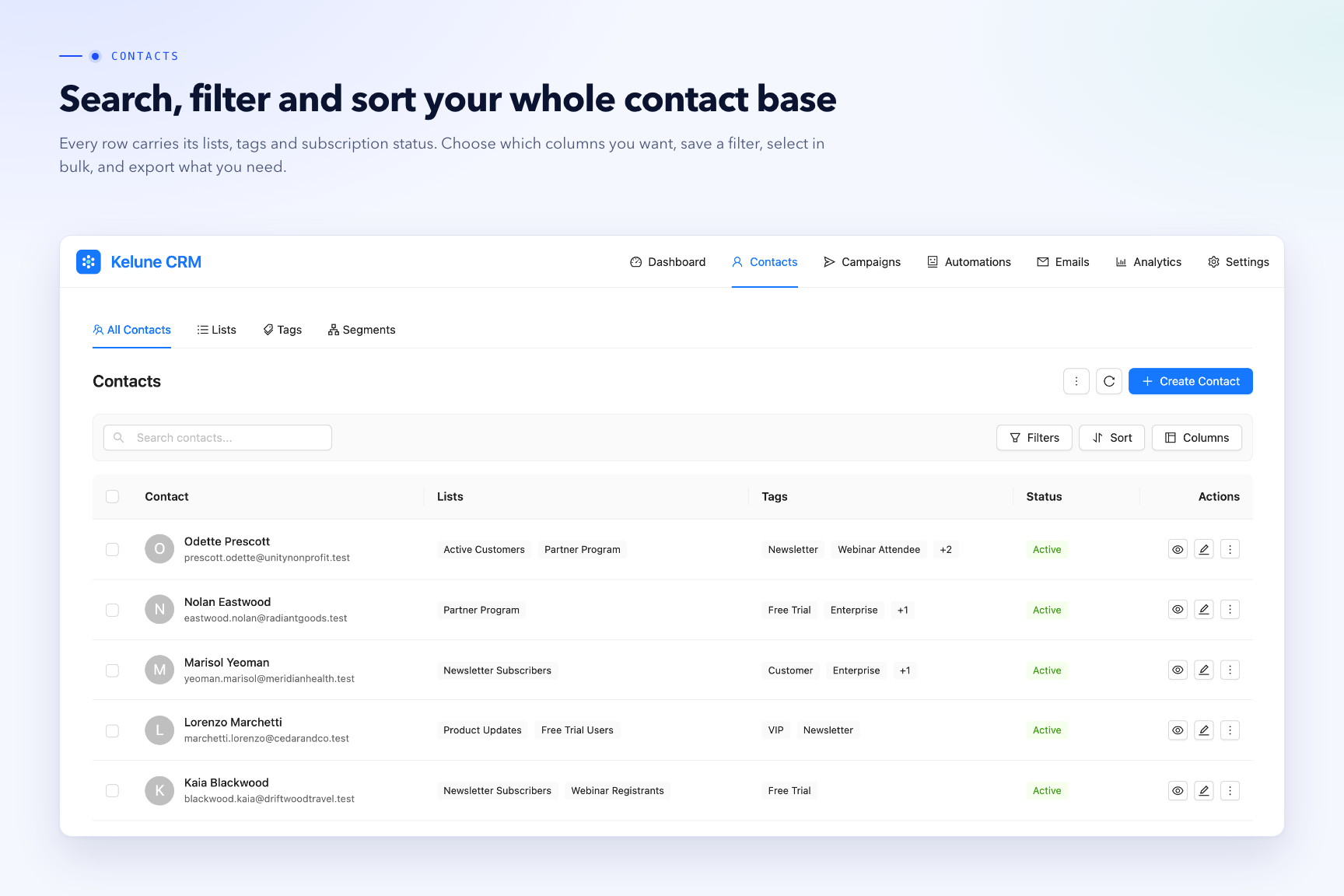
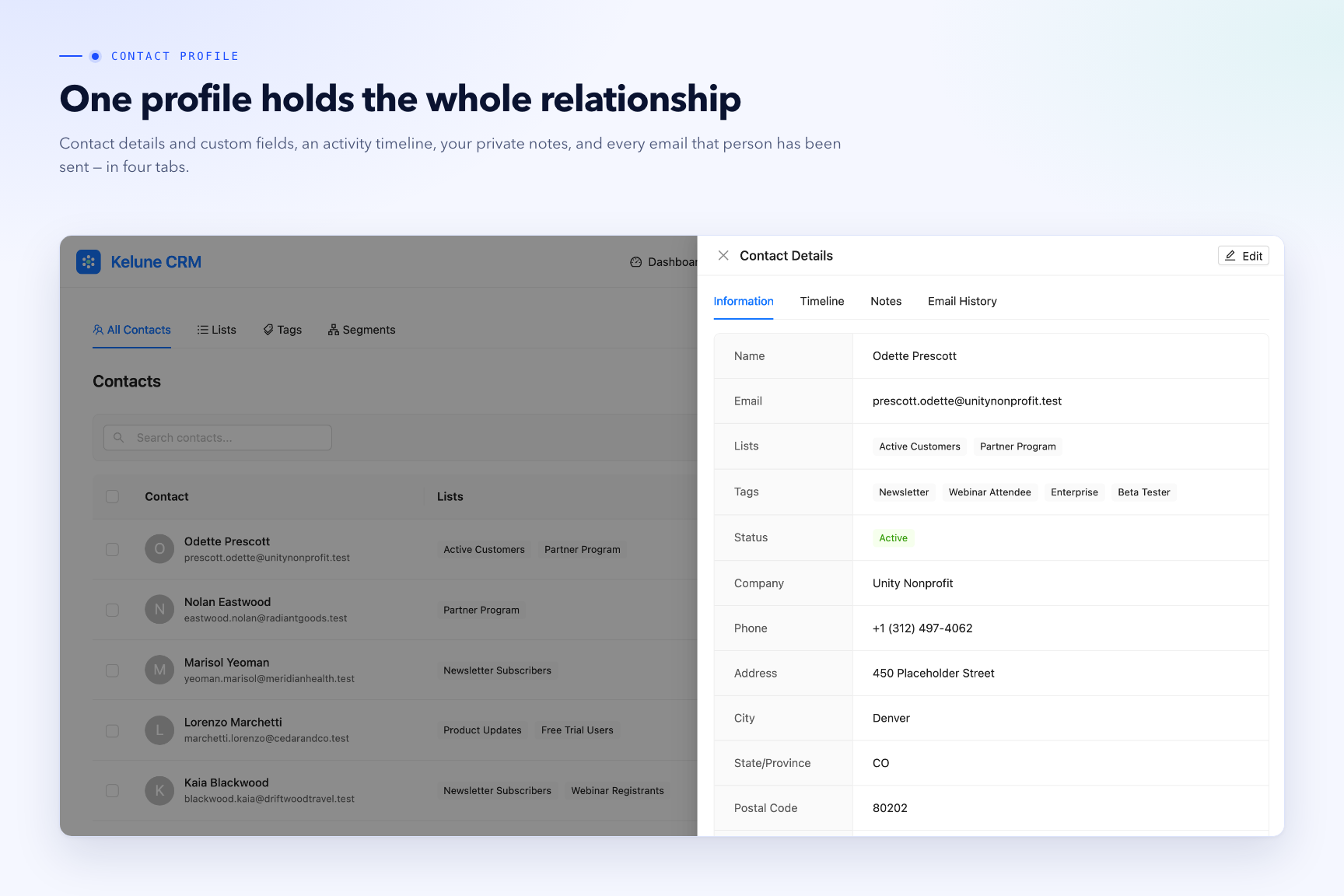
- Contacts — full CRUD, activity timeline, custom meta, and notes.
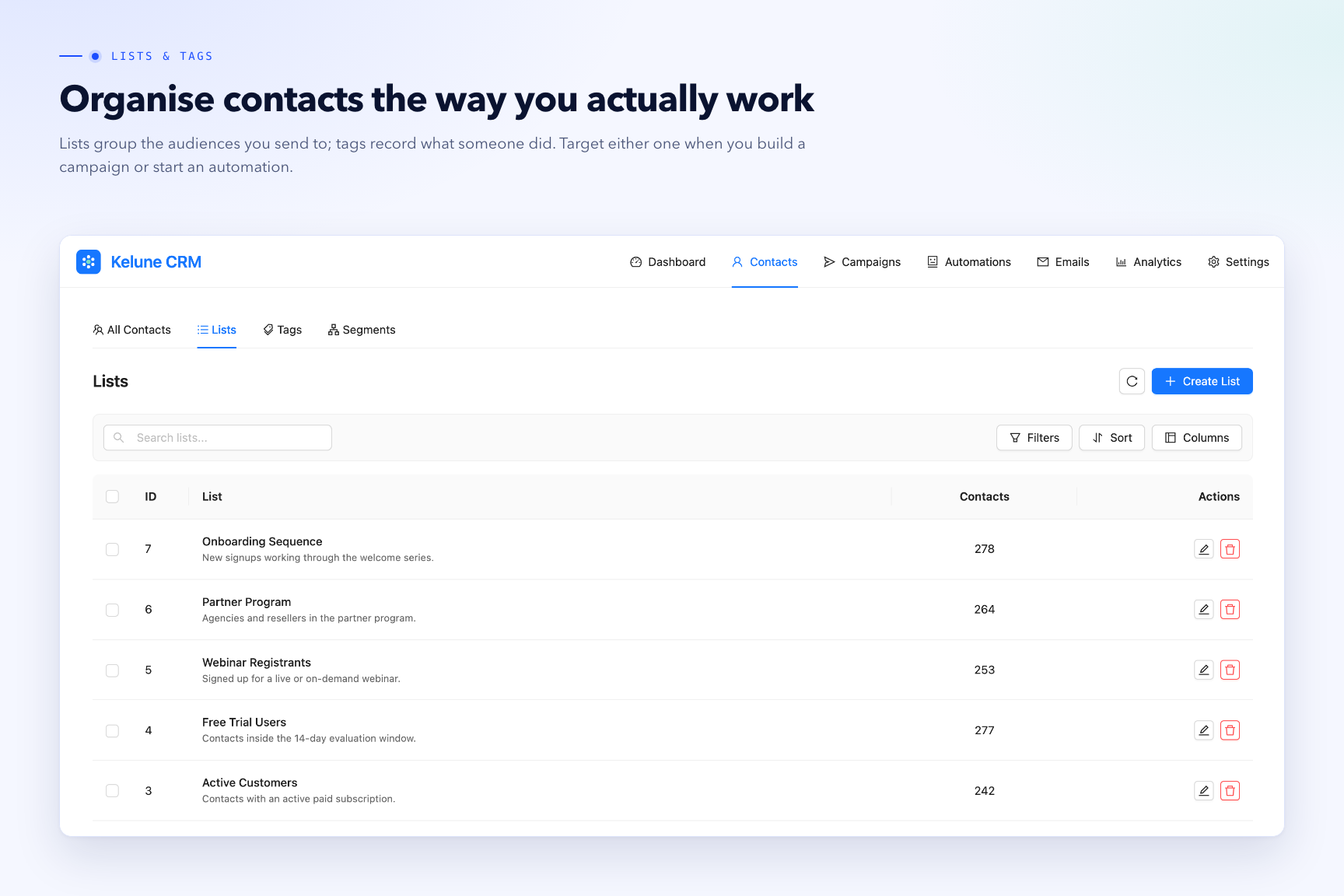
- Tags & Lists — organize contacts and drive audience selection.
- Custom Fields — single-line and multi-line text, number, email, URL, phone, select, radio, checkbox, date, and datetime.
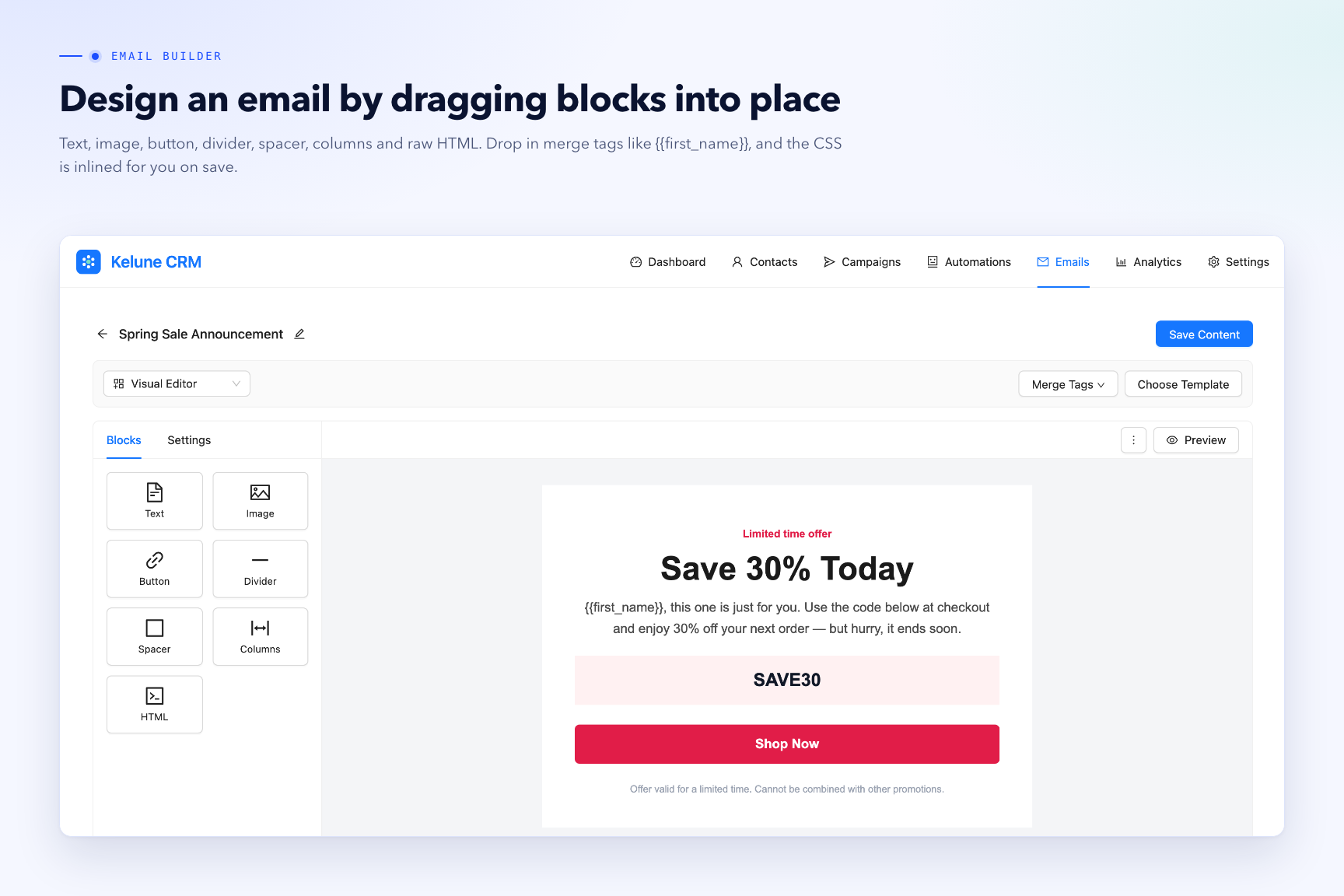
- Email Templates — drag-and-drop builder with automatic CSS inlining.
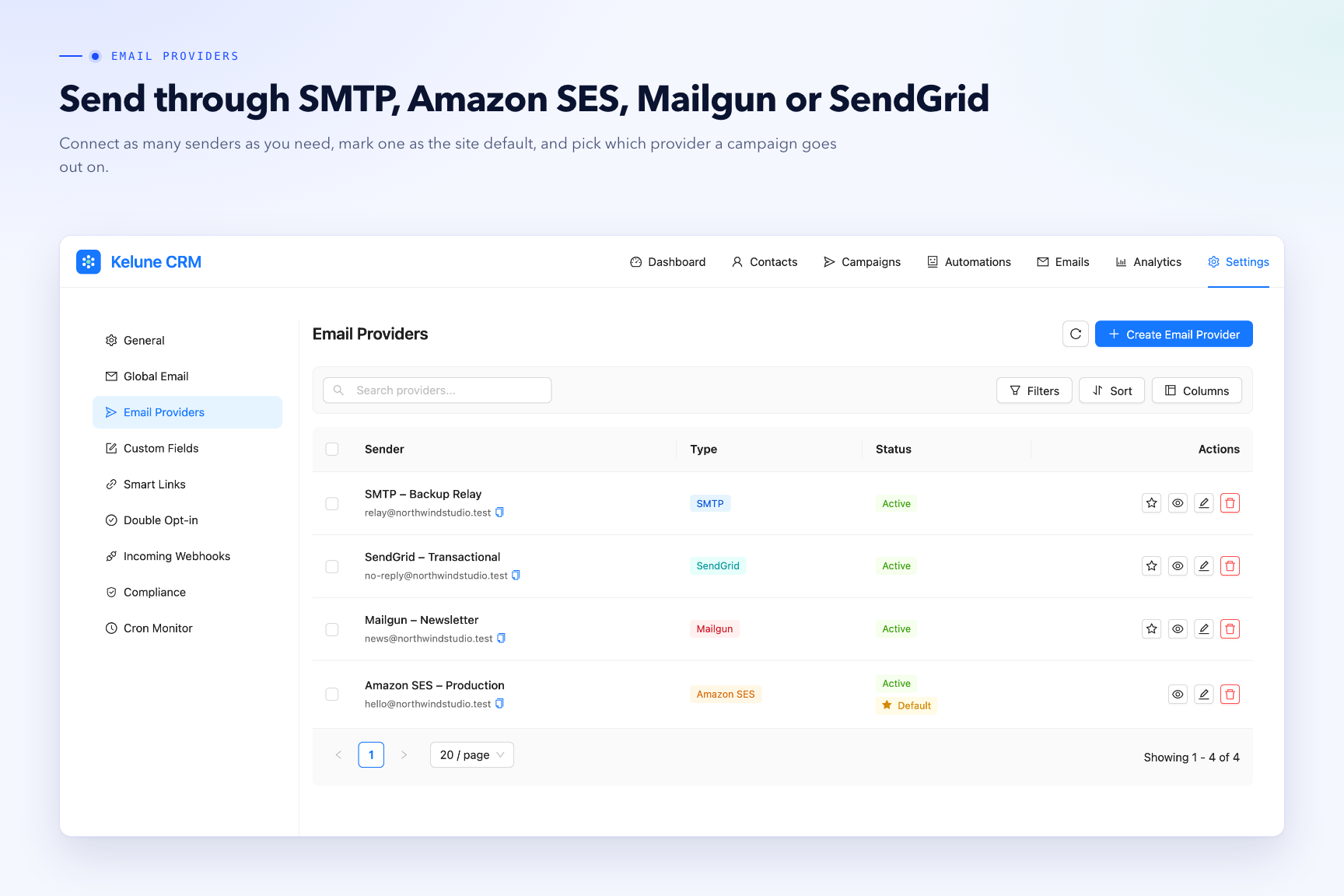
- Email Providers — send via SMTP, Amazon SES, Mailgun, or SendGrid, or the default WordPress mailer.
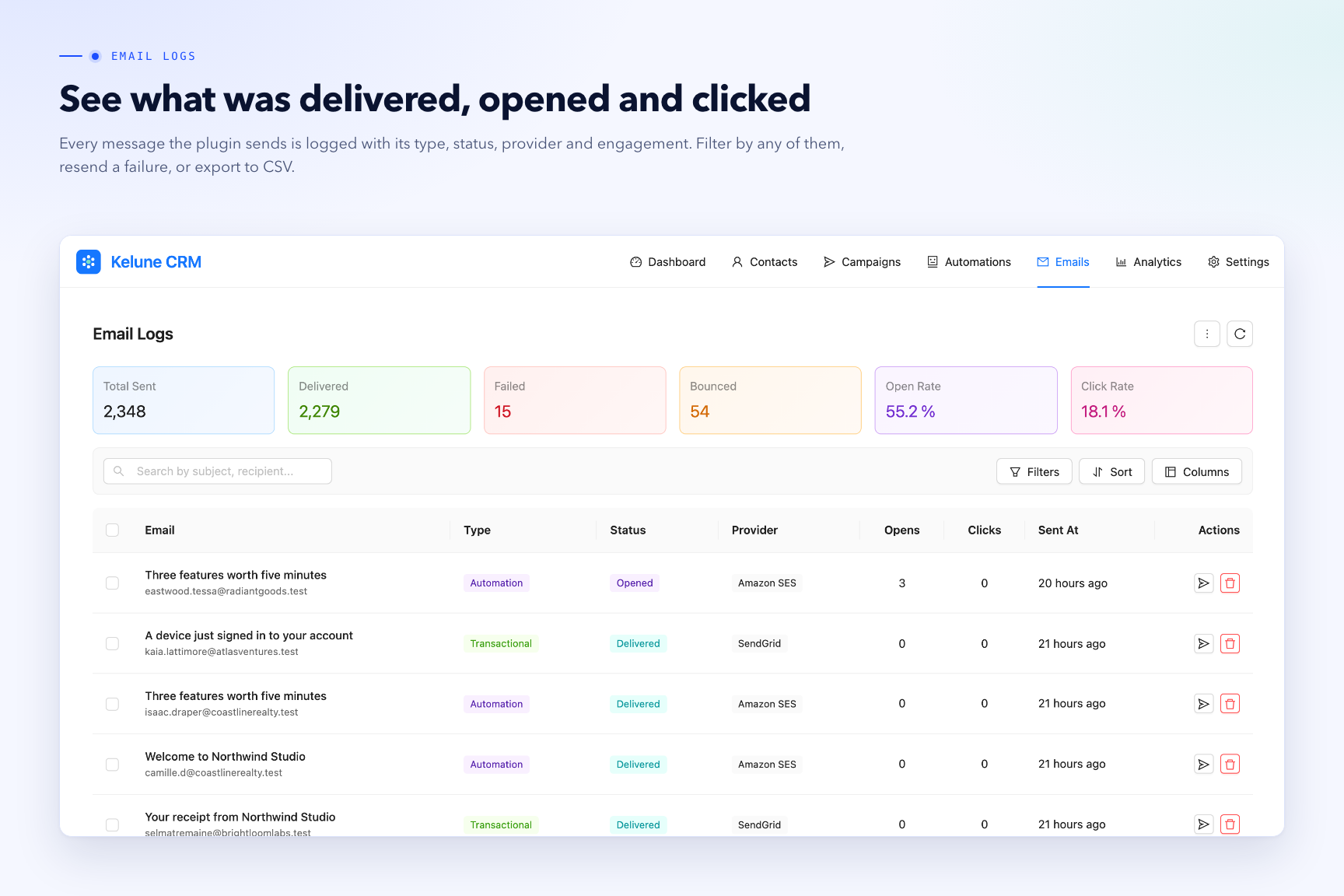
- Email Logs — open/click tracking, stats, and CSV export.
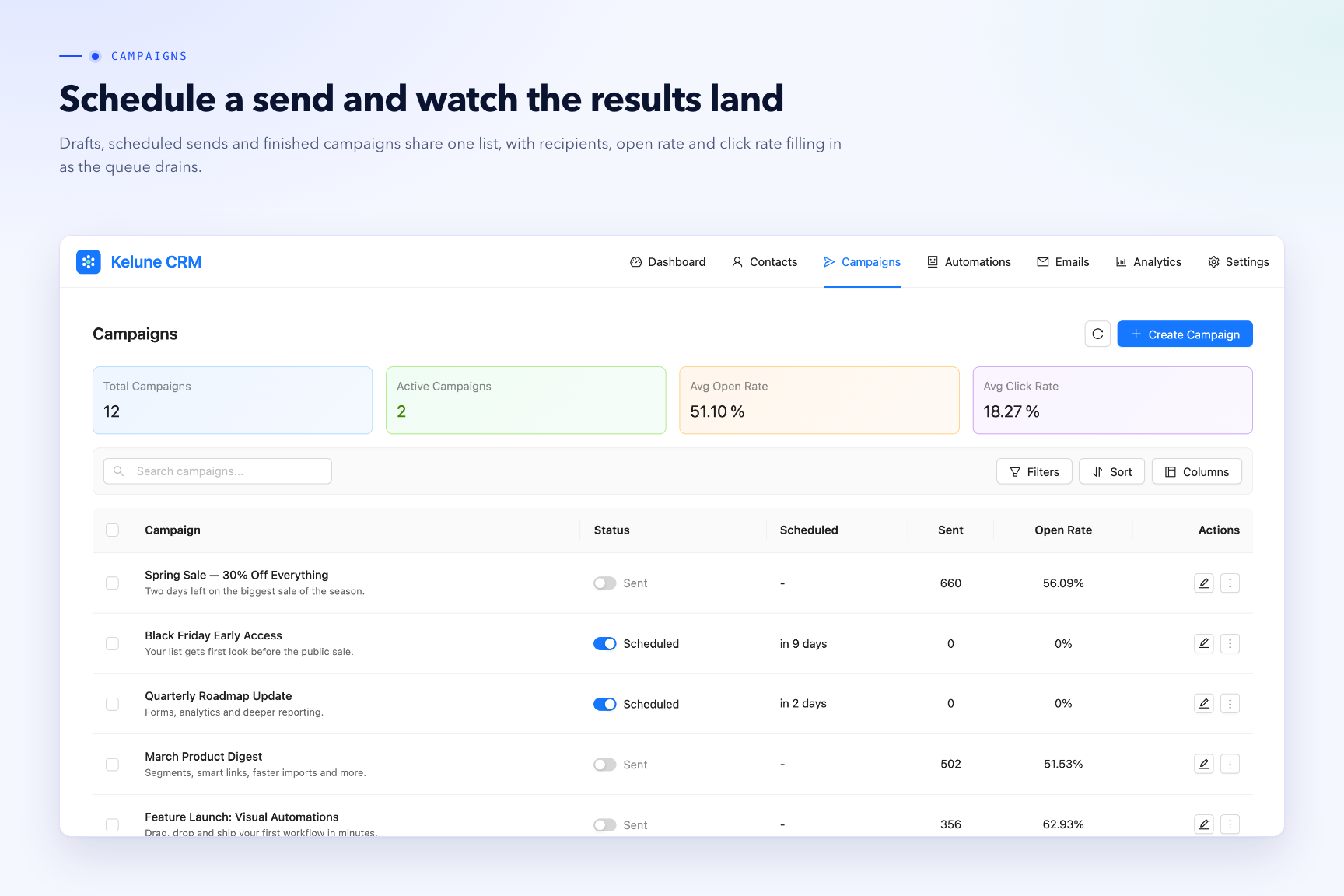
- Campaigns — scheduler, sending queue, and open/click tracking.
- Visual Automation — trigger, delay, and action steps on a flow canvas.
- Incoming Webhooks — create/update contacts and manage tags/lists from external systems.
- Double Opt-in — confirmation flow and per-contact subscription status.
- Contact Import — bring your audience in from CSV or Excel (.xlsx, .xls) files.
- Roles & Permissions — control what each team member can see and do, using built-in, custom or your existing WordPress roles.
- Settings — business identity, global email and footer, WordPress user sync, signup/comment opt-in, and email-provider configuration.
🔥 Pro Features (Kelune CRM Pro)
Kelune CRM Pro is an add-on that installs alongside this plugin and unlocks the advanced audience, tracking and automation tools:
🎯 Dynamic Segments
- Visual query builder with AND/OR logic and nested condition groups.
- Segment on contact fields, custom fields, tags, lists, lead score, activity and signup date.
- Membership refreshes automatically, so an audience is always current when you send to it.
- Use a segment as a campaign audience or inside an automation condition.
🔗 Smart Links
- Trackable links that act on the contact who clicks them.
- Add or remove tags and lists on click, then redirect to any destination URL.
- Optional expiry date, plus per-link click tracking and reporting.
🪄 Advanced Automation
- Condition steps with YES/NO branching on the canvas.
- Branch on field values (10 operators), tags, lists, segments, and email opens or clicks.
- Advanced actions: update a contact field, or send an outgoing webhook to any service.
- Advanced triggers: start a workflow when a contact opens an email or clicks a link.
⚖️ Campaign A/B Testing
- Test subject lines or full email content as variants in a single campaign.
- Send to a sample of the audience first, at the percentage you choose.
- The winner is picked automatically by open rate or click rate, then delivered to everyone else.
⬆️ Automatic Updates
- One-click updates for the Pro add-on straight from your WordPress dashboard.
👉 Explore the full power! Upgrade to Kelune CRM Pro.
Source Code
The only compiled code in this plugin is the dashboard bundle in assets/apps/dashboard/; nothing is obfuscated. Its full React and TypeScript source, with the Vite build configuration, is published in a public GitHub repository.
To rebuild it (Node.js 20 or newer): cd js-apps/dashboard, then yarn install and yarn build.
Bundled Libraries
The scripts in assets/apps/dashboard/ are compiled from third-party npm packages — React, Ant Design, Redux Toolkit, React Flow and others — and none of them is fetched at runtime. Every package is MIT licensed except SheetJS (xlsx), used to read spreadsheet files during contact import, which is Apache License 2.0; their own dependencies are MIT, ISC, BSD or 0BSD. All are compatible with this plugin’s “GPLv2 or later” license. js-apps/dashboard/package.json and js-apps/dashboard/yarn.lock in the repository linked above name and pin every package, direct and indirect.
No third-party PHP libraries are included.
External services
Kelune CRM works fully offline by default and stores all data in your own WordPress database. It connects to an external service only when you explicitly enable and configure that service, with one exception noted under Gravatar below. No data is ever sent to the plugin author.
SendGrid
Used to deliver email (campaigns, automations, and transactional mail) when you select SendGrid as your email provider and enter a SendGrid API key.
- Data sent: message content, subject, and recipient/sender email addresses. When you save the provider settings, only your API key is sent, to validate it against the SendGrid profile endpoint.
- When sent: each time the plugin sends an email through this provider, and when you save the provider settings.
- Service URL: https://api.sendgrid.com
- Terms of Service: https://www.twilio.com/en-us/legal/tos/
- Privacy Policy: https://www.twilio.com/en-us/legal/privacy/
Mailgun
Used to deliver email (campaigns, automations, and transactional mail) when you select Mailgun as your email provider and enter a Mailgun API key and sending domain.
- Data sent: message content, subject, and recipient/sender email addresses. When you save the provider settings, only your API key and sending domain are sent, to confirm the domain exists on your account.
- When sent: each time the plugin sends an email through this provider, and when you save the provider settings.
- Service URL: https://api.mailgun.net (or https://api.eu.mailgun.net if you select the EU region).
- Terms of Service: https://www.mailgun.com/legal/terms/
- Privacy Policy: https://www.mailgun.com/legal/privacy-policy/
Amazon SES
Used to deliver email (campaigns, automations, and transactional mail) when you select Amazon SES as your email provider and enter AWS credentials. No request is made to Amazon until you have selected SES and saved your credentials.
- Data sent: the raw message — recipient/sender addresses, subject, and content. Further calls send only your AWS credentials and no contact data: they read your account’s sending quota and list the sender addresses your AWS account has verified.
- When sent: each time the plugin sends an email through this provider; when you save the provider settings; and when you open the provider’s details screen.
- Service URL: https://email.{your-region}.amazonaws.com — for example https://email.us-east-1.amazonaws.com
- Terms of Service: https://aws.amazon.com/service-terms/
- Privacy Policy: https://aws.amazon.com/privacy/
Gravatar
Used to display contact avatars when you enable the “Use Gravatar service” setting. Separately, and regardless of that setting, the dashboard greeting shows the logged-in WordPress user’s own avatar through WordPress’s built-in avatar system, which uses Gravatar by default; this is the same avatar WordPress already shows in the admin bar, and it follows the site-wide “Show Avatars” option under Settings > Discussion.
- Data sent: a SHA-256 hash of the email address, sent by the browser when the avatar image is loaded. With the setting disabled, no avatar URL is generated for contacts and nothing is sent.
- When sent: when a contact avatar is rendered with the setting enabled, and when the dashboard greeting renders the logged-in user’s avatar.
- Service URL: https://www.gravatar.com
- Terms of Service: https://wordpress.com/tos/
- Privacy Policy: https://automattic.com/privacy/
SMTP (your own mail server)
Used to deliver email when you select SMTP as your email provider. This is not a fixed third-party service: the plugin connects only to the mail server host you enter yourself.
- Data sent: message content, subject, and recipient/sender email addresses, plus the SMTP credentials you configure.
- When sent: each time the plugin sends an email through this provider.
- Service URL: the SMTP host you configure.
- Terms & Privacy: governed by your own mail server provider.
Screenshots
Installation
- In your WordPress admin, go to Plugins Add New, search for “Kelune CRM”, and click Install Now, then Activate. To install manually instead, upload the
kelune-crmfolder to/wp-content/plugins/and activate it from the Plugins screen. - Open Kelune CRM from the admin menu to configure your settings and add your first contacts.
FAQ
-
What PHP version is required?
-
PHP 8.1 or higher.
-
Does the plugin require any paid or external service to work?
-
No. Kelune CRM is fully functional on its own and works offline by default. External services (email providers, Gravatar for contact avatars) are optional and are only contacted after you enable and configure them. The one exception is the logged-in user’s own avatar in the dashboard greeting, which WordPress loads through its standard avatar system. See the “External services” section.
-
Which email providers are supported?
-
SMTP, Amazon SES, Mailgun, and SendGrid are built in. You can choose which one each campaign sends from.
You can also set up nothing at all. Kelune CRM then hands email to WordPress, so it goes out the same way the rest of your site’s mail does — including through any SMTP plugin you already use. Anything that plugin can send through works here too.
-
Where is my contact data stored?
-
In your own WordPress database, in custom
kelune_crm_*tables. Nothing is sent anywhere unless you enable an external service. -
Can I give my team access without making them administrators?
-
Yes. Under Settings Roles & Permissions you get CRM Manager, CRM Agent and CRM Viewer ready to use, you can build your own roles, and you can grant CRM permissions to roles you already have such as Editor or Author. A user sees only the parts of the CRM their role allows, and administrators always keep full access.
-
Is any functionality locked behind a license?
-
No. Everything shipped in this plugin is free and fully functional. The Pro features listed in the description come from a separate add-on plugin, Kelune CRM Pro, which is not required for this plugin to work.
Reviews
There are no reviews for this plugin.
Contributors & Developers
“Kelune CRM – Contact Management, Email Marketing, Newsletter & Marketing Automation” is open source software. The following people have contributed to this plugin.
Contributors


Interested in development?
Browse the code, check out the SVN repository, or subscribe to the development log by RSS.
Changelog
Version: 1.0.6 – Date: 23 September, 2026
- Added: Bounce and complaint handling for Amazon SES, Mailgun and SendGrid.
- Updated: Tags, lists, segments and custom fields refresh across the dashboard without a reload.
- Fixed: Minor bugs and issues to enhance functionality and user experience.
Version: 1.0.5 – Date: 8 September, 2026
- Added: Roles and permissions, with built-in CRM Manager, CRM Agent and CRM Viewer roles ready to use.
- Added: Custom roles, CRM permissions for your existing WordPress roles, and several roles per user.
- Updated: Menus, pages and actions now appear only for users whose role allows them.
- Fixed: Minor bugs and issues to enhance functionality and user experience.
Version: 1.0.4 – Date: 2 September, 2026
- Added: Custom fields can be mapped when importing contacts, and shown as columns on the Contacts list.
- Added: Support for contacts without an email address, for sites that identify people by other details.
- Fixed: Custom field settings such as placeholder, limits and help text are now saved.
- Fixed: Minor bugs and issues to enhance functionality and user experience.
Version: 1.0.3 – Date: 27 August, 2026
- Fixed: Editing one field on a contact, tag, list or email connection no longer clears other saved details.
- Fixed: A stray line of styling text at the top of emails built with the email designer.
- Fixed: Email connection passwords containing special characters are now saved exactly as typed.
- Fixed: Minor bugs and issues to enhance functionality and user experience.
Version: 1.0.2 – Date: 23 August, 2026
- Added: Country and Address Line 2 fields for contact.
- Updated: Help and upgrade links throughout the dashboard.
- Fixed: Minor bugs and issues to enhance functionality and user experience.
Version: 1.0.1 – Date: 20 August, 2026
- Added: Optional label for automation steps, shown on the automation canvas.
- Added: Contact import accepts Excel files (.xlsx, .xls) alongside CSV.
- Improved: Overall plugin performance and stability for smoother, more reliable usage.
- Fixed: Minor bugs and issues to enhance functionality and user experience.
- Tested: Compatibility with the latest version of WordPress.
Version: 1.0.0 – Date: 17 August, 2026
- Initial release.