
Description
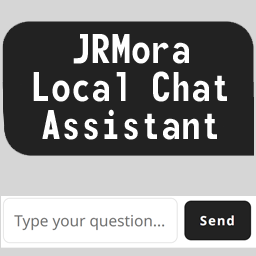
A lightweight, high-performance local chatbot plugin that provides automated instant responses to visitor queries using simple keyword matching rules.
Chatbot Local is designed for site owners, creators, and developers who want to offer immediate contextual help or answer frequently asked questions on their WordPress site—without relying on heavy, paid external AI services, tracking scripts, or third-party APIs.
Unlike complex AI integrations that slow down page loads and process private user interactions on remote servers, Chatbot Local operates 100% locally on your WordPress installation.
Assets (CSS and JS) are strictly loaded only on pages where the shortcode is present, keeping your site fast and optimized.
Key Features:
- 100% Privacy-First & Local: No external API keys, no tracking, and no external requests. All interactions stay on your server.
- Conditional Asset Loading: Styles and scripts are registered and only enqueued on pages where the
[jlca_chatbot_local]shortcode is actively used. - Custom Knowledge Base: Easily define keyword rules (
tags) and corresponding responses (res) from the admin panel with client-side pagination and instant keyword filtering. - Plain Text Export/Import: Quickly backup, bulk-edit, or paste your entire Knowledge Base using a clear, human-readable plain text format.
- Smart Link Conversion: Automatically detects plain URLs starting with
http://orhttps://inside bot responses and turns them into clean, clickable HTML links. - REST API Logging System: Uses a native, secure WordPress REST API endpoint to capture visitor queries for admin review without third-party dependencies.
- Admin Dashboard & Log Management: View recent query logs, track answered vs. unanswered questions, paginate logs, or perform bulk deletions with ease.
- Shortcode Tracker: The admin dashboard automatically scans your database and lists all published posts or pages currently embedding the chatbot shortcode.
- Custom Styling & Themes: Easily switch between Light and Dark visual themes, or customize header, button, and user message bubble colors directly from the settings.
- Clean Uninstall Option: Includes an opt-in setting to completely purge all database tables, option fields, and rules upon plugin deletion, leaving zero database bloat behind.
Copyright
Chatbot Local is distributed under the terms of the GNU GPL v2 or later.
Screenshots


Installation
- Upload the
chatbot-localfolder to the/wp-content/plugins/directory, or upload the.zipfile directly through the WordPress admin dashboard via Plugins > Add New > Upload. - Activate the plugin through the Plugins menu in WordPress.
- Navigate to Chatbot Local in your admin menu to configure messages, styling, and your knowledge base.
- Insert the
[jlca_chatbot_local]shortcode into any page, post, or widget where you want the assistant to appear.
FAQ
-
Does this plugin rely on external AI services like OpenAI or ChatGPT?
-
No. Chatbot Local is completely self-contained and operates purely on rule-based keyword matching configured locally inside your WordPress admin dashboard.
-
Does it slow down my website?
-
No. Chatbot Local is built for performance. Its JavaScript and CSS assets are enqueued strictly on pages where the
[jlca_chatbot_local]shortcode is embedded, avoiding unnecessary bloat across the rest of your site. -
Does it create a custom database table?
-
Yes. The plugin creates a lightweight custom table (
wp_jlca_chatbot_logs) to record query logs securely via the WordPress REST API. If you enable the “Complete Cleanup” option in the admin panel, this table and all plugin settings are automatically dropped upon deletion. -
Can visitors ask questions in natural language?
-
Yes. The search algorithm normalizes inputs (stripping accents and converting text to lowercase) and searches for keyword matches specified in your JSON knowledge base.
Reviews
There are no reviews for this plugin.
Contributors & Developers
“JRMora Local Chat Assistant” is open source software. The following people have contributed to this plugin.
Contributors
Translate “JRMora Local Chat Assistant” into your language.
Interested in development?
Browse the code, check out the SVN repository, or subscribe to the development log by RSS.
Changelog
1.1.0
- Added Knowledge Base pagination in admin panel for improved rendering performance.
- Added live keyword/response search filter in admin Knowledge Base section.
- Added plain-text Export and Import tool for quick bulk Knowledge Base management.
1.0.0
- Initial official release.
- Added rule-based keyword matching algorithm in localized vanilla JavaScript.
- Added
[jlca_chatbot_local]shortcode with conditional asset loading. - Implemented secure REST API logging system to track answered (
matched) and unanswered (unmatched) user queries. - Added Admin Dashboard with JSON rule editor, theme customization (Light/Dark), and customizable colors.
- Added shortcode detector listing active pages embedding the chatbot.
- Added log management, bulk deletion, and translation support.
- Added clean uninstall routine option.