
Description
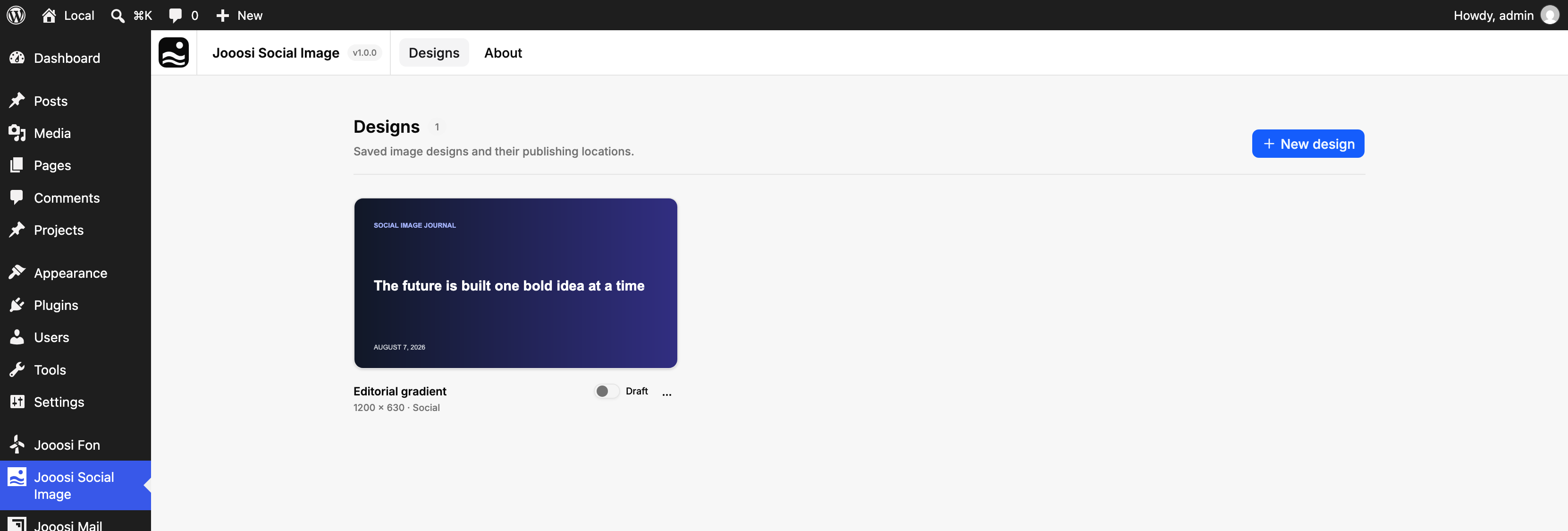
Jooosi Social Image is a visual image design and generation plugin for WordPress. Create branded Open Graph, X/Twitter, and featured images directly in WP Admin with a familiar drag-and-drop editor.
Design once, connect the layout to live WordPress content, and choose exactly where it applies. Social Image generates static, content-hashed files in the background and refreshes only the images affected by a content or design change.
Features
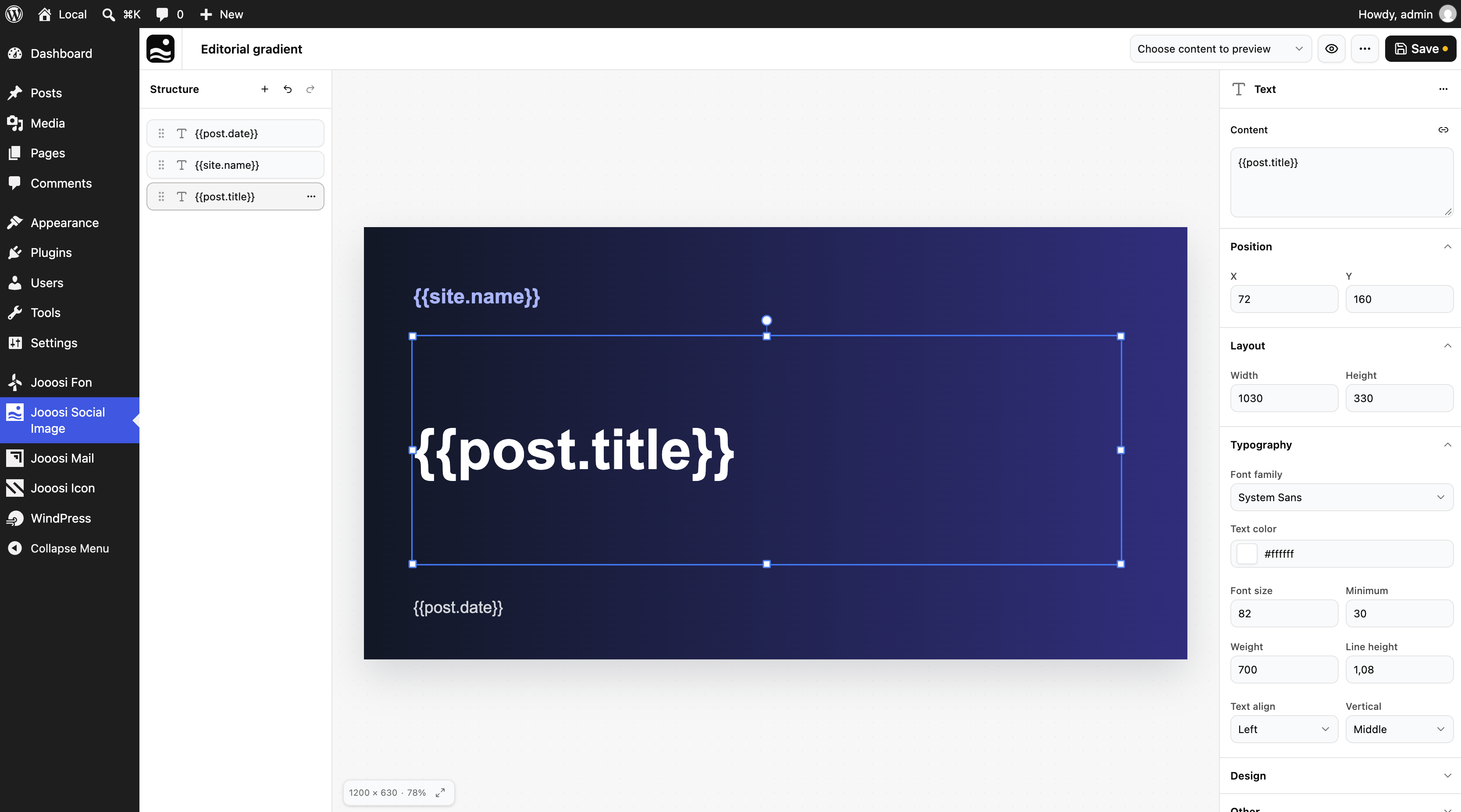
- Visual image editor: Drag, resize, rotate, reorder, lock, and style text, image, SVG, and Shape layers.
- Dynamic WordPress data: Preview and insert post, author, taxonomy, metadata, ACF, JetEngine, Meta Box, and Toolset values.
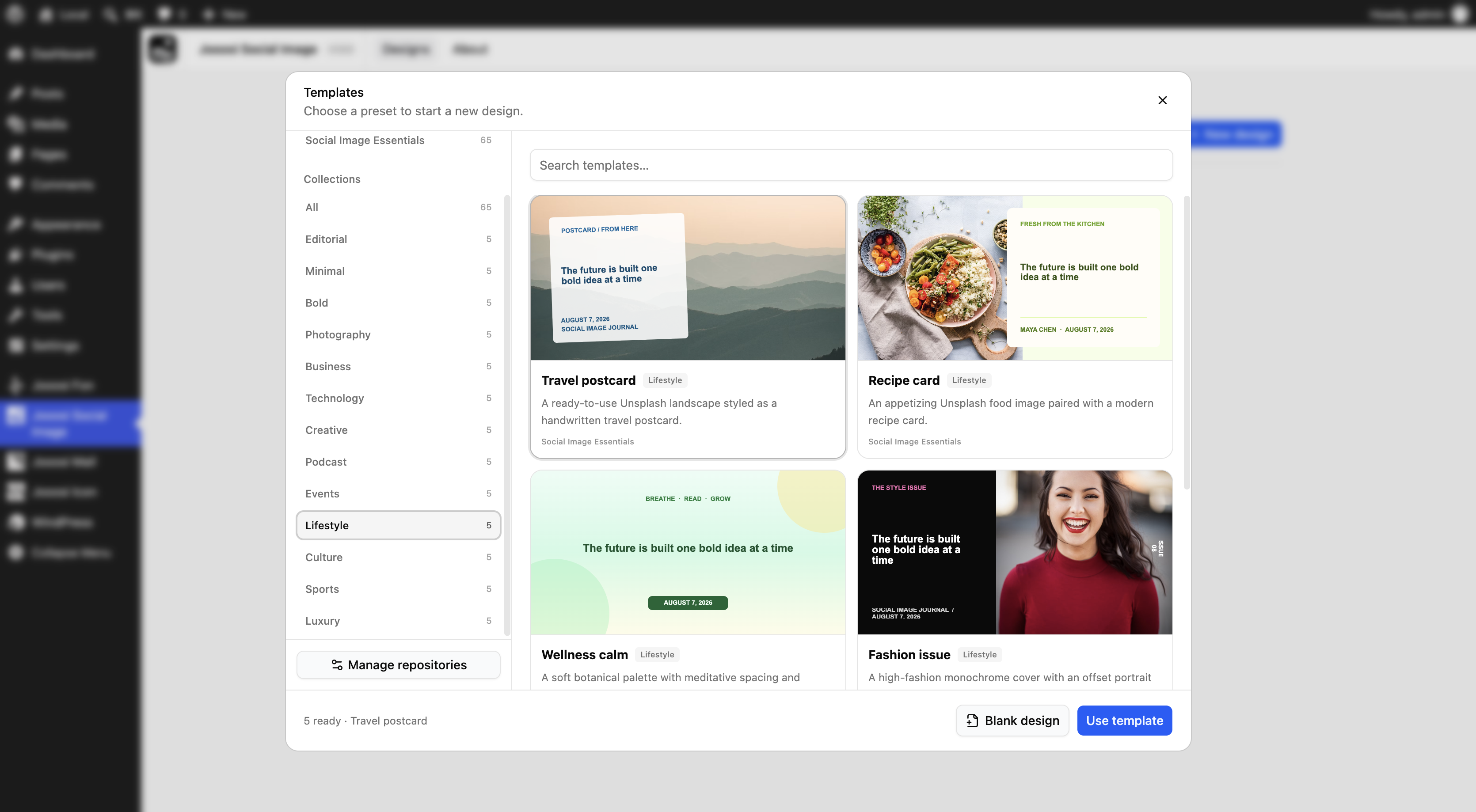
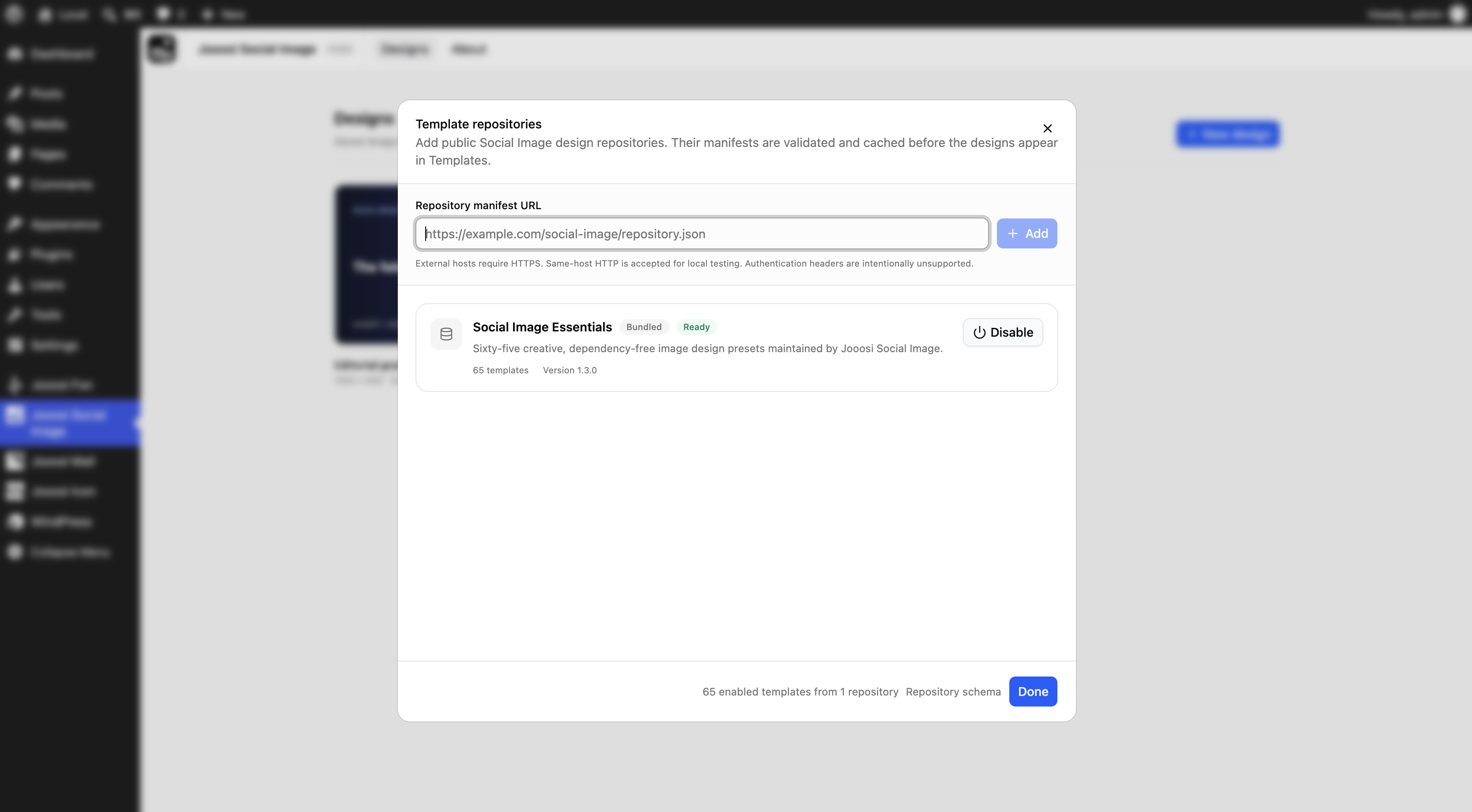
- Template library: Start from 65 bundled Templates or add validated public Template repositories.
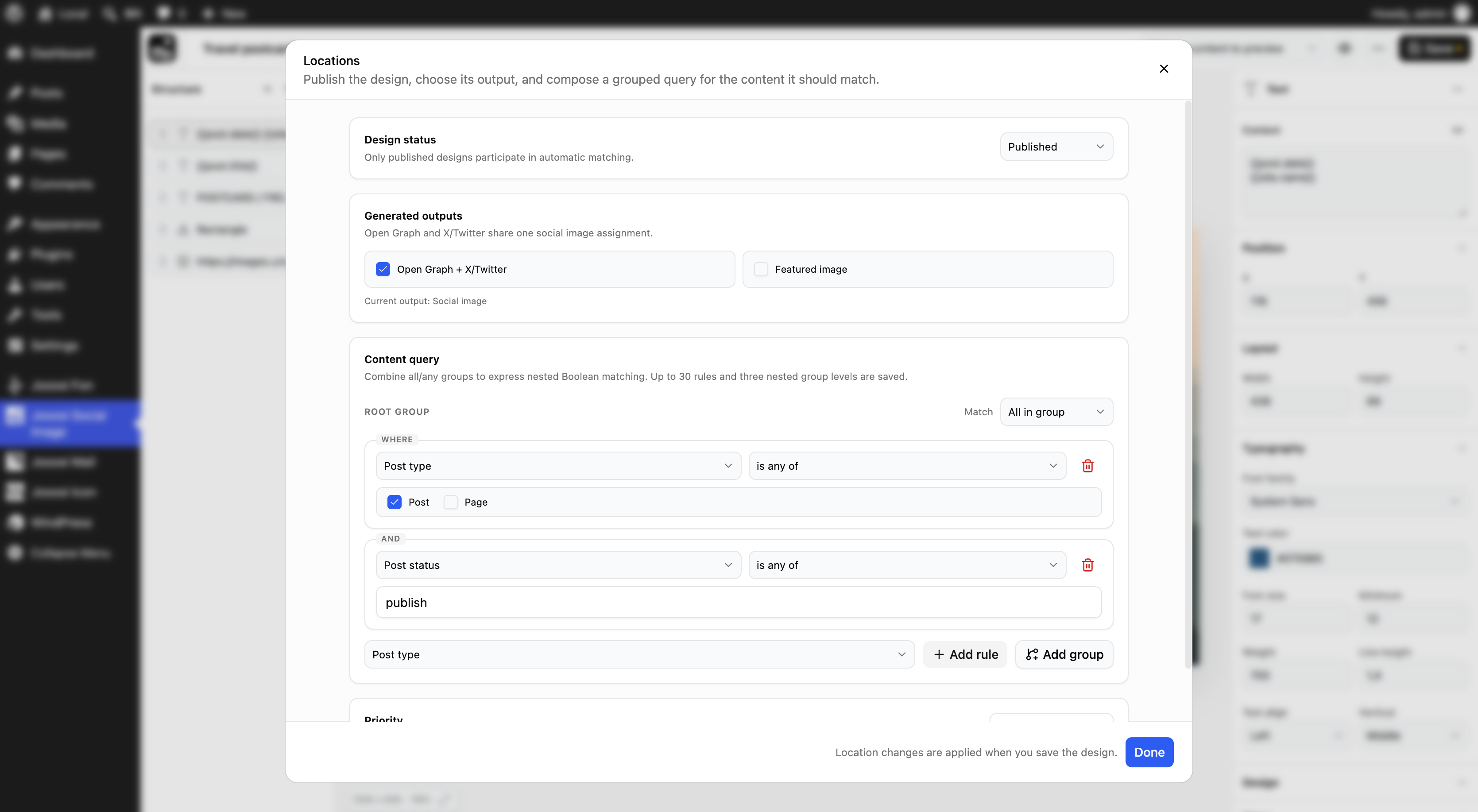
- Flexible locations: Build nested all/any rules over post properties, taxonomies, metadata, text, and dates.
- Social and featured images: Generate Open Graph, X/Twitter, and optional Media Library featured images from one Design.
- Automatic regeneration: Queue rendering through WP-Cron and invalidate only affected cache files.
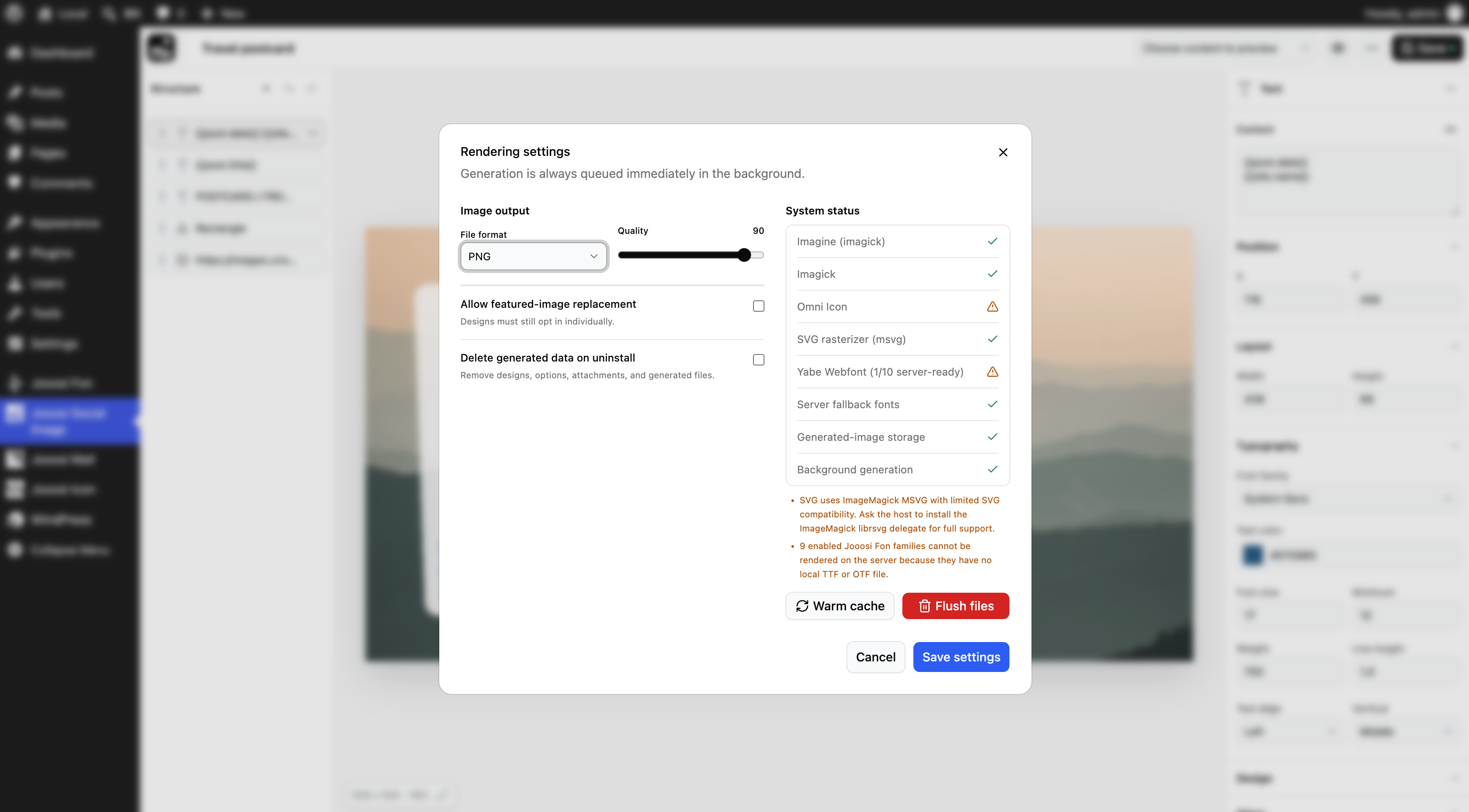
- Imagick or GD: Prefer Imagick while retaining a GD with FreeType fallback.
- Developer tools: Use REST endpoints, WP-CLI, filters, a shortcode, or the namespaced PHP API.
- Actionable diagnostics: Check renderer, SVG, local-font, WP-Cron, and uploads failures in Social Image settings or WordPress Site Health.
Optional integrations
Install Jooosi Icon to add sanitized SVG icon layers. SVG rendering also requires PHP Imagick with SVG support. Install Jooosi Fon to expose its enabled local TTF/OTF font families inside Social Image.
External services
Social Image includes Template previews that reference images hosted by Unsplash. Six showcase Templates retain an editable Unsplash image URL when applied. The browser requests an image when an administrator views the relevant Template; the server requests it when rendering a Design that still contains that URL. The request sends standard connection information such as the site server’s IP address, browser headers for an admin preview, and the requested image URL. No WordPress post content or account credentials are sent to Unsplash.
Check Unplash: Terms | Privacy | License
Administrators may explicitly add a public Template repository URL. Social Image requests that host to download its JSON manifest and sends a user-agent containing the plugin version and the site’s public home URL. Administrators may also place a public HTTP(S) image URL in a Design; Social Image requests that host when it needs to render the image. Data handling for those administrator-selected services is governed by each host’s terms and privacy policy.
Social Image does not send data to Jooosi Icon or Jooosi Fon. Those integrations read data from the corresponding WordPress plugins installed on the same site.
Sponsors
Jooosi Social Image is proudly supported by:
- Jooosi — open-source tools and products for WordPress.
- LiveCanvas — a visual site builder for WordPress.
Screenshots
Installation
- Upload the plugin files to
/wp-content/plugins/jooosi-social-image, or install the plugin through the WordPress Plugins screen. - Activate Jooosi Social Image.
- Open Social Image in WordPress Admin.
- Edit the starter Design or create one from a Template, choose its locations, and publish it.
FAQ
-
Social Image uses Imagick when available. It can use GD instead when GD has FreeType support. SVG layers specifically require Imagick with SVG support.
-
Does image rendering slow down frontend page loads?
-
No. Social Image renders through scheduled background events and stores static files. A frontend request can schedule a missing image for repair, but it does not wait for rendering.
-
Which SEO plugins are supported?
-
Social Image integrates with Yoast SEO, Rank Math, All in One SEO, and SEOPress. When none is active, Social Image can print its own Open Graph and X/Twitter image tags.
-
Can developers register custom data?
-
Yes. Filters register discoverable placeholder definitions and nested render-time values. Social Image also provides a namespaced PHP API, REST endpoints, WP-CLI commands, and a shortcode.
-
What happens when the plugin is uninstalled?
-
Data is preserved by default. Enable Delete plugin data on uninstall in Social Image settings before uninstalling to remove Designs, generated attachments, metadata, settings, caches, and generated files.
-
How do I troubleshoot missing or delayed images?
-
Open a Design, choose More actions Rendering settings, and review System status. Administrators can also open Tools Site Health Status for separate renderer, SVG, font, filesystem, and background-generation checks. Social Image records the last WP-Cron scheduling error and the last per-post generation error so host-specific failures are not silent.
Reviews
There are no reviews for this plugin.
Contributors & Developers
“Jooosi Social Image – Visual OG and Featured Image Generator” is open source software. The following people have contributed to this plugin.
Contributors

Translate “Jooosi Social Image – Visual OG and Featured Image Generator” into your language.
Interested in development?
Browse the code, check out the SVN repository, or subscribe to the development log by RSS.
Changelog
1.0.4 – 2026-10-16
Added
- Jooosi Social Image is now available on WordPress.org.
1.0.3 – 2026-10-15
Changed
- Restrict WP-CLI render
--outdestinations to the plugin’s uploads directory.
1.0.2 – 2026-10-06
Added
- WordPress 7.1 compatibility.
1.0.1 – 2026-10-01
Changed
- Rebrand the Jooosi Egami plugin to Jooosi Social Image.
1.0.0 – 2026-08-11
Added
- 🐣 Initial release.