Description
Jibong Purr-tection is a complete security plugin that is free forever. There is no premium version, no locked features, no ads and no account to create. Everything runs on your own server.
Firewall (WAF)
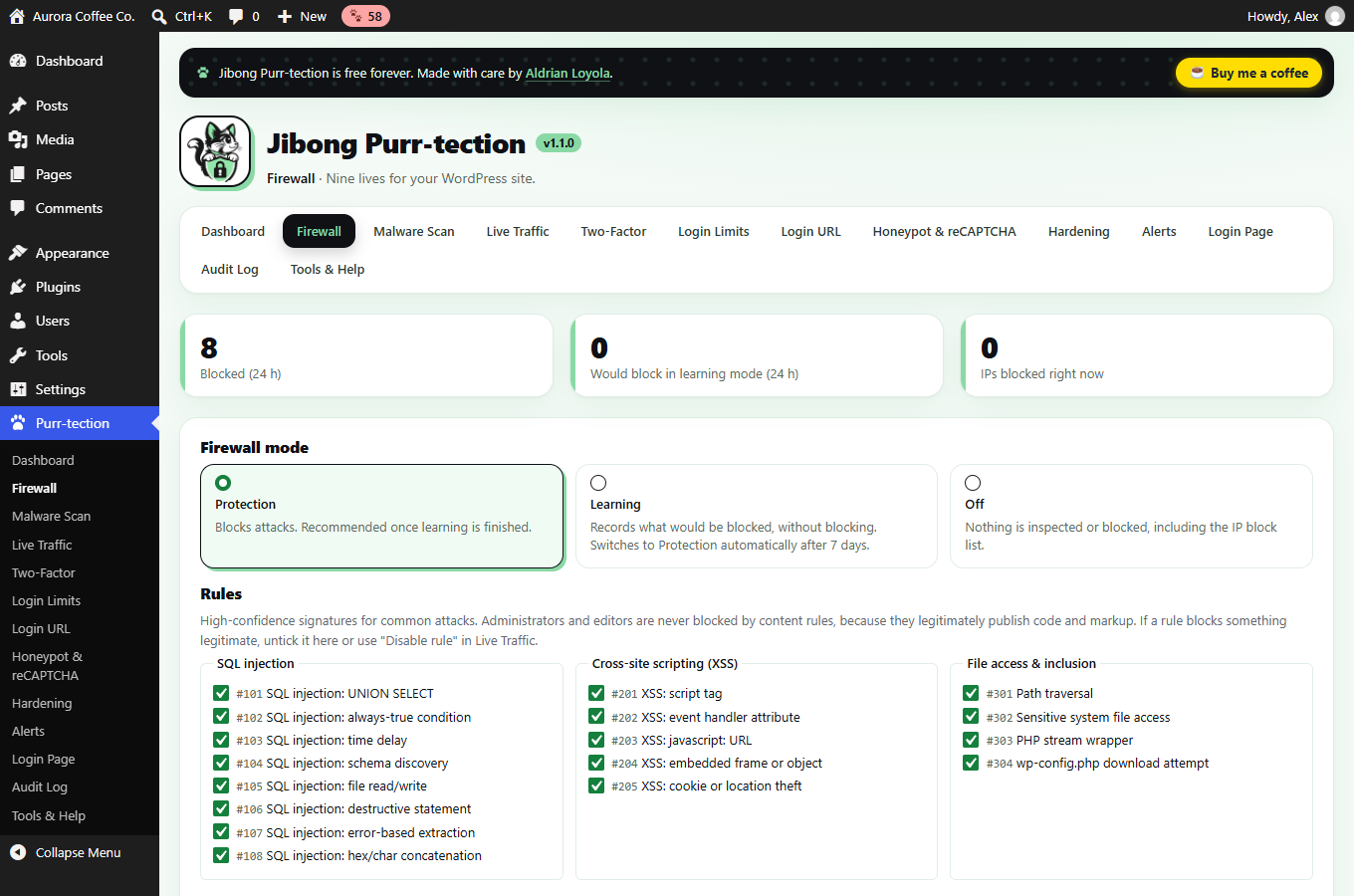
- Blocks SQL injection, cross-site scripting, path traversal, file inclusion, code and command injection, PHP object injection, sensitive-file probes, web-shell probes, attack tools and malicious uploads.
- Learning mode for the first 7 days records what would be blocked without blocking anything, then switches to protection automatically.
- Checks every request as soon as plugins load, before themes and page output. Settings live in the database; nothing is written to your server configuration.
- IP allow and block lists (single addresses and CIDR ranges, IPv4 and IPv6), path allowlist, per-rule switches.
- Automatic temporary blocks for vulnerability scanners (too many “not found” pages) and request floods.
- Administrators and editors are never blocked by content rules, and forged login cookies cannot be used to skip the firewall.
Malware scanner
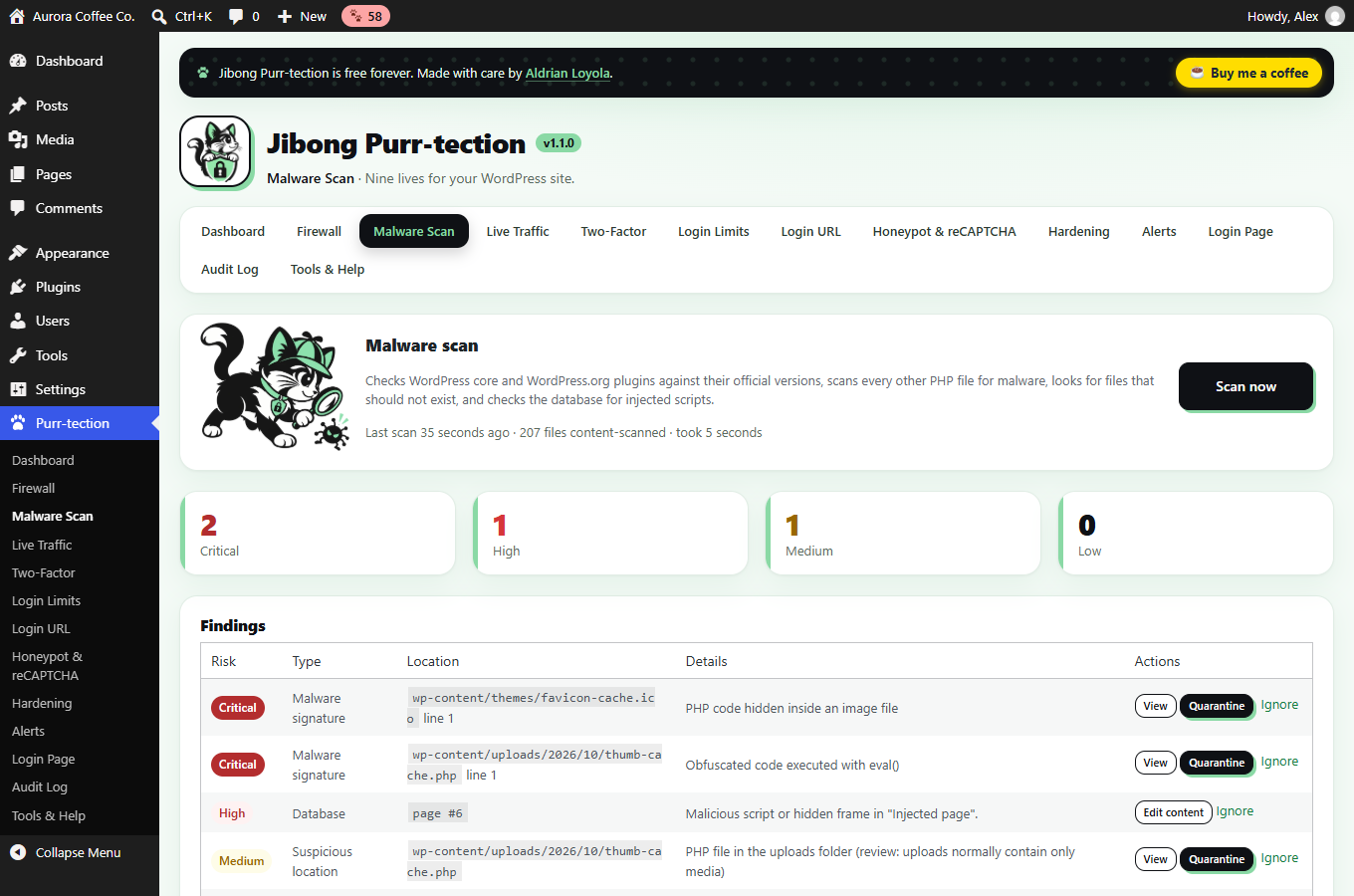
- Compares WordPress core and plugins from WordPress.org with their official checksums.
- Signature scan of every other PHP file for back doors, web shells, obfuscated code, spam mailers and injected JavaScript.
- Finds PHP files in uploads, code hidden inside images, unknown files in core folders and dangerous .htaccess rules.
- Scans posts, pages and settings for injected scripts and flags recently created administrators.
- One click to view the suspicious code, compare with the official file, restore the original, quarantine (reversible) or ignore.
- Daily or weekly scheduled scans in small background steps, plus hourly file-change monitoring.
- Optional known-vulnerability check with your own free WPScan API token.
Login security & two-factor authentication
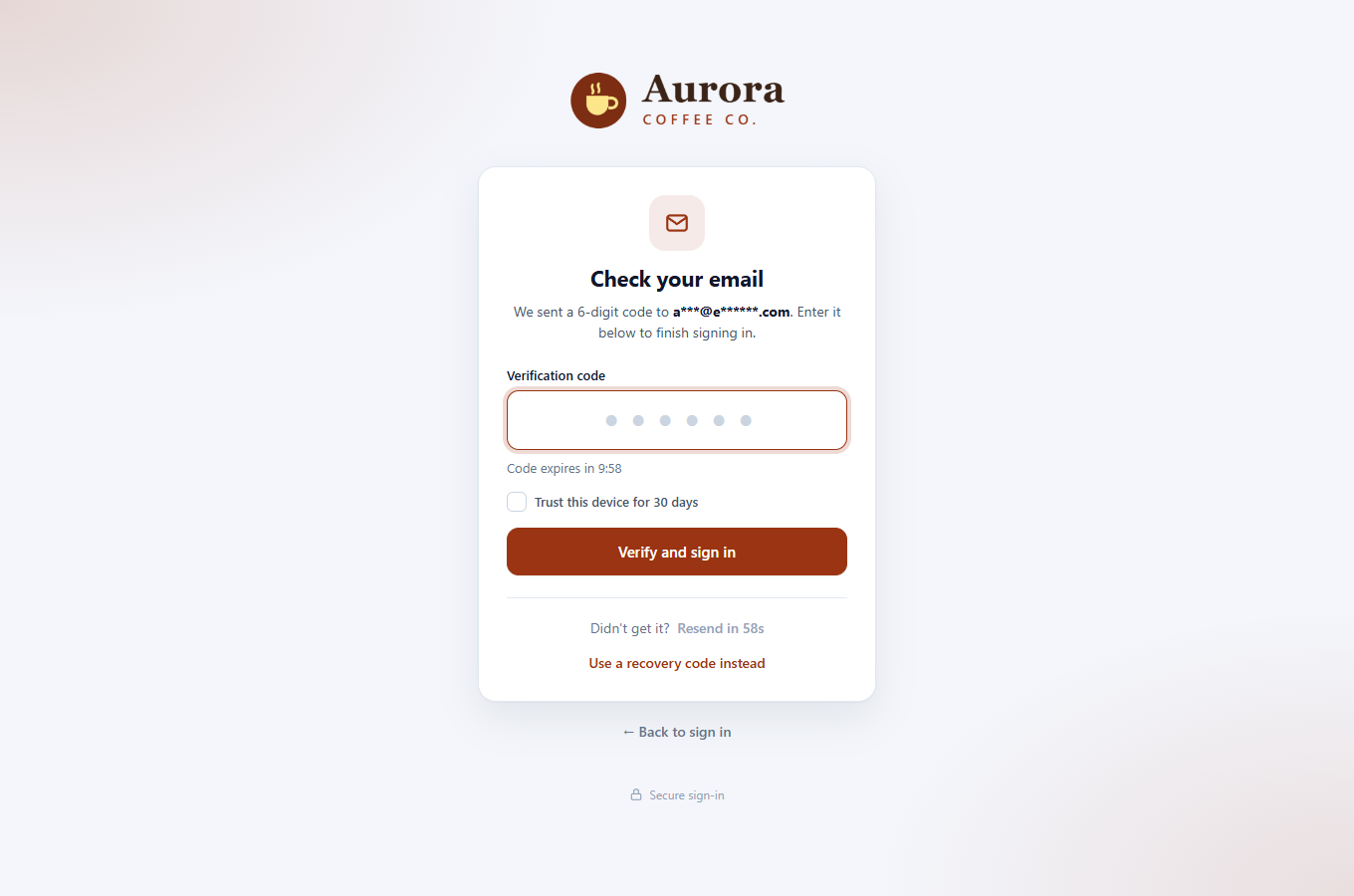
- Two-factor sign-in by email code, authenticator app (Google Authenticator, Microsoft Authenticator, 1Password, Bitwarden, Authy and others) or passkeys and security keys (Face ID, Touch ID, Windows Hello, Android, YubiKey).
- Recovery codes, trusted devices, required app or passkey for chosen roles, active session manager.
- Brute-force protection with progressive lockouts that never lock out everyone on a shared network, and that do not reveal which accounts exist.
- Hidden login URL with genuine 404 responses on /wp-login.php and /wp-admin/.
- Honeypot and optional Google reCAPTCHA.
- Strong-password policy for privileged accounts and an optional breached-password check.
- Email to users when their account signs in from a new device.
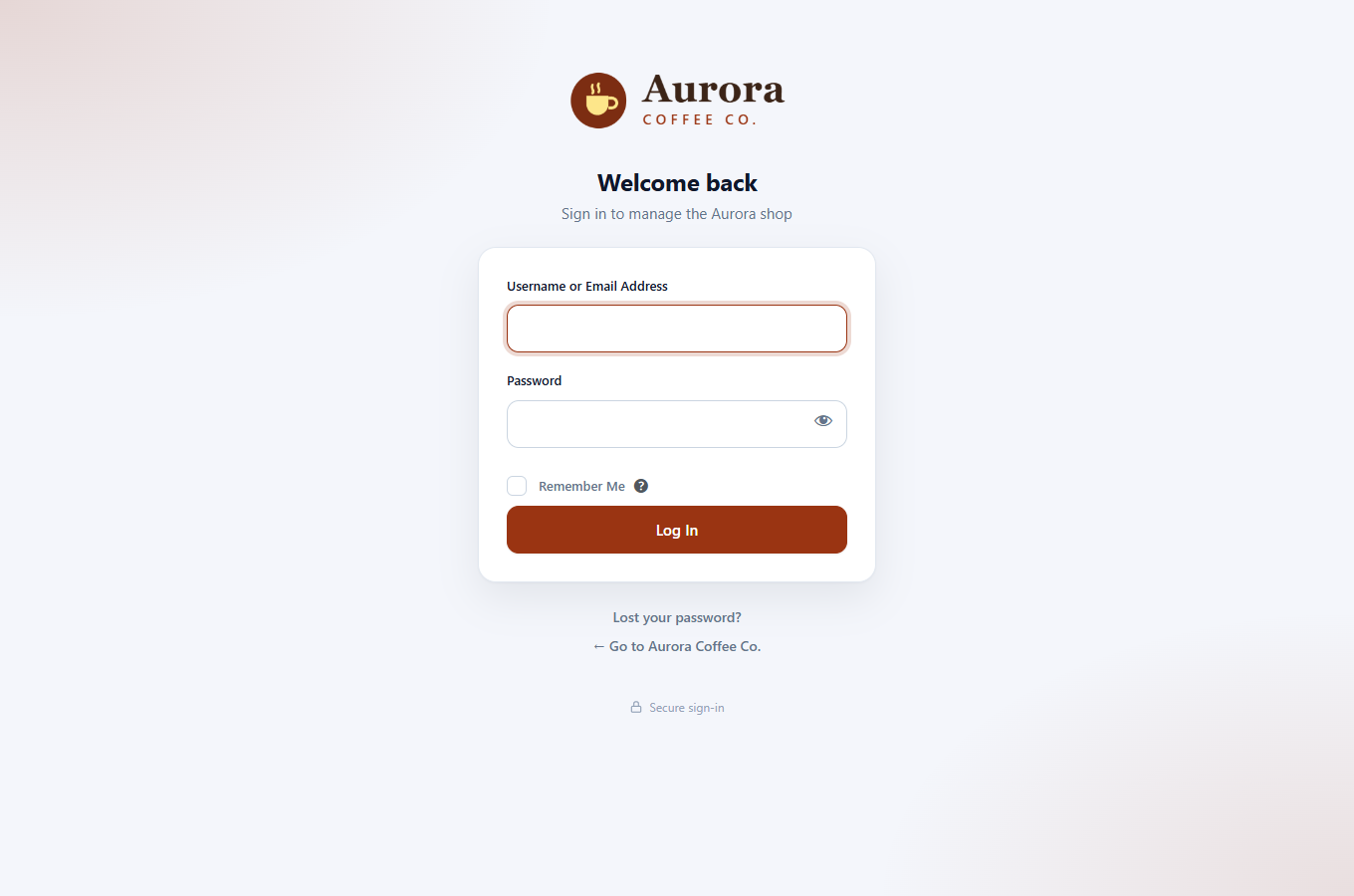
- Branded, modern login page with your logo and colours.
Real-time monitoring and alerts
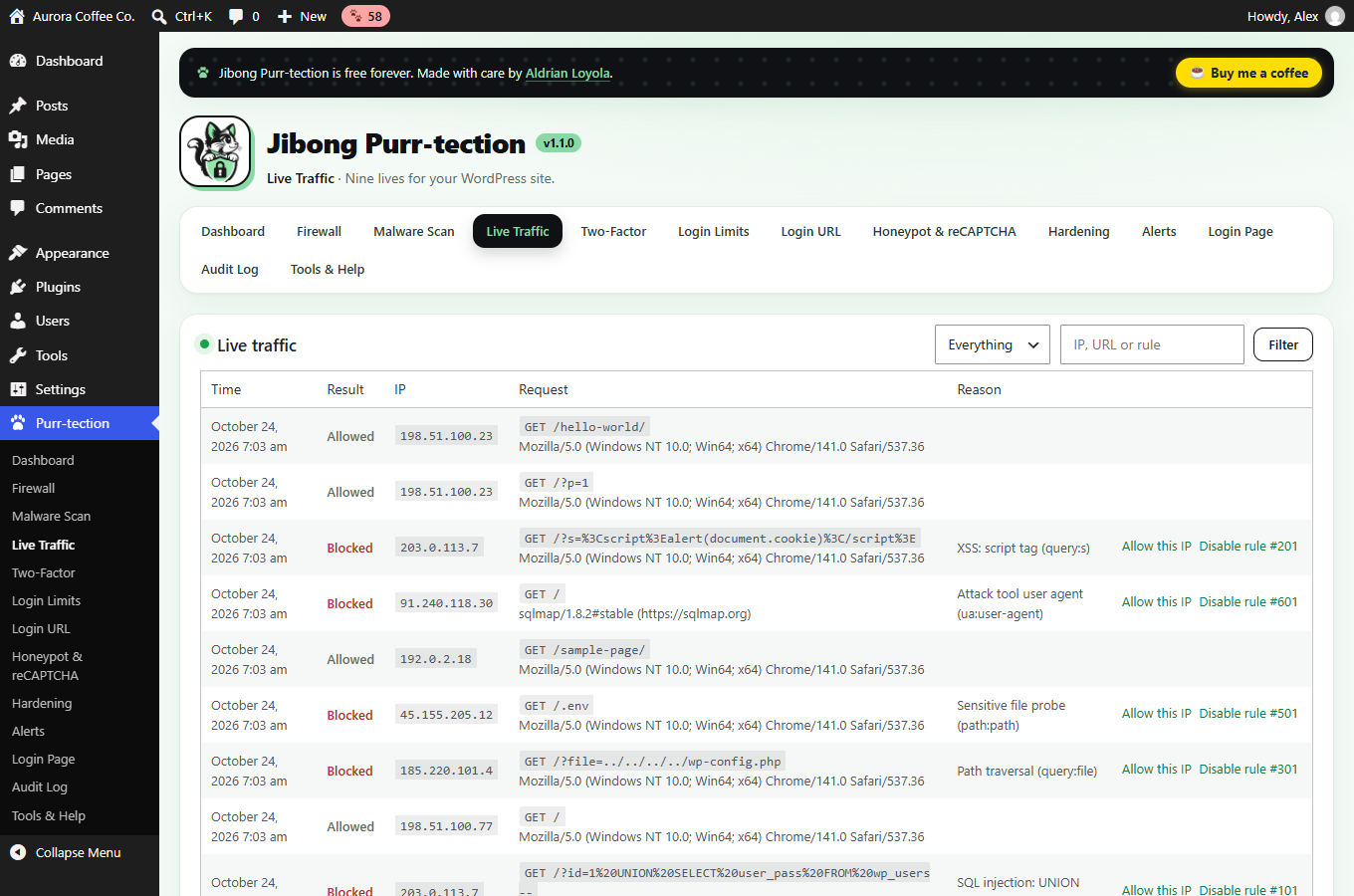
- Live traffic and a real-time security feed on the dashboard.
- Audit log of logins, plugin and theme changes, WordPress updates, user and role changes, critical settings and file edits, with CSV export.
- Instant alerts by email, Slack, Telegram or any webhook, plus a daily or weekly summary.
Dashboard and hardening
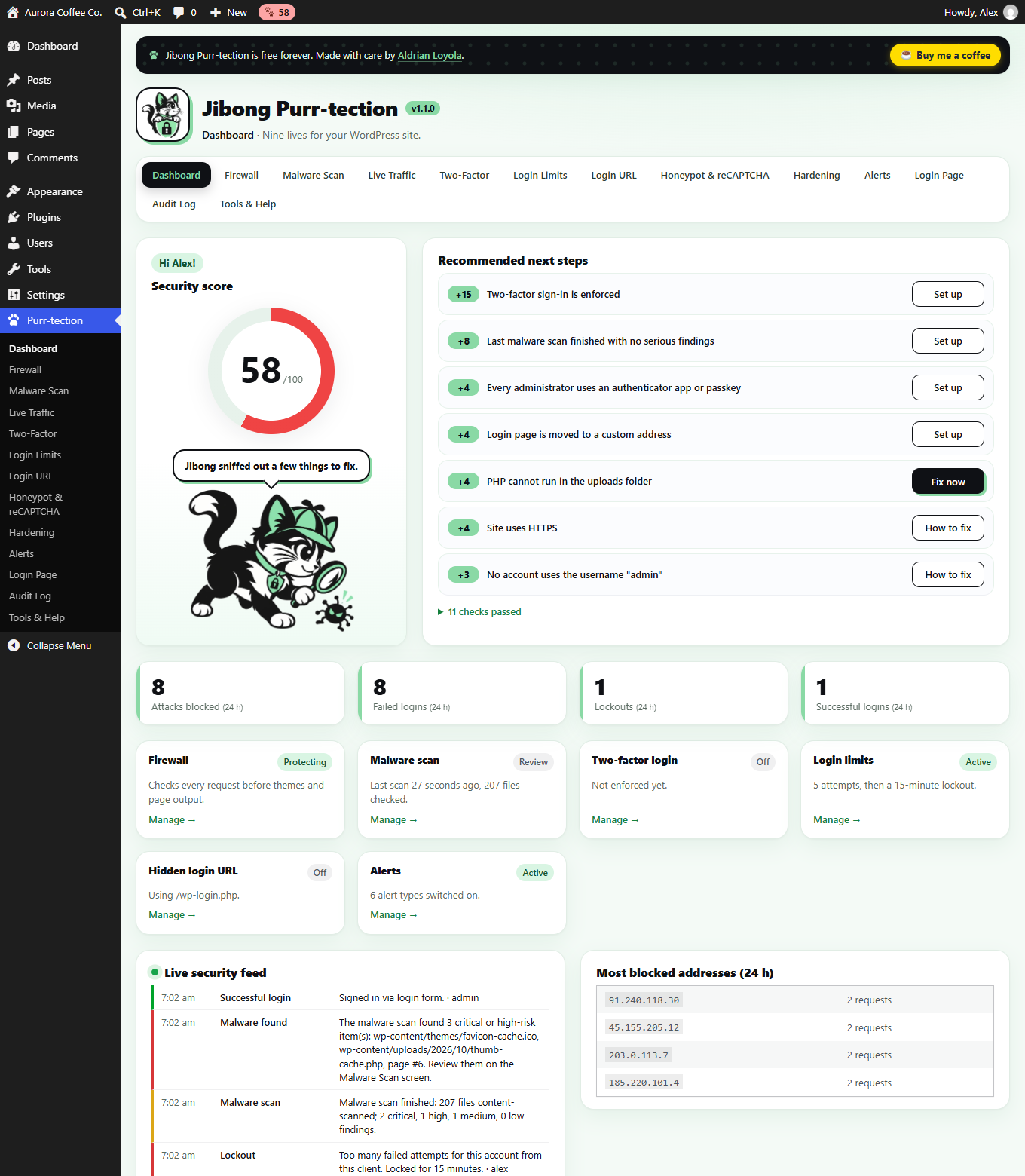
- Security score out of 100 with a prioritised to-do list and one-click fixes.
- One-click hardening: disable the file editor, security headers, hide the WordPress version, block username discovery, disable XML-RPC, block PHP in uploads.
- Settings export and import, WP-CLI commands and emergency switches.
WooCommerce customer login, checkout and payments are not affected by default.
External services
This plugin can connect to the following services. Only the WordPress.org checksum services are used without extra setup (during malware scans); all others are off until you configure them.
- WordPress.org checksums and source files – During malware scans the plugin downloads official checksums from
api.wordpress.org(sends your WordPress version and locale) anddownloads.wordpress.org(sends the slug and version of each installed plugin), and, when you click “View” or “Restore original” on a finding, the official file fromcore.svn.wordpress.orgorplugins.svn.wordpress.org. No personal data is sent. Privacy policy. - WPScan vulnerability database – Only if you enter your own API token on the Malware Scan screen. Sends the slugs of your active plugins and theme. Terms · Privacy policy.
- Have I Been Pwned – Pwned Passwords – Only if you enable the breached-password check. When someone sets a password, the first 5 characters of the password’s SHA-1 hash are sent to
api.pwnedpasswords.com(k-anonymity: the password itself never leaves your server). Terms · Privacy. - Google reCAPTCHA – Only if you add your keys and enable it. The login page loads Google’s script, and the visitor’s response token is verified with Google. Google receives the visitor’s IP address and browser information. Terms · Privacy policy.
- Slack, Telegram and custom webhooks – Only if you add your own webhook address or bot token on the Alerts screen. Alert messages (event, site name, username and IP address involved) are sent to the address you configured. Slack privacy · Telegram privacy.
Screenshots
Installation
- Go to Plugins Add New, search for “Jibong Purr-tection”, click Install and Activate. Or upload the ZIP under Plugins Add New Upload Plugin.
- Open Purr-tection in the admin menu. The Dashboard shows your security score and the next steps.
- The firewall starts in learning mode, login limits, the honeypot and safe hardening are on immediately, and a malware scan runs every night.
- Turn on two-factor sign-in on the Two-Factor screen (after an email test and saving recovery codes). Each user can add an authenticator app or passkey on their profile.
FAQ
-
Is it really free?
-
Yes. Every feature in this plugin is free and there is no paid version. If it helps you, you can buy me a coffee.
-
Will the firewall break my site?
-
It starts in learning mode for 7 days, so nothing is blocked while you check the Live Traffic screen. Rules can be switched off one by one, and administrators and editors are never blocked by content rules.
-
I am locked out. What now?
-
Use a recovery code, a passkey or another administrator. With server access you can add one of these lines to wp-config.php, sign in, fix the problem and remove the line:
define( 'FPSUITE_SAFE_MODE', true ); (all protections off)
define( 'FPSUITE_DISABLE_FIREWALL', true );
define( 'FPSUITE_DISABLE_2FA', true );
define( 'FPSUITE_DISABLE_CUSTOM_LOGIN', true );
define( 'FPSUITE_DISABLE_LOCKOUTS', true );
For the firewall:
define( 'FPSUITE_DISABLE_FIREWALL', true );. WP-CLI:wp jibong status,wp jibong disable <feature|all>,wp jibong unlock --all,wp jibong reset-2fa <user> --remove-app --remove-passkeys. -
Does it work behind Cloudflare or a load balancer?
-
Yes. Choose the matching IP header and list your proxy addresses as trusted proxies on the Login Limits screen. Forwarded headers are ignored unless the request comes from a trusted proxy.
-
Does it slow down my site?
-
The firewall checks each request against a few dozen precompiled patterns and makes no database queries for normal visitors. Scans run at night in short background steps.
-
Does it collect my data?
-
No. Nothing is sent to the plugin author. See “External services” below for the optional services the plugin can use and exactly what they receive.
Reviews
There are no reviews for this plugin.
Contributors & Developers
“Jibong Purr-tection” is open source software. The following people have contributed to this plugin.
Contributors
Translate “Jibong Purr-tection” into your language.
Interested in development?
Browse the code, check out the SVN repository, or subscribe to the development log by RSS.
Changelog
1.0.0
- First release of Jibong Purr-tection: firewall (WAF) with learning mode, malware scanner with quarantine and restore, file-change monitoring, two-factor sign-in by email, authenticator app or passkey, trusted devices, session manager, login limits, hidden login URL, honeypot, reCAPTCHA, hardening, security score, live traffic, audit log, alerts (email, Slack, Telegram, webhooks), branded login page and branded emails.