

Description
JHMG Converter For Divi to Elementor lets you migrate your Divi-built pages to Elementor without rebuilding anything manually. Export your layouts from the Divi Builder Library, upload the JSON file, and the plugin creates fully converted Elementor draft pages — structure, content, and styles included.
No Divi license needed on the destination site. Works with standard Divi page exports and Divi Builder Library JSON files — upload one file and get a ready-to-edit Elementor draft.
Features
- Convert one Divi JSON export per import — the first layout inside is converted
- Upload a single JSON file (standard page or Builder Library export)
- Full layout, content, and style preservation
- 35+ Divi modules supported
- Conversion results view with Edit, Preview, and Publish actions
- No Divi required on the destination site
- Supports et_builder and et_builder_layouts export formats
- Conversion reports flag anything the free plugin can’t convert (WooCommerce modules, extra layouts) with a link to the Pro add-on
Supported Divi Modules
Content: Text, Heading, Button, Image, Video, Audio, Code, Divider, Spacer
Layout: Section, Row, Column (full nesting support)
Interactive: Call to Action, Blurb, Testimonial, Accordion, Toggle, Tabs
Media: Gallery, Video Slider
Navigation: Menu, Fullwidth Menu, Sidebar
Social & Forms: Social Media Follow, Contact Form, Login, Search, Email Optin
Data: Map, Countdown Timer, Number Counter, Circle Counter, Bar Counters
Misc: Icon, Team Member, Pricing Tables, Blog, Portfolio, Filterable Portfolio, Post Content
Go Pro
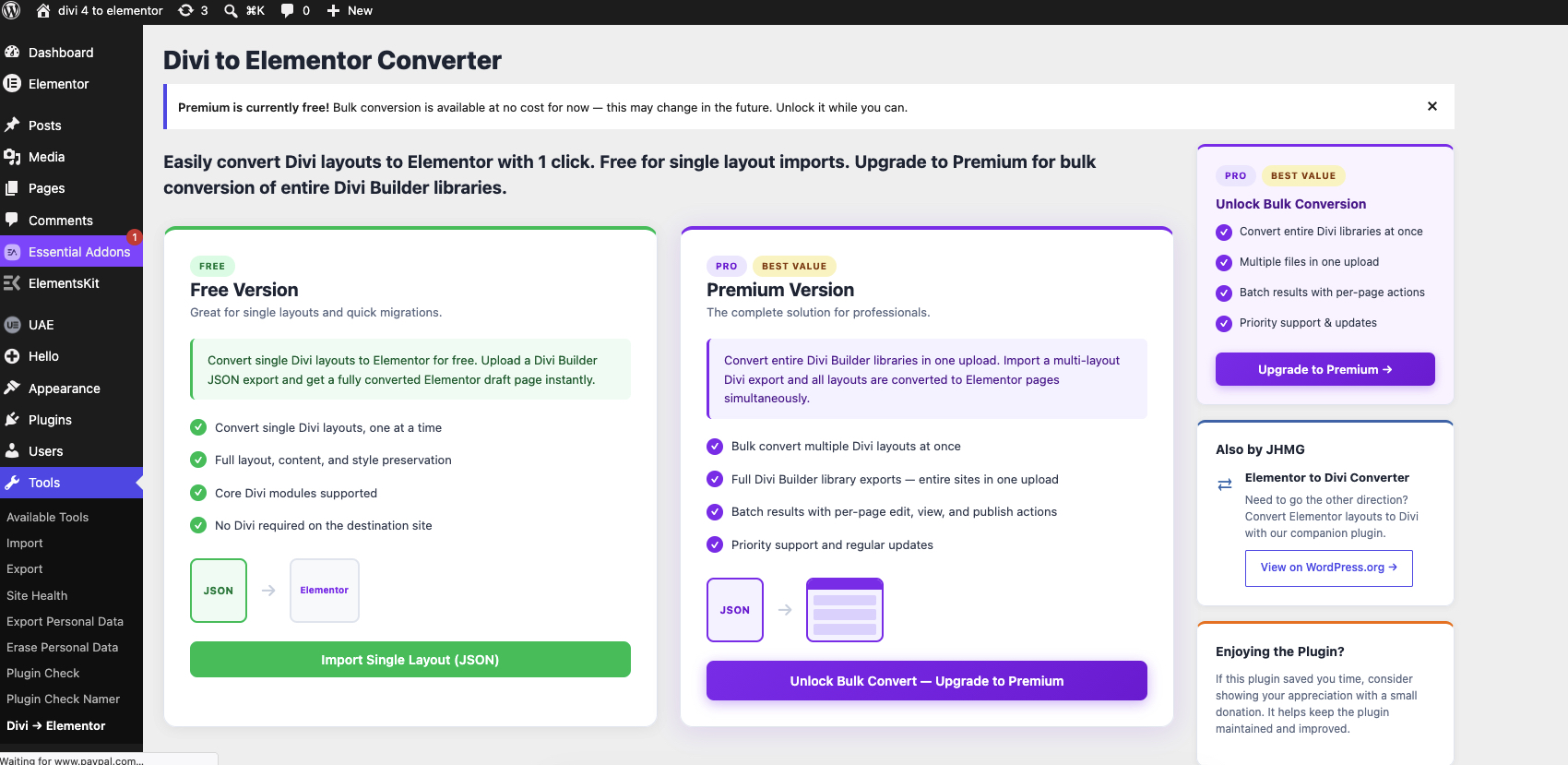
Need more than one layout at a time? Divi to Elementor Pro ($49/yr) adds:
- Batch conversion — upload multiple JSON files and convert every layout inside them in one run
- WooCommerce widgets — Divi’s WooCommerce modules (price, add to cart, images, reviews, and more) map to Elementor Pro’s WooCommerce widgets
- Theme Builder import — convert Divi Theme Builder headers and footers into Elementor Library templates
Also by JHMG
Need to go the other direction? JHMG Converter For Elementor to Divi converts Elementor layouts back to Divi — the perfect companion plugin for agencies managing both builders.
How It Works
- In Divi, go to Divi Library Portability and export your layout as a JSON file.
- In WordPress, go to Tools Divi Elementor and upload the JSON.
- The plugin converts the file’s first layout into an Elementor draft page — ready to open and edit.
Screenshots
Installation
- Upload the plugin folder to
/wp-content/plugins/. - Activate the plugin via Plugins Installed Plugins.
- Go to Tools Divi Elementor to start converting.
FAQ
-
Do I need Divi installed on the destination site?
-
No. The plugin reads the Divi JSON export format and converts it to Elementor data. Divi is not required on the site where you are importing.
-
Do I need Elementor installed?
-
Yes. Elementor (free or Pro) must be active on the site where you are importing layouts.
-
What export formats are supported?
-
The free plugin supports two Divi JSON export types:
- et_builder — standard single-page export
- et_builder_layouts — Divi Builder Library export (the first layout is converted)
et_theme_builder (Theme Builder template exports — header, footer, body) requires the Pro add-on; uploading one shows an error with a link to Pro.
-
Can I import multiple layouts at once?
-
The free plugin converts one JSON file per import — the first layout inside it. If your file contains more layouts, the results page shows a note pointing to the Pro add-on, which converts every layout across multiple files in a single run.
-
Will all styles be preserved exactly?
-
The converter maps Divi module settings (colors, fonts, spacing, borders, backgrounds) to their Elementor equivalents. Most visual properties transfer correctly. Some advanced Divi-specific features (custom CSS classes, Divi shortcode-based modules not in the supported list) are passed through as HTML or skipped. Divi’s WooCommerce modules require the Pro add-on — the free plugin skips them and notes it in the conversion report.
-
What happens to Code modules and custom CSS in my Divi export?
-
They are sanitized before anything is saved. An uploaded JSON file is untrusted input, so markup from Divi Code modules is filtered through WordPress’s standard post allowlist (
wp_kses_post()) — scripts, styles, iframes, form elements and inline event handlers are removed — and imported custom CSS has markup,@importrules and script URLs stripped. Whenever something is removed, the conversion report tells you which module it came from so you can rebuild that piece with an Elementor widget. The plugin never asks you to paste in code and never evaluates any code from an import. -
That requires the Pro add-on. The free plugin will show an error with a link to Pro if you upload a Theme Builder (et_theme_builder) export. Pro imports headers and footers as Elementor Library templates; displaying them as actual theme templates also requires Elementor Pro’s own Theme Builder.
-
Where do I find the converted pages?
-
After conversion, the plugin redirects you to a results page with direct links to edit, preview, or publish each converted layout. You can also find them under Pages (or Elementor My Templates for theme templates) with a “converted from Divi” title.
Reviews
There are no reviews for this plugin.
Contributors & Developers
“JHMG Converter For Divi to Elementor” is open source software. The following people have contributed to this plugin.
Contributors
Translate “JHMG Converter For Divi to Elementor” into your language.
Interested in development?
Browse the code, check out the SVN repository, or subscribe to the development log by RSS.
Changelog
1.0.0
- Initial release.
- Single-file, single-layout conversion (the first layout in a Builder Library export is converted; additional layouts are noted in the report).
- 35+ Divi modules mapped to Elementor equivalents.
- Supports et_builder and et_builder_layouts export formats.
- Conversion reports flag WooCommerce modules and Theme Builder exports with a link to the Pro add-on.
- Imported markup is filtered through
wp_kses_post()and imported CSS is stripped of markup,@importrules and script URLs; removals are reported per module. - Uploads are restricted to a single
.jsonfile, with the filename sanitized and the upload verified before it is read.