

Description
ITSM Newsletter is a lightweight, self-hosted newsletter management plugin for WordPress. It manages signups and subscribers on your own WordPress site and sends mail through the existing WordPress mail transport (wp_mail()), which can be connected to your preferred SMTP provider.
Features include:
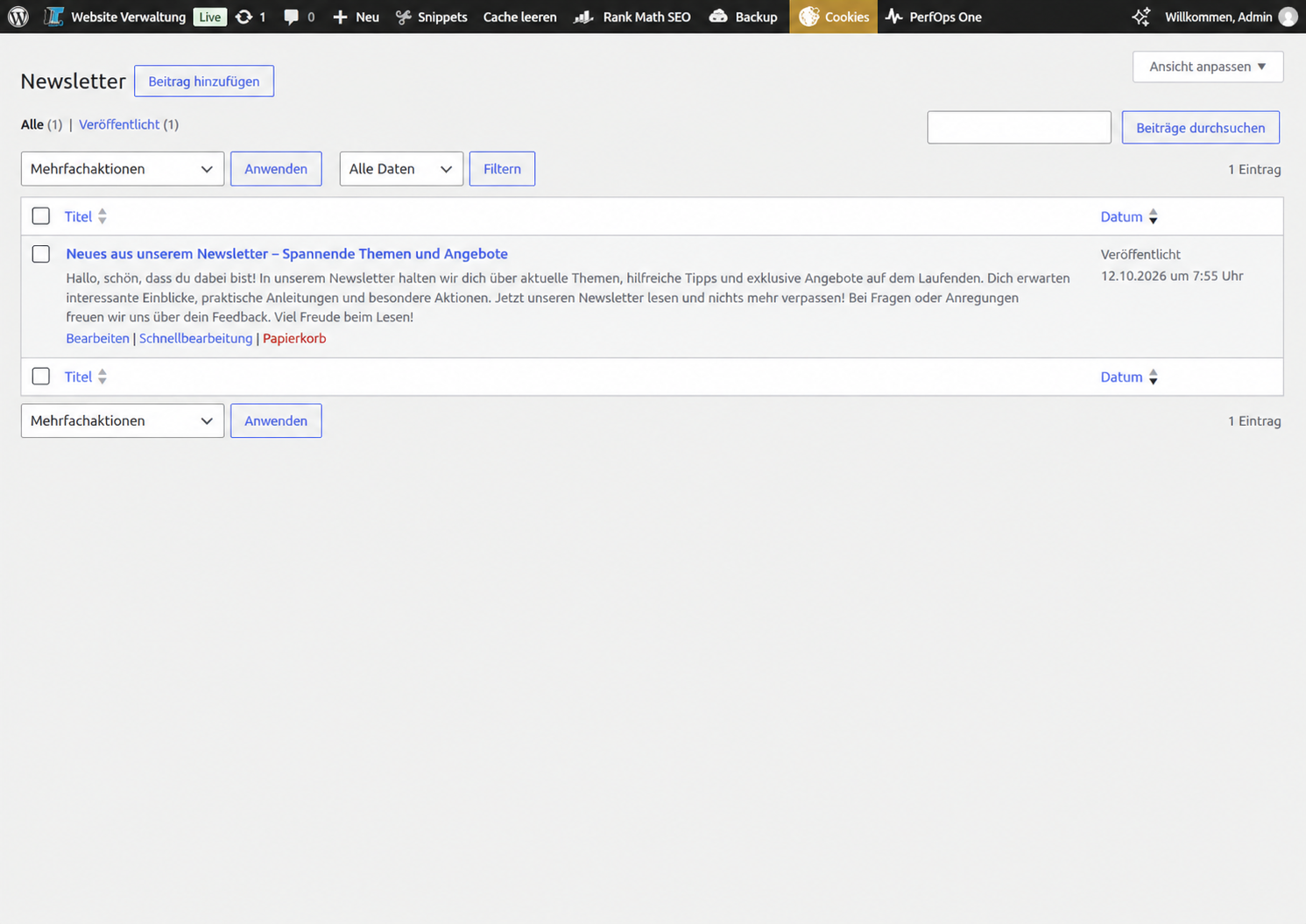
- Newsletter editor, HTML email rendering, previews and test sends.
- Double opt-in confirmation and unsubscribe links.
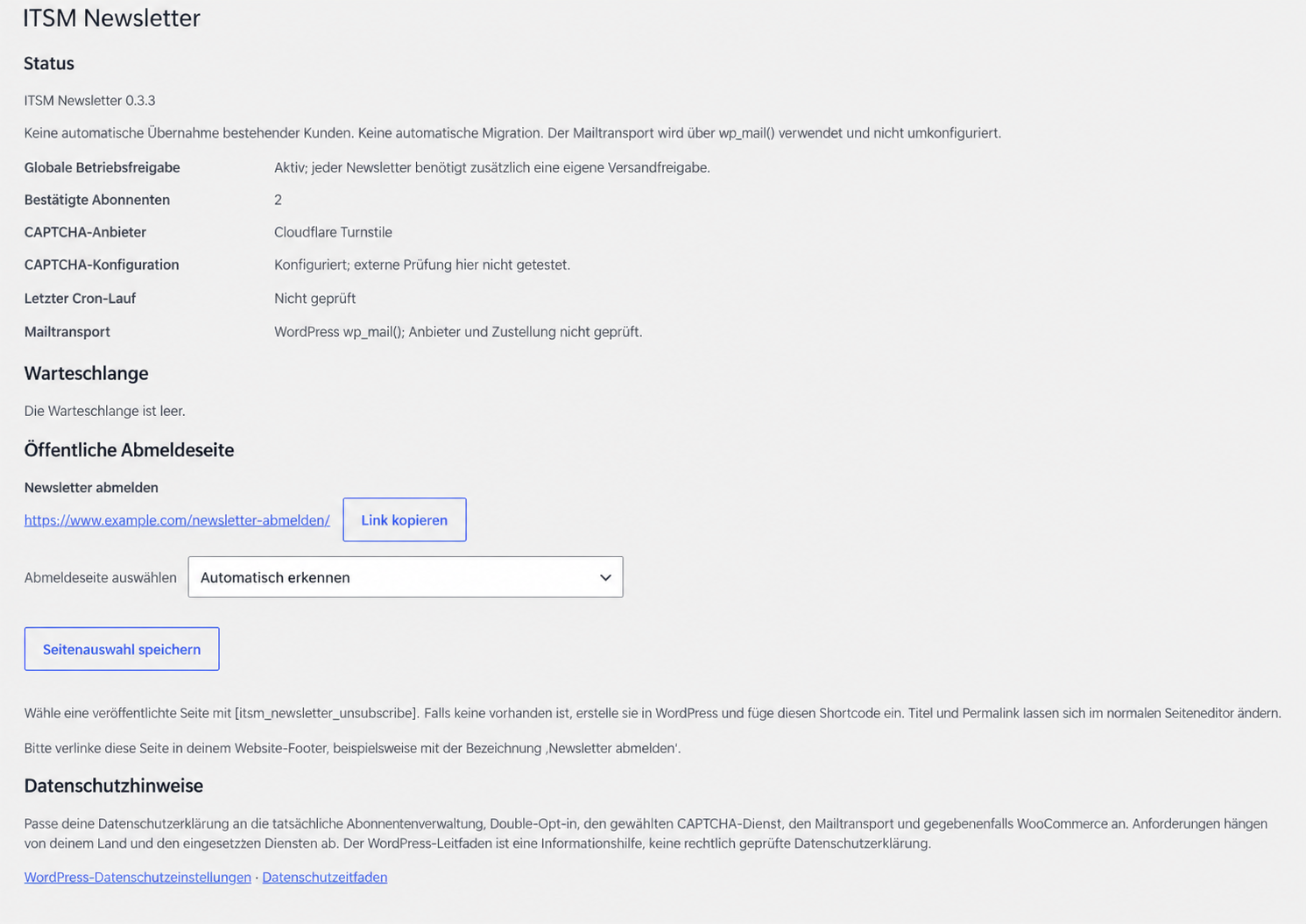
- Public unsubscribe page using
[itsm_newsletter_unsubscribe]. - Required consent checkbox and configurable signup popup.
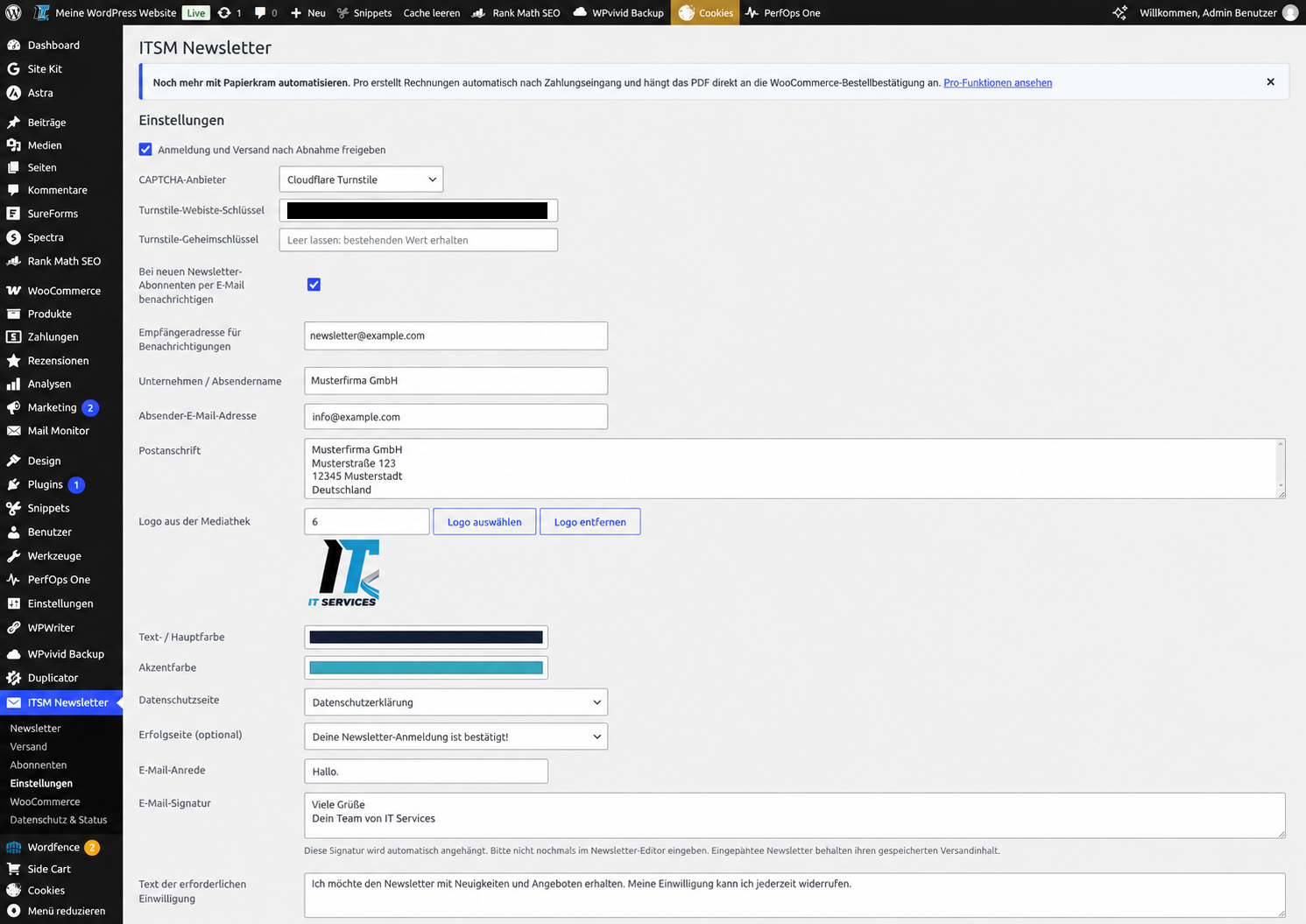
- Cloudflare Turnstile or Google reCAPTCHA v2 checkbox (optional services requiring configuration).
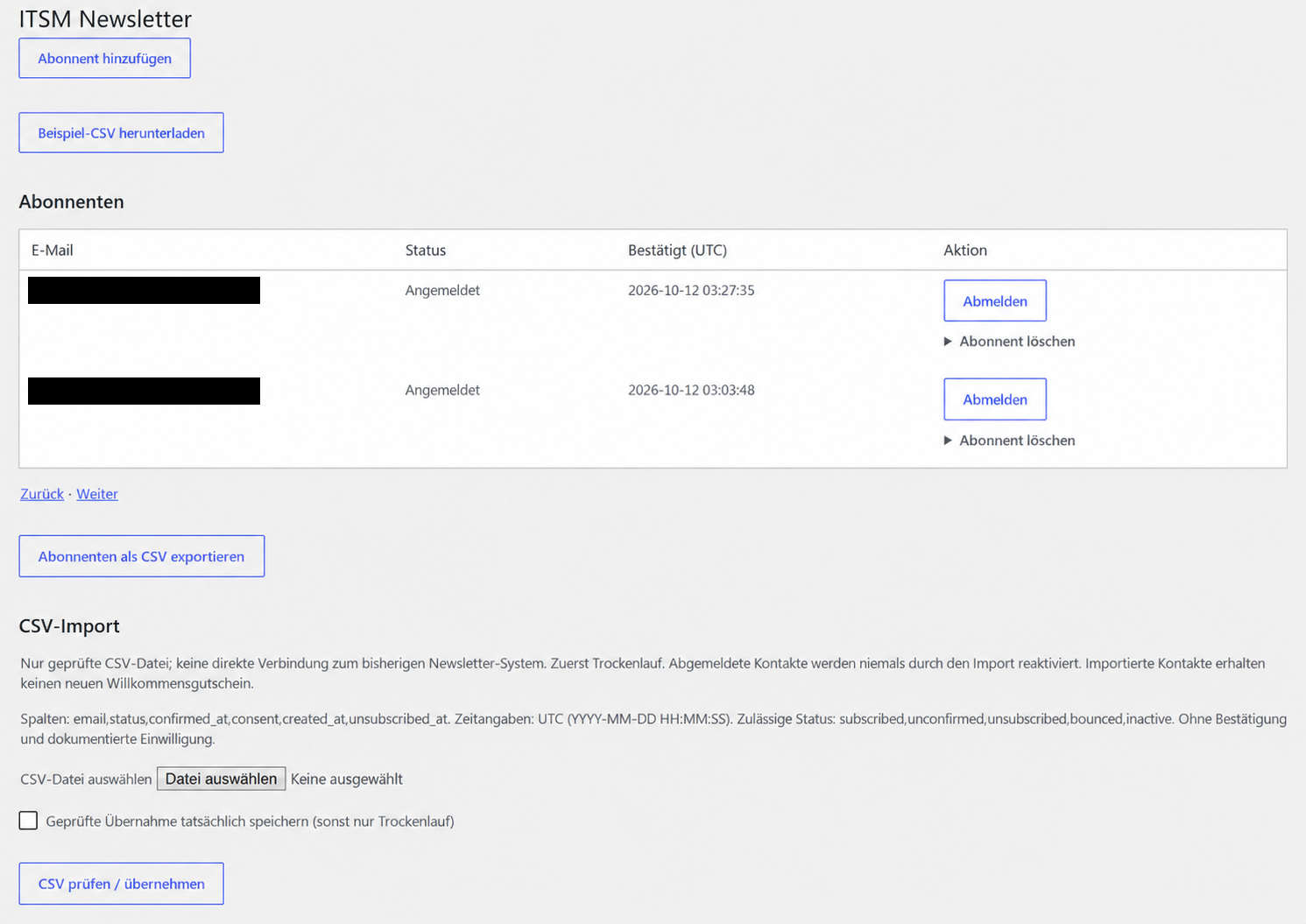
- Subscriber management and CSV import/export.
- Queued sending with retry and duplicate-send safeguards.
- Optional administrator notifications when subscribers confirm.
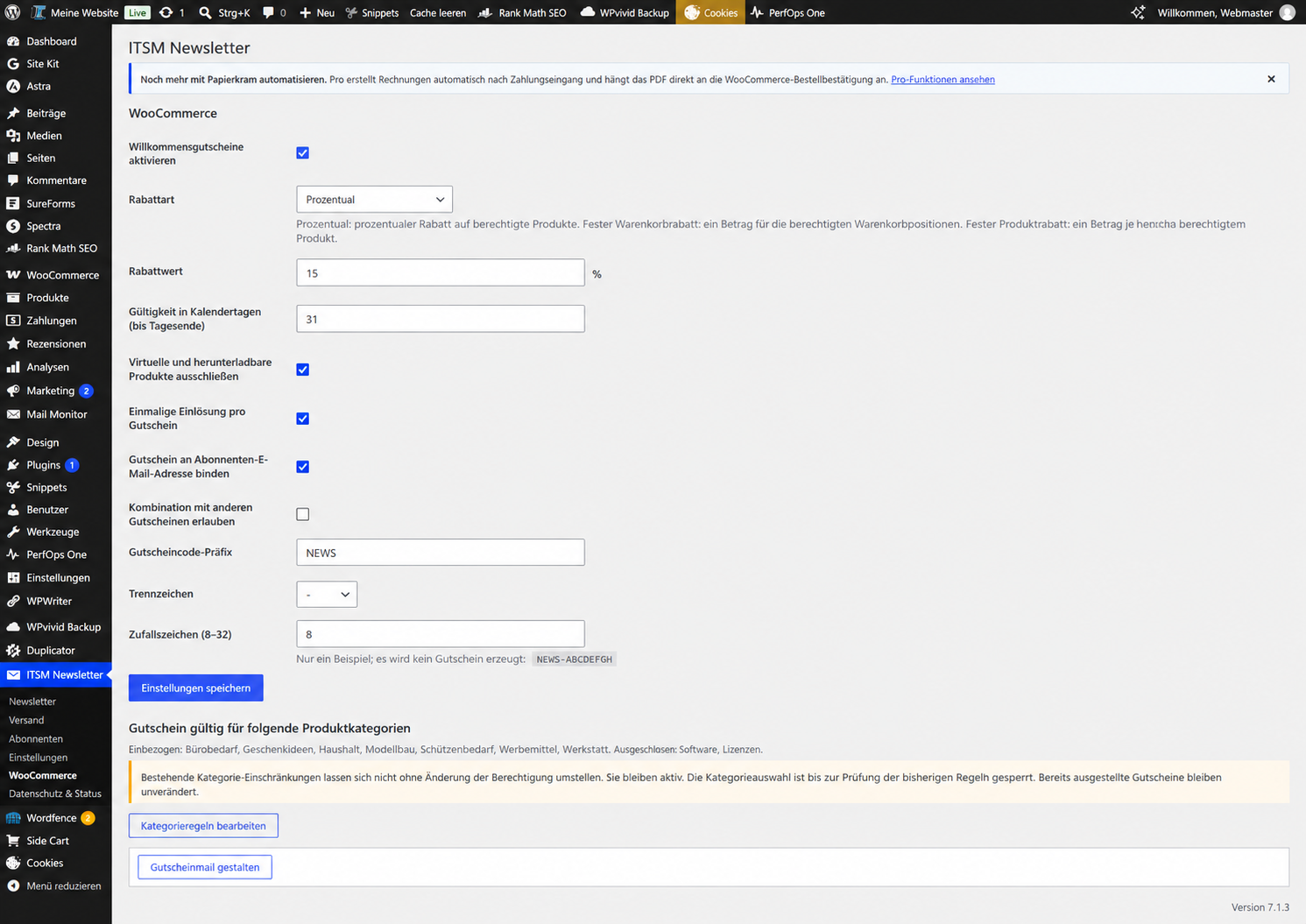
- Optional WooCommerce welcome coupons, including configurable restrictions and coupon email designs.
- Fixed UTM campaign parameters on eligible internal links for use with site analytics tools.
- German localization, with English as the source language.
ITSM Newsletter does not provide an SMTP service and does not guarantee inbox placement. The sending capabilities and limits depend on your website’s configured mail transport and host.
Privacy and external services: Subscriber and consent records are managed in your WordPress database. If you enable Turnstile or reCAPTCHA, a connection to the selected external CAPTCHA provider is required. Sending messages uses your configured mail transport, which may involve an external provider. Review the plugin’s privacy guidance and adapt your website’s privacy policy to your configuration. No tracking script is provided by the plugin; UTM parameters alone do not collect analytics.
Usage and limitations
The delivery queue processes up to 20 recipients per minute when WordPress Cron runs. A successful wp_mail() result means that the transport accepted the message, not that it reached an inbox. Hosting and mail service limits still apply. There is no automated bounce or complaint processing.
Only confirmed subscribers are eligible for newsletter delivery. Imported contacts require existing consent evidence; importing does not send messages or create welcome coupons. Use the CSV dry run before committing changes. Files are limited to 5 MB and 10,000 rows. Suppressed contacts are not reactivated by importing them again.
Live previews display unsaved text, colors and logos. Changes are persisted only when you save. Existing custom texts and subscriber data are not automatically translated. The bundled German PO/MO files are retained.
Activate individually per website; network activation is not supported. Welcome coupons require WooCommerce and are disabled on new installations. Back up your database and plugin files before updating.
Data and external services
The plugin stores email addresses, subscription status, timestamps, consent records and technical confirmation and delivery data in the WordPress database. It integrates with the WordPress personal-data export and erasure tools. Coupon records need separate retention review. Deactivating or deleting the plugin files does not automatically erase subscriber records or coupons. Unconfirmed signups are cleaned after 30 days through active queue processing; unsubscribe suppression records are retained.
The popup uses browser local storage to remember temporary dismissal. Optional administrator notifications contain the subscriber address, confirmation time and site name. Fixed UTM parameters on eligible internal email links do not identify individual recipients; analysis depends on separately configured website analytics.
Cloudflare Turnstile
When selected and configured, the popup loads the Turnstile client from Cloudflare when it opens. The browser contacts Cloudflare, exposing technical connection and browser information to that service. On signup, the server sends the verification token and configured secret to Cloudflare’s Siteverify endpoint. No CAPTCHA service is embedded in the public unsubscribe request form.
Service: https://www.cloudflare.com/products/turnstile/
Terms: https://www.cloudflare.com/terms/
Privacy: https://www.cloudflare.com/privacypolicy/
Google reCAPTCHA v2 Checkbox
When selected and configured, the popup loads Google’s reCAPTCHA client when it opens. The browser contacts Google and the server sends the verification token and configured secret to Google’s Siteverify endpoint. Technical connection and browser information is processed by that service.
Service: https://www.google.com/recaptcha/about/
Terms: https://policies.google.com/terms
Privacy: https://policies.google.com/privacy
Mail delivery
Messages are passed to the website’s configured WordPress mail transport. The operator chooses the mail service and must describe its data handling. This plugin does not configure an SMTP service or promise legal compliance or inbox delivery.
Screenshots
Installation
- Install the plugin through the WordPress Plugins screen or upload its plugin ZIP.
- Activate ITSM Newsletter.
- Open ITSM Newsletter > Settings and configure sender details, consent text and confirmation pages. New installations start with signup and sending paused. Configure your mail transport separately.
- Configure the desired CAPTCHA provider and corresponding keys. Turnstile is the default; disabling CAPTCHA requires an explicit acknowledgement in the settings.
- Set up the signup popup and test a complete double opt-in flow with an email address you control.
- For a public unsubscribe form, publish a page containing
[itsm_newsletter_unsubscribe]and link to it from your site footer. - If WooCommerce is active, optionally enable and configure welcome coupons.
- Test the signup and confirmation flow before enabling operation. Before sending a campaign, inspect the preview and send a test message; ensure WordPress Cron can process the queue. Publishing a newsletter alone does not start sending: use the separate delivery approval.
FAQ
-
Does it work without WooCommerce?
-
Yes. WooCommerce is optional and is only required for welcome coupon functions.
-
Does this plugin send email through its own external service?
-
No. It uses the site’s configured WordPress mail transport (
wp_mail()); a separate SMTP provider or mail transport plugin can be used. -
Is double opt-in supported?
-
Yes. The signup is only activated after confirmation through the email verification flow.
-
Can subscribers unsubscribe without finding a previous email?
-
Yes. Publish a page with
[itsm_newsletter_unsubscribe]. The public form requests an unsubscribe confirmation without exposing whether an email address is subscribed. -
Does the plugin limit the number of subscribers?
-
The plugin does not impose an artificial subscriber or sending quota. Your hosting provider or mail service may impose limits.
-
Are CAPTCHA services mandatory?
-
Cloudflare Turnstile is selected by default and requires your own keys. You can select Google reCAPTCHA v2 Checkbox instead, or explicitly acknowledge disabling CAPTCHA in Settings. The selected service must be disclosed in your privacy policy.
-
Can I import subscribers?
-
Yes, through the CSV import workflow. Existing consent and unsubscribe status must be handled carefully; merely knowing an email address is not proof of newsletter consent.
-
Will WordPress.org provide updates?
-
After the plugin is accepted and released in the WordPress.org directory, WordPress can use its normal update mechanism. Automatic installation depends on the site’s auto-update settings.
Reviews
There are no reviews for this plugin.
Contributors & Developers
“ITSM Newsletter” is open source software. The following people have contributed to this plugin.
Contributors
Translate “ITSM Newsletter” into your language.
Interested in development?
Browse the code, check out the SVN repository, or subscribe to the development log by RSS.
Changelog
0.3.7 – 2026-10-19
- Render standalone confirmation documents through a template with escaping at each output boundary.
- Guarantee CSV reader cleanup on all return and exception paths without changing streaming.
- Validate public and administrative email inputs before canonicalization with WordPress APIs.
- Avoid sorting, totals and cache reuse in the legacy coupon existence check.
0.3.6 – 2026-10-19
- Use WordPress-managed styles for standalone confirmation pages and live browser previews. Email styling remains self-contained.
- Add fresh form nonces to email-link confirmation steps, retaining recipient token validation.
- Use just-in-time translations with WordPress language-pack priority and a bundled German fallback.
0.3.5 – 2026-10-19
- Normalize and validate administrative and public request inputs, including CSV upload metadata.
- Escape page selector and coupon design attributes at output; constrain confirmation page CSS colors.
- Preserve streaming CSV, token validation, queue synchronization and documented CAPTCHA services.
0.3.4 – 2026-10-13
- Prepared the English WordPress.org readme, external-service disclosures, screenshots and contributor metadata.
- Escaped translated status messages and added translator context without changing newsletter functionality.
- Preserved existing German translation files.
0.3.3 – 2026-10-12
- Existing previews show unsaved text, colors and logos after a short debounce. Settings are saved only on explicit submission.
0.3.2 – 2026-10-12
- Group existing category restrictions, current rules and the rule editor in one place without duplicate selection.
- Clearly label every contextual preview as a preview.
- Preserve category review/confirmation and all delivery and coupon logic.
0.3.1 – 2026-10-12
- Keep the desktop admin menu independently scrollable on ITSM Newsletter screens only; retain native mobile navigation.
- Place saved email, confirmation and popup previews directly below their settings, with compact collapsible panels.
- No newsletter, delivery or coupon logic changes.
0.3.0 – 2026-10-12
- Replaced administration tabs with direct WordPress submenu pages and preserved existing routes.
- Unified newsletter signature rendering, saved preview and separate test delivery.
- Added reviewed category-rule changes, discount units and configurable future coupon codes.
- Added independently stored coupon-email design and existing-renderer previews for email and popup settings.
- Added page selection for public unsubscription, concise privacy guidance and factual status information.
- Added manual double-opt-in requests, confirmed subscriber deletion and a downloadable example CSV.
- Added selectable Google reCAPTCHA v2 Checkbox, with provider-specific verification and explicit CAPTCHA disabling.
- Preserved existing data and issued coupons, completed German translations, and tested the packaged release locally.
0.2.3 – 2026-10-12
- Applied the final product name ITSM Newsletter consistently to the readme.
- Includes the complete administration, test email, translation and optional Papierkram recommendation improvements from 0.2.2.
- No changes to subscriber data, saved settings, delivery or coupon logic.
0.2.2 – 2026-10-12
- Direct administration menu and five focused tabs, including optional WooCommerce settings.
- Reused mail rendering for newsletter preview and a separate, protected test email action.
- Isolated settings saves with clear validation feedback and preservation of other tabs.
- Hierarchical category checkboxes; existing conflicting category restrictions remain active and locked for review.
- Completed remaining import error translations and translated new interface, notices and coupon log messages.
- Scoped responsive tabs and accessible mobile controls.
- Added an unobtrusive, locale-dependent recommendation for the free Papierkram connector within Settings only.
0.2.1 – 2026-10-12
- Fixed mobile admin overflow with plugin-scoped responsive fields, wrapped text and readable subscriber actions.
- Completed English source strings and bundled German translations using the itsm-newsletter text domain.
- Preserved existing settings, subscriber data and custom newsletter content.
- Verified native WordPress update detection and the operator’s automatic-update preference using a local simulated directory response.
0.2.0 – 2026-10-12
- General-purpose WordPress release with optional WooCommerce and welcome coupons.
- Configurable company name, logo, colors, email and popup text, and target pages; removed fixed website and media dependencies.
- Fixed UTM campaign parameters for internal newsletter content and coupon shop links in HTML and plain text, preserving existing values and excluded links.
- Optional administrator notification on first double opt-in confirmation.
- Public unsubscribe request shortcode with a neutral response and the existing confirmation flow.
- URL display and copy button, plus privacy guidance in settings and the WordPress privacy guide.
- Upgrade handling retains existing coupon categories after WooCommerce taxonomies register and preserves migration state on reactivation.
- Retained the existing 24-pixel bottom spacing below the double opt-in button.
- Reused existing subscriber, delivery and coupon flows without automatic footer or privacy-page changes, licensing or premium features.
0.1.1 – 2026-10-12
- Fixed UTM parameters for internal newsletter and coupon shop links.
- Aligned HTML and plain-text link targets while preserving query strings and fragments.
- Clarified the double opt-in email fallback note and button spacing.
0.1.0
- Initial release with signup, double opt-in, popup, delivery queue and WooCommerce welcome coupons.