
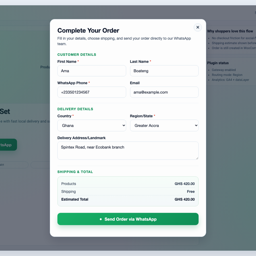
Description
Instant Chat Checkout adds WhatsApp checkout for WooCommerce stores while still creating normal WooCommerce orders. Customers can start an order from a product page or checkout, send the order details to your WhatsApp number, and leave you with a trackable WooCommerce order in the admin.
Use it when your store sells through WhatsApp, phone follow-up, local delivery, pickup, or cash-on-delivery workflows and you want more structure than a basic chat button.
Key features:
- WhatsApp checkout payment gateway for WooCommerce.
- Product-page “Order on WhatsApp” button and quick order modal.
- Customer name, phone, email, country, region, address, quantity, and shipping fields.
- Shipping-aware order estimates that follow WooCommerce shipping setup.
- Team routing modes: single, round robin, and region/state routing.
- Free-shipping area controls driven by WooCommerce country/state settings.
- Google Analytics compatible tracking (
gtagand/ordataLayer). - Thank-you page WhatsApp handoff link.
- Admin dashboard snapshot for WhatsApp order activity.
Good fit for:
- Fashion, beauty, food, grocery, pharmacy, and local retail stores.
- Stores that confirm availability, delivery fees, or payment manually before dispatch.
- Stores that use WhatsApp as the main sales conversation channel.
- Cash-on-delivery, bank transfer, mobile money, local pickup, and assisted checkout flows.
- Teams that need to route orders to different WhatsApp numbers by region or rotation.
Why use this instead of a normal WhatsApp chat button?
- A normal chat button starts a conversation but does not structure the order.
- Instant Chat Checkout collects customer and delivery details before the WhatsApp handoff.
- The plugin creates a WooCommerce order, so store admins can still track order status, totals, and customer details.
- The WhatsApp message includes the order summary, customer details, and destination number.
This plugin is distributed under GPLv2 or later.
Quick Setup
- Install and activate WooCommerce.
- Install and activate Instant Chat Checkout.
- Open
WooCommerce > Settings > Payments > WhatsApp Order. - Enable the WhatsApp Order gateway.
- Enter your WhatsApp number in international format, for example
233501234567. - Save settings and test a simple product order.
- Optional: configure team routing, free-shipping areas, button text, analytics, and thank-you page behavior.
Screenshots
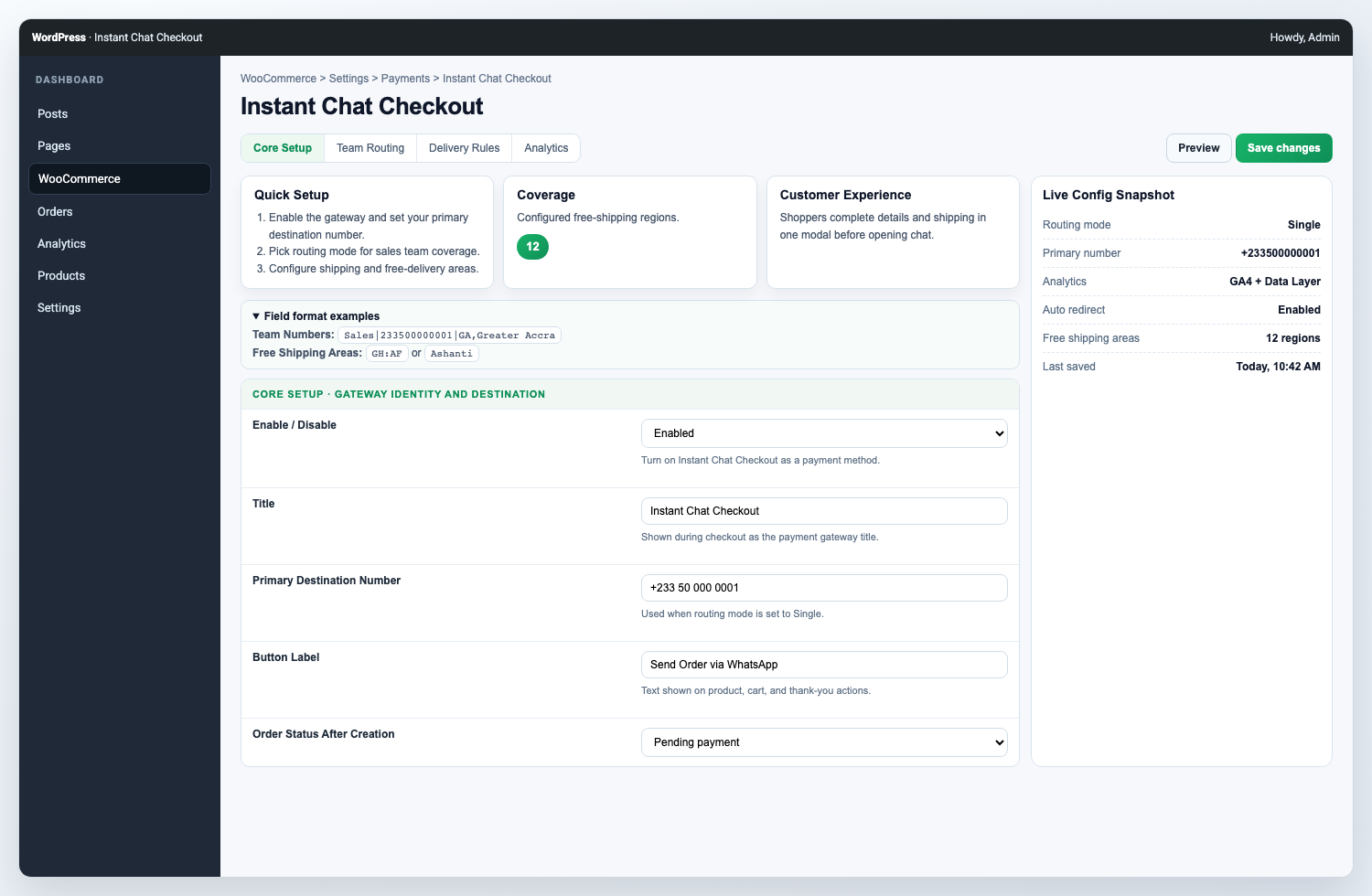
Configure the WhatsApp Order payment gateway, routing, delivery behavior, and button style. 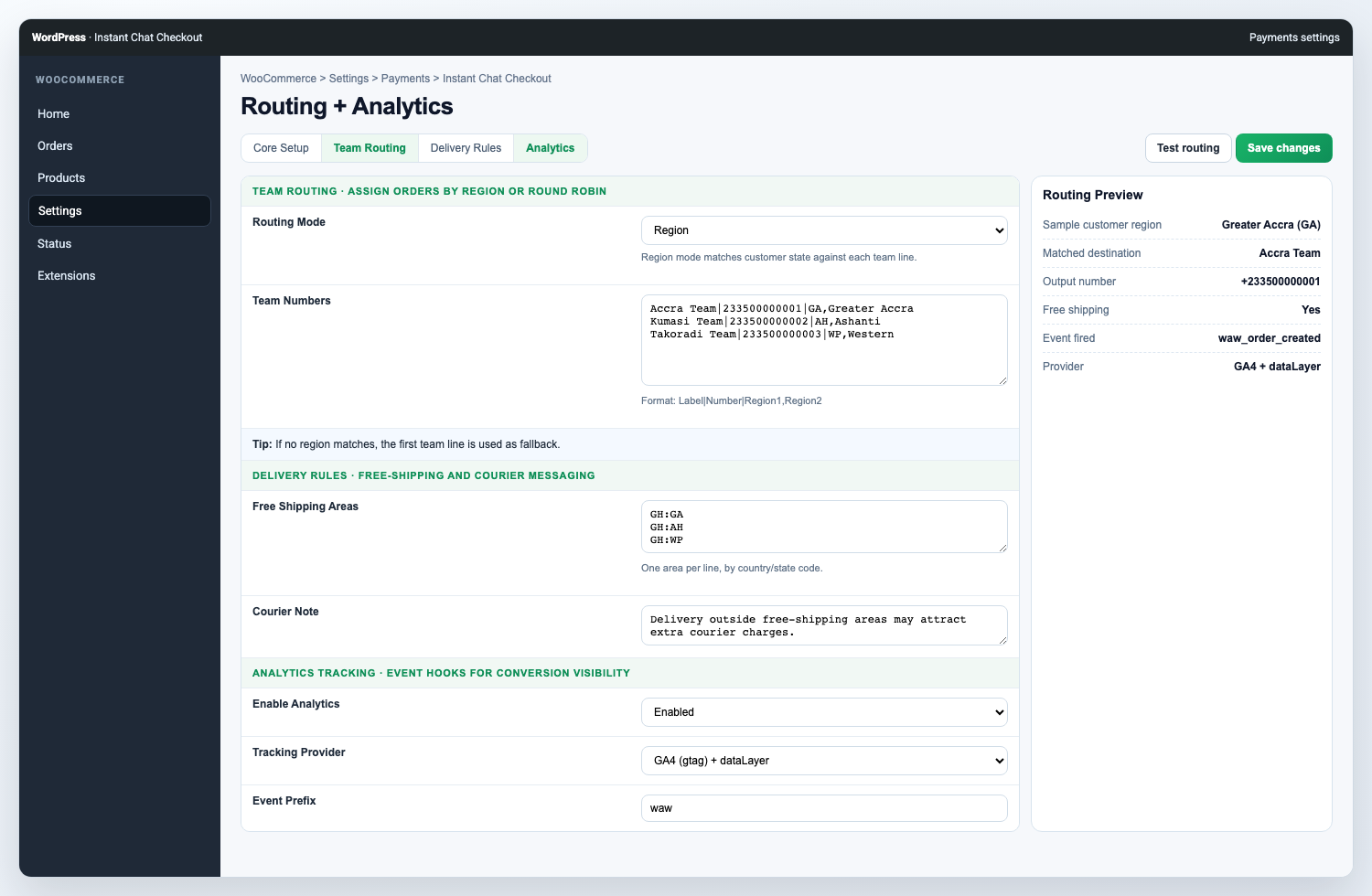
Manage team routing, free-shipping areas, and analytics tracking from WooCommerce settings. 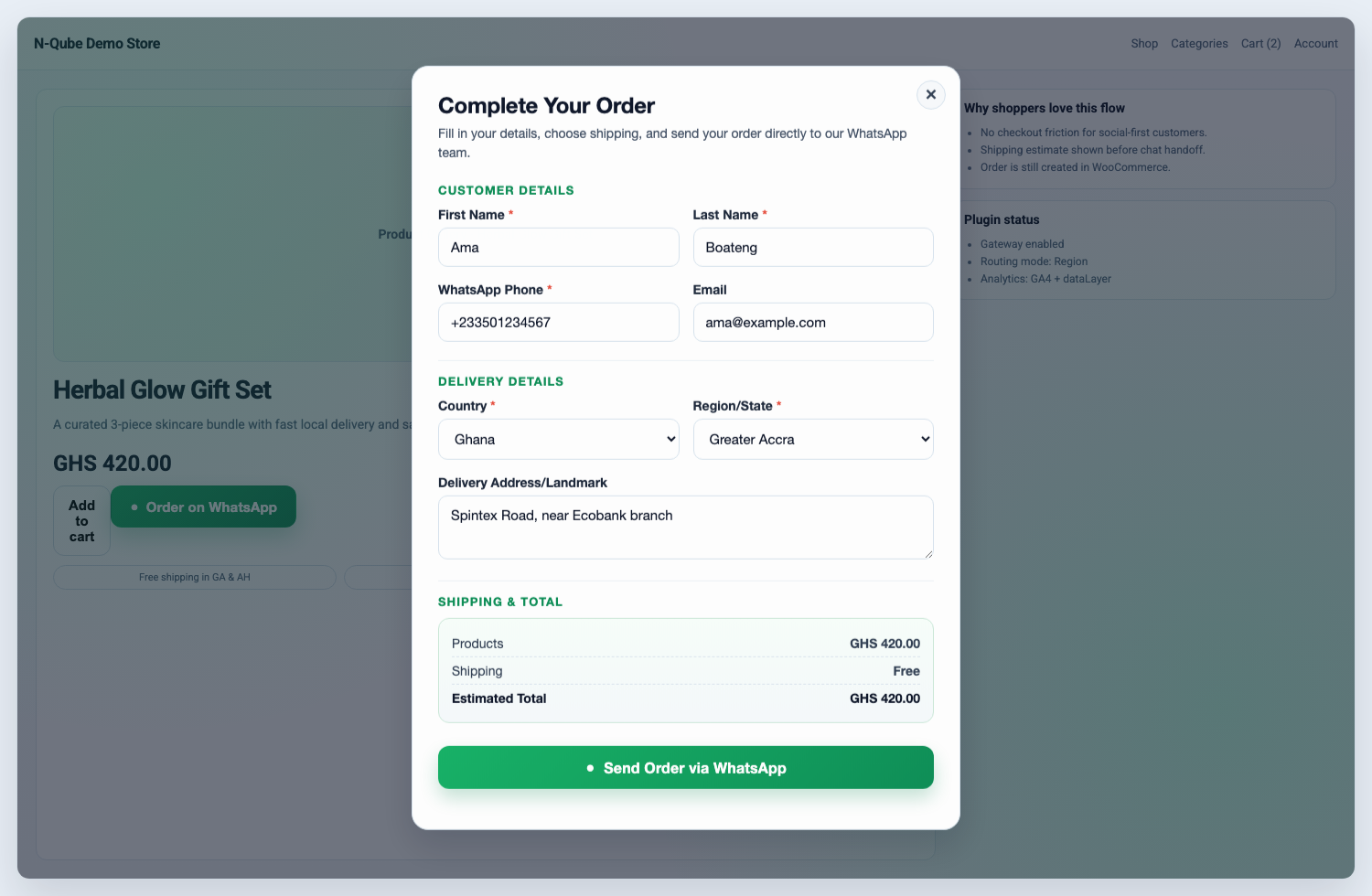
Let shoppers place a shipping-aware WhatsApp order from the product page modal. 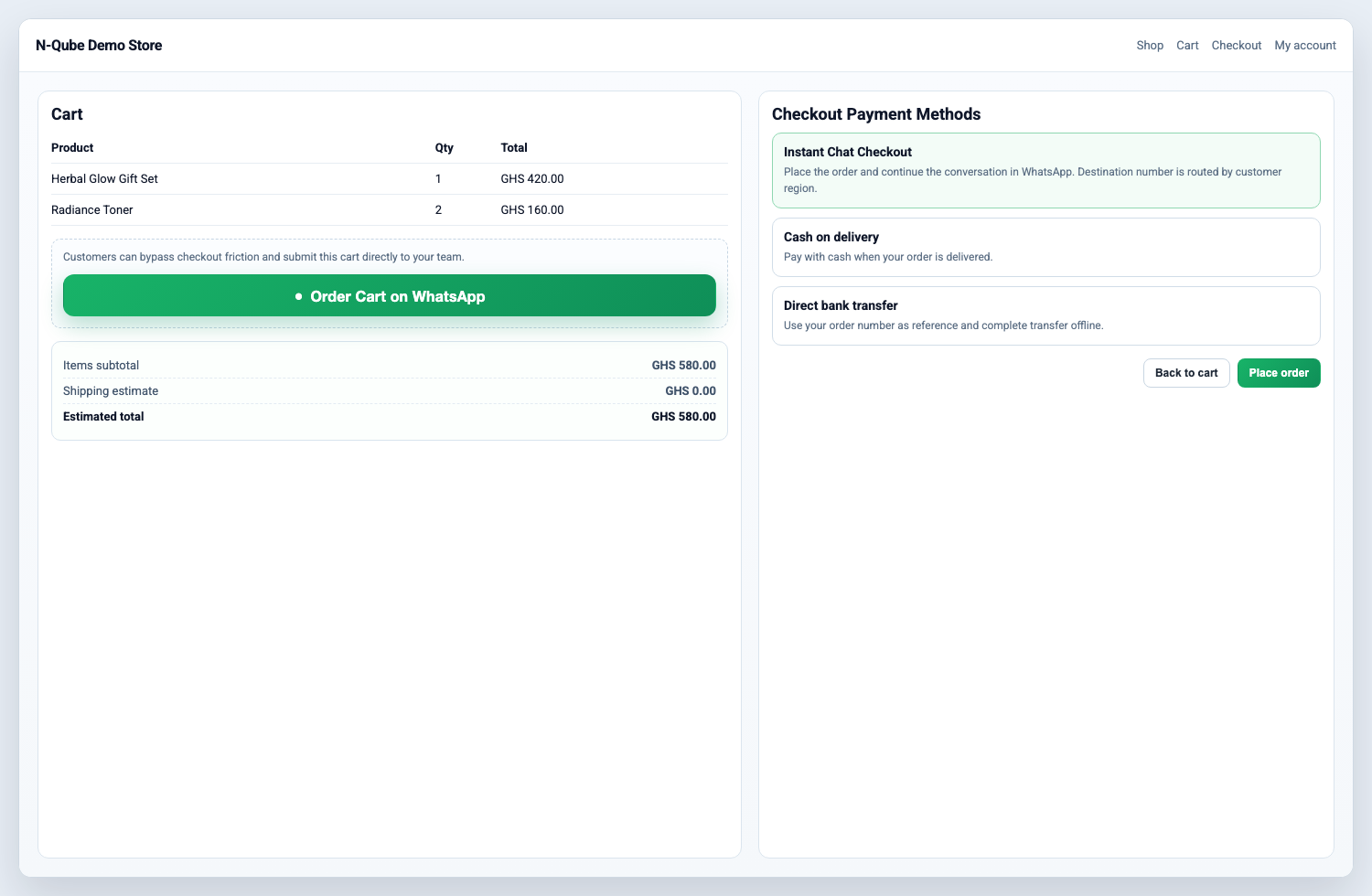
Add WhatsApp ordering to cart and checkout while keeping normal WooCommerce order creation. 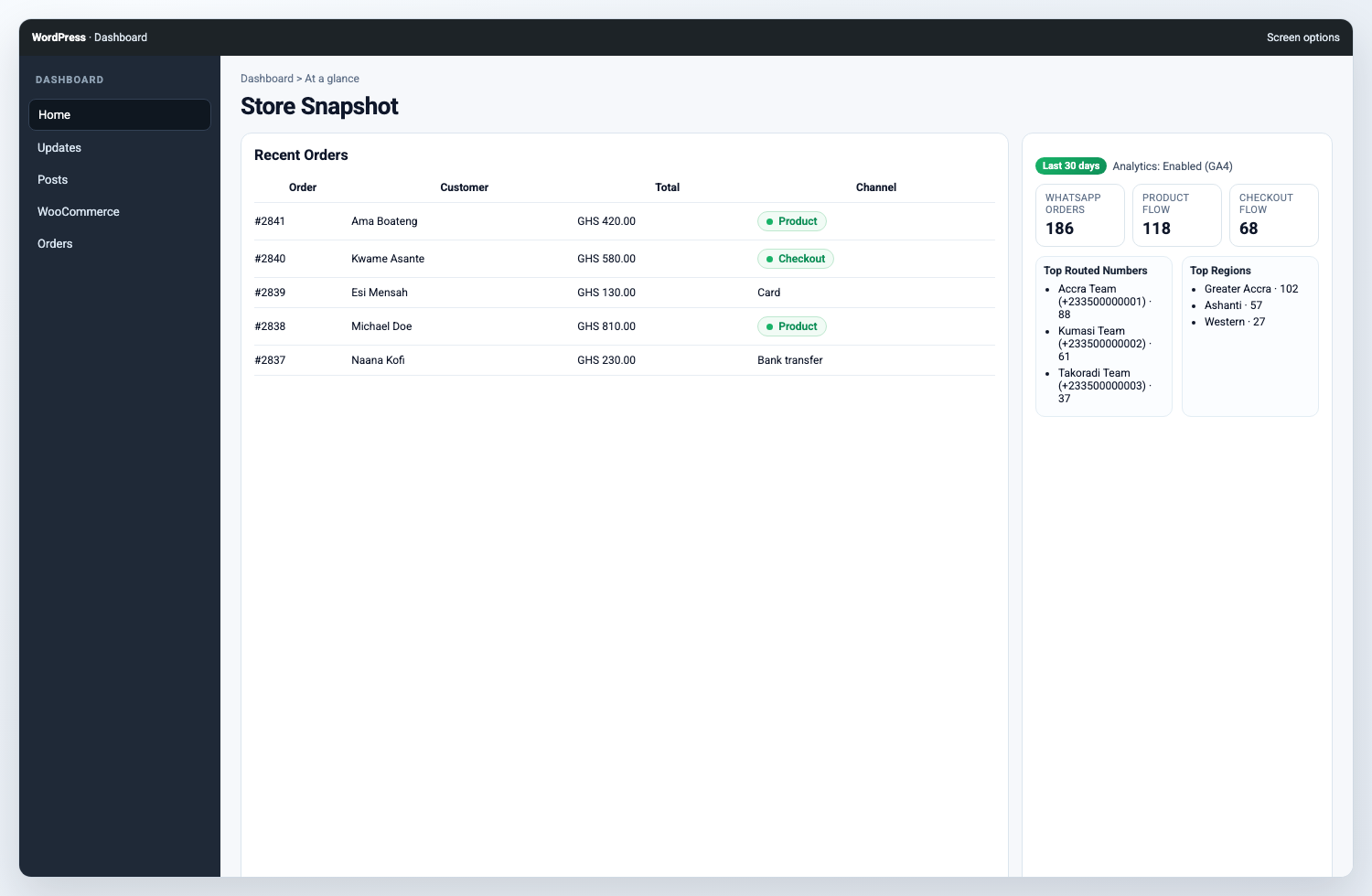
Review WhatsApp order activity in the dashboard widget and order table. 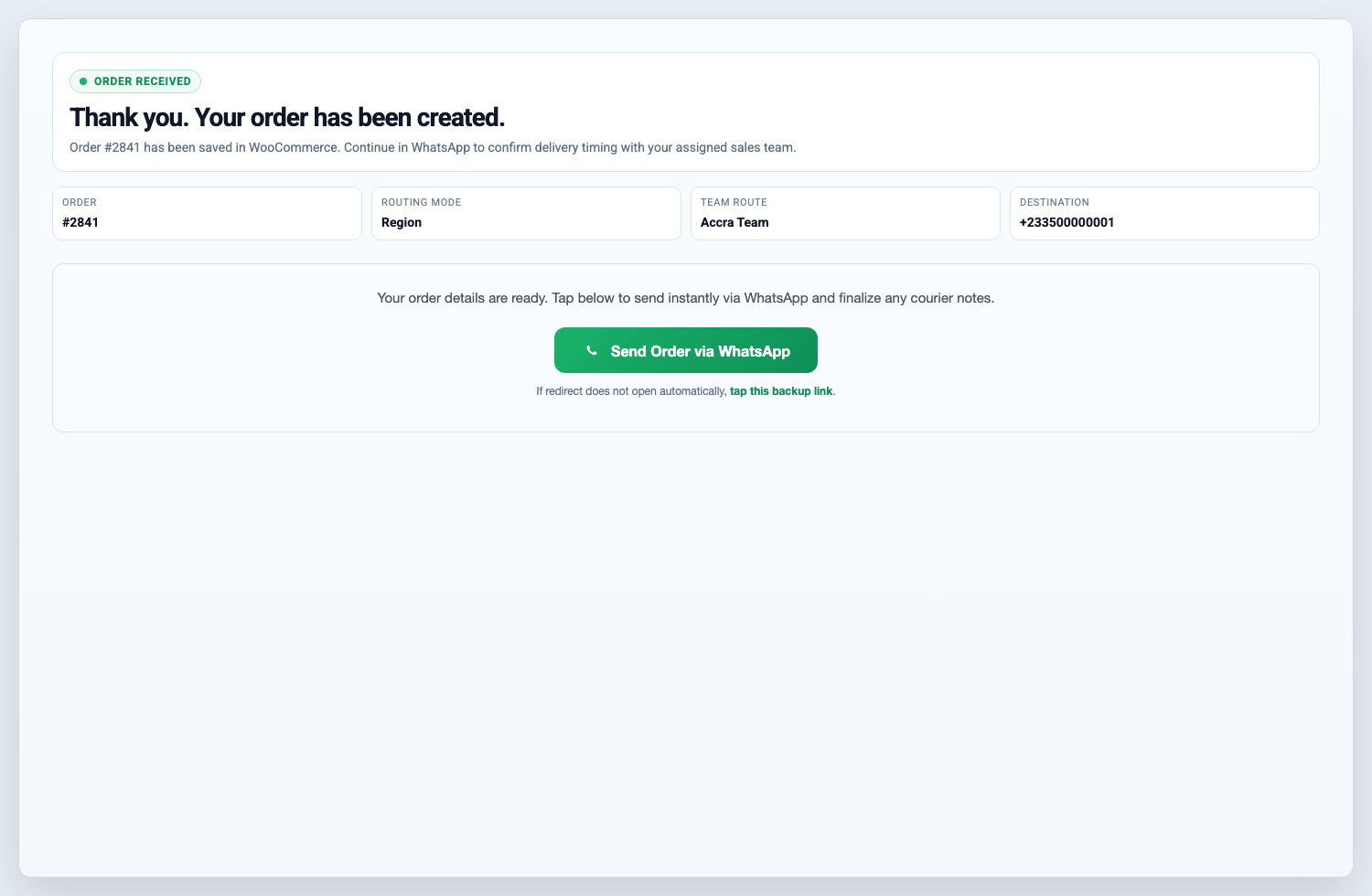
Hand off completed orders to WhatsApp from the thank-you page.
Installation
- Upload the plugin files to
/wp-content/plugins/instant-chat-checkout, or install via the WordPress plugin installer. - Activate the plugin.
- Go to
WooCommerce > Settings > Payments > WhatsApp Order. - Enable the gateway and configure your WhatsApp number and routing.
- Save changes and run a test order from product page and checkout.
FAQ
-
Does this plugin create WooCommerce orders?
-
Yes. Product-page WhatsApp orders and checkout gateway orders create normal WooCommerce orders so you can manage them from the WooCommerce admin.
-
Does it work without an online payment gateway?
-
Yes. The plugin is useful for cash on delivery, mobile money, bank transfer, local pickup, and manual confirmation workflows where the sales conversation continues on WhatsApp.
-
Yes. The plugin can show an “Order on WhatsApp” button on WooCommerce product pages. The button opens a quick order modal before sending the customer to WhatsApp.
-
Can customers still use the normal WooCommerce checkout?
-
Yes. Instant Chat Checkout adds a WhatsApp Order payment gateway, so it can work alongside your existing WooCommerce payment methods.
-
Can I route orders to multiple team numbers?
-
Yes. Use
Team RoutingwithRound robinorRegionmode, then add one teammate per line inTeam Numbers. -
Can I use one WhatsApp number for all orders?
-
Yes. Use single-number routing and enter your main WhatsApp destination number.
-
Can I track WhatsApp events in analytics?
-
Yes. Enable
Analytics Trackingin settings to send events to GA4-compatiblegtagand/ordataLayer. -
Is this an official WhatsApp or Meta plugin?
-
No. Instant Chat Checkout is not affiliated with, endorsed by, or sponsored by WhatsApp or Meta. It creates WooCommerce order details and opens the customer’s WhatsApp handoff link.
-
How do I track WordPress.org downloads?
-
After approval, use your plugin page (including Advanced View) on WordPress.org for public stats and download history.
Reviews
There are no reviews for this plugin.
Contributors & Developers
“Instant Chat Checkout” is open source software. The following people have contributed to this plugin.
Contributors
Translate “Instant Chat Checkout” into your language.
Interested in development?
Browse the code, check out the SVN repository, or subscribe to the development log by RSS.
Changelog
1.2.2
- Updated ownership URLs to the active n-Qube domain.
- Aligned WordPress.org contributor name with the submitting account.
- Replaced short PHP/storage prefixes with the longer
icchatprefix. - Moved flagged inline scripts and styles into enqueued assets.
1.2.1
- Fixed Plugin Check i18n/domain warnings (text domain consistency and translators comments).
- Hardened request input handling for flagged
$_POSTfields. - Reduced order list query cost by replacing
meta_querywithmeta_key/meta_valuewhere applicable. - Added
languages/directory for validDomain Path. - Shortened short description to avoid readme parser trimming warning.
1.2.0
- Added shipping-aware product modal flow.
- Added team routing modes and improved admin UX.
- Added configurable free-shipping areas tied to WooCommerce location setup.
- Added analytics tracking options.
- Added mobile UX improvements and accessibility updates.