

Description
Static FAQs only answer 4 or 5 questions. What about everything else your visitors want to know?
InfiniBase combines a clean, modern FAQ accordion with an interactive AI search bar right below it. Visitors can browse your top questions at a glance—or type any specific question in their own words and get an instant, accurate answer pulled directly from your product documentation.
No monthly SaaS subscriptions. No complex chatbot widgets floating over your page. Just a fast, native FAQ section that blends right into your website.
How It Works
- Connect Your Preferred AI: Use WordPress’s built-in Settings Connectors or paste your own API key from OpenAI, Anthropic Claude, Google Gemini, or DeepSeek.
- Upload Your Docs: Upload your Markdown (
.md) documentation files and link each file to the live page URL where that guide lives on your site. - Set Your Top 4 FAQs: Write your 4 main FAQ cards manually—or let AI generate them from your uploaded docs in one click.
- Embed Anywhere: Drop
[infinibase_light]or[infinibase_dark]into any page, post, Gutenberg block, or Elementor section.
Why Site Owners Choose InfiniBase
- Answers Grounded in Your Docs (No Made-Up Replies): InfiniBase only answers using the documentation you upload. It never guesses or invents features you don’t have.
- Automatic “Read More” Links: Every AI answer includes a direct link to the exact section of your documentation page so visitors can read further.
- Smart Support Fallback: If a visitor asks something that isn’t covered in your docs, InfiniBase politely lets them know and gives them a direct button to your Contact Support page.
- 1-Click FAQ Generator: Don’t want to write your initial FAQ cards from scratch? Select any uploaded document and generate 4 ready-to-use FAQs in seconds.
- Light & Dark Themes Built In: Includes ready-to-use Light (
[infinibase_light]) and Dark ([infinibase_dark]) modes designed to look great on any WordPress theme or page builder. - No Subscriptions — Bring Your Own Key: Pay only pennies per thousand questions directly to your chosen AI provider instead of $49+/month for a third-party chatbot tool.
External Services & Privacy Disclosure
InfiniBase connects to an external AI provider only after a site administrator configures one in InfiniBase Settings. When configured, text is sent to your chosen provider only when:
1. An admin uploads a .md file in the dashboard (to index search topics).
2. An admin clicks Generate 4 FAQs with AI in the dashboard.
3. A visitor submits a question in the FAQ search bar that matches your uploaded documentation.
Depending on which provider you select, requests are sent to one of the following services:
* WordPress Core AI Connectors: Documentation
* OpenAI (api.openai.com): Website | Terms | Privacy Policy
* Anthropic Claude (api.anthropic.com): Website | Terms | Privacy Policy
* Google Gemini (generativelanguage.googleapis.com): Website | Terms | Privacy Policy
* DeepSeek (api.deepseek.com): Website | Terms | Privacy Policy
Open-source development repository: https://github.com/tijesunii/Infinite-FAQs
Screenshots
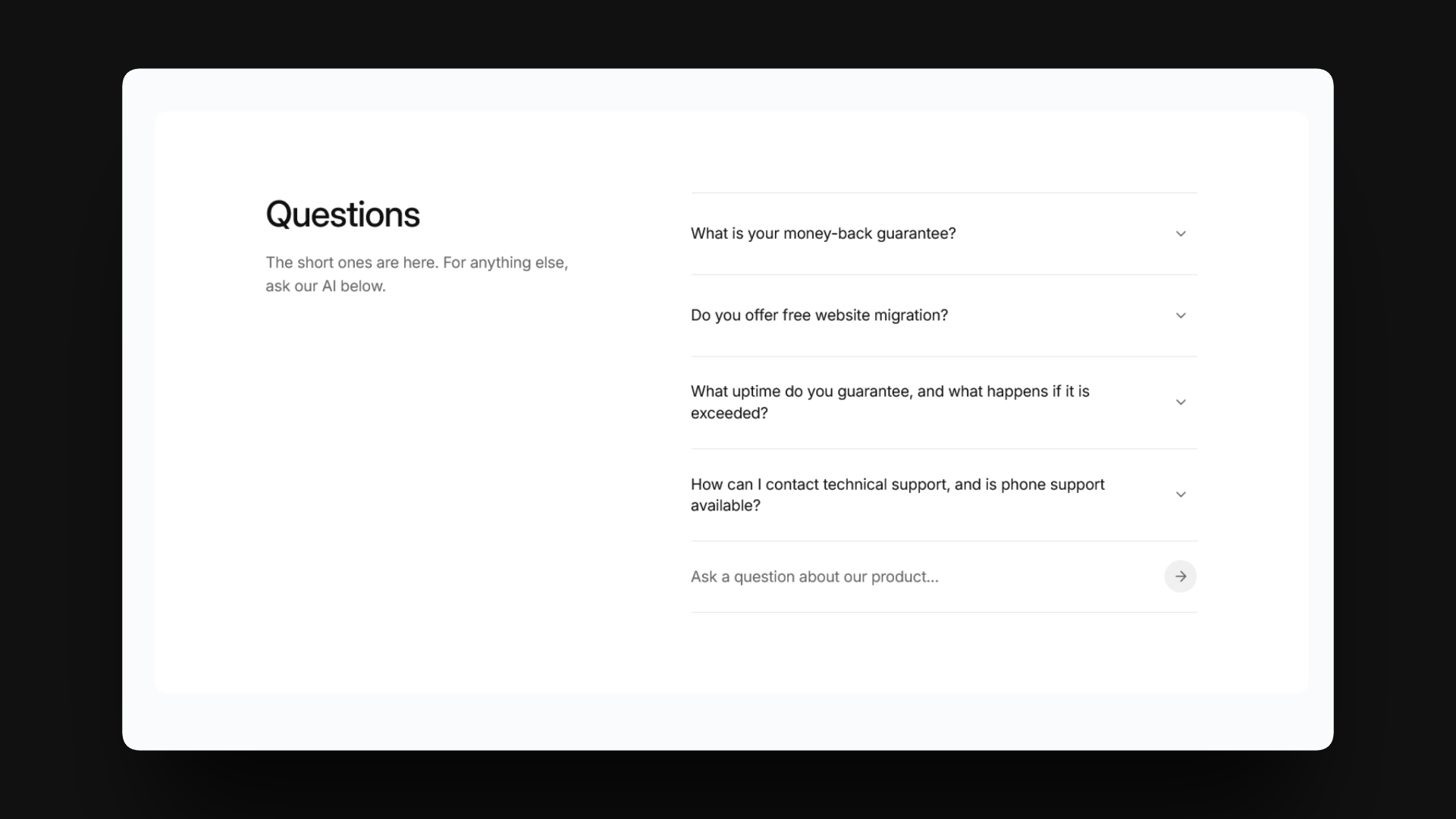
[infinibase_light]) — Clean two-column FAQ accordion with instant AI search and deep-link documentation citations.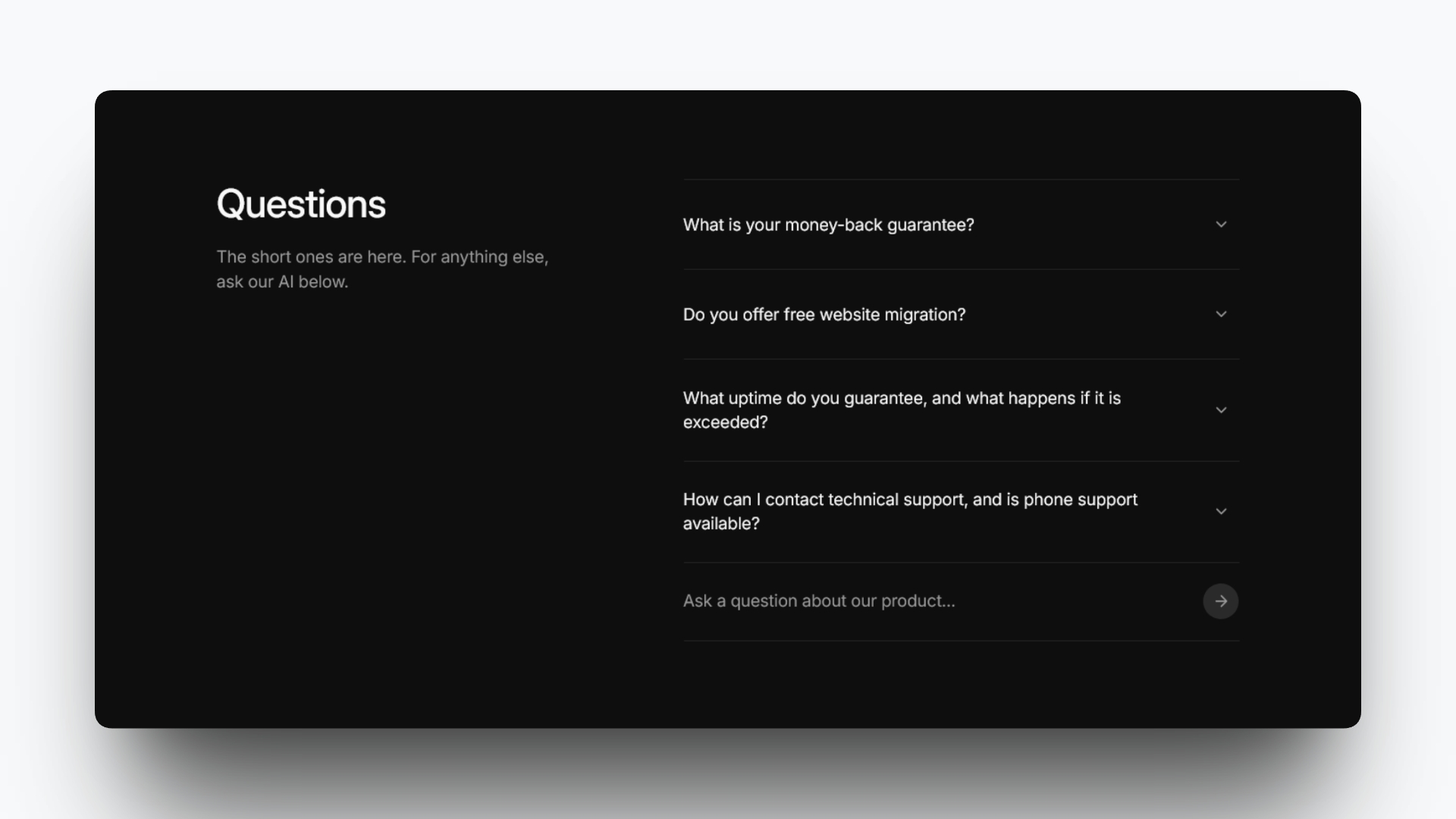
[infinibase_dark]) — Built-in dark theme ready for modern WordPress themes, Gutenberg, and Elementor.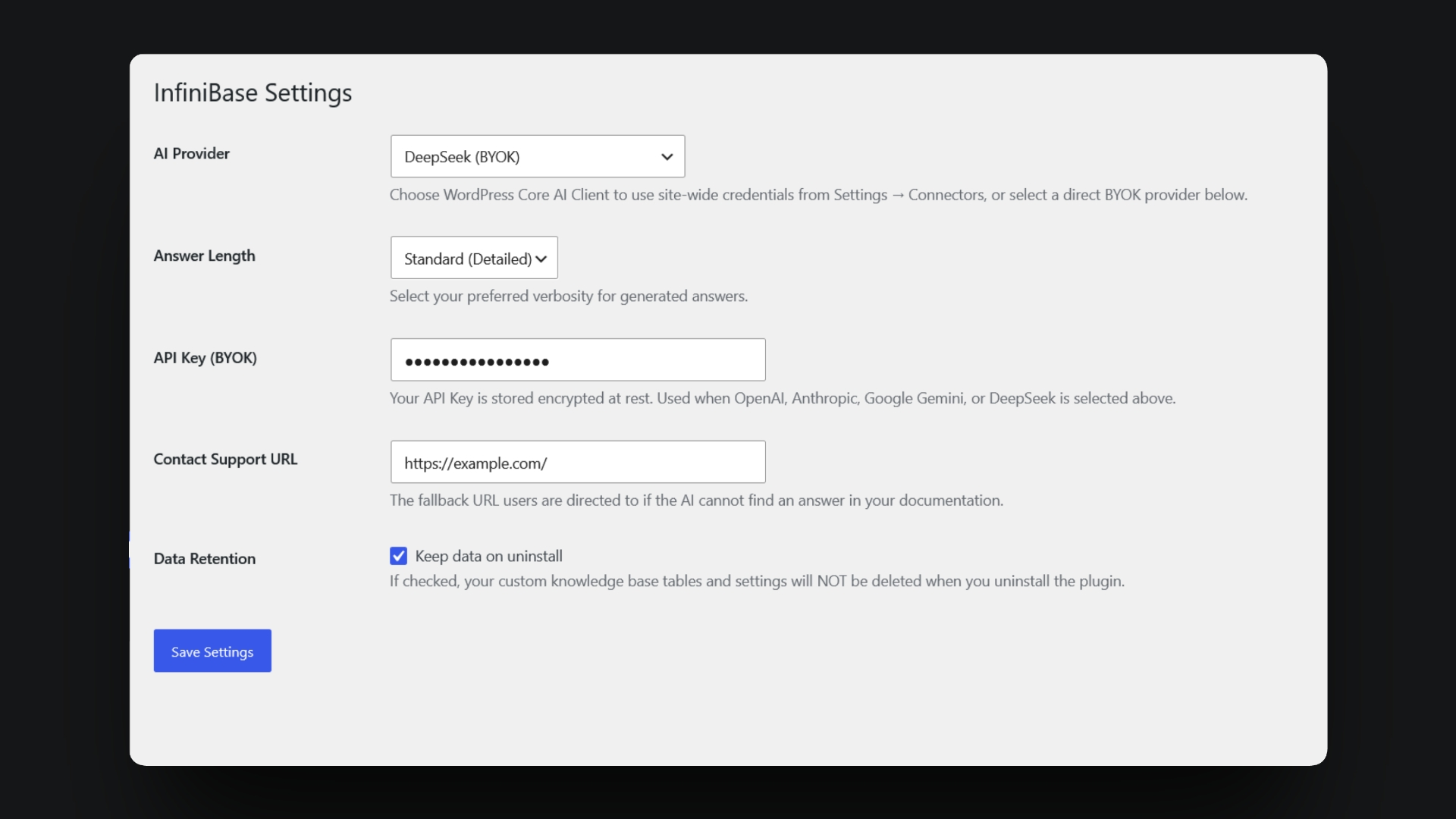

.md) documentation uploader, and indexed file manager.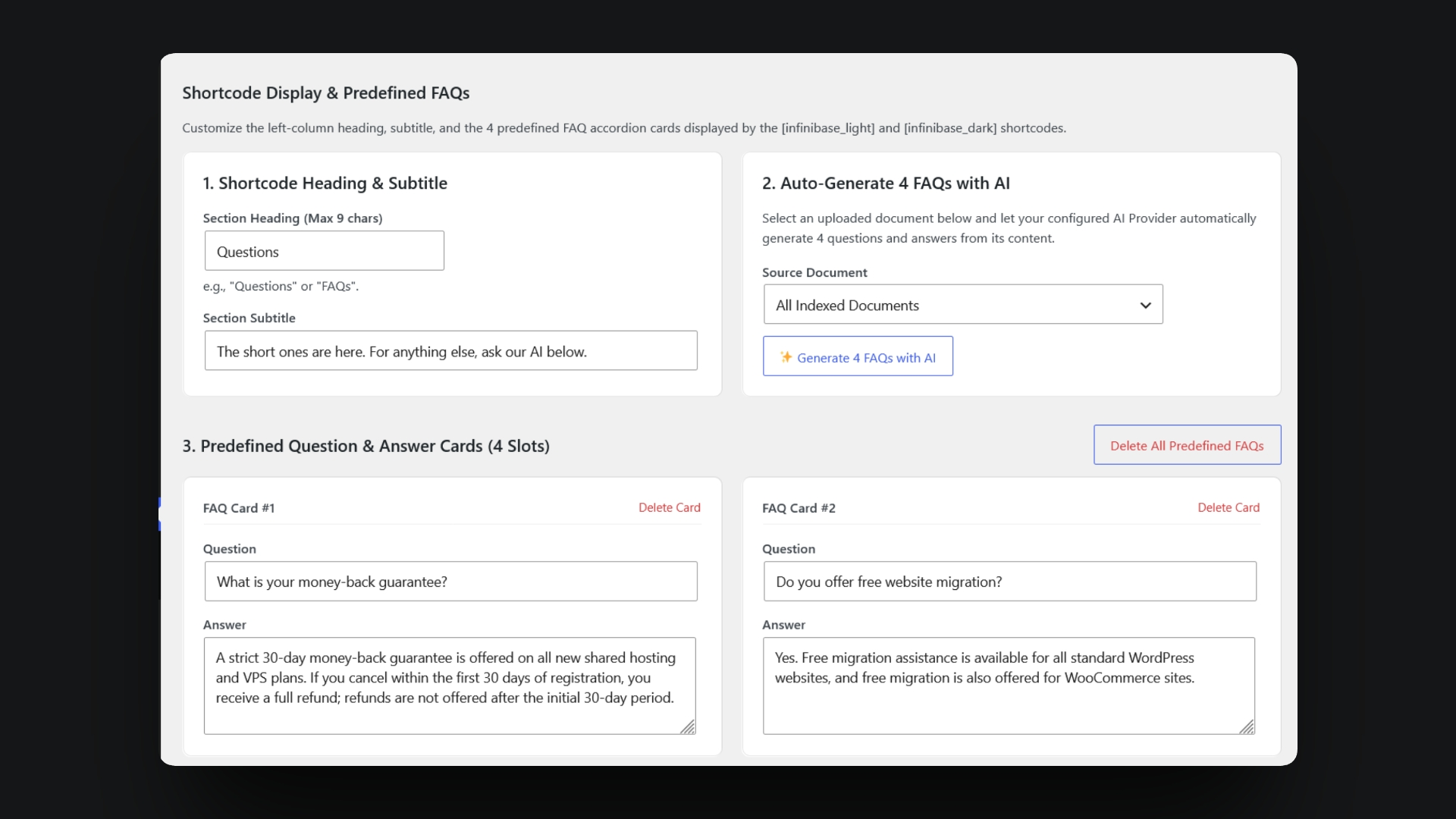
Installation
- Install and activate InfiniBase from your WordPress dashboard.
- Go to InfiniBase Settings to connect your AI provider and add your Contact Support URL.
- Go to InfiniBase Knowledge Base to upload your
.mddocumentation files and set up your 4 FAQ cards. - Copy
[infinibase_light]or[infinibase_dark]and paste it into any page or post.
FAQ
-
Which AI providers can I use?
-
You can connect OpenAI, Anthropic Claude, Google Gemini, or DeepSeek using your own API key, or use WordPress’s built-in Settings Connectors screen.
-
Will the AI make up answers about my product?
-
No. InfiniBase strictly restricts answers to the documentation you have uploaded. If a visitor asks a question that isn’t covered in your docs, it will not guess—instead, it shows a friendly fallback message with a button to your Contact Support page.
-
Can I use this with Elementor, Gutenberg, or other page builders?
-
Yes! InfiniBase works anywhere shortcodes are supported, including the WordPress Block Editor (Gutenberg), Elementor, Bricks, Divi, and classic themes.
-
What happens if I don’t want to write the 4 FAQ cards myself?
-
Inside InfiniBase Knowledge Base, you can select any uploaded document and click Generate 4 FAQs with AI to automatically create 4 common questions and answers, which you can edit anytime.
Reviews
There are no reviews for this plugin.
Contributors & Developers
“InfiniBase: AI FAQ & Knowledge Base” is open source software. The following people have contributed to this plugin.
Contributors
Translate “InfiniBase: AI FAQ & Knowledge Base” into your language.
Interested in development?
Browse the code, check out the SVN repository, or subscribe to the development log by RSS.
Changelog
1.0.0
- Initial release of InfiniBase: AI FAQ & Knowledge Base.