

Description
IndiaTVDNA Search Optimization Toolkit brings practical WordPress SEO controls into one organized workspace. It helps site owners review page metadata, XML sitemaps, structured data, redirects and common technical SEO settings without requiring a paid license.
Core SEO and search appearance
- SEO dashboard, site-health overview and links to common tools.
- Editable titles, meta descriptions, canonical URLs and robots settings.
- Open Graph and social metadata controls.
- Basic structured data, breadcrumbs and webmaster verification fields.
Site discovery and maintenance
- XML sitemaps for supported public post types and taxonomies.
- Optional IndexNow notification integration, disabled by default.
- Same-site redirect management and bounded 404 monitoring.
- Basic technical and content SEO checks.
- Image ALT/title assistance.
WooCommerce and migration
- WooCommerce product metadata, supported identifiers and basic Product schema, when WooCommerce is active.
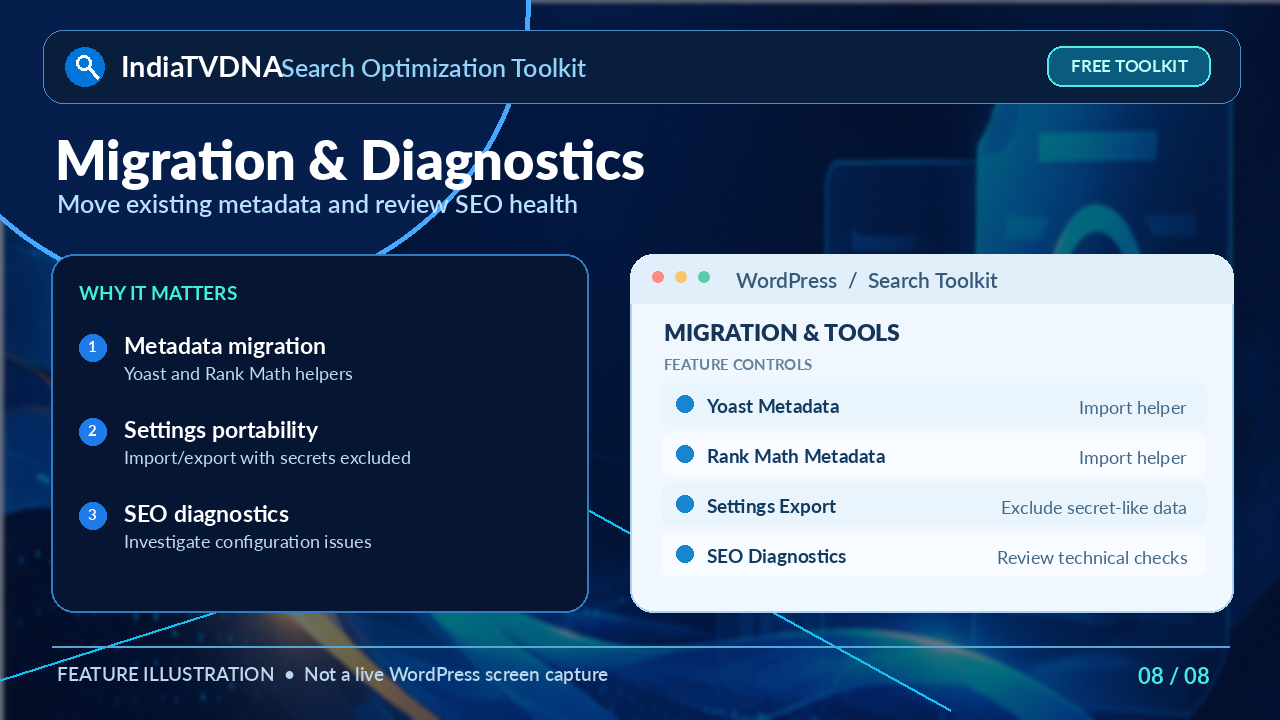
- Yoast and Rank Math metadata migration helpers. Review migrated metadata before disabling another SEO plugin.
- Settings import/export that excludes secret-like configuration fields.
Easy setup and transparent Free/Pro labels
Easy Auto Setup offers site-aware recommended settings for administrator review. Optional external services require separate configuration and permission. Free settings work without a payment, trial timer, quota or license key.
The dashboard groups tools into ten categories. Additional commercial tools are shown only as clearly labeled, read-only “PRO ONLY” previews; they are not part of this WordPress.org package. The separate commercial edition is available at https://indiatvdna.com/. Commercial-only code and AI-provider integration code are not included in this directory release.
Notes: SEO configuration does not guarantee rankings, indexing or performance scores. Confirm settings on your own site and check for overlapping SEO plugins before activating duplicate metadata features.
External services
IndexNow
IndexNow is optional and is OFF by default. If an administrator enables IndexNow, the plugin sends the site’s host name, IndexNow key/key location, and changed public URLs to the IndexNow endpoint so participating search engines can be notified about URL changes.
Service: https://www.indexnow.org/
API endpoint used: https://api.indexnow.org/indexnow
Documentation: https://www.indexnow.org/documentation
Terms and privacy information: https://www.indexnow.org/terms
The plugin does not add advertising tracking. Optional local 404 monitoring and SEO diagnostics store their own technical records in the WordPress database. Review the corresponding settings before enabling optional modules.
Source code and build information
All source code required by this release is included in human-readable form inside the plugin ZIP. No obfuscated source code is used.
- PHP source is included in
includes/andindiatvdna-search-optimization-toolkit.php. - Maintained JavaScript and CSS are included under
assets/. - Readable reviewer/source copies of assets that were previously compacted are included under
assets/src/, including the readable admin stylesheet. - The local feature catalog is included as
assets/pro-feature-catalog.json. - No npm, webpack, minifier, obfuscator, transpiler, bundler, or other build tool is required to regenerate this release.
The files under assets/src/ are provided to make source review straightforward; no shipped asset depends on unavailable source code or proprietary build tooling.
Screenshots


Blocks
This plugin provides 1 block.
- IndiaTVDNA Table of Contents
Installation
- Upload the plugin ZIP from Plugins > Add New > Upload Plugin, or install it from WordPress.org.
- Activate the plugin.
- Open Search Toolkit > Dashboard.
- Review Easy Auto Setup and SEO Settings before enabling optional integrations.
- If another SEO plugin is active, migrate and verify your metadata before disabling the old plugin.
FAQ
-
Is this a trial?
-
No. The functionality included in this WordPress.org ZIP is usable without a payment, license key, time limit or usage quota.
-
No. Commercial-only implementation code is not included in this package. A separate commercial edition may provide additional functionality.
-
Does this WordPress.org package use an AI provider?
-
No. This WordPress.org package does not include an AI-provider integration and does not send content to an AI service.
-
Does IndexNow run automatically after installation?
-
No. IndexNow is OFF by default and must be enabled by an administrator.
-
Will uninstalling erase SEO data?
-
Not by default. Data is preserved unless the administrator explicitly enables the clean-uninstall option first.
Reviews
There are no reviews for this plugin.
Contributors & Developers
“IndiaTVDNA Search Optimization Toolkit” is open source software. The following people have contributed to this plugin.
Contributors

Translate “IndiaTVDNA Search Optimization Toolkit” into your language.
Interested in development?
Browse the code, check out the SVN repository, or subscribe to the development log by RSS.
Changelog
1.0.3
- Fixed release version consistency between the main plugin header, readme stable tag, and SVN release tag.
- No functionality or database-schema changes.
1.0.2
- Corrected the Plugin Homepage URL to the official Search Optimization Toolkit Pro product-category page.
- No other feature or database-schema changes.
1.0.1
- Added a Plugin Homepage link to the main plugin header for WordPress.org.
1.0.0
- First WordPress.org release.
- WordPress.org pre-review hardening: clean activation filesystem helpers, authentication-cookie exclusions for redirect conditions, WordPress-enqueued admin assets, safe JSON-LD encoding and readable asset source.
- Renamed the directory edition to IndiaTVDNA Search Optimization Toolkit for a clearer, distinctive WordPress.org identity.
- Free features are fully usable without a license, trial timer or quota.
- Commercial/MAX/Agency/AI-provider implementation code is excluded from this package.
- Added a read-only local catalog of the original 106 tool entries, grouped across 10 categories.
- Pro previews link to the separate commercial edition on the plugin settings pages only.
- Optional IndexNow network access is disabled by default.