

Description
IncluAccess adds a small, friendly accessibility button to your site. Visitors open it to adjust the page to how they read best, and their choices are remembered on their next visit.
It is fast, has no frontend dependencies, makes no external requests, and is built so your theme’s styles can never break the panel.
Visitor tools
- Text size: scales text up or down in steps, including text sized by page builders like Elementor
- High contrast: white text on black with yellow links
- Invert colors: flips the color scheme while keeping photos and video natural
- Grayscale: removes color to reduce visual noise
- Highlight links: outlines and underlines every link
- Readable font: switches to a highly legible typeface
- Letter spacing: three levels of extra spacing
- Pause animations: stops animations and transitions
- Large cursor: a bigger, high-contrast pointer
- One-click reset
Built for every visitor
- Fully keyboard accessible, with screen reader labels and announcements
- Respects “reduce motion” and Windows High Contrast settings
- Speaks 28 languages out of the box, picked automatically from your page’s language
- Add any other language yourself, left-to-right or right-to-left, with your own labels
- Right-to-left (RTL) languages are fully supported: the button and panel mirror automatically
- Works on phones: the panel fits any screen width
Easy to set up
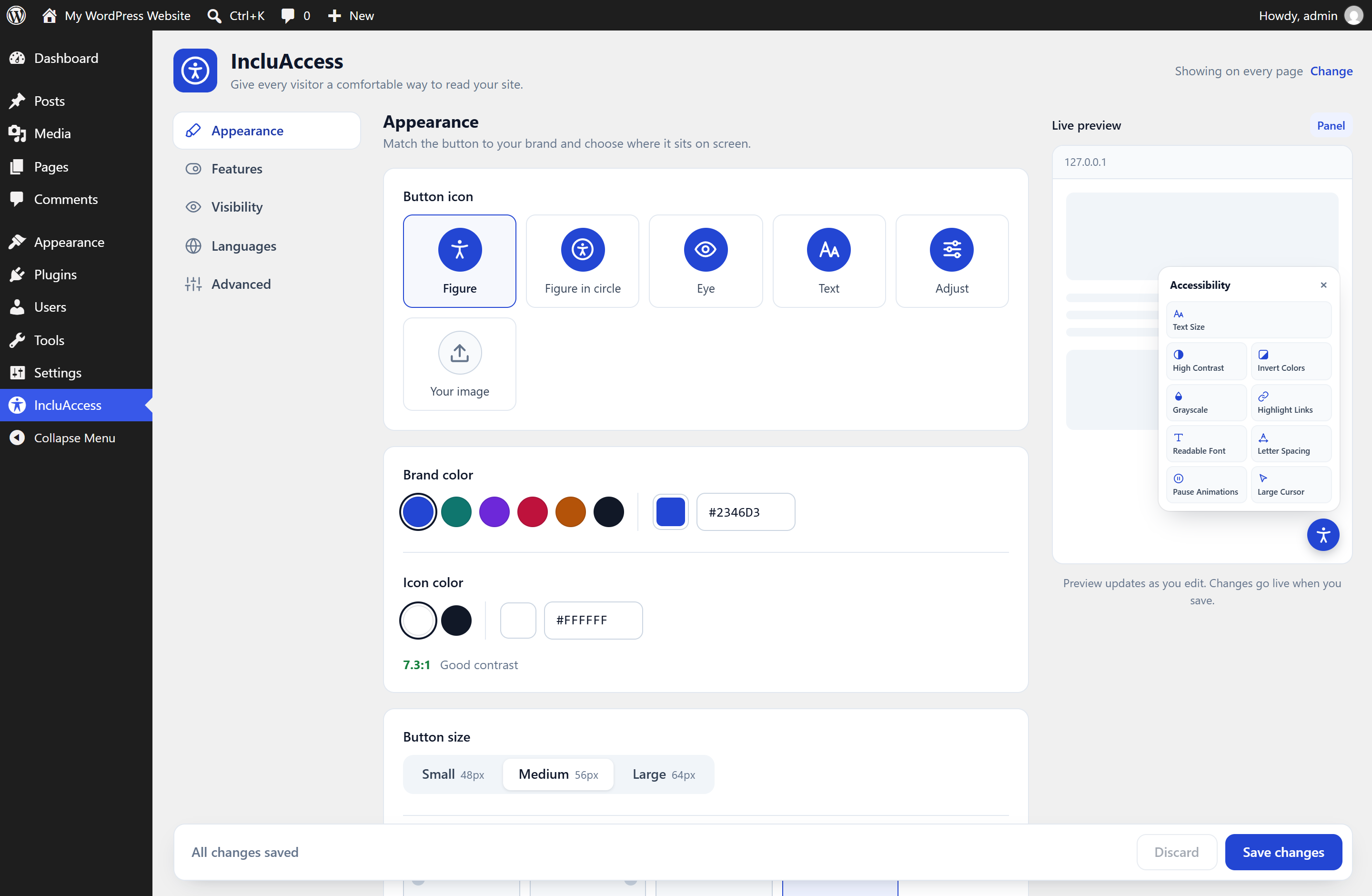
- Live preview in the settings page as you edit
- Brand color presets with an automatic contrast check
- Five built-in button icons, or upload your own (PNG, JPEG or WebP)
- Choose any corner, button size and distance from the edge
- Turn each tool on or off
- Show the button on the entire site or only on selected pages
- Edit any label in any language, and choose a fallback language
For developers
Control the panel from your theme:
window.IncluAccess.open()
window.IncluAccess.close()
window.IncluAccess.toggle()
window.IncluAccess.reset()
window.IncluAccess.refresh()
Call refresh() after a multilingual plugin switches the page language.
A note on compliance
An accessibility toolbar helps visitors customize their experience, but it does not by itself make a website compliant with WCAG, the ADA or similar laws. Accessible content, markup and design are still essential.
About
IncluAccess is made by Greyteck Studios. Learn more on the IncluAccess page.
Screenshots

Installation
- In your dashboard go to Plugins Add New, search for “IncluAccess” and click Install Now. Or upload the plugin zip from Plugins Add New Upload Plugin.
- Click Activate.
- Open IncluAccess in the admin sidebar to pick your colors, position and tools.
FAQ
-
Will it slow down my site?
-
No. The widget is one small script and two small stylesheets, with no libraries and no external requests. Settings are stored in a single database option.
-
Will my theme’s CSS mess up the panel?
-
No. The panel is rendered inside a Shadow DOM, so theme and page-builder styles can’t reach it.
-
Does it work with page builders?
-
Yes. Text size reads each element’s real size when the page loads and scales it proportionally, so it works with Elementor and other builders that set inline font sizes.
-
Which languages are included?
-
English, Spanish, French, German, Italian, Portuguese, Dutch, Polish, Swedish, Romanian, Czech, Turkish, Greek, Russian, Ukrainian, Hindi, Bengali, Thai, Vietnamese, Indonesian, Simplified Chinese, Traditional Chinese, Japanese and Korean, plus four right-to-left (RTL) languages. That’s 28 in all.
-
How does it choose a language?
-
It reads the
langattribute of your page and uses the closest match, sopt-BRuses Portuguese andzh-TWuses Traditional Chinese. If there’s no match, it uses the fallback language you pick in the settings. It works with multilingual plugins that set the page language, such as WPML, Polylang and TranslatePress. -
My language isn’t listed. Can I add it?
-
Yes. Go to IncluAccess Languages Add language, enter the language code your pages use (for example
swfor Swahili), its name and whether it reads left-to-right or right-to-left, then type your labels. You can also add a regional version, likept-br, which takes priority over the general one. -
Can I hide it on some pages?
-
Yes. Under Visibility, choose Selected pages only and tick the pages and posts where it should appear.
-
Can I upload an SVG icon?
-
No. SVG files can contain code that runs in your visitors’ browsers, so only PNG, JPEG and WebP images are accepted. Uploaded icons go through the WordPress media library, and the plugin double-checks the file’s real contents and size (up to 512 KB) when you save.
-
Does it collect any data?
-
No. Visitor preferences are saved only in their own browser (localStorage). Nothing is sent to any server.
-
Why does a feature not change an embedded map or video?
-
Browsers don’t allow a page to restyle content inside iframes from other websites. This is a browser security rule, not a plugin limitation.
Reviews
There are no reviews for this plugin.
Contributors & Developers
“IncluAccess – Accessibility Toolbar” is open source software. The following people have contributed to this plugin.
Contributors
Translate “IncluAccess – Accessibility Toolbar” into your language.
Interested in development?
Browse the code, check out the SVN repository, or subscribe to the development log by RSS.
Changelog
1.0.0
- First public release.