
Description
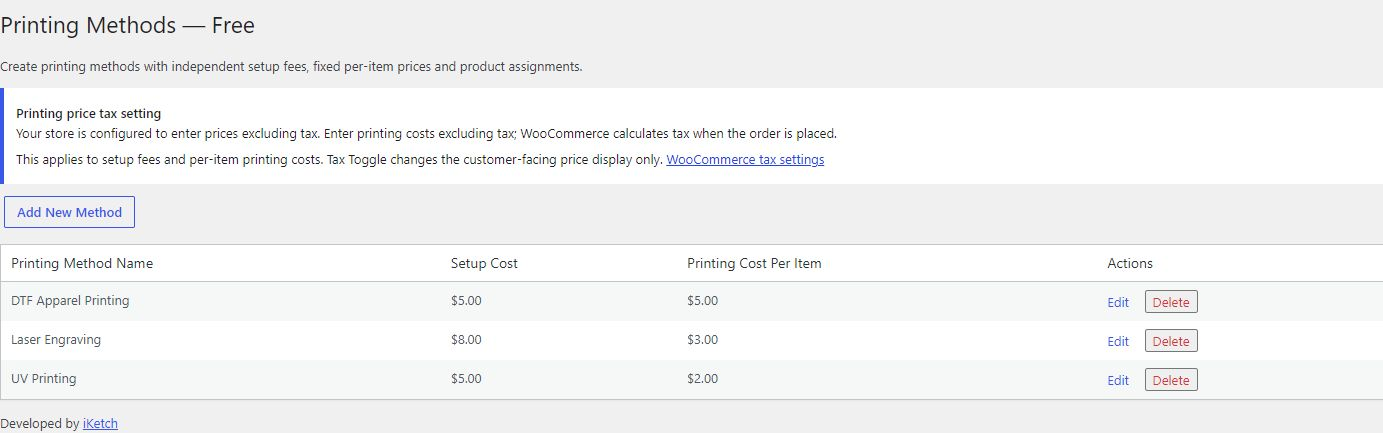
iKetch Printing Cost Manager for WooCommerce helps stores sell products with optional printing. Create your printing methods, assign them to products or categories, and set a setup fee and a fixed price per printed item for each method.
Customers choose a method and specify how many of the purchased items need printing. The preview updates when they change the method or quantity. WooCommerce calculates cart and order totals using your store’s pricing and tax settings.
Included features
- Multiple printing methods, without a limit on the number of methods.
- Independent setup fees and fixed per-item prices for each method.
- Assignment to all products, selected products or product categories.
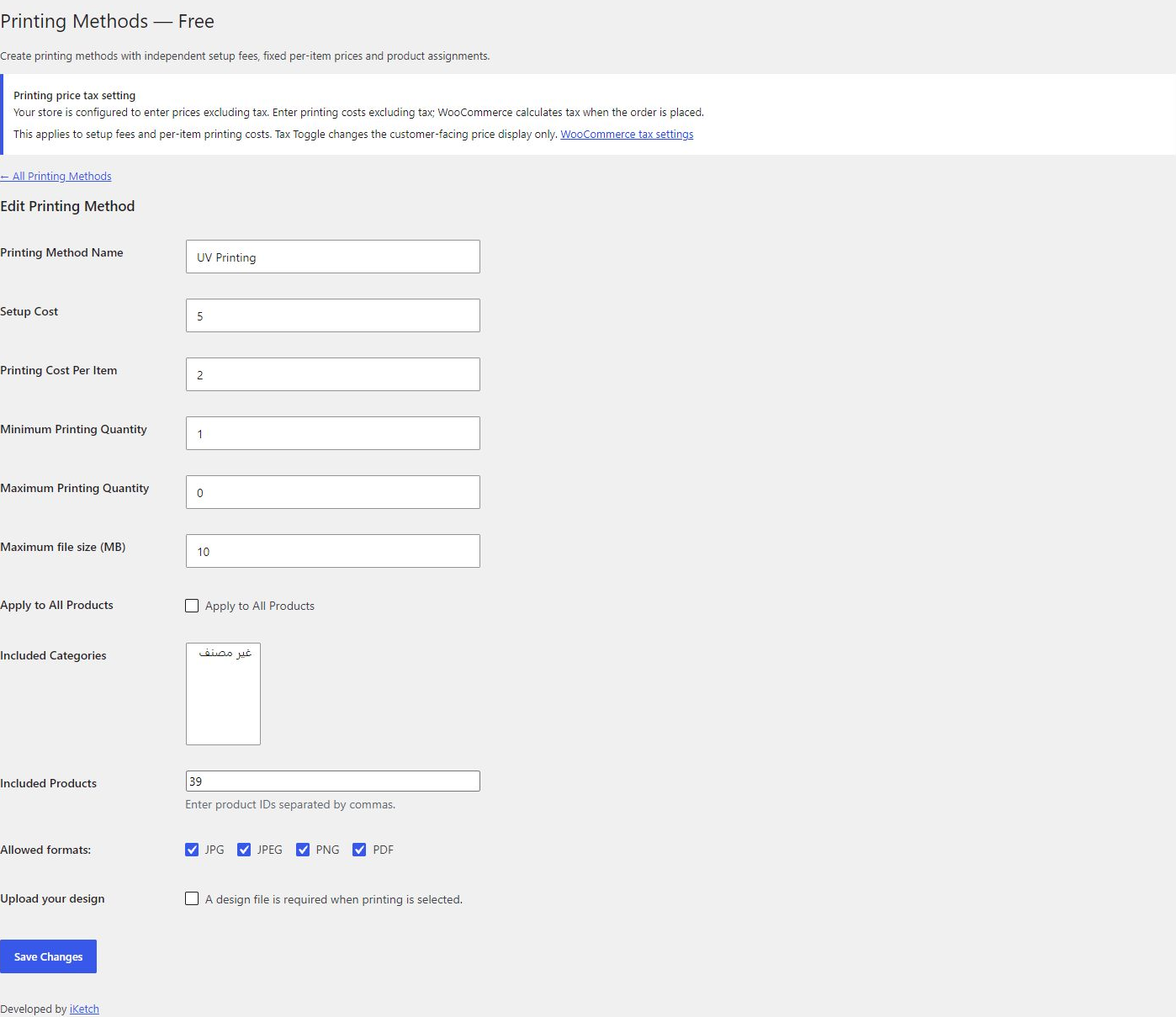
- Printing for part of the purchased quantity, with per-method minimum and maximum quantities.
- JPG, JPEG, PNG and PDF artwork uploads, per-method file rules and optional required uploads.
- Protected artwork storage and authorized file downloads.
- Printing details saved with cart and order items, plus printing quantity controls in the cart.
- Printing price previews integrated with iKetch Tax Toggle.
- Product-form embedding through a shortcode, including Elementor Free’s Shortcode widget.
- Arabic, German, Spanish and French translations, with right-to-left layout support.
No external account or license is required. Artwork remains on the merchant’s server.
Quantity-based price tiers, priced options, independent print areas and design approval are provided by a separately distributed Pro plugin. Their implementations are not included in this package. See the product page for details.
Privacy
Artwork is stored on the merchant’s server and referenced in cart sessions and orders. Administrators control retention and access. This package contains no telemetry, external license service or payment collection, and does not send customer data or artwork to iKetch.
Source
Readable PHP, JavaScript and CSS are included. WordPress-bundled jQuery and WooCommerce APIs are used. WooCommerce is required; Elementor is optional.
Screenshots

Installation
- Install and activate WooCommerce, then activate this plugin.
- Open Printing Methods in the dashboard and choose Add New Method.
- Enter a method name, setup fee and printing cost per item. Choose its products or categories.
- Set quantity limits and upload requirements, then save. Repeat for additional methods.
- Open an assigned product to check the printing selector and preview.
Printing prices follow the WooCommerce setting for whether entered prices include tax. Configure that setting before entering printing costs.
When switching packages or editions, deactivate the previous edition before activating this one. Do not run two printing editions simultaneously or uninstall the previous edition as part of a version switch; uninstalling can remove stored plugin data.
FAQ
-
How is printing priced?
-
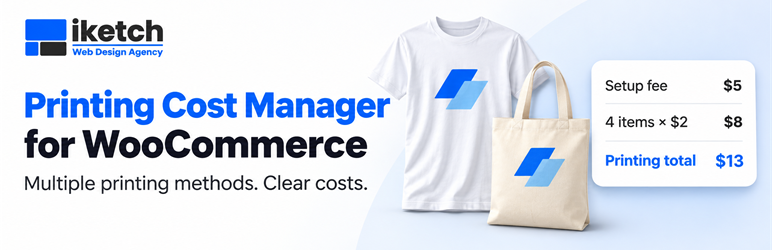
For each cart line, the total is the setup fee plus the per-item printing cost multiplied by the printing quantity. For example, a setup fee of 5 plus 4 items at 2 each gives a printing total of 13, before any tax adjustment required by WooCommerce. Printing quantity cannot exceed purchased quantity.
-
Does it support variable products?
-
Yes. Methods assigned to the parent product are available for its variations. WooCommerce continues to handle the product’s attributes and variation selection.
-
Can I use Elementor Free?
-
Place
[iketch_printing_product id="123"]in a Shortcode widget, replacing 123 with a published product ID. The standard[product_page id="123"]shortcode is also supported. Display one printing product form per page. Forms inserted later through AJAX or popups are outside this integration. -
Does it work with iKetch Tax Toggle?
-
Printing previews follow iKetch Tax Toggle after a successful display change. Otherwise they follow the WooCommerce shop tax-display setting. This changes the preview only; it does not change stored method prices or order tax calculations.
-
Where is customer artwork stored?
-
Files stay on the merchant’s server in protected storage. Access requires an authorized request. Administrators control retention and should explain artwork handling in the store’s privacy policy.
-
What happens to data from another edition?
-
Existing method IDs, artwork references and historical order snapshots are retained when switching editions. Historical advanced settings are preserved for compatibility; this package creates flat-priced printing jobs. Saved cart configurations requiring an absent feature must be removed and configured again before checkout.
Reviews
There are no reviews for this plugin.
Contributors & Developers
“iKetch Printing Cost Manager for WooCommerce” is open source software. The following people have contributed to this plugin.
Contributors
Translate “iKetch Printing Cost Manager for WooCommerce” into your language.
Interested in development?
Browse the code, check out the SVN repository, or subscribe to the development log by RSS.
Changelog
1.6.13
- Add an optional Pro product link to the plugin list and the printing methods page for administrators.
- Translate the new links and the separate-edition installation guidance.
- Keep all Free functionality, pricing settings and stored data unchanged.
1.6.12
- Complete Arabic translations and refresh German, Spanish and French catalogs against the current source.
- Translate the edition label and remaining cart messages.
- Remove unused frontend translation entries and update the description and setup instructions.
1.6.11
- Remove printing position, color and size choice configuration and request handling.
- Keep multiple printing methods with independent flat pricing.
- Verify admin navigation nonces and improve translation comments and template variable names.
1.6.10
- Add multiple independently priced methods and per-method assignments, quantity limits and upload rules.