

Description
Stop watching dashboards. Catch what’s costing you.
Your store generates revenue-critical events every day: a VIP customer walks away from a full cart, a repeat buyer quietly misses their usual reorder, a product goes live at the wrong price, a bestseller runs low before the weekend. Dashboards will show you all of it, but only after you log in, dig, and notice. By then the moment has often passed.
IdealData.io for WooCommerce connects your store to the IdealData.io platform, which monitors your orders, customers, and carts 24/7 and taps you on the shoulder the moment something important happens. Alerts arrive where your team already works (Slack, Microsoft Teams, or in-app), with the full context needed to act: who the customer is, what they bought before, what the event is worth, and what to do next.
Signals IdealData.io delivers today:
- High-Value Cart Abandonment. A cart worth more than 2x your average order value goes inactive past your threshold (default: 1 hour). Your team knows within minutes, while the buyer is still reachable.
- VIP Customer Cart Abandonment. A customer in your top 10-20% by lifetime value abandons a cart — flagged separately regardless of the cart’s size, because a walked-away VIP is worth more than the cart in front of them.
- Missed Reorder. A repeat customer passes their predicted reorder date without ordering again. This is the signal no report can show you, because a non-event produces no log entry. IdealData.io learns each customer’s reorder rhythm from their order history and alerts you when the window closes, with their full purchase history attached.
- Known Customer Online. A recognized customer is on your store right now and actively shopping. You decide what “shopping” means — for example, two or more products added to the cart in a single session — and you can narrow the alert to VIPs only or to any known customer. Reach out while they are still on the page.
- Low Stock Warnings. Predictive, not reactive: IdealData.io flags a product when on-hand inventory won’t cover forecasted demand across your restock lead time — so you reorder before it hits zero, not after the “out of stock” page starts costing you sales.
- Product Pricing Issues. Catch pricing anomalies before shoppers do — $0 prices, large discrepancies from your margin targets, or prices far from market. You can even revert a price change directly from the alert.
More signals are in development, and every one follows the same principle: you should never have to go looking for a problem your data already knows about.
Why merchants use it:
- Recover revenue that would have quietly leaked away
- Reach at-risk customers while they are still reachable
- Give your sales and ops team a prioritized to-do list instead of a dashboard to babysit
- Run leaner: one alert with full context replaces an hour of report digging
IdealData.io offers a 15-day free trial, no credit card required. Install the plugin, click Start your trial, and your first signals can be live the same day.
How the plugin works
You connect your store from the IdealData.io platform, not from inside this plugin. The plugin’s WooCommerce IdealData.io screen links you to start a trial (with your store address pre-filled) or, once connected, to log in to your dashboard. Connecting uses WooCommerce’s own authorization screen to grant IdealData.io a REST API key. No manual key copying.
The plugin itself does two jobs that the standard WooCommerce API cannot:
- Cart tracking. WooCommerce has no cart endpoint, so the plugin tracks cart activity in the storefront and forwards it to IdealData.io. This powers the abandoned-cart signals (high-value and VIP).
- Customer change events. The plugin forwards customer activity events so IdealData.io to enable customer intelligence.
Products and orders are pulled by IdealData.io over the standard WooCommerce REST API using the key created when you authorize the connection. The key is read/write: reads power the sync, and writes are limited to remediations you trigger yourself from an alert (for example, disabling a product or reverting a price change). The plugin exchanges data only with the IdealData.io platform; no other third parties are involved.
Using IdealData.io requires a paid account.
External services
This plugin connects your store to IdealData.io, the business signals platform operated by IdealData.io (https://IdealData.io/). A connection to IdealData.io is the entire purpose of the plugin; without it, the plugin does nothing.
What is exchanged, and when:
- On connect: you authorize IdealData.io from the IdealData.io platform using WooCommerce’s own authorization screen, which grants IdealData.io a WooCommerce REST API key for your store. After you approve, IdealData.io sends your store the connection identifier it needs to authenticate the events below; this is authenticated by the API key you just granted.
- While connected — cart activity: when a shopper adds to, updates, or changes their cart, the plugin sends the current cart snapshot (line items, quantities, totals, currency, and the shopper’s email, first name, and last name when WooCommerce already has them) to IdealData.io. This powers abandoned-cart signals.
- While connected — customer changes: when a customer account is created or updated, the plugin sends the customer’s WooCommerce ID so IdealData.io can fetch the updated record over the REST API.
- While connected — sync: IdealData.io reads your products, orders, and customers over the WooCommerce REST API using the key granted at connect time, and may write product or price changes only when you trigger a signal remediation.
- On deactivate: the plugin notifies IdealData.io that the store disconnected.
Your use of IdealData.io is governed by its terms and privacy policy:
- Terms of Service: https://IdealData.io/terms
- Privacy Policy: https://IdealData.io/privacy-policy
Screenshots
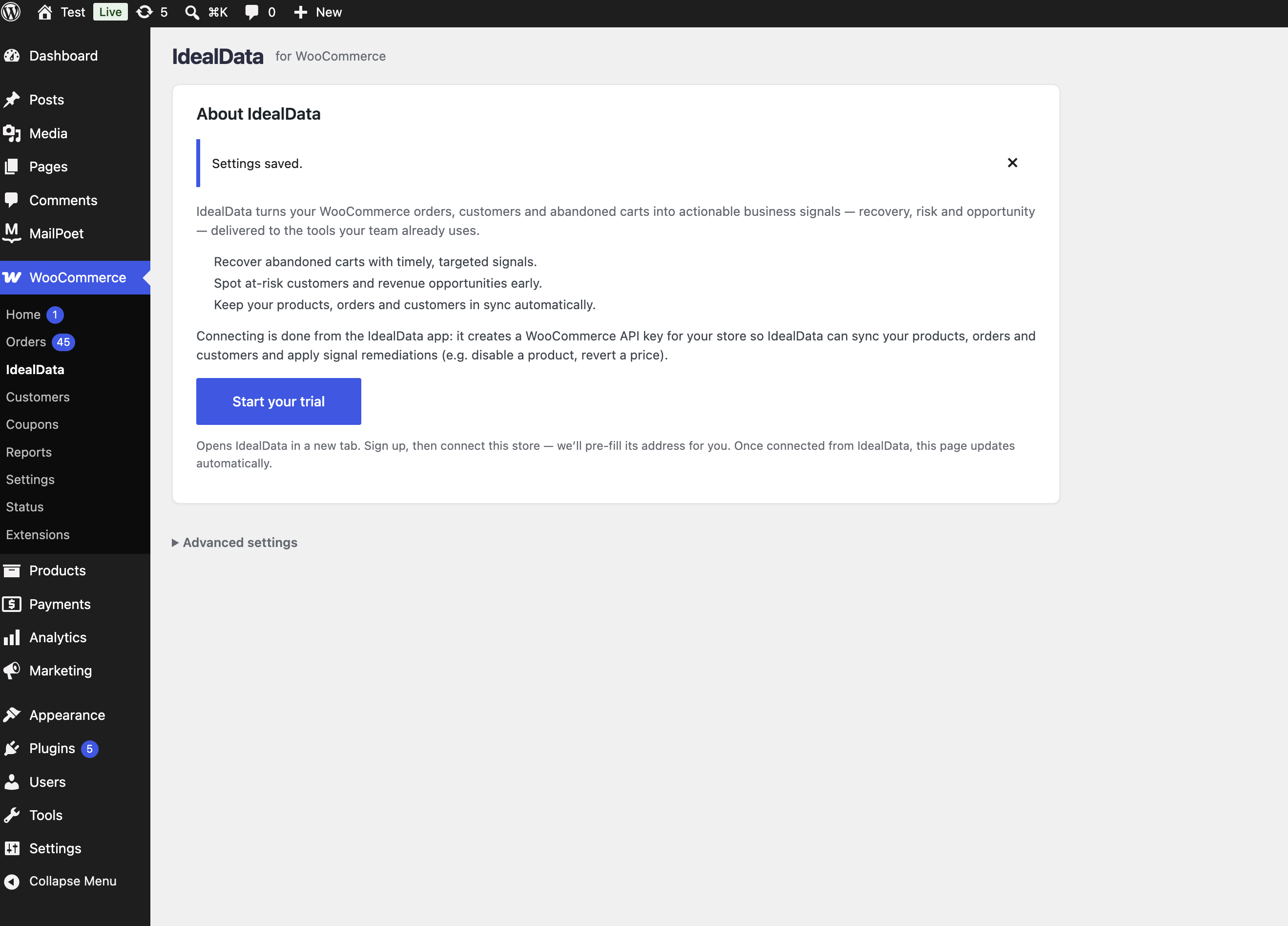 → IdealData.io admin screen before connecting: an About IdealData.io page with a Start your trial button that opens the IdealData.io platform to connect your store.” class=”wp-image-9000001″ srcset=”https://i0.wp.com/ps.w.org/idealdata-for-woocommerce/assets/screenshot-1.png?rev=3609213&w=300 300w, https://i0.wp.com/ps.w.org/idealdata-for-woocommerce/assets/screenshot-1.png?rev=3609213&w=600 600w, https://i0.wp.com/ps.w.org/idealdata-for-woocommerce/assets/screenshot-1.png?rev=3609213&w=900 900w” sizes=”(max-width: 599px) 50vw, 33vw” width=”2638″ height=”1896″ loading=”eager” fetchpriority=”high” decoding=”async”/>
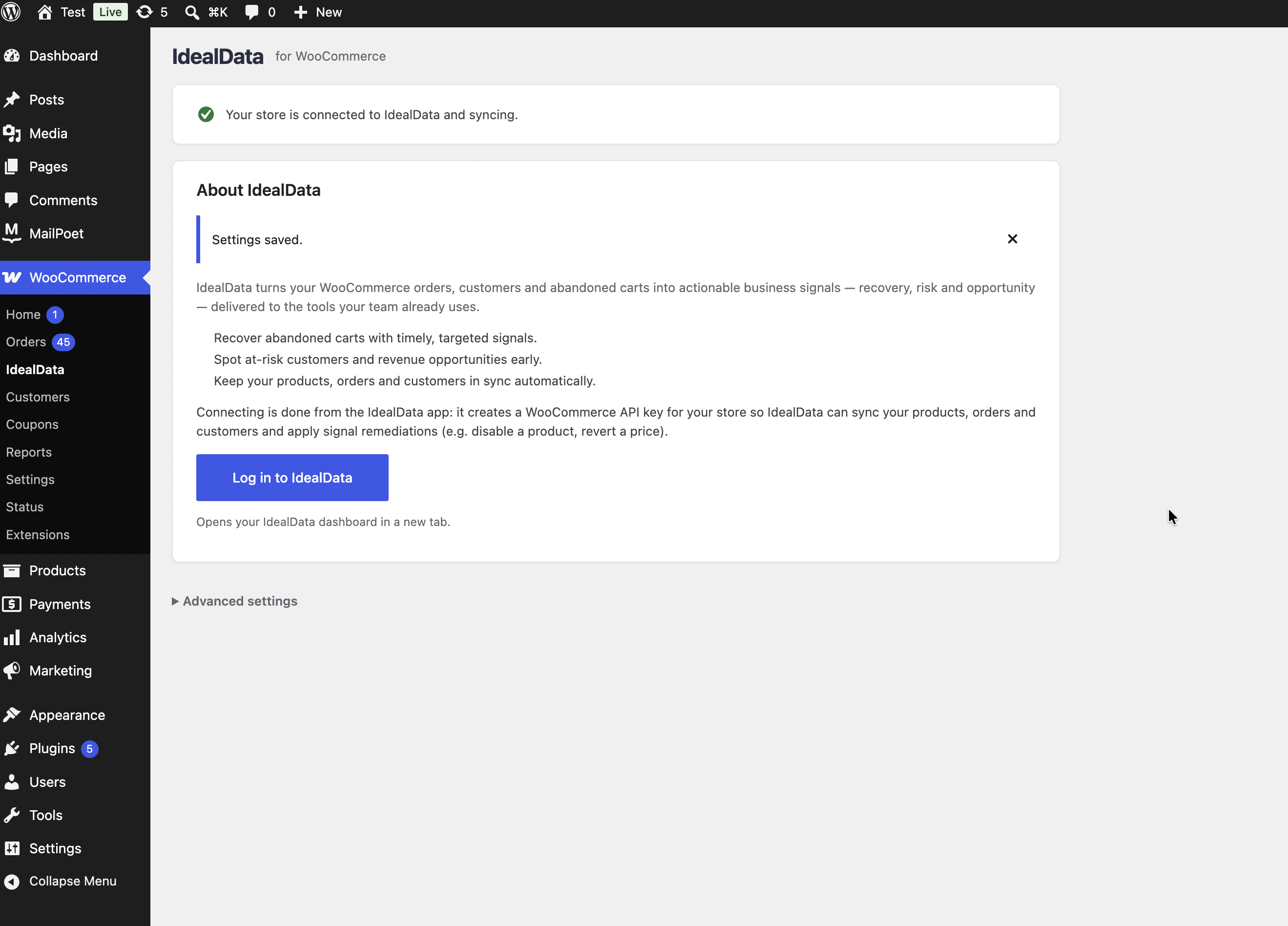 → IdealData.io admin screen once connected: your store is syncing, with a Log in to IdealData.io button.” class=”wp-image-9000002″ srcset=”https://i0.wp.com/ps.w.org/idealdata-for-woocommerce/assets/screenshot-2.png?rev=3609213&w=300 300w, https://i0.wp.com/ps.w.org/idealdata-for-woocommerce/assets/screenshot-2.png?rev=3609213&w=600 600w, https://i0.wp.com/ps.w.org/idealdata-for-woocommerce/assets/screenshot-2.png?rev=3609213&w=900 900w” sizes=”(max-width: 599px) 50vw, 33vw” width=”2638″ height=”1896″ loading=”eager” fetchpriority=”high” decoding=”async”/>
Installation
- Install and activate WooCommerce (listed as a required plugin).
- Upload and activate IdealData.io: Business Signals for WooCommerce, or install it from the Plugins screen.
- Go to WooCommerce IdealData.io and click Start your trial. This opens the IdealData.io platform in a new tab with your store address pre-filled.
- Sign up or log in and connect your store. You approve the connection on WooCommerce’s standard authorization screen; sync data, and activate your first signal, alerts can arrive the same day.
FAQ
-
What does IdealData.io actually do for my business?
-
It watches your store around the clock and alerts your team the moment a revenue-impacting event happens: a high-value or VIP cart abandoned, a known customer actively shopping on your site right now, a repeat customer who has not placed an expected reorder, a pricing error, or low stock on a key product. Each alert includes the context needed to act right away.
-
Do I need an IdealData.io account?
-
Yes. The plugin connects your store to the IdealData.io platform (https://IdealData.io/). You create the account and connect your store from IdealData.io; the plugin links you there. A 15-day free trial is available with no credit card required.
-
Where do alerts show up?
-
In Slack, Microsoft Teams, or the IdealData.io platform, wherever your team already works.
-
What data leaves my store?
-
Product, order, and customer records are read by IdealData.io over the standard WooCommerce REST API, using the key you grant when you authorize the connection. Cart contents (including a shopper’s email and name when WooCommerce has them) and customer create/update events are sent by the plugin. See the External services section for the full disclosure.
-
How do I connect or disconnect?
-
Connect from the IdealData.io platform (WooCommerce IdealData.io Start your trial). To disconnect, disconnect the WooCommerce source inside the IdealData.io platform, and/or revoke the API key from WooCommerce Settings Advanced REST API. Deactivating the plugin stops cart and customer tracking; deleting it removes the connection options it stored.
-
Is the plugin compatible with High-Performance Order Storage (HPOS)?
-
Yes. Orders are pulled over the WooCommerce REST API, which works the same with HPOS on or off. The plugin also works with the block-based cart and checkout.
Reviews
There are no reviews for this plugin.
Contributors & Developers
“IdealData.io: Business Signals for WooCommerce” is open source software. The following people have contributed to this plugin.
Contributors
Translate “IdealData.io: Business Signals for WooCommerce” into your language.
Interested in development?
Browse the code, check out the SVN repository, or subscribe to the development log by RSS.
Changelog
1.0.0
- Initial release: connect your store from the IdealData.io platform, storefront cart tracking, customer increment events, and HPOS / block cart-checkout compatibility.
- The authenticated connect endpoint now requires the presented WooCommerce API key to be write-scoped, owned by a user who can manage WooCommerce, and issued to IdealData.io — so only the IdealData.io-authorized key can bind the connection.