
Description
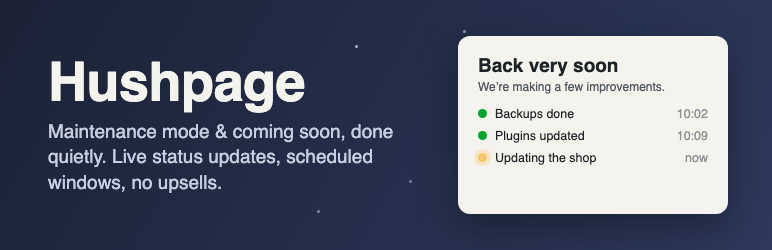
Hushpage shows visitors a clean “back soon” page while you work, and gets out of the way. It is built for site owners and agencies who need maintenance to be precise: only the pages you are working on, at the times you planned, with proof that caches were cleared.
What makes it different
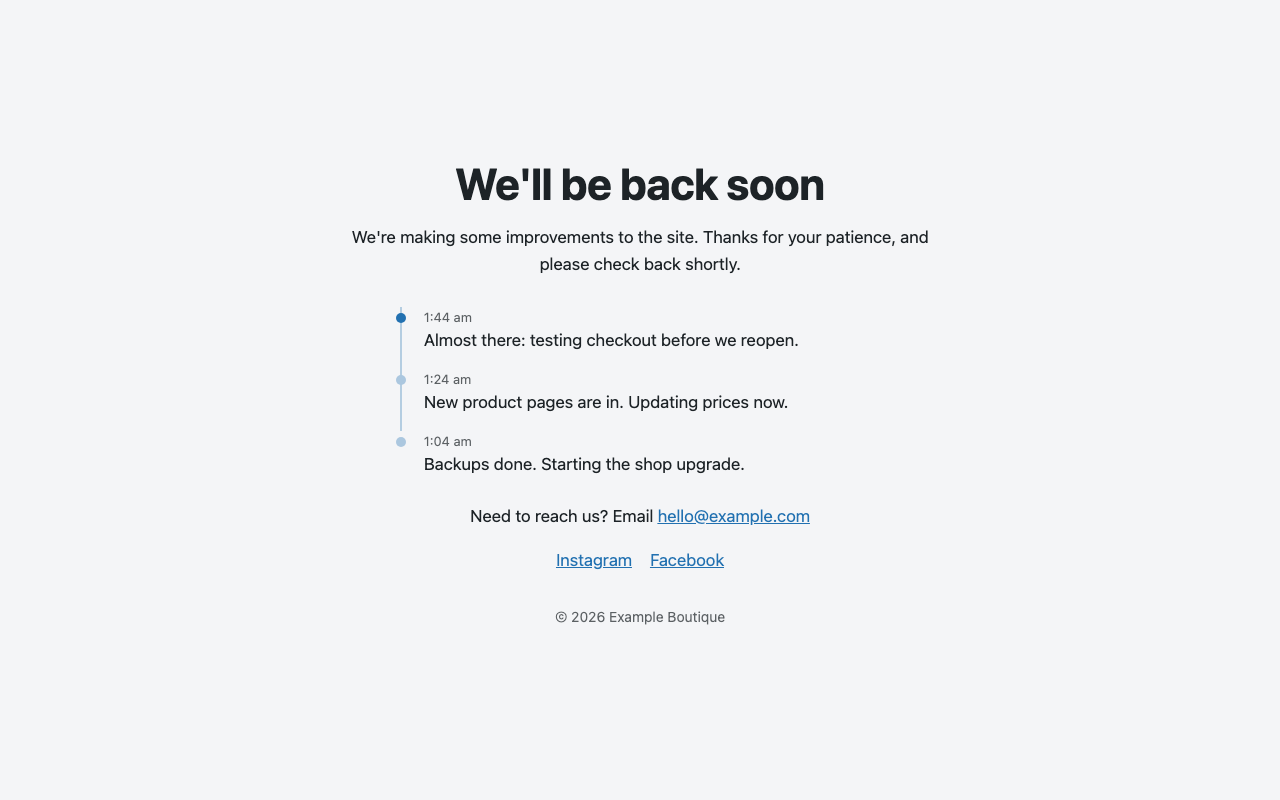
- Live status updates, and visitors come back by themselves. Post short progress notes while you work (“Backups done”, “Updating the shop”) from the settings screen or WP-CLI; they appear on the maintenance page as a small timeline. Pages visitors leave open check in once a minute, show new updates, and reload straight into your site the moment maintenance ends, so nobody has to keep pressing refresh.
- “Leave us a message” form, with an inbox. Optional. Visitors can write to you while the site is down; messages land in a Messages tab (and your email), with CSV export. Spam is stopped without any outside service, visitors must agree before anything is stored, and messages are deleted automatically after a period you choose.
- Maintenance on selected pages only. Take just
/shop/or/checkout/offline while the rest of the site stays live, and keep pages such as your privacy policy or a payment page always available. - Scheduled maintenance windows. Set a start and an end time. The page switches itself on and off on time (using WP-Cron, so it works even when a page cache is serving visitors), and the site admin can get an email when the window starts and ends.
- Cache clearing you can see. A log on the settings screen shows when caches were cleared, why, and which ones (LiteSpeed Cache, WP Rocket, W3 Total Cache, WP Super Cache, WP Fastest Cache, WP-Optimize, Breeze, SiteGround).
- Site Health checks. Tools Site Health warns you when the maintenance page has been left on long enough to hurt search rankings, and when the site uses a page cache Hushpage can’t clear.
Everything else you’d expect
- One settings screen. Switch it on, write your message, save.
- Everything is editable, for free. Headline, message, browser title, footer, logo, colours, background image, contact email, social links and a countdown. No “Pro” version.
- No nags. No review requests, newsletter prompts, upsells, dashboard banners or bundled plugins.
- No tracking and no external requests. The page uses system fonts and loads nothing from third-party servers.
- Search-engine friendly. Maintenance mode sends HTTP 503 with a Retry-After header, so search engines know the outage is temporary. Coming soon mode sends a normal 200 response and can ask search engines not to index the page.
- You can’t lock yourself out. Administrators always see the real site.
- Share the real site with clients. A secret link lets anyone you choose see the site for a set number of days without logging in. Create a new link at any time to revoke the old one. You can also allow specific IP addresses or user roles.
- Works with caching. Page caches from LiteSpeed Cache, WP Rocket, W3 Total Cache, WP Super Cache, WP Fastest Cache, WP-Optimize, Breeze and SiteGround are cleared automatically when you switch on or off, and the maintenance page itself is never cached.
- Leaves nothing behind. Uninstalling removes its settings, messages, status updates, cache log and scheduled events.
- For developers and agencies: WP-CLI commands (
wp hushpage status,wp hushpage enable,wp hushpage disable,wp hushpage update "…",wp hushpage bypass-link), an emergencyHUSHPAGE_DISABLEconstant, and filters to override the template, the visitor IP, or skip specific requests.
Screenshots

Installation
- Install from Plugins Add New, or upload the
hushpagefolder to/wp-content/plugins/. - Activate the plugin.
- Go to Settings Maintenance Mode, edit the page, and switch it on.
FAQ
-
Can I put only part of my site in maintenance?
-
Yes. Under Where it applies, choose Only these pages and list the paths, one per line, for example
/shop/. A path also covers everything under it, so/shopincludes/shop/cart/. The rest of the site, and the REST API, stay live. Pages listed under Always available are never blocked, whichever option you choose. -
How do live status updates work?
-
On Settings Maintenance Mode, type a short note under Live status updates and click Post update (or run
wp hushpage update "Backups done"). It appears on the maintenance page with the time. While a visitor keeps the page open, it checks the same address once a minute (only while the tab is visible) and reloads when there is a new update or when your site is back. It contacts only your own site, and stores nothing about visitors. Updates are cleared when the page switches off, and you can turn the automatic check off under Notifications. -
How does a scheduled maintenance window work?
-
Turn the switch on and set Switch on automatically and, optionally, Switch off automatically. Until the start time visitors see the normal site; at the start time the maintenance page appears and page caches are cleared; at the end time it switches off and caches are cleared again. If email alerts are on, the site admin gets an email at the start and at the end.
-
Will my search rankings suffer?
-
In maintenance mode the page is sent with HTTP 503 “Service Unavailable” and a Retry-After header. That is how search engines expect a temporary outage to be signalled, and they keep your existing listings. Avoid leaving a site in maintenance mode for weeks.
-
I’m logged in but I see the normal site. Is it working?
-
Yes. Administrators (and any roles you allow) always see the real site. Use Preview the page on the settings screen, or open the site in a private window, to see what visitors see. A red “Maintenance mode is on” item in the admin bar reminds you that it is active.
-
Visitors still see the old page after I switched it off
-
The plugin clears the common page caches automatically. If your host or a CDN caches pages in a way the plugin can’t reach, clear that cache too. Developers can hook into
hushpage_purge_cachesto add another cache. -
Another plugin locked me out. How do I switch this off without logging in?
-
Add
define( 'HUSHPAGE_DISABLE', true );towp-config.php, or runwp hushpage disablewith WP-CLI. -
Can I use my own page design?
-
Copy
templates/page.phpinto your theme and return its path from thehushpage_templatefilter. The$hushpage_settingsarray is available inside it. -
My site is behind a proxy or CDN and the IP allowlist doesn’t match
-
For security the plugin reads only
REMOTE_ADDR, because forwarded headers can be forged. If your host passes the real visitor address in a trusted header, return it from thehushpage_client_ipfilter. -
Only if you switch on the contact form. Then it stores the name, email address and message a visitor sends, after they tick a consent box, so you can reply. IP addresses are not stored (spam rate-limiting uses a short-lived hash). Messages are deleted automatically after the number of days you set (90 by default), they are included in WordPress’s Tools Export Personal Data and Erase Personal Data, and suggested wording is added to Settings Privacy Policy guide. Without the form, Hushpage stores no visitor data.
It sets one cookie (
hushpage_bypass) only for people who open your secret bypass link, so they can keep seeing the real site. -
How is contact form spam stopped?
-
Without any outside service or CAPTCHA: a hidden field that only bots fill in, a check that rejects forms submitted faster than a person can type, a WordPress security token, and a limit of three messages per visitor every ten minutes. Bots that are caught get the normal “thank you”, so they learn nothing.
Reviews
There are no reviews for this plugin.
Contributors & Developers
“Hushpage – Maintenance Mode & Coming Soon” is open source software. The following people have contributed to this plugin.
Contributors
Translate “Hushpage – Maintenance Mode & Coming Soon” into your language.
Interested in development?
Browse the code, check out the SVN repository, or subscribe to the development log by RSS.
Changelog
1.1.0
- New: optional “Leave us a message” contact form on the maintenance page, with a Messages inbox, unread count, CSV export and new-message emails.
- New: spam protection without outside services (honeypot, time check, security token, rate limit).
- New: privacy tools: consent checkbox, automatic deletion after a set number of days, personal data export and erase, privacy policy text.
- Open maintenance pages no longer auto-refresh while a visitor is typing a message.
1.0.0
- First release: live status updates with automatic return to the site, page-specific maintenance, scheduled maintenance windows with email alerts, a cache clearing log, Site Health checks, a revocable client preview link, WP-CLI commands and an emergency off switch.