
Description
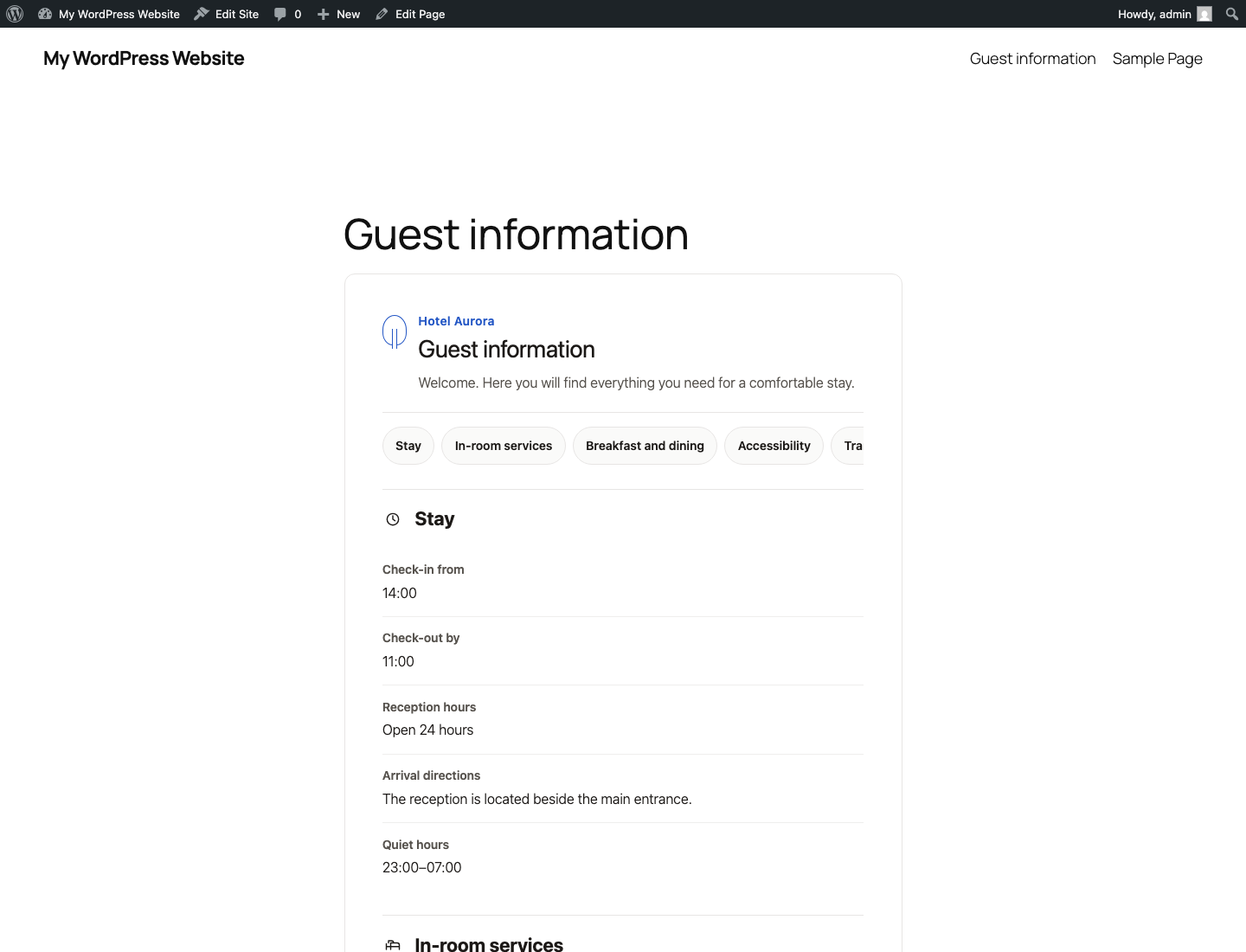
Hotelness Guest Information helps accommodation providers collect the practical details guests need before and during their stay. Add the guide to any WordPress page with a shortcode. Only sections containing information are displayed.
Available sections
- Check-in, check-out, reception hours and arrival directions.
- Wi-Fi access, cleaning and in-room amenities.
- Breakfast, restaurant, bar and dietary requirements.
- Accessibility information for entrances, routes, lifts and rooms.
- Services for families and pet policies.
- Parking, electric vehicle charging, shuttles and public transport.
- Pool, spa, gym and wellness bookings.
- Property rules and sustainability guidance.
- Selected places, restaurants and local experiences.
- Emergency details, useful contacts and frequently asked questions.
Appearance and publishing
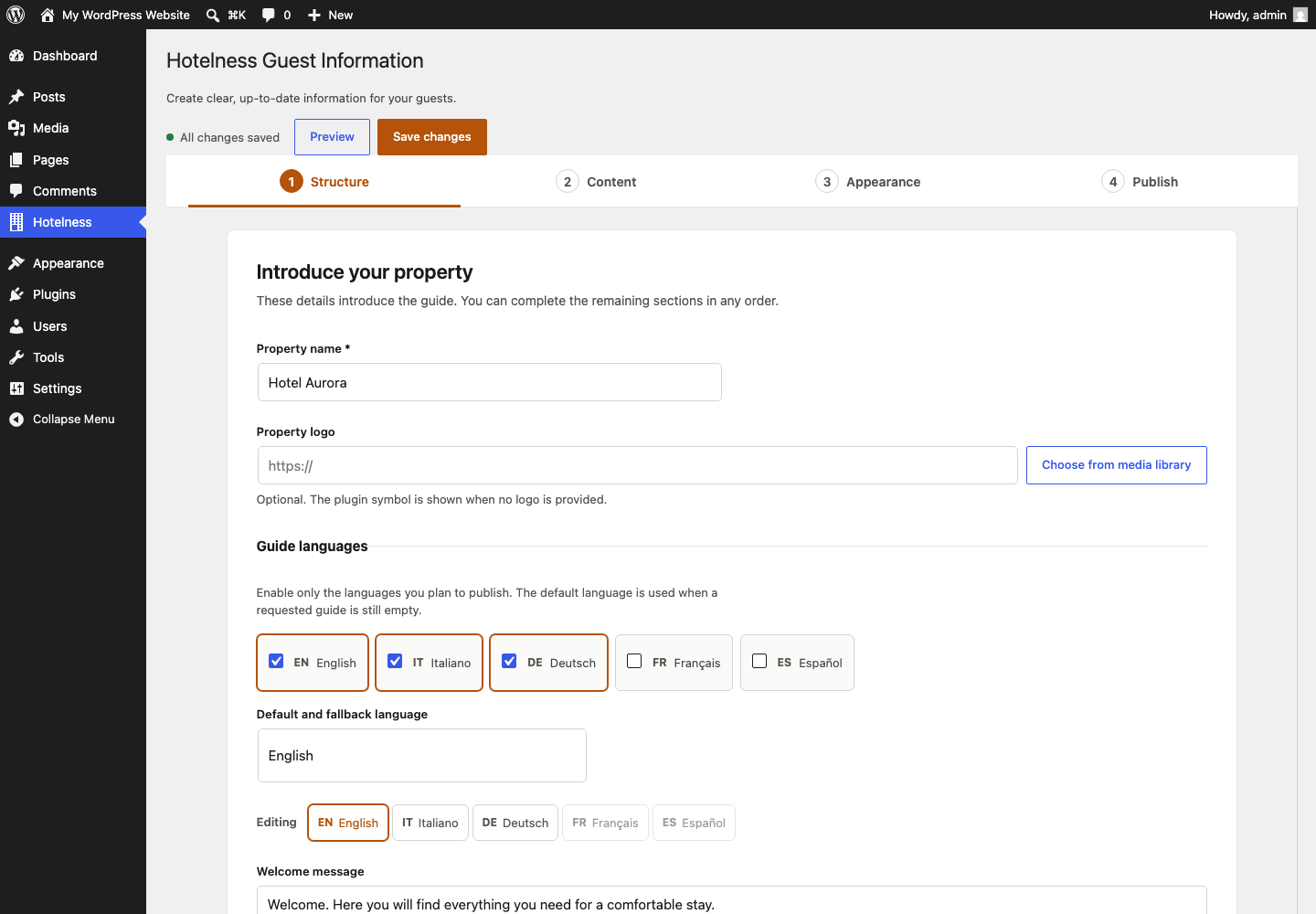
The plugin includes four visual styles: Elegant, Essential, Natural and Inherit from theme. Administrators can choose an accent colour, reorder sections, use an expanded or accordion layout, and publish either the full guide or an individual section.
Multilingual guides without extra plugins
Create separate guest content in English, Italian, German, French and Spanish. Place the matching shortcode on each translated page. WPML and Polylang are not required. The administration interface is available in English and Italian.
Full guide:
[hotelness_info]
Guide in a specific language:
[hotelness_info lang="en"]
Individual section:
[hotelness_info lang="en" section="stay"]
Available values for the theme attribute are elegant, essential, natural and inherit.
Privacy
The plugin does not create accounts, use cookies, track visitors or send information to Hotelness or any third-party service. Information entered by an administrator is stored in the site’s WordPress database and becomes public only when the shortcode is placed on a public page.
The optional Hotelness credit is disabled by default and can be enabled explicitly by an administrator.
Screenshots
Installation
- Upload the
hotelness-guest-informationfolder to/wp-content/plugins/, or install the ZIP file from Plugins > Add Plugin. - Activate the plugin.
- Open Hotelness from the WordPress administration menu.
- Review the available sections, complete the relevant information and choose the appearance.
- Add
[hotelness_info]to a WordPress page.
FAQ
-
Are empty sections displayed?
-
No. An enabled section is displayed only when it contains at least one piece of information.
-
Can I publish a single section?
-
Yes. Use the
sectionattribute, for example[hotelness_info lang="en" section="stay"]. Stable English identifiers and the supported Italian aliases are accepted. -
Are WPML or Polylang required?
-
No. Add the shortcode with the appropriate language to each translated page, for example
[hotelness_info lang="de"]. If a requested translation is completely empty, the plugin uses the configured fallback language. -
Does the public guide work without JavaScript?
-
Yes. All public information remains readable. JavaScript only enhances the accordion and internal navigation behaviour.
-
Does the plugin send data to Hotelness?
-
No. The plugin makes no external requests and collects no telemetry.
-
What happens to the data when I uninstall the plugin?
-
The data is preserved by default. To remove it during uninstallation, define
HOTELNESS_GUEST_INFORMATION_DELETE_DATA_ON_UNINSTALLastrueinwp-config.phpbefore deleting the plugin.
Reviews

Contributors & Developers
“Hotelness Guest Information” is open source software. The following people have contributed to this plugin.
Contributors
Translate “Hotelness Guest Information” into your language.
Interested in development?
Browse the code, check out the SVN repository, or subscribe to the development log by RSS.
Changelog
1.0.5
- Replaced short global prefixes with unique Hotelness Guest Information prefixes to prevent conflicts with other plugins and themes.
1.0.4
- Removed icons from the introductory section navigation for more reliable theme compatibility.
- Strengthened navigation chip alignment and spacing across themes.
1.0.3
- Prepared the readme and translation loading for WordPress.org requirements.
- Improved icon alignment and removed theme-generated hover underlines from section navigation.
1.0.2
- Added clearer section progress, sequential navigation and a final review step.
- Improved icon isolation from WordPress theme styles.
1.0.0
- First complete release for testing and review.
- Added separate guides in English, Italian, German, French and Spanish.
- Added explicit shortcode language selection, whole-guide fallback and content duplication between languages.
- Added English and Italian administration interfaces.