

Description
Display ads made simple. You sold the ad — now just put it on your website.
Hooray Simple Ads was built by a small publisher who wanted an easier way to
manage direct-sold advertising in WordPress. Existing solutions offered far
more complexity than the job required.
The job itself is straightforward: create an advertiser creative, choose where
it appears, rotate ads, schedule them, and track basic impressions and clicks —
including on sites that already use aggressive page caching.
That is all this plugin is for. It intentionally does less, because for many
publishers less is exactly what they need.
Place, rotate, schedule and track
- Create and manage ad creatives.
- Define reusable ad slots.
- Assign creatives and rotate them.
- Weight rotation when one advertiser should appear more often.
- Schedule campaigns so they start and stop on their own.
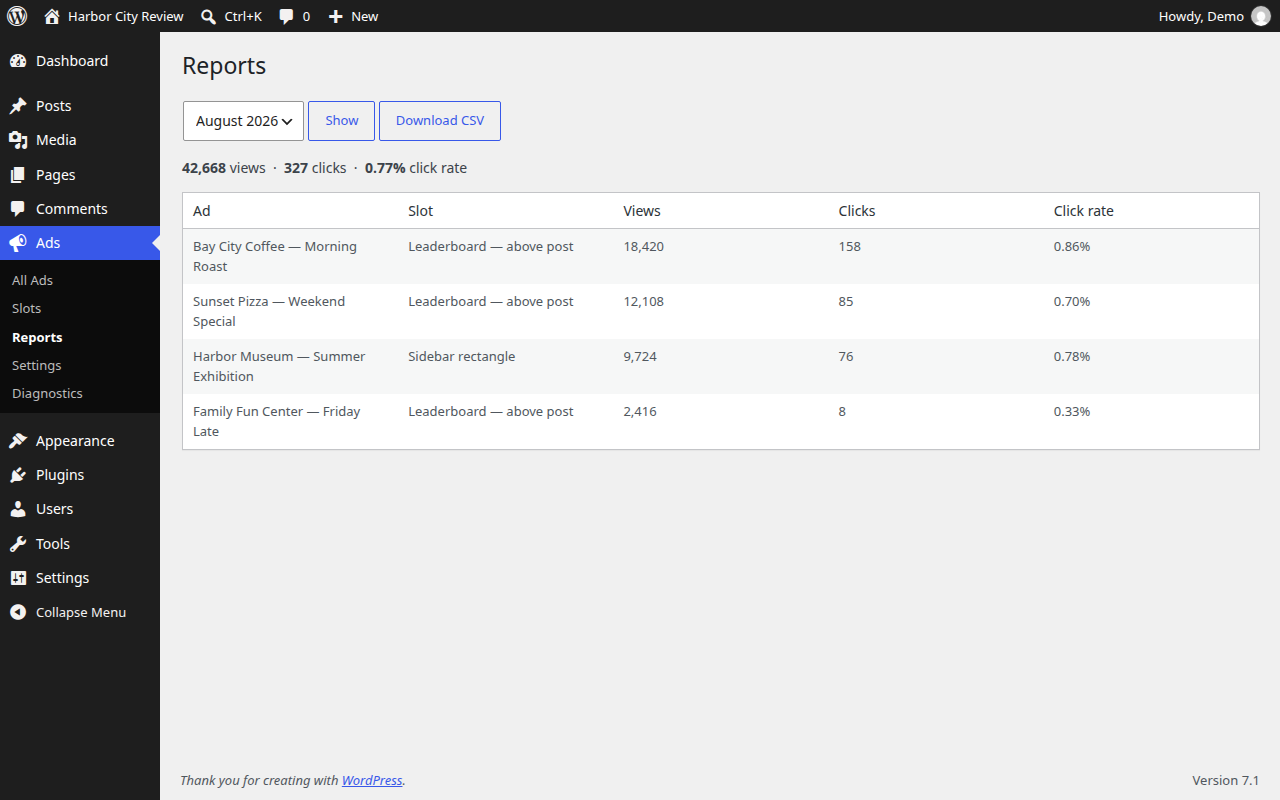
- Track first-party impressions and clicks.
- Responsive slots that reserve their space.
- Designed to work with cached WordPress pages.
- No SaaS account, no plugin-author telemetry, and no external ad-serving
service.
Why it keeps working behind a cache
Most ad plugins write the advertisement into the page HTML. A full-page cache
then stores whichever ad the first visitor happened to get and serves it to
everyone until the entry expires, so rotation stops without any visible error.
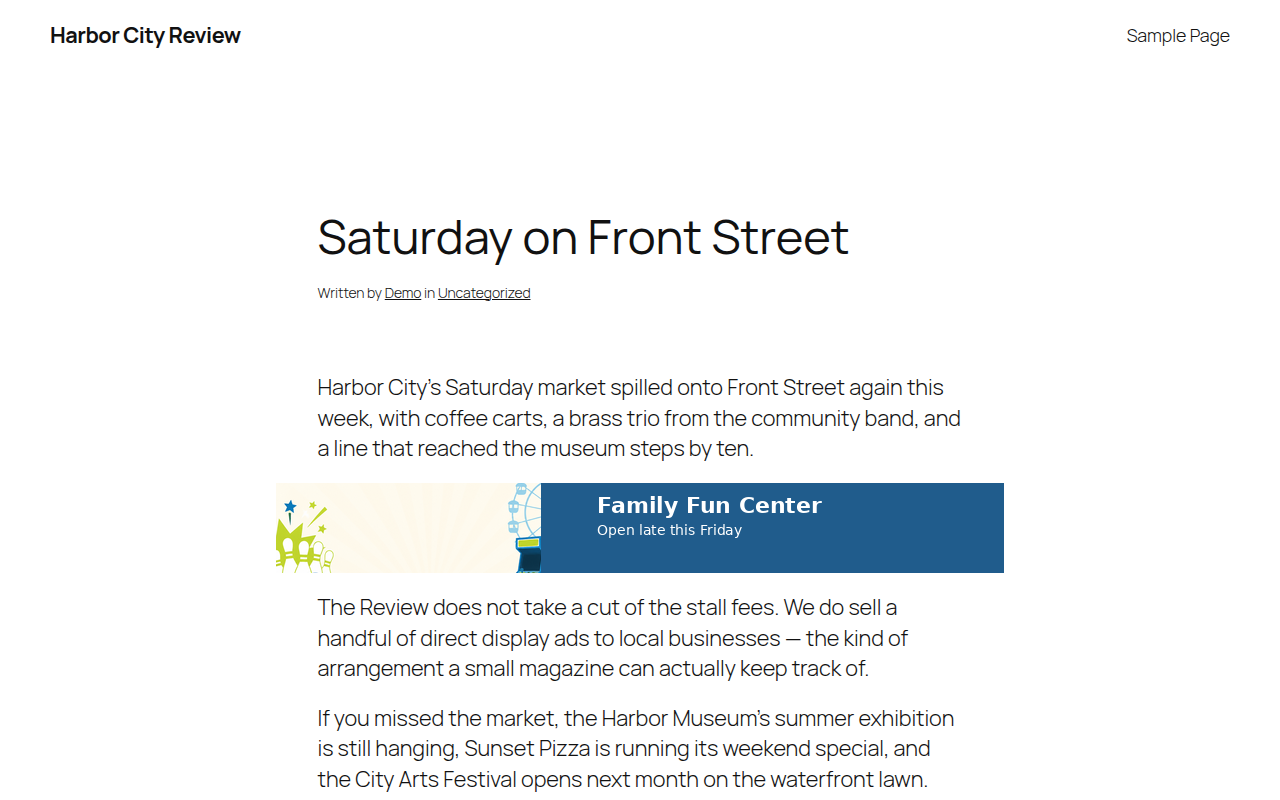
This plugin does not put an ad into cacheable HTML. The page contains only an
empty, correctly sized box, and the advertisement is chosen per pageview by a
separate request served with no-store headers. Your cache hit ratio has no
effect on rotation.
There is nothing to configure for LiteSpeed, WP Rocket, Cloudflare or similar,
and no ESI or fragment-caching setup is required. If a CDN in front of your site
caches REST responses by default, exclude this plugin’s endpoints; the Settings
screen lists them.
What it is not
There is no bidding, no advertiser self-service, no billing and no targeting
engine. There is no account to create and no service to subscribe to. Nothing is
sent to any third-party server: it is your site, your database and your numbers.
Placing an ad
Use the Local Ad Slot block, the [hsads_ad slot="..."] shortcode
(anywhere shortcodes work, including page builders and widgets), or
hsads_ad( ‘slot-slug’ ) in a template.
What counts as a view
A view is counted at most once per ad, per placement, per page load, when at
least half of the advertisement has been continuously on screen for one second
in a tab the reader is actually looking at. Ads below the fold that are never
reached are not counted, and neither are background tabs or quick scroll-pasts.
Both thresholds are adjustable in Settings.
The check runs in the reader’s browser, so treat these as first-party publisher
reporting rather than independently audited measurement. No third-party
accreditation is claimed and none is implied. The aim is a number you can
explain to an advertiser and get the same answer twice.
Working alongside a programmatic network
The plugin touches only the elements it created. It uses one namespaced global,
scopes all of its CSS to its own class names, does not use the data-slot
attribute, adds no MutationObserver and no z-index, and makes no third-party
requests. It is intended to sit on the same page as a programmatic network
without interfering with it.
Privacy
Hooray Simple Ads is designed to measure ad performance without building
profiles of your readers.
Reporting consists of aggregate counters by day, slot and ad. No cookies are
set and no browser storage is used. Raw IP addresses, user agents, user IDs
and device identifiers are not stored. There is no plugin-author telemetry,
and no third-party ad-serving service is contacted.
To stop the same view being counted twice, a short-lived scrambled
deduplication record is kept and swept automatically, normally within a day.
Suggested wording for your own privacy policy is added to Tools Privacy.
Clicking an ad sends the reader to the advertiser’s own site, which is outside
this plugin’s control.
Screenshots
Installation
- Install and activate the plugin.
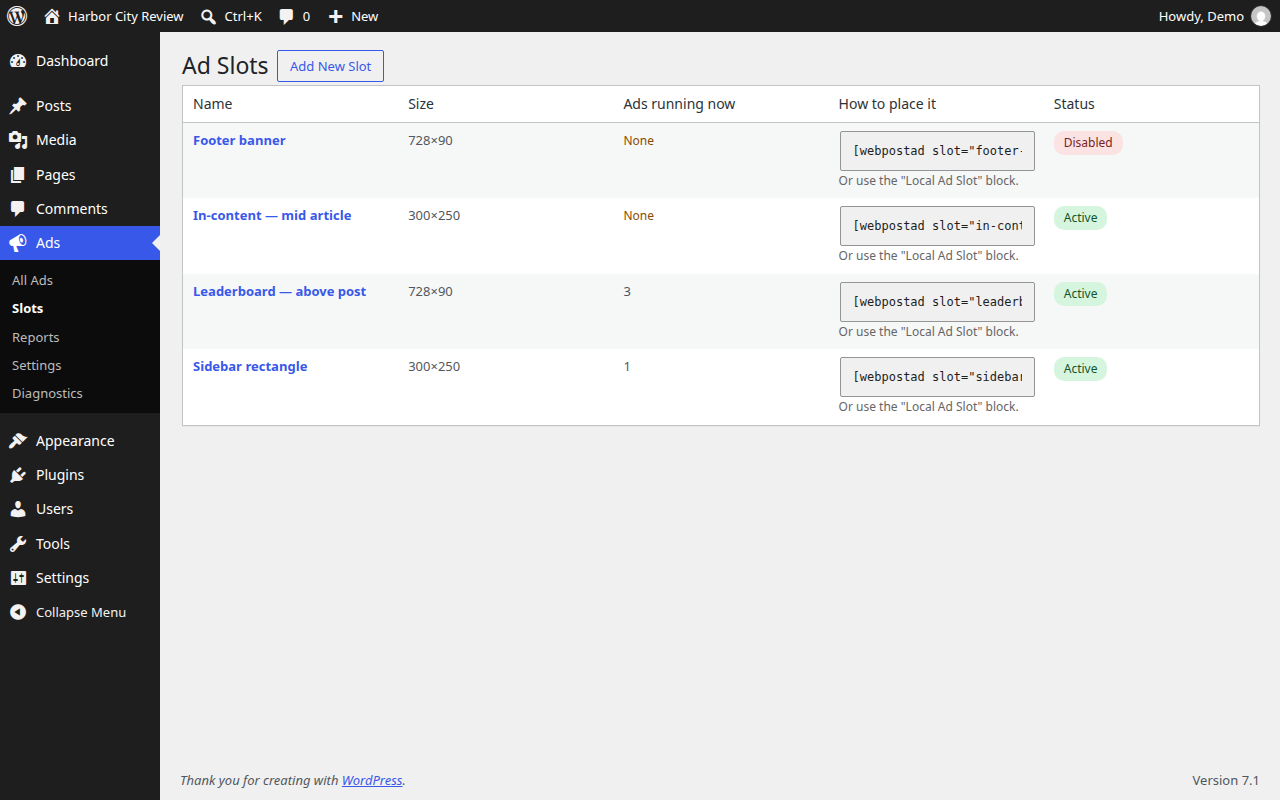
- Go to Ads Slots and create a slot: a place on your site where an ad can appear, with a size, for example a 728×90 leaderboard.
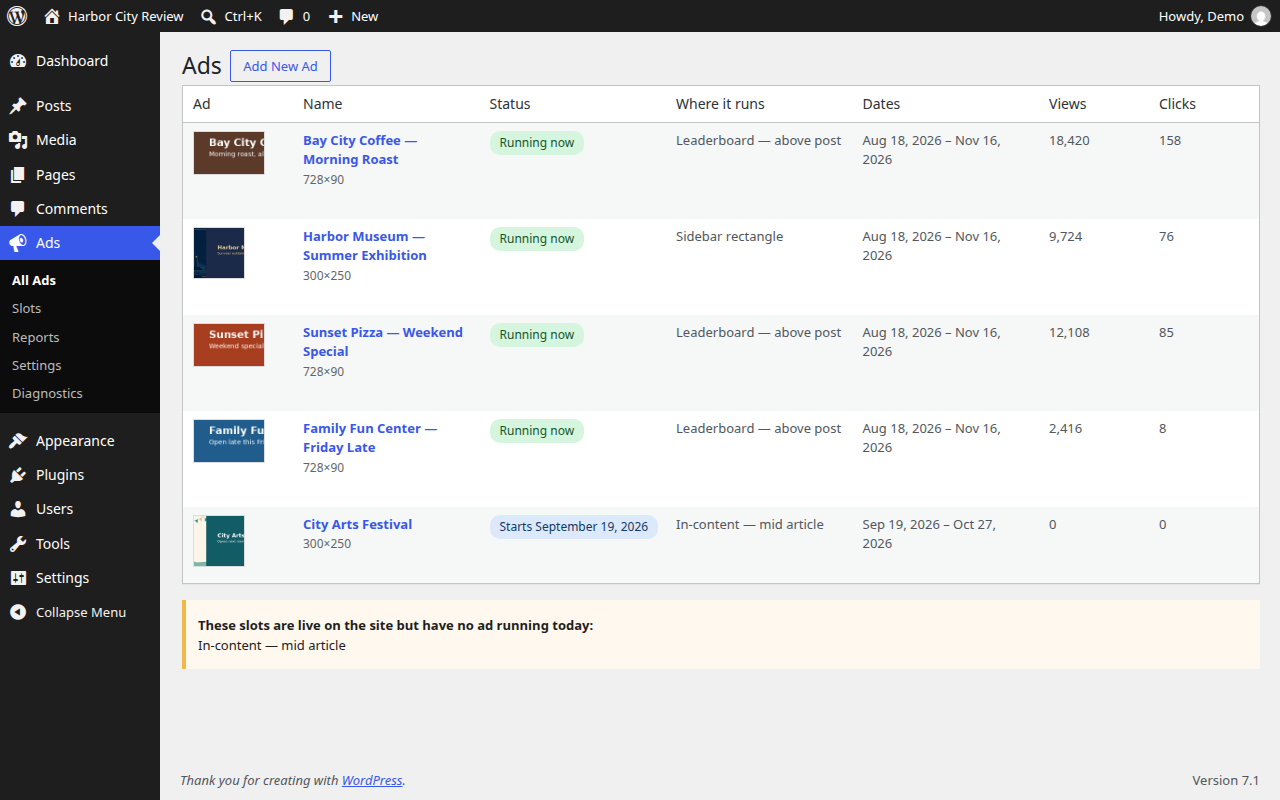
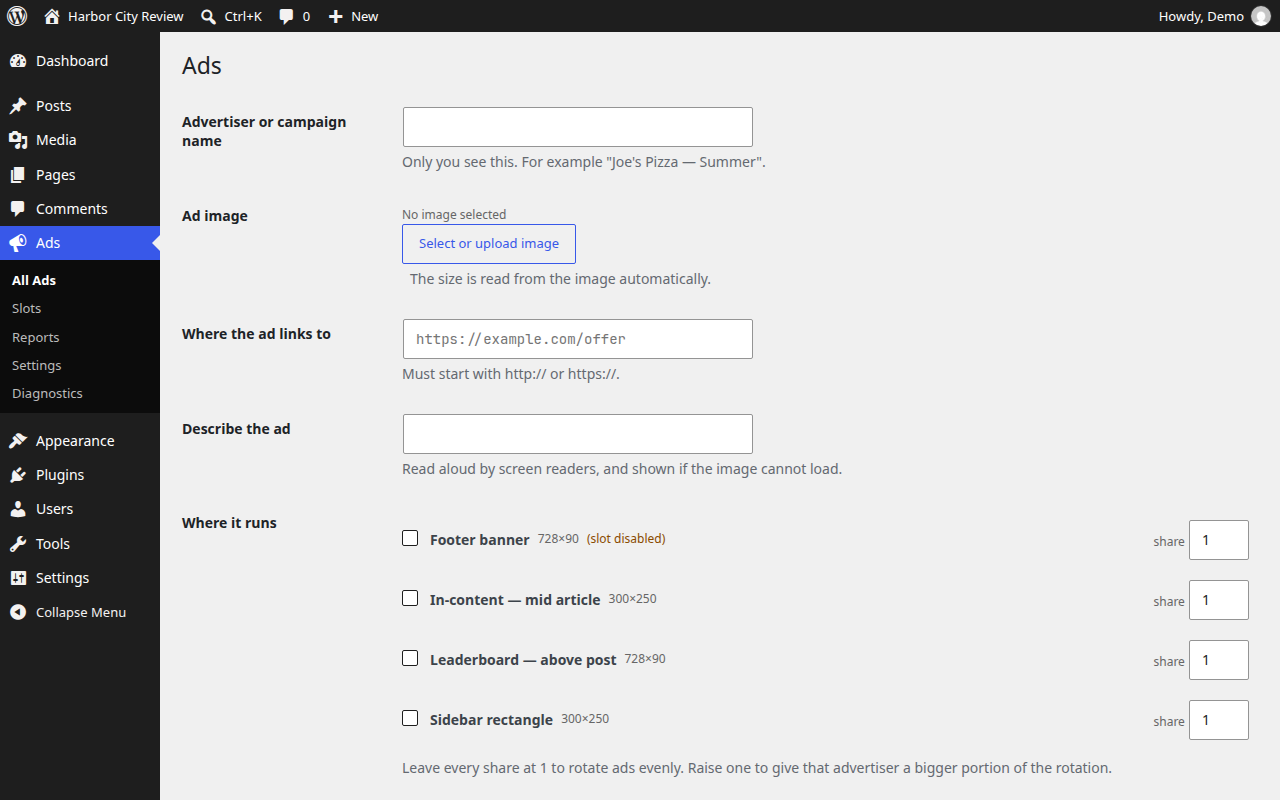
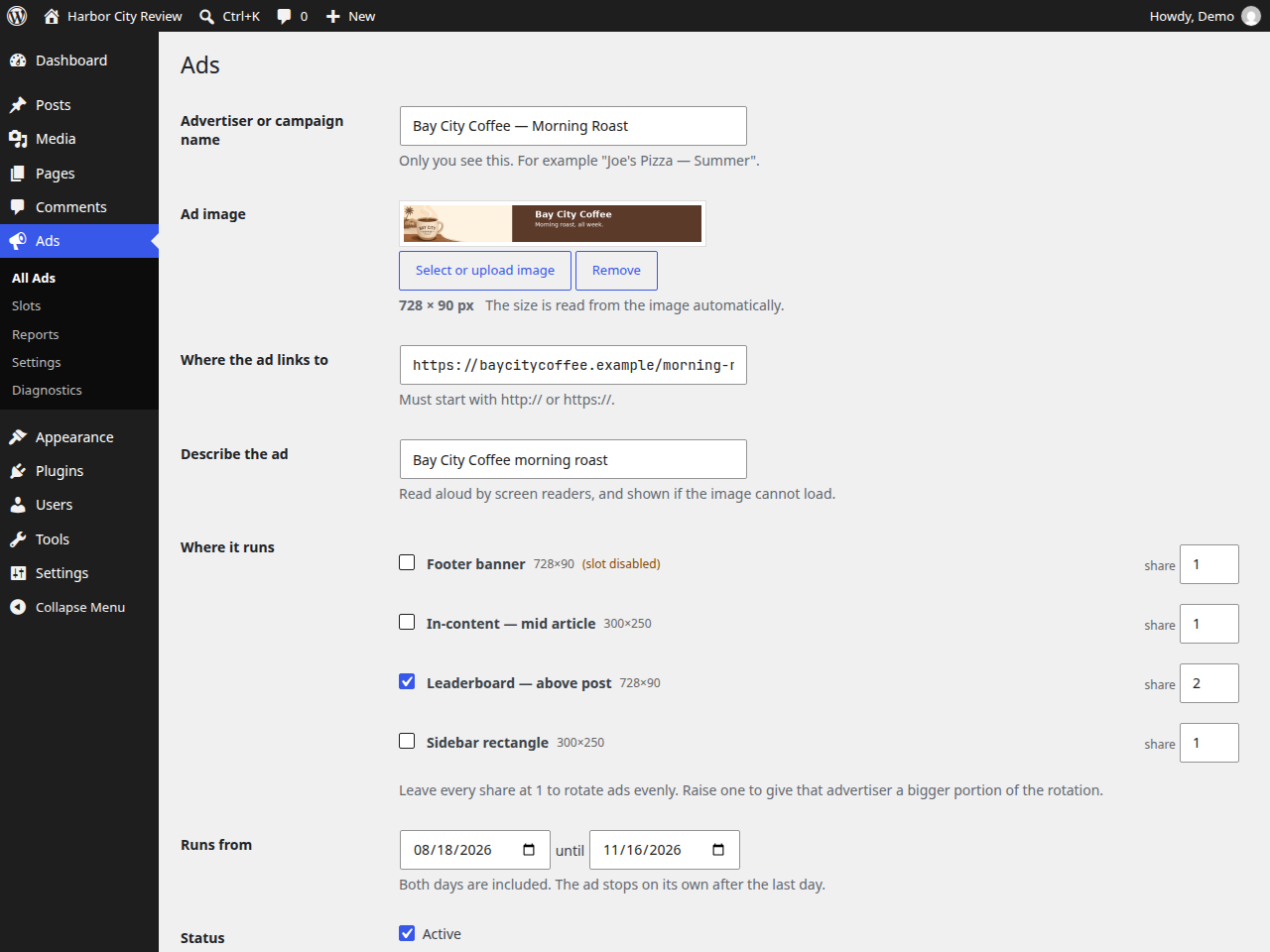
- Go to Ads and choose Add New Ad. Upload the image, paste the advertiser’s link, tick the slots it should run in, and set the dates.
- Place the slot on your site with the Local Ad Slot block, or with the shortcode the Slots screen gives you.
Upgrading from an earlier version: your slots, ads and reporting history carry over unchanged, and so do your settings. Existing shortcodes and blocks keep working. If you call this plugin from a PHP template, see the changelog — the function was renamed. Purge your page cache after upgrading.
FAQ
-
I upgraded and the plugin has a new name. Did anything break?
-
No. The ads, slots, schedules, reporting history and settings are all the same
records as before. Existing[webpostad]shortcodes, ad slot blocks already in
your posts, and REST calls issued by pages cached before the upgrade keep
working. New placements use[hsads_ad]andhsads_ad(). -
Do I need LiteSpeed ESI, or a cache exclusion rule?
-
No. Earlier versions offered an ESI mode that did not work correctly, and it has
been removed. The normal delivery path already works on cached pages. The only
thing worth checking is that a CDN in front of WordPress is not caching the
plugin’s REST endpoints; Settings lists them. -
Why is my ad not showing?
-
Ads Diagnostics lists every ad assigned to every slot with the reason it
is or is not eligible today. For a live page, add?hsads_debug=1to the URL
while logged in as an administrator and check the browser console. Visitors
never see any of this. -
Does it collect personal data?
-
See the privacy note in the description. The plugin is designed to measure ad
performance without building profiles of your readers. -
Does it slow the site down?
-
A page with no ad slot on it loads none of the plugin’s files. A page with ads
loads a small script and stylesheet. Filling a slot is a separate request that
does not depend on the page cache, and counting a view is one more request. -
Yes. Every ad-to-slot assignment has a share. Leave them all at 1 for even
rotation, or raise one to give that advertiser proportionally more impressions. -
Will it interfere with my programmatic network?
-
It should not. It only reads and modifies the elements it created itself, and it
contacts only your own site, so containers belonging to another ad script are
left alone. -
What happens to my data if I uninstall it?
-
Nothing is deleted unless you first tick the option in Settings. Deactivating or
deleting the plugin otherwise leaves your slots, ads and reporting history in
place, so they return if you reinstall. -
Can I use it on multisite?
-
Yes. Each site gets its own slots, ads and reporting, including sites created
after a network activation.
Reviews
There are no reviews for this plugin.
Contributors & Developers
“Hooray Simple Ads” is open source software. The following people have contributed to this plugin.
Contributors

Translate “Hooray Simple Ads” into your language.
Interested in development?
Browse the code, check out the SVN repository, or subscribe to the development log by RSS.
Changelog
1.2.0
- The plugin is now published as Hooray Simple Ads. Your ads, slots, schedules,
reporting history and settings are untouched. - Renamed the plugin’s internal identifiers — functions, constants, settings,
admin pages, script handles, CSS classes and REST routes — onto a single
distinctive prefix, so nothing this plugin registers can collide with another
plugin on the same site. - Existing
[webpostad]shortcodes, ad slot blocks already in your posts, and
REST calls from pages cached before the upgrade keep working. New placements
use[hsads_ad]andhsads_ad(). - If you call this plugin from a PHP template,
zra_ad(),zra_the_ad()and
zra_plugin() have been renamed tohsads_ad(),hsads_the_ad()and
hsads_plugin(), with no alias left behind. Change the call and it behaves
exactly as before. Shortcodes and blocks are unaffected. - The
?zra_debug=1troubleshooting switch is now?hsads_debug=1, and the
plugin’s admin screens are reached from the Ads menu rather than from any
bookmarked address that contains the old prefix. - Your settings are carried over automatically the first time the new version
loads. Nothing to re-enter. - For developers: the
zra_click_paramsfilter was renamed to
hsads_click_params with no alias. The frontend’s single global is now
window.HooraySimpleAds.
1.1.2
- Added suggested wording for your own privacy policy under Tools -> Privacy,
describing what the plugin records and what it does not. - Fixed: a very large rotation offset in an ad request could select an invalid
position, so no ad was returned and a PHP warning was logged.
1.1.1
- Security: view and click replay protection is now a unique database insert, so
a token cannot be counted twice across separate requests on sites running a
persistent object cache.
1.1.0
- Security: the click endpoint no longer accepts a redirect destination from the
request. It reads the advertiser’s URL from the database, which closes an open
redirect on your own domain. - Security: view and click counts now require a signed token issued when the ad
was served. - Security: deleting an ad or a slot now requires a POST and a nonce.
- Security: ad markup is built with DOM APIs, so text stored with an ad cannot
become script. - Fixed: every slot on a page chose the same position in the rotation, and a
slot placed twice always showed the same ad. - Fixed: schema upgrades could never apply, because of how the tables were
declared. - Fixed: view counting. Previously one visible pixel for 100ms counted, in any
tab. Now half the ad, for a second, in a foreground tab. - Fixed: a fixed pixel width made wide ads scroll the page sideways on phones.
- Fixed: an unfilled slot collapsed after layout and pushed the page around.
- Fixed: auto-refresh timers ran forever, including in background tabs.
- Fixed: dates and duplicate slot slugs are validated instead of failing quietly.
- Removed: the LiteSpeed ESI mode, which left ads blank when switched on.
- Removed: unconditional console logging on every page view.
- Added: the Local Ad Slot block, a Diagnostics screen, an opt-in debug mode,
rotation shares, an uninstall routine, and a simpler Ads screen.
1.0.0 – 1.0.2
- Initial release, rate limiting on ad requests, and reporting fixes.