
Description
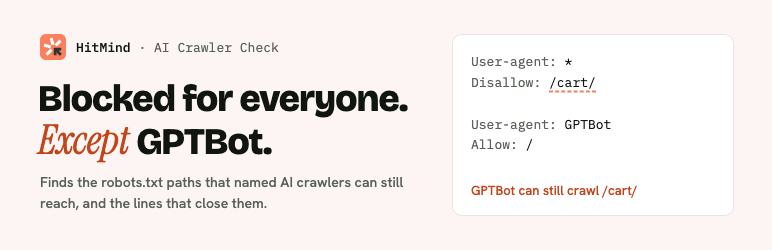
A crawler follows exactly one group in your robots.txt: the one that names it. The moment you give GPTBot a group of its own, it stops reading everything under User-agent: *, including the paths you blocked there (RFC 9309, section 2.2.1).
It is an easy mistake to make. In HitMind’s 2026 study of the top 10,000 websites, 29.8% of the robots.txt files that block paths and name an AI crawler left those paths open to that crawler.
AI Crawler Check reads your live robots.txt the way crawlers do and shows:
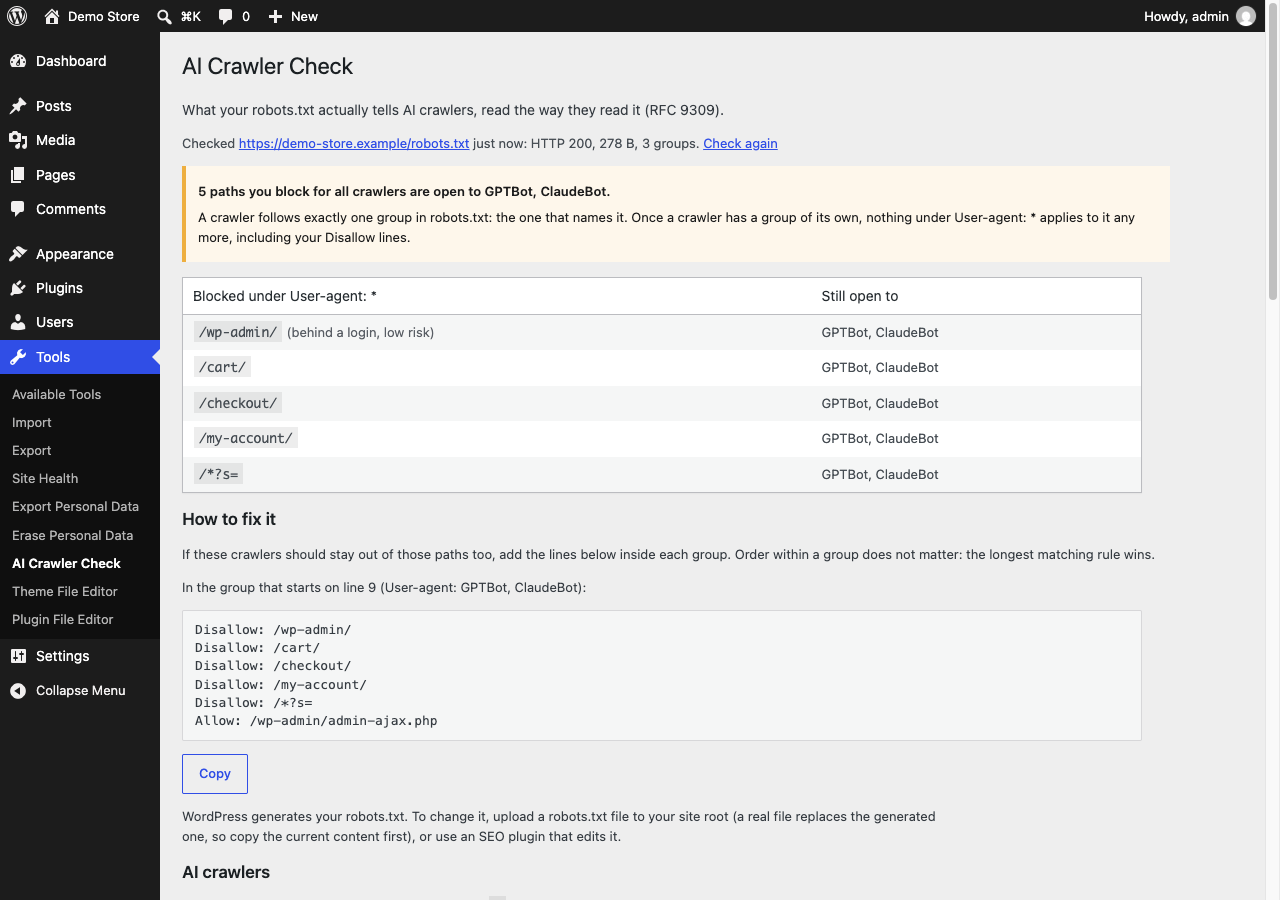
- The trap, if you have it: every path blocked under
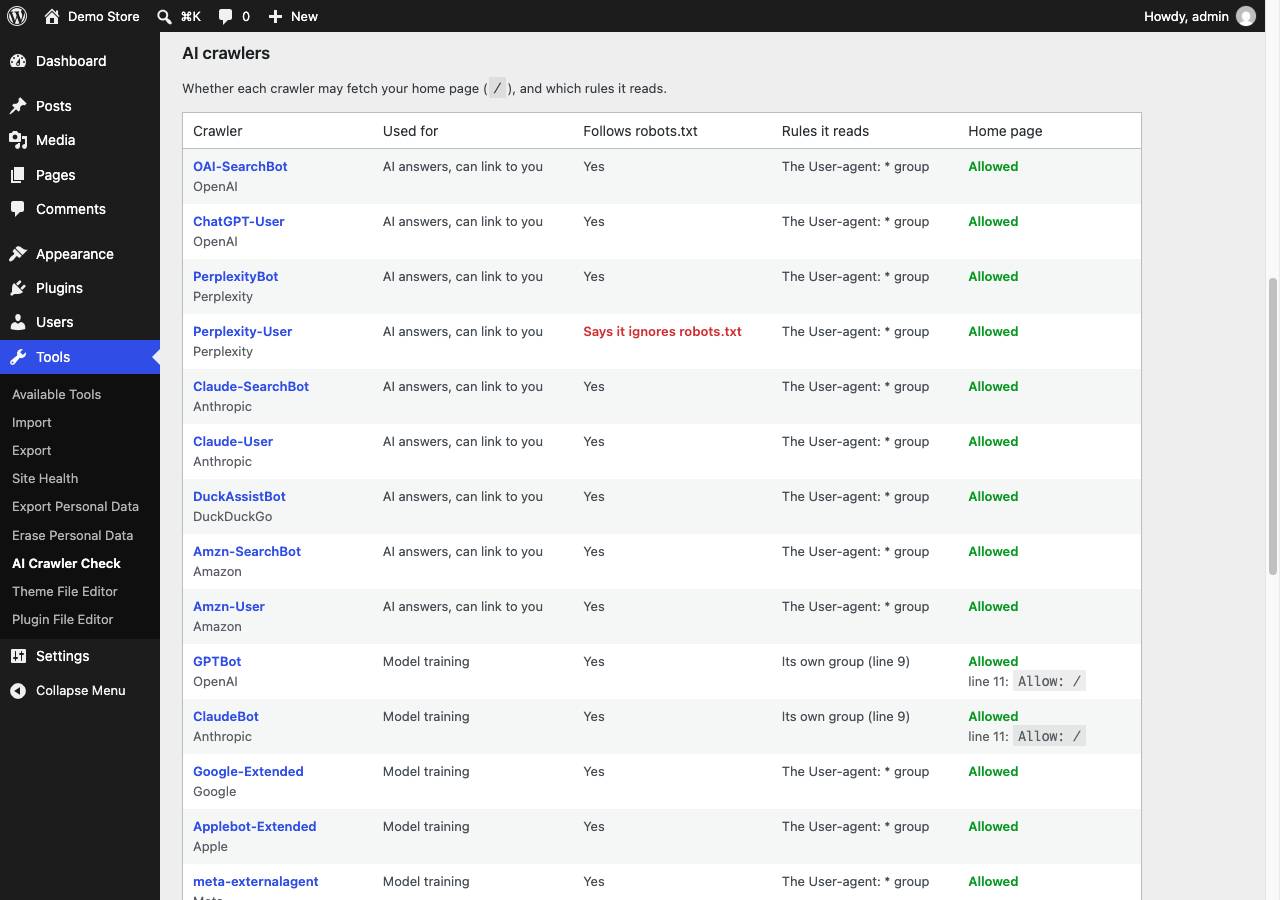
User-agent: *that a named AI crawler can still fetch, and the exact lines to add to its group. - All 20 AI crawlers, one row each, from OpenAI, Anthropic, Perplexity, Google, Apple, Meta, Amazon, Common Crawl, ByteDance and DuckDuckGo: what each one is for (AI answers that can link to you, model training, or other), whether its operator says it follows robots.txt, which group it reads, and whether it can fetch your home page.
- Where to change the file: a real file in your site root, the one WordPress generates (and which SEO plugin adds to it), Cloudflare’s managed robots.txt, or a WordPress install in a subfolder.
- Lines crawlers skip, such as a misspelled directive.
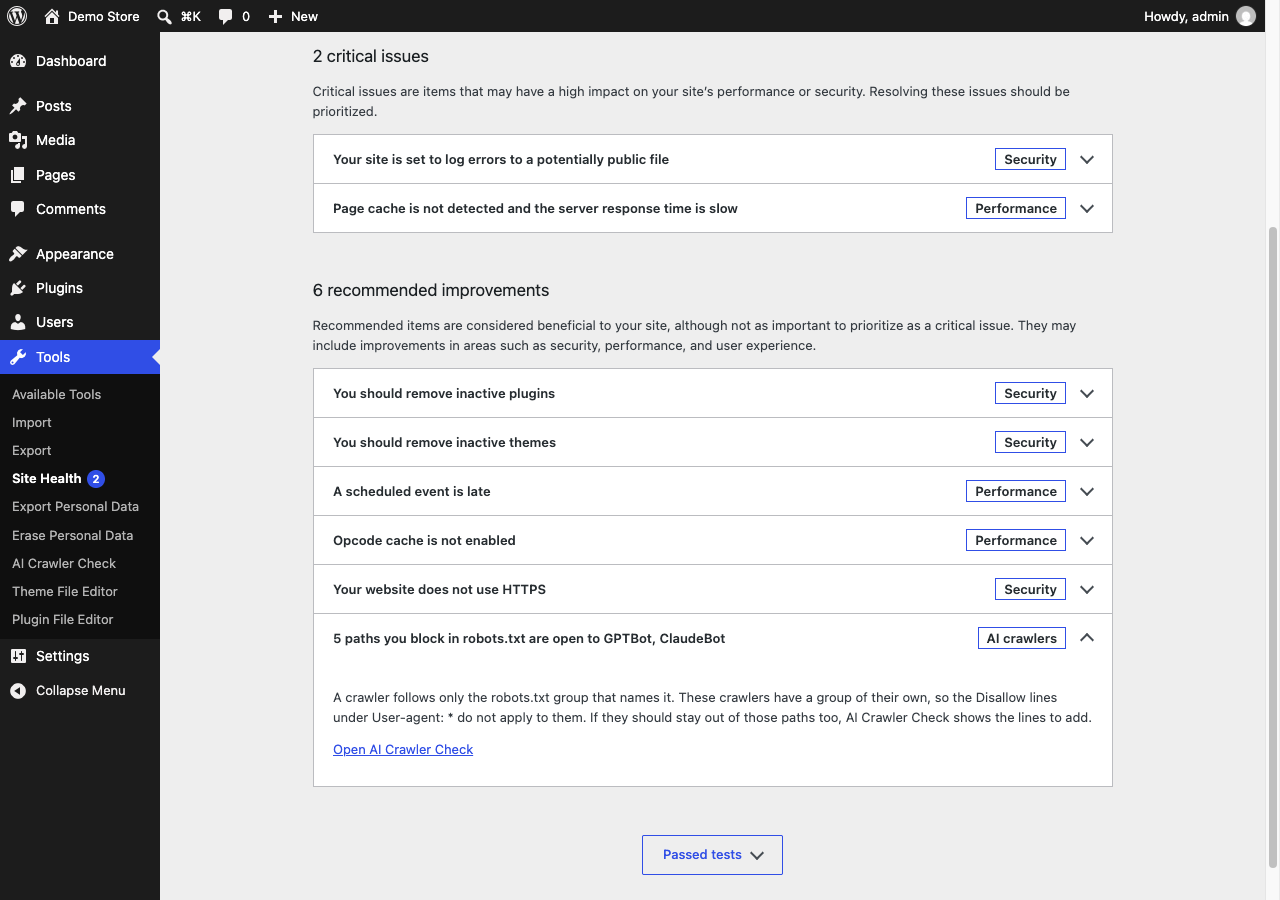
- A Site Health check, so the trap shows up under Tools Site Health without opening the plugin.
- A box to try changes before you publish them.
What it does not do:
- It never changes your robots.txt. Which crawlers to block is your call; the plugin shows what your file says and how to make it say what you mean.
- It does not block or allow any crawler, and adds nothing to your pages.
- It stores nothing, tracks nothing and needs no account.
The rules engine is the one behind HitMind’s free robots.txt generator and checker and its AI crawler study. It gives the same verdicts on all 5,539 robots.txt files from that study.
External services
The plugin requests only your own site’s /robots.txt. It does not contact any other server.
Its page has two links to hitmind.ai, which open only when you click them:
- “Run a free SEO audit” opens HitMind’s free audit with your domain filled in (the domain is part of the link). Terms of service, privacy policy.
- The 29.8% link opens HitMind’s AI crawler study.
Both links carry utm_source=wordpress-plugin so HitMind can count visits from the plugin. Nothing else is sent.
Screenshots
Installation
- Install and activate the plugin.
- Go to Tools AI Crawler Check.
FAQ
-
Does this plugin block AI crawlers?
-
No. It reads your robots.txt and reports what it finds. It never writes to it.
-
Why is a path I blocked still open to GPTBot?
-
Because GPTBot has its own group in your robots.txt. A crawler reads only the group that names it and ignores
User-agent: *completely once it has one. Add the listed lines to its group, or remove the group if you meant GPTBot to follow your general rules. -
Some crawlers say they ignore robots.txt. Does blocking them help?
-
The table marks crawlers whose operators say they don’t follow robots.txt, such as Perplexity-User, which fetches pages when a person asks for them. Rules for them state your position but are not enforced. Stopping them takes server or firewall rules.
-
It says it could not read my robots.txt.
-
The plugin asks your own site for /robots.txt, from your own server. Some hosts block that, and some firewalls and CDNs answer with a challenge page. Paste your file into the box at the bottom of the page to check it instead.
-
Does it send my data anywhere?
-
No. The only request it makes is to your own site’s /robots.txt. See “External services” for the two links on its page.
-
WordPress runs in a subfolder on my site.
-
robots.txt always lives at the root of the domain, so the plugin checks that file and tells you it is not served by WordPress.
Reviews
There are no reviews for this plugin.
Contributors & Developers
“HitMind – AI Crawler Check” is open source software. The following people have contributed to this plugin.
Contributors
Translate “HitMind – AI Crawler Check” into your language.
Interested in development?
Browse the code, check out the SVN repository, or subscribe to the development log by RSS.
Changelog
1.0.0
- First release.