
Description
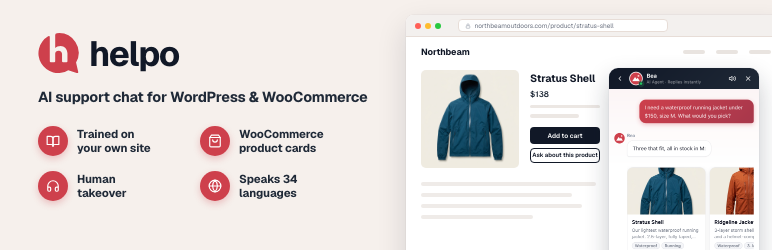
helpo is an AI support agent for WordPress and WooCommerce. It answers your visitors from your own pages, posts and products, shows matching products right in the chat, and hands the conversation to your team when a person is needed.
How it works
- Connect your site to helpo from wp-admin. No API keys to copy.
- Teach it by importing your pages, posts and WooCommerce products. Re-sync with one click, or automatically on paid plans.
- Go live. The chat bubble appears on your site in your brand colors and starts answering right away.
What your shoppers get
- Answers in seconds, day and night, written from your own content instead of generic filler.
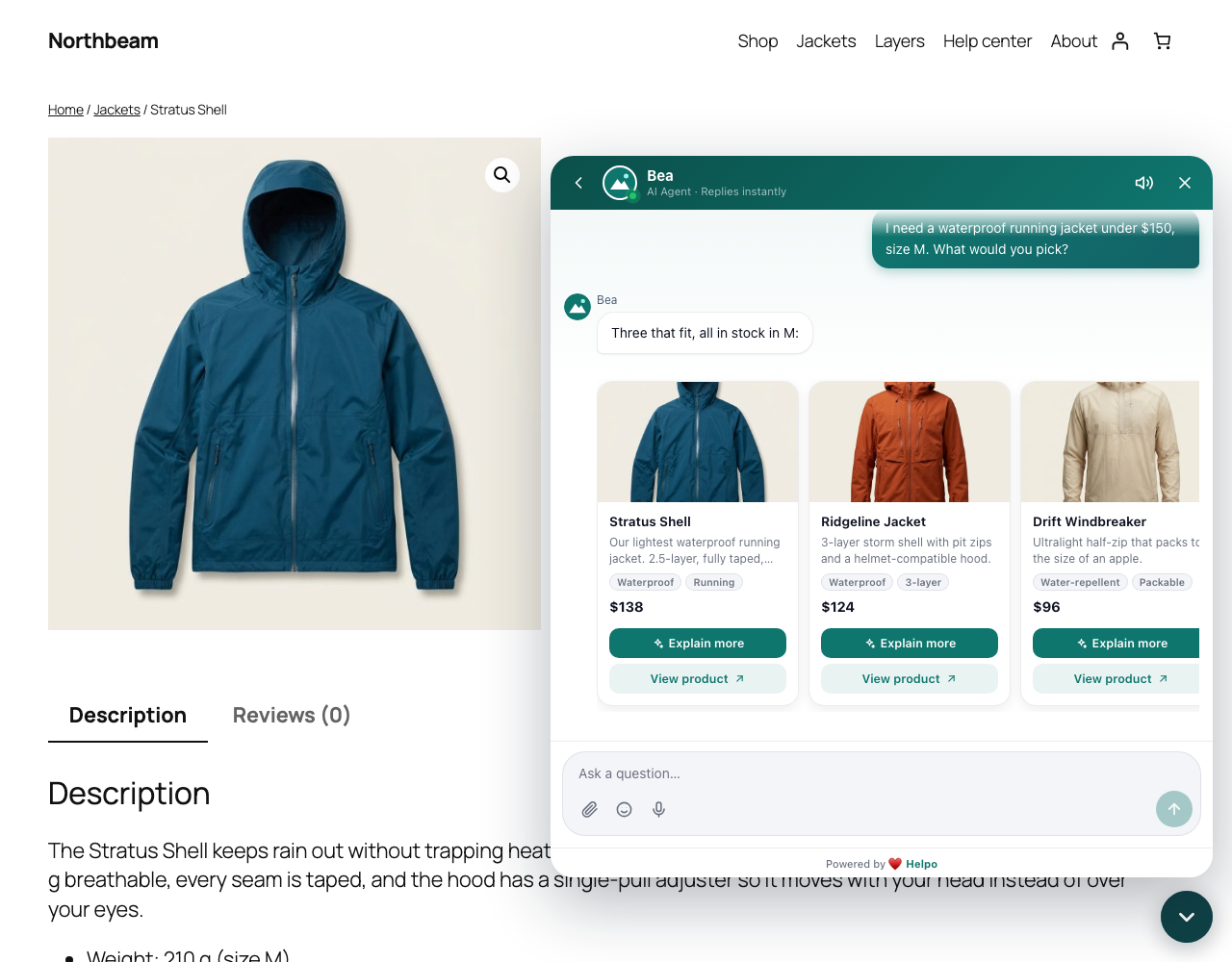
- Product cards in the chat: photo, price, a short description and a link, so a question can turn into a sale.
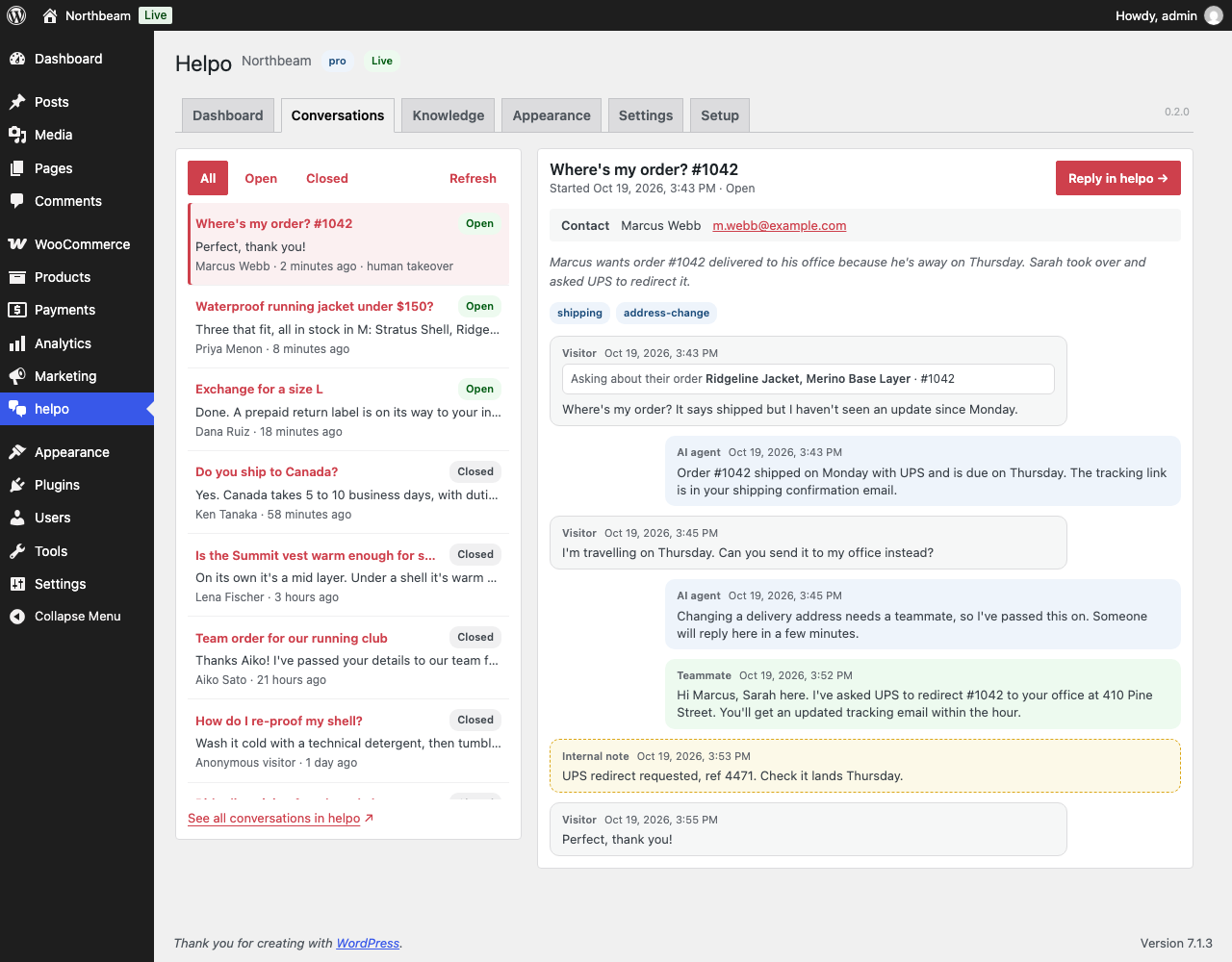
- A person when it matters. Your team sees every conversation and can take over from the helpo inbox at any moment.
- Their own language. The chat’s buttons and labels come in 34 languages and follow each page’s language, so WPML, Polylang and TranslatePress sites work out of the box. The AI replies in the language the shopper writes in.
Built for WooCommerce
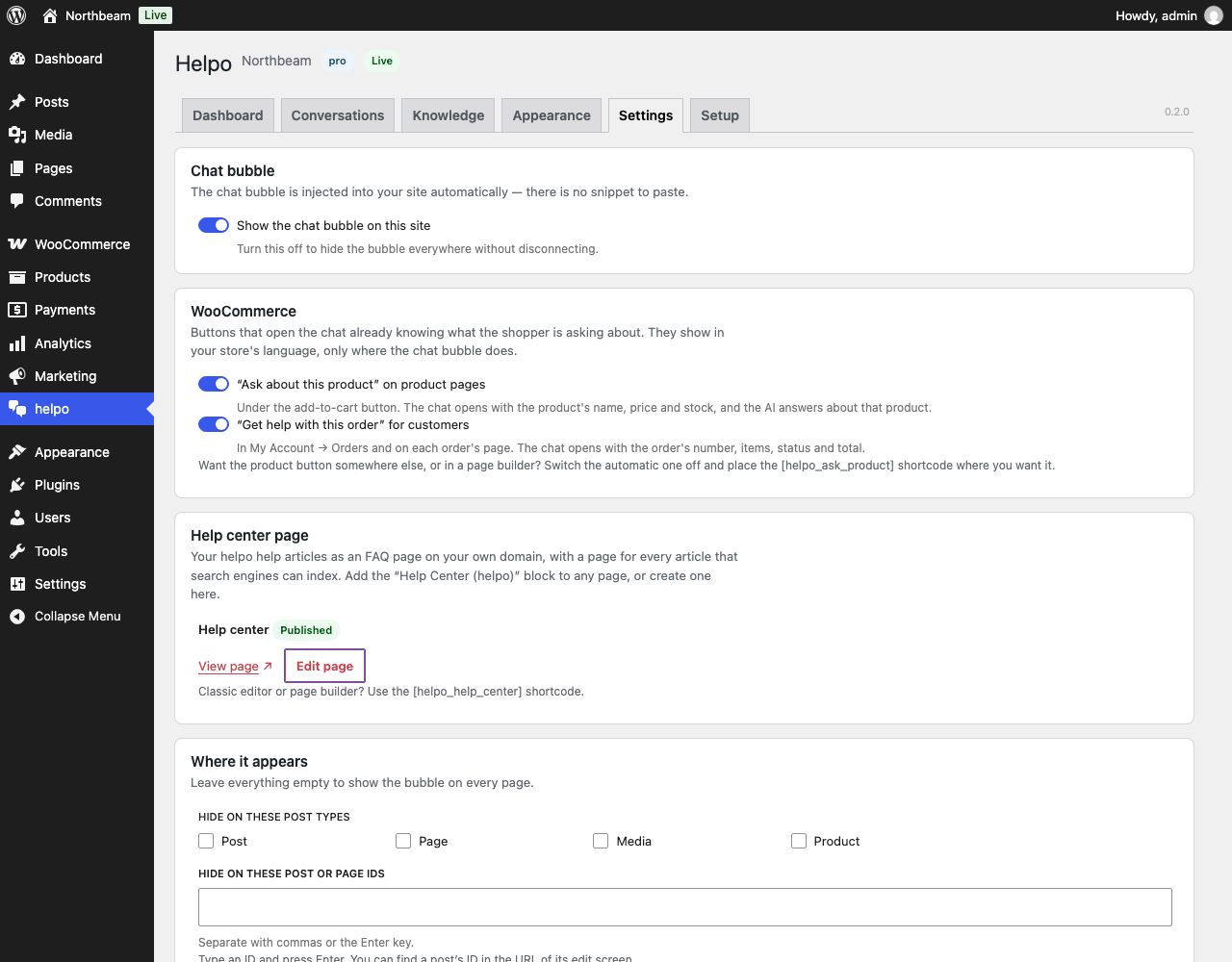
- “Ask about this product” under the add-to-cart button. The chat opens already knowing the product.
- “Get help with this order” in My Account Orders. Your team sees the order next to the question.
- Help center block. Publish your helpo help articles as an FAQ page on your own domain, with a page for every article that search engines can index.
Everything in wp-admin
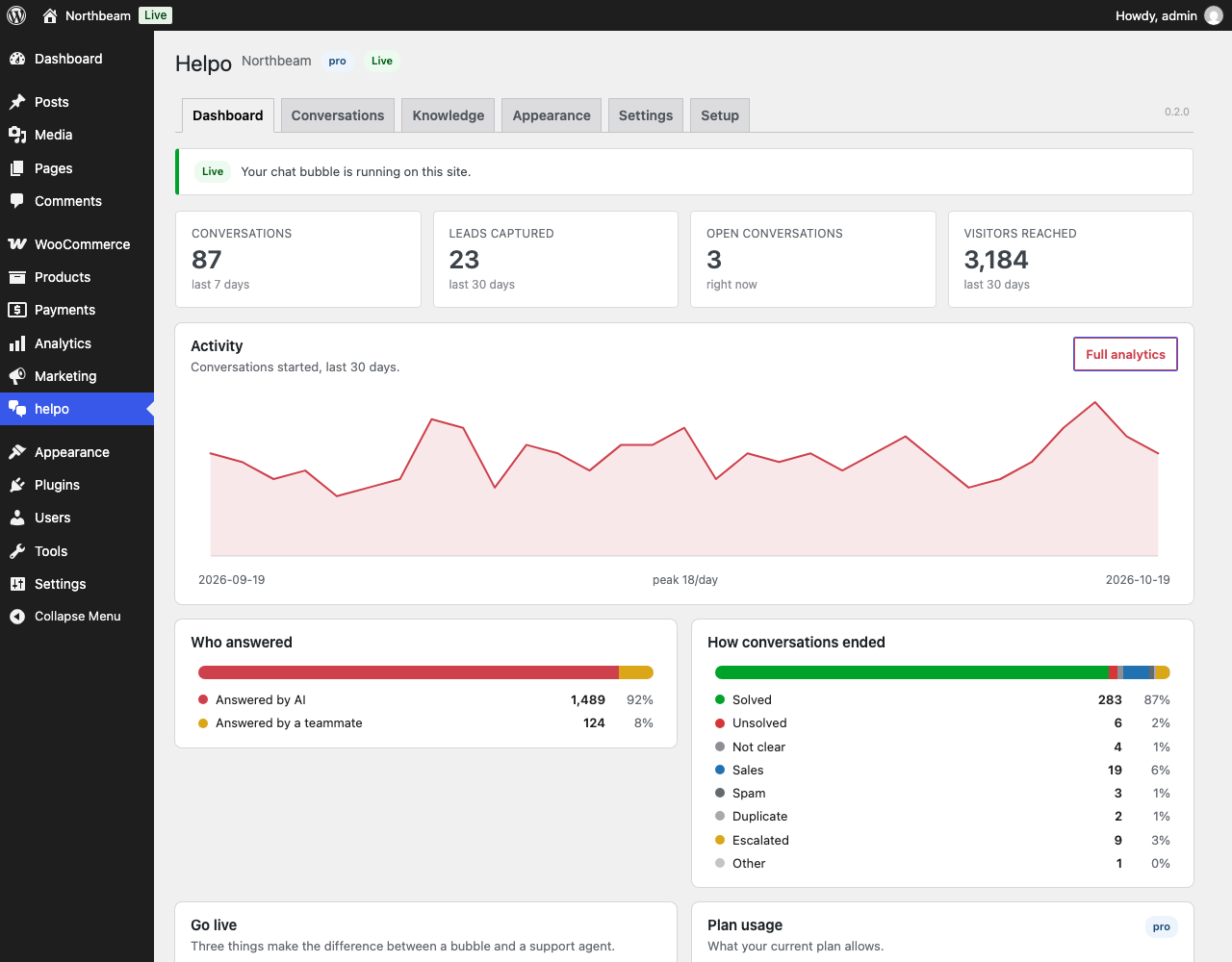
- Dashboard: conversations, leads, visitors, who answered (AI or teammate) and how conversations ended.
- Conversations: every transcript, with the visitor’s details and an AI summary.
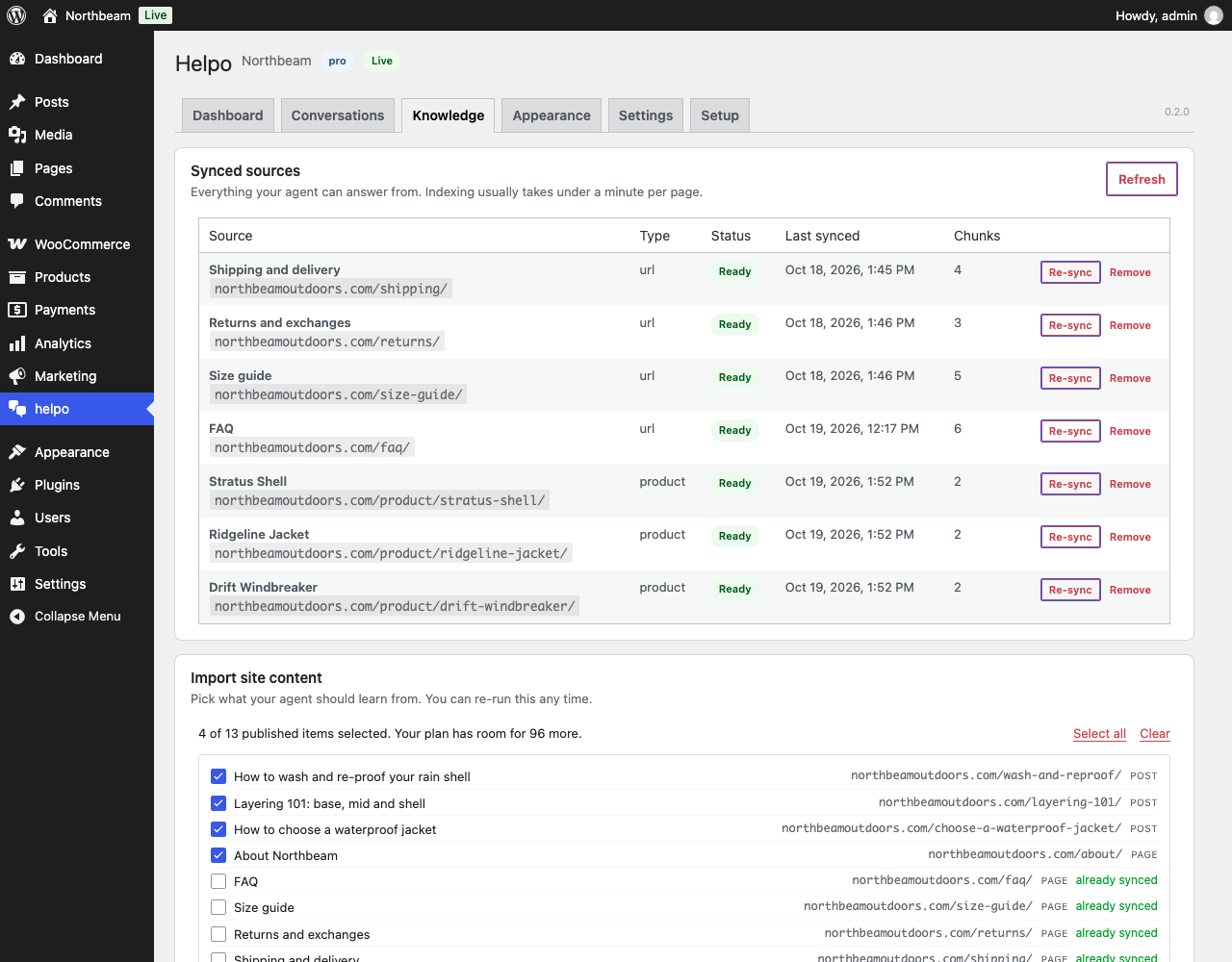
- Knowledge: what your agent has learned, and a picker to import more.
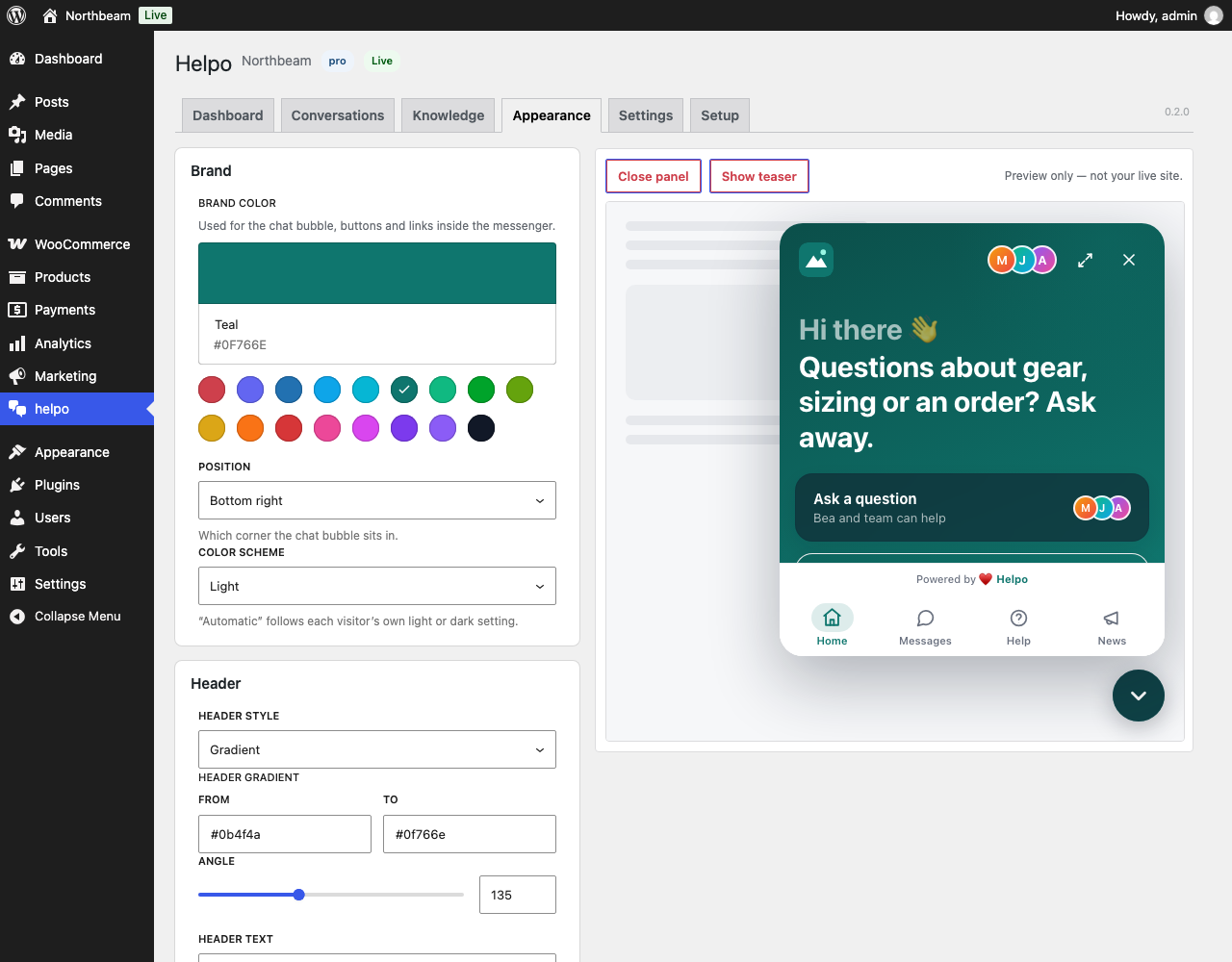
- Appearance: brand color, position, header and launcher, with a live preview.
- Settings: where the bubble shows and who sees it, plus the WooCommerce buttons.
Plans
The plugin is free, and so is helpo’s Free plan. Paid plans add more knowledge-base pages and products, automatic sync and more AI answers per day. A helpo account is required; you create one during setup. See https://helpo.support/pricing.
External services
helpo is a hosted service. The plugin sends nothing until you connect your site.
- helpo API (api.helpo.support), called from your web server: your site URL and name when you connect; the public links of the pages and posts you choose to sync (helpo then reads those public pages); your store URL, and any product IDs you pick, when you import products; an integration token, the plugin version and your site URL on every call. It also downloads your published help articles for the Help Center block. The token stays on your server and never reaches the browser.
- helpo chat widget (chat.helpo.support), loaded in your visitors’ browsers once the widget is enabled: the messages visitors type, any contact details they choose to share, the page’s language, and, when they use “Ask about this product” or “Get help with this order” and then write, what that page shows about the product or order.
- helpo dashboard (app.helpo.support): you sign in there to approve the connection. Your site URL, site name, a one-time security value and the wp-admin return address travel in that redirect.
Terms of service: https://helpo.support/terms. Privacy policy: https://helpo.support/privacy.
Screenshots
Blocks
This plugin provides 1 block.
- Help Center (helpo) Your helpo help articles as an FAQ on this page, each with its own page on your site.
Installation
- Upload the plugin folder to
/wp-content/plugins/, or install it from the Plugins screen. - Activate it through the “Plugins” screen in WordPress.
- Open the helpo menu in wp-admin and click Connect to helpo.
- Sign in (or sign up), pick or create a project, and approve the connection.
- Follow the setup wizard: import your content, style the bubble, and verify the widget is live.
FAQ
-
Do I need a helpo account?
-
Yes. The plugin is the WordPress front-end for a helpo project. Signing up is free and happens during the connect step.
-
Where is my data stored?
-
Conversations, knowledge base content and analytics live in your helpo account. In WordPress, the plugin stores only: your integration token, the connected project’s identifiers, your local settings (targeting rules, sync toggle), a map of post IDs to knowledge sources, and the last 20 sync errors. Uninstalling the plugin deletes all of it.
-
Is the integration token exposed to visitors?
-
No. It is stored in
wp_options, read only in PHP, and never printed, enqueued, or sent to the browser. The admin interface talks to helpo through authenticated WordPress REST routes on your own site. -
What plans exist?
-
A free plan for small sites, plus Pro and Premium tiers with higher knowledge-base and product limits and automatic content sync. On Pro and Premium, an add-on removes the “Powered by helpo” badge. Current details are at https://helpo.support/pricing. If an action exceeds your plan’s limit, the plugin shows an upgrade prompt instead of failing silently.
-
Can I stop the widget from showing on certain pages?
-
Yes. In the plugin’s Settings screen you can exclude specific pages or posts, whole post types, URL patterns (using
*as a wildcard), and hide the widget from logged-in users or chosen roles. -
What happens when I disconnect?
-
The plugin asks helpo to revoke the integration token, deletes the local connection, and stops embedding the widget. Your helpo project and its data stay in your helpo account.
-
Which languages does the chat speak?
-
The chat’s own buttons and labels come in 34 languages: Arabic, Bulgarian, Chinese (Simplified and Traditional), Croatian, Czech, Danish, Dutch, English, Finnish, French, German, Greek, Hebrew, Hindi, Hungarian, Indonesian, Italian, Japanese, Korean, Norwegian, Persian, Polish, Portuguese (Brazil and Portugal), Romanian, Russian, Slovak, Spanish, Swedish, Thai, Turkish, Ukrainian and Vietnamese. By default it follows each page’s language; you can pick “Visitor’s browser language” or one fixed language under Appearance Language. Your greeting and welcome message show as you wrote them, and the AI replies in the shopper’s own language.
-
It uses your theme’s button style. To place it somewhere else, turn it off under Settings WooCommerce and put the
[helpo_ask_product]shortcode where you want it (on a product page it picks up that product; elsewhere passid="123"). Developers can change its markup with thekasp_product_button_htmlfilter and any storefront text withkasp_front_string. -
Does the widget work with caching plugins?
-
Yes. The embed is a single async script tag, so a cached page still loads the widget normally.
-
Where is the source code of the admin screens?
-
The wp-admin screens are a small React app.
build/holds the compiled files WordPress loads, and their source ships inadmin/src/, built with the official@wordpress/scriptstoolchain (npm install && npm run build). The PHP is plain WordPress, with no framework and no Composer dependencies.
Reviews
There are no reviews for this plugin.
Contributors & Developers
“helpo – AI Chatbot & Live Chat for WooCommerce” is open source software. The following people have contributed to this plugin.
Contributors
Translate “helpo – AI Chatbot & Live Chat for WooCommerce” into your language.
Interested in development?
Browse the code, check out the SVN repository, or subscribe to the development log by RSS.
Changelog
0.2.1
- The plugin is now listed as “helpo – AI Chatbot & Live Chat for WooCommerce”. Nothing else changed.
0.2.0
- The chat’s buttons and labels now come in 34 languages, following each page’s language by default (Appearance Language).
- WooCommerce: “Ask about this product” under the add-to-cart button, and “Get help with this order” in My Account. The chat opens knowing the product or order.
- New Help Center block and
[helpo_help_center]shortcode: your helpo help articles as an FAQ page and article pages on your own domain. - The Dashboard screen shows when new leads are waiting past your plan’s lead limit. Their details are kept until you upgrade.
- Importing content no longer ticks WooCommerce’s cart, checkout and account pages, the help center page, or pages already synced, so your plan’s pages go to content the agent can answer from.
- Importing your WooCommerce products again updates the ones already imported instead of adding duplicates.
- Security hardening: URL exclusions also match percent-encoded addresses, values sent to helpo are fully encoded, and turning on auto-sync checks your plan first.
0.1.0
- First release: connect flow, chat widget embed with targeting rules, knowledge base import and auto-sync, WooCommerce catalog import, conversations viewer, analytics, and a WordPress Dashboard summary card.