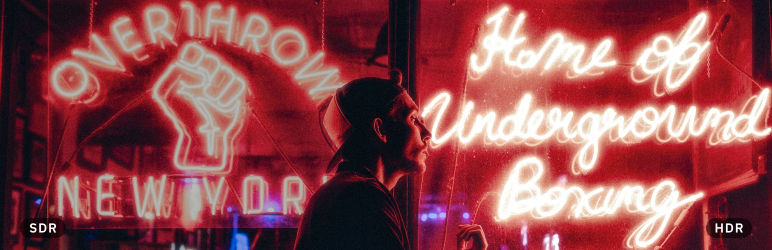

Description
Photos taken on recent iPhones and Android phones are HDR: their highlights are brighter than white on an HDR screen. Upload one to WordPress and that is usually lost. WordPress turns HEIC uploads into a standard JPEG, and the sizes it makes of a gain map JPEG keep the HDR only when you upload from Chrome or Edge.
This plugin sends the photo you uploaded to HDRJPG, which converts it into web-ready files that keep the HDR:
- a gain map JPEG, at each width you choose, shown in HDR by Chrome, Edge and Safari 26, and as a normal photo everywhere else;
- an AVIF, smaller, for the browsers that show HDR AVIF;
- a short, silent HDR MP4, for Firefox and Safari on a Mac, which play HDR video but show no HDR image.
Wherever the photo appears in your posts and pages, in an Image block, in a gallery, as a featured image or inline, the plugin serves these files with the HDRJPG markup. Each visitor’s browser gets the version it shows in HDR. On a screen without HDR, visitors see a normal photo.
How to use it
- Create an account at hdrjpg.com and copy your API key.
- In WordPress, go to Settings > HDRJPG and paste the key.
- Open an HDR photo in the Media Library and press Convert to HDR. To convert several, select them in the list view and choose Convert to HDR from the bulk actions. You can also have new HDR uploads converted automatically.
A conversion takes a minute or two. The photo keeps its normal version on your site until it is done.
What it costs
Each photo converted counts as one conversion, whatever the number of sizes and formats. The free plan includes 300 conversions a month, and the photos carry an HDRJPG watermark. The paid plan has no watermark and no cap. See hdrjpg.com/pricing.
External service
This plugin uses the HDRJPG API, a service run by Tin.cat, to convert photos. When you convert a photo, the original file you uploaded is sent to https://api.hdrjpg.com together with your API key, and the converted files are downloaded back into your uploads folder. Nothing is sent until you add an API key and convert a photo, or turn on automatic conversion. Visitors to your site load the converted files from your own server; they never contact HDRJPG.
FAQ
-
Which photos can it convert?
-
iPhone and iPad HEIC photos, Android Ultra HDR JPGs and other JPGs with a gain map (from Lightroom, Photoshop or Camera Raw, for example), and EXR files. A photo that carries no HDR fails to convert and does not count against your conversions.
-
Why does Firefox get a video?
-
Firefox shows no image format in HDR, but it plays HDR video on macOS and Windows. Safari on a Mac shows HDR images only from macOS 26, and the browser does not tell which macOS it runs on, so it gets the video too. The video is muted, plays inline and looks like the photo.
-
Where are the converted files?
-
In wp-content/uploads/hdrjpg/, in a folder per photo. They are deleted when you delete the photo from the Media Library.
-
Does it change my original photo?
-
No. The upload and the sizes WordPress made of it stay as they are, and the plugin stops serving the HDR files as soon as you deactivate it.
Reviews
There are no reviews for this plugin.
Contributors & Developers
“HDRJPG – HDR photos” is open source software. The following people have contributed to this plugin.
Contributors
Translate “HDRJPG – HDR photos” into your language.
Interested in development?
Browse the code, check out the SVN repository, or subscribe to the development log by RSS.
Changelog
1.0.0
- First release.