

Description
Anchor links are useful. The sudden jump or fast visible scroll that follows often is not.
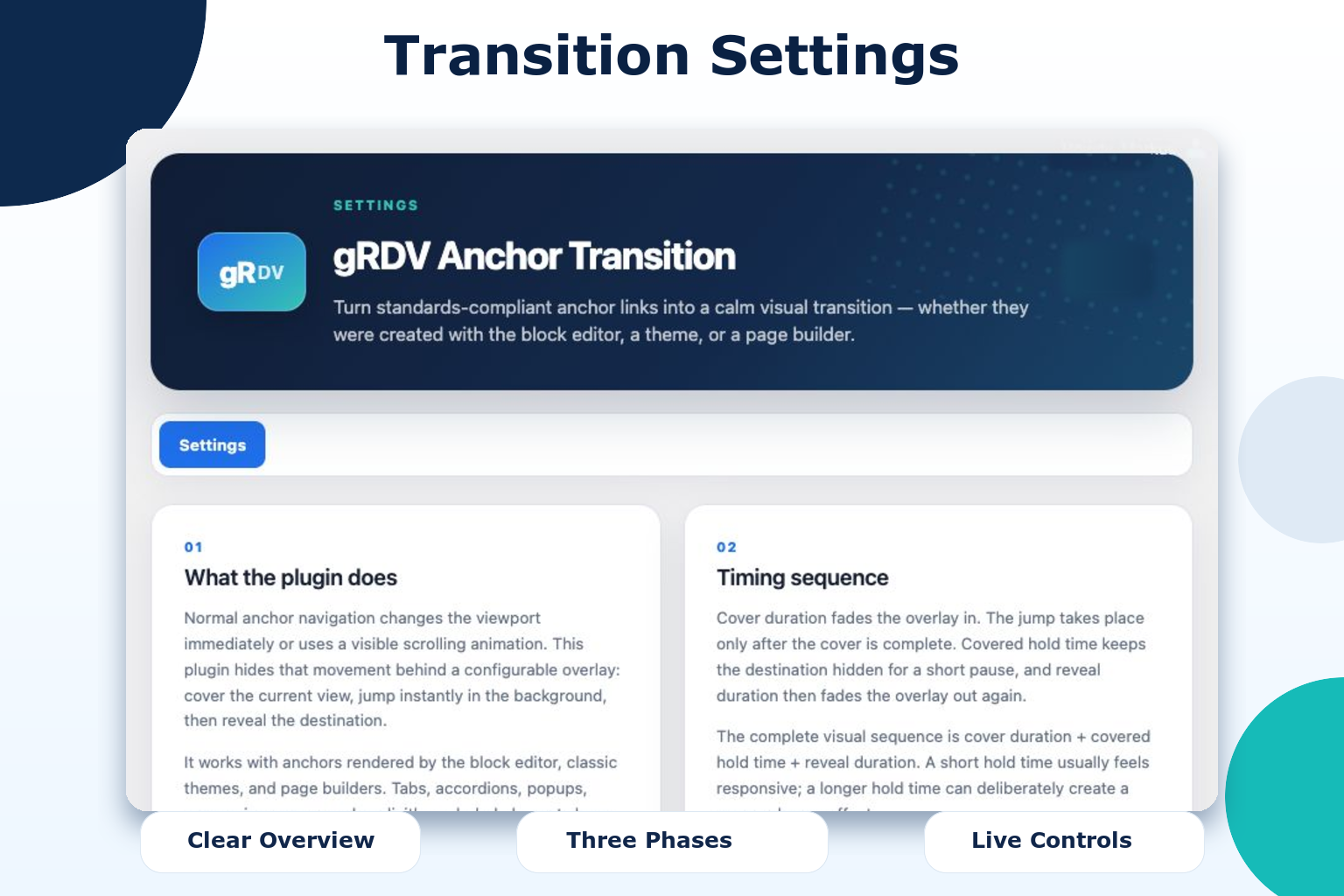
Turn standards-compliant anchor links into a calm visual transition — whether they were created with the block editor, a theme, or a page builder.
Whether the browser jumps instantly or a theme races visibly through the page, gRDV Anchor Transition hides that distracting movement behind a configurable visual transition. The current view is covered, the browser moves instantly to the destination in the background, and the new section is revealed. Visitors arrive where they expected without watching the whole page rush past.
It works for links on the same page, links to anchors on another internal page, and back-to-top controls. No cloud account, external service, or page-builder-specific widget is required.
Why use gRDV Anchor Transition?
- Replace abrupt anchor jumps and fast scroll-to-anchor animations with a calmer, intentional transition.
- Keep long landing pages, one-page websites, tables of contents, and feature navigation visually coherent.
- Use the same effect for same-page anchors and destinations on other internal pages.
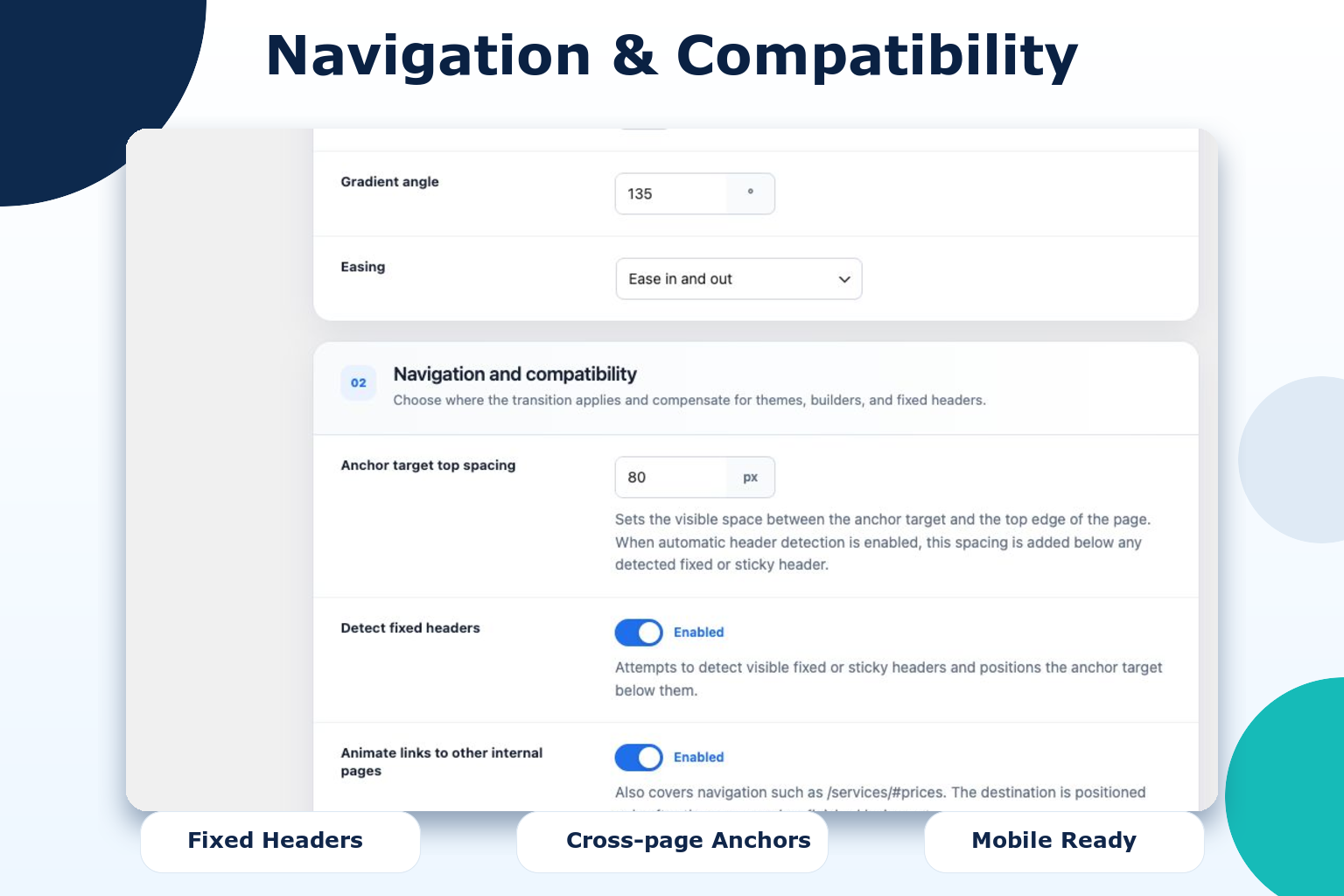
- Apply an optional offset so sticky or fixed headers do not cover the destination.
- Reuse a recognized theme or builder back-to-top control.
- Create and style a fallback back-to-top button when the site does not provide one.
- Find common anchor mistakes directly on the rendered page before visitors discover them.
A transition that fits the website
Configure the effect under Settings > Anchor Transition. Adjust:
- Cover, hold, and reveal duration.
- Maximum overlay opacity.
- Solid color or linear-gradient background.
- Easing and mobile behavior.
- Automatic fixed-header detection and adjustable spacing between the anchor target and the top edge of the page.
- Same-page, cross-page, and back-to-top behavior.
The transition has three clear phases:
- Cover: the overlay fades in and hides the current view.
- Move: the browser positions the destination instantly while the page is covered. An optional hold time can add a deliberate pause.
- Reveal: the overlay fades out and presents the destination.
Start with the supplied defaults, then adjust cover and reveal duration together. A short hold time feels responsive; a longer one creates a more noticeable scene change.
Your own back-to-top button, when needed
WordPress itself does not add a universal floating back-to-top control, while some themes and builders provide one. The plugin first looks for a recognized existing control and routes it through the configured transition.
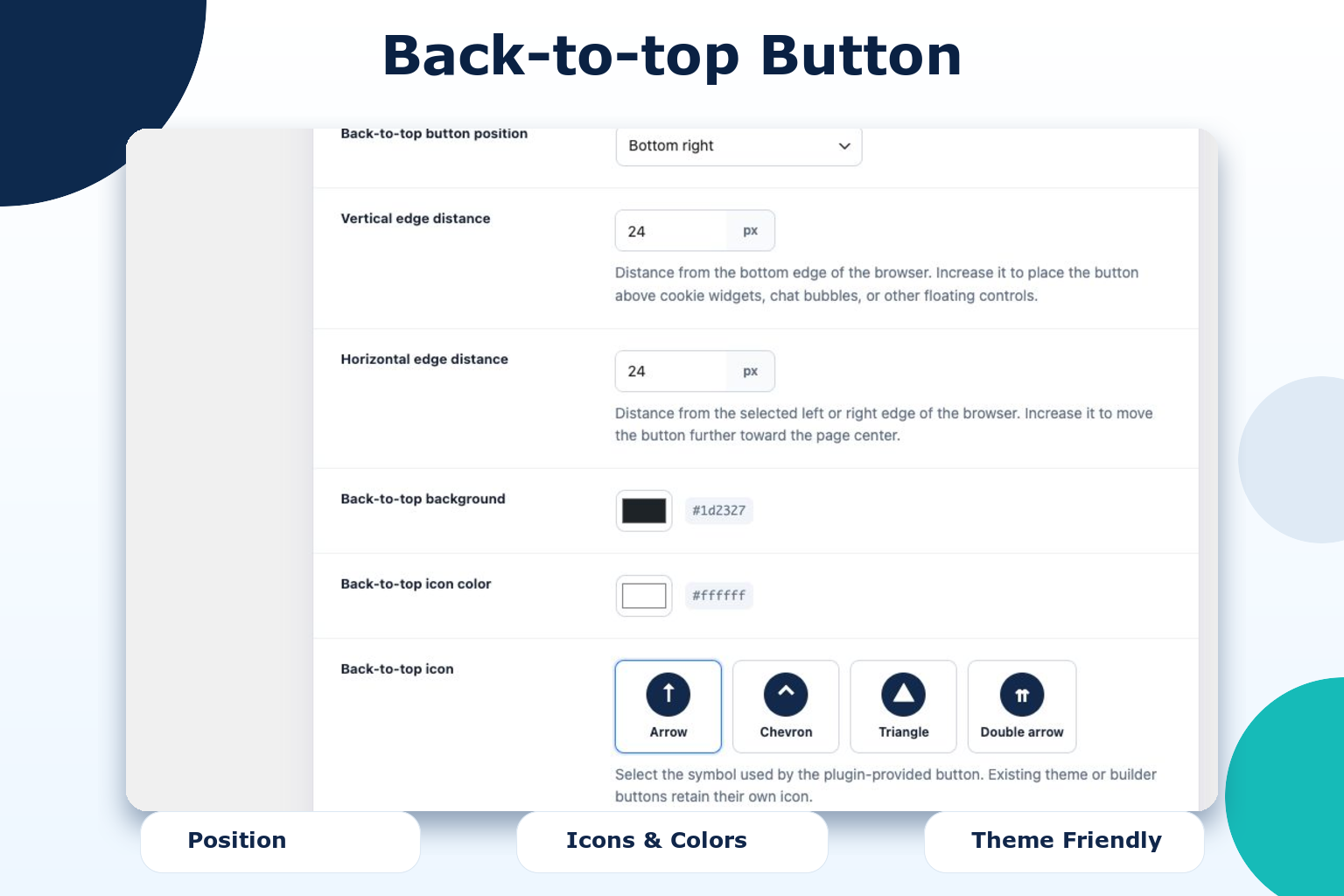
If none is present, an optional fallback button can be created with its own:
- Left or right placement.
- Horizontal and vertical edge distance in pixels.
- Background and icon color.
- Arrow, chevron, triangle, or double-arrow icon.
- Round, rounded, or square shape.
- Scroll distance at which the button becomes visible.
Pixel offsets help keep the button clear of cookie controls, chat bubbles, and other floating widgets. Styling options affect only the plugin-provided fallback button; existing theme and builder controls retain their own design.
Catch broken anchors before visitors do
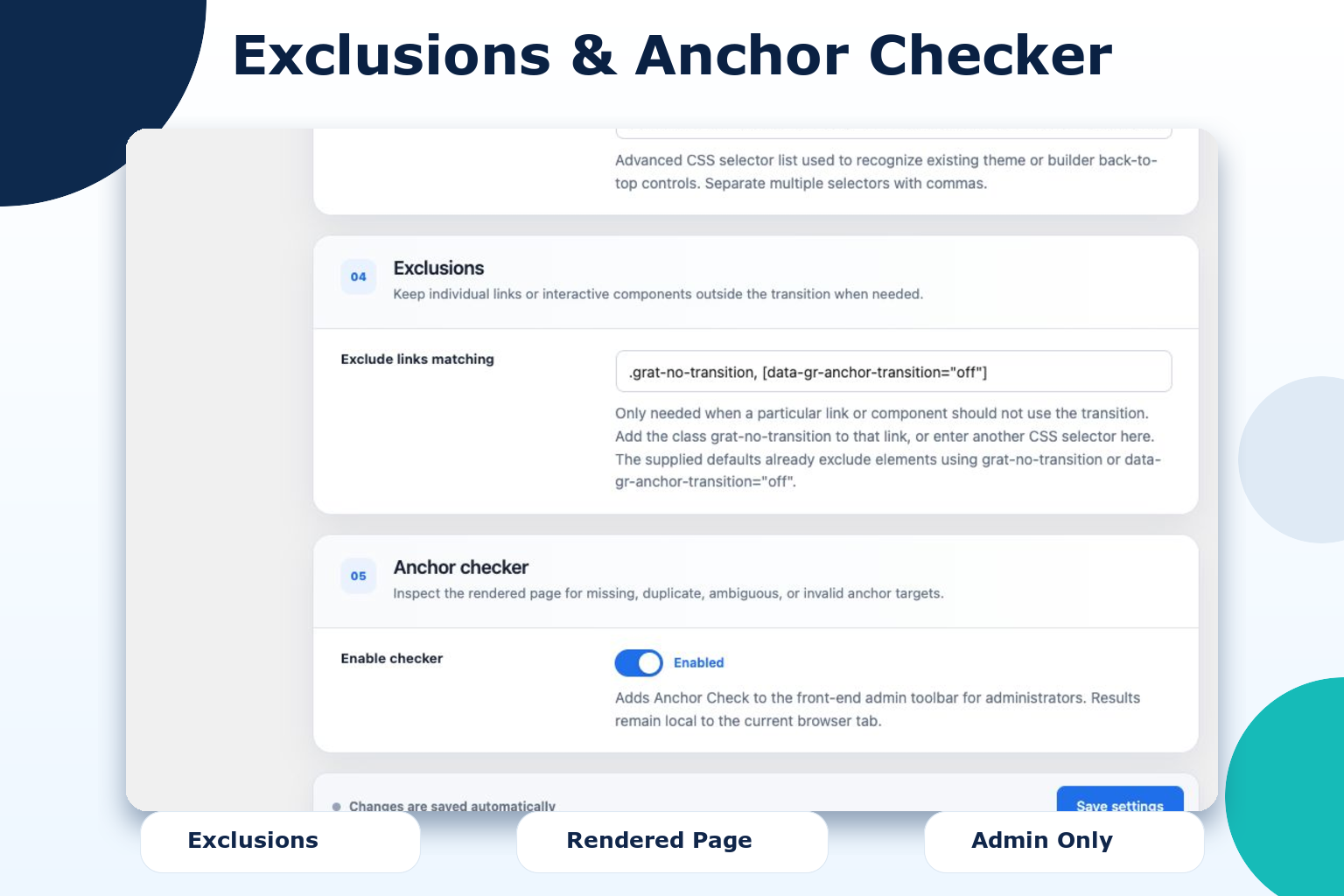
Administrators receive an Anchor Check entry in the front-end toolbar. It examines the page as it is actually rendered by WordPress, the active theme, and the page builder. The checker reports:
- Links whose target ID is missing on the current page.
- Duplicate IDs in the rendered page.
- IDs that differ only by letter case.
- Empty ID attributes.
- Empty hash links.
- Invalid encoded anchor links.
Affected elements can be highlighted directly on the page. The check does not edit content, crawl the whole website, or save a report.
Built for rendered HTML, not one specific builder
The plugin works with standard HTML anchor links and IDs. This makes it suitable for the block editor and block themes, classic themes, and builders such as Divi, Elementor, Bricks, Breakdance, Beaver Builder, Oxygen, and WPBakery.
Common tabs, accordions, popups, responsive navigation controls, and builder editing modes keep their original behavior. Individual links or components can also be excluded with the grat-no-transition class, the data-gr-anchor-transition="off" attribute, or a custom CSS selector.
Local by design
The plugin does not collect, transmit, or permanently store visitor data. It does not use cookies, analytics, external APIs, CDNs, or remote assets.
For a link to an anchor on another internal page, it temporarily places only the destination path, query, anchor, and timestamp in the browser’s session storage. The entry is removed when the destination reads it and expires after ten seconds. Checker results remain in the current administrator’s browser tab and disappear when the panel or page is closed.
Accessibility
The plugin respects the visitor’s prefers-reduced-motion setting and skips the visual transition when reduced motion is requested. After anchor navigation, keyboard focus is moved to the destination. The fallback back-to-top button includes an accessible label and keyboard focus style. The plugin does not claim to certify accessibility compliance.
Screenshots
Installation
- Upload the plugin folder to
/wp-content/plugins/or install it through the WordPress plugin screen. - Activate gRDV Anchor Transition.
- Open Settings > Anchor Transition and begin with the supplied defaults.
- While logged in as an administrator, open a front-end page and select Anchor Check in the toolbar.
The settings page explains the timing phases and compatibility options. All settings can be restored with the protected reset action at the bottom of the page.
FAQ
-
Does this require a page builder?
-
No. It works with normal HTML anchor links and targets in the rendered page.
-
What kinds of anchor links are supported?
-
The plugin handles links to a target on the current page, links to an anchor on another internal page, and recognized back-to-top controls. External websites are not intercepted.
-
No. It covers anchor navigation and positions the destination instantly in the background instead of adding another visible smooth-scroll effect. Normal mouse-wheel, touch, and keyboard scrolling remains unchanged.
-
The plugin recognizes common controls from Divi and other themes and plugins. Additional CSS selectors can be entered in the settings. An optional fallback button is shown only when no recognized control exists and can be styled independently with its own icon, shape, colors, side, and pixel offsets.
-
No. Existing controls retain their original appearance. Icon, shape, color, and pixel-offset settings apply only to the fallback button created by the plugin.
-
Can I exclude a specific link or component?
-
Yes. Add the
grat-no-transitionclass or thedata-gr-anchor-transition="off"attribute to a link or one of its parent elements. The supplied exclusion setting already recognizes both. Additional CSS selectors can be entered for custom components. -
Does it interfere with tabs or accordions?
-
The plugin avoids common tab, accordion, popup, responsive menu, and builder control patterns. Components with unusual markup can be added to the exclusion selector.
-
Does the checker crawl the whole website?
-
No. It checks the currently rendered page. This keeps the check fast, local, compatible with dynamic builder output, and free of stored scan data. Anchors on another page are checked when that page is opened.
-
Does the plugin store personal data?
-
No. It does not store or transmit personal data and does not use cookies. A short-lived session-storage entry containing only the requested internal destination is used to prevent the browser’s native scroll during cross-page anchor transitions.
Reviews
There are no reviews for this plugin.
Contributors & Developers
“gRDV Anchor Transition” is open source software. The following people have contributed to this plugin.
Contributors
“gRDV Anchor Transition” has been translated into 1 locale. Thank you to the translators for their contributions.
Translate “gRDV Anchor Transition” into your language.
Interested in development?
Browse the code, check out the SVN repository, or subscribe to the development log by RSS.
Changelog
0.4.6
- Added an extensible tab bar to the single gRDV Anchor Transition settings page so companion modules can integrate their settings without creating extra WordPress menu entries.
- Unified the plugin license declaration as GPLv3 or later.
- Replaced development-only concept artwork with the final WordPress directory icon assets.
Earlier release notes are available in changelog.txt.