
Description
Gralus is an SEO service at gralus.com. It checks your Google rankings, Search Console data and how AI assistants answer questions about your business, then suggests work: new articles, landing pages, better titles and descriptions, image alt text, internal links and other fixes.
This plugin is the link between Gralus and your WordPress site. You review each suggestion in Gralus, and only the ones you approve reach your site.
What the plugin does after you approve something in Gralus
- Creates articles and landing pages as drafts, and publishes them when you approve.
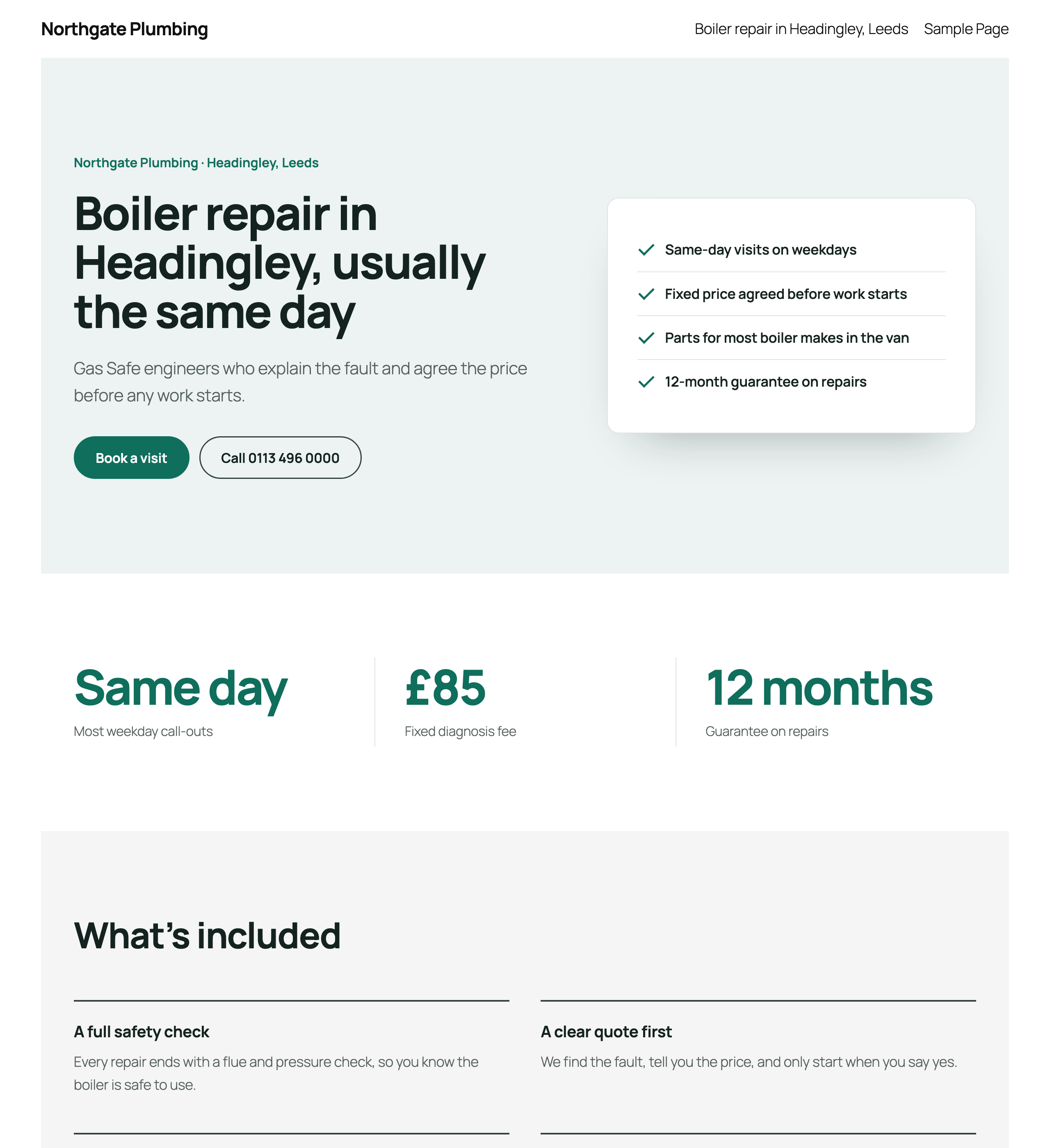
- Landing pages use your theme’s colours, fonts and corners, with a full-width layout between your theme’s header and footer.
- Sets SEO titles and meta descriptions. If Yoast SEO or Rank Math is active, it writes into their fields; otherwise it adds the tags itself.
- Adds alt text to images in your Media Library.
- Adds links between your own posts and pages where a phrase matches another page. It never touches headings, buttons or existing links, and every change can be undone from Gralus.
- With Yoast SEO: sets the focus keyphrase, SEO title and meta description, and edits paragraphs and headings so each page passes Yoast’s checks. It never touches images, buttons or embeds, and sets Yoast’s scores so the dots in your page list update.
- With Rank Math: sets the focus keyword, SEO title and meta description, and edits paragraphs and headings so each page passes more of Rank Math’s tests. It never touches images, buttons or embeds, and sets Rank Math’s SEO score so your page list shows it.
- Fixes links to pages that are gone: points them at the right page, or removes the link and keeps the words. It can also redirect a missing address on your site to its new page (only when WordPress finds nothing at that address). Every change can be undone from Gralus.
- Adds LocalBusiness structured data, an llms.txt file, and robots.txt rules that let AI crawlers read your site.
- Publishes articles under the existing user you choose in Gralus, and fills in that user’s bio, website, job title, LinkedIn and photo as you approve, so each article has a real, described author. It never creates or deletes users.
- Speeds up pages, with each change switched on separately: WebP copies of Media Library images shown in place of JPEG and PNG files (originals are never changed), the first large image loaded first, browser cache times for images, fonts, CSS and JavaScript in .htaccess (Apache and LiteSpeed), text shown while web fonts load, a width and height for images that have none, trackers and chat widgets loaded on the visitor’s first scroll or tap, form and slider plugin files left out of pages that don’t use them, unused block editor CSS left out, and the emoji and embed scripts turned off. Gralus tests each script and style change in a browser before offering it. Changes another plugin already makes are left to it. Undo switches them off and deletes the WebP copies.
What it never does
- It never deletes posts, pages or images.
- It never publishes anything you have not approved.
- It does not add anything to your site’s front end until you approve a change.
You need a Gralus account. Gralus is a paid service with a 14-day free trial. The plugin does nothing until it is connected to an account.
External services
This plugin connects your site to Gralus (https://gralus.com), the service it was made for. Without it, the plugin has no function.
When you connect the site (with a connection code, or by approving Gralus on WordPress’s “Authorize application” screen), the plugin sends Gralus the one-time code, your site address, your home page address and the plugin version.
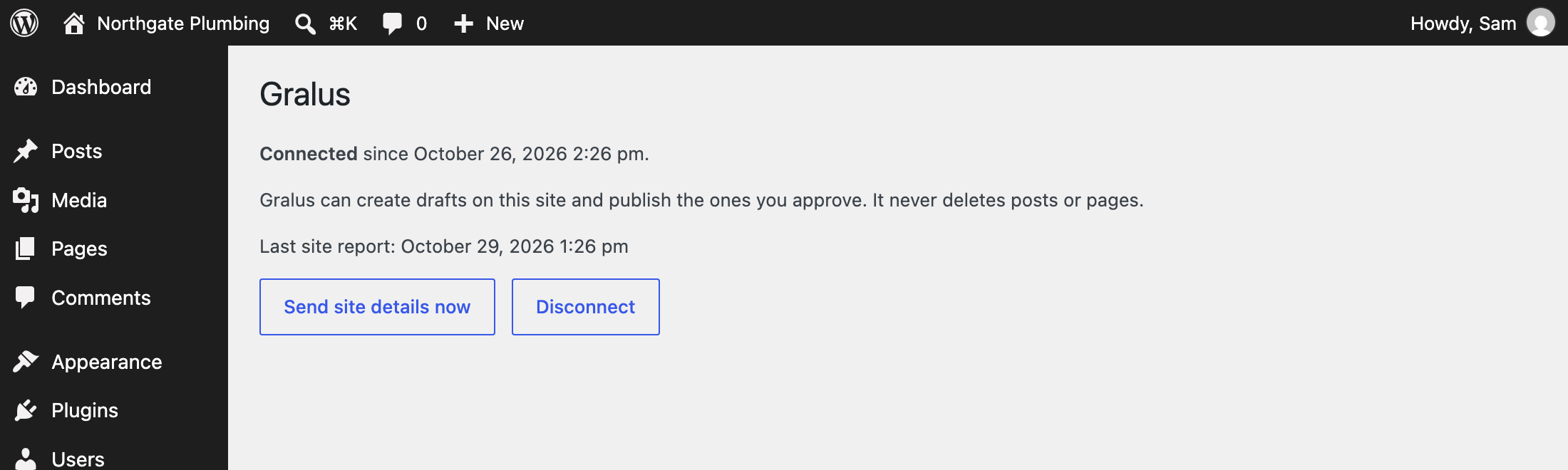
Once a day, and when you click “Send site details now”, the plugin sends Gralus: your site, home and admin addresses; the WordPress, PHP and plugin versions; the theme name; which SEO plugin is active (Yoast SEO or Rank Math); how many posts and pages are published; your category names; and the colour and font names set in your theme.
When Gralus asks for it, Gralus sends signed requests to this plugin’s REST routes. Each request is checked with a secret key that only your site and Gralus know. Through these routes Gralus:
- creates, updates and publishes the drafts you approve, and sets their SEO title and description;
- reads the address, title and SEO fields of a page to suggest changes to it;
- lists Media Library images that have no alt text, and saves the alt text you approve;
- finds and adds or removes the internal links you approve;
- reads each published page’s content and Yoast SEO fields (focus keyphrase, SEO title, meta description, scores) to check it with Yoast’s analysis, and writes the Yoast fixes you approve;
- reads each published page’s content and Rank Math fields (focus keywords, SEO title, meta description, score) and Rank Math’s power words and link settings to check it the way Rank Math does, and writes the Rank Math fixes you approve;
- reads which page speed changes are on, the web server type, whether .htaccess can be written, which speed and image plugins are active and how many images have WebP copies; switches the changes you approve on or off; and makes or deletes the WebP copies in batches;
- finds the broken links its site check reported in your posts and pages, and changes them or adds redirects as you approve;
- lists the users who can write posts (name, role, bio, website, job title, LinkedIn, photo and number of posts; never email addresses or user names), and updates the profile of the user you choose as the author of new articles;
- runs a security check you start in Gralus. It returns the WordPress version, whether core files match WordPress.org’s checksums, the user name, email address and registration date of each administrator (so you can spot accounts you did not create), must-use plugins, PHP files in the uploads folder, and redirects in .htaccess or the Redirection plugin that send visitors to other sites.
Nothing is sent to anyone other than Gralus. Gralus’s terms of service: https://gralus.com/terms. Gralus’s privacy policy: https://gralus.com/privacy.
The security check also uses WordPress’s own core checksum service on WordPress.org (the same one WordPress uses for updates).
Screenshots
Installation
- In WordPress go to Plugins Add New, search for “Gralus”, then click Install Now and Activate.
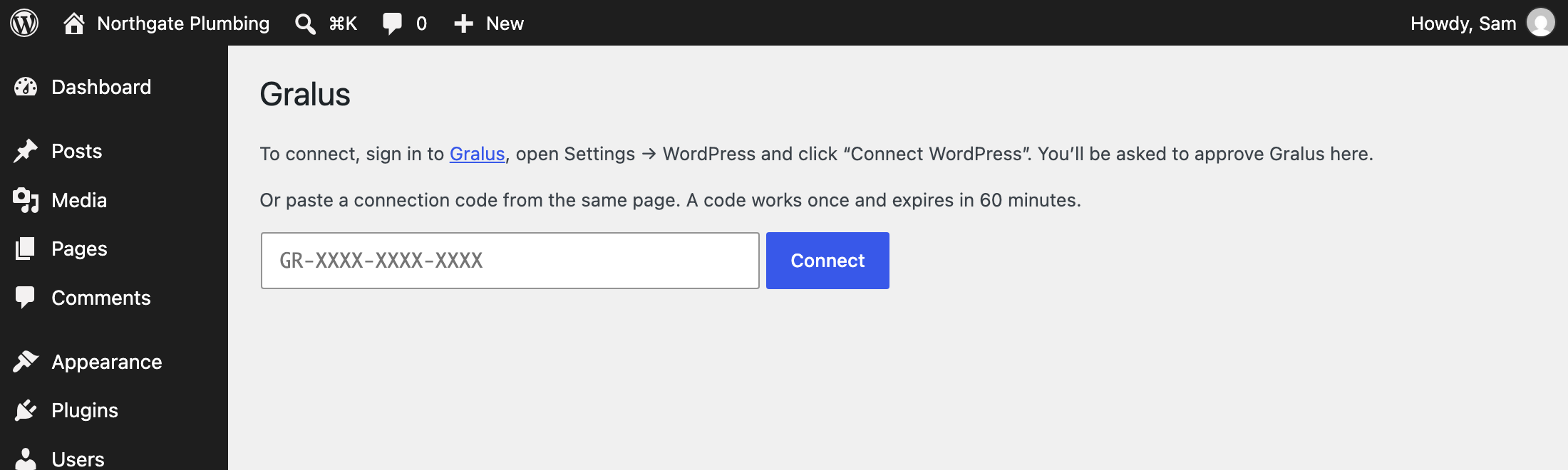
- Sign in to Gralus, open Settings WordPress and click “Connect WordPress”. Log in to your own WordPress when asked and click Approve. Gralus uses the app password WordPress creates for this once, to connect, and deletes it straight after.
- If your site has app passwords turned off, use the connection code instead: create a code in Gralus, then paste it on Settings Gralus in WordPress and click Connect.
FAQ
-
Do I need a Gralus account?
-
Yes. The plugin only works with Gralus. You can try Gralus free for 14 days.
-
Will anything be published without my approval?
-
No. Gralus creates drafts and changes only what you approve in Gralus. Drafts stay drafts until you approve them for publishing.
-
Does it work with Yoast SEO or Rank Math?
-
Yes. When one of them is active, SEO titles and descriptions are written into its fields, so you keep seeing them where you are used to. Gralus can also check every page with Yoast’s or Rank Math’s own analysis and fix what it reports, after you approve each fix.
-
What happens if I disconnect or delete the plugin?
-
Disconnecting stops Gralus from reaching your site; nothing on the site changes. Deleting the plugin also removes its settings and stops the fixes it adds (structured data, llms.txt and robots.txt rules). Posts, pages, links and alt text you approved stay on your site.
-
Does Gralus get my WordPress password?
-
No. With “Connect WordPress” you log in on your own site. WordPress gives Gralus a separate app password, which Gralus uses once to connect and then deletes. After that, Gralus and your site talk using a secret key that only they know.
Reviews
There are no reviews for this plugin.
Contributors & Developers
“Gralus” is open source software. The following people have contributed to this plugin.
Contributors
Translate “Gralus” into your language.
Interested in development?
Browse the code, check out the SVN repository, or subscribe to the development log by RSS.
Changelog
0.18.0
- Article author: Gralus can list the site’s users who can write posts (name, role, bio, photo; never emails or logins), and new articles are published under the user chosen in Gralus instead of the first administrator.
- The chosen author’s profile can be filled in from Gralus: bio, website, job title, LinkedIn and a photo from the Media Library, shown wherever WordPress shows their avatar. Users are never created or deleted.
- On posts by that author, when neither Yoast SEO nor Rank Math is active, Article markup names the author as a Person (job title, bio, photo, website, LinkedIn).
0.17.0
- Page speed, scripts and styles: after approval in Gralus, the plugin can load trackers and chat widgets (Google Analytics and Tag Manager, Meta Pixel, Hotjar, Clarity, Tawk, Crisp, Intercom, LiveChat, Tidio, HubSpot, LinkedIn, TikTok, Bing) on the visitor’s first scroll, tap or key press or after 5 seconds; leave the files of form, slider and Elementor add-on plugins out of pages that don’t use them; leave the block editor’s CSS out of pages with no block-editor content; and turn off the emoji and embed scripts. All are made to the page’s HTML on its way out; no theme or plugin file is changed. Parts another plugin already does (WP Rocket, Perfmatters, LiteSpeed Cache, Flying Scripts, FlyingPress, Asset CleanUp) are left to it.
- Preview links (/speed/preview): a page with chosen parts on for that request only, never cached and marked noindex, so Gralus can test each change in a browser before offering it.
0.16.0
- Page speed: after approval in Gralus, the plugin can make WebP copies of Media Library images (at most 1920 px wide, only when smaller than the original) and serve them in place of JPEG and PNG files; stop lazy-loading the first large picture on a page and fetch it first; set long browser cache times for images, fonts, CSS and JavaScript in .htaccess (Apache and LiteSpeed); show text while web fonts load; and add width and height to images that have none. Each part can be switched on or off on its own, and parts another plugin already does are left to it. Originals are never changed. Undo switches the parts off, removes the cache rules and deletes the WebP copies; deactivating the plugin removes the cache rules, and deleting it removes everything.
0.15.0
- Rank Math: lists each published page with its Rank Math fields (focus keywords, SEO title, meta description) and the settings Rank Math’s analyzer uses, so Gralus can check it the way Rank Math does. After approval it writes the fixes: a focus keyword, SEO title and description, and edited paragraphs and headings, and sets Rank Math’s SEO score so the page list shows it. Pages edited since Gralus read them are not overwritten. Undo puts back the previous keywords, title, description, text and score.
0.14.0
- Yoast SEO: lists each published page with its Yoast fields (focus keyphrase, SEO title, meta description) so Gralus can check it with Yoast’s own analysis, and after approval writes the fixes: a focus keyphrase, SEO title and description, and edited paragraphs and headings. It also sets Yoast’s SEO and readability scores, so the dots in the page list update. Pages edited since Gralus read them are not overwritten. Undo puts back the previous keyphrase, title, description, text and scores.
0.13.0
- Broken links: after approval, links to pages that are gone are pointed at the right page, or removed with their words kept. A missing address on this site can also be sent to its new page with a 301 redirect, so links from menus and other websites work too. Redirects only apply when WordPress finds nothing at the address. Undo puts back exactly what was there.
0.12.3
- No PHP notice on PHP 8.1+ when Gralus reads site details (requests without a body).
- llms.txt text is stripped of HTML tags when saved and sent with a nosniff header.
- Deleting the plugin also removes the SEO titles, descriptions and FAQ data it stored itself, and its markers on posts and images.
- The security scan reads files without hiding errors.
0.12.2
- FAQ and LocalBusiness structured data are printed with WordPress’s own script-tag function, and text inside them can no longer close the tag early.
- Landing pages load their stylesheet as a normal file, so caching plugins can combine and cache it.
- The “Disconnect” confirmation on Settings Gralus uses an enqueued script.
0.12.1
- Landing pages start right below the header in block themes such as Twenty Twenty-Five (the theme’s own top spacing was pushing them down).
- Settings Gralus explains how to connect with one click from Gralus.
- The Media Library alt-text list builds its database query with prepare().
0.12.0
- One-click connect: Gralus can connect the plugin after you approve it on WordPress’s own “Authorize application” screen, with no code to copy. Only an administrator can do this.
0.11.1
- Internal links also find phrases written with hyphens or non-breaking spaces (“white-label” for “white label”).
0.11.0
- Internal links: finds where a phrase in your posts and pages should link to another page of yours, and after approval adds the link (text only; never in headings, buttons or existing links; at most one link per page to each target). Undo removes exactly the links Gralus added.
- Infographics Gralus makes for articles are added to the Media Library with their alt text.
0.10.1
- Landing pages keep their columns in classic themes (WordPress wraps each block group in an extra box there), and the first section clears a fixed theme header the way the theme’s own pages do.
0.10.0
- Landing pages use the site’s own colours, fonts and corners, and fill the full width between the theme’s header and footer (classic themes get a full-width template without the theme’s page title; block themes hide the title).
- Lists Media Library photos with alt text so Gralus can use the site’s own pictures on landing pages.
0.9.0
- Media Library alt text: lists images that have no alt text so Gralus can describe them, and saves the descriptions you approve on the images themselves, so every page that shows an image gets it. Alt text someone already wrote is never replaced; Undo takes off what was added.
- Images inside posts that were inserted without alt text show the new description too.
0.8.0
- Deep security scan: theme, plugin and must-use plugin files for backdoors and disguised code, the database for injected scripts and hidden spam, a changed site address, and redirects to other websites in .htaccess and the Redirection plugin. Read-only.
0.7.0
- Security report for Gralus: administrators, WordPress core files compared with the official copies, must-use plugins and PHP files in uploads. Read-only; nothing is changed.
0.6.0
- Adds alt text you approve to images, in the Media Library and in the page itself. Undo puts back what was there.
- Prints LocalBusiness markup (name, address, phone, map position, opening hours) built from your Google Business Profile, unless Yoast Local SEO or Rank Math already prints it.
- Serves an llms.txt you approve at /llms.txt.
- Lets the AI crawlers you choose read the site, through the robots.txt WordPress writes. A robots.txt file on the server can’t be changed by the plugin; Gralus tells you when that is the case.
0.5.1
- Tells Gralus which pages WordPress manages, so fixes are only written for pages it can change.
0.5.0
- Updates itself from gralus.com: new versions appear on the Plugins screen and install automatically (you can turn auto-updates off there).
- Tells Gralus its new version right after an update.
0.4.2
- SEO fixes work on custom post types (case studies, services, portfolios) and on their archive pages, with Yoast or Rank Math.
0.4.1
- Approved articles, pages and SEO fixes publish from Gralus; daily site summary for planning.