
Description
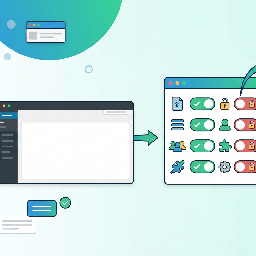
Governance Guardrails is a file-based WordPress governance plugin for site owners, agencies, and managed WordPress teams that want important operational rules to live in code instead of scattered database settings.
You define a policy in a PHP configuration file. Governance Guardrails reads that file on each request and applies the configured rules. This makes the policy easy to review, version-control, and deploy consistently across environments or multiple sites.
Governance Guardrails can help you manage:
- Feature toggles such as XML-RPC, comments, feeds, the Customizer, widgets, application passwords, user registration, WP-Cron, and related admin features.
- Admin UI cleanup, including admin bar nodes, dashboard widgets, menu pages, and admin footer text.
- Runtime capability denials by role without changing stored role definitions in the database.
- Upload governance, including allowed MIME types and per-file size limits.
- Content behavior such as revisions, autosave intervals, oEmbed, and emoji loading.
- Login behavior such as password reset restrictions, generic login errors, and post-logout redirects.
- HTTP security headers and other hardening options such as pingback removal, author archive handling, file editing restrictions, and staging noindex headers.
- Head cleanup for RSD, WLW manifest, shortlinks, feed links, and REST API discovery links.
- Locked options so selected
wp_optionsvalues are pinned from code. - Custom governance callbacks for site-specific rules.
This plugin does not claim to secure a site by itself. It is intended as a governance and consistency tool that helps keep selected WordPress settings and behaviors aligned with your site’s operational policy.
Must-use plugin support
Governance Guardrails was originally built for must-use plugin deployment. It can still be installed that way by copying governance-guardrails.php and the governance-guardrails/ directory into wp-content/mu-plugins/.
For WordPress.org installation, it can also be installed and activated as a normal plugin. In that case, the included sample config is used from the plugin directory unless you define a custom config path.
To use a custom config file, add this to wp-config.php:
define( 'GOVGUARD_CONFIG', '/absolute/path/to/governance-guardrails-config.php' );
The shipped sample config lives at governance-guardrails/governance-guardrails-config.php.
Config loading is fail-open. If the config file is missing, unreadable, has a syntax error, or does not return an array, Governance Guardrails does not enforce governance rules and logs a warning instead of crashing the site.
WP-CLI
When WP-CLI is available, Governance Guardrails registers the wp governance command set.
Examples:
wp governance statuswp governance checkwp governance auditwp governance audit --severity=highwp governance diffwp governance get features --format=jsonwp governance mimes
Installation
Normal plugin installation
- Upload the plugin files to the
/wp-content/plugins/governance-guardrails/directory, or install the plugin through the WordPress Plugins screen. - Activate Governance Guardrails through the Plugins screen in WordPress.
- Review the included sample config at
governance-guardrails/governance-guardrails-config.php. - For a site-specific policy, define
GOVGUARD_CONFIGinwp-config.phpand point it at your own config file. - If WP-CLI is available, run
wp governance checkto validate the active config.
Must-use plugin installation
- Copy
governance-guardrails.phpand thegovernance-guardrails/directory intowp-content/mu-plugins/. - Review or replace the config file at
wp-content/mu-plugins/governance-guardrails/governance-guardrails-config.php. - Optionally define
GOVGUARD_CONFIGinwp-config.phpto point at a config file outside the plugin directory. - If WP-CLI is available, run
wp governance statusorwp governance check.
FAQ
-
Is Governance Guardrails a security plugin?
-
Governance Guardrails includes security-related controls, but it is better described as a governance and configuration enforcement plugin. It helps enforce selected operational rules from code. It should be used alongside normal WordPress security practices such as updates, strong authentication, least-privilege users, backups, logging, and server hardening.
-
Can I use it as a normal plugin?
-
Yes. Governance Guardrails can be activated as a normal plugin. It was originally designed for must-use deployment, so teams that want policy enforced outside the normal plugin activation flow may still prefer the mu-plugin installation method.
-
Where does the configuration live?
-
By default, the plugin loads
governance-guardrails/governance-guardrails-config.phpfrom the plugin directory. You can defineGOVGUARD_CONFIGinwp-config.phpto use an absolute path to another config file. -
What happens if the config file is broken?
-
Governance Guardrails fails open. It logs a warning and does not enforce governance rules from a broken or missing config file. This avoids taking down the site because of a bad governance config.
-
Does Governance Guardrails write settings to the database?
-
The core governance model is file-based. It reads policy from a PHP config file and applies rules at runtime. Some rules prevent changes to selected options by filtering reads and updates, but the plugin is not designed around storing settings in the database.
-
Does it make remote requests or send tracking data?
-
No. Governance Guardrails does not include phone-home tracking or external service calls.
-
How does the disable_wp_cron option work?
-
When enabled, Governance Guardrails stops WordPress from spawning WP-Cron requests on normal page views by filtering the list of ready cron jobs. It does not define the global DISABLE_WP_CRON constant, and it does not delete or unschedule any events. Direct requests to wp-cron.php and WP-CLI cron commands continue to work normally, so this option should be paired with a real system cron — for example a scheduled request to wp-cron.php or
wp cron event run --due-now. Without one, scheduled events will not run. -
Who should use this plugin?
-
It is most useful for developers, agencies, and managed WordPress teams that want repeatable policy controls across one or more sites. It may be more technical than a typical settings-screen plugin because the policy is configured in PHP.
Reviews
There are no reviews for this plugin.
Contributors & Developers
“Governance Guardrails” is open source software. The following people have contributed to this plugin.
Contributors
Translate “Governance Guardrails” into your language.
Interested in development?
Browse the code, check out the SVN repository, or subscribe to the development log by RSS.
Changelog
1.0.0
- Initial WordPress.org-ready release.
- Provides file-based governance configuration for admin UI, feature toggles, capabilities, uploads, content behavior, login behavior, security headers, locked options, and WP-CLI inspection commands.