
Description
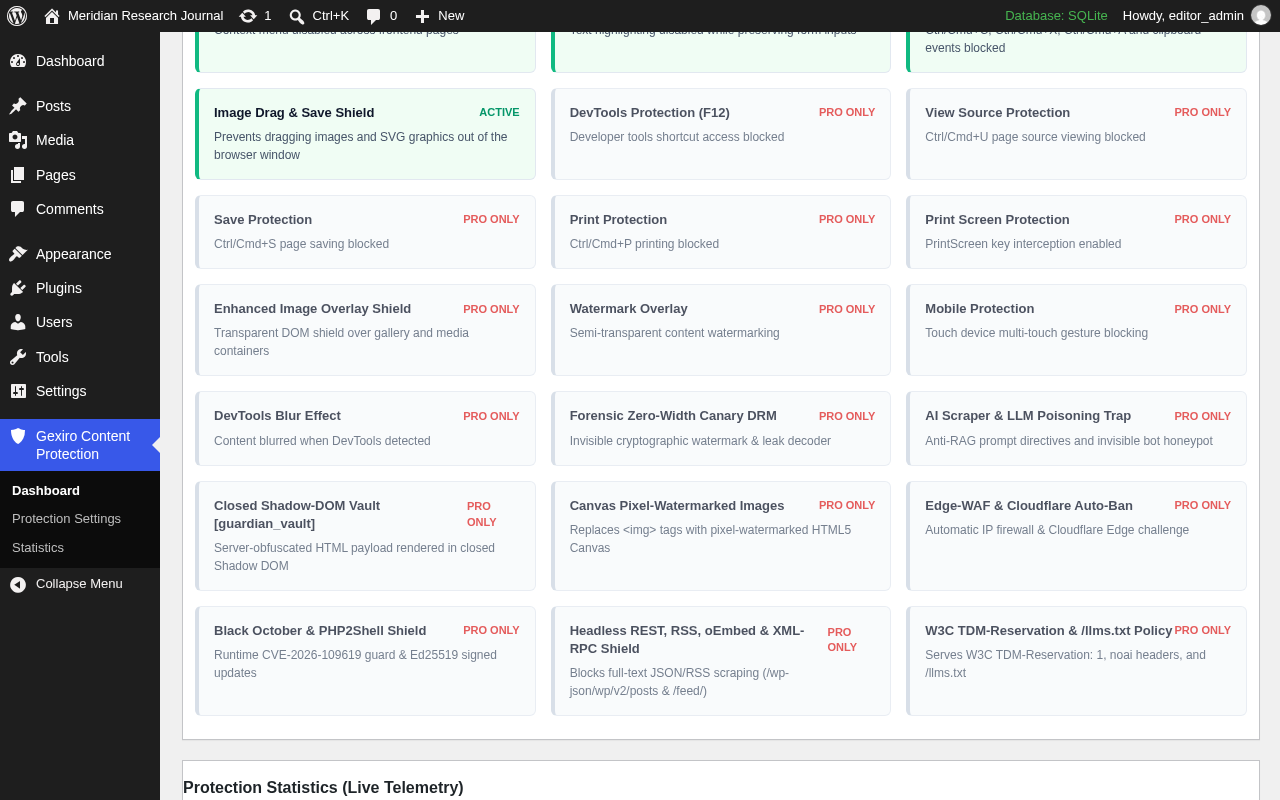
Gexiro Content Protection by Gexiro protects your WordPress articles, guides, and media against casual copying with no external JavaScript dependencies and cross-platform keyboard and clipboard handling across Windows, macOS (Cmd key), iOS, and Android.
Core Features (Included in Free)
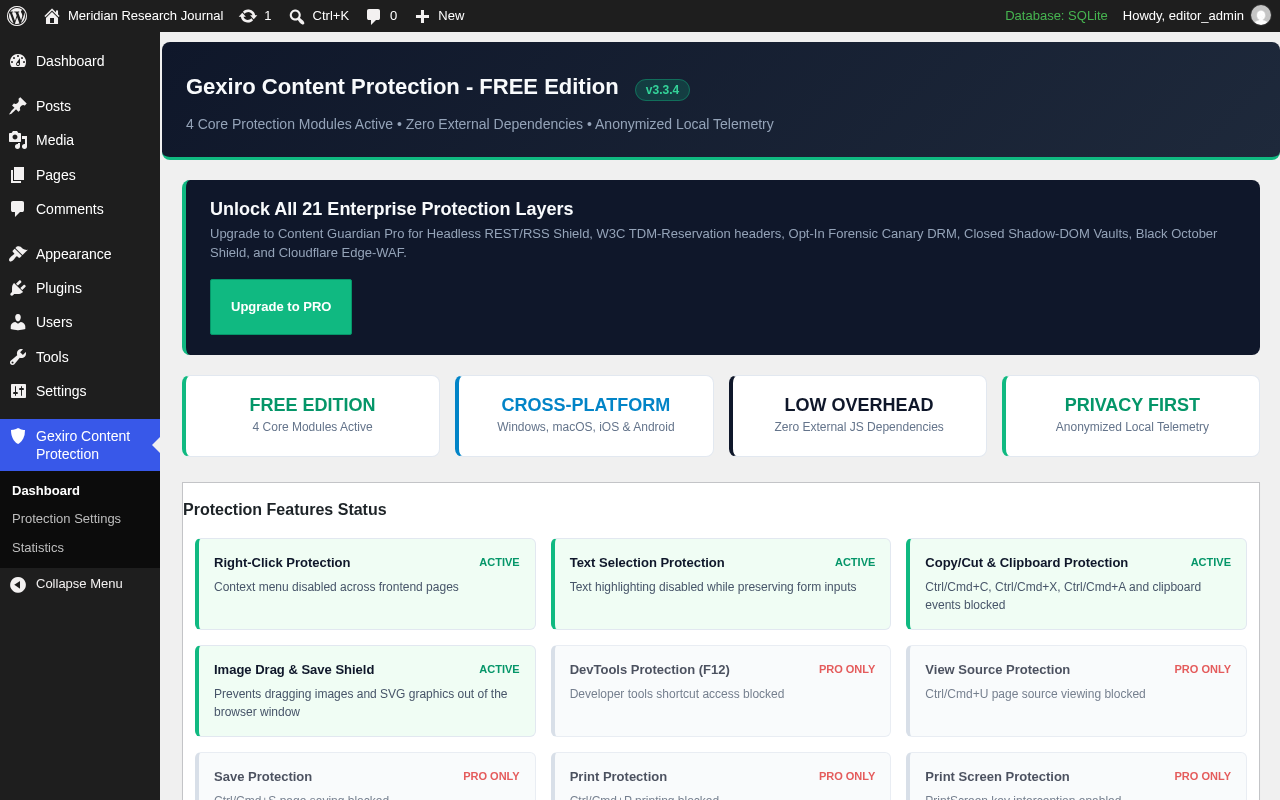
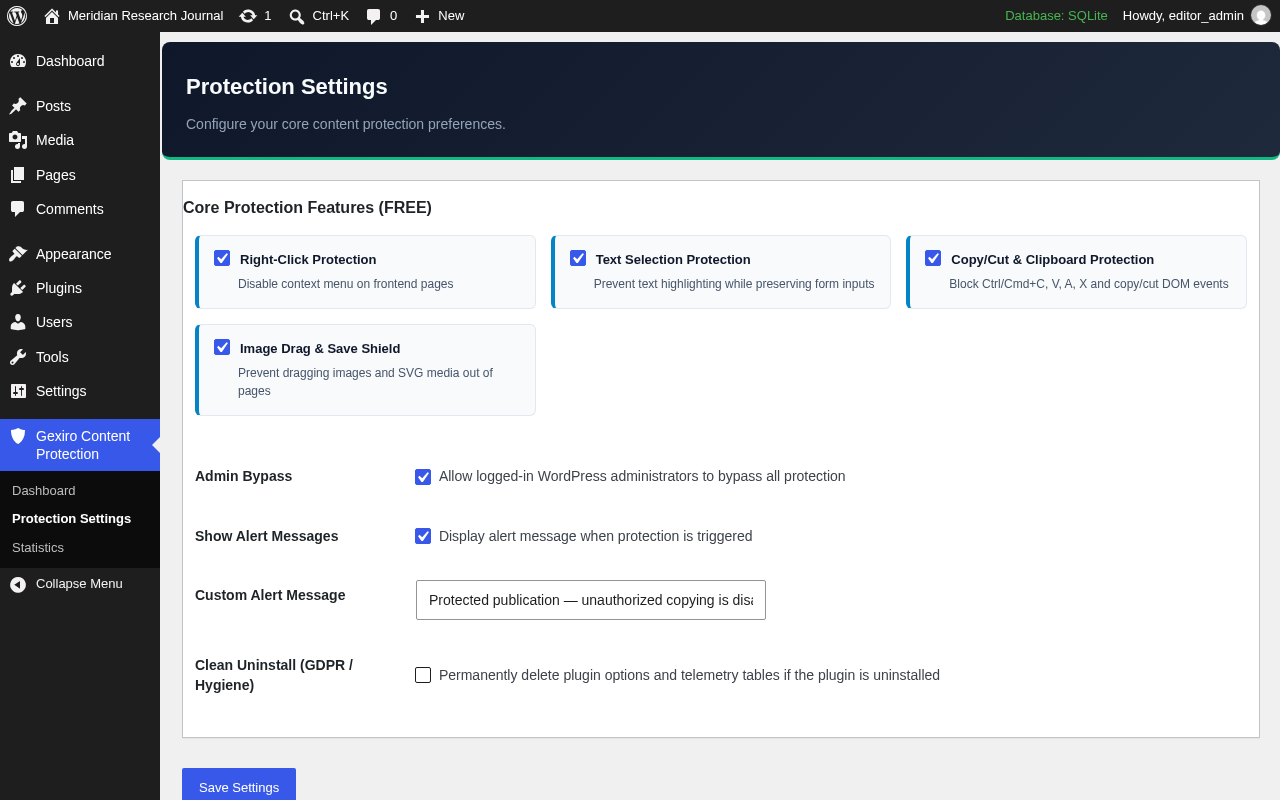
- Right-Click Context Menu Shield: Blocks right-click context menu access across protected frontend pages and posts.
- Smart Text Selection Shield: Prevents unauthorized text highlighting while automatically preserving interactive
<input>,<textarea>, andcontenteditableform fields (comments, search bars, and checkout forms remain usable). - Cross-Platform Copy, Cut & Select-All Shield: Intercepts
Ctrl+C,Ctrl+X,Ctrl+A(Windows/Linux) andCmd+C,Cmd+X,Cmd+A(macOS) as well as DOMcopyandcutevents. - Image Drag & Save Shield: Prevents visitors from dragging images and SVG illustrations directly out of the browser window.
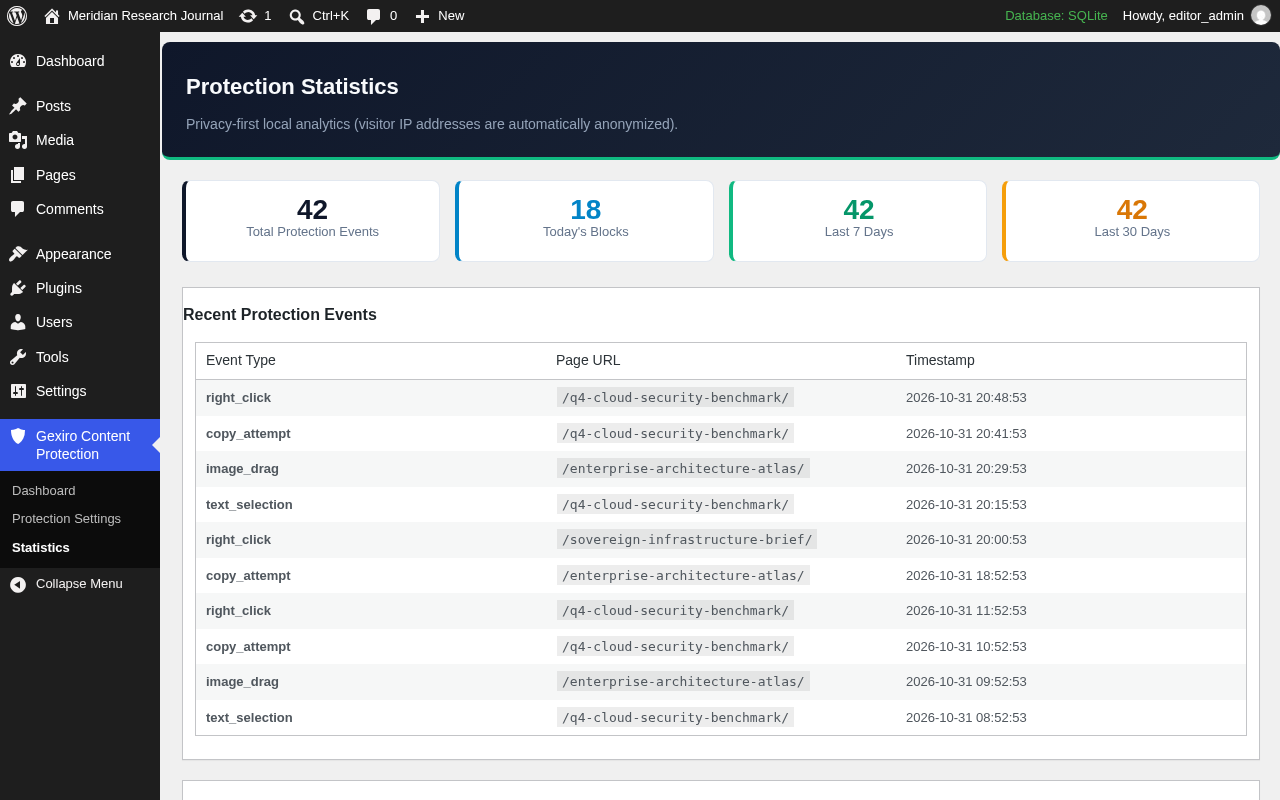
- Privacy-First Local Statistics: Logs blocked protection events locally in WordPress with automatic IP anonymization (
wp_privacy_anonymize_ip) and automatic 90-day retention pruning. - Administrator Bypass & Clean Uninstall: Allows logged-in administrators to inspect and copy content normally, yields cleanly if Content Guardian Pro is activated, and provides an opt-in clean-uninstall toggle.
Engineering Architecture (Included in Free)
- Zero External Requests: All frontend scripts and styles are registered and enqueued locally via standard WordPress APIs (
wp_add_inline_styleandwp_add_inline_script). - Form-Aware DOM Event Filtering: Inspects event targets before blocking keyboard shortcuts or selection so standard visitor workflows (login forms, WooCommerce checkout, comments, and search fields) continue to function normally.
- Prepared SQL & Capability Guards: Uses WordPress 6.2+
%iidentifier placeholders for database queries and enforcesmanage_optionsand nonce verification on all admin actions.
Privacy & Data Storage
Gexiro Content Protection Free makes zero external HTTP requests and sends no visitor data to third-party servers. Protection event counts (right-click, copy, and drag attempts) are stored exclusively in your local WordPress database ({prefix}_content_guardian_statistics) with visitor IP addresses automatically anonymized via WordPress core wp_privacy_anonymize_ip() and automatically pruned after 90 days.
Optional Enterprise Capabilities (Content Guardian Pro)
For publishers requiring server-side anti-scraping and provenance tooling beyond browser-layer deterrents, Content Guardian Pro adds:
- Headless REST API, RSS, oEmbed & XML-RPC Shield: Replaces full-text JSON/RSS scraping endpoints (
/wp-json/wp/v2/postsand/feed/) with teasers for unauthenticated clients while preserving Gutenberg block editor compatibility. - W3C TDM-Reservation &
/llms.txtPolicy Signals: Emits machine-readableTDM-Reservation: 1andX-Robots-Tag: noai, noimageaiheaders plus a virtual/llms.txtpolicy endpoint to express publisher opt-out preferences to automated crawlers. - Opt-In Forensic Zero-Width Canary Watermarking: Embeds an HMAC-SHA256 signed zero-width watermark into protected post paragraphs with an admin leak-attribution decoder.
- Shadow-DOM Content Vault (
[guardian_vault]): Renders sensitive paragraphs inside a closed Shadow DOM container and replaces selected images with pixel-watermarked HTML5<canvas>elements. - Automated Scraper Rate-Limiting & Cloudflare Edge Integration: Challenges or rate-limits high-velocity scraping IP addresses locally and optionally synchronizes challenge rules with Cloudflare WAF.
Screenshots

Installation
- Upload the
gexiro-content-protectionfolder to/wp-content/plugins/or install the ZIP archive via Plugins -> Add New -> Upload Plugin. - Activate Gexiro Content Protection through the Plugins menu in WordPress.
- Configure your protection preferences under Gexiro Content Protection -> Protection Settings.
FAQ
-
Will Gexiro Content Protection break comment forms, WooCommerce checkout, or search inputs?
-
No. Gexiro Content Protection explicitly excludes
<input>,<textarea>, andcontenteditable="true"elements from text-selection and keyboard blocking so visitors can type, paste, and submit forms normally. -
How does Gexiro Content Protection minimize frontend performance impact?
-
The Free edition uses lightweight inline CSS rules and a small vanilla JavaScript listener (< 4 KB unminified) with zero external script files, zero jQuery dependency on the frontend, and no layout-shifting DOM overlays. Actual page performance metrics depend on your active theme, hosting environment, and other installed plugins.
-
How does Gexiro Content Protection handle visitor privacy and data minimization?
-
The Free edition operates locally on your WordPress installation, sends zero telemetry to external servers, anonymizes visitor IP addresses via
wp_privacy_anonymize_ip()before storing event counters, automatically prunes statistics older than 90 days, and removes its database table upon uninstall when Clean Uninstall is enabled. Note that overall regulatory compliance (such as GDPR) depends on your site’s specific configuration, privacy disclosures, and legal obligations. -
How do I upgrade from Free to Content Guardian Pro?
-
Simply upload and activate Content Guardian Pro via Plugins -> Add New -> Upload Plugin. Gexiro Content Protection Free automatically yields without class conflicts and preserves your existing settings and statistics.
Reviews
There are no reviews for this plugin.
Contributors & Developers
“Gexiro Content Protection” is open source software. The following people have contributed to this plugin.
Contributors
Translate “Gexiro Content Protection” into your language.
Interested in development?
Browse the code, check out the SVN repository, or subscribe to the development log by RSS.
Changelog
3.3.4
- Renamed plugin display name to Gexiro Content Protection (
gexiro-content-protection) per WordPress.org Plugin Review Team guidance. - Refined
uninstall.phpcoexistence detection and moved admin menu placement to default bottom position. - Verified compatibility with WordPress 7.1.
- Updated frontend telemetry requests to use
application/x-www-form-urlencoded(URLSearchParams) with server-sidemultipart/form-datarejection. - Enforced PHP 8.2+ minimum runtime requirement in plugin headers.
- Verified clean coexistence and preference handover when upgrading alongside Content Guardian Pro 3.3.4.
3.3.3
- Added static Gexiro Ecosystem overview card on the dashboard for external DNS, TLS, and HTTP security posture visibility.
- Improved Free-to-Pro feature comparison table clarity across all 4 Free modules and 17 Pro modules.
3.3.2
- Registered official WordPress Core Privacy Policy disclosure snippet (
wp_add_privacy_policy_content). - Standardized honest technical terminology across documentation and admin UI.
- Bundled full physical GNU General Public License v2.0 (
LICENSE) file.
3.3.0
- Added dedicated
Content_Guardian_Free_*class isolation and automatic coexistence yield when upgrading alongside Content Guardian Pro. - Migrated frontend protection styles and scripts to
wp_add_inline_style()andwp_add_inline_script(). - Added IP anonymization (
wp_privacy_anonymize_ip) and 90-day automatic pruning for local event statistics. - Added WordPress 6.2+
%iprepared SQL table identifier support and opt-in Clean Uninstall handler (uninstall.php).