
Description
The same price is not the same price everywhere. 79 EUR is a normal software price in Germany and a week’s wage in parts of the world. Geo-Tier Pricing lets you group countries into price tiers and charge each market a percentage of your regular price — so customers who would never have bought at your list price can buy at a price that is fair for their market.
Every product keeps its own base price. You define the tiers once, map countries to them, and every product in your shop follows automatically. No per-product setup.
How the country is detected
The plugin resolves the customer’s country in a clear order of trust:
- The billing country in the checkout — the customer is confirming it right now, so it wins.
- A country the customer picked manually — via the optional country switcher.
- The saved billing country of a logged-in customer — the real address they ordered with before.
- GeoIP — WooCommerce’s own MaxMind database for anonymous visitors.
- The default tier, when nothing else is known.
The card’s issuing country is deliberately never used: cards are often foreign to the cardholder’s country and would force the wrong price.
No surprises in the checkout
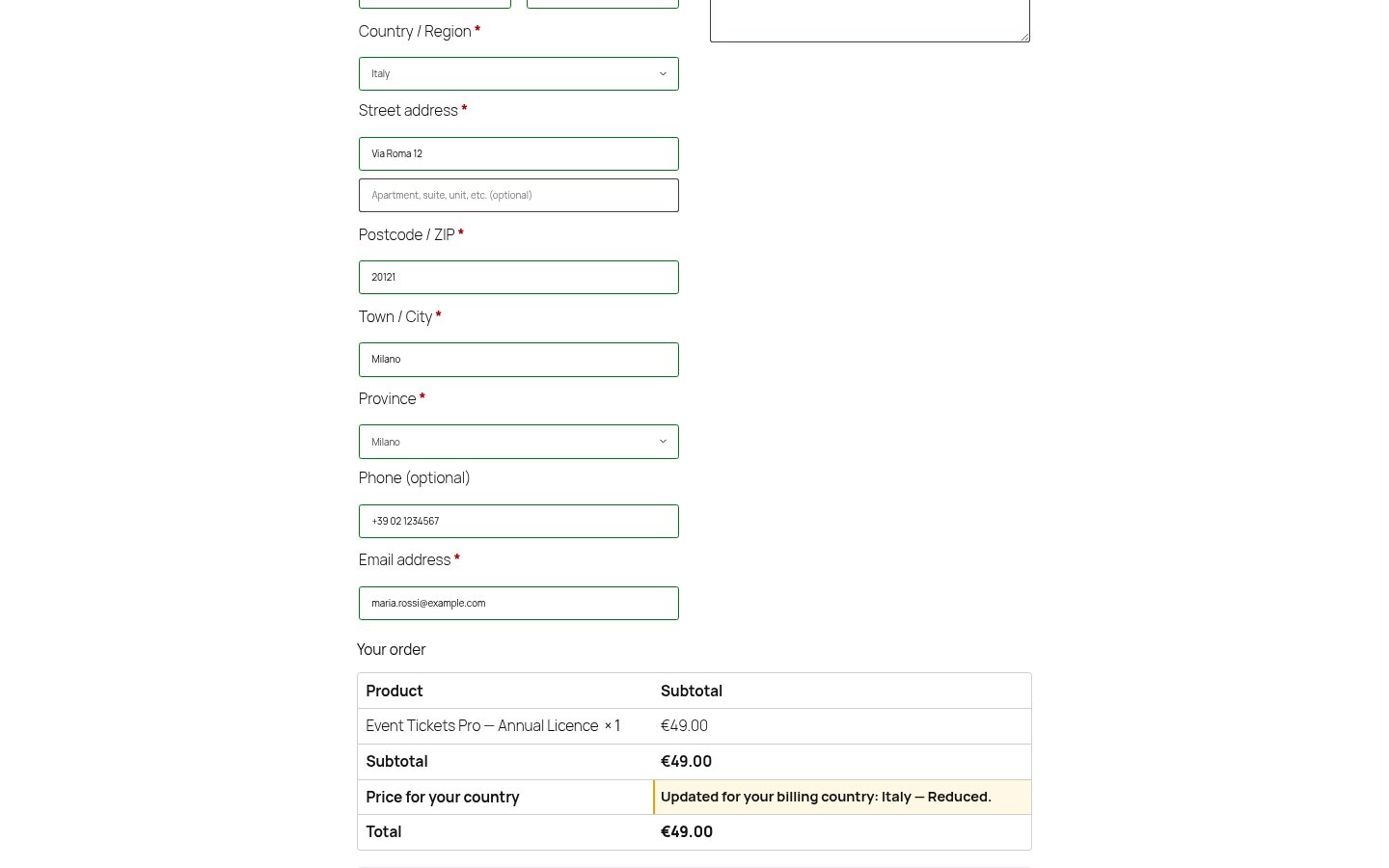
When the billing country changes the price, the cart updates before payment — on both the classic checkout and the Cart & Checkout Blocks. Nobody is charged a price they did not see. On the classic checkout the order review also shows a line explaining why the price changed.
Privacy
Country detection uses WooCommerce’s local MaxMind database. The plugin makes no external requests and sends no data anywhere. The detected country is stored in a cookie so the lookup does not repeat on every page view, and it is saved on the order so you can see which tier was applied.
Works without any geolocation service
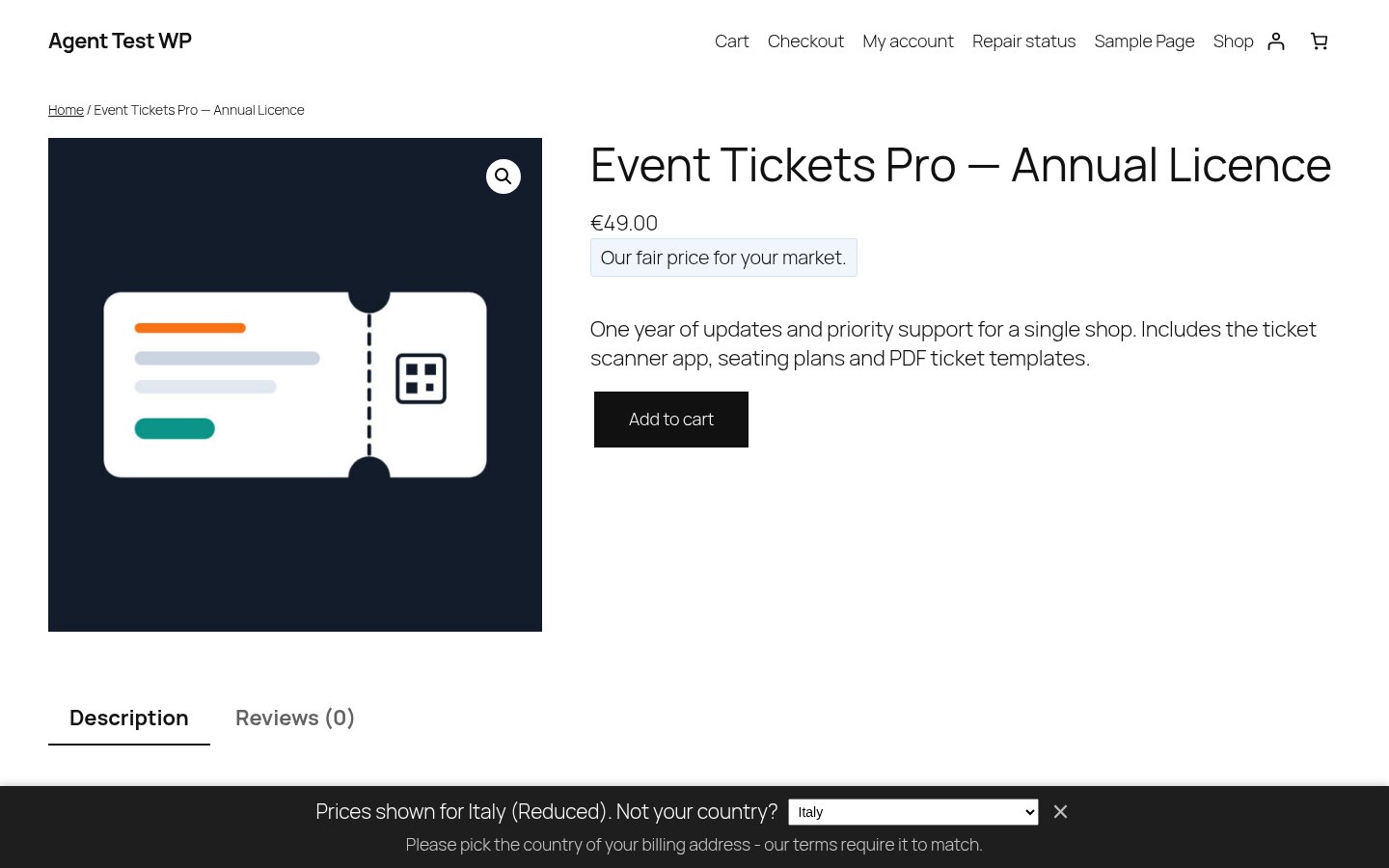
No MaxMind key, no external service, no IP lookup? Then simply ask. If the country cannot be detected, a non-blocking bar invites the customer to pick it — prices stay visible the whole time, nothing is blocked. Shops that do have MaxMind never see the bar, because there is nothing to ask.
Free features
- Unlimited price tiers, freely named, each charging a percentage of the product price
- One-click starting point: three tiers and all 250 countries assigned by purchasing power
- Exclude single products or whole categories — geo pricing never touches them
- Country prompt: ask visitors for their country when it cannot be detected (works with zero setup)
- Country-to-tier mapping for every WooCommerce country, with CSV import and export
- Country detection: GeoIP (anonymous), saved billing country (logged-in), checkout billing field
- Optional country switcher for customers, with your own terms notice
- Optional rounding (whole numbers or charm pricing)
- Price tier and country recorded on every order
- Works with simple and variable products
Subscriptions: an optional add-on covers renewal re-evaluation
WooCommerce Subscriptions is a paid extension, and renewal re-evaluation is shipped as a separate add-on so the Free plugin stays lean. The add-on re-checks the billing country at renewal so a customer who moved keeps paying what is fair for where they now live. Price drops apply automatically; price rises are announced by email first and only applied once the full notice period was actually given.
Screenshots
Installation
- Install and activate the plugin (WooCommerce must be active).
- Go to WooCommerce Geo-Tier Pricing.
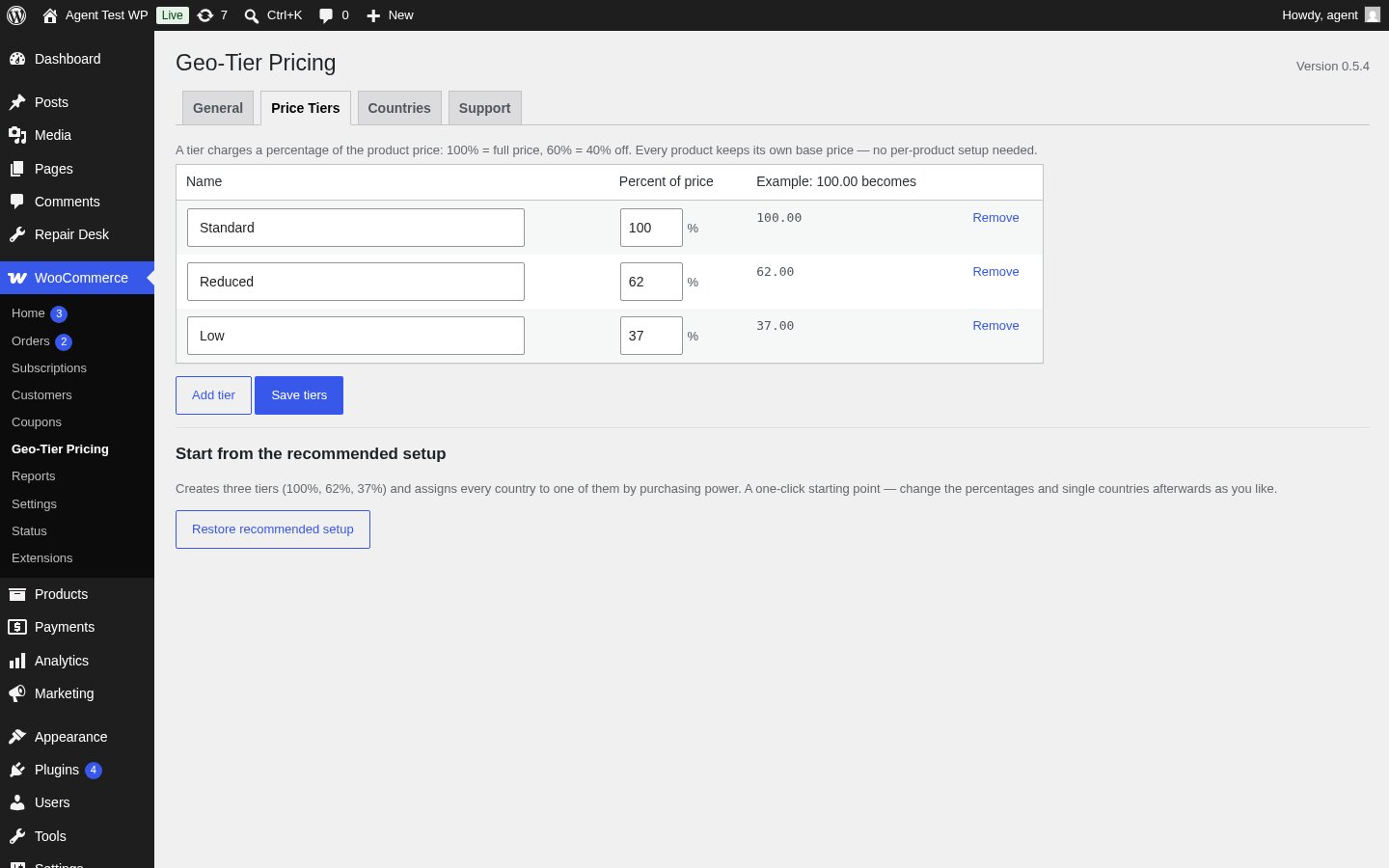
- Under Price Tiers, add your tiers (e.g. “Standard” at 100%, “Reduced” at 60%).
- Under Countries, assign countries to tiers — manually or by CSV import.
- Under General, pick a default tier and enable geo pricing.
GeoIP detection is optional. If you want anonymous visitors geolocated automatically, add a MaxMind license key in WooCommerce Settings Integration — WooCommerce uses it to keep its local geolocation database up to date. Without it, the plugin simply asks visitors for their country instead (see “Ask visitors for their country” in the settings).
FAQ
-
Do I have to set a price per product per country?
-
No. Tiers work as a percentage of each product’s own price, so one tier setup covers your whole catalogue.
-
Can a customer fake their country with a VPN?
-
Yes, and the plugin does not try to stop them. It is built for fairness, not as a fortress. If your terms require the country to match the billing address, say so in the notice next to the country switcher — the field is there for exactly that.
-
Does this work with page caching?
-
Prices are rendered server-side, so a page cache that serves one country’s price to everyone will interfere. Use WooCommerce’s “Geolocate (with page caching support)” setting, or exclude shop pages from the cache.
-
Does it work with the Cart & Checkout Blocks?
-
Yes. The billing country from the Blocks checkout feeds the same country detection, the tier price is applied to the totals before payment, and the tier is recorded on the order. The extra line that explains why the price changed is currently only rendered on the classic checkout.
-
Is any data sent to a third party?
-
No. Detection runs against WooCommerce’s local MaxMind database only. WooCommerce can optionally fall back to third-party lookup services — this plugin explicitly switches that fallback off, so no visitor IP ever leaves your server. If MaxMind has no answer, the customer is asked for their country (or gets the default tier, if you switched the prompt off).
-
Where do the country groups come from?
-
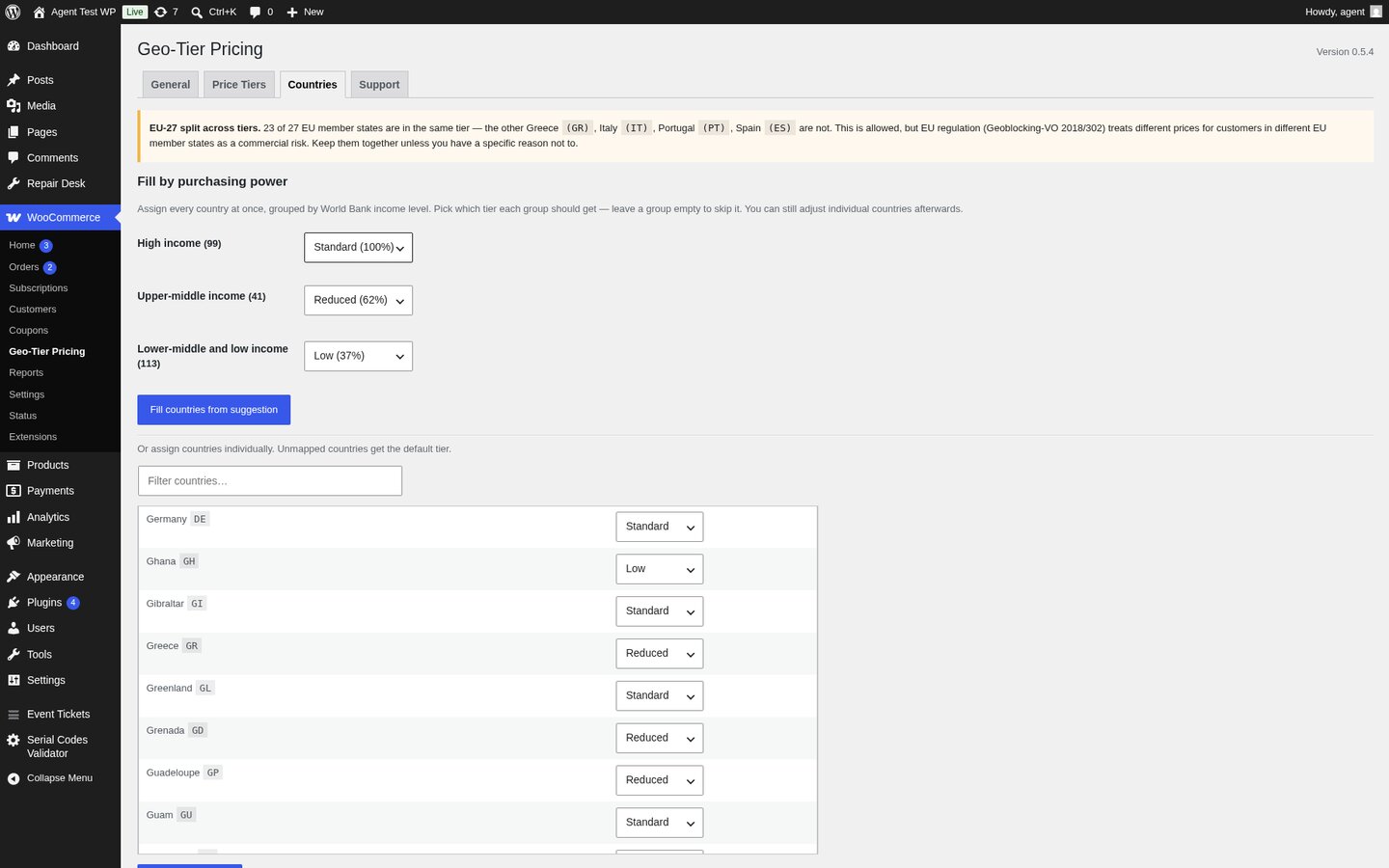
The suggested country-to-tier mapping in the Countries tab uses the World Bank’s income classification (high / upper-middle / lower). The grouping itself is a Vollstart product — the underlying classification is theirs. Source: World Bank (https://datahelpdesk.worldbank.org/), licensed under CC BY 4.0 (https://creativecommons.org/licenses/by/4.0/).
-
How do I keep all EU member states in the same tier?
-
The recommended setup already starts all 27 EU member states in the “Standard” tier. If you split them across tiers, a notice in the Countries tab reminds you that EU regulation (Geoblocking-VO 2018/302) treats different prices for customers in different EU member states as a commercial risk. The plugin does not block the split — it is a tool, not a lawyer — but the warning is there so you can make an informed choice.
Reviews
There are no reviews for this plugin.
Contributors & Developers
“Geo-Tier Pricing for WooCommerce” is open source software. The following people have contributed to this plugin.
Contributors
Translate “Geo-Tier Pricing for WooCommerce” into your language.
Interested in development?
Browse the code, check out the SVN repository, or subscribe to the development log by RSS.
Changelog
0.5.4 — 2026-08-24
- Fixed: the “EU-27 split across tiers” warning on the Countries tab printed its country codes as raw markup (
Greece <code>(GR)</code>) instead of formatting them. The list was escaped twice. - Housekeeping: the plugin no longer stores a separate “seeded” marker option. Whether the recommended setup has already been created is derived from your actual tier and country-map settings, so there is one less stray row in your options table.
- Changed: all of the plugin’s public identifiers now use the same
vollstart_geo_pricing_prefix. If you placed the country switcher with a shortcode, update it to[vollstart_geo_pricing_switcher]. Cookie names, the URL parameter and the product meta keys changed along with it; order meta is now written as_vollstart_geo_pricing_countryand_vollstart_geo_pricing_tier*. Orders placed before this update keep their existing meta and are not rewritten. - The recommended country-to-tier mapping now starts all 27 EU member states in the same tier. The “Countries” tab shows a soft warning when they are split across tiers, so you can make an informed choice about EU regulation (Geoblocking-VO 2018/302). The plugin never blocks the split — you decide.
- Renewal re-evaluation for WooCommerce Subscriptions (price drops, price-rise notices, preview, WP-CLI migrate) is now shipped as a separate add-on. The Free plugin does not need it; shops that use WooCommerce Subscriptions install the add-on to keep renewals fair.
- World Bank income groups are now attributed in the plugin UI and in this readme (CC BY 4.0). The mapping itself is a Vollstart product; the underlying classification is theirs.
0.5.3 — 2026-07-20
- New “Support” tab in the admin: copy a single block of system info (WP / PHP / WooCommerce / MySQL / active plugins / theme / first-activation timestamp) into a support email. Quick links to the documentation and the release notes. Pattern mirrors the other Vollstart plugins.
0.5.2 — 2026-07-17
- Fixed: price rounding was also applied to tiers that charge the full price (100 %). With charm rounding switched on, a 79.00 product was shown as 78.99 in every country on the standard tier — the shop owner’s own price got rewritten for no reason. Rounding now only runs when a tier actually changes the price. This applies everywhere, so a 100 % country no longer drifts by a cent at subscription renewal either.
0.5.1 — 2026-07-13
-
New: country override via URL parameter. Append
?vollstart_geo_pricing_country=BR(or any ISO code) to test how a different market would see a product or the cart — useful for QA without opening DevTools. The parameter is a one-shot, the cookie still wins if you already chose a country. -
New: exclude products from geo pricing. A checkbox on the product screen (Product data General) exempts a single product; whole categories can be exempted in the settings. Use it for anything with a real cost per unit — physical goods, hardware, resold items — where a discounted tier would sell at a loss.
- Exclusions hold everywhere: shop, cart, checkout AND subscription renewals. A product exempted in the shop can no longer be quietly re-priced at renewal.
- New: first-boot seed writes the recommended three-tier setup (Standard 100 % / Reduced 62 % / Low 37 %) and maps every WooCommerce country to a tier automatically. The shop owner can edit any of it through the Settings page; the seed only runs when no tiers or country map exist yet.
- Fixed: the subscription price was read through the plugin’s own price filters, so in the admin (preview and Apply run over AJAX, where the filters are active) the tier was applied to an already-discounted price. A 79 subscription would have been written as 11 instead of 29. The base price is now always read unfiltered.
0.4.1 — 2026-07-13
- The plugin version is now shown next to the settings page title.
0.4.0 — 2026-07-13
- New: “Restore recommended setup” — one click creates three tiers and assigns all 250 countries by purchasing power (World Bank income groups). No CSV needed to get started, and a way back if a country map gets messed up.
- New: “Fill by purchasing power” — assign every country at once to the tiers you choose, per income group. Individual countries can still be adjusted afterwards.
0.3.0 — 2026-07-13
- New: country re-evaluation at renewal for WooCommerce Subscriptions (optional, off by default). Price drops apply automatically; price rises are announced by email first and are only applied once the full notice period was actually given — otherwise they wait for the next renewal.
- New: announcement emails with editable subject and body, placeholders (including {cancel_link}), and one email per notice step. Translatable per customer language via WPML or Polylang string translation.
- New: preview and migration for existing subscriptions — batched in the admin, and as WP-CLI:
wp geo-pricing subs preview/wp geo-pricing subs migrate --apply. The preview never writes. - Fixed: subscription totals were compared gross against net, which would have made every subscription in a taxed shop look permanently mispriced.
0.2.0 — 2026-07-13
- New: country prompt. When the country cannot be detected, a non-blocking bar asks the customer for it instead of silently applying the default tier. Prices stay visible; the bar can be dismissed. Modes: only when unknown (default), always, or never.
- The plugin now works fully without MaxMind or any other geolocation service.
- The MaxMind notice in the settings no longer warns when the country prompt covers the gap.
0.1.0 — 2026-07-12
- Initial release: configurable price tiers, country-to-tier mapping with CSV import/export, country detection (GeoIP, saved billing country, checkout billing field, manual override), checkout price notice, tier badge, order meta.
- Works with both the classic checkout and the Cart & Checkout Blocks.
- GeoIP uses WooCommerce’s local MaxMind database only — the third-party lookup fallback is switched off, so no visitor IP leaves the server.