
Description
Gatemi AI Support adds a chat assistant to your WooCommerce shop. It answers
only from an index built out of your own products and pages, and every
price and stock level it quotes is read live from WooCommerce at the moment it
is asked for, in WooCommerce’s own formatting.
When your content does not cover a question, the assistant says so and offers
to put the customer in touch with a person through a support ticket.
What the free edition does
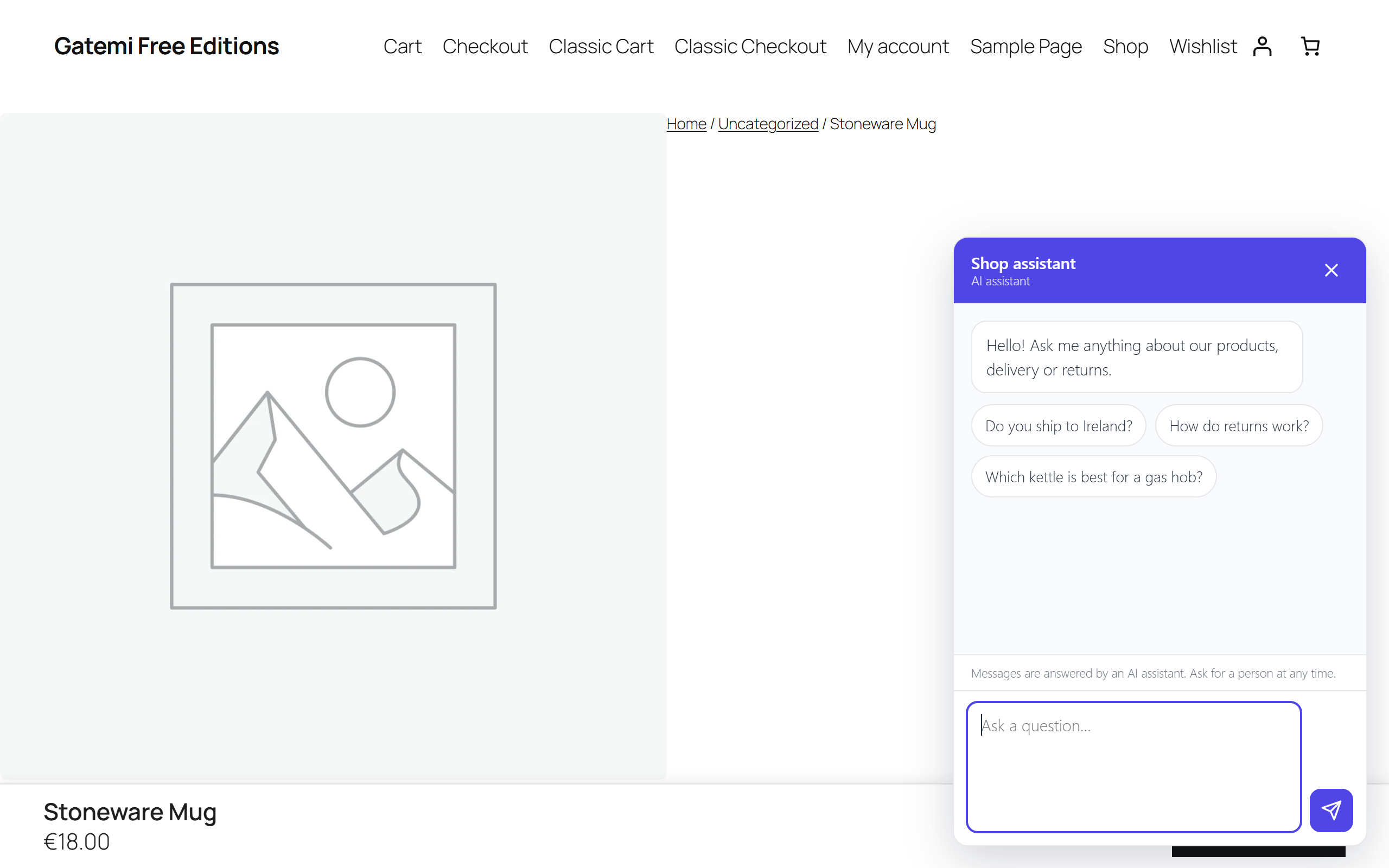
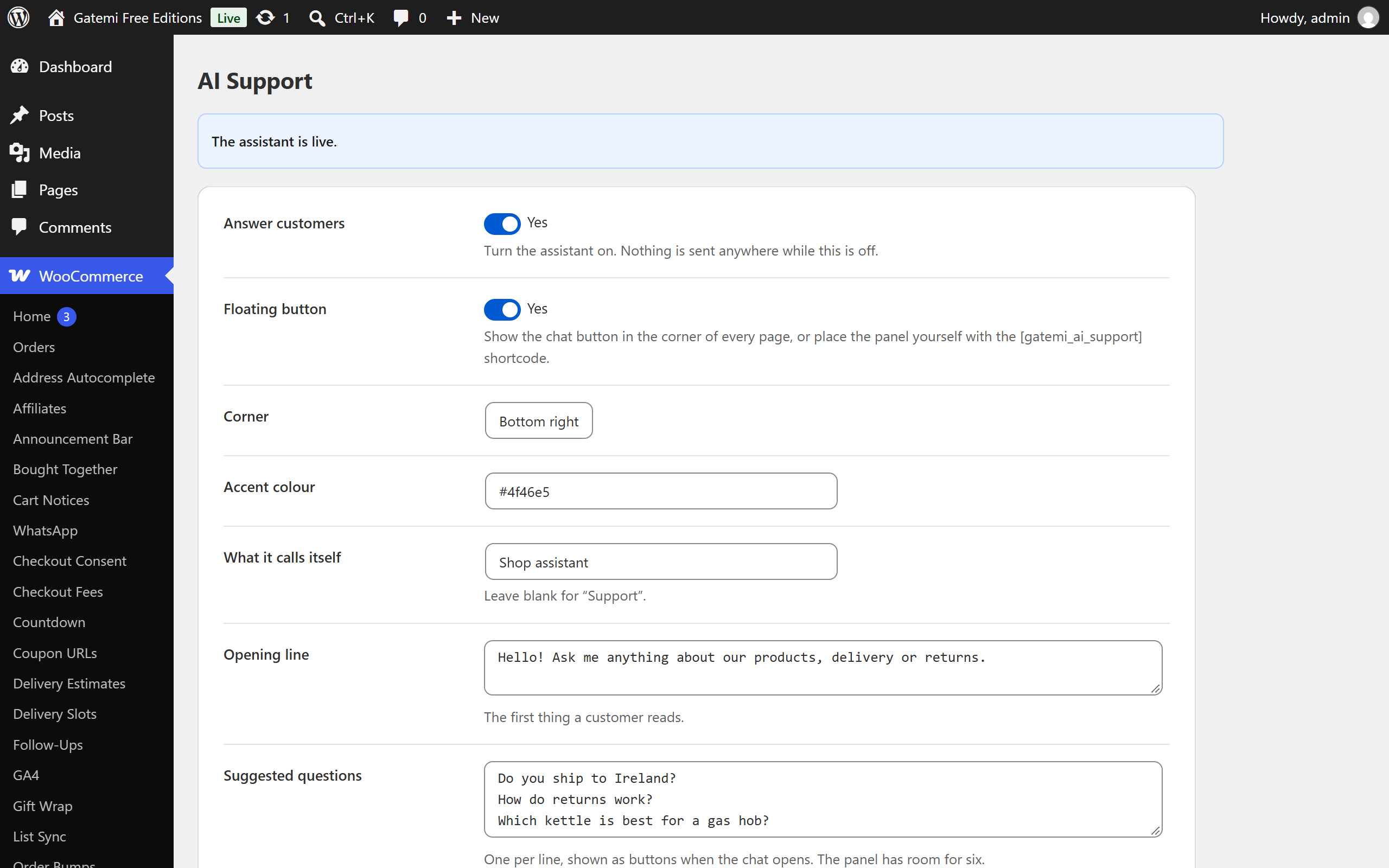
- A chat widget in the corner of your shop, or anywhere you put the shortcode.
- Answers about your products — what you sell, what it costs, what is in
stock, which option suits a need. - Answers about your policies, from your own pages plus free text you type
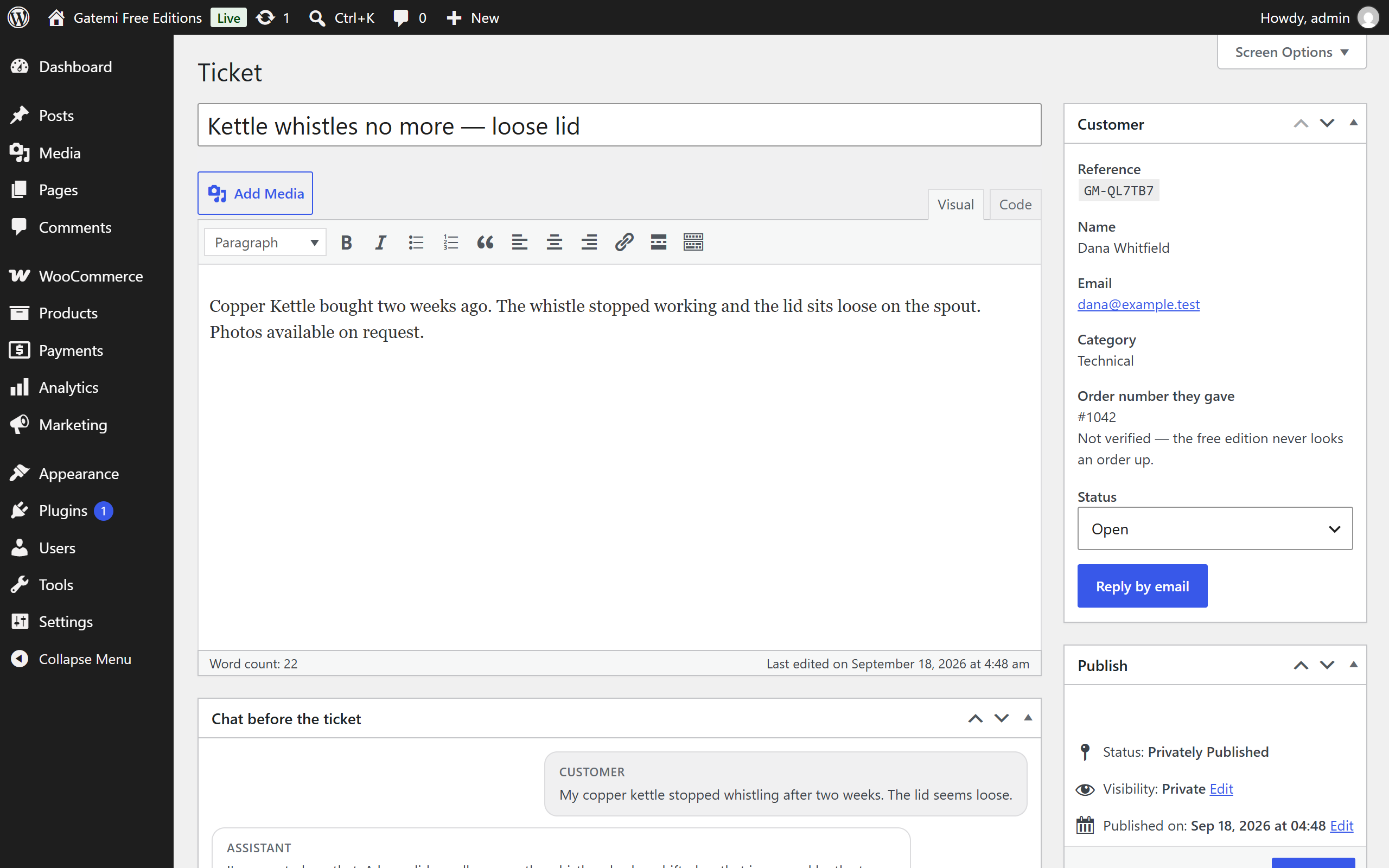
into its settings. - Opens a support ticket when a person is needed: it collects the details,
stores the ticket in wp-admin, emails you, and emails the customer their
reference. Your reply goes straight back to them from your normal inbox. - Daily spend and call ceilings, so an unusual day cannot produce an unusual
bill. When a ceiling is reached it offers a ticket instead. - Tells every customer, before they type, that they are talking to an AI and
that their message goes to OpenAI. - Loads one small stylesheet and one small script from your own server, only
on pages where the widget appears. Nothing from a CDN, no jQuery, no
third-party tracking. - A Conversations screen under WooCommerce AI Support: every chat, its
messages, its token count and cost, the customer’s helpful/unhelpful
rating, and the ticket it led to, if any.
What the full edition adds
- Order lookup in chat. A customer gives their order number and the email
the order was placed with, and gets status, items, totals and tracking. - Licence keys and downloads, released after a six-digit code is emailed
to the address already on the order — so guessing an order number is not
enough. - Semantic search, matching meaning as well as words.
- A house-style instruction telling the assistant how you talk to customers.
- Visitor IP and approximate location beside each conversation.
The two editions share their settings, their tickets and their index, so
upgrading is installing a plugin — there is nothing to migrate and nothing to
retype.
What you need
An OpenAI API key, from platform.openai.com. You pay OpenAI directly for what
your customers use; this plugin has no markup, no middleman and no account to
create. Put the key in wp-config.php as GMAI_OPENAI_KEY and it stays out
of your database.
External services
This plugin sends customer messages to the OpenAI API (api.openai.com) in
order to generate replies. Nothing is sent until you enter an API key and
switch the assistant on.
What is sent, and when: each time a customer sends a message in the chat
panel, your server sends OpenAI that message, the earlier turns of the same
conversation, the passages from your own products and pages that match it,
and — when the assistant asks for them — the live name, price and stock of
the products it found. What is never sent: your API key to the browser,
any order or customer account data, or anything from wp-admin.
Nothing is sent from the visitor’s browser to OpenAI. The chat widget talks
only to this site’s own REST route; the request to OpenAI is made by your
server, with your key. This plugin never contacts gatemi.com or any other
host — api.openai.com is its only destination.
Customers are shown a notice inside the chat panel, before they type, saying
their message is answered by an AI assistant and sent to OpenAI. You can
reword it on the settings screen.
- OpenAI terms of use: https://openai.com/policies/terms-of-use
- OpenAI privacy policy: https://openai.com/policies/privacy-policy
Screenshots
Installation
- Upload the plugin and activate it.
- Go to WooCommerce AI Support.
- Paste your OpenAI API key, or add
define( 'GMAI_OPENAI_KEY', '...' );to wp-config.php. - Press Rebuild the index now.
- Switch Answer customers on.
FAQ
-
Will it make things up about my products?
-
It answers from an index built out of your own product descriptions and pages,
and reads prices and stock live from WooCommerce when asked. Where your content
does not cover a question it is instructed to say so and offer a ticket. No
language model can be guaranteed never to err, which is why prices and stock
are rendered by WooCommerce rather than written by the model. -
Can it look up a customer’s order?
-
Not in the free edition. If a customer asks about an order it says it cannot
see orders and offers to open a ticket, so a person can check. Order lookup —
with the verification that has to come with it — is in the full edition. -
How much does it cost to run?
-
That depends on your model and your volume. A short support conversation on a
small model is typically a fraction of a cent. Set a daily ceiling and the
assistant stops and offers a ticket rather than spending past it. -
Does it work with a page cache?
-
Yes. The widget holds no nonce and asks the server for a session when it
opens, so the page it sits on can be cached like any other. -
Where do ticket replies go?
-
The notification you receive carries the customer’s address as its reply-to
and the ticket reference in its subject, so replying from your normal inbox
goes straight to them. Nothing to configure and no mailbox credentials stored. -
What happens if I install the full edition?
-
The free one stands down automatically and tells you it has. Your settings,
tickets and index are shared, so nothing is lost and nothing needs retyping —
you can deactivate the free plugin whenever you like.
Reviews
There are no reviews for this plugin.
Contributors & Developers
“AI Customer Support Chatbot for WooCommerce – Gatemi” is open source software. The following people have contributed to this plugin.
Contributors
Translate “AI Customer Support Chatbot for WooCommerce – Gatemi” into your language.
Interested in development?
Browse the code, check out the SVN repository, or subscribe to the development log by RSS.
Changelog
1.0.0
- First release. A chat widget on the shop that answers only from an index built out of your own products and pages, reads every price and stock level live from WooCommerce at the moment it is asked, and says plainly when your content does not cover a question.
- Support tickets opened from the chat: the details are collected, the ticket is stored in wp-admin with the conversation that led to it, you are emailed with the customer’s address as the reply-to, and the customer is emailed their reference.
- Daily spend and call ceilings, per-chat limits and a retention window, all on the settings screen; a notice inside the panel telling customers their message goes to OpenAI.
- A Conversations screen listing every chat with its messages, token count, cost, the customer’s rating and the ticket it led to.