
Description
Demo | Documentation | Get Pro (Early Bird Offer)
Galleryberg is a modern, feature-rich Gutenberg Gallery Block Plugin that makes it incredibly easy to build visually stunning, flexible image galleries right inside the WordPress block editor.
Whether you’re showcasing portfolios, products, travel photos, photography shots, or blog images, Galleryberg gives you complete creative control with multiple layouts, a built-in lightbox, advanced captions, and powerful customization tools.
It’s fast, simple, and designed to work beautifully without adding extra bloat.
Key Features
Multiple Gallery Layouts
Choose the perfect style for any gallery:
- Tiles – clean, classic grid with even spacing
- Square – uniform square images for modern designs
- Masonry – Pinterest-like cascading layout
- Justified – balanced row-based layout with equal heights
- Mosaic (Pro) – artistic collage-style layout
Fully Responsive
Your gallery automatically adapts to mobile, tablet, and desktop. You can set different column counts for each device. Spacing and alignment settings ensure a clean and consistent look across all screen sizes.
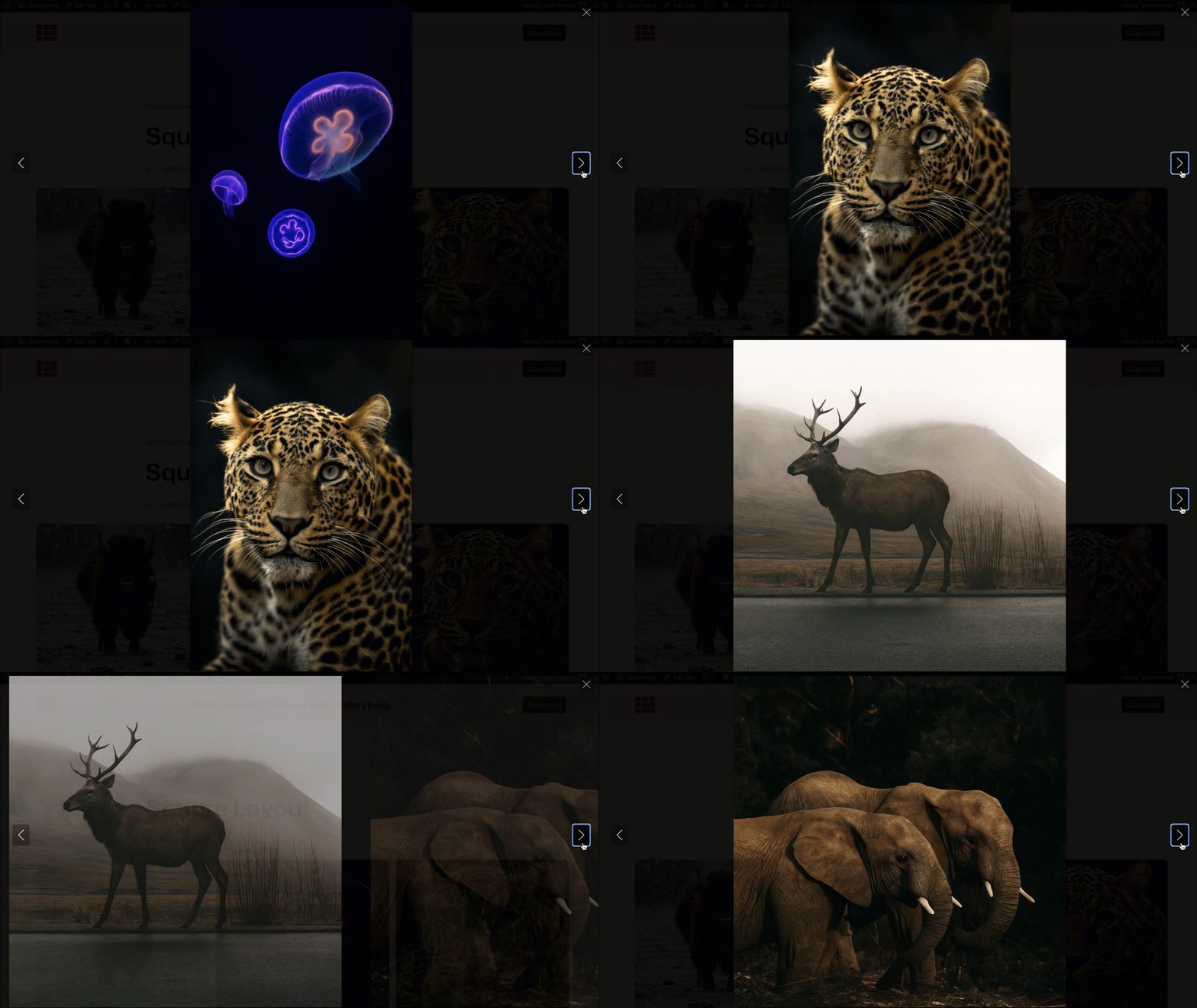
Built-in Lightbox (GLightbox)
A sleek, professional lightbox with:
- Smooth zoom & fade animations
- Keyboard navigation
- Touch & swipe support
- Image zoom + drag
- Loop navigation
- Thumbnail navigation (Pro)
Advanced Caption Options
Give your images meaningful context without clutter:
- Below Image, Full Overlay, or Bar Overlay
- Always Visible / Show on Hover / Hide on Hover
- Global caption settings
- Precise alignment controls
Clean layouts, easy-to-read captions—your choice.
Advanced Image Controls
Fine-tune each image individually:
- Borders & rounded corners
- Cropping toggle
- Aspect ratio options
- Custom image sizes
- Duotone filters
- Custom link destinations
Other Customization Options
- Adjust block spacing, padding, and margins
- Customize border width, color, and radius
- Set separate border radius for images
- Choose caption text and background colors
Performance Optimized
- Server-side rendering (no heavy scripts)
- Fast loading on all devices
- Works smoothly even with large images
Accessibility Ready
- Keyboard navigation
- Better usability for everyone
This plugin uses GLightbox for its lightbox functionality.
Privacy
Galleryberg does not collect or store any personal data. All images, captions, and settings remain fully inside your own WordPress site.
Screenshots
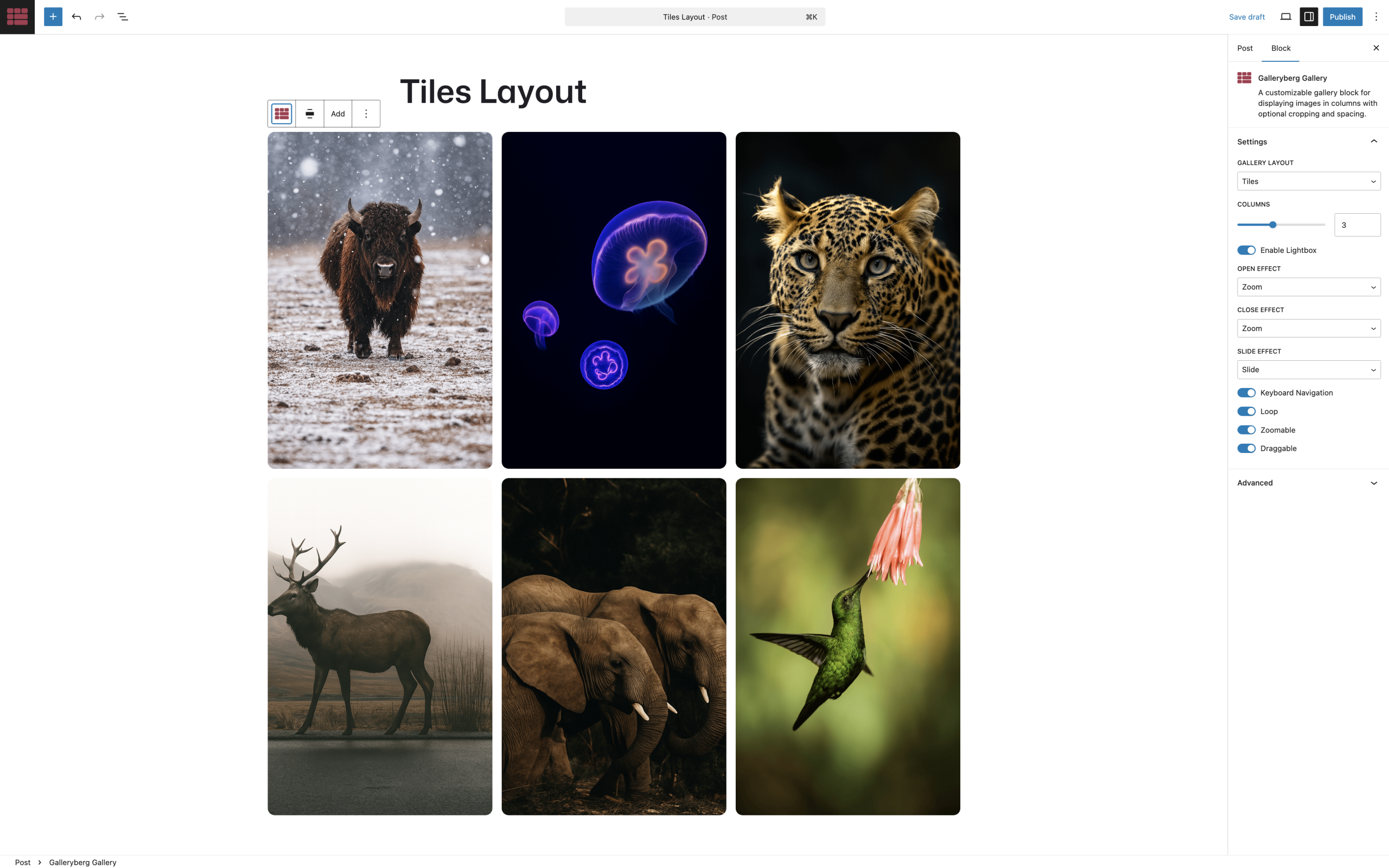
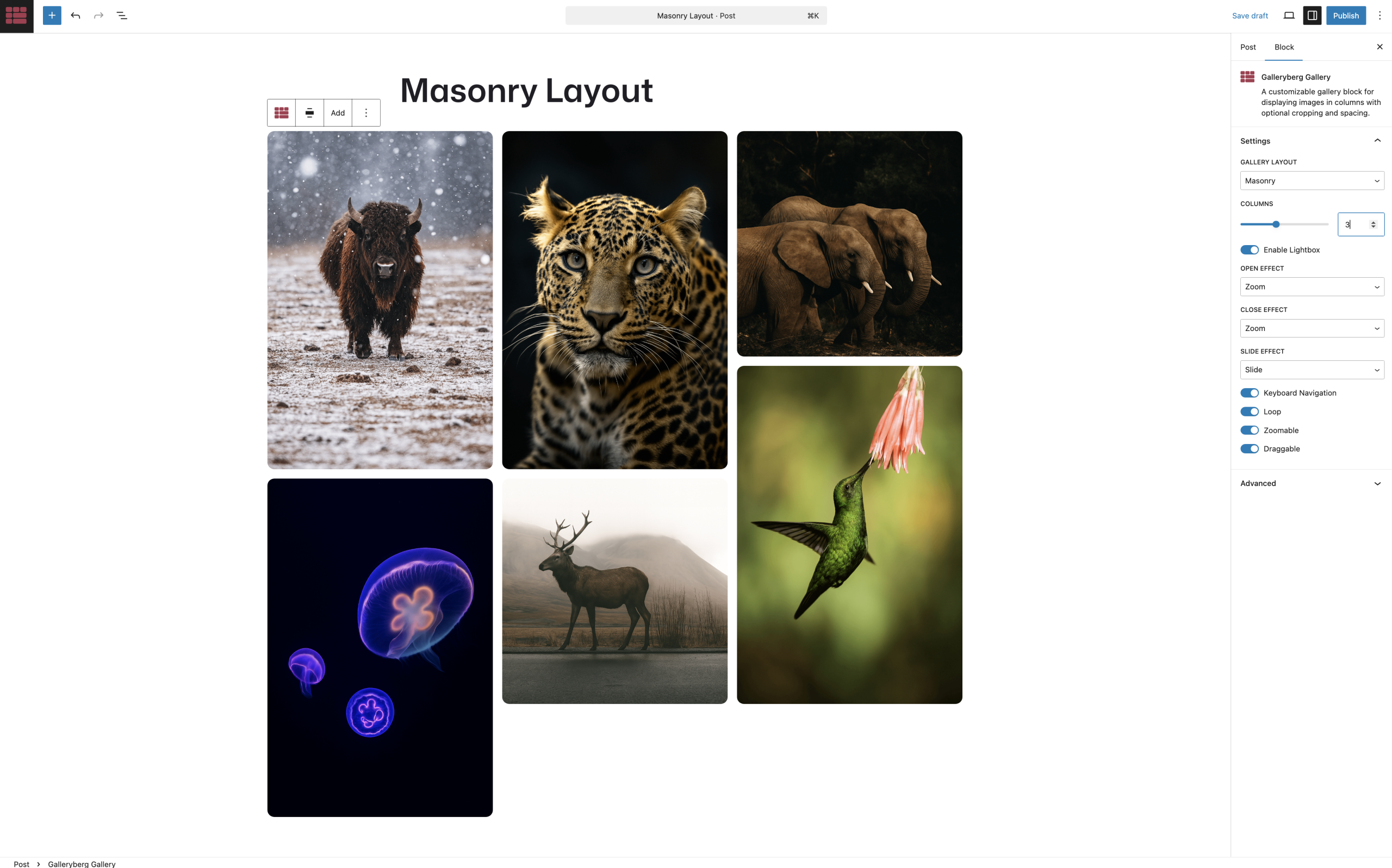
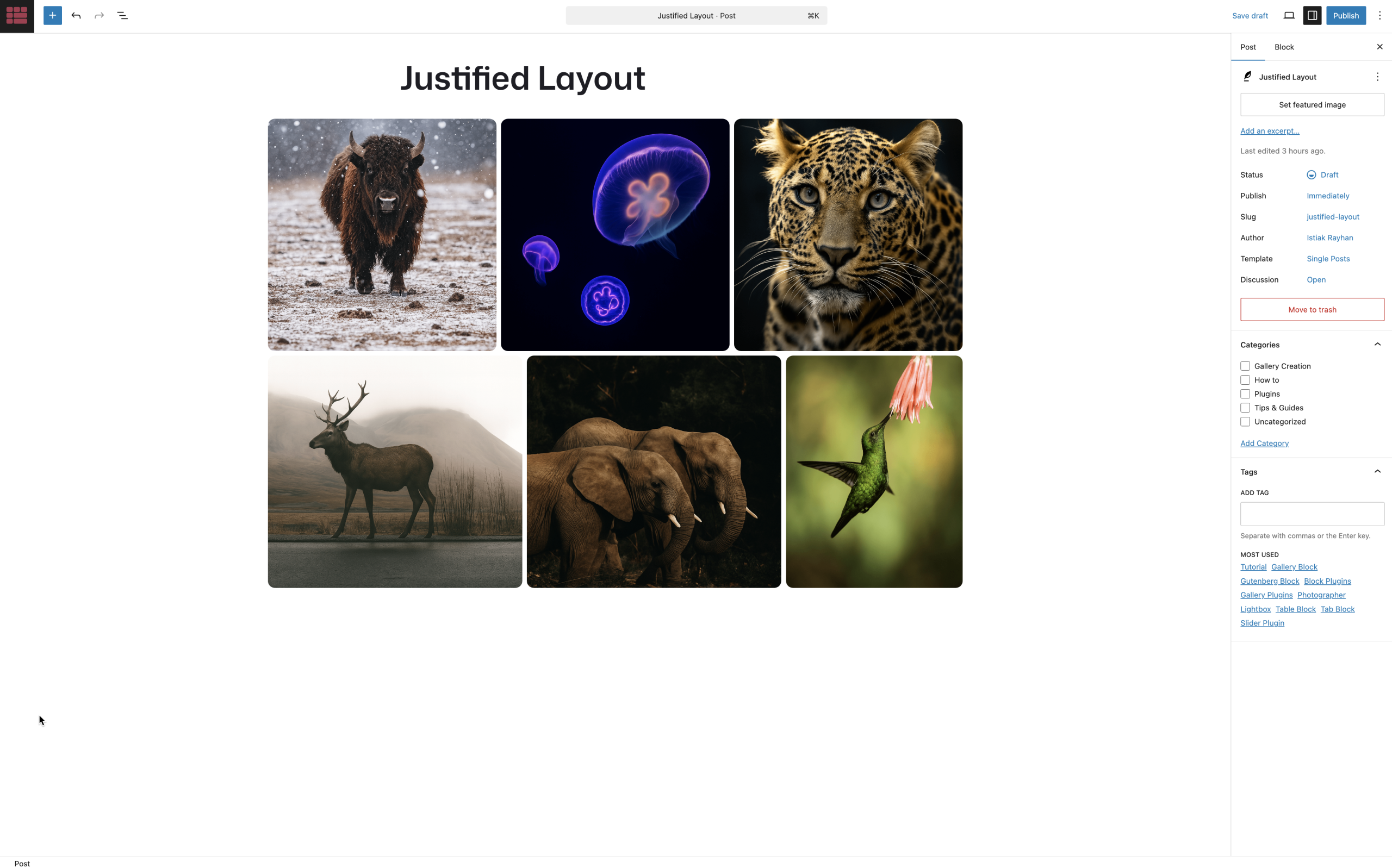
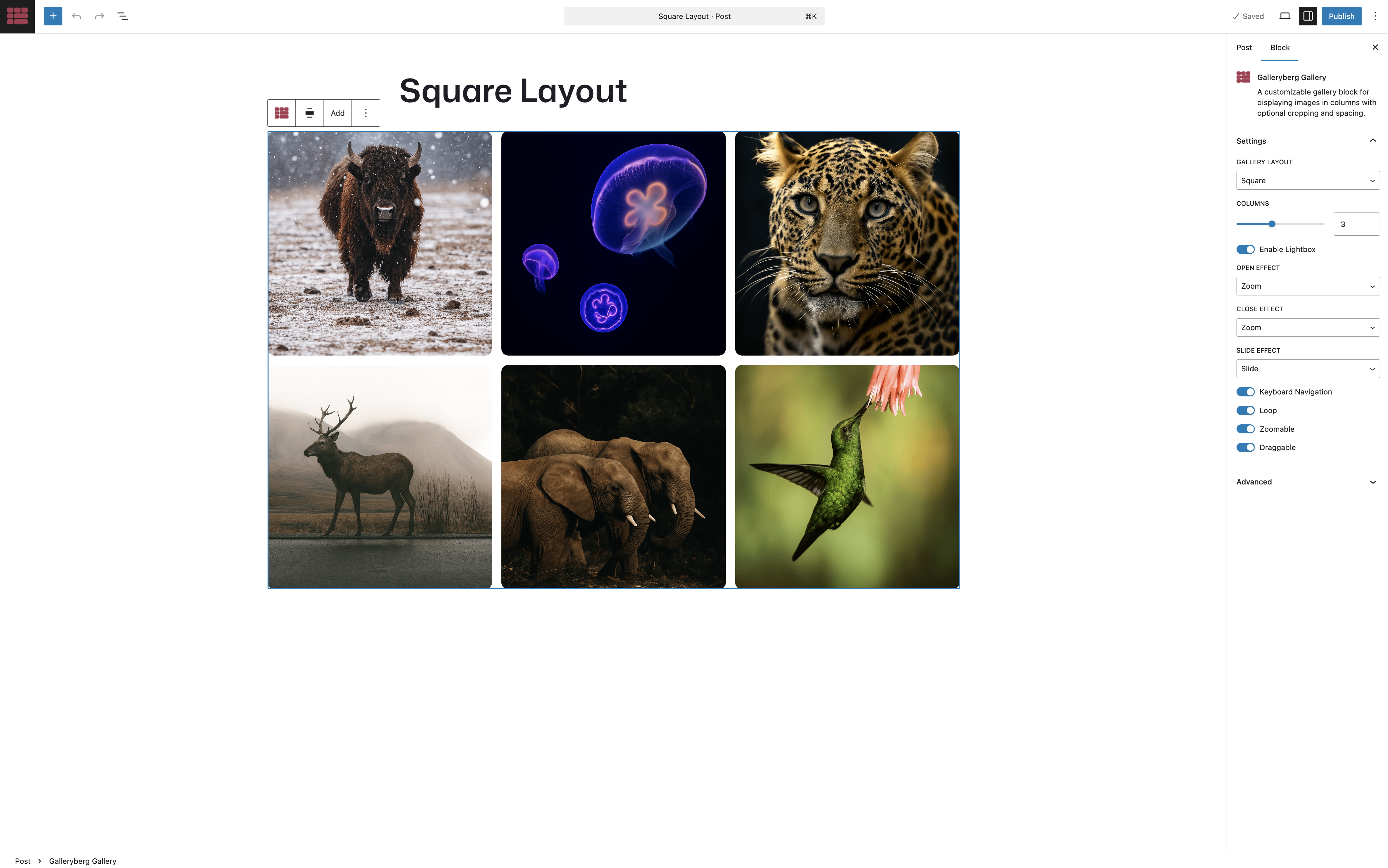
Blocks
This plugin provides 2 blocks.
- Galleryberg Gallery A customizable gallery block for displaying images in columns with optional cropping and spacing.
- Image A customizable image block for displaying images with optional cropping, spacing, and alignment.
Installation
Automatic Installation
- Log in to your WordPress dashboard
- Navigate to Plugins Add New
- Search for “Galleryberg Gallery Block”
- Click “Install Now” and then “Activate”
Manual Installation
- Download the plugin ZIP file
- Upload the plugin files to the
/wp-content/plugins/galleryberg-gallery-blockdirectory - Activate the plugin through the ‘Plugins’ screen in WordPress
After Activation
- Create or edit a post/page
- Click the “+” block inserter button
- Search for “Galleryberg Gallery”
- Add the block and start building your gallery
FAQ
-
How do I create a gallery?
-
After installing the plugin, simply add the Galleryberg Gallery block to any post or page, then click “Upload” or “Media Library” to add your images.
-
Can I change the number of columns?
-
Yes! You can adjust the number of columns from 1 to 8 in the block settings sidebar. The gallery will automatically adapt for smaller screens.
-
Does the lightbox work on mobile devices?
-
Absolutely! The lightbox is fully responsive and includes touch support for swiping between images on mobile devices.
-
Can I disable the lightbox?
-
Yes, you can disable the lightbox feature in the block settings if you prefer images to open in a new tab or not be clickable.
-
What image sizes are supported?
-
The plugin supports all WordPress registered image sizes including thumbnail, medium, large, and full size. You can select your preferred size in the block settings.
-
Can I add captions to images?
-
Yes, each image can have its own caption. You can toggle caption display on or off for the entire gallery.
-
Is the plugin compatible with page builders?
-
The plugin is designed specifically for the WordPress block editor (Gutenberg) and works seamlessly with it. It may not be compatible with other page builders.
-
Can I customize the gallery appearance with CSS?
-
Yes, the plugin generates semantic HTML with appropriate classes that you can target with custom CSS for further customization.
Reviews


Contributors & Developers
“Gallery Block by Galleryberg: Lightbox with Tiles, Masonry, Square, & Justified Layouts” is open source software. The following people have contributed to this plugin.
Contributors


Interested in development?
Browse the code, check out the SVN repository, or subscribe to the development log by RSS.
Changelog
1.2.0
- FIX: Lightbox failing on touch devices
- PRO: FIX: Lazy loaded images stuck on the placeholder
- PRO: FIX: Pro deactivating when the free plugin folder is renamed
- IMPROVE: Pro layouts now listed in the gallery layout dropdown
- IMPROVE: Updated the Freemius SDK
1.1.9
- PRO: NEW: Carousel gallery layout with Swiper
- PRO: NEW: Randomize image order on every page load
1.1.8
- NEW: Drop shadow controls for image and gallery blocks
- PRO: NEW: Dynamic Gallery source from ACF/SCF fields
- IMPROVE: Typography controls now hidden by default
- IMPROVE: Settings panel now open by default
1.1.7
- IMPROVE: Minor improvements and fixes
1.1.6
- NEW: Caption typography controls for gallery and image blocks
- IMPROVE: WordPress 7.0 compatibility
1.1.5
- NEW: Focal point picker for gallery images
- NEW: Theme color picker for gallery images
- IMPROVE: Removed upsell panel
1.1.4
- FIX: Justified gallery row height not applying correctly on the frontend
- FIX: Caption background clearing when switching to Below Image type
- NEW: Preview images added to upsell modal
- NEW: One-click promo code copy button in upsell modals
- IMPROVE: Settings tab now uses panel body component
- IMPROVE: Removed early bird deal from upsell panels
1.1.3
- FIX: Lightbox not opening when full overlay caption is enabled
1.1.2
- NEW: Shuffle images button in toolbar
- IMPROVE: Full overlay is now the default caption style
1.1.1
- FIX: Caption alignment not working below the image
- Fix: Caption visibility issue on last row of gallery
1.1.0
- FIX: Upload button not working in gallery block
- FIX: Captions being reset when adding images via media library
- PRO: NEW: Image lazy loading for improved performance
1.0.9
- NEW: Responsive columns now work with gutenberg device preview in the editor
- NEW: Show captions in lightbox option
- IMPROVE: Reorganized inspector panels for better user experience
- IMPROVE: Updated upsell panel with distinct layouts for free and Pro users
1.0.8
- NEW: Gallery-level show captions option to control caption visibility for all images
- NEW: Responsive columns control for mobile and tablet devices with device selector
- FIX: Spacing issue between images resolved
- IMPROVE: Optimized CSS output using custom properties for responsive columns
1.0.7
- PRO: FIX: Enhanced security checks and implemented fixes
1.0.6
- NEW: Galleryberg Gallery Block Pro is now publicly available with advanced features and layouts.
1.0.5
- NEW: Caption type options including below image, full overlay, and bar overlay.
- NEW: Advanced caption visibility controls with always visible, show on hover, and hide on hover options.
- NEW: Advanced caption alignment with positioning matrix for overlay captions and left/center/right options for below captions
- IMPROVE: Enhanced gallery controls with improved user interface
1.0.4
- NEW: Border radius control for all images in gallery block.
- NEW: Transform support from core/gallery to galleryberg/gallery block.
- IMPROVE: Separate row and column gap options.
1.0.3
- FIX: Alignment left and right not working properly.
- NEW: Gallery background color option.
- NEW: Block Spacing option.
- NEW: Gallery Padding and margin option.
- NEW: Gallery border and border radius option.
1.0.2
- IMPROVE: Compatibility with Classic Themes.
1.0.1
- FIX: External script issue.
1.0.0
- Initial release