

Description
Galleo is an image gallery and portfolio plugin that turns a batch of photos into a polished photo gallery in a few minutes, from a classic grid to a 3D carousel or slider. Drop the photos in, fill in a title, categories and a button for each one in a quick-edit table, choose a layout, and add the gallery to any page with a block or shortcode.
Six layouts
- Grid: even rows in the photo shape you choose (square, 4:3, 3:2, 16:9, portrait or original).
- Masonry: columns that keep every photo’s own shape.
- Justified: rows of equal height that fill the width with no cropping.
- Coverflow: one big photo in the middle with its neighbours angled away in 3D.
- 3D Ring: matted prints stand in a rotating ring with a soft floor reflection.
- Expanding Panels: tall photo strips; the one you choose widens and tilts forward.
Made for real portfolios
- Batch upload. Drag a whole folder of photos onto the editor, or pick many from your Media Library at once.
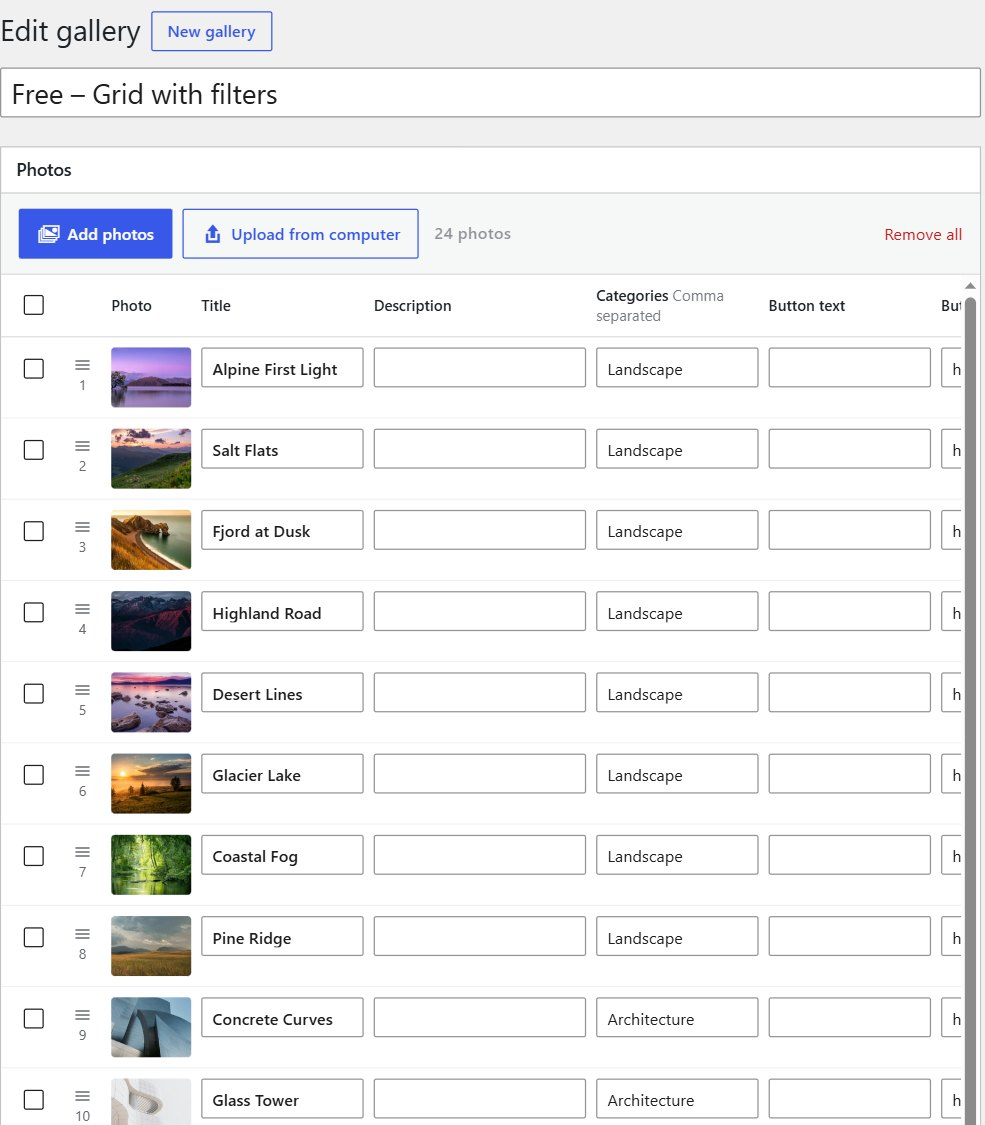
- Quick-edit table. Every photo is a row with title, description, categories, button text and link. Press Enter to jump down a column. Select several rows to add a category or the same button to all of them.
- Smart titles. “IMG_2034-desert-dunes.jpg” becomes “Desert Dunes”, and captions you’ve already written in the Media Library fill the description.
- Filterable portfolio. Give photos categories such as Weddings or Portraits and visitors can filter the gallery. Grids re-sort with a smooth animation.
- Full-screen lightbox. Click a photo to see it large, with its caption and button. Swipe, use the arrow keys, or swipe down to close. Every photo has its own link you can share.
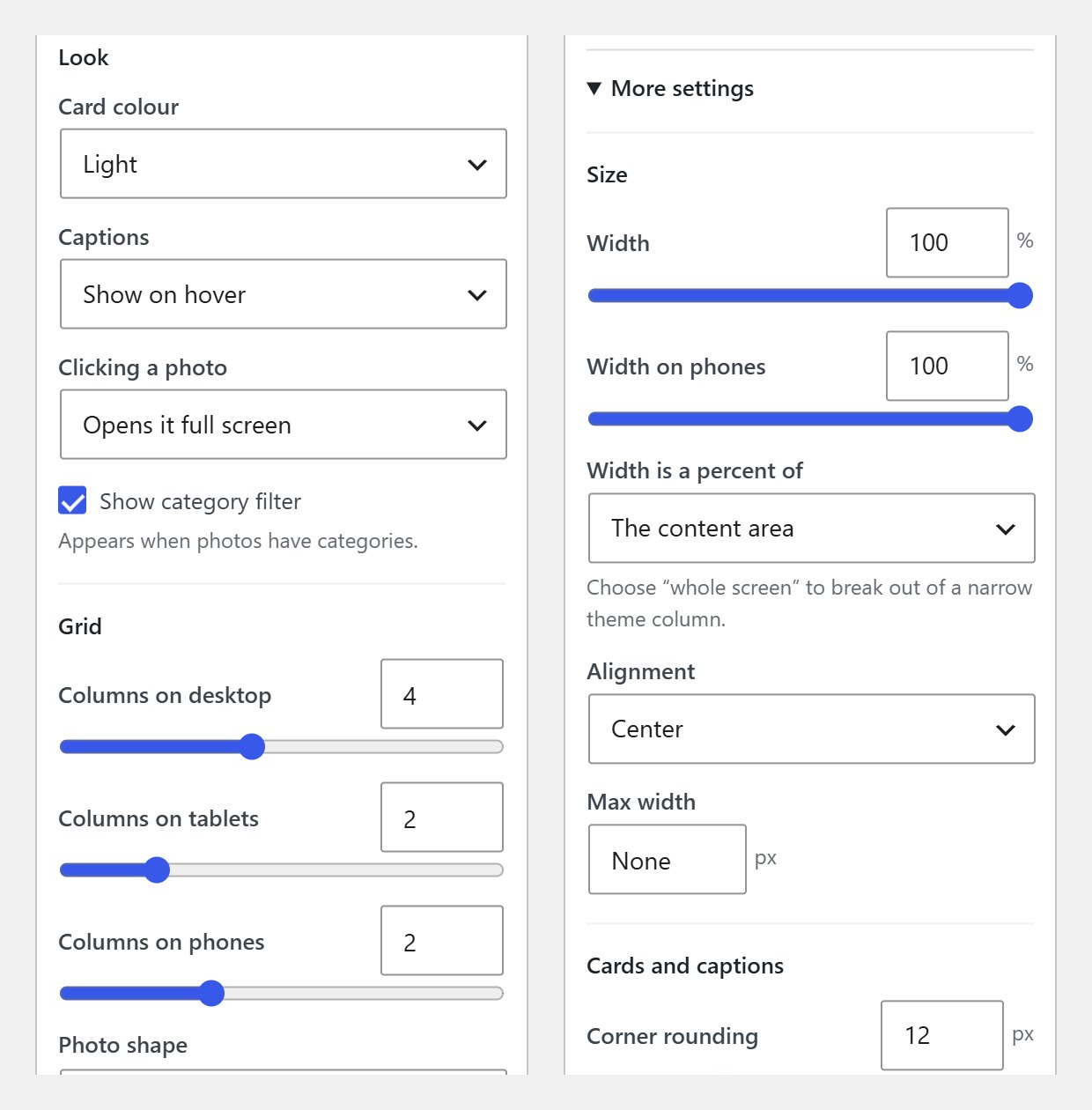
- Phones first. Choose different column counts for phones, tablets and desktops, or a completely different layout on phones.
- Your site’s style. Galleries use your theme’s font. Photos carry the colour while the frames stay neutral. Light or dark cards, with an optional accent colour; text colours are picked automatically for contrast.
- Exact sizing. Set the gallery width as a percentage of the content area or the whole screen, and set exact card sizes if you want them.
- Watermark. Add your name or studio as text over every photo, in the corner, the centre or repeated across it. It shows in the full-screen viewer too.
- Block and shortcode. Use the Galleo Gallery block, or
[galleo id="123"]. - Accessible. Every photo opens from the keyboard, focus is always visible, screen readers get clear labels, moving galleries have a pause button, and “reduce motion” is respected.
Galleo Pro adds 24 more 3D and FX layouts (Helix, Tunnel, Flip Book, Sphere, Infinite Marquee, Scroll Gallery and more), albums, video, password-protected galleries and right-click protection. See Galleo Pro.
Try it first: click Live Preview above to open a demo site with a sample portfolio in five layouts. More at galleo3d.com.
Screenshots



Blocks
This plugin provides 1 block.
- Galleo Gallery
Installation
- Go to Plugins Add New, search for “Galleo”, then Install and Activate.
- Open Galleo New gallery.
- Drag a batch of photos onto the Photos box.
- Fill in titles, categories and buttons in the table.
- Choose a layout in Gallery settings and click Publish.
- Add the Galleo Gallery block to any page, or paste the shortcode shown in the sidebar.
FAQ
-
How do I add many photos at once?
-
Drag them from your computer onto the Photos box, or click “Add photos” and pick several in the Media Library. Each photo becomes a row in the table.
-
How do category filters work?
-
Type one or more categories, separated by commas, in a photo’s Categories box. If any photos in a gallery have categories, a filter bar appears above it. You can turn the filter off in Gallery settings.
-
Can I use a different layout on one page?
-
Yes. In the block, choose “Layout on this page”. With the shortcode, add
layout="masonry"(or any layout name), andphone_layout="coverflow"for phones. -
Can I link a photo to a project page?
-
Yes. Give it a button link. You can also set “Clicking a photo” to follow the link instead of opening the full-screen viewer.
-
Does it slow my site down?
-
The scripts and styles load only on pages that show a gallery, photos load lazily, and images use responsive sizes, so phones download smaller files.
-
Can I watermark my photos?
-
Yes. Open “More settings” Protection in a gallery and type your watermark text, then pick where it goes. The watermark is drawn over the photo on the page, so your original files in the Media Library stay untouched.
-
Does it work with page builders?
-
Anywhere you can add a shortcode, you can add a gallery.
Reviews
There are no reviews for this plugin.
Contributors & Developers
“Galleo – Portfolio Gallery, 3D Carousel & Slider” is open source software. The following people have contributed to this plugin.
Contributors
Translate “Galleo – Portfolio Gallery, 3D Carousel & Slider” into your language.
Interested in development?
Browse the code, check out the SVN repository, or subscribe to the development log by RSS.
Changelog
1.0.4
- Listing update: new display name and description, and a Live Preview demo. No changes to how galleries work.
1.0.3
- 3D card layouts ask for photo files sized to the cards, so phones and high-resolution screens download less.
- Galleries hidden by the page (for example a covered panel in a sticky “stacking” section) sleep instead of animating unseen. Pages that hide and show galleries this way can call Galleo.refresh().
1.0.2
- Smoother 3D and panel layouts (much less redrawing while they move), photos fade in once loaded, and moving layouts load their photos ahead so none pop in.
- No page jump while fixed-height layouts start, sharper full-screen viewer transitions, and tidier captions on narrow photos and angled side cards.
- Neater settings screen: aligned number boxes and a three-column layout picker.
1.0.1
- New name: Galleo 3D Galleries & Sliders. Stricter escaping of add-on HTML and layout icons.
- Fixed: the watermark now also shows on galleries added to the page after it loads.
1.0.0
- First release: six layouts, batch upload, quick-edit table, category filters, watermark, full-screen viewer with shareable links, block and shortcode.