
Description
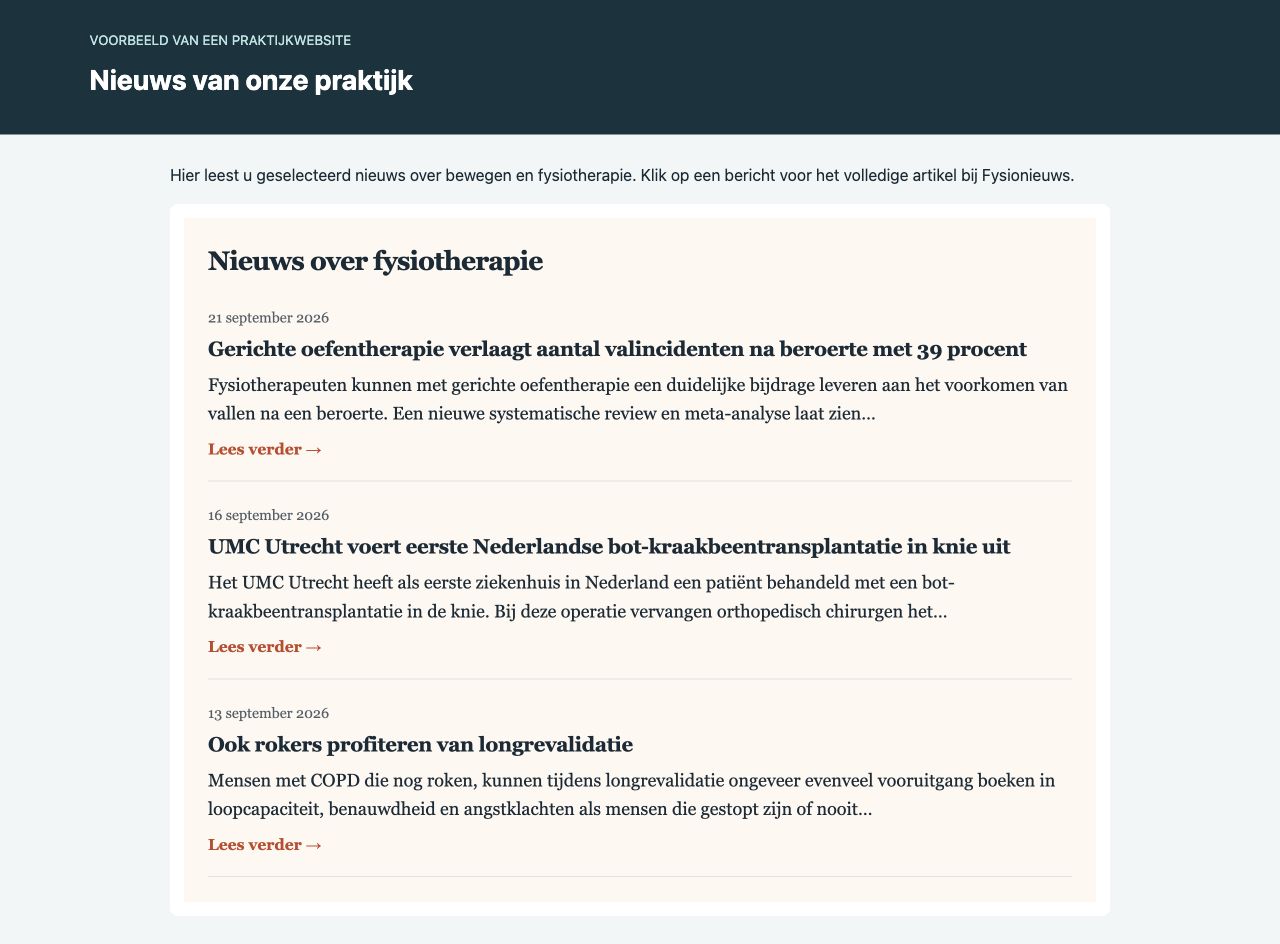
Fysionieuws Widget voor Praktijken connects a practice website to the external Fysionieuws news service. It displays selected Dutch physiotherapy headlines, short summaries and links to the original articles. The plugin’s administration interface is in Dutch.
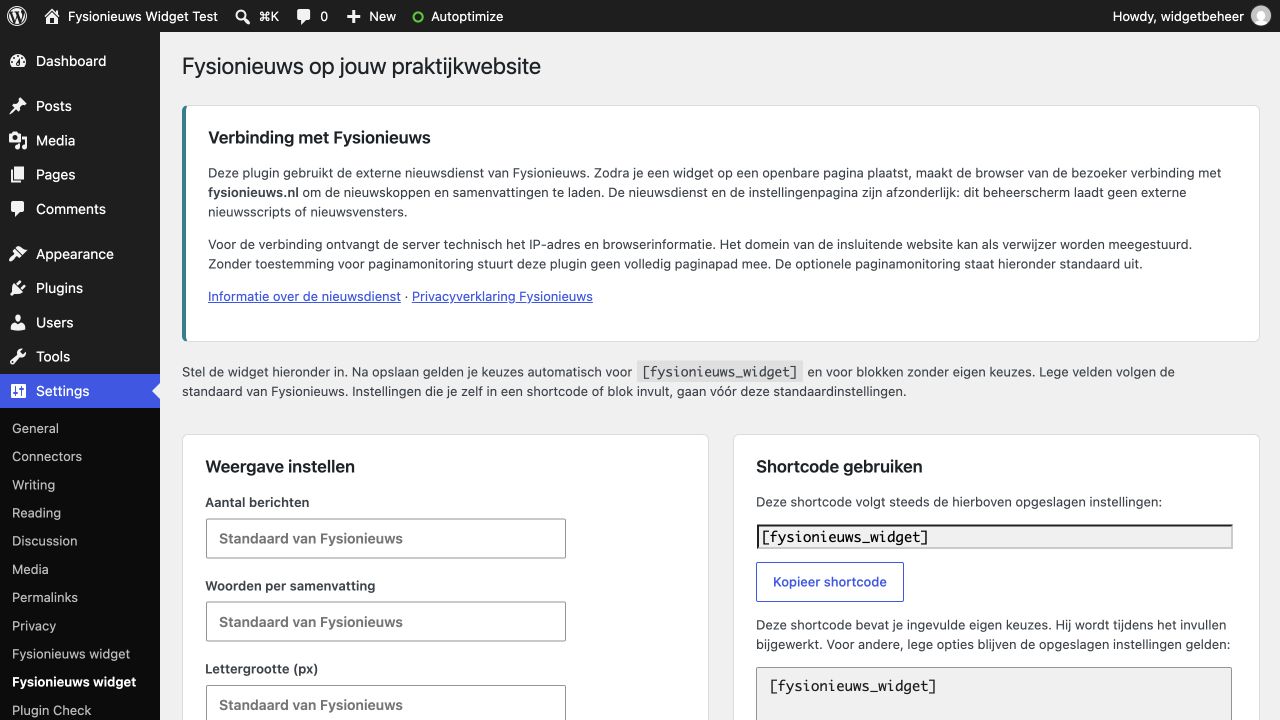
Use the Fysionieuws nieuwswidget block or add [fysionieuws_widget] to a page. Manage default display settings under Settings > Fysionieuws widget, or generate a shortcode with specific options.
Features:
- Display 1 to 10 headlines and 10 to 100 words per summary.
- Choose a light or dark layout, three colors, an installed font and a font size from 12 to 24 pixels.
- Use the block editor, classic editor or a page builder that supports WordPress shortcodes.
- Reuse the service’s pre-rendered public news pages for fast loading.
- Keep different colors and fonts independent without additional news-cache variants or webfont downloads.
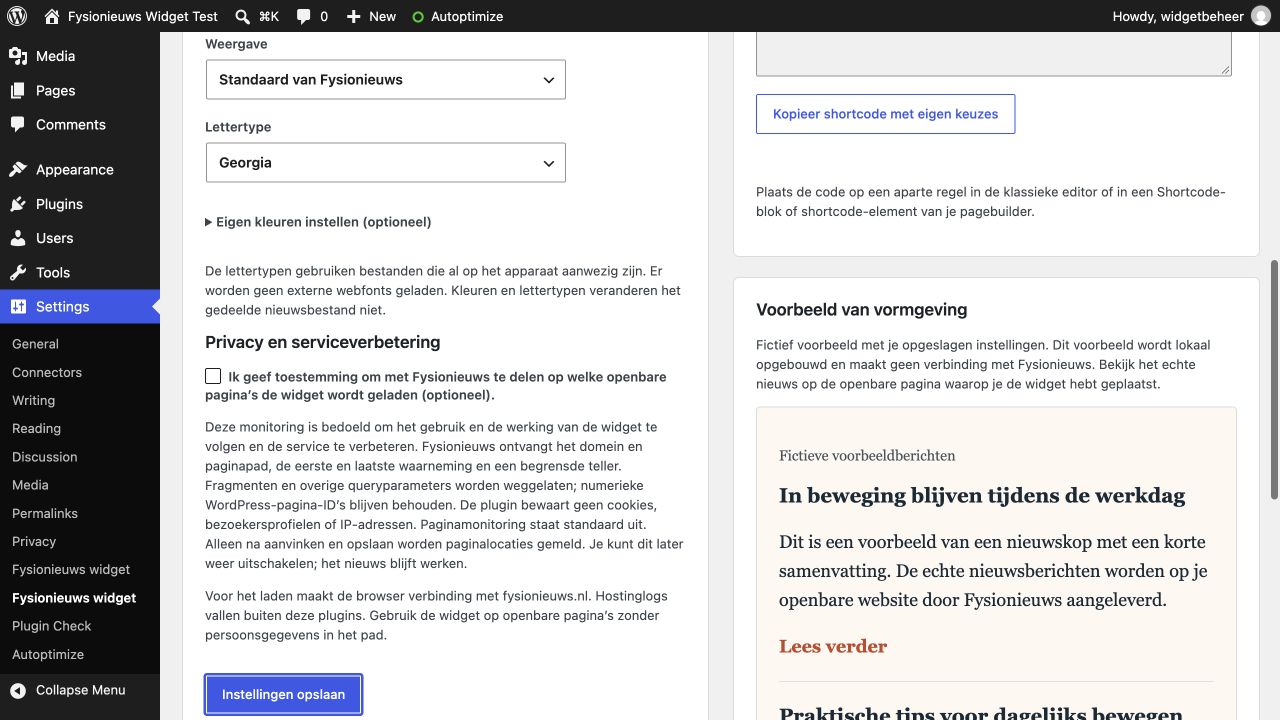
- Inspect a fictional, locally rendered styling preview in the settings screen.
- Enable optional page monitoring only through an explicit saved choice. It is off by default.
The plugin does not fetch and republish the RSS feed on your server. The public news is served in an iframe by Fysionieuws. A working Fysionieuws service is required. No separate account is currently needed to display its public widget. The service is maintained independently of this plugin.
External service: Fysionieuws
Provider: Fysionieuws, https://fysionieuws.nl/.
Purpose: deliver centrally maintained physiotherapy news, select the requested news layout and resize the public widget. The connection is necessary when a widget is placed on a public page. Installing or activating this plugin does not by itself contact the service. The plugin’s settings screen uses local assets and a fictional local preview, not a remote admin iframe.
On public pages containing a widget, the visitor’s browser requests:
https://fysionieuws.nl/wp-content/plugins/fysionieuws-nieuwswidget/public-cache/manifest.js: a small service-hosted manifest containing public news-file URLs, default settings and cache expiry. It uses the service’s JavaScript callback format. The local plugin loader, block editor and settings logic are included in this plugin.- The selected public
widget-<content-hash>.htmlfile in that cache directory: the displayed news, source metadata, service styles and service-owned scripts for safe appearance and height communication. - If the requested static layout is unavailable, expired or blocked,
https://fysionieuws.nl/?fnw_widget=1: the service’s dynamic fallback. The query contains display choices, the monitoring choice and the embedding origin needed by the fallback. A full embedding page path is included only after monitoring has explicitly been enabled.
A visible page refreshes the widget approximately every ten minutes. Manifest requests may be shared between widgets and cached briefly. Opening the settings page makes none of these service requests.
For an HTTPS connection, the external server necessarily receives the visitor’s IP address and browser request metadata. The embedding origin/domain may be transmitted in the referrer and, for fallback resizing, in a query value. The plugin does not set cookies, create visitor identifiers or store IP addresses. Browser behavior and Fysionieuws/hosting logs are separate from the plugin; existing cookies for the service may be handled by the browser according to its policies.
Service information: https://fysionieuws.nl/fysionieuws-op-uw-pagina/
Provider privacy policy: https://fysionieuws.nl/privacyverklaring/
Optional page monitoring
Page monitoring is OFF by default. This also applies to an older installation with a previously default-on setting but no consent marker from this release. Existing colors, counts and other display settings remain intact.
To enable monitoring, an administrator must check the optional consent checkbox under Settings > Fysionieuws widget and save. A shortcode cannot override the site-wide opt-out.
When enabled, the browser may make a separate request to https://fysionieuws.nl/?fnw_track=1&page=... after a static news frame is ready. The dynamic fallback handles monitoring in its own request. The static monitoring request omits browser credentials. Fysionieuws also controls whether it accepts monitoring.
The reported URL contains the public page’s domain and path. Fragments and other query parameters are removed; numeric WordPress page_id and p values are retained to distinguish pages. Fysionieuws uses the reported page locations, first/last observation and a bounded counter to understand service use and operation and improve the service. These observations are not unique-visitor counts.
When monitoring is disabled, the loader does not report the full embedding page path or send a separate monitoring request. The news connection remains necessary and can still disclose the embedding origin/domain as explained above.
Uncheck the setting and save to stop future monitoring from newly rendered pages. Clear your page/CDN cache so previously cached markup does not retain an old setting. Disabling monitoring, uninstalling the plugin or removing a widget does not erase records previously received by Fysionieuws. Contact the provider about its records. Use the widget only on public pages without personal information in their URL paths.
Screenshots

Blocks
This plugin provides 1 block.
- Fysionieuws nieuwswidget
Installation
- In your practice’s WordPress admin, open Plugins > Add New Plugin.
- Search for Fysionieuws Widget voor Praktijken.
- Click Install Now and activate the plugin.
- Open Settings > Fysionieuws widget. Choose your display settings and save. Optional page monitoring is initially unchecked.
- Add the Fysionieuws nieuwswidget block to a page, or paste
[fysionieuws_widget]into a Shortcode block. In the classic editor, put the shortcode on its own line. - Publish or update the page, clear any page/optimization cache and view the public page.
Alternatively, download the ZIP from https://wordpress.org/plugins/fysionieuws-widget-voor-praktijken/. Keep it zipped. Open Plugins > Add New Plugin > Upload Plugin, select the downloaded ZIP, install and activate it.
Updating from an older ZIP release
Upload the new ZIP and choose to replace the current version. Existing display settings, blocks and shortcodes remain compatible. Monitoring without a current explicit consent marker is treated as disabled. If wanted, enable it again deliberately in the settings screen. Clear page and Autoptimize caches after updating.
Only install the practice plugin on a practice website. The separate publisher plugin is operated by Fysionieuws. Custom colors and fonts require publisher service version 1.0.8 or later.
FAQ
-
How do I use a shortcode?
-
Use
[fysionieuws_widget]to follow your saved practice settings. A generated shortcode can set individual options, for example:[fysionieuws_widget count="3" words="25" theme="light" accent="#087f8c" background="#ffffff" text="#172b36" font="georgia" font_size="18"]Explicit block or shortcode choices override saved defaults for those fields. Unspecified choices continue to inherit defaults. Empty saved settings inherit the Fysionieuws defaults.
-
Which fonts are available?
-
Use
system,arial,verdana,georgia,tahomaortrebuchet. Installed fonts and fallback stacks are used; no remote font files are requested. -
Does turning off monitoring stop the news?
-
No. Monitoring is optional. The connection to the Fysionieuws news service remains necessary to display its public news.
-
Why is the settings preview fictional?
-
It lets you inspect colors and typography without contacting a third party from the admin area. Your public page displays the actual centrally selected news.
-
What if no news appears?
-
Check the public page and that your editor supports shortcodes or the plugin block. Your theme must output the normal WordPress footer scripts. A content-security policy, browser extension or network restriction can block the service. The provider must also be available. The news iframe keeps scrolling as a fallback when automatic resizing is unavailable.
-
Is WordPress Multisite supported?
-
This release targets ordinary single-site installations. Network activation is not supported or tested.
-
How do I remove the widget?
-
Remove its block or shortcode from pages, then deactivate and delete the plugin. Uninstalling deletes only this plugin’s saved settings on your site. It does not automatically edit page content or delete information already held by the provider.
Reviews
There are no reviews for this plugin.
Contributors & Developers
“Fysionieuws Widget voor Praktijken” is open source software. The following people have contributed to this plugin.
Contributors
Translate “Fysionieuws Widget voor Praktijken” into your language.
Interested in development?
Browse the code, check out the SVN repository, or subscribe to the development log by RSS.
Changelog
1.1.0
- First WordPress.org release, using the assigned directory slug and an installation-folder-aware Autoptimize exclusion.
- Make page monitoring opt-in and disabled by default, including legacy default-on installations without recorded explicit consent.
- Send the full embedding page path only when monitoring is explicitly enabled.
- Replace the remote admin news iframe with a fictional local styling preview.
- Keep the practice loader local, including when the publisher plugin is also active.
- Document the external service, request URLs, data, purpose, privacy policy and cache behavior.
- Add clear saved-state feedback and group optional color settings.
1.0.4
- Add display settings, local font choices and a shortcode generator.
1.0.3
- Add the pre-rendered static service route with dynamic fallback.
1.0.2
- Start loading the news immediately.
1.0.1
- Add targeted Autoptimize compatibility.