

Description
FTHCNDR Çerez Onayı is a cookie consent manager built around the Turkish Personal Data Protection Authority’s (KVKK) “Guide on Cookie Practices” (Çerez Uygulamaları Hakkında Rehber, updated July 2025). It is also suitable for GDPR-style opt-in consent.
Many cookie plugins only show a banner while analytics and advertising tags keep running in the background, or treat “continuing to browse” as consent. Under KVKK, browsing is not consent and non-essential cookies may only be set after explicit opt-in. This plugin actually stops those tags until the visitor agrees.
The admin interface and the visitor-facing texts are in Turkish. All banner texts can be edited from the settings page.
Prior blocking
- Scripts that need consent (Google Analytics, Google Tag Manager, Meta Pixel, Microsoft Clarity, Hotjar, Yandex Metrica, TikTok, LinkedIn, WooCommerce order attribution and more) are converted to inert
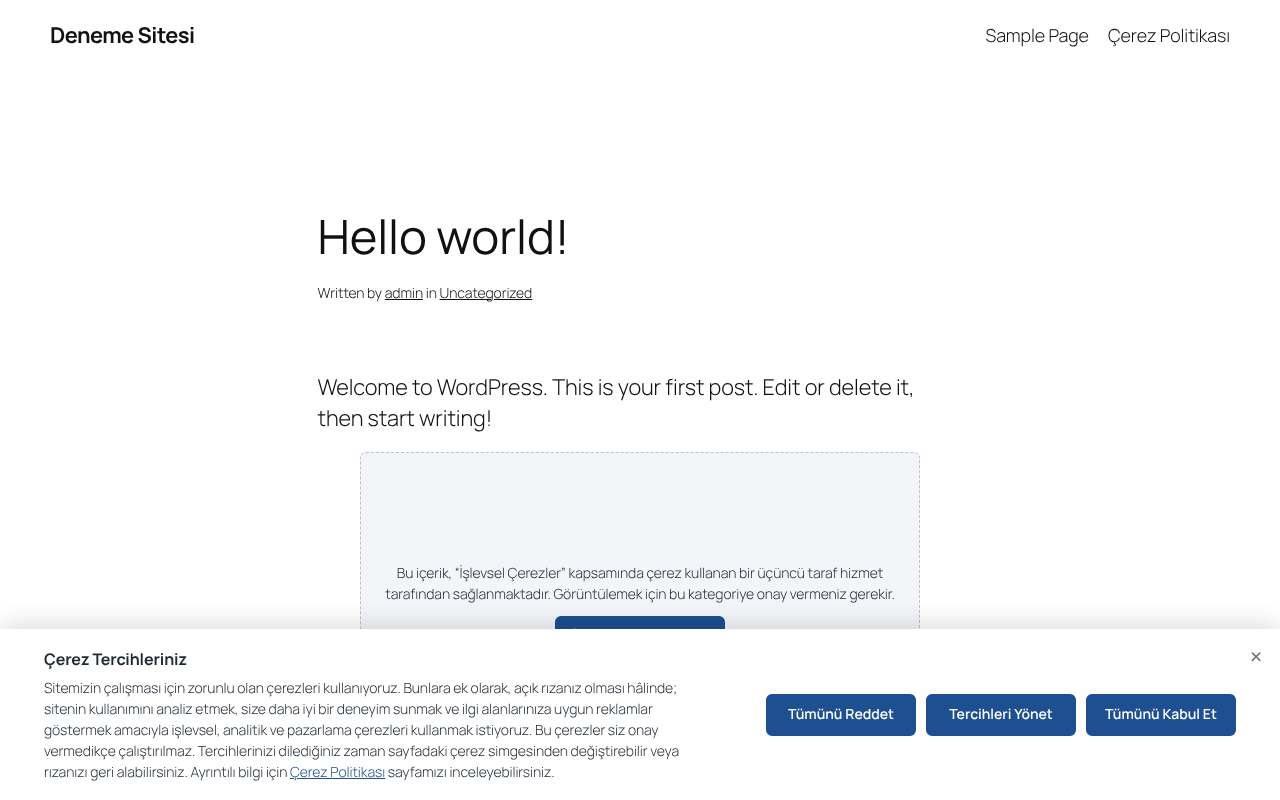
type="text/plain"on the server and only run after consent. - YouTube, Vimeo and Google Maps iframes are replaced with a placeholder until the visitor allows them.
- Scripts and iframes added later by JavaScript are also intercepted in the browser.
- Works with full page caching (LiteSpeed Cache, WP Rocket, Cloudflare APO), because blocking is the same for every visitor.
KVKK-oriented consent banner
- “Accept all”, “Reject all” and “Preferences” buttons with equal colour, size and font.
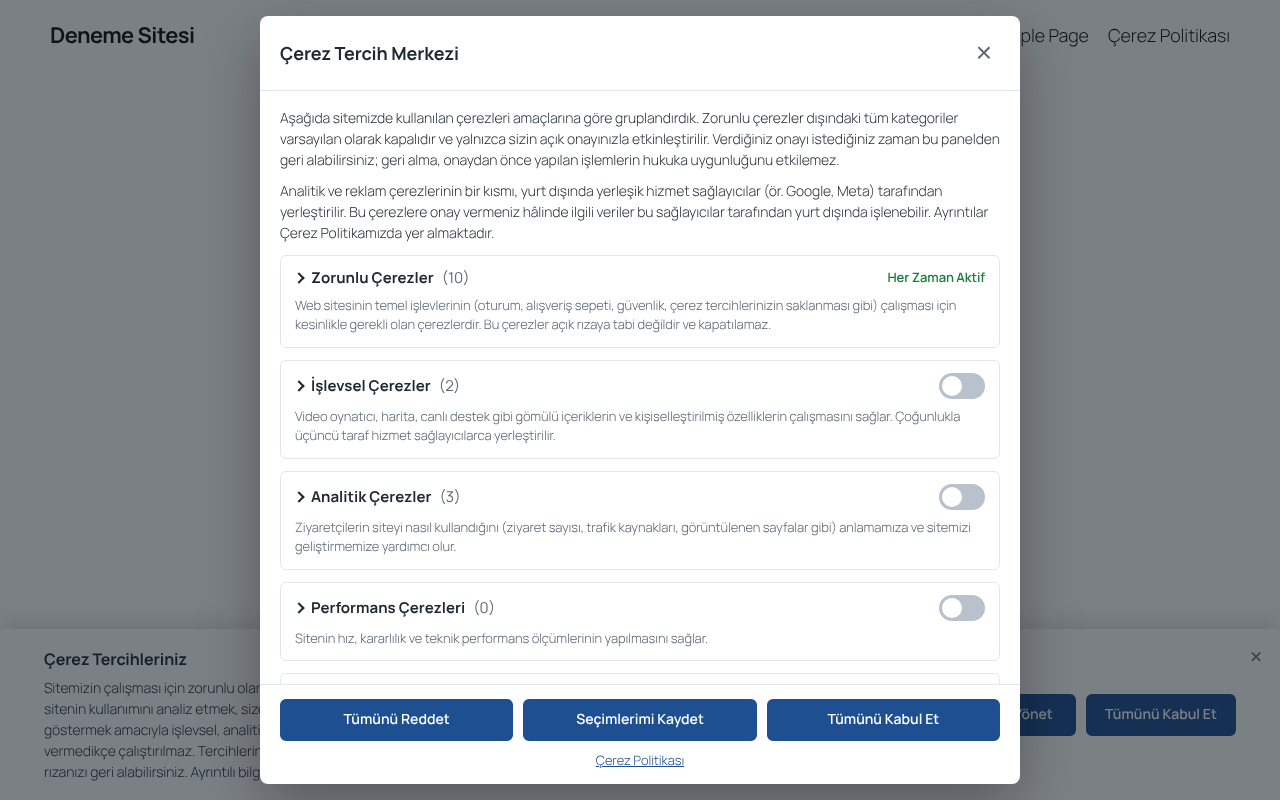
- Category-based preference center: Necessary, Functional, Analytics, Performance, Advertising. Optional categories are off by default.
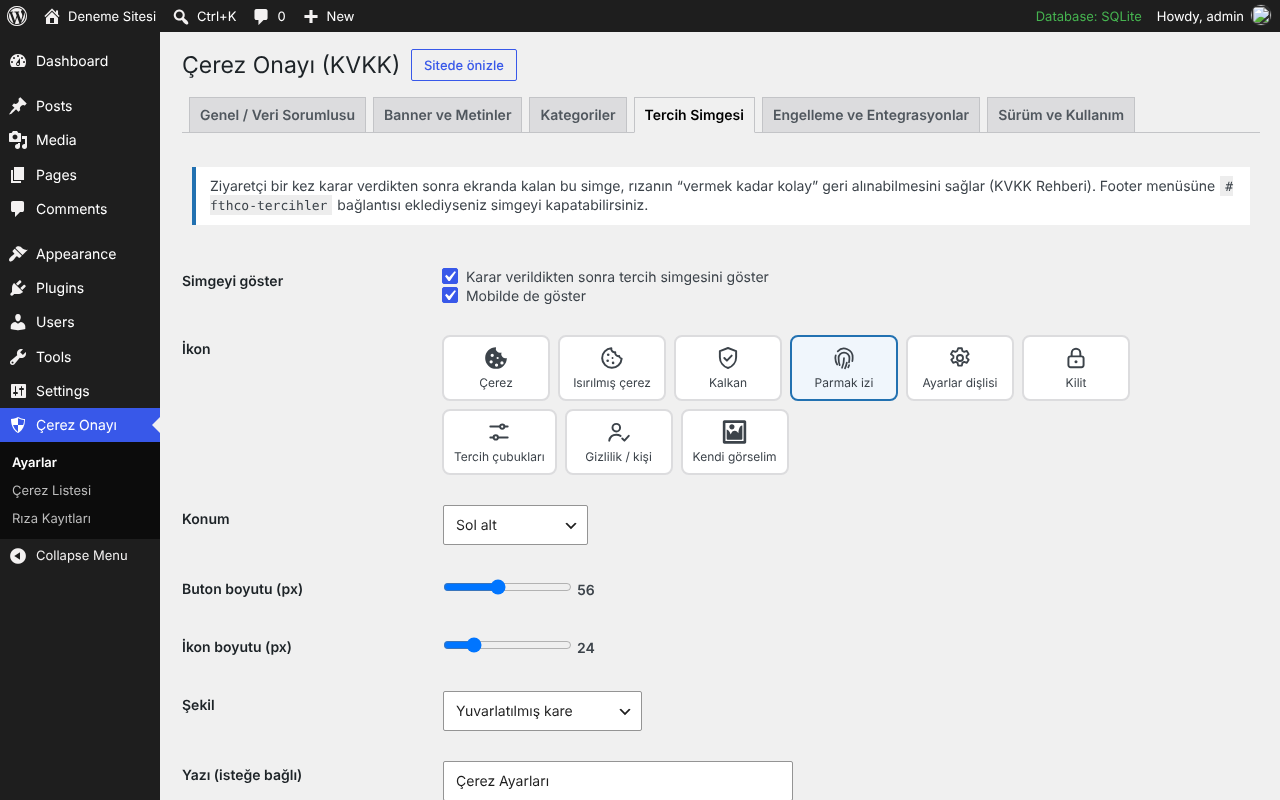
- Consent can be withdrawn as easily as it was given, from a floating icon. On withdrawal, related cookies are deleted and the page reloads.
- Changing the policy version asks every visitor for consent again.
Consent signals
- Google Consent Mode v2 (default denied, updated on consent), optional url_passthrough.
- Microsoft Advertising UET consent mode and Microsoft Clarity Consent API v2.
- WP Consent API support.
- Optional automatic rejection for Global Privacy Control (GPC) signals.
- The banner is not shown to search engine and PageSpeed bots.
Consent records
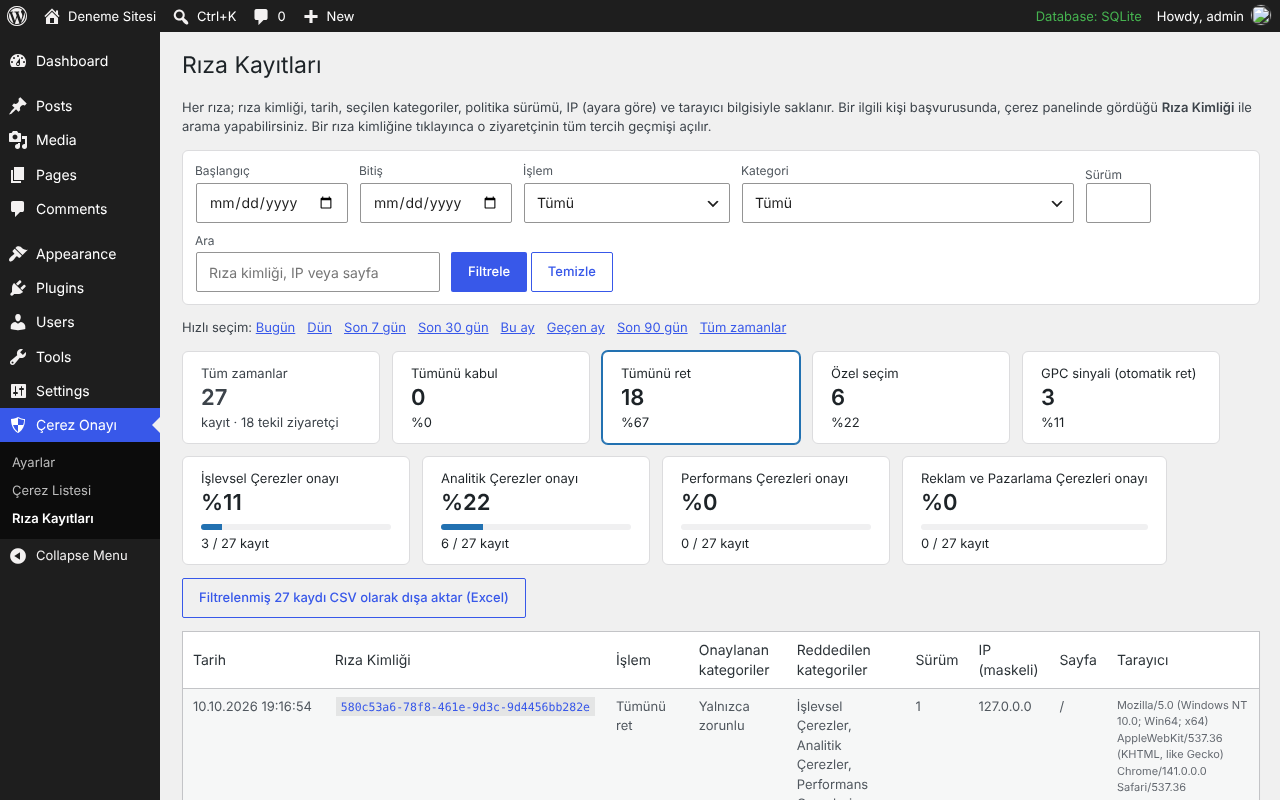
- Every decision is stored with a random consent ID, date, categories, policy version, IP address (masked, full or none — your choice) and browser.
- Filter by date range, action, category and policy version; view a visitor’s full history; export to CSV.
- Old records are deleted automatically after the retention period you set.
Cookie inventory and policy
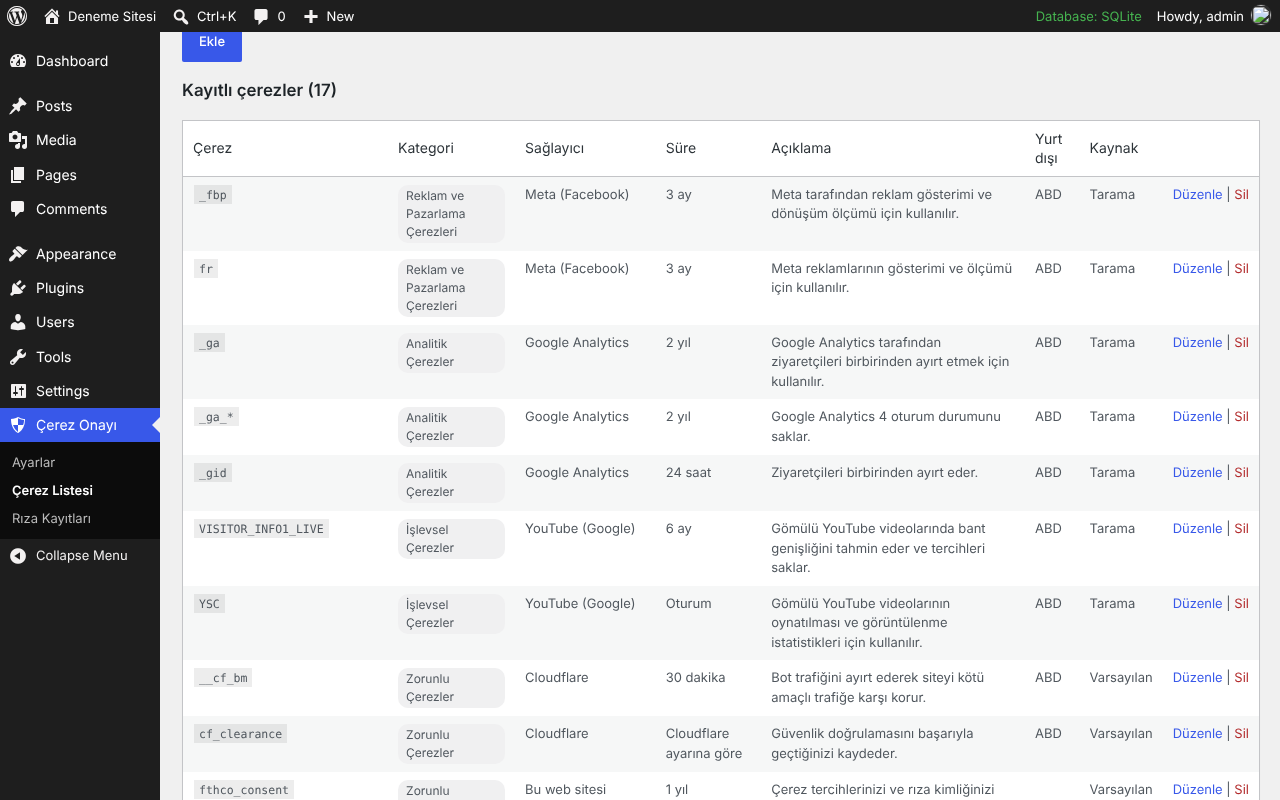
- Built-in scanner and “discovery mode” find the cookies your site sets; hundreds of well-known cookies are classified automatically.
- Automatically generated Cookie Policy page (KVKK information notice) with cookie tables that stay up to date.
- Shortcodes:
[fthcndr_cerez_politikasi],[fthcndr_cerez_tablosu],[fthcndr_cerez_ayarlari].
Appearance
- Bottom bar, box or popup layout; colours, button radius, uppercase and theme font options.
- Floating preferences icon: 6 positions, 8 built-in icons or your own image, size, shape, label, offsets (separate on mobile), hide on mobile, live preview.
Compatibility notes
- Shows an admin suggestion to turn off WooCommerce usage tracking when it is enabled.
- Warns when the WoodMart theme’s own cookie notice is enabled, so visitors do not see two banners.
- Code injected at the edge (for example Cloudflare “Google tag gateway” or Cloudflare Web Analytics automatic injection) bypasses WordPress and cannot be blocked by any plugin; disable those or switch to manual setup.
Disclaimer
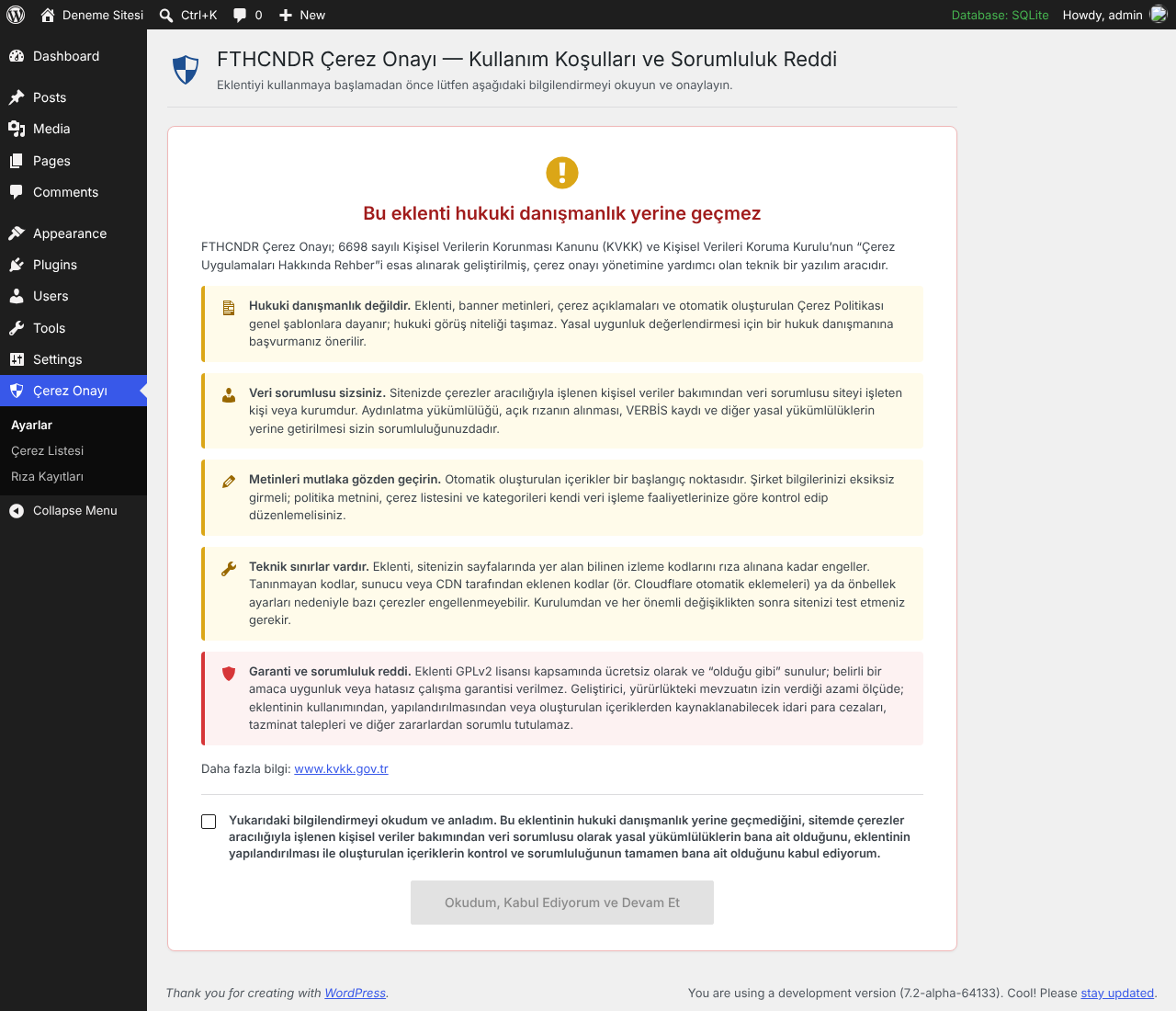
Before the settings can be used, an administrator must read and accept a short notice (terms of use and disclaimer). The acceptance is recorded with the user name, date and plugin version.
- This plugin is a technical tool and does not constitute legal advice. The banner texts, cookie descriptions and the generated cookie policy are general templates.
- The website operator is the data controller and remains responsible for complying with KVKK and other applicable laws.
- Some cookies may not be blocked (unknown scripts, code injected by the server or CDN, caching). Test your site after setup.
- The plugin is provided free of charge under the GPLv2 license, “as is”, without any warranty.
External services
This plugin does not connect to, load from, or send data to any third-party or external service, and it sends no data to the plugin author.
- Consent records are saved only in your own WordPress database, via your own site’s REST API (
/wp-json/fthco/v1/consent). - The cookie scanner only requests pages of your own site (
home_url()), usingwp_remote_get(). - No external scripts, fonts, images or APIs are loaded by the plugin.
Third-party domains such as googletagmanager.com, google-analytics.com, connect.facebook.net, maps.google.com, youtube.com, embed.tawk.to or widget.intercom.io appear in includes/class-known.php only as text patterns. The plugin compares the scripts and iframes that your site (your theme, other plugins or your own code) already outputs against these patterns, so it can block them until the visitor gives consent, and so it can describe the cookies those services set in the cookie policy. The plugin never requests these domains itself; it only prevents them from loading without consent.
Screenshots
Installation
- Upload the plugin from Plugins > Add New > Upload Plugin and activate it.
- Go to Çerez Onayı > Ayarlar > Genel and enter your company details (legal name, address, KVKK application e-mail, KEP, MERSİS).
- Click “Çerez Politikası sayfasını otomatik oluştur” to create the Cookie Policy page, or add
[fthcndr_cerez_politikasi]to your own page and select it. - Go to Çerez Onayı > Çerez Listesi and click “Siteyi tara”. Optionally enable discovery mode, browse the site as an administrator and accept all, so cookies created by JavaScript are also listed. Assign a category and description to any unclassified cookie.
- Add a custom link
#fthco-tercihlerto your footer menu (label it “Çerez Ayarları”). - If you use page caching, clear the cache.
FAQ
-
Does browsing the site count as consent?
-
No. Optional cookies are only set after the visitor clicks “Accept all” or enables a category in the preference center.
-
How do I block a script that is not detected automatically?
-
Add it as
<script type="text/plain" data-fthco-category="analytics">...</script>, or add a pattern in the Blocking tab. To never block a script, adddata-fthco-skipto its tag. -
Does it work with Google Tag Manager?
-
Yes. GTM is blocked until analytics consent, and Google Consent Mode v2 signals are sent so tags inside GTM can respect consent.
-
Is there a JavaScript API?
-
fthco.open(),
fthco.allowed('analytics'), thefthco:consentdocument event and thefthco_consent_updatedataLayer event. -
Are IP addresses stored?
-
By default only a masked IP (last part removed) is stored. You can choose full IP (optionally masked automatically after X days) or no IP at all.
Reviews
There are no reviews for this plugin.
Contributors & Developers
“FTHCNDR Çerez Onayı (KVKK)” is open source software. The following people have contributed to this plugin.
Contributors
Translate “FTHCNDR Çerez Onayı (KVKK)” into your language.
Interested in development?
Browse the code, check out the SVN repository, or subscribe to the development log by RSS.
Changelog
1.4.2
- Terms of use and disclaimer screen: the plugin settings open only after an administrator accepts it; the acceptance (user, date, version) is recorded.
- On new installations the consent banner starts after acceptance. Existing installations keep working without interruption.
1.4.1
- WordPress.org coding standards: scripts printed with core script-tag functions, stricter input sanitization and output escaping.
1.4.0
- Plugin renamed to FTHCNDR Çerez Onayı (KVKK).
- Admin notice when company details are missing; site name is used in the policy if the company name is empty.
- WoodMart compare list cookie recognised; warning when WoodMart’s own cookie notice is enabled.
- Developer information added to the “Sürüm ve Kullanım” tab.
1.3.0
- Suggestion to disable WooCommerce usage tracking.
- Discovery mode ignores admin-only WooCommerce/Jetpack Tracks cookies and leftovers from removed cookie plugins.
1.2.0
- Consent records: date range and other filters, per-visitor history, filtered CSV export, IP storage modes.
1.1.0
- Preferences icon customisation, Microsoft UET and Clarity consent, GPC support, bot detection, site preview mode.
1.0.0
- First release.