
Description
Frontivo.io AI Receptionist puts your Frontivo.io AI chatbot and voice assistant on every page of your WordPress site, with no code to paste and no theme files to edit.
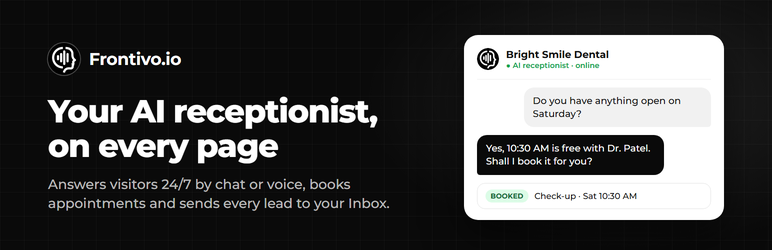
Most visitors leave without calling or filling in a form. An AI receptionist answers them on the spot, day and night, the way a good front desk would: it gives prices and opening hours, answers questions about your services, books the appointment and takes the visitor’s details so you can follow up.
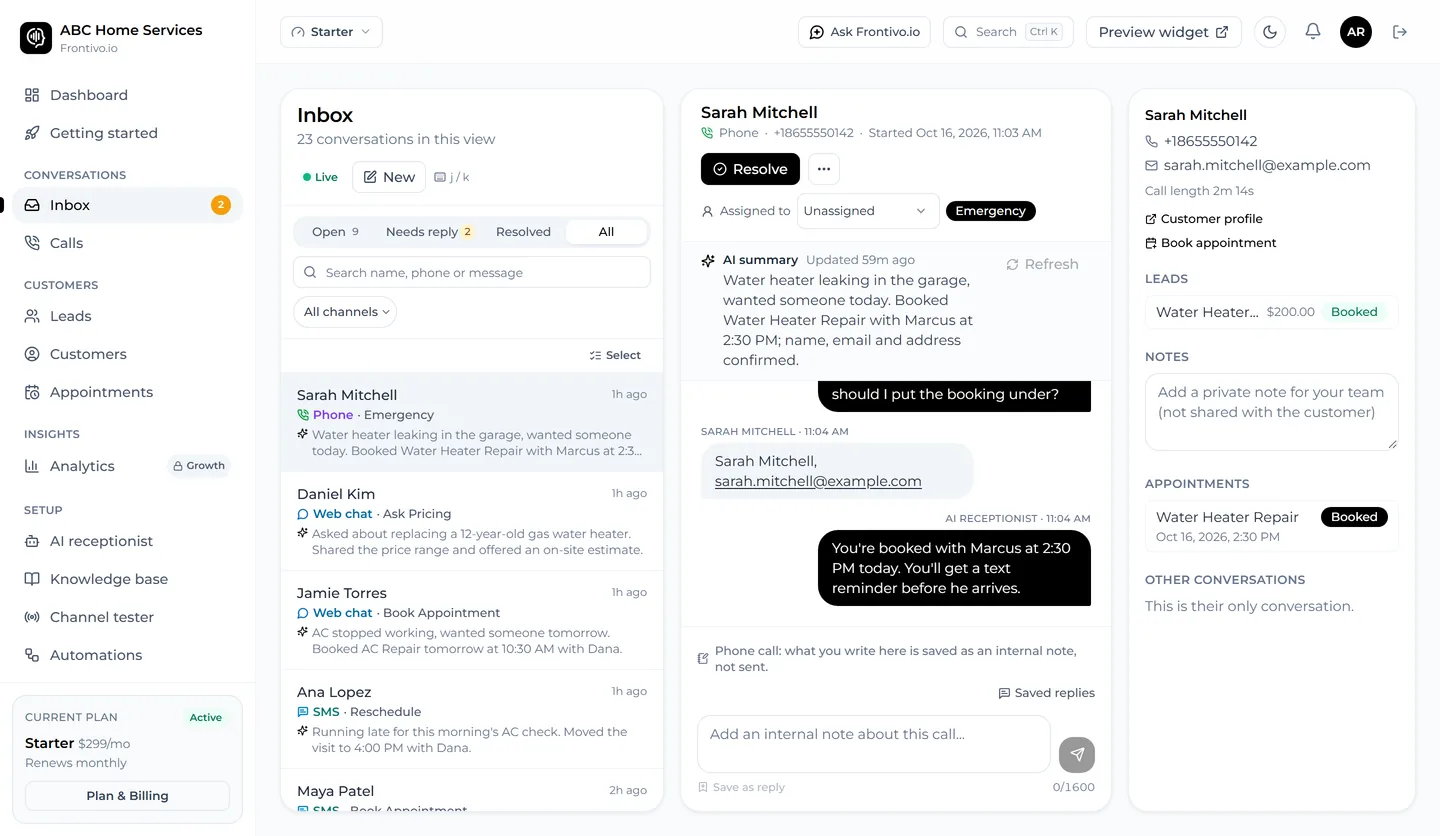
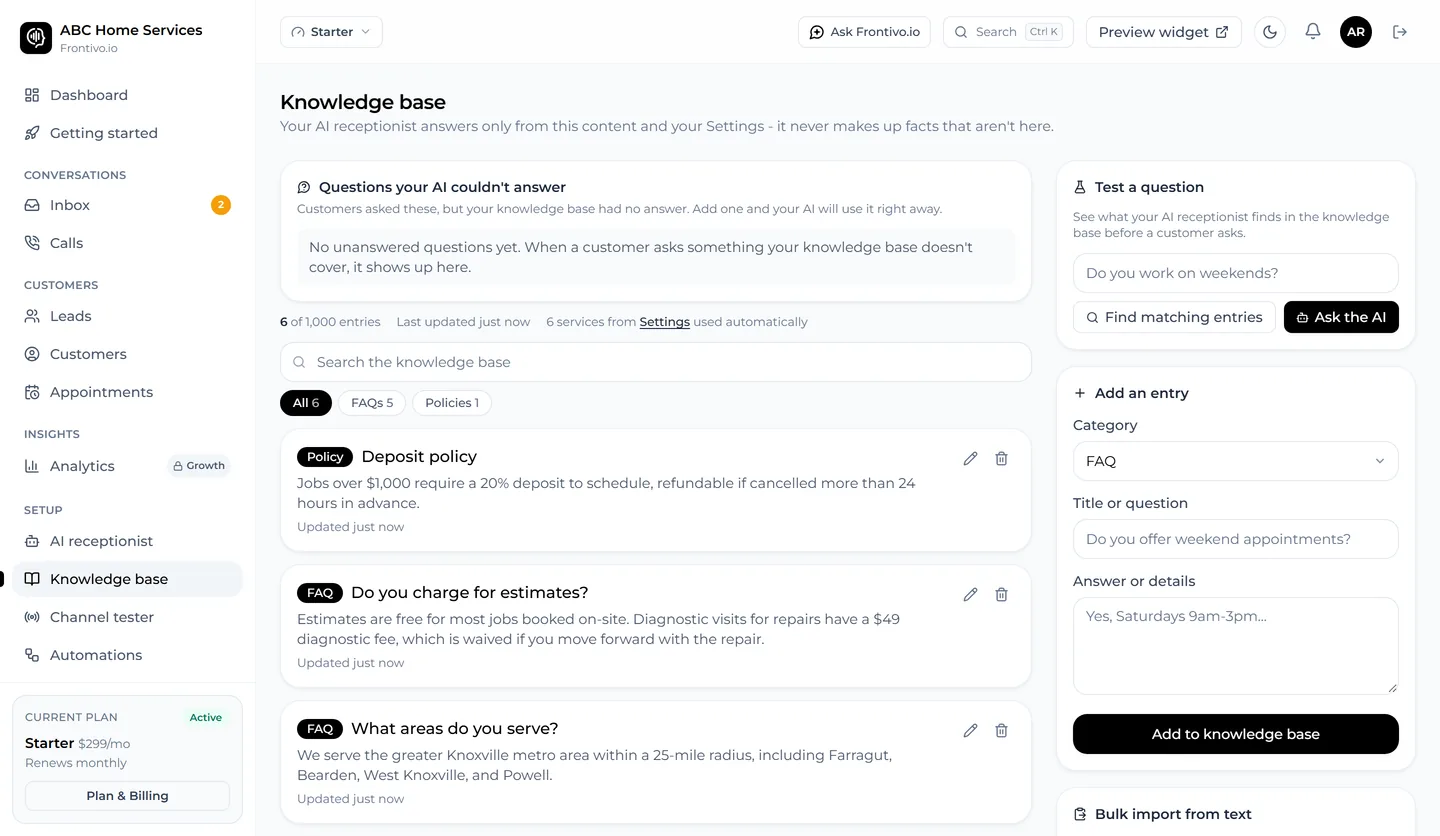
Visitors can type or talk to your AI receptionist at any hour. It answers from what you taught it about your business (services, prices, hours, FAQs), can book appointments into your calendar, collects contact details when someone is interested, and hands the chat to your team when needed. Every conversation lands in your Frontivo.io Inbox, next to your calls, texts and social messages.
What your AI receptionist can do
- Live chat by typing or talking: visitors can tap the microphone and speak instead of typing.
- Answer from what you taught it about your business: services, prices, hours, policies and FAQs.
- Book appointments into your calendar and confirm them in the chat.
- Capture leads: it asks for a name, email address or phone number when someone is interested.
- Hand the conversation to you or your team when a person is needed.
- Keep every chat in your Frontivo.io Inbox, next to your calls, texts and social messages.
It suits businesses that take bookings or enquiries: salons and spas, clinics and dental practices, home services, law and accounting firms, real estate, fitness studios and more.
What this plugin does
- Adds the Frontivo.io chat and voice button to the bottom corner of every page.
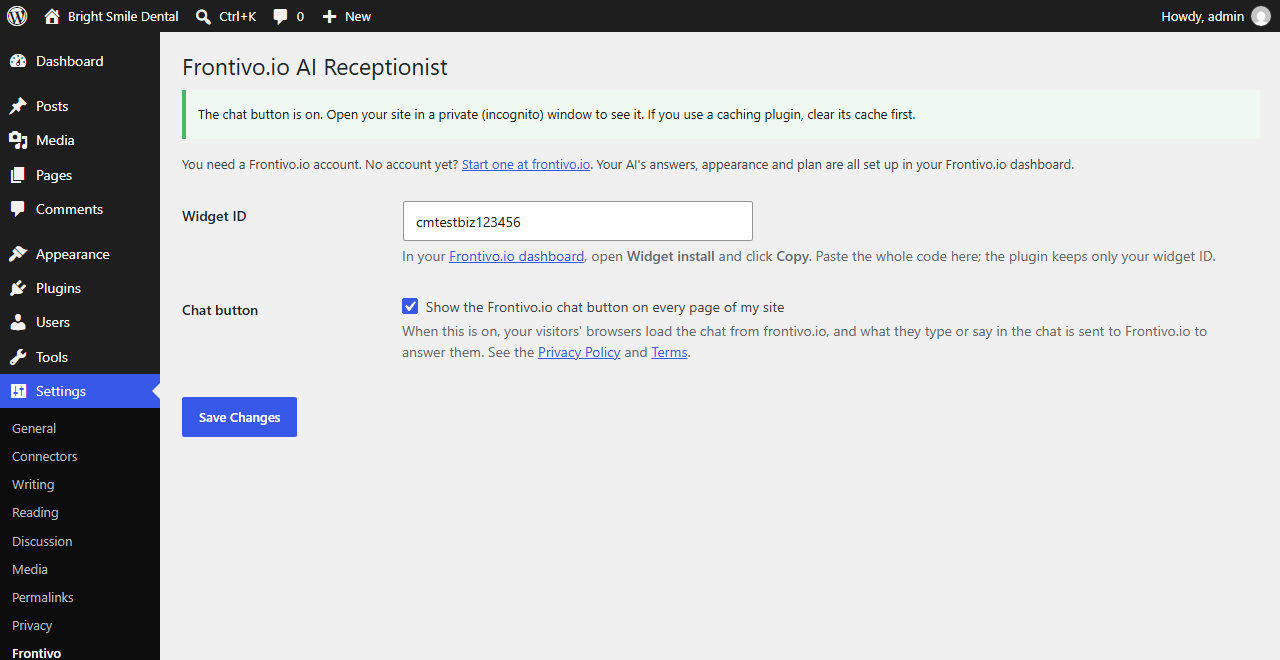
- Lets you turn the button on and off from Settings > Frontivo.
- Suggests text for your privacy policy under Settings > Privacy.
What you need
- A Frontivo.io account. The plugin is free; Frontivo.io itself is a paid service with a free trial. See pricing.
- Your AI’s answers, look, greeting and languages are all set up in your Frontivo.io dashboard. The plugin only puts the chat on your site.
External services
This plugin connects your site to Frontivo.io, the service that runs the AI chat and voice receptionist. Nothing is sent until you enter your widget ID and tick Show the Frontivo.io chat button on every page of my site under Settings > Frontivo.
When the chat button is on:
- On every public page, your visitor’s browser loads the chat from frontivo.io (
https://frontivo.io/widget.jsand the chat window it opens). Like any web request, this sends frontivo.io the visitor’s IP address and browser details, plus your widget ID and the address and title of the page. - If a visitor uses the chat, what they type or say, and any name, email address or phone number they give, is sent to Frontivo.io to answer them, and saved in your Frontivo.io Inbox. Voice is turned into text by Frontivo.io’s speech providers. Frontivo.io uses third-party AI providers to write the answers.
- The chat window saves its conversation ID in the visitor’s browser storage on frontivo.io, so they can continue the chat on another page. Once a visitor has given their details, it also saves a sign-in token and their name there, so the chat recognises them next time. No advertising or analytics trackers run in the chat window.
- If you pick a Google font for your chat in the Frontivo.io dashboard, the visitor’s browser also loads that font from Google Fonts (
fonts.googleapis.com), which receives their IP address. The default font loads nothing from Google. See Google’s Privacy Policy.
The plugin itself makes no requests from your server and sends nothing about your WordPress admin or your users to Frontivo.io.
The service is provided by Frontivo.io: Terms of Service, Privacy Policy, Cookie Policy, Subprocessors.
Screenshots
Installation
- In your WordPress admin, go to Plugins > Add New, search for Frontivo.io AI Receptionist, then click Install Now and Activate.
- In your Frontivo.io dashboard, open Widget install and click Copy to copy your widget code.
- In WordPress, go to Settings > Frontivo and paste the code into Widget ID. The plugin keeps only your widget ID.
- Tick Show the Frontivo.io chat button on every page of my site and click Save Changes.
- Open your site in a private (incognito) window. The chat button appears in the bottom corner within a few seconds.
FAQ
-
Do I need a Frontivo.io account?
-
Yes. The plugin puts your Frontivo.io chat on your site; the AI, your Inbox and your settings live in your Frontivo.io account. You can start a free trial.
-
Where do I find my widget ID?
-
In your Frontivo.io dashboard, open Widget install and click Copy. Paste the whole code into Settings > Frontivo; the plugin picks out the widget ID for you.
-
Check that the box under Settings > Frontivo is ticked and saved. If you use a caching or speed plugin (for example WP Rocket, LiteSpeed Cache or W3 Total Cache), clear its cache, then open your site in a new private (incognito) window. If it still doesn’t show, add
frontivo.io/widget.jsto that plugin’s list of scripts to leave alone (often called “Excluded JavaScript”), so it isn’t combined into another file or copied to your own server. -
I already pasted the widget code with another plugin or in my theme
-
Remove it there before turning this plugin on, so the chat button isn’t added twice.
-
Does it slow down my site?
-
The chat loader is about 4 KB and loads at the end of the page, so your content shows first. The chat window itself loads separately, inside its own frame.
-
Does it work with WooCommerce and page builders?
-
Yes. It adds the button to every public page, whatever theme or page builder you use.
-
How do I remove it?
-
Untick the box under Settings > Frontivo and save, or deactivate the plugin. Deleting the plugin also removes its settings.
Reviews
There are no reviews for this plugin.
Contributors & Developers
“Frontivo.io AI Receptionist” is open source software. The following people have contributed to this plugin.
Contributors
Translate “Frontivo.io AI Receptionist” into your language.
Interested in development?
Browse the code, check out the SVN repository, or subscribe to the development log by RSS.
Changelog
1.0.0
- First release: add the Frontivo.io chat and voice button to every page, with an on/off switch and suggested privacy policy text.