
Description
Freelance Studio Simple Event Calendar is a fast, no-fuss event calendar for WordPress. Add events, group them into color-coded categories, set recurrence rules, and drop the calendar onto any page with a shortcode. Visitors can browse by month, filter by category, and add any event to their own calendar with a single click.
It stays out of your way: no page builders, no external services, and no account required. Everything runs on your own site and stores data in standard WordPress post types.
Features
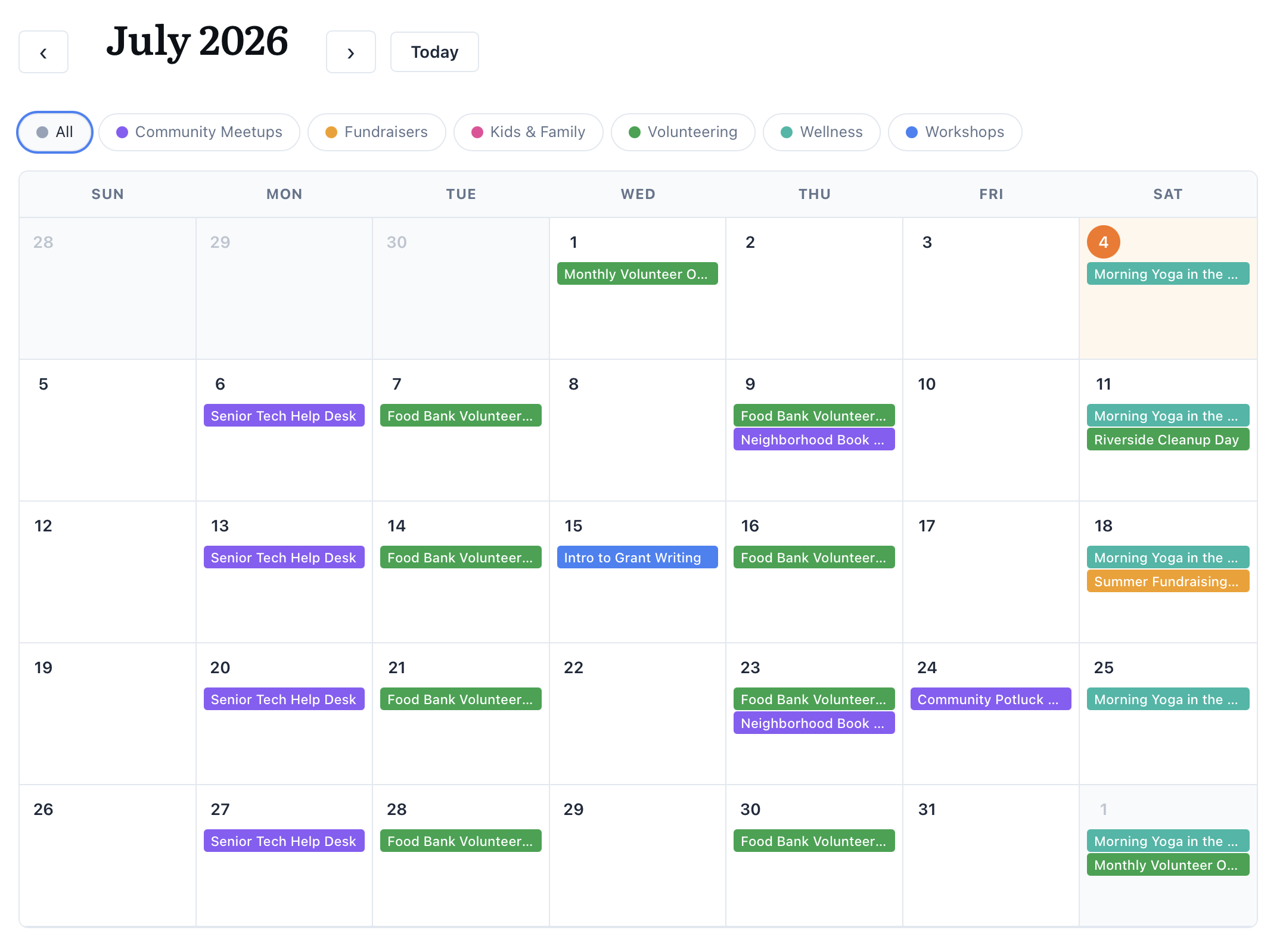
- Interactive month calendar — a clean, full-width month grid with category legend filters.
- Sidebar widget — a separate mini calendar plus an “Upcoming events” list you can drop into any sidebar.
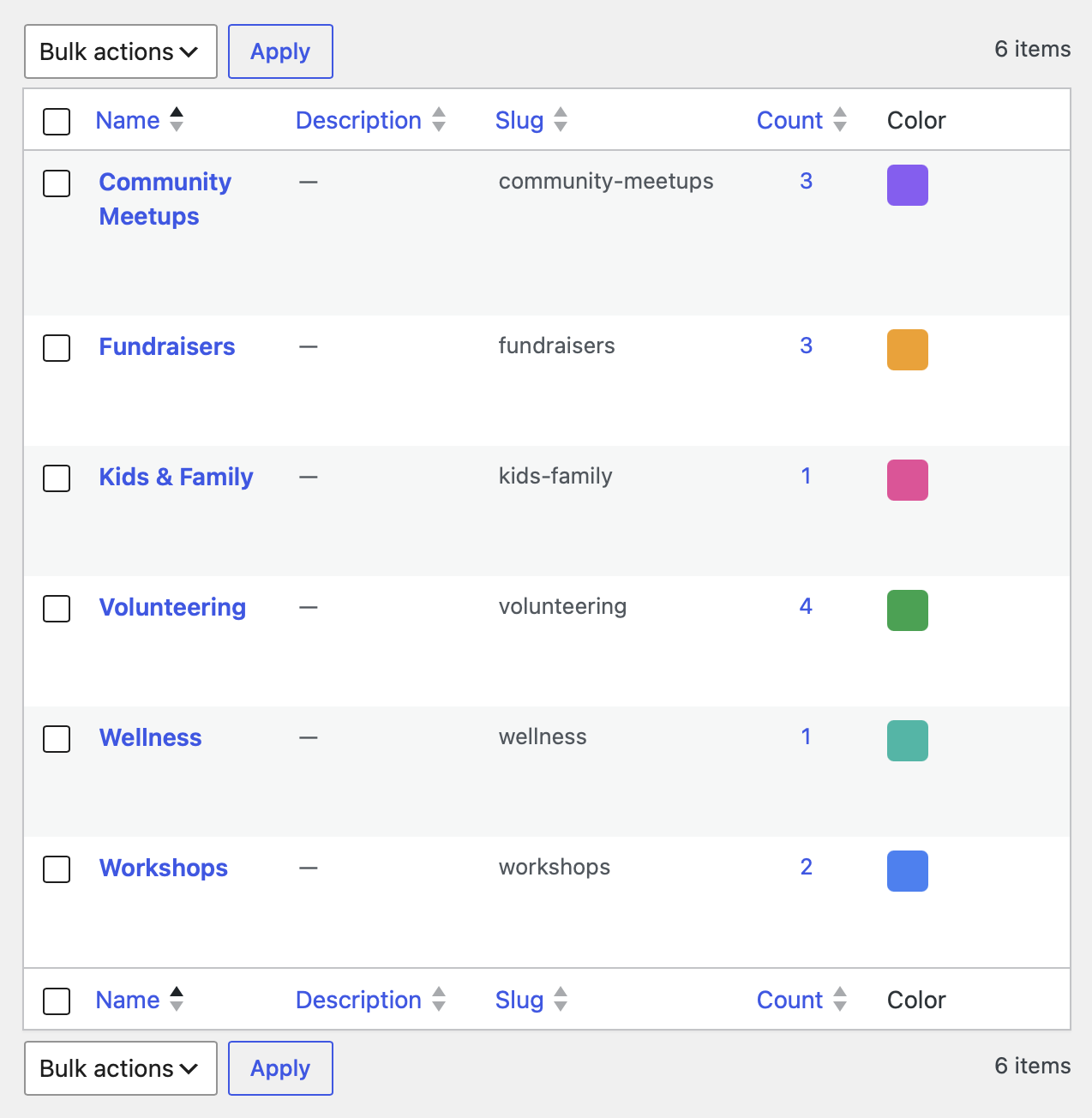
- Color-coded categories — assign a color to each category with a native color picker; events inherit their category color.
- Category filtering — visitors filter the calendar by category using the legend; the URL updates so filtered views are shareable.
- Recurring events — daily, weekly (with per-weekday selection), monthly, and yearly recurrence, with an optional end date.
- Multi-day events — events can span a date range and render across the calendar.
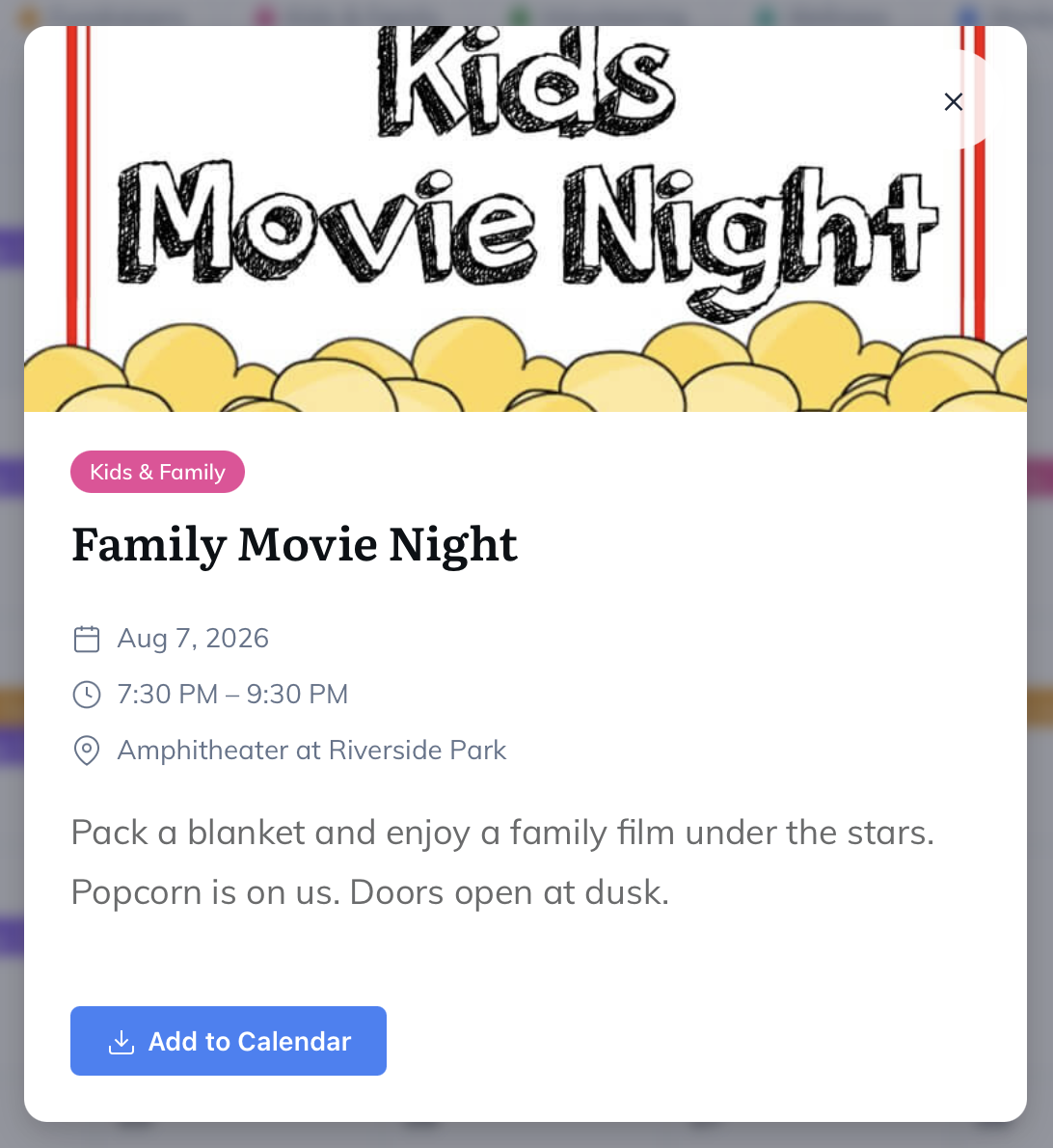
- Event details modal — featured image, date and time, location, virtual/meeting link, description, and registration link.
- Add to Calendar (.ics) — one-click download that works with Apple Calendar, Google Calendar, Outlook, and more.
- Event list shortcode — a styled list view for upcoming, past, or all events.
- Admin management — sortable event list with category, date, time, location, and registration columns, plus category and date-range filters.
Shortcodes
[fslc_calendar]— the full month calendar. Optional attribute:category(pre-filter by category slug).[fslc_mini_calendar]— a compact mini calendar plus an upcoming-events list, made for sidebars. Optional attributes:category,limit(default 5),calendarandupcoming(default true; set either to false to show just one part).[fslc_event_list]— a styled list of events. Optional attributes:category,limit(default 10),scope(upcoming,past, orall),header(default false; adds a month title with previous/next navigation), andfilters(default false; adds the category legend).
From the makers of Freelance Studio
Freelance Studio Simple Event Calendar is a free plugin from Freelance Studio, a self-hosted WordPress toolkit for creative freelancers covering clients, projects, invoicing, time tracking, proposals, and contracts.
Screenshots
![The styled event list created by the [fslc_event_list] shortcode.](https://ps.w.org/freelance-studio-simple-event-calendar/assets/screenshot-3.png?rev=3616212)
[fslc_event_list] shortcode.![The [fslc_mini_calendar] sidebar widget: a compact month calendar with an upcoming-events list.](https://ps.w.org/freelance-studio-simple-event-calendar/assets/screenshot-4.png?rev=3616212)
[fslc_mini_calendar] sidebar widget: a compact month calendar with an upcoming-events list.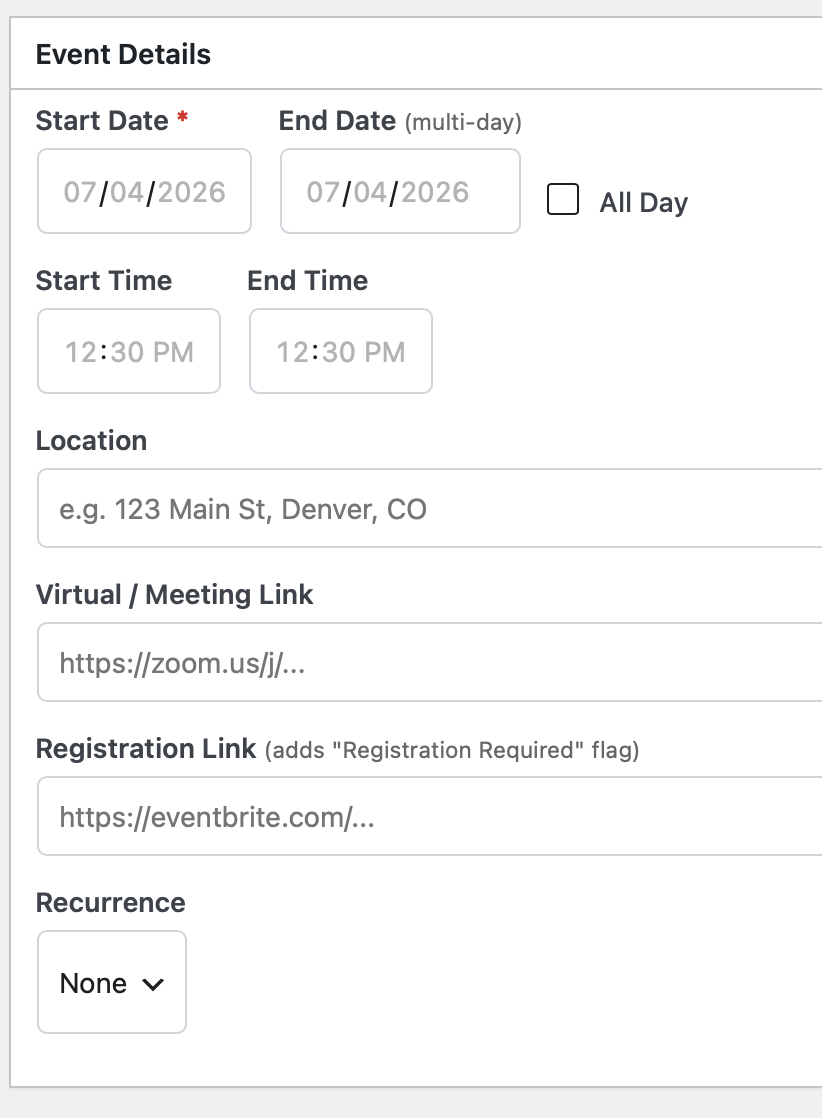
Installation
- Upload the
freelance-studio-simple-event-calendarfolder to the/wp-content/plugins/directory, or install the plugin through the WordPress Plugins screen. - Activate the plugin through the ‘Plugins’ screen in WordPress.
- Go to Events Cal Event Categories and create a few categories, giving each one a color.
- Go to Events Cal Add New Event to add events with dates, times, locations, and optional recurrence.
- Add the
[fslc_calendar]shortcode to any page to display the calendar. Use[fslc_event_list]anywhere you want a simple list.
FAQ
-
How do I display the calendar?
-
Add the
[fslc_calendar]shortcode to any page or post. To show a simple list of events instead, use[fslc_event_list]. -
Can I limit the calendar to one category?
-
Yes. Pass a category slug, for example
[fslc_calendar category="workshops"]or[fslc_event_list category="meetings" limit="5"]. -
Does it support recurring events?
-
Yes. Each event can repeat daily, weekly, monthly, or yearly. Weekly recurrence lets you pick specific weekdays, and you can set an optional end date.
-
Will visitors be able to add events to their own calendar?
-
Yes. Every event detail view includes an “Add to Calendar” button that downloads a standard
.icsfile compatible with Apple Calendar, Google Calendar, Outlook, and other calendar apps. -
Does the plugin send my data anywhere?
-
No. All events and categories are stored in your own WordPress database. The plugin does not call any external service.
Reviews
There are no reviews for this plugin.
Contributors & Developers
“Freelance Studio Simple Event Calendar” is open source software. The following people have contributed to this plugin.
Contributors
Translate “Freelance Studio Simple Event Calendar” into your language.
Interested in development?
Browse the code, check out the SVN repository, or subscribe to the development log by RSS.
Changelog
1.4.2
- Change: Removed the back-compat
[simple_events_cal]and[sec_event_list]shortcode registrations to meet WordPress.org’s unique-prefix requirement (every registered name must use the plugin’s own prefix). The migrator still rewrites those legacy tags in your content to[fslc_calendar]/[fslc_mini_calendar]and[fslc_event_list], so migrated sites are unaffected.
1.4.1
- Security: The public AJAX endpoints (calendar, upcoming, and event detail) now verify a nonce, and the event detail and .ics download only ever return published events — an unpublished event can no longer be read by guessing its ID.
- Security: The “Add to Calendar” (.ics) download link is now signed with a per-event nonce.
- Fixed: Updated the Plugin URI to a page that loads reliably, and corrected the readme Contributors username.
1.4.0
- New: One-time migrator for sites upgrading from the original “Simple Events Cal” plugin. If legacy data is found, an admin notice offers to move your events, categories, and category colors into this plugin, rewrite the old shortcodes in your pages, and deactivate the old plugin — all in one click.
1.3.0
- Change: renamed the plugin to Freelance Studio Simple Event Calendar (new slug freelance-studio-simple-event-calendar). Shortcodes and stored data are unchanged.
1.2.2
- Change: the Settings screen now uses the full admin width.
1.2.1
- Fixed: event titles (and category names) containing an ampersand no longer show as “&” in the calendar, list, upcoming panel, or details modal.
1.2.0
- New: [fslc_mini_calendar] shortcode — a mini calendar plus an upcoming-events list, made for sidebars.
- New: [fslc_event_list] gains optional “header” (month navigation) and “filters” (category legend) attributes.
- Change: [fslc_calendar] now shows the month calendar on its own; the mini calendar and upcoming list moved to [fslc_mini_calendar].
- Fixed: category names with an ampersand in the event modal; the modal action button colors; “Add to Calendar” now reliably downloads the .ics file; and a stray width on the modal close button.
1.1.2
- Fixed: Resolved all WordPress.org Plugin Check errors — escaped the calendar legend, category column, and .ics file output; replaced date() with a timezone-safe time formatter; set “Tested up to” to the current WordPress version; and added a languages folder for translations.
- Change: Completed the unique-prefix pass by renaming the remaining internal field IDs and admin column keys to the fslc prefix.
1.1.1
- Design: Restyled the Settings screen to match Freelance Studio branding — vertical sidebar tabs with a teal active state, teal section headers, and gradient primary buttons.
1.1.0
- New: “Freelance Studio” tab added to the plugin Settings screen.
- Change: Settings screen reorganized into tabs (Help & Shortcodes, Freelance Studio).
- Change: Renamed all internal identifiers, shortcodes, post type, and meta keys to a unique
fslcprefix for WordPress.org compliance. Shortcodes are now[fslc_calendar]and[fslc_event_list]. - Improvement: Moved admin settings styles out of inline markup into the enqueued stylesheet.
- Improvement: Hardened input handling with
wp_unslash()on request data and added full plugin header metadata.
1.0.7
- Initial release: interactive calendar, color-coded categories, recurring and multi-day events, event details modal,
.icsdownloads, and list shortcode.