

Description
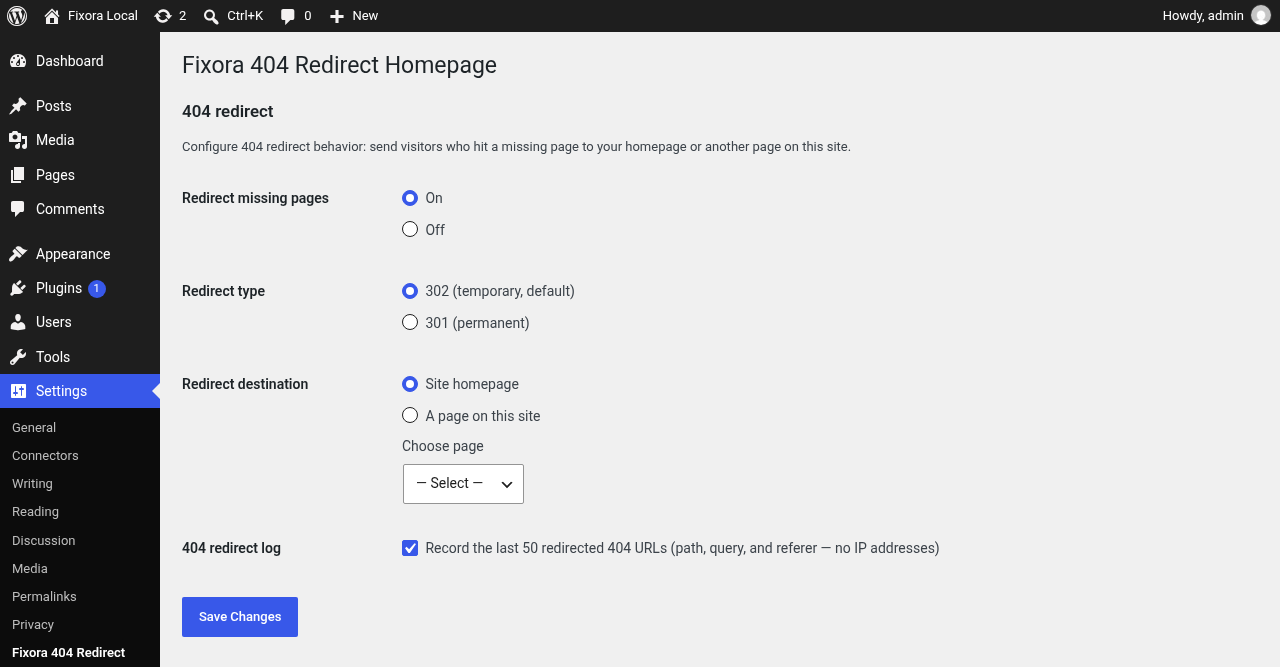
Fixora 404 Redirect Homepage helps visitors who follow a broken or outdated link. Instead of showing your theme’s “Page not found” template, WordPress sends them to your homepage, or to any published page on the same site.
Redirection is enabled right after activation, using an HTTP 302 to the homepage, so it works without setup. Open Settings Fixora 404 Redirect to turn it off, switch between 301 and 302, or pick a different destination page.
What it does
- Redirects front-end 404 responses with
wp_safe_redirectto the site homepage or a page you select. - Skips admin, login, REST API, feeds, cron, AJAX, previews, and missing static files (images, CSS, JS, fonts, PDF, etc.) so those stay normal 404s.
- Compares the full request path and query string to the destination so plain-permalink URLs like
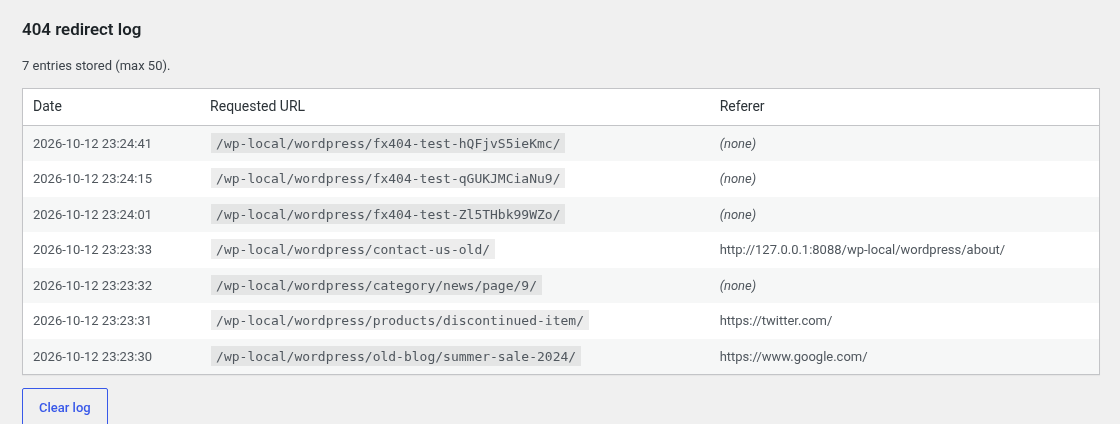
/?p=999999still redirect and the homepage does not loop. - Optional log: last 50 redirected URLs with date, requested path and query, and referer (sanitized, truncated). No IP addresses are stored.
- Test redirect now button runs a self-check against a random missing URL on your site.
What it does not do
- No analytics, no remote services, and no visitor IP logging.
Screenshots

Installation
- Upload the
fixora-404-redirect-homepagefolder to/wp-content/plugins/, or install the ZIP via Plugins Add New Upload Plugin. - Activate the plugin through the Plugins screen.
- Optional: open Settings Fixora 404 Redirect to change redirect type, destination, logging, or turn redirect off.
FAQ
-
Does redirect work right after activation?
-
Yes. Redirect is On by default with HTTP 302 to your homepage.
-
Can I redirect to a page other than the homepage?
-
Yes. Choose A page on this site and pick a page from the dropdown.
-
Are static files like .png or .css redirected?
-
No. Missing static assets keep a normal 404 response.
-
Are admin or API requests redirected?
-
No. Admin, wp-login, REST, feeds, cron, AJAX, and preview requests are excluded.
-
Does the log store IP addresses?
-
No. The log stores date, requested path and query, and referer only.
Reviews
There are no reviews for this plugin.
Contributors & Developers
“Fixora 404 Redirect Homepage” is open source software. The following people have contributed to this plugin.
Contributors
Translate “Fixora 404 Redirect Homepage” into your language.
Interested in development?
Browse the code, check out the SVN repository, or subscribe to the development log by RSS.
Changelog
1.0.0
- Redirect missing pages to the homepage or a selected page, with 301/302 choice (default 302).
- Full path and query loop guard for plain and pretty permalinks.
- Skip redirect for static assets, feeds, admin, login, REST, cron, AJAX, and previews.
- Optional redirect log (last 50 entries, no IPs) with a clear log button.
- Test redirect now self-check from the settings screen.
- Uninstall cleanup for plugin options.