

Description
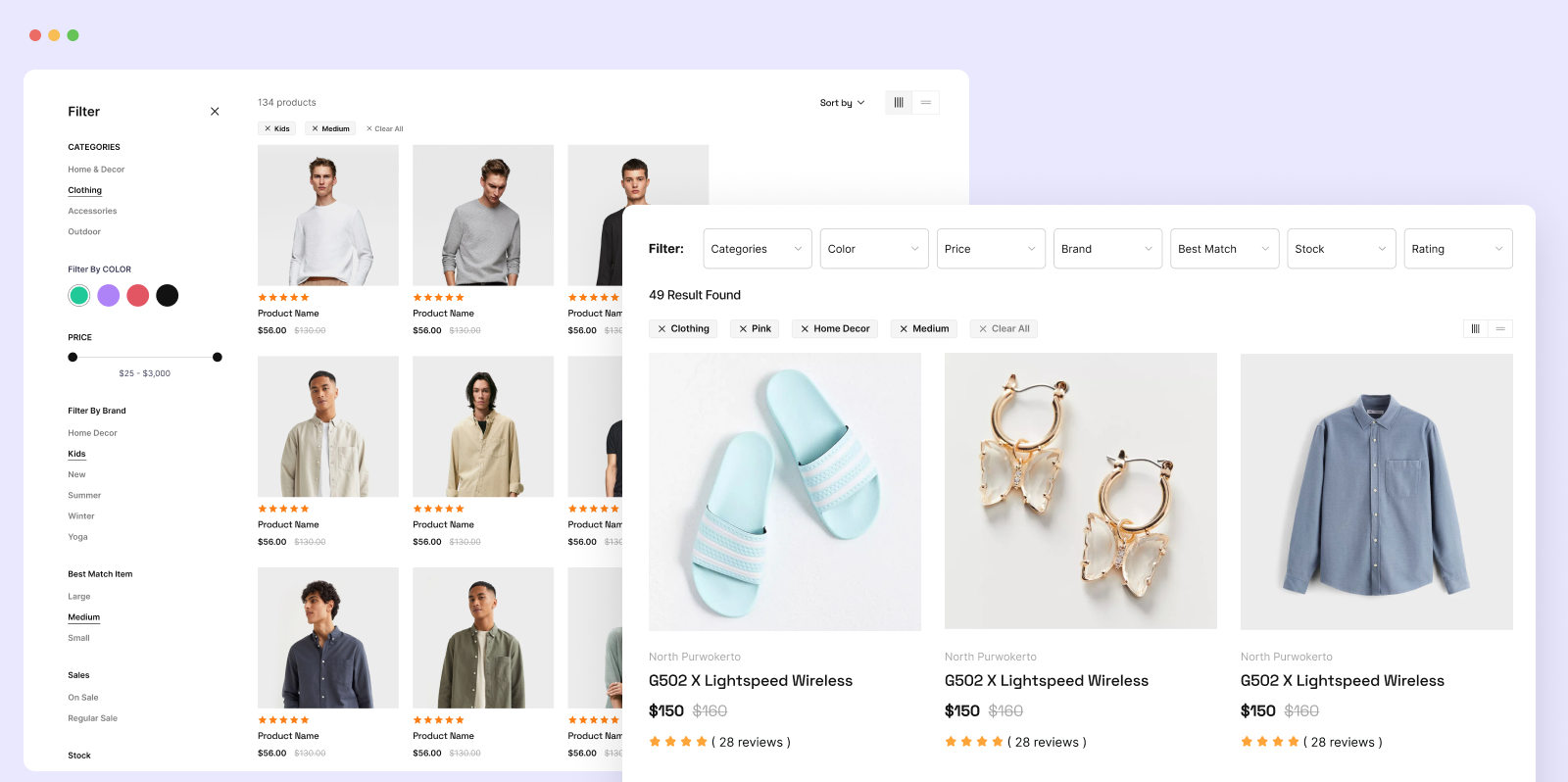
Filter Plus is a free WordPress filter plugin and WooCommerce product filter. It lets shoppers find exactly what they need by filtering products by price range, ratings, attributes, categories, tags, stock status, color, and size — all with smooth AJAX filtering, no page reload required.
Filter Plus is not only a WooCommerce product filter. It also works as a WordPress filter plugin for blogs, news sites, custom post types, and property listings — filter any content by categories, tags, authors, post meta, and custom fields.
Helpful links 👇
⭐️ Premium Features 👉 Filter Plus Pro
⭐️ Need Help? 👉 Contact Us
⭐️ WooCommerce Filter Demo 👉 Live Demo
⭐️ WordPress Filter Demo 👉 Live Demo
⭐️ Order Filter Demo 👉 Live Demo
⭐️ Documentation 👉 Docs
WooCommerce Product Filter – Free Features
- AJAX Product Filter — Results update instantly without a page reload
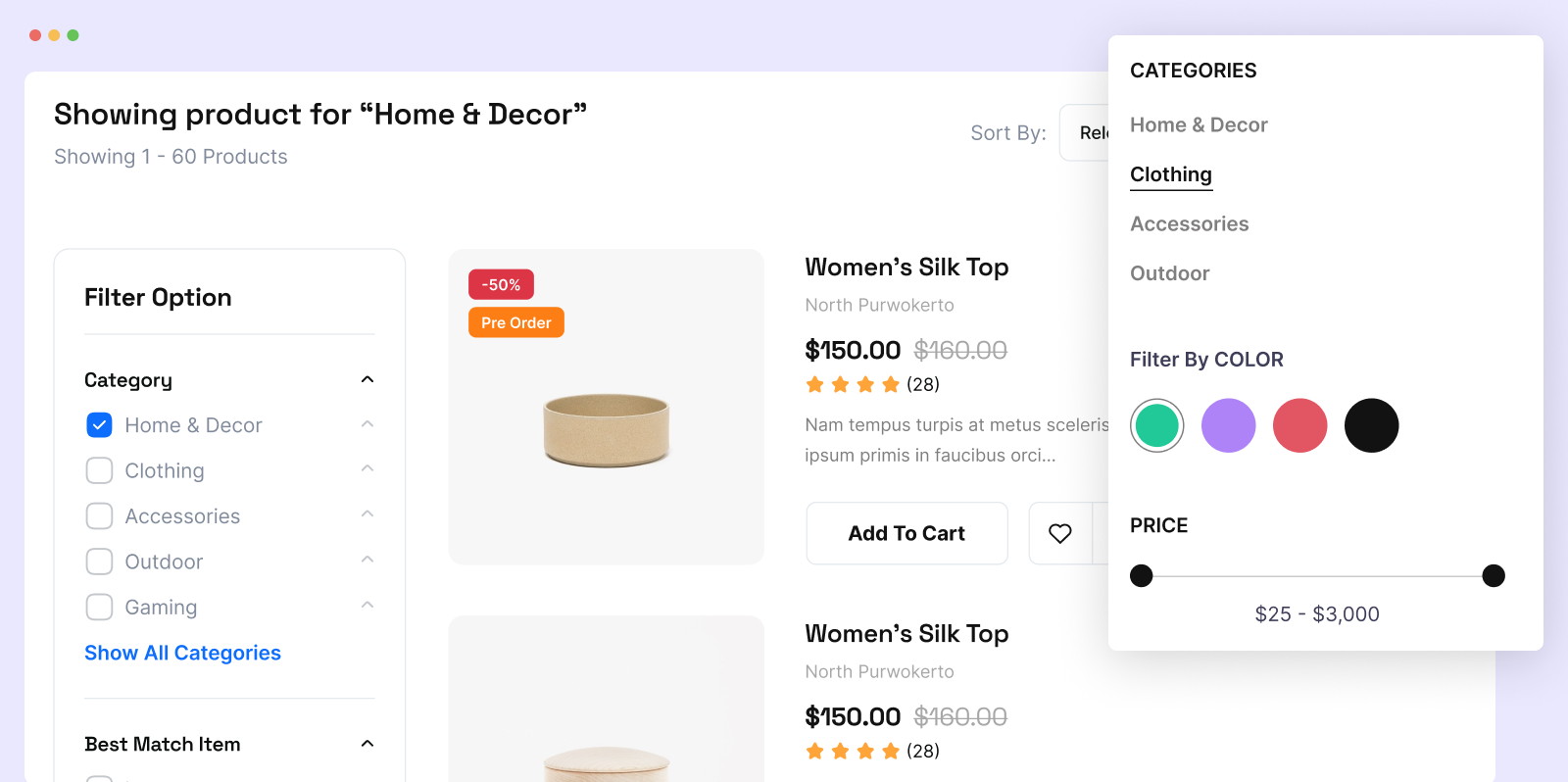
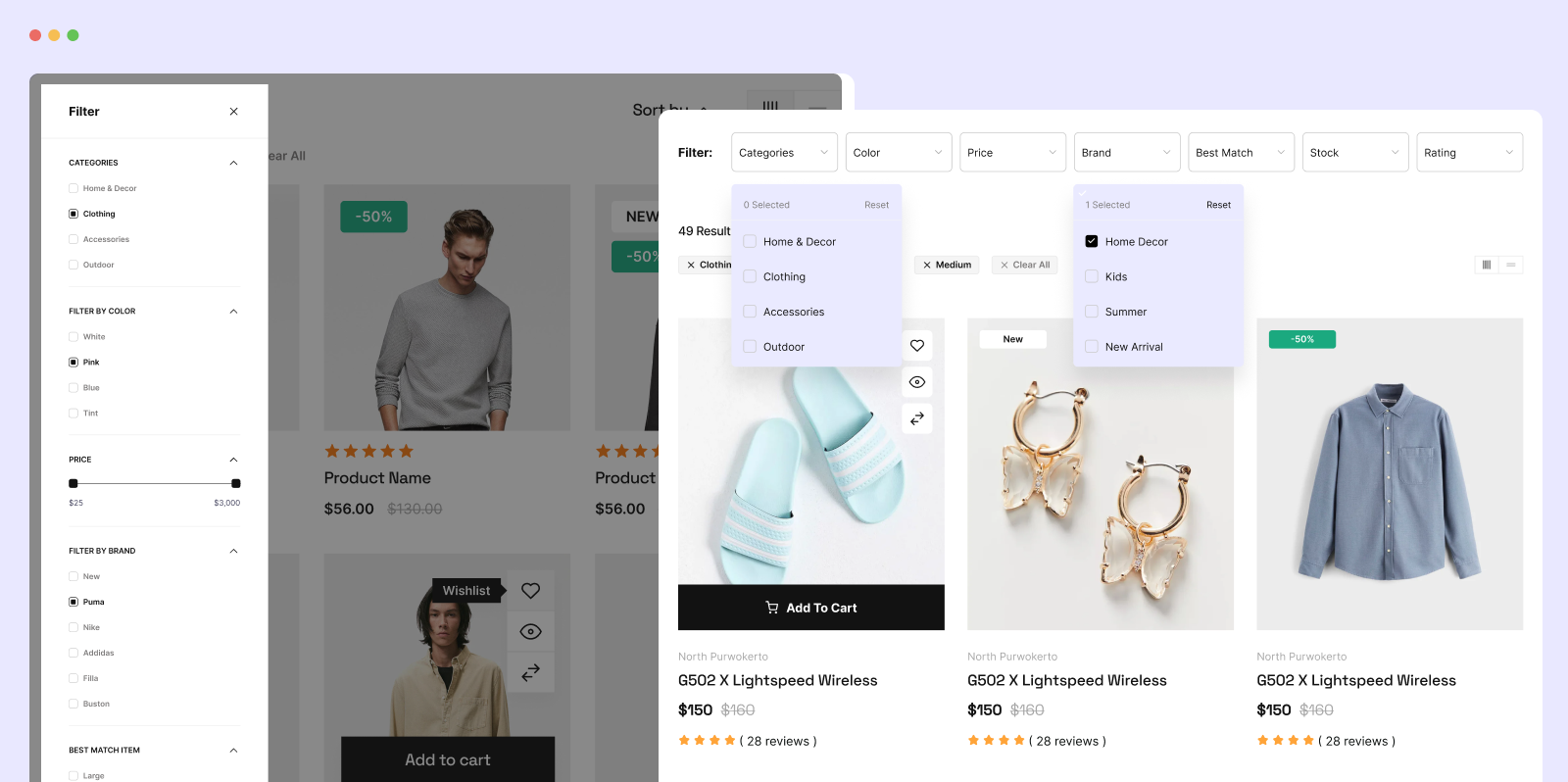
- Filter by Price Range — Set minimum and maximum price to narrow results
- Filter by Ratings — Show only products that meet a minimum star rating
- Filter by Categories — Let shoppers browse by product category or sub-category
- Filter by Attributes — Filter by size, color, material, or any WooCommerce attribute
- Filter by Color — Visual color swatch selector for instant product color filtering
- Filter by Size — Filter apparel and accessories by available size options
- Filter by Tag — Filter products by WooCommerce tags; active tags are displayed on page
- Filter by Stock Status — Show in-stock, out-of-stock, or on-sale products only
- Reset Filter Button — One click clears all active filters and returns to the full view
- SEO-Friendly Filter URLs — Each filter state generates a unique, crawlable URL
- WooCommerce Product Filter Shortcode — Add
[filterplus]to any page or template - Elementor Product Filter Widget — Drop the WooCommerce product filter into any Elementor page
- Gutenberg Filter Block — Add filtering to block-editor pages without touching code
- Bricks Builder Compatible — Full support for Bricks Builder layouts
- WPML Compatible — Works with multilingual WooCommerce sites
- RTL Support — Full right-to-left language support
WordPress Content Filter – Free Features
Filter Plus works as a WordPress filter plugin beyond WooCommerce. Use it to filter any content on your site:
- WordPress Blog Filter — Filter blog posts by category, tag, author, or date
- Custom Post Type Filter — Filter any registered CPT by taxonomy or meta value
- Post Meta & Custom Field Filter — Filter posts by any custom field value
- WordPress Filter Shortcode — Embed a filter widget on any page using a shortcode
- Filter by Author — Let visitors narrow content by specific authors
- Filter by Post Date — Filter posts and content by publish date ranges
Pro Features
Upgrade to Filter Plus Pro to unlock:
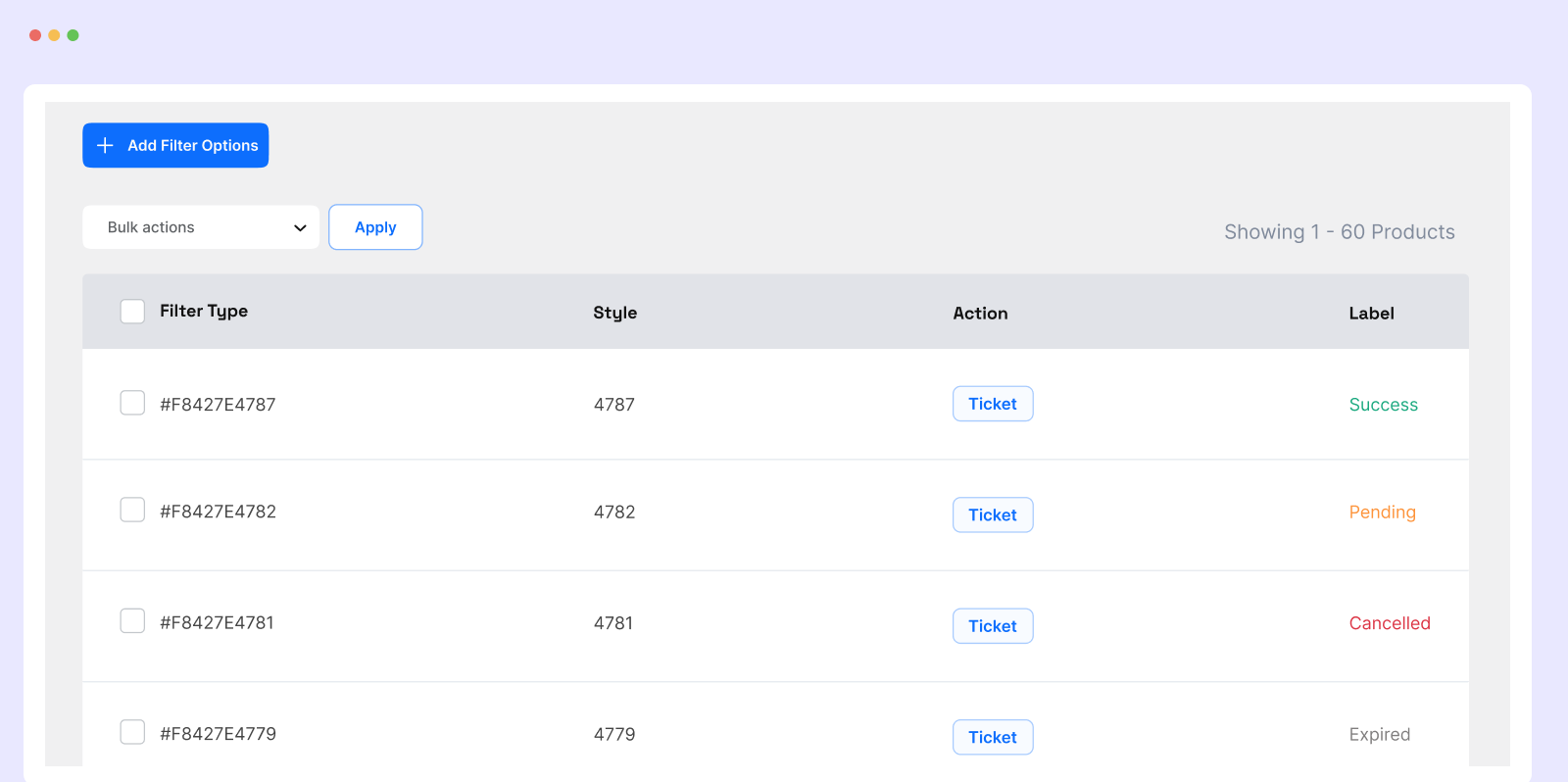
- WooCommerce Admin Order Filter — Filter WooCommerce orders in the admin by product, status, date, and customer to identify your best-selling products and track fulfillment
- Multiple Advanced Filter Templates — Choose from premium styled templates for WooCommerce and WordPress
- Category Layout Navigation — Clicking a category navigates to the full WooCommerce category page and renders the same filter template
- Extended Custom Post Type Filter — Advanced meta and taxonomy filtering for Pro users
- SEO Optimization Module — Submit crawlable filter URLs to search engines for improved store indexing
Elementor Product Filter Widget
Filter Plus includes a dedicated Elementor product filter widget for WooCommerce. After activating the plugin, the Filter Plus widget appears in your Elementor widget panel. Drag it onto any WooCommerce archive page, shop page, or custom page. Configure filter options — price range, ratings, categories, attributes, color, size — directly inside the Elementor editor.
The Elementor widget supports:
- AJAX product filtering without page reload
- Configurable price range slider
- Category, tag, and attribute checkboxes
- Color and size swatch selectors
- Filter reset button
- Pagination and load-more support
Gutenberg Filter Block
Add the Filter Plus block to any block-editor page. Search for “Filter Plus” in the Gutenberg block inserter, add the block, and configure filter options — price, category, tag, rating — from the block sidebar settings panel. No shortcode or code editing required.
WooCommerce Admin Order Filter (Pro)
The WooCommerce Admin Order Filter is a Pro-only tool for store managers. Filter WooCommerce orders in the admin panel by product name and order status. Identify which products generate the most orders, isolate pending or refunded orders, and analyze sales performance without exporting data.
🔥 WHAT’S NEXT
If you like Filter Plus, check out these other plugins from the same team:
🔔 MemberHub – Membership and access control for WordPress and WooCommerce
🔔 Discountify – Discount Rules, Dynamic Pricing, and Coupon management for WooCommerce
🔔 Quicker – Quick Buy and cart optimization to maximize WooCommerce conversions
🔔 Bens Email Marketing & Automation – Email Marketing, Newsletters, Automation, and CRM for WordPress
Screenshots
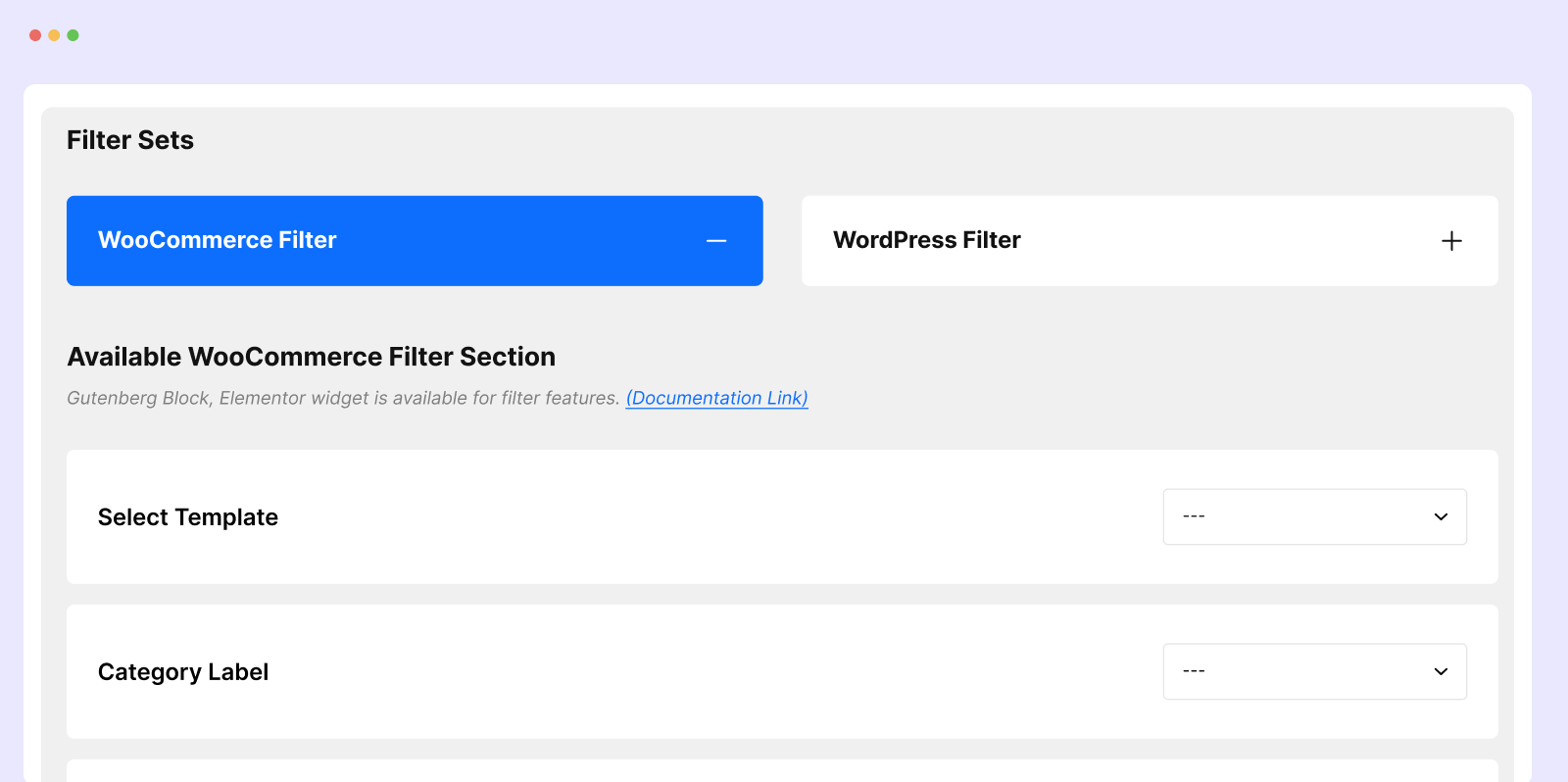
Blocks
This plugin provides 2 blocks.
- Woo Filter
- Wp Filter
Installation
- Upload the plugin files to the
/wp-content/plugins/filter-plusdirectory, or install the plugin through the WordPress plugins screen directly. - Activate the plugin through the ‘Plugins’ screen in WordPress.
- Go to Admin sidebar Filter Plus to create and configure your first filter.
FAQ
-
What is Filter Plus?
-
Filter Plus is a free WordPress filter plugin and WooCommerce product filter plugin. It adds AJAX filtering to WooCommerce product pages — filter by price, rating, attributes, category, color, size, tag, and stock status. It also works as a WordPress filter plugin for blog posts, custom post types, and any content using categories, tags, authors, and custom fields.
-
Is Filter Plus free?
-
Yes. The WooCommerce Product Filter and the WordPress Content Filter are both free. They include AJAX filtering, Elementor product filter widget, Gutenberg block, shortcode, WPML support, and RTL support at no cost. The WooCommerce Admin Order Filter is a Pro-only feature.
-
What is the best free WooCommerce product filter plugin for 2026?
-
Filter Plus is a top free WooCommerce product filter plugin in 2026. The free version includes AJAX filtering, price range slider, star rating filter, attribute filter, color and size swatches, category filter, and SEO-friendly filter URLs. Filter Plus Pro adds multiple templates and the Admin Order Filter.
-
Does Filter Plus work with Elementor?
-
Yes. Filter Plus includes a dedicated Elementor product filter widget. After activating the plugin, find the Filter Plus widget in your Elementor panel. Drag it onto any WooCommerce or custom page, configure the filter options in the Elementor settings sidebar, and publish. AJAX filtering works fully within the Elementor widget.
-
How do I add a WooCommerce product filter?
-
After installing and activating Filter Plus, go to Filter Plus in your WordPress admin sidebar. Create a filter, choose your filter options (price, category, rating, attributes, etc.), and copy the generated shortcode. Paste it onto any product archive or shop page. You can also use the Elementor product filter widget or the Gutenberg block for a visual, no-code setup.
-
Does Filter Plus work with Gutenberg?
-
Yes. Filter Plus includes a Gutenberg filter block. In the block editor, search for “Filter Plus” in the block inserter, add the block to your page, and configure filter options from the block settings panel on the right.
-
Does Filter Plus work with Bricks Builder?
-
Yes. Filter Plus is fully compatible with Bricks Builder. You can add the filter via shortcode to any Bricks Builder page and it will render and function correctly.
-
Can I filter blog posts and custom post types — not just WooCommerce products?
-
Yes. Filter Plus includes a WordPress content filter for posts, pages, and custom post types. Filter by category, tag, author, date, post meta, and custom fields. Add it to any page using the shortcode or the Elementor / Gutenberg integration.
-
Does Filter Plus affect page load speed?
-
No. Filter Plus uses AJAX to update results without reloading the page and is built with minimal, clean code. It will not bloat your site with unnecessary scripts or styles.
-
Is Filter Plus compatible with all WordPress themes?
-
Filter Plus has been tested with all major WordPress and WooCommerce themes. If you run into a compatibility issue, contact the support team and it will be resolved.
-
Do I need technical skills to use Filter Plus?
-
No. If you can install and activate a WordPress plugin, you can use Filter Plus. The Elementor widget and Gutenberg block provide a visual, no-code setup. The shortcode option requires only copy-paste.
Reviews


Contributors & Developers
“Filter Plus – WordPress & WooCommerce AJAX Filter Plugin” is open source software. The following people have contributed to this plugin.
Contributors
Translate “Filter Plus – WordPress & WooCommerce AJAX Filter Plugin” into your language.
Interested in development?
Browse the code, check out the SVN repository, or subscribe to the development log by RSS.
Changelog
1.1.34 (September 1, 2026)
Fix : AJAX re-filtering, product thumbnail size, and the pagination result-count summary now recognize Template 8 instead of silently falling back to Template 1 (Template 8’s design ships in Filter Plus Pro 1.0.66+)
1.1.33 (September 1, 2026)
Tweak : Improved filter layout — attribute label falls back to attribute term name instead of the “Filter By ” prefix when no custom label is set
1.1.32 (September 1, 2026)
Added : Template 8 (Pro) — new Woo Filter layout option added to the shortcode, Elementor widget, Bricks widget, and Gutenberg block template selectors; full template design ships in Filter Plus Pro
1.1.31 (August 30, 2026)
Added : Filter Layout style customization options for Woo Filter and Wp Filter widgets — separate “Filter Style (Left Side)” section (text color, typography, border, margin, padding) and “Filter Result Style (Right Side)” section with per-element style tabs (Title, Price, Review, Cart Icon)
Tweak : Woo Filter widget icon changed to eicon-taxonomy-filter
Tweak : Removed old “Title Style” section, replaced by the new left/right layout style controls
1.1.30 (August 29, 2026)
Tweak : Improved UX of the Filter Sets page
1.1.29 (August 26, 2026)
Added : “Add to Cart Text” option — customize the Add to Cart button label (shortcode, Elementor, Bricks, Gutenberg)
Added : “Image Size” option (Pro) — choose the product thumbnail size, including a Custom Size with manual width/height (shortcode, Elementor, Bricks, Gutenberg)
Added : filterplus_product_thumbnail_size filter hook to override the product image size from functions.php
Fix : Product thumbnails used the oversized large image size (or hardcoded pixel dimensions) instead of woocommerce_thumbnail, flagged as oversized images by PageSpeed Insights
Fix : Placeholder image (shown when a product has no featured image) was missing its attachment-{size} size-{size} CSS classes
Fix : Add to Cart loading spinner / success checkmark rendered off-position instead of inside the button (missing position: relative on .add_to_cart_button)
Fix : Template 2 grid cards had uneven heights with masonry off — the product thumbnail had no fixed aspect ratio, so portrait/tall images (e.g. non-square Image Size selections) blew out their card while others stayed compact
Tweak : Removed a stale inline .product-style-3 image rule that duplicated (and drifted from) Filter Plus Pro’s own stylesheet
Tweak : Renamed “Display …” labels to “Show …” across the Filter Result Products settings
1.1.28 (August 07, 2026)
Fix : Category archive page showed products from every category instead of just the current one
1.1.27 (July 25, 2026)
Added : “Show FilterPlus Layout on Product Archive Page” setting (Pro) — replaces the default WooCommerce shop/category/tag archive with the FilterPlus product filter layout
Added : Layout template picker for the product archive layout, shown once the setting above is enabled
Fix : Product archive layout was rendering products without title, description, price, or add-to-cart button
Fix : Categories filter block now hidden automatically on WooCommerce category/tag archive pages when the archive layout is active (still shown on the main shop page)
1.1.26 (June 26, 2026)
Tweak : Gutenberg block editor preview now shows products immediately for all templates
Fix : WooCommerce product filter right side blank on initial page load
Fix : Woo product filter attribute options not loading correctly in block editor
= 1.1.25 (June 13, 2026)=
Added : Theme template override support — copy any template file into your active child/parent theme under filter-plus/templates/ to safely customize layouts without losing changes on plugin updates
Added : FilterPlus::locate_template() helper — checks child theme parent theme plugin fallback for every template include
= 1.1.24 (May 06, 2026)=
Fix : Category archive page override
= 1.1.23 (June 05, 2026)=
Fix : Category archive page override
= 1.1.22 (May 27, 2026)=
Fix : Woo Product Filter Category filter fix
= 1.1.21 (May 20, 2026)=
Fix : Filter result options (hide add to cart, title, description, price, rating) not applied after AJAX filtering in Elementor widget
Added : Enable Category Layout option (Pro) — clicking a category navigates to its WooCommerce category page and renders the same filter template there
= 1.1.20 (May 19, 2026)=
Fix : Elementor Woo Product Filter
= 1.1.19 (May 19, 2026)=
Tweak : Improve UX of admin dashboard
= 1.1.18 (May 18, 2026)=
Tweak : Improve Overview page
= 1.1.17 (February 20, 2026)=
Added : Category filter template update
= 1.1.16 (February 13, 2026)=
Fix : Ajax add to cart for product filter
= 1.1.15 (January 31, 2026)=
Fix : Filter by tag value
= 1.1.14 (January 30, 2026)=
Fix : Elementor filter block warning
= 1.1.12 (January 15, 2026)=
Fix : Gutenburg block
= 1.1.11 (January 10, 2026)=
Fix : Input rendering issue
= 1.1.8 (January 06, 2026)=
Added : PHPCS fix added
= 1.1.6 (November 25, 2025)=
Added : Filter list view
= 1.1.5 (October 12, 2025)=
Added : Apply button mode in product and post filter
= 1.1.4 (October 11, 2025)=
Tweak : Improve wordpress filter UX
= 1.1.3 (October 03, 2025)=
Tweak : Improve product filter UX
= 1.1.2 (October 01, 2025)=
Tweak : Improve post filter UX
= 1.1.1 (September 30, 2025)=
Tweak : Improve option UX
= 1.1.1 (September 30, 2025)=
Tweak : Improve filter option UX
= 1.1.0 (September 26, 2025)=
Tweak : Improve product rendering
= 1.0.99 (July 12, 2025)=
Added : Filtering options in WordPress and WooCommerce Product Filter
= 1.0.98(July 09, 2025)=
Tweak : Admin UX improvement
= 1.0.97(June 29, 2025)=
Tweak : Responsive improvement of WordPress content filter
= 1.0.96 (June 28, 2025)=
Tweak : Responsive improvement
= 1.0.95 (June 27, 2025)=
Tweak : Improve Ux of filter template
= 1.0.94 (June 24, 2025)=
Tweak : Color style added
= 1.0.93 (June 21, 2025)=
Tweak : WordPress Post Filter Ux improvement
= 1.0.92 (June 20, 2025)=
Tweak : WordPress Post Filter Ux improvement
= 1.0.91 (June 17, 2025)=
Tweak : Product Filter Ux improvement
= 1.0.90 (June 17, 2025)=
Tweak : Filter bar Ux improvement
= 1.0.89 (June 15, 2025)=
Added : Masonry style
= 1.0.88 (June 14, 2025)=
Added : Hide empty category option in product filter
= 1.0.87 (June 13, 2025)=
Fix : Improve Ux of template 1 and 2
= 1.0.86 (June 07, 2025)=
Fix : Improve search filter UX
= 1.0.85 (June 07, 2025)=
Added : Product count added in Category filter
= 1.0.71 (February 02, 2025)=
Tweak : Url update
= 1.0.77 (January 15, 2024)=
Tweak : Url update
= 1.0.76 (January 03, 2024)=
Tweak : Category Sub Categories Filter UX improvement
= 1.0.75 (January 03, 2024)=
Tweak : Category Filter UX improvement
= 1.0.74 (November 9, 2024)=
Tweak : UX improve of Wp filter
= 1.0.73 (October 31, 2024)=
Tweak : UX improve, add to cart loading effect added
= 1.0.72 (October 13, 2024)=
Tweak : Filter 4 Template update
= 1.0.71 (September 29, 2024)=
Tweak : Logo update
= 1.0.70 (September 25, 2024)=
Added : Bricks builder, Elementor Pagination,Filter bar options
Added : WordPress Filter Pagination,Filter bar options
= 1.0.69 (September 25, 2024)=
Added : Filter bar left / right position
Added : Pagination Template numbers and load more added
= 1.0.68 (September 21, 2024)=
Added : New templates in WooCommerce product filter
= 1.0.67 (August 20, 2024)=
Fix : WordPress Filter short code fix
= 1.0.66 (August 20, 2024)=
Fix : Filter checkbox reset issue
= 1.0.65 (August 02, 2024)=
Tweak : Filter ing CSS and UX improve
= 1.0.64 (August 02, 2024)=
Added : Item per page and Title added in Shortcode,Elementor,Brickbuilder
= 1.0.63 (June 13, 2024)=
Tweak : Admin UX improve
= 1.0.62 (June 12, 2024)=
Tweak : Admin UX improve
= 1.0.61 (June 11, 2024)=
Tweak : Admin UX improve
= 1.0.60 (June 03, 2024)=
Fix : Product link added
= 1.0.59 (May 24, 2024)=
Fix : Ajax filter issue fix
= 1.0.58 (May 24, 2024)=
Tweak : Improve JQuery Optimization
= 1.0.57 (May 17, 2024)=
Added : Custom Field Query optimization
= 1.0.56 (May 16, 2024)=
Added : Multiple custom field
= 1.0.55 (May 14, 2024)=
Added : Discountify compatibility added
= 1.0.54 (May 10, 2024)=
Fix : Scroll issue fix
= 1.0.53 (May 09, 2024)=
Added : WordPress Filter Added
= 1.0.52 (May 02, 2024)=
Tweak : UX improvement in responsive filtering
= 1.0.51 (May 01, 2024)=
Fix : Fix category uncheck in filtering
= 1.0.50 (May 01, 2024)=
Fix : Min,Max filtering
= 1.0.49 (April 30, 2024)=
Fix : Theme compatibility css issue
= 1.0.48 (April 25, 2024)=
Fix : Filtering option update
= 1.0.47 (April 17, 2024)=
Fix : WordPress Filter issue fix
= 1.0.46 (April 14, 2024)=
Added : Submenu categories control for WooCommerce Filter
= 1.0.46 (April 05, 2024)=
Fix : WordPress Filter UX update
= 1.0.45 (April 03, 2024)=
Fix : Fix Gutenberg block issue
= 1.0.44 (April 02, 2024)=
Fix : Fix product description
= 1.0.43 (March 28, 2024)=
Fix : SEO module update
= 1.0.42 (March 27, 2024)=
Fix : Dynamic Color not updating
= 1.0.41 (March 26, 2024)=
Tweak : UX improvement
Fix : Plugin structure improvement
= 1.0.40 (March 25, 2024)=
Fix : Responsive issue fix
= 1.0.39 (March 15, 2024)=
Added : Multiple categories select option
= 1.0.38 (March 15, 2024)=
Added : Minimum and maximum price range settings
= 1.0.37 (March 13, 2024)=
Added : Add Dynamic color for filter template
= 1.0.36 (March 06, 2024)=
Fix : WordPress filter custom field select option
= 1.0.35 (March 06, 2024)=
Tweak : WordPress filter gutenberg block
Tweak : WordPress filter elementor Widget
= 1.0.34 (February 28, 2024)=
Tweak : UX improvement
Fix : Nonce issue fix
= 1.0.33 (February 28, 2024)=
Added : WooCommerce filter Dynamic title added
= 1.0.32 (February 24, 2024)=
Added : WordPress filter Dynamic title added
= 1.0.31 (February 24, 2024)=
Added : UX improvement
= 1.0.30 (February 20, 2024)=
Added : WordPress Custom fields filter
= 1.0.29 (February 20, 2024)=
Tweak : Improve Product Filter UX
= 1.0.28 (February 18, 2024)=
Added : Woocommerce filter new options for filtering
= 1.0.27 (February 17, 2024)=
Fix : Fix settings button
Fix : Fix wp filter disable button
= 1.0.26 (February 10, 2024)=
Fix : Overview page Responsive design update
= 1.0.25 (February 07, 2024)=
Fix : Blog Filter template design improve
= 1.0.24 (February 05, 2024)=
Added : Blog Filter template new style
= 1.0.23 (February 04, 2024)=
Fix : Responsive issue fix in Blog filter Style
= 1.0.22 (January 23, 2024)=
Added : Product Filter New Style added
= 1.0.21 (January 16, 2024)=
Fix : Nonce issue fix
= 1.0.20 (January 13, 2024)=
Added : Custom Post type filter added
= 1.0.19 (December 31, 2023)=
Fix : Fix filtering issue
= 1.0.18 (December 30, 2023)=
Added : WordPress post , custom post type filter added
= 1.0.17 (December 28, 2023)=
Added : PHP script optimization
= 1.0.16 (December 27, 2023)=
Added : WordPress post , custom post type filter added
= 1.0.15 (December 24, 2023)=
Added : Attributes ,tags filter added
Added : Price range filter added
Tweak : UX improvement added
= 1.0.14 (December 23, 2023)=
Fix : Add filter parameter in url
= 1.0.13 (December 21, 2023)=
Fix : Woo compatibility check
= 1.0.12 (December 20, 2023)=
Added : Filter by product in woo order page
Added : SEO options added
Fix : Select2 issue
= 1.0.11 (December 18, 2023)=
Added : Product filter tag action update
= 1.0.10 (December 17, 2023)=
Added : Filter product template update
= 1.0.9 (December 17, 2023)=
Added : Filter Product UX improvement
= 1.0.8 (December 14, 2023)=
Added : Filter tag added
= 1.0.7 (December 10, 2023)=
Added : Overview page
= 1.0.6 (December 08, 2023)=
Tweak : PHP script optimization
= 1.0.5 (December 08, 2023)=
Added : Elementor widgets to show products with filter option
= 1.0.4 (December 07, 2023)=
Added : RTL support
Added : WPML compatibility
= 1.0.3 (December 06, 2023)=
Added : Gutenberg Block added
= 1.0.2 (December 05, 2023)=
– PHP script optimization
= 1.0.1 (December 04, 2023)=
– Admin UX update
= 1.0.0 (October 24, 2023)=
– initial release