
Description
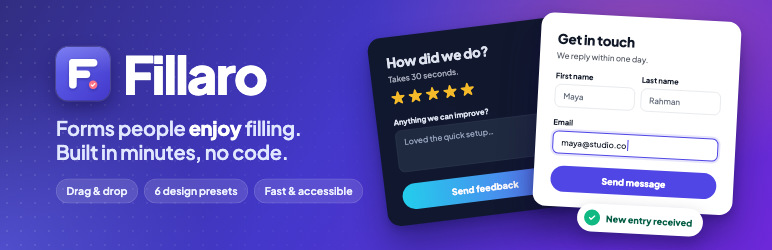
Fillaro is a drag and drop form builder for WordPress. Create a contact form, feedback survey, quote request, newsletter signup or event registration form in a few minutes, pick a design preset, and add it to any page with a block or a shortcode.
Every form is mobile friendly, accessible and light (about 5 KB gzipped). Entries are saved in your WordPress database, and you get an email for each new one.
Who is Fillaro for?
- Small businesses and freelancers who need a contact form or quote request form that matches their brand.
- Bloggers and creators who want a feedback form, survey or newsletter signup form.
- Agencies who build client sites and want good-looking custom forms without writing CSS.
- Event organizers who collect registrations and RSVPs.
Drag and drop form builder
- Drag fields onto the form, or click to add them.
- Put fields side by side with full, half and third widths. On phones every field is full width.
- Live preview: the builder uses the same markup and CSS as your site, so what you see is what visitors get.
- Undo and redo (Ctrl/Cmd + Z), and save with Ctrl/Cmd + S.
Ready-made form templates
Start from a template and change what you need:
- Contact form
- Quote request form
- Feedback survey form
- Newsletter signup form
- Event registration form
Form design presets and styling
- 6 design presets: Clean, Soft, Forest, Minimal, Sunset and Midnight (dark mode form).
- Custom form styling without CSS: accent, background, field, text and border colors, font, text size, corner radius, spacing and width.
- 3 input styles (outlined, filled, underline) and 3 button styles (solid, outline, pill).
- Automatic button contrast: button text switches between light and dark so it stays readable on any color.
16 free form fields
Short text, paragraph, email, phone, number, website, date, name, address, dropdown, multiple choice (radio), checkboxes, GDPR consent, section heading, custom content and hidden field. Choices can show as a list, inline, or as selectable cards.
Form entries, CSV export and stats
- An entries inbox with unread, starred and search.
- Read every answer in a side panel, and move between entries with the arrow keys.
- Filter entries by date or by any answer, and export form entries to CSV (safe to open in Excel).
- Delete old entries automatically after a period you choose.
- Export forms to a file and import them on another site.
- Views, starts and conversion rate for every form, with a 30-day chart.
Email notifications and webhooks
- An admin notification email and a confirmation email to the visitor, with smart tags such as
{field:email}and{all_fields}. - Reply-to is set from the visitor’s email, so you can answer with one click.
- After submit, show a thank-you message or redirect to a page or URL.
- Webhook: send each entry as JSON to Zapier, Make, n8n or your own app.
Spam protection without CAPTCHA
Every form has a hidden honeypot, a minimum fill time and a per-visitor rate limit. Together they stop most spam bots, and your visitors never have to solve a puzzle.
Fast, accessible and privacy friendly
- Loads about 16 KB (5 KB gzipped) of CSS and JavaScript, and only on pages that show a form. No jQuery.
- Accessible forms: labels, fieldsets, error messages and focus handling built for screen readers and keyboards.
- Forms still work when JavaScript is off.
- GDPR friendly: visitor IP addresses are never stored, and entries stay in your own database.
- No tracking, no external requests, no ads in your dashboard.
Works with any theme and page builder
Use the Fillaro block in the block editor (Gutenberg), or the shortcode [fillaro id="1"] in the classic editor, widgets and page builders.
For developers
Fillaro is built to be extended. Actions and filters include fillaro/field_types, fillaro/before_submit, fillaro/after_submit, fillaro/validation_errors, fillaro/field_is_active, fillaro/spam_check, fillaro/email, fillaro/webhook_args, fillaro/theme_presets, fillaro/templates and fillaro/capability. The front end fires a fillaro:submitted DOM event after each submission.
Source code, including the unminified JavaScript and SCSS, ships in the src folder of the plugin.
Blocks
This plugin provides 1 block.
- Fillaro Show a form built with Fillaro.
Installation
- In your WordPress dashboard, go to Plugins Add New, search for “Fillaro”, then click Install Now and Activate.
- Go to Fillaro New Form and pick a template, or start with a blank form.
- Add, move or remove fields, then open Design to pick a preset.
- Click Save.
- Add the Fillaro block to a page, or paste the shortcode
[fillaro id="1"](the builder shows the ID of your form).
To install by hand, upload the fillaro folder to /wp-content/plugins/ and activate it on the Plugins screen.
FAQ
-
How do I create a contact form in WordPress?
-
Go to Fillaro New Form and pick the Contact form template. It has name, email, subject and message fields. Click Save, then add the Fillaro block to your contact page.
-
How do I add a form to a page or post?
-
In the block editor, add the Fillaro block and select your form. In the classic editor, a widget or a page builder, paste the shortcode
[fillaro id="1"], with the ID of your form. -
Can I make a survey or feedback form?
-
Yes. Start from the Feedback survey template, or add multiple choice, checkboxes, dropdown and paragraph fields to any form.
-
Does Fillaro work with Elementor and other page builders?
-
Yes. Paste the shortcode into a shortcode or text widget in any page builder.
-
Does it work with my theme?
-
Yes. Forms use their own scoped styles, so they look the same in any theme. Pick “Same as my theme” as the font to match your site’s typography.
-
Is Fillaro free?
-
Yes. The form builder, all 16 fields, the templates, the design presets, email notifications, entries, CSV export and the webhook are free.
-
Where are form entries stored? Can I export them?
-
Entries are stored in your WordPress database. Read them in Fillaro Entries, and export them to a CSV file that opens in Excel or Google Sheets.
-
Can I send form entries to Zapier, Google Sheets or my CRM?
-
Yes, with the webhook. Each entry is sent as JSON to a URL you choose, for example a Zapier or Make webhook, which can then add a row to Google Sheets or create a contact in your CRM.
-
Why am I not getting notification emails?
-
WordPress sends email through your web host, which is often unreliable. Install an SMTP plugin and set a From email on your own domain in Fillaro Settings.
-
Does it stop spam without a CAPTCHA?
-
Yes. Every form has a hidden honeypot, a minimum fill time and a rate limit. Together they stop most bots without asking people to solve a CAPTCHA.
-
Will my form slow down my site?
-
No. Fillaro loads about 5 KB (gzipped) of CSS and JavaScript, and only on pages that show a form. It does not use jQuery.
-
Is it GDPR friendly?
-
Fillaro stores entries only in your WordPress database, never stores IP addresses, and includes a consent field. You decide what to collect and how long to keep it.
-
Can I use the same form on several pages?
-
Yes. Use the same block or shortcode anywhere. Entries from all pages go to the same inbox, and each entry records the page it came from.
-
Will I lose my forms if I deactivate the plugin?
-
No. Forms and entries are only deleted when you delete the plugin and have turned on “Delete all data when the plugin is deleted” in Settings.
Reviews
There are no reviews for this plugin.
Contributors & Developers
“Fillaro – Contact Form, Survey & Drag and Drop Form Builder” is open source software. The following people have contributed to this plugin.
Contributors
Translate “Fillaro – Contact Form, Survey & Drag and Drop Form Builder” into your language.
Interested in development?
Browse the code, check out the SVN repository, or subscribe to the development log by RSS.
Changelog
1.3.1
- New: try Fillaro in your browser with Live Preview on WordPress.org, with a sample contact form ready to edit.
- Improved: the plugin name in the Plugins screen matches the WordPress.org listing.
1.3.0
- New: extension points for add-ons: refuse a submission before its fields are checked (
fillaro/pre_submit), show a message in place of a form (fillaro/form_closed), pick the confirmation by the answers (fillaro/confirmation_settings), send emails in the Fillaro layout (Mailer::deliver()), change an entry’s answers (EntryRepository::update_values()and thefillaro/entry_updatedaction), and add buttons or views to the entry panel (fillaro.entryActions). - New: delete old entries automatically after 30 days to 2 years (Settings Data and privacy).
- New: export forms to a .json file and import them on another site (Forms row menu Export, and the Import button). Imported forms arrive as drafts.
- Improved: entries show the label of a chosen option instead of its stored value.
1.2.0
- New: more extension points for add-ons: stop a valid submission before it is stored (
fillaro/pre_store), run code once an entry is stored (fillaro/entry_stored), add smart tags (fillaro/smart_tag), add panels to the entry view, and afillaro:failedevent in the browser. - Improved: status badges in the admin come in success, warning and danger colors.
- Improved: form settings and global settings now have a side menu with one section at a time, each with its own link, status at a glance, and a warning before leaving unsaved settings.
- Improved: every dropdown in the admin matches the Fillaro design, with search in longer lists; the Entries form switcher shows entry and unread counts.
- New: pagination with page numbers and rows per page on Forms and Entries. Forms can be filtered by status, unread or empty, and sorted. Entries can be filtered by date and by any answer (is, contains, is empty…), sorted oldest or newest first; filters stay in the address and CSV export follows them.
- Fixed: CSV export failed with “link expired” because its security token was HTML-escaped in the link.
1.1.0
- New: extension points for add-ons: PHP filters for fields, form and wrapper attributes, settings and stored values; JavaScript hooks for the builder, settings, entries and the front end.
1.0.0
- First release.