

Description
Make every upload fit-for-purpose. Automatically.
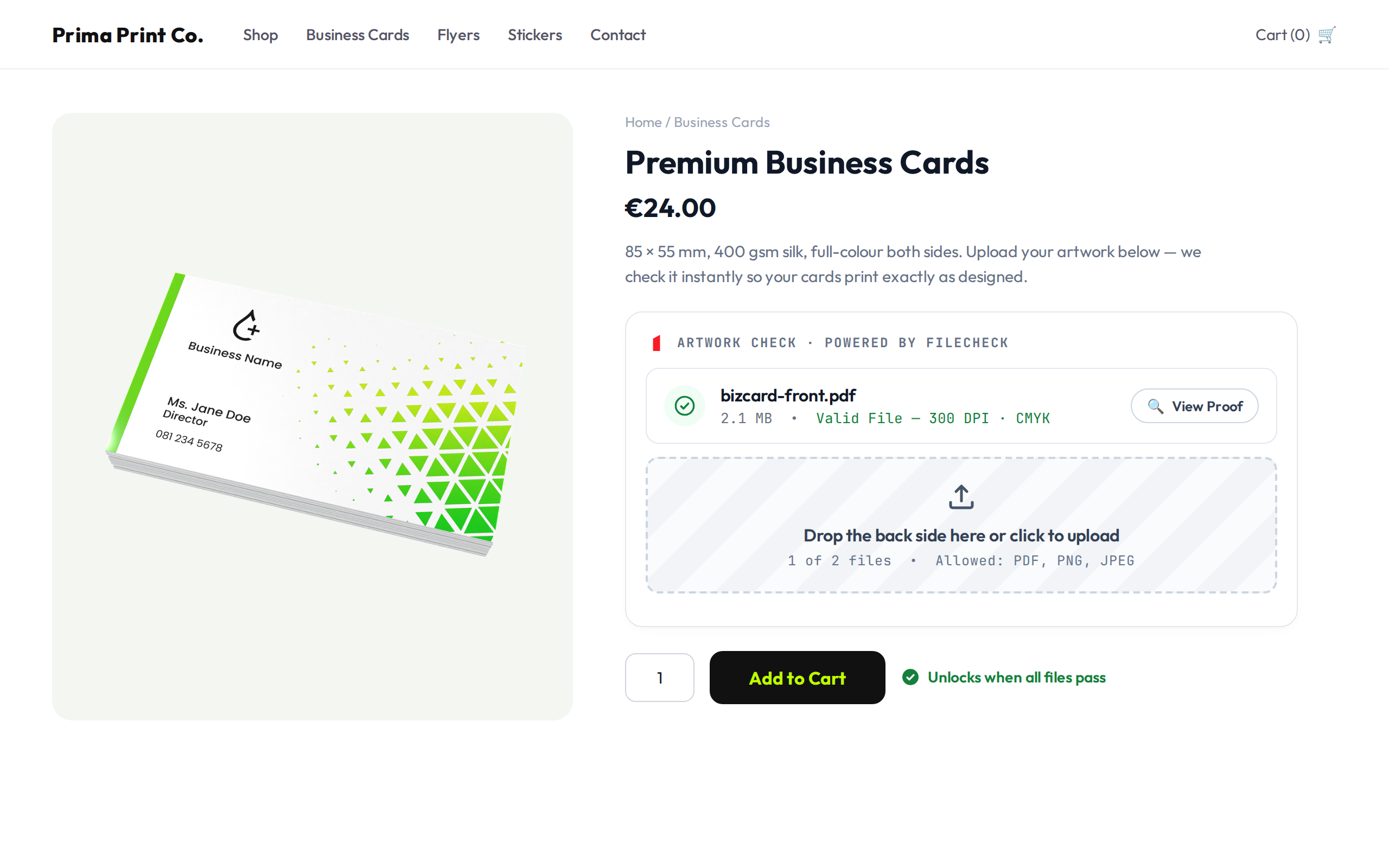
Eliminate prepress artwork errors before an order is ever placed. Filecheck embeds the lightweight, responsive Filecheck Element preflight widget directly on your WooCommerce product pages. Instead of back-and-forth emails about resolution, crop marks, and sizing, your customers get instant in-browser feedback on their PDF, PNG, or JPEG files — before they can buy.
Clean files pass straight through. Minor issues are auto-fixed. Genuine problems are flagged with a plain-language explanation and how to fix them — so the customer corrects their file themselves, before checkout, instead of your prepress team catching it after payment.
Website | Documentation | Live Demos | Dashboard
What it checks
Validation runs through the Filecheck cloud service against the workflow rules you configure:
- Resolution (DPI) – flags blurry, low-resolution graphics (e.g. below 300 DPI).
- Bleed & safety margins – ensures critical art won’t get trimmed at the cutter.
- Color space – verifies CMYK vs. RGB compliance and converts color profiles.
- Dimensions & aspect ratio – confirms the file matches the selected product size.
- Fonts & vectors – detects missing or un-embedded fonts before they ruin a print run.
- Page count & structure – validates multi-page documents against your product spec.
- Auto-corrections – RGBCMYK conversion, missing bleed, transparency flattening, EXIF stripping, and more, applied automatically where safe.
How it works
- The customer opens a product page and the Filecheck Element renders inline (or as a dialog) next to your Add to Cart button.
- They drop in their artwork. Filecheck inspects it in milliseconds and shows a per-file verdict: valid, auto-fixed, or rejected with a clear reason and a “how to fix” hint.
- Add to Cart stays disabled until every required file passes. Once files pass, the widget enables checkout, shows print-ready proof thumbnails in the cart, and attaches a unique job ID to the order line item.
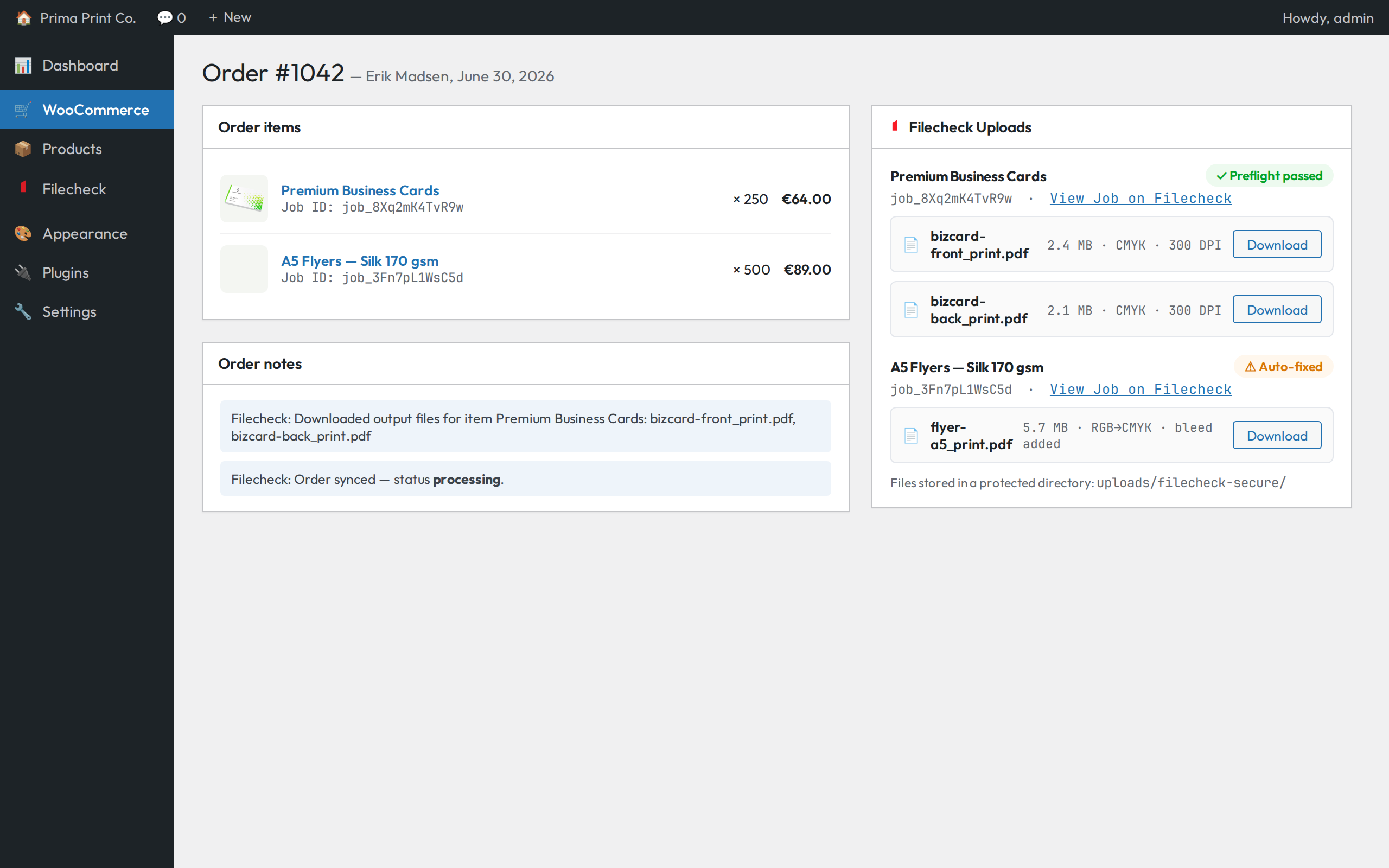
- After checkout, store managers see the full preflight report on the WooCommerce order screen, and print-optimized production files are streamed into a protected folder on your server — ready for production.
Built for print & custom product stores
- Reduce refunds and reprints – prevent orders placed with un-printable artwork.
- Cut prepress review time – stop manually opening every uploaded file.
- Fewer support tickets – customers fix their own files with instant, specific feedback.
- Seamless checkout – dynamic client-side Add to Cart gating, no page reloads.
- Visual soft-proofing – customers approve color-converted or cropped previews before they buy, reducing disputes.
- Secure production downloads – outputs are streamed into a protected folder in your uploads directory, shielded from direct access.
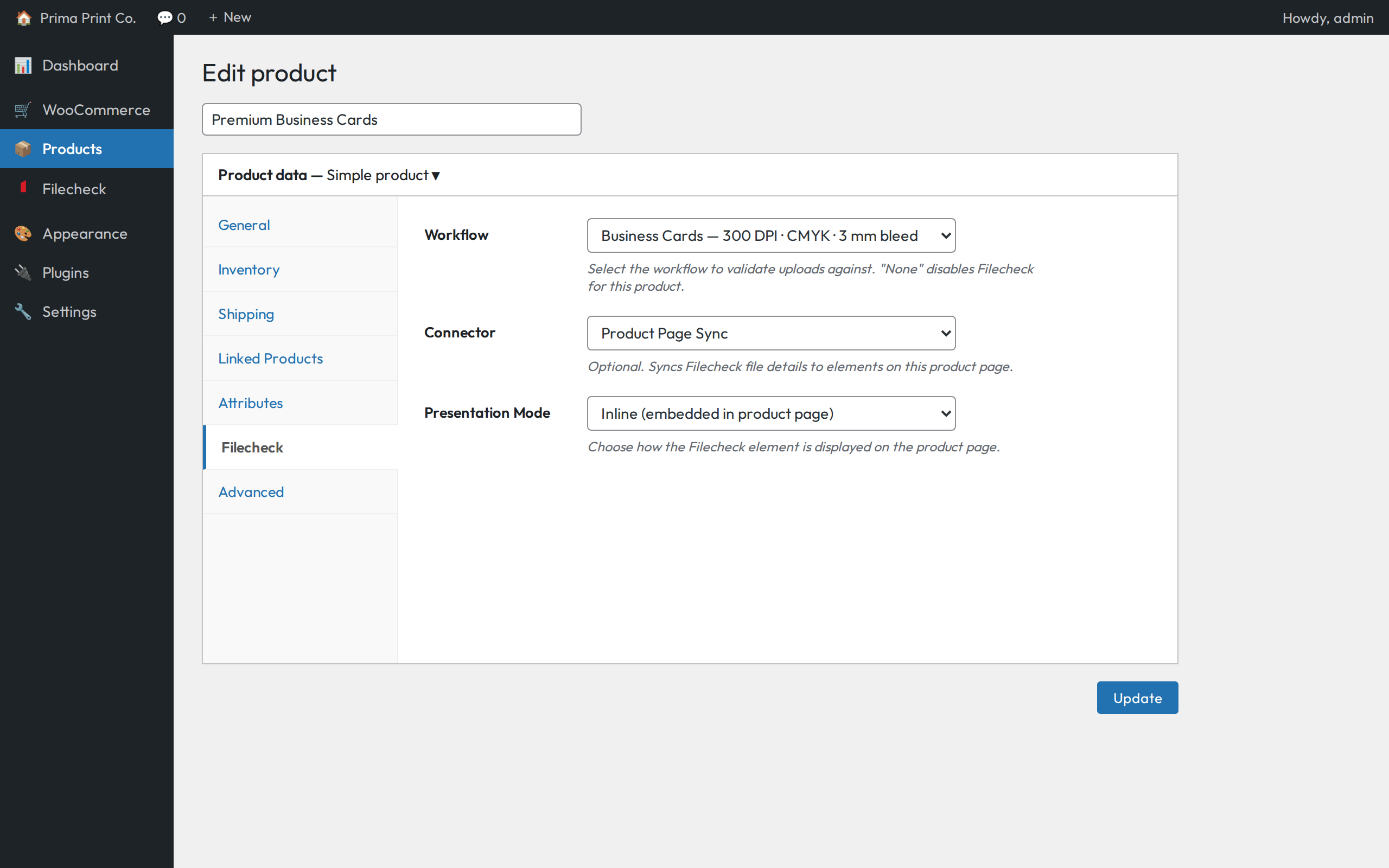
- Per-product control – override the workflow, connector, or presentation mode (inline / dialog) on any product.
- HPOS compatible – works with WooCommerce High-Performance Order Storage.
Works with your workflow
Workflows are configured visually in the Filecheck dashboard — no code required. Advanced users can split multi-page documents, merge uploads, run ISO compliance checks (PDF/A, PDF/UA), and route standardized outputs to S3, Uploadcare, or FTP. The same workflows also power Filecheck’s REST API for custom integrations.
A Filecheck account is required to use this plugin. Filecheck is a commercial software-as-a-service product. You can create an account with free test credits — no credit card required — and review pricing at filecheck.io.
External services
This plugin connects to the Filecheck cloud service (operated by Filecheck) to validate customer file uploads and synchronize order data. It is required for the plugin to function. The plugin communicates with the following endpoints:
- https://cdn.filecheck.io – loads the Filecheck Element widget script on product pages. Your publishable key is included in the script URL.
- https://api.filecheck.io – the REST API used to verify your keys, list your workflows/connectors, sync orders, and retrieve job results and output files. Requests are authenticated with your secret key.
Data sent to Filecheck:
- When a customer uses the widget on a product page, their uploaded file(s) and the associated workflow/product identifiers are transmitted to Filecheck for validation.
- When an order containing a Filecheck item is placed or changes status, order details are sent to Filecheck, including: order ID and status, currency and totals, line items (product name, SKU, quantity, job ID), the customer’s name, email, phone, and shipping address.
This data is sent at the moment a customer interacts with the widget and when orders are created or updated. By using this plugin you are sending the data described above to Filecheck.
For details on how Filecheck handles this data, see:
- Terms of Service: https://filecheck.io/terms
- Privacy Policy: https://filecheck.io/privacy
Screenshots
Installation
Minimum Requirements
- WordPress 5.0 or greater
- PHP 7.4 or greater
- WooCommerce 4.0 or greater
- A Filecheck account (filecheck.io)
Automatic Installation
- In your WordPress dashboard go to Plugins > Add New.
- Search for
Filecheck. - Click Install Now, then Activate.
Manual Installation
- Upload the
filecheckfolder to/wp-content/plugins/. - Go to the Plugins screen and click Activate under Filecheck.
Setup
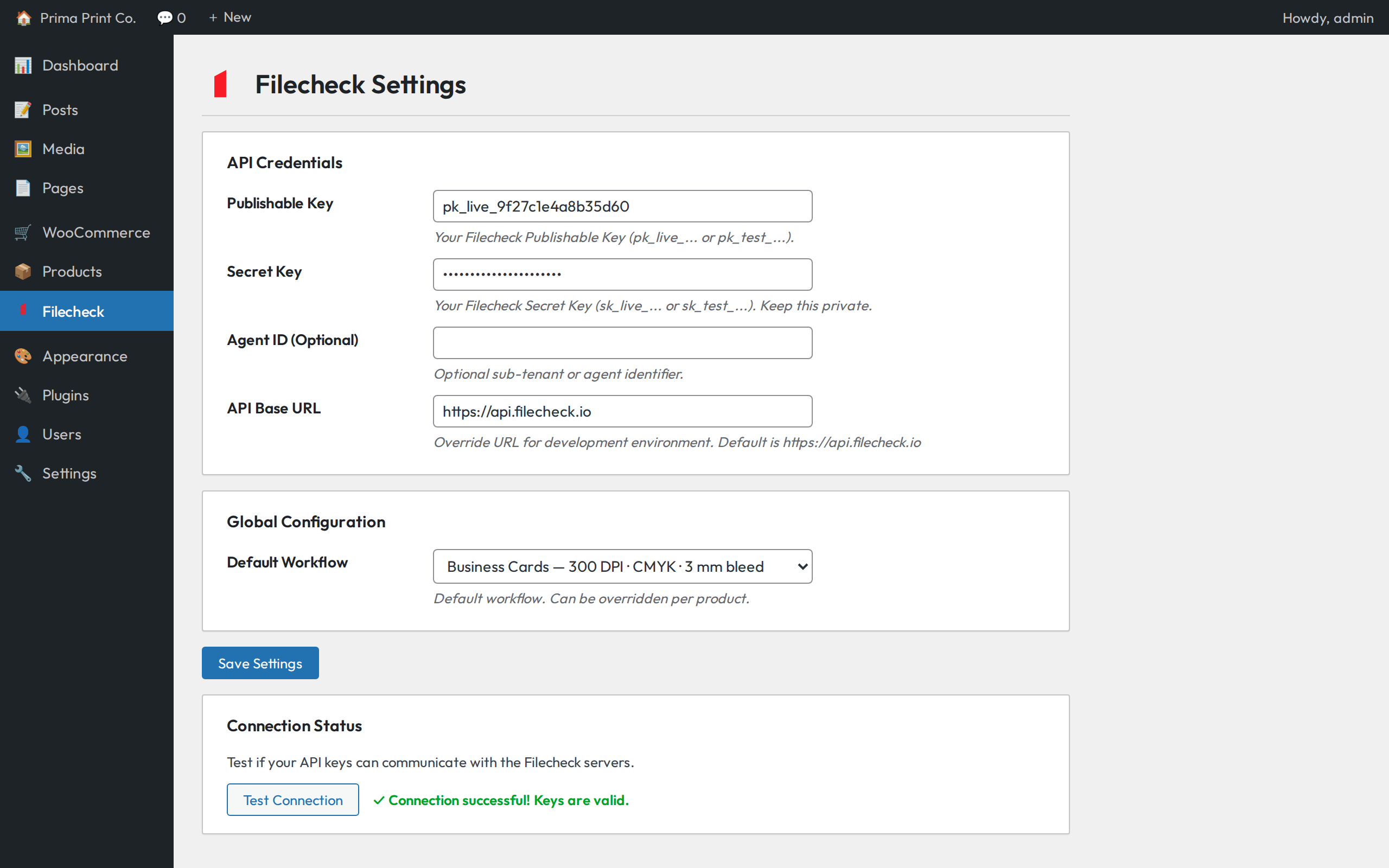
- Open the Filecheck menu in the WordPress admin sidebar.
- Enter your Publishable Key and Secret Key from your Filecheck dashboard.
- (Optional) Enter your Agent ID.
- Click Test Connection to verify your keys.
- Select your default workflow and click Save Settings.
- (Optional) Override the workflow or connector per product from the Filecheck tab on the product edit screen.
FAQ
-
Do I need a Filecheck account?
-
Yes. Filecheck is a commercial cloud service and the plugin requires valid API keys from your Filecheck account to operate. New accounts include free test credits so you can try it end-to-end before paying. See filecheck.io.
-
Which file types can customers upload?
-
PDF, PNG, and JPEG are the most common, and workflows can be configured for the formats your production accepts. The allowed types are shown to the customer directly in the upload widget.
-
Can I use different validation rules per product?
-
Yes. Set a global default workflow, then override the workflow, connector, and presentation mode (inline or dialog) per product from the Filecheck tab on the product edit screen. Selecting “None” disables Filecheck for that product.
-
Does it support mobile uploads?
-
Yes. The Filecheck Element is fully responsive and works on iOS, Android, and tablets.
-
Where are the high-res files saved?
-
Uploads are processed on Filecheck’s servers. When an order reaches processing or completed, the plugin streams the print-optimized output files back into a protected directory (
wp-content/uploads/filecheck-secure/) that is not directly accessible. -
Will it conflict with other product option plugins?
-
No. The widget uses a session-resume mechanism with an AJAX WooCommerce session fallback and does not modify native cart serialization, so it co-exists with customization editors.
-
Does it work with High-Performance Order Storage (HPOS)?
-
Yes. The plugin declares HPOS compatibility and the order metabox works on both classic and HPOS order screens.
-
What happens if a file has a minor, fixable issue?
-
Depending on your workflow rules, Filecheck can auto-correct common issues (RGB to CMYK conversion, missing bleed, transparency flattening) and mark the file “accepted with issues”, or reject it with a plain-language explanation and fix instructions.
Reviews
There are no reviews for this plugin.
Contributors & Developers
“Filecheck – Print Preflight & File Upload Validation for WooCommerce” is open source software. The following people have contributed to this plugin.
Contributors
Translate “Filecheck – Print Preflight & File Upload Validation for WooCommerce” into your language.
Interested in development?
Browse the code, check out the SVN repository, or subscribe to the development log by RSS.
Changelog
1.0.5
- Soft-proof previews now work in the block-based Cart: the cart item’s product image is replaced with the uploaded files’ proofs (WooCommerce 9.6+). Also applies to the Mini-Cart and the Checkout Block order summary.
- Fixed a text-domain mismatch flagged by Plugin Check (the catalog “Read more” link now uses the plugin’s own text domain).
1.0.4
- Cart page now shows soft-proof thumbnails for uploaded files — first page per file with a page-count badge, capped with a “+N more” indicator (classic cart template).
- Proof lookups are cached per job, so the cart adds at most one API call per uploaded job.
- Files without proofing enabled are skipped; the cart looks unchanged for non-proofing workflows.
- Clearer API key placeholder text on the settings screen.
1.0.3
- WooCommerce is now declared as a required plugin (WordPress enforces the dependency on WP 6.5+).
- Added a Settings action link and a Docs link on the Plugins screen.
- Settings page: getting-started guidance with sign-up link and Dev Hub links for locating your API keys.
- More descriptive plugin description.
1.0.2
- First release on the WordPress.org plugin directory.
- New store listing with banners, icons, and screenshots.
- Expanded readme documentation and FAQ.
1.0.1
- Maintenance release.
1.0.0
- Initial public release.
- Filecheck Element CDN integration with client-side Add to Cart gating.
- Native form POST capture with WooCommerce AJAX session fallback for guest and custom checkouts.
- Product and global configuration screens.
- Secure server-side fulfillment streaming output files to a protected directory.
- High-Performance Order Storage (HPOS) compatible.