

Description
FetchFlow turns WordPress into a data-integration platform: pull JSON from any REST API, shape it with Liquid-based content patterns, and publish it with a Gutenberg block — no custom backend required.
- API endpoint management — GET, POST, PUT, PATCH and DELETE requests with API key, bearer or basic auth, custom headers and request bodies, and live testing from the admin.
- Content patterns — map response fields with Liquid templates, preview with real data as you type, and style output with six polished presets (lists, cards, grids, inline chips, tables), structured styling controls and custom container classes.
- Gutenberg block — server-rendered output with editor preview that matches the frontend, plus optional search and pagination.
- Performance — configurable response caching and request logging.
FetchFlow is fully functional on its own: unlimited endpoints, unlimited content patterns, caching and logging included. FetchFlow Pro, a separate add-on plugin, adds webhooks, feed analytics, premium filters and priority support on top.
External services
FetchFlow does not send any data to fetchflow.net or to any other service operated by the plugin author. There is no phone-home, telemetry, licensing call or update check.
The only external HTTP requests the plugin makes are to the API endpoints you configure yourself in the FetchFlow admin:
- What is sent: the request method, URL, headers and body you enter for each endpoint, including any authentication credentials (API key, bearer token or basic auth) you supply.
- When it is sent: when you test an endpoint from the admin, and when a page containing a FetchFlow block renders (subject to your cache settings).
- Why it is required: fetching your API’s data is the entire purpose of the plugin; without the request there is nothing to display.
- Whose service it is: the third-party API provider you choose. Please review that provider’s own privacy policy and terms of service, since your server communicates directly with them.
Links to fetchflow.net inside the plugin (support email, Free vs Pro information) are plain links only — following them is optional and nothing is transmitted automatically. Our policies: Privacy Policy | Terms of Service
Screenshots
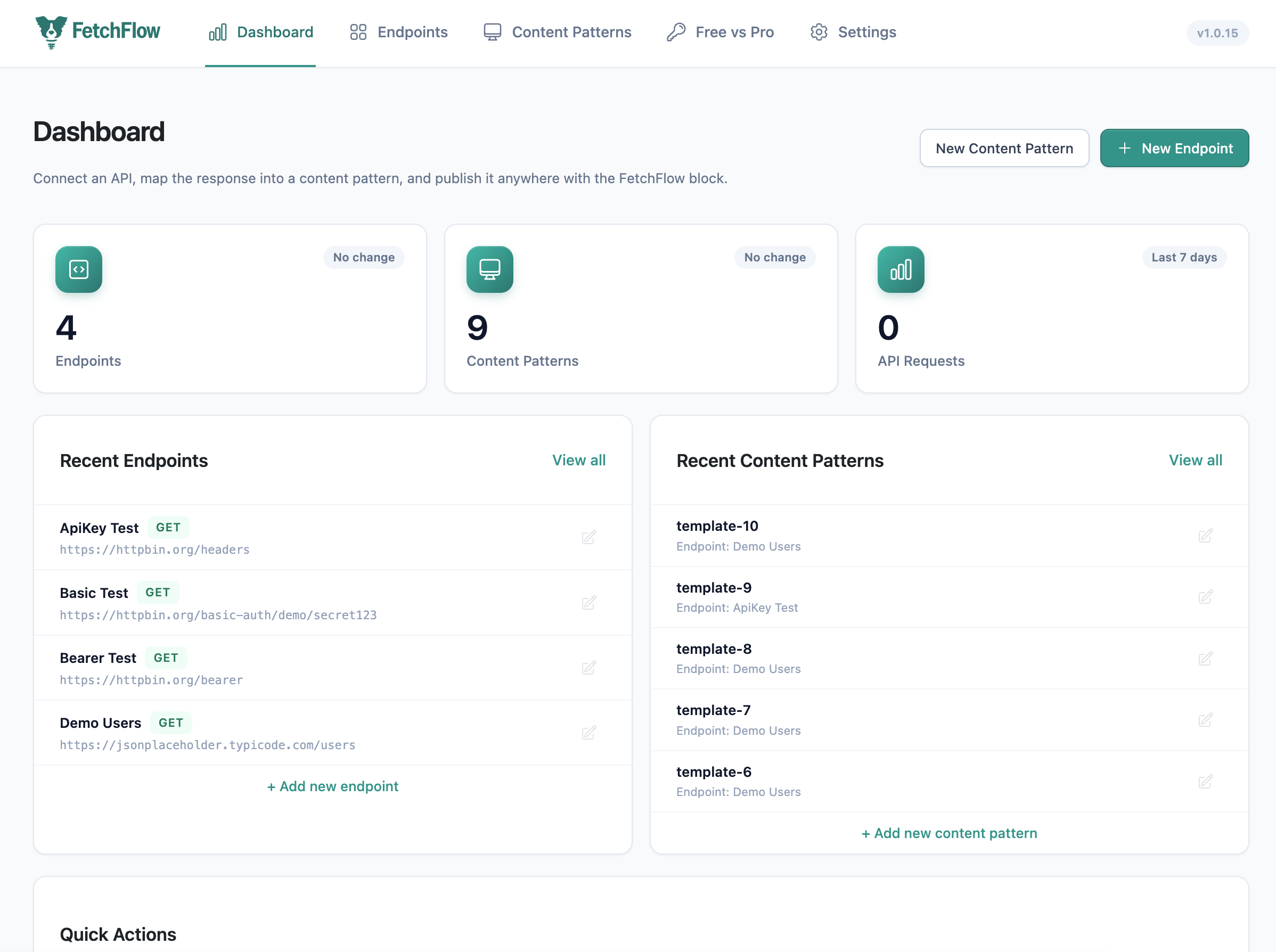
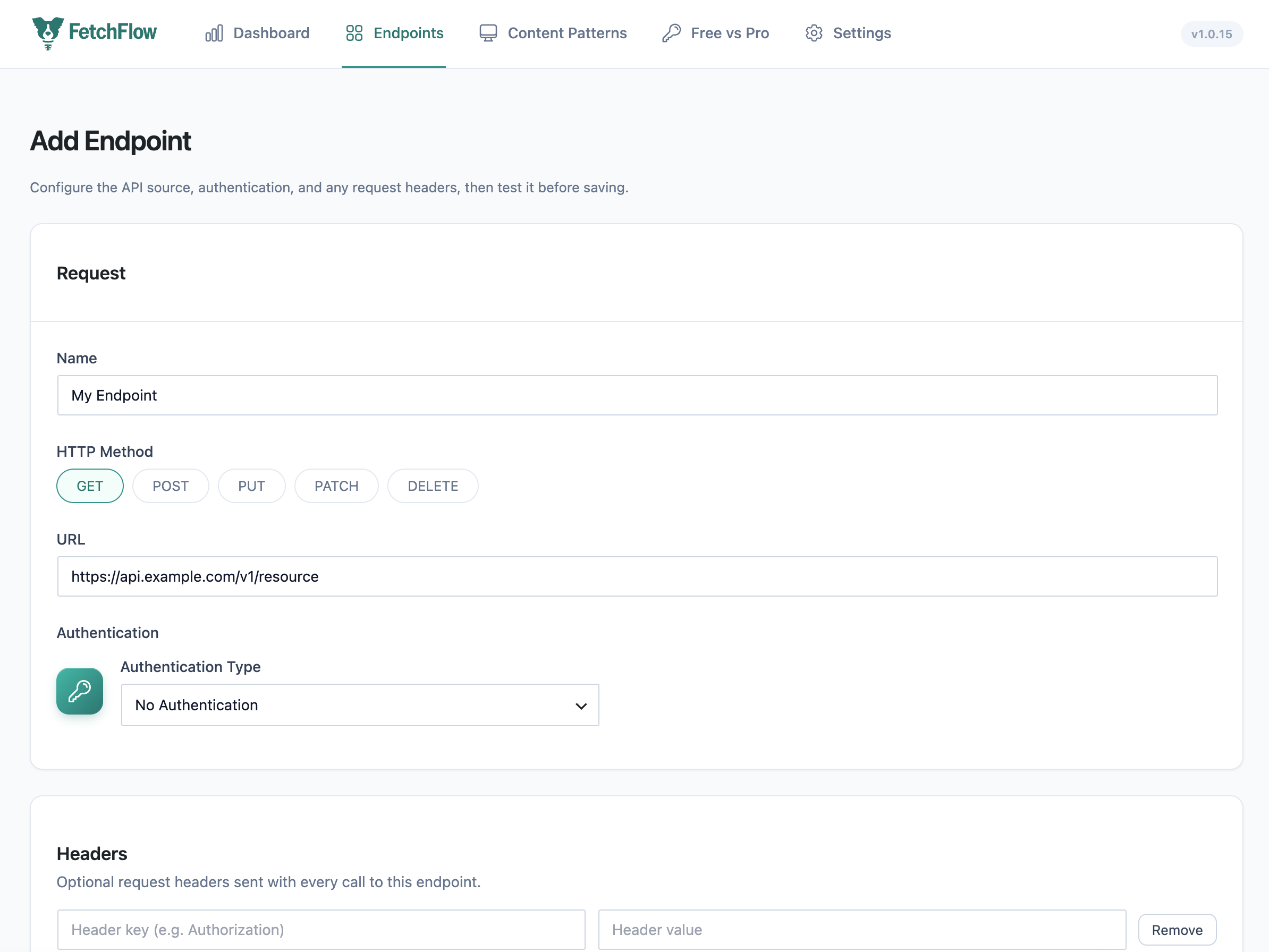
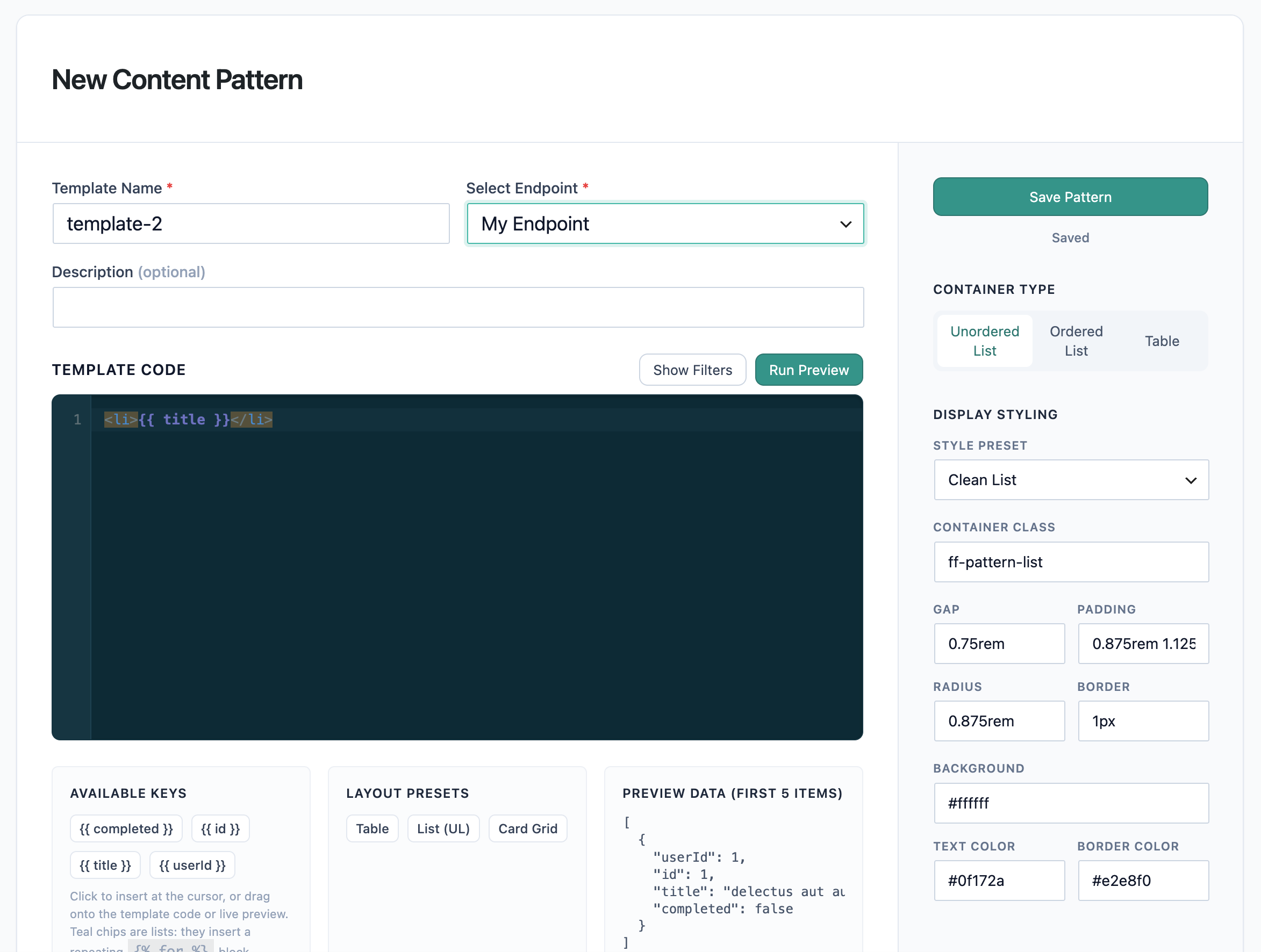
Installation
- Upload the plugin files to the
/wp-content/plugins/fetchflowdirectory, or install the plugin directly through the WordPress plugins screen. - Activate the plugin through the ‘Plugins’ screen in WordPress.
- Open FetchFlow in the admin menu, add an API endpoint, and test it.
- Create a content pattern for the endpoint and pick a style preset.
- Insert the FetchFlow block in any post or page and choose your pattern.
FAQ
-
Does this plugin call any external services?
-
FetchFlow itself does not send any data to fetchflow.net or any other service. The only external requests it makes are the ones you configure: fetching data from the API endpoints you add.
-
Can I use this plugin with any API?
-
Yes — any REST API that returns JSON. Endpoints support API key, bearer token and basic authentication.
-
Where is my API data stored?
-
Endpoint configuration (including auth secrets) is stored in your WordPress database and is readable by administrators only. Responses are cached according to your cache settings.
-
What are the PHP requirements?
-
PHP 8.2 or higher.
Reviews
There are no reviews for this plugin.
Contributors & Developers
“FetchFlow API Content Blocks” is open source software. The following people have contributed to this plugin.
Contributors
Translate “FetchFlow API Content Blocks” into your language.
Interested in development?
Browse the code, check out the SVN repository, or subscribe to the development log by RSS.
Changelog
1.0.15
- Security: content pattern styling is no longer stored or trusted as CSS text at all. The
stylesfield now holds only a JSON object of named, individually-validated properties (spacing, radius, colors); the actual CSS is generated server-side from those validated values on every read, so no request — however crafted — can inject arbitrary CSS. - The block editor’s live preview no longer receives a PHP-built
<style>tag concatenated into its HTML; the stylesheet is returned as its own field and rendered through a normal<style>element client-side. - Settings: cache duration is now a visible, editable field (1–1440 minutes) instead of a hardcoded value, matching what the REST API already allowed.
- Packaging: removed Illustrator source files and a bundled vendor CLI script that don’t belong in a distributed plugin.
1.0.14
- Content patterns now use Liquid (previously misdescribed in this readme as Handlebars-based, a wording leftover from before the 1.0.12 engine swap).
- Added a filter hook so an active add-on can register extra Liquid filters into the shared template environment.
1.0.13
- Renamed the plugin to “FetchFlow API Content Blocks” for a more descriptive, distinctive listing.
- Removed the free-form custom CSS field from content patterns; styling is handled by the built-in presets and custom container classes.
- Request logging now sanitizes all captured headers and request bodies, and redacts credential headers (Authorization, Cookie, API keys) before storage.
- Removed bundled vendor test folders from the release package.
1.0.12
- All features are now unrestricted in the free plugin: the previous 5-endpoint / 3-pattern / 60-minute-cache limits have been removed entirely.
- Pattern CSS is now delivered through the WordPress enqueue API (wp_add_inline_style) instead of an inline style tag, and is sanitized with a dedicated CSS sanitizer on every save path and again on output.
- Admin form scripts moved from inline script tags to enqueued files (wp_enqueue_script + wp_localize_script).
- Security: rendered template output is now passed through wp_kses_post so HTML injected by an external API response cannot execute scripts; SSL certificate verification is no longer disabled for endpoint tests.
- Added ABSPATH guards to all PHP class files; scheduled log-cleanup event is cleared on deactivation and uninstall; rate-limit transients are removed on uninstall.
- Requires PHP is now 8.2, matching the actual requirements of bundled dependencies; template engine (keepsuit/liquid) updated to 0.11.
1.0.11
- Security: SQL queries now use $wpdb->prepare() with %i identifier placeholders throughout instead of interpolating table/column names.
- Hardened input handling on server variables used for request logging and rate limiting (unslash + sanitize).
- Debug logging (error_log) is now gated behind WP_DEBUG instead of always writing to the server log.
- Minor WordPress coding-standards and plugin-review cleanup (i18n text domain, escaping, discouraged function usage).
1.0.10
- Data safety: deactivation no longer drops plugin tables and re-activation no longer wipes existing endpoints/patterns; data removal happens only on true uninstall.
- Security: endpoint reads (which include stored auth secrets) now require administrator capability; template reads require editor capability.
- Fixed template rendering when API fields share a name with a transformation filter; filters are now namespaced.
- Fixed anonymous REST requests returning HTTP 500 and rate limiting fatals.
- Redesigned style presets (Clean List, Card Stack, Feature Grid, Inline Chips, Clean Table, Striped Table) with editor/frontend rendering parity.
- Template code field is now a real code editor with syntax highlighting; dashboard redesigned.
1.0.9
- PHP-first admin pages for Dashboard, Endpoints, Content Patterns and Settings.
- Endpoint testing with inline response output; content pattern autosave, live previews, drag/drop token insertion and starter scaffolds.
- Pattern styling controls, style presets, custom container classes and custom CSS.
- Server-rendered block preview route for editor/frontend parity.
1.0.3
- New Gutenberg block for displaying API data with templates.
- Health check functionality for API monitoring; improved error handling.
1.0.2
- Content patterns feature and improved Gutenberg block integration.
1.0.1
- Initial release: API fetching with customizable templates.