

Description
Any event type
Use Fast Events for any kind of event (sport events, festivals, congresses, concerts, seminars, your local party, …)
From selling a single‑ticket type with one entrance scan to managing events with multiple ticket types, several entrances, and multiple scans.
If you wish, you can take advantage of volume pricing by ticket type or use the many discount voucher options.
Ideal for sporting events that have multiple scan checkpoints along the route and a final check to confirm every checkpoint has been scanned.
Take a look at the examples to get an idea.
Ticket personalisation
A unique ticket personalisation module that lets you personalise tickets, share them, display order information, and generate invoices if required.
Define order-level or ticket-level input fields and assign them to specific ticket types.
Embed the ticket personalisation module on a page using a WordPress shortcode.
Real-time scanning
No need for expensive scanning equipment. Use our free Android and IOS app to scan the tickets in real-time at the entrance.
There’s no limit to the number of scanning applications that can run simultaneously.
Staged scans, temporarily leave and re-enter(e.g. to smoke) and exit scans are possible, and error messages can be tailored to your own event.
PDF e-tickets
Define your own e-tickets in your favourite word processor (Word, LibreOffice, …). Then upload the PDF-file to WordPress through the plugin’s admin interface and specify where Fast Events should place the QR‑code block.
Use the default layout or specify a custom layout that includes personalisation fields or order information.
Tracking
Use the FE Tracking App especially for sporting events to allow participants to signal checkpoints on the route in the App and upload the time at which they pass them to the event organiser’s server.
Realtime tracking and display additional points of interest and descriptions on the map, as defined by the event organiser. Examples include First-aid stations along the route, catering facilities along the route, checkpoints along the route, …
Payouts next day
There are no fees per ticket. The only cost is the transaction fee for each order.
It doesn’t matter how many tickets are in the order; the payment provider (Stripe, PayPal, or Mollie) only charges the transaction fee once.
You can find here more information.
Admin App
Would you like to view events and orders on your mobile / tablet / desktop? Use the FE Admin App.
- Resend, refund, delete, re-create tickets, or even create orders.
- Quickly help users configure the FE Scanner App.
- Or view statistics on tickets sold and tickets scanned
- Basically, you maintain the entire plugin from your mobile, tablet, or browser.
The system has a comprehensive permissions system where users can have restrictions on functionality and events that can be modified.
Seating plans
Create your own seating plans for events that require them.
Fill seats in the order you define.
Saas mode
Host multiple organisations on your platform, each with their own events. They can operate as sub‑merchants using your ticketing system.
Add (sub)accounts in the FE Admin app, assign selected events to those users, and, where necessary, restrict their functionality.
Use flexible application fees that are automatically transferred to you. Only Stripe and Mollie are supported at the moment.
REST API
Fast Events offers a public REST API.
This allows Fast Events data to be created, read, updated, and deleted using requests in JSON format and using WordPress REST API application passwords to grant access.
But you could also create your own scanning app by using the scan endpoint.
Fine‑grained access control is available for individual endpoints via the Accounts tool in the FE Admin app.
Webhooks
Fast Events offers Webhooks to sent notifications to a URL of your choice.
You can configure it per event and choose which types of notifications are allowed to be sent.
Webhooks make it easy for third-party applications to integrate with Fast Events.
Actions & filters
Do you want to extend the functionality of Fast Events?
We have a number of filters and actions that allow you to do just that.
Have a look at our examples.
Features
- Event types (single, single selection from many, multiple selection, and Passe-partout)
- Design your own PDF e-tickets and invoices
- Responsive admin interface and a separate Admin App for IOS and Android
- Volume pricing per ticket type and flexible discount codes
- Multiple scan levels: entry, ‘backstage’, reset, temporarily-leave/re-enter (e.g. to smoke) and exit
- Mobile tracking app for sports events
- Design email confirmations
- Native API is included for many professional email providers (Mailgun, Sendgrid, Brevo, Amazon, …)
- Define input fields for personalised e-tickets
- Define e-ticket types
- Sell to closed user groups
- Saas mode
- Flexible realtime e-ticket scanning with the freeScan App at multiple levels
- Optional reCAPTCHA protection
- Export orders and tickets for offline data analysis
- Integrated with Stripe, PayPal, or Mollie as payment provider, providing a variety of payment methods
- Seating plans
- Public REST API, Webhooks and actions & filters for custom extensions
- Flexible authorization system for limiting functionality for certain users
- Blazingly fast
- Multisite ready
- And much more
Have a look at the documentation.
Screenshots


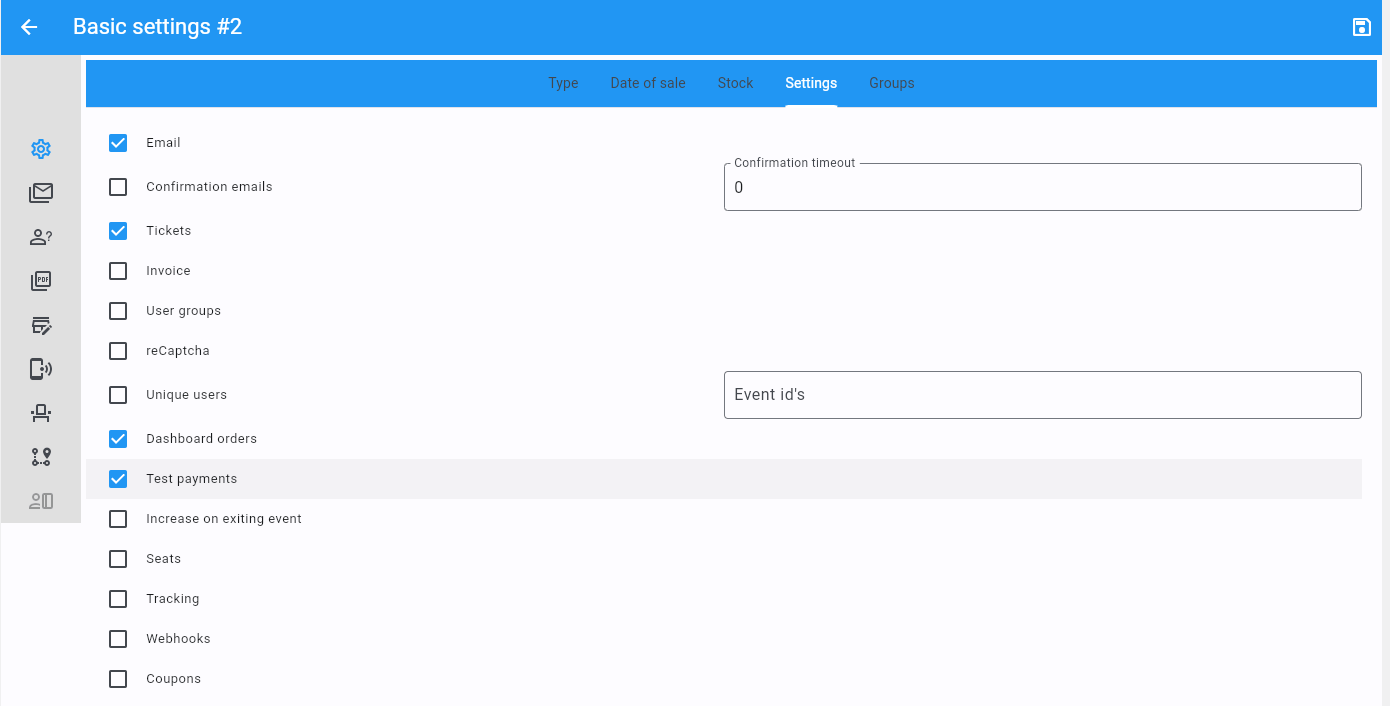


Installation
Install from your WordPress Plugins > Add New screen and all will be well. Manual installation is very straightforward as well:
- Upload the zip file and unzip it in the
/wp-content/plugins/directory - Activate the plugin through the
Pluginsmenu in WordPress - Go to
Fast Events > Settingsand start configuring the plugin.
Minimum Requirements
- PHP 8.1 or greater is required
- WordPress 6.4 or greater is required
Multisite
The plugin can be installed in a multisite environment. If network-activated, it will create its own tables per site and install the demo data. Only the main site can install the management interface, all other sites will have access to it. Marking a site as archived, spam, or deactivated will result in the deletion of all plugin tasks in the action scheduler. Any accounts created for REST API users (FE Admin App, email provider bounces, …) will be deleted if the site is deleted.
Sample data
The plugin comes preloaded with some demo data. Give it a try and play around with the menus. Place dashboard orders and give the Scan App a try.
FAQ
-
Noop, this is it, and it’s all for free. If you like this plugin, or it is useful to you in some way, please consider a donation and give it a review on WordPress.org.
Reviews

Contributors & Developers
“Fast Events” is open source software. The following people have contributed to this plugin.
Contributors
“Fast Events” has been translated into 2 locales. Thank you to the translators for their contributions.
Translate “Fast Events” into your language.
Interested in development?
Browse the code, check out the SVN repository, or subscribe to the development log by RSS.
Changelog
3.0.0
- New: Introduction of a pre-compiled dependency injection container to handle class dependencies on all code, as a means to keep a decoupled architecture and to ease unit testing.
- New: Breaking upgrade: the plugin requires PHP 8.1 or greater.
- New: Added support for Stripe as a Payment Provider. The Stripe component also supports the SaaS model.
- New: Added support for PayPal as a Payment Provider. SaaS is currently not supported.
- New: Added support for Monolog and a new settings page for logging.
- New: Open plugin architecture for email-providers, payment-providers, and logging. Configuring a payment provider, an email provider, or logging is done with JSON in the plugging settings.
- New: Added Wait mode setting for Payment Providers. See the documentation for more information.
- New: Added Cancel URL setting for Payment Providers. See the documentation for more information.
- New: Added Use queuing setting for Email Providers. See the documentation for more information.
- Change: The ordering shortcodes are moved from the plugin settings to the Tools menu. See the documentation for more information.