

Description
Fancy Post Grid is the most complete post grid builder and site builder plugin for WordPress. Whether you run a news portal, online magazine, personal blog, or a client website — this plugin gives you everything you need to display content beautifully and professionally, without writing a single line of code.
Trusted by 40,000+ businesses worldwide and rated 4.9/5 based on 320+ reviews.
Live Demo | Upgrade to Pro | Get Support | Documentation
👥 Who Is This Plugin For?
Fancy Post Grid is built for every type of WordPress user who wants to present content in a professional, engaging way — without any technical hassle.
- Bloggers — Display your latest posts in clean, organized grids and sliders that keep readers exploring your site.
- News & Magazine Sites — Build editorial layouts with real-time filters, breaking news sliders, tickers, and grouped sections.
- Agencies & Freelancers — Launch complete, polished client websites quickly using ready-made niche starter templates.
- Developers — Extend layouts using shortcodes, Gutenberg blocks, and a clean, modular codebase that is easy to work with.
🎁 FREE Version — Start Strong, Right Away
The free version gives you a solid, fully functional set of tools to display your posts beautifully — with zero cost and zero coding required.
🗂️ Post Grid
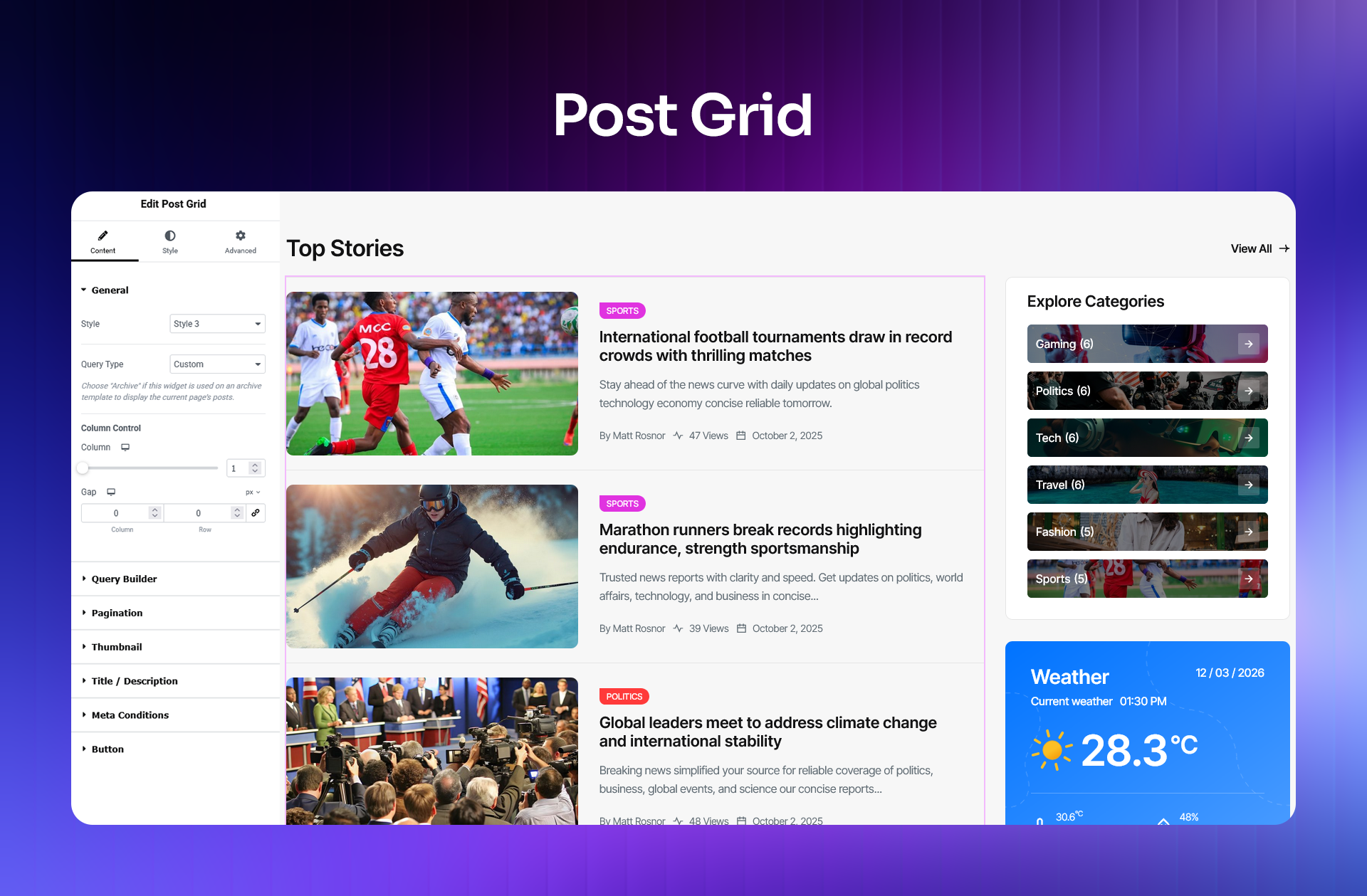
Create responsive multi-column post grids with full control over layout, column count, spacing, metadata display, and post count. A powerful starting point for any blog or news website.
🎞️ Post Slider
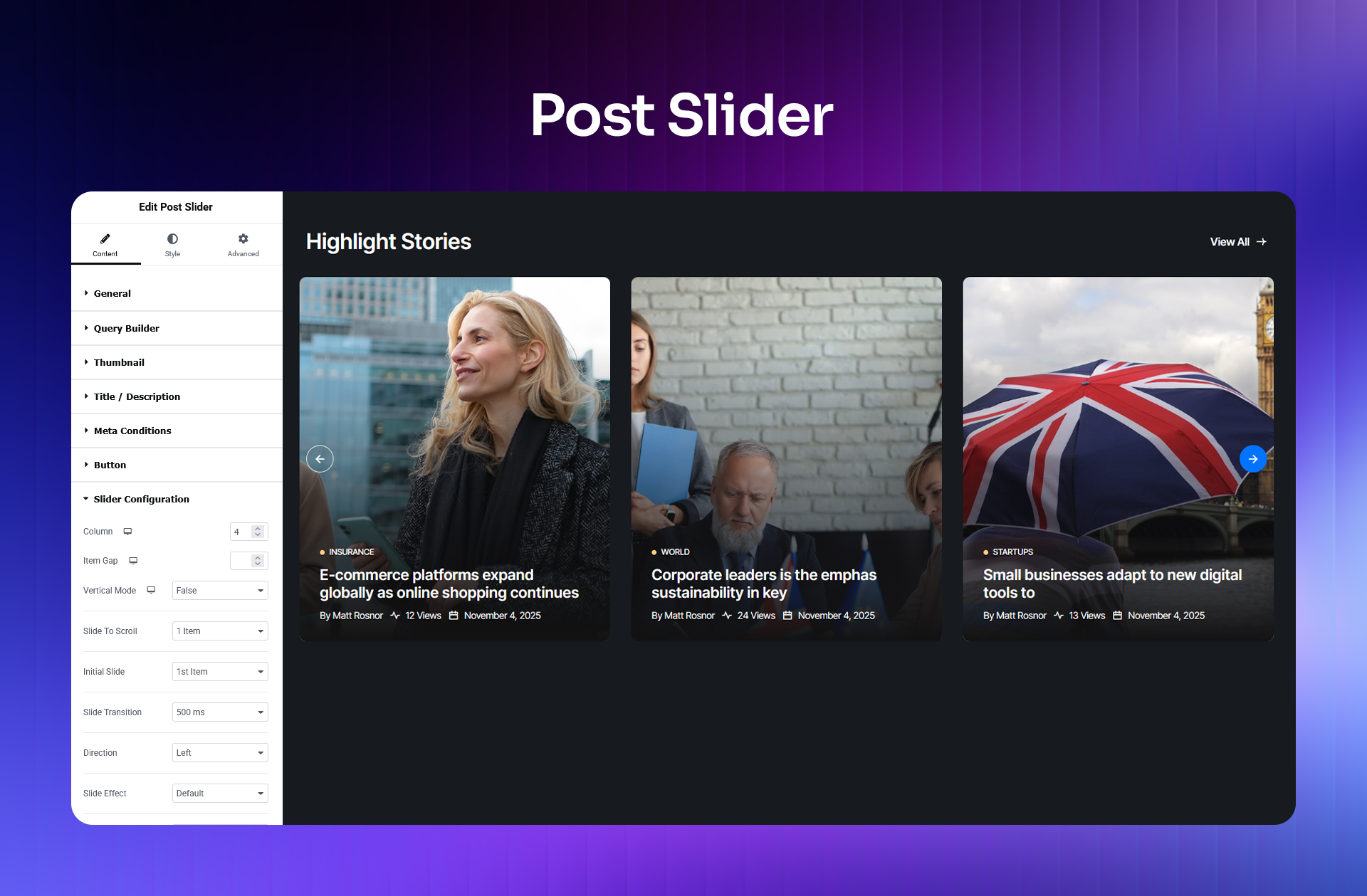
Showcase your latest or featured posts in a smooth, touch-friendly slider. Ideal for homepage hero sections, featured articles, or highlighting recent content.
🔄 Ajax Load More
Let visitors load additional posts with a single click — no page refresh, no interruptions. Keeps users engaged and browsing longer without affecting your site speed.
🔍 Query Builder (Basic)
Choose exactly which posts appear in each grid or slider. Filter by category, tag, post type, or author so every section shows the right content to the right audience.
⌨️ Shortcodes
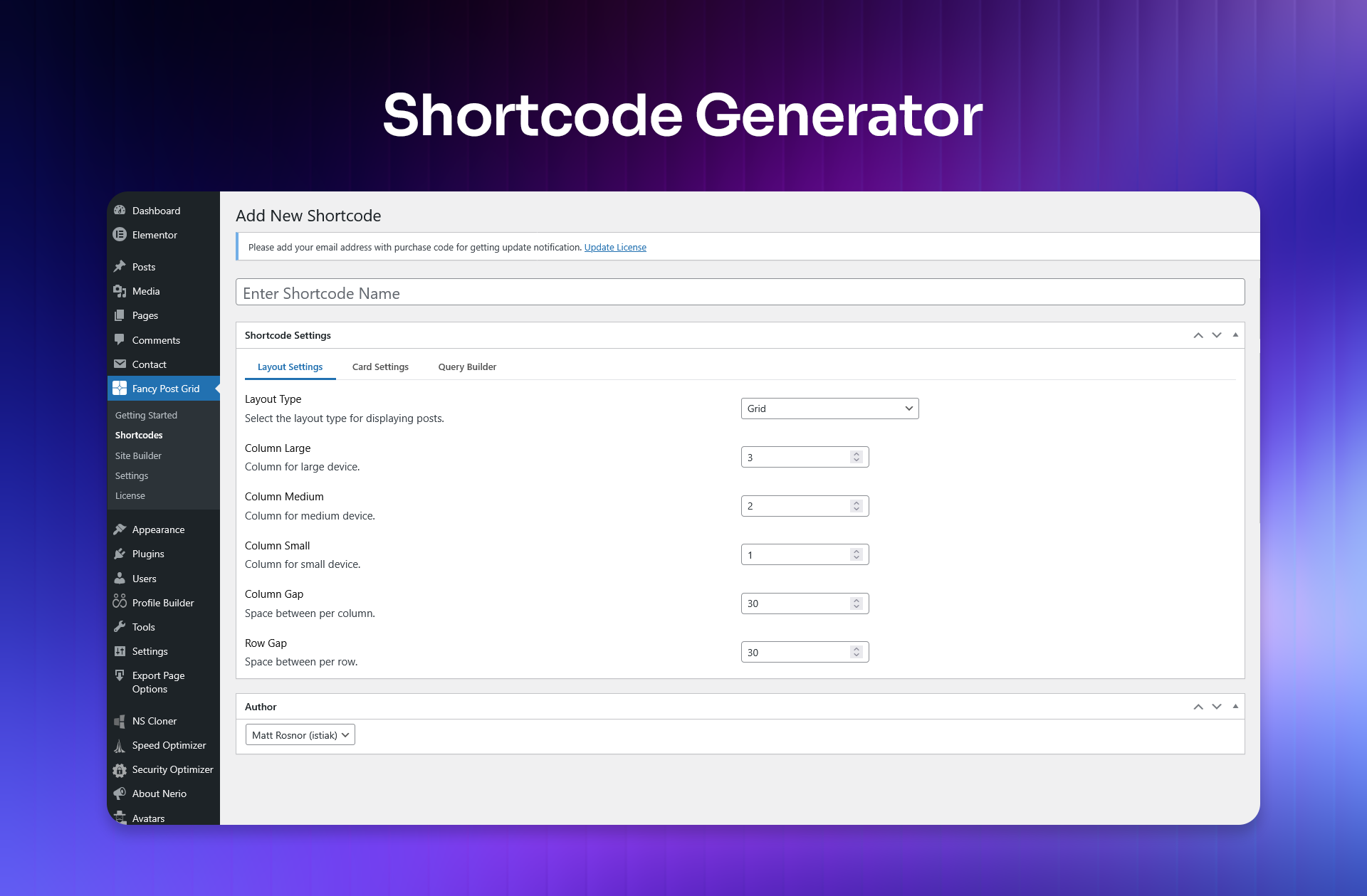
Place post grids and sliders anywhere on your website — pages, posts, sidebars, or widget areas — using simple shortcodes that work with any WordPress theme.
[fancy_post_grid]— Add a fully customizable post grid anywhere on your site.[fancy_post_slider]— Embed a responsive post slider with a single shortcode.
📑 Table of Contents (Gutenberg Block)
Automatically generate a linked table of contents from your post headings. Helps readers navigate long articles with ease and contributes to better on-page SEO.
🧩 11 Free Elementor Widgets (requires Elementor)
A collection of ready-to-use Elementor widgets for building post layouts without writing code:
- Post Grid — Responsive grid with query controls and multiple layout styles
- Post Slider — Touch-enabled slider for displaying featured or recent posts
- Heading — Customizable headings with full typography and alignment control
- Button — Flexible call-to-action buttons with icons and hover effects
- Icon Box — Icon paired with a title and description in a clean, structured layout
- Image — Responsive images with link support and styling options
- Divider — Styled section separators to organize your page content
- Date & Time — Dynamic display of post published or modified dates
- Social Share — One-click share buttons for major social platforms
- Social Icons — Linked social profile icons with flexible layout controls
- Team — Team member grids and sliders with photo, role, bio, and social links
📦 Free Templates
Get started immediately with ready-made templates — just one click to import and your site is ready to customize. The free version includes:
- 1 Starter Site — A complete, professionally designed website imported in one click.
- 3 Page Templates — Pre-built page layouts ready to use instantly on your site.
Enough to launch a clean, functional blog or news site without starting from scratch.
⚡ Lightweight & Performance-Optimized
Fancy Post Grid loads styles and scripts only on pages where they are actually needed. Your site stays fast no matter how feature-rich the plugin is.
🚀 PRO Version — Everything You Need to Build a Complete Website
The Pro version unlocks the full power of Fancy Post Grid — from AI-powered content creation to a complete visual site builder, advanced post display features, and a library of 29+ professionally designed website templates ready to import in one click.
🤖 AI Content & Image Generation
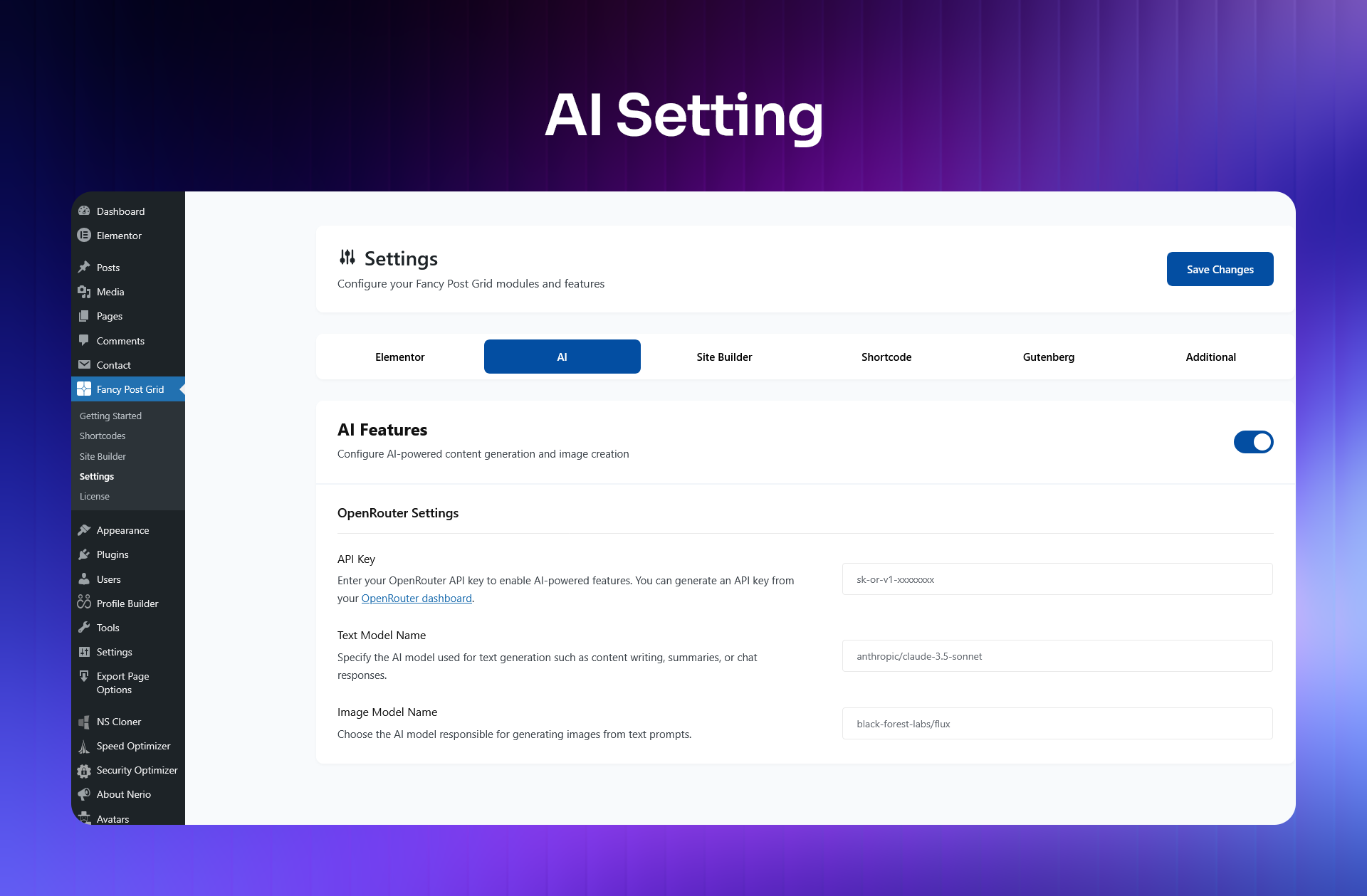
Stop spending hours on content. The built-in AI tools help you create professional, publish-ready content in minutes — directly inside your WordPress dashboard.
- AI Text Generation — Write compelling headlines, article summaries, and full blog drafts automatically. Just describe what you need and the AI handles the rest.
- AI Image Generation — Create eye-catching, on-brand visuals that match your content perfectly — no graphic design skills needed.
- AI Blog Post Generation — Go from idea to a complete, well-structured blog post in just a few clicks.
🏗️ Ready-Made Niche Website Templates
Don’t build from scratch. Every template — whether a full starter site, a single page, or a ready-made section — imports in just one click. Choose your design, click import, and start customizing right away.
Free version includes:
- 1 Starter Site — One complete niche website, ready to import and go live instantly.
- 3 Page Templates — Pre-designed pages you can import and adapt to your content in minutes.
Pro version includes:
- 29+ Starter Sites — A full library of niche websites across 10 categories, each importable in one click.
- 70+ Page Templates — Pre-designed pages for every part of your site — home, blog, archive, contact, and more.
- 57+ Ready-Made Sections — Standalone page sections you can mix, match, and import individually to build pages faster.
🏷️ Pro niche template categories:
- Newspaper
- Travel
- Food Recipe
- Technology News
- Sports News
- Business News
- AI News
- Fashion Magazine
- Medical & Health News
- Gadgets News
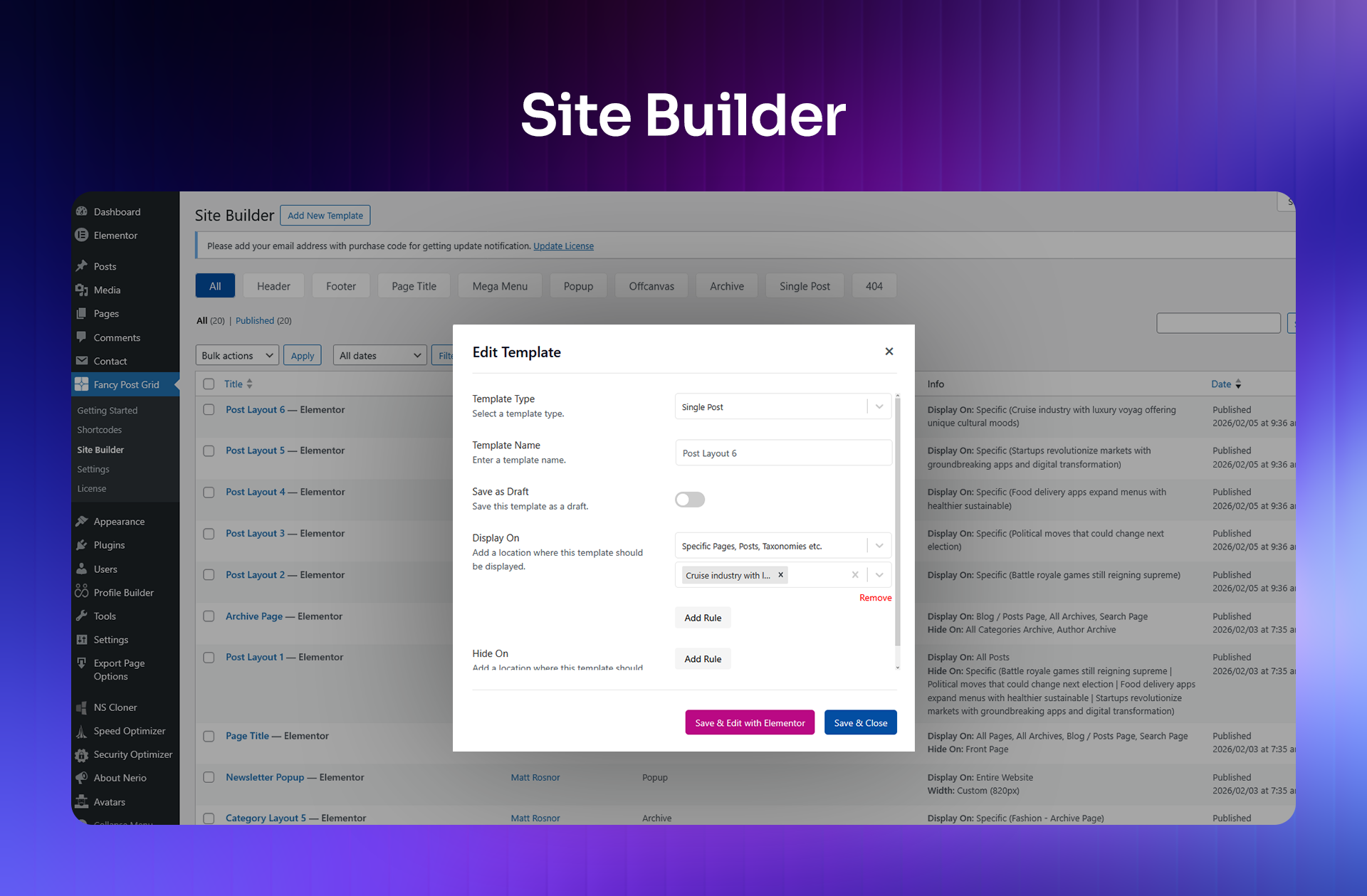
🧱 Fancy Post Grid Site Builder
Design your entire WordPress website visually — no theme restrictions, no coding required. Powered by Elementor and built for total site control.
- Header & Footer Builder — Create custom headers and footers that perfectly reflect your brand.
- Mega Menu Builder — Build rich, multi-column dropdown menus complete with icons and images.
- Popup Builder — Design targeted popups for promotions, newsletter signups, or announcements.
- Off-Canvas Panels — Add polished slide-in navigation panels for a better mobile experience.
- Archive Page Templates — Fully customize how category, tag, and author archive pages look.
- Single Post Templates — Design unique, branded layouts for individual blog posts and articles.
- Page Title Sections — Style the page title area with custom backgrounds and breadcrumb navigation.
- 404 Page Templates — Turn dead-end error pages into a helpful, on-brand experience.
9 template types. Total site control. No coding required.
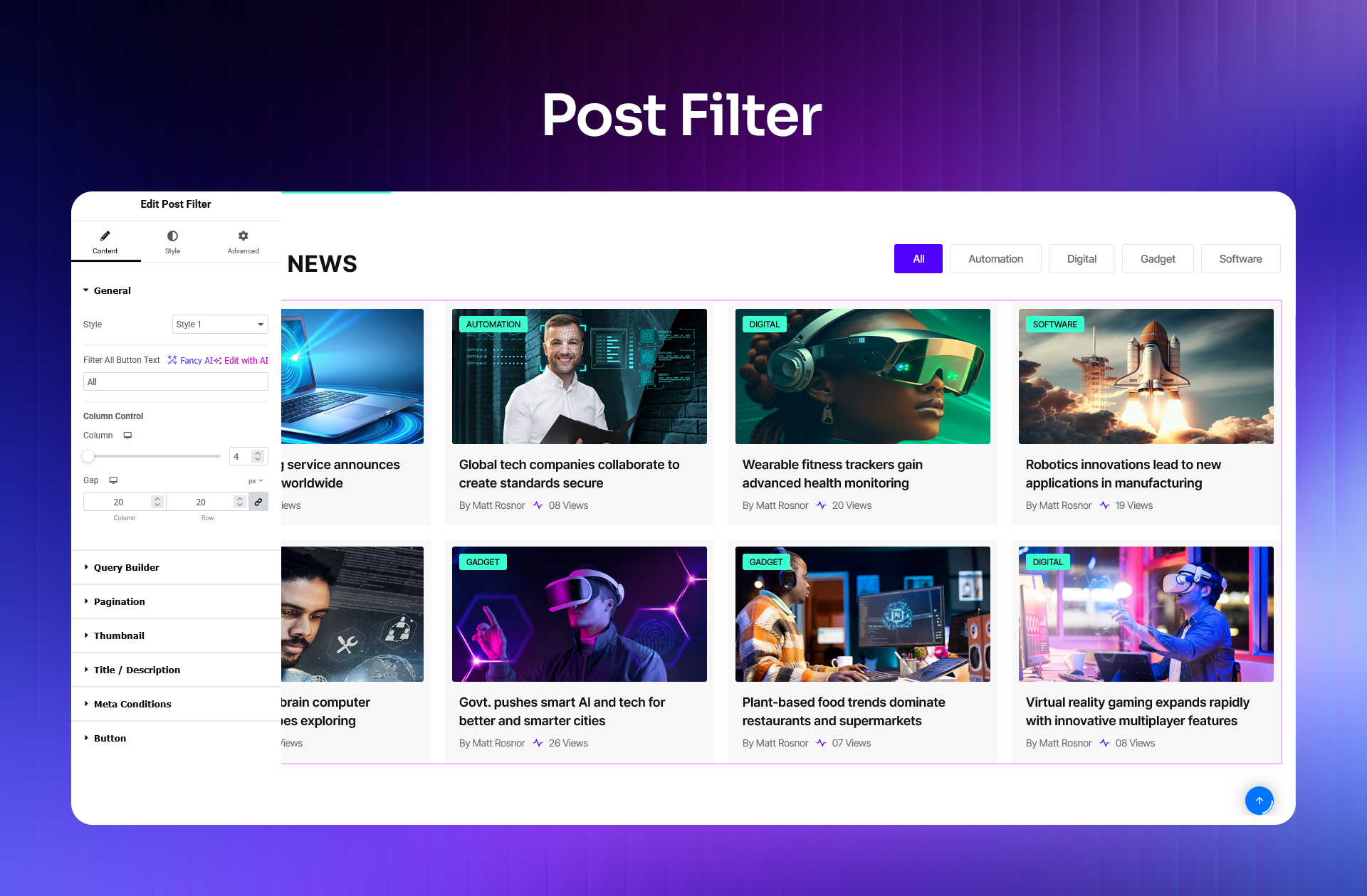
🎛️ Ajax Post Filter
Give your visitors real-time, interactive content filtering by category, tag, or any custom taxonomy. Content updates instantly on-screen — no page reload required. An essential feature for news portals and magazine websites.
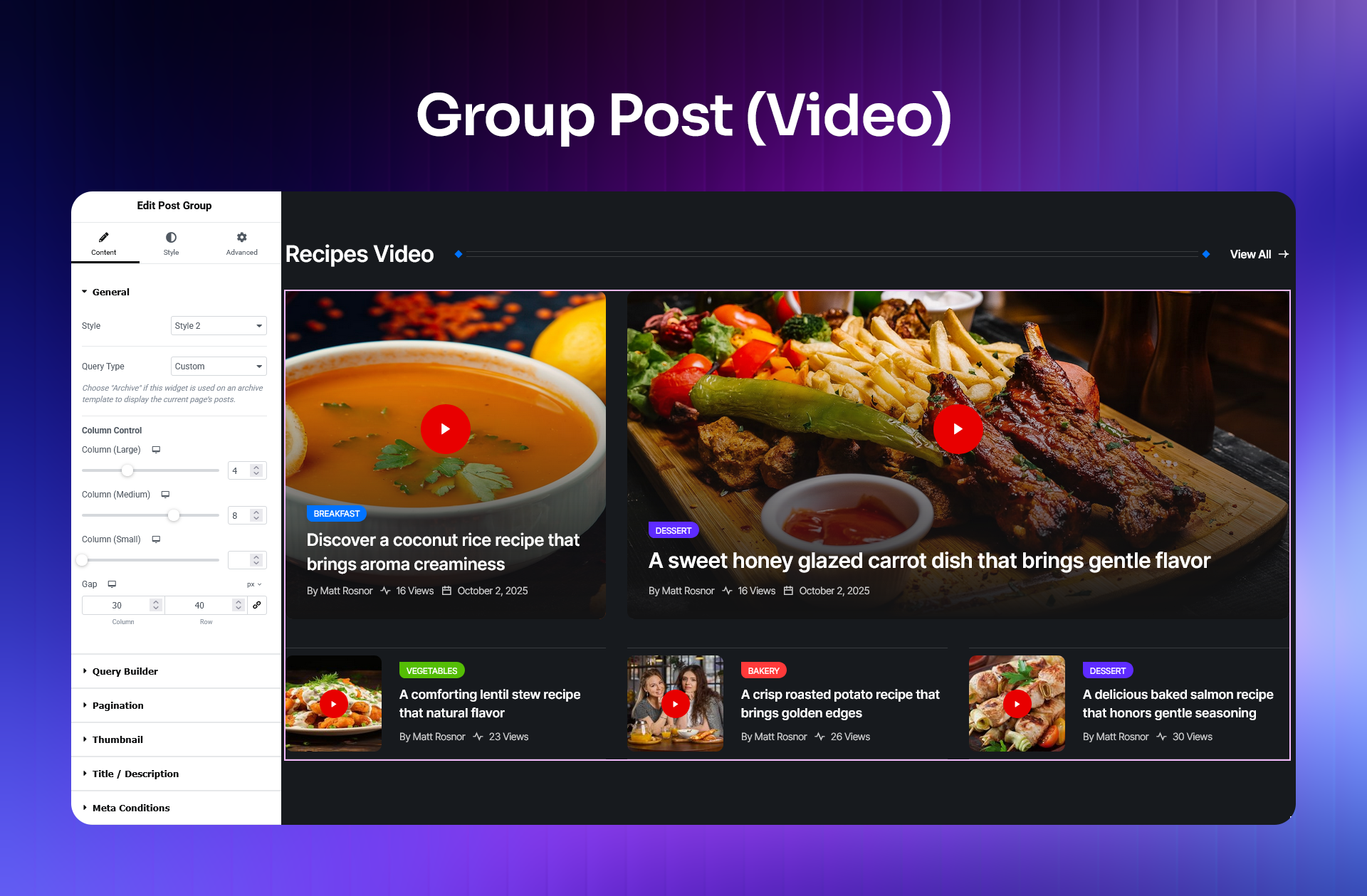
🗃️ Group Post
Organize posts into clearly labeled sections based on categories or custom queries. Perfect for homepage layouts with sections like “Latest News,” “Editor’s Picks,” or “Trending Today.”
🖼️ Post Thumbnail Slider
Display a synced slider where clicking a thumbnail instantly updates the main content panel. Creates a sleek, editorial-style browsing experience that readers genuinely enjoy.
📣 News Ticker
Keep visitors informed with a smooth, scrolling headline ticker. Display your latest posts continuously at the top of your page without disrupting the reading experience.
📊 Reading Progress Bar
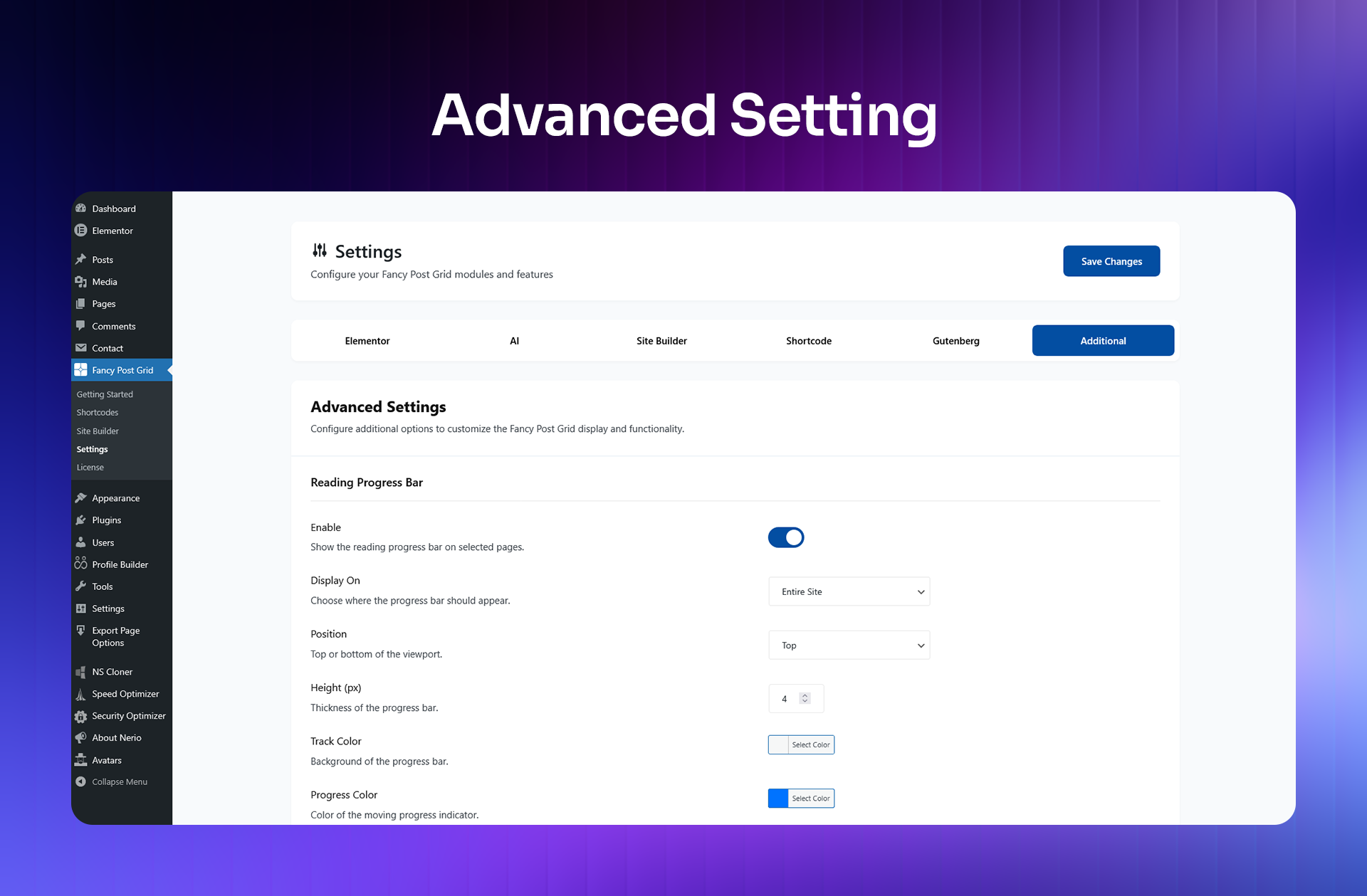
A subtle progress indicator that shows readers how far they have scrolled through an article. A small feature that meaningfully improves engagement and time spent on page.
🔖 Bookmark Posts
Let registered users save their favorite articles to read later. A simple but powerful feature that builds reading habits and brings visitors back to your site repeatedly.
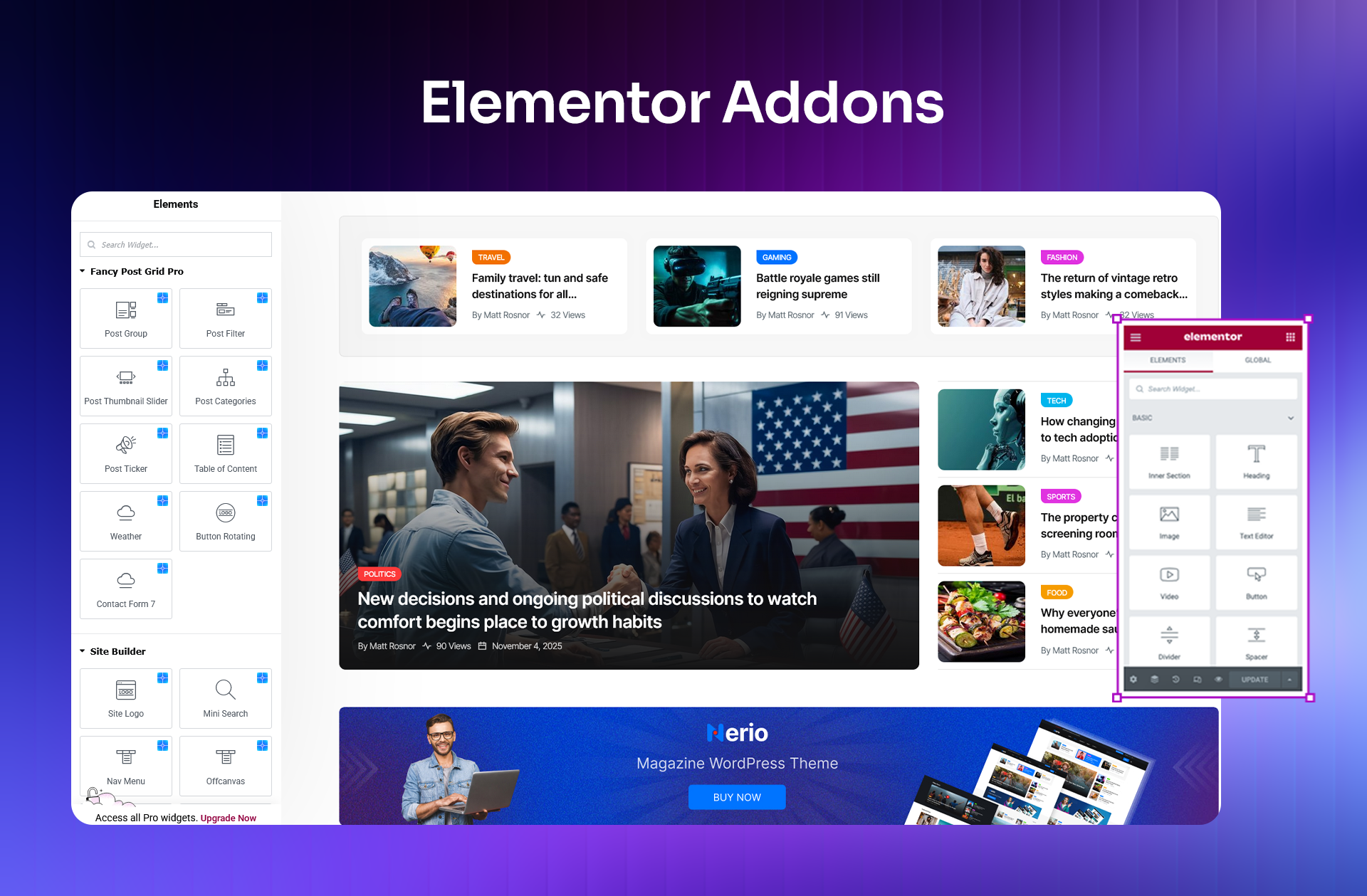
⭐ 10 Pro Elementor Widgets
Advanced Elementor widgets designed for professional news, magazine, and blog layouts:
- Post Group — Posts organized into groups by taxonomy or custom query, ideal for structured homepage sections.
- Post Filter — Real-time AJAX filtering by category or taxonomy, so visitors find what they want instantly.
- Post Thumbnail Slider — A synced thumbnail and content slider for polished, editorial-style post displays.
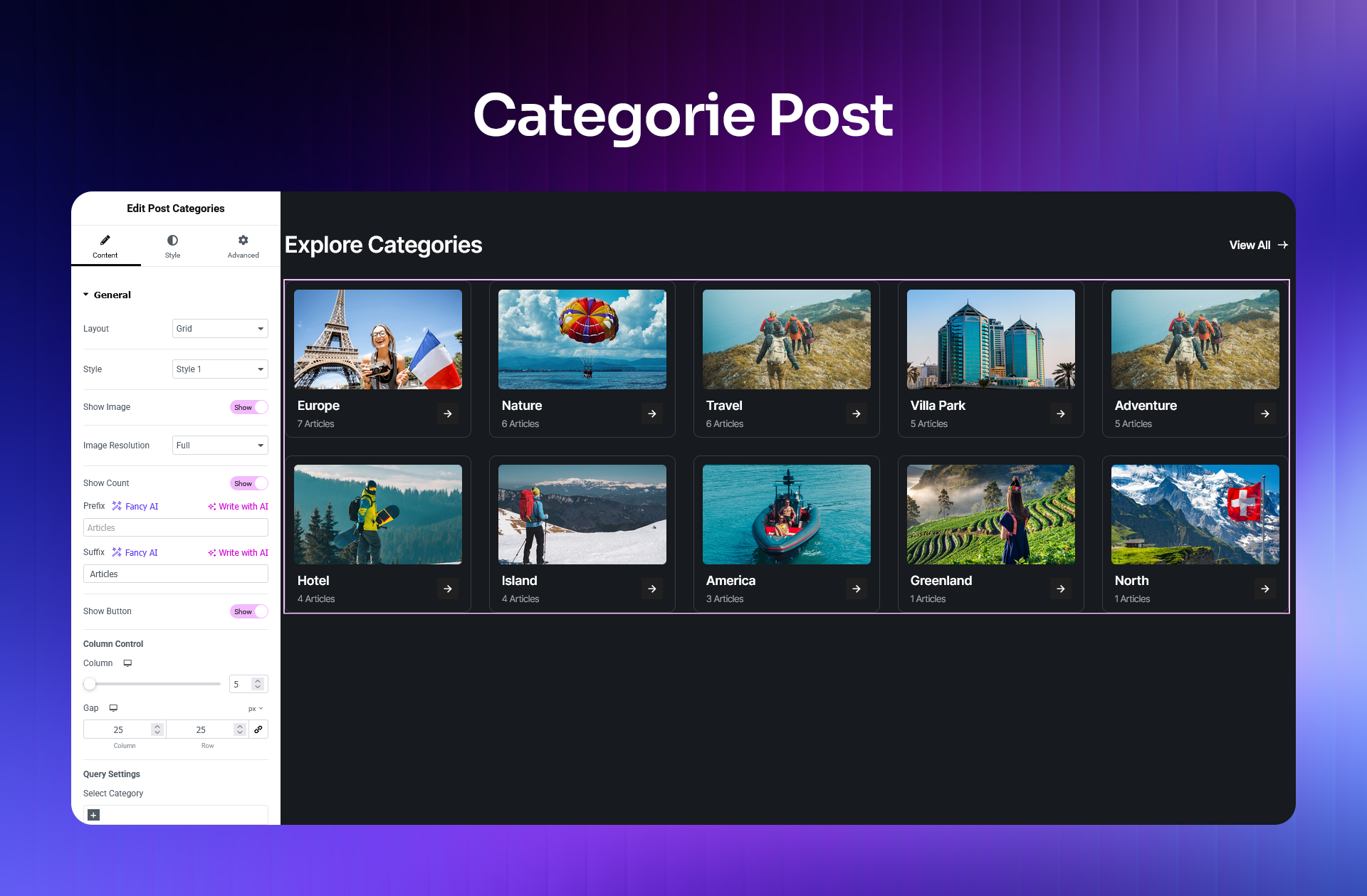
- Post Categories — Styled category listings with live post count badges for each category.
- Post Ticker — A smooth, continuous scrolling ticker that keeps your latest headlines always visible.
- Table of Contents — Auto-generated, linked table of contents with full Elementor styling control.
- Weather — Live, real-time weather display for any city — great for local news, travel, and lifestyle sites.
- Button Rotating — An animated rotating-text button that draws visitor attention and encourages clicks.
- Contact Form 7 — Style your Contact Form 7 forms beautifully and consistently inside Elementor.
- Team — Team member grids and sliders built from your WordPress users, filtered by role, with photo, name, role, and bio pulled in automatically.
🧰 15 Elementor Site Builder Widgets
A complete set of widgets for designing every part of your website template with precision:
- Site Logo — Responsive site logo display with sizing and linking controls.
- Mini Search — A compact, toggleable search bar that stays out of the way until needed.
- Nav Menu — Full WordPress menu support with mega menu integration for rich, structured navigation.
- Off-Canvas Toggle — A trigger button for opening slide-in navigation panels or mobile menus.
- Page Title — Dynamic page title output with built-in breadcrumb navigation support.
- Archive Posts — Full archive page listings with complete layout and styling controls.
- Post Meta — Display post metadata including author name, publish date, categories, and tags.
- Post Excerpt — Adjustable excerpt output with configurable character length and a read-more link.
- Post Content — Renders the complete post content within any custom template layout.
- Featured Image — Post thumbnail with aspect ratio options and responsive sizing controls.
- Post Comments — Embeds the standard WordPress comments section within custom post templates.
- Post Author — Display the author’s name, avatar, and biography in any layout you design.
- Post Navigation — Previous and next post links for smooth, intuitive article-to-article navigation.
- Copyright — Dynamic copyright text with an automatically updating year.
- Breadcrumb (NavXT) — Full breadcrumb trail navigation powered by the Breadcrumb NavXT plugin.
🔐 Login / Register Widget
Add a fully styled login and user registration form anywhere on your site using a dedicated Elementor widget — no additional plugin required.
🛟 Priority Support & Automatic Updates
Pro users receive 24/7 priority support directly from the RSTheme team. Automatic updates ensure your site always runs the latest, most secure, and most feature-complete version of the plugin.
🎨 Themes Built Using Fancy Post Grid
⚙️ Requirements
- WordPress 6.4 or higher
- PHP 7.4 or higher
- Elementor (optional — required only for Elementor widgets and Site Builder features)
Screenshots

Installation
Using the WordPress Dashboard
- Navigate to Plugins Add New
- Search for “Fancy Post Grid”
- Click Install Now
- Click Activate
Uploading via WordPress Dashboard
- Go to Plugins Add New Upload Plugin
- Upload the
fancy-post-grid.x.x.x.zipfile - Click Install Now
- Click Activate
Using FTP
- Extract the
fancy-post-grid.x.x.x.zipfile on your computer - Upload the
fancy-post-gridfolder to/wp-content/plugins/on your server - Go to the Plugins screen in your WordPress dashboard and activate the plugin
FAQ
-
Is Elementor required to use this plugin?
-
No. Elementor is completely optional. Fancy Post Grid works independently with Gutenberg blocks and shortcodes. Elementor is only needed if you want to use the Elementor widgets or the visual Site Builder features.
-
Does Fancy Post Grid work with Gutenberg?
-
Yes. A Table of Contents block is available now. Post Grid and Post Slider Gutenberg blocks are actively in development and coming soon.
-
Will this plugin slow down my website?
-
No. Fancy Post Grid uses optimized, on-demand asset loading — styles and scripts are only loaded on pages where a layout is actually in use. Your site performance stays clean and unaffected.
-
Can visitors filter posts by category or tag?
-
The free version includes basic query controls so you can choose which posts appear in each layout. The Pro version adds a full Ajax Post Filter widget so visitors can filter content interactively in real time — with no page reload.
-
Do I need coding experience to use this plugin?
-
Not at all. Everything in Fancy Post Grid is designed to be visual and intuitive — whether you’re using Elementor’s drag-and-drop editor, the Gutenberg block editor, or shortcodes. No coding is needed at any stage.
-
Can I build my full website using this plugin?
-
Yes — with the Pro version. The built-in Elementor Site Builder lets you design headers, footers, mega menus, popups, off-canvas panels, archive pages, single post templates, 404 pages, and more. You get complete visual control over your entire website.
-
What happens if I’m not satisfied with the Pro version?
-
Every Pro plan includes a 14-day, no-questions-asked money-back guarantee. If Fancy Post Grid Pro does not meet your needs, contact the support team within 14 days for a complete refund.
-
Where can I find the full documentation?
-
Complete documentation with step-by-step guides is available at:
https://rstheme.com/docs/fancy-post-grid/ -
How do I get support?
-
- Free support: https://wordpress.org/support/plugin/fancy-post-grid/
- Priority support for Pro users: https://rstheme.com/support/
Reviews


Contributors & Developers
“Fancy Post Grid – Ultimate Post Grid Builder” is open source software. The following people have contributed to this plugin.
Contributors

Translate “Fancy Post Grid – Ultimate Post Grid Builder” into your language.
Interested in development?
Browse the code, check out the SVN repository, or subscribe to the development log by RSS.
Changelog
2.1.4 (23 Sep 2026)
- Fixed: Fetch all of the terms in a single req without pagination consume large memory issue. Now using pagination.
2.1.3 (08 Sep 2026)
Update:
* All swiper slider row support.
* Social share X icon.
* Image widget control update.
Added:
* Wp user – Profile Picture upload option – no need gravatar profile.
* Wp user – verified user check.
* Wired verified badge through all widgets.
2.1.2 (17 August 2026)
Added:
* Team addon for elementor
2.1.1 (20 July 2026)
Added:
* Fix minor design issues
* Added compatibility for WordPress 7.0.2
* Added options for enable/disable post views count feature
2.1.0 (07 May 2026)
Added:
* Pre-Built Demos with one-click import support
* Elementor Template Library integration
* Bookmark Posts feature for registered users
2.0.4 (03 Mar 2026)
Fixed:
* Category styling issue in Elementor Post Addons
* RTL (Right-to-Left) display issue affecting the Reading Progress Bar
2.0.3 (01 Mar 2026)
Added:
* Reading Progress Bar
Fixed:
* Post Card Date Format display issue
2.0.2 (18 Feb 2026)
Fixed:
* Missing Shortcode module styles
2.0.1 (09 Feb 2026)
Added:
* SVG icon upload support
2.0.0 (09 Feb 2026)
Changed:
* Full codebase refactor with a new modular, class-based architecture
* New settings panel and plugin configuration system
Added:
* 10+ free Elementor widgets
* Improved Elementor widget framework
* Updated POT translation file
Removed:
* Legacy Gutenberg blocks
* Old shortcode layouts
* Deprecated helpers and APIs
Improved:
* Asset dependency management for better performance
* Overall performance and reduced memory usage
* Security hardening and centralized data sanitization
* Compatibility with future WordPress and PHP versions