

Description
Fabrick offers solutions to meet and anticipate all needs in the field of payment acceptance, on all physical and digital channels. The offer consists of a single platform to accept payments through physical and digital gateways such as POS, Ecommerce solutions, Banking-as-a-Service (BaaS) and omnichannel solutions in continuous evolution to meet market changes.
With Fabrick Payment Orchestra, you can:
- Accept payments from all major credit cards
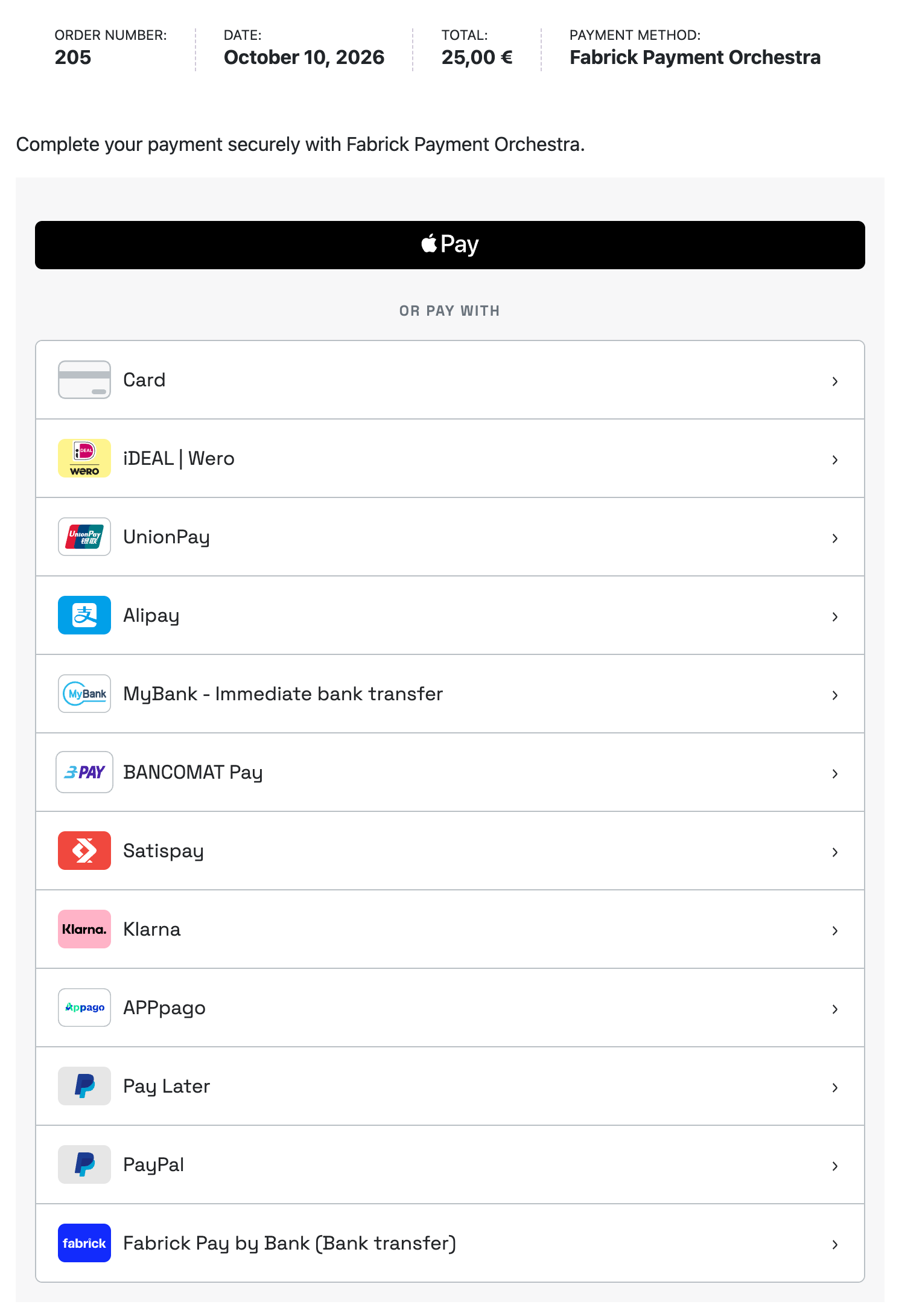
- Accept payments from different alternative payments like PayPal, Apple Pay, Google Pay and many others – and manage them from the same dashboard
- Be compliant with PCI-DSS specifications, so that you don’t need to store your customers’ credit card numbers
- Count on 3DS2.X support
WooCommerce Blocks Compatibility
The plugin is fully compatible with WooCommerce Blocks checkout. All payment methods are supported in both classic checkout and blocks checkout modes. There is no need to disable WooCommerce Blocks checkout.
Requirements
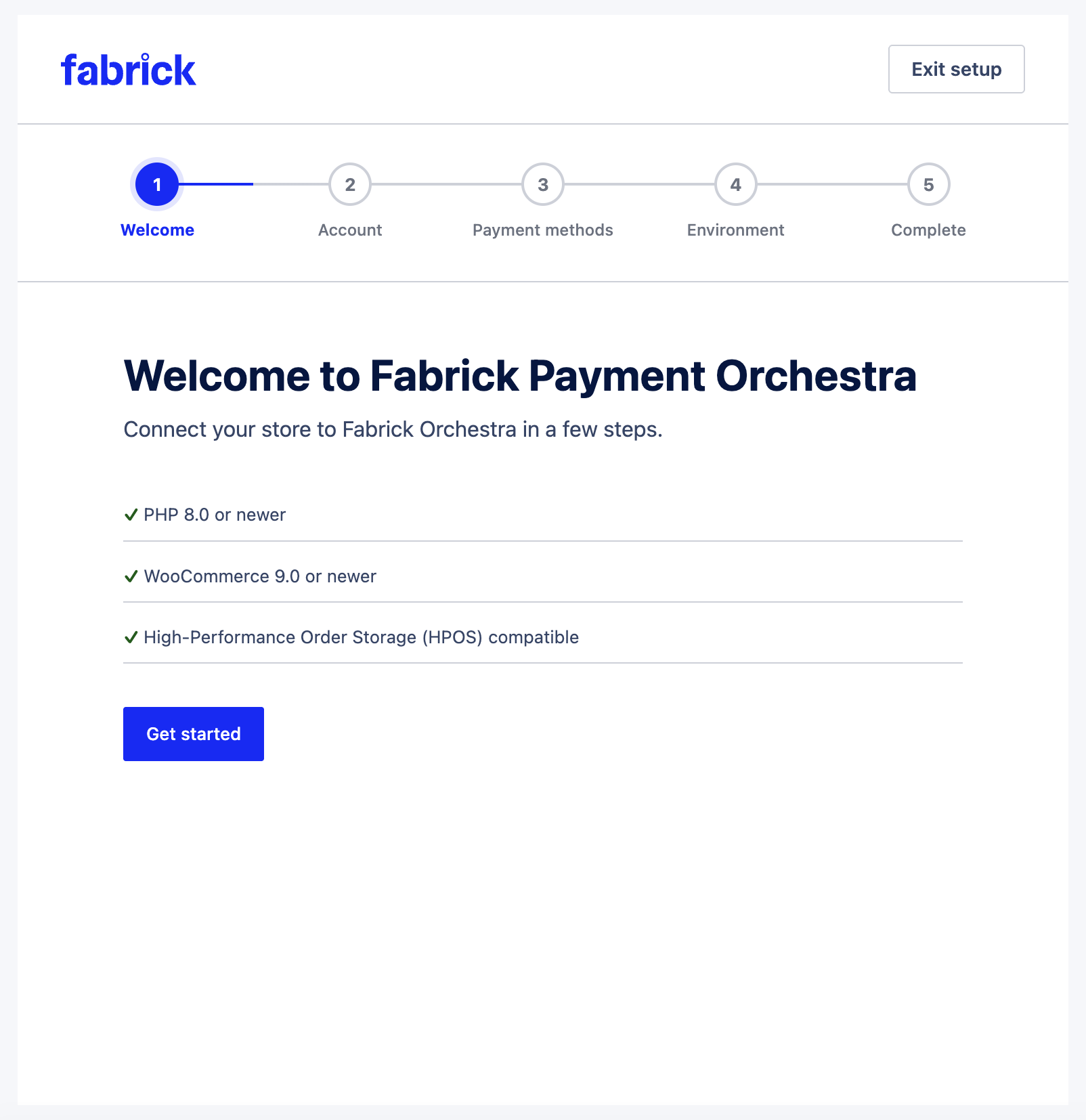
- WooCommerce 9.0 or newer, WordPress 6.4 or newer, and PHP 8.0 or newer
- Fabrick account with Payment Orchestra, Web Components, and REST APIs enabled
- Credentials: Shop Login and API Key (sandbox or production)
- HTTPS on the store domain (recommended / required in production)
- For Apple Pay / Google Pay: domain prerequisites and activation on the Fabrick side (see the official documentation)
Available Payment Methods
Available payment methods depend on the services activated on your Fabrick account.
- Alipay
- Amazon Pay
- Apple Pay
- AppPago
- BANCOMAT Pay
- Bancontact
- EPS
- Fabrick Pay by Bank
- Google Pay
- Klarna
- Konbini
- Multibanco
- MyBank
- iDEAL
- PayPal
- Paysafecard
- Przelewy24
- Satispay
- UnionPay
- WeChat Pay
Benefits
- Accept credit card payments directly on your store
- Accept payments with a variety of alternative methods to increase conversion by allowing customers to pay in their own preferred way
- Reduce fraud risk with Fabrick’s risk-based 3-D Secure authentication (RBA)
Security
- No credit card data is saved on your servers during the payment process
- All major credit card brands are supported (Visa, Mastercard, American Express)
- 3DS2.X support
Support
You can contact our support team writing at plugin@fabrick.com.
This plugin is developed and maintained for Fabrick by Neting srl (WordPress.org account netingweb).
The complete plugin installation guide is available in the Fabrick documentation.
External services
This plugin connects to the Fabrick Payment Orchestra platform (Fabrick S.p.A.) to process payments. This connection is required for the core functionality of the plugin: without it, no payment can be created, verified, or refunded.
1. Orchestra REST API
- Endpoints:
https://sandbox.gestpay.net(sandbox) andhttps://ecomms2s.sella.it(live). - What it is used for: creating payment sessions, verifying payment outcomes (
payment/detail), processing refunds and cancellations, retrieving the payment methods enabled on your terminal, and deleting saved-card tokens. - When data is sent: when a payment is created or verified, a refund or cancellation is sent, the method list is refreshed, a saved card is deleted, or the merchant runs a connection test.
- What data is sent: your shop login and API key (authentication); order amount and currency; a shop transaction reference; callback URLs; the payment language code; WooCommerce, plugin, and WordPress versions. For 3-D Secure the request also includes the buyer name, email, and billing and shipping address. For some alternative methods, such as Klarna, it also includes order lines. When tokenization or subscriptions are enabled, it includes payment token references and recurring transaction identifiers. Full card numbers (PAN) and CVV never pass through or reach your server.
2. Orchestra checkout WebComponent
- Endpoints:
https://sandbox-web.axerve.com(sandbox) andhttps://web.axerve.com(live). - What it is used for: the
fbk-elements.jsscript is loaded in the customer’s browser when they open the order pay page and renders the<fbk-checkout>payment form (cards and alternative payment methods). The customer enters the card number and the security code in that component; those values are transmitted to Fabrick only. - Why it is loaded externally: card data is entered directly into the Fabrick-hosted component and is transmitted to Fabrick only, keeping your server out of PCI scope (SAQ-A). Loading this script from Fabrick’s servers is a requirement of the payment service and cannot be bundled with the plugin.
3. Apple Pay domain association (optional)
When enabling Apple Pay in production, a domain association file provided by Fabrick (served from https://web.fabrick.com) must be hosted on your domain under /.well-known/. This is only relevant if you activate Apple Pay on your terminal.
Service provider
The service is provided by Fabrick S.p.A., Piazza Gaudenzio Sella 1, 13900 Biella, Italy.
- Privacy policy (payment service users): fabrick.com/en-gb/privacy/privacy-policy-payment-services/
- Privacy policy hub: fabrick.com/en-gb/privacy/
- Service documentation: docs.fabrick.com
If you publish a privacy policy on your store (recommended for GDPR compliance), you should mention that payment data is processed by Fabrick S.p.A. as payment service provider.
Actions and filters
Developer hooks use the fabrick_orch_* prefix and are a stable public API (additive changes only). Register them from a custom plugin with add_action() / add_filter().
Rules of thumb
- Prefer
fabrick_orch_payment_completed/_failed/_pendingfor business logic — they run after verifiedpayment/detail. fabrick_orch_callback_receivedis raw ingress (not yet verified); do not treat it as “paid”.- Filters must keep the expected return type (
array,string,bool, …). Do not strip required Orchestra fields (shopLogin,responseURLs, amounts, binding IDs). - Hooks must not bypass nonces, capabilities, token ownership (anti-IDOR), or
payment/detailverification. - Legacy GestPay aliases receive REST-oriented data (arrays), not SOAP
SimpleXMLElement.
Example — note on verified payment
add_action( 'fabrick_orch_payment_completed', function( $order, $payment_detail, $source ) { $order->add_order_note( 'Fabrick payment verified (' . $source . ').' ); }, 10, 3 );
Example — filter create payload
add_filter( 'fabrick_orch_create_payment_request', function( $payload, $order, $context ) { /* enrich $payload; return array */ return $payload; }, 10, 3 );
Example — ecommerce EC transDetails (one-shot)
add_filter( 'fabrick_orch_ecommerce_trans_details', function( $details, $order ) { return $details; }, 10, 2 );
Actions — payment lifecycle (callback)
fabrick_orch_callback_received( string $source, array $params, WC_Order|null $order )— callback received (buyer or S2S); not yet verified.fabrick_orch_before_callback_processing( WC_Order $order, string $source, array $params )— beforepayment/detaildrives order status.fabrick_orch_after_callback_processing( WC_Order $order, string $source, array $payment_detail )— after callback processing completes.fabrick_orch_payment_completed( WC_Order $order, array $payment_detail, string $source )— payment confirmed completed.fabrick_orch_payment_failed( WC_Order $order, array $payment_detail, string $source )— payment failed.fabrick_orch_payment_pending( WC_Order $order, array $payment_detail, string $source )— payment pending (e.g. async APM).-
fabrick_orch_process_payment_error( Throwable $error, WC_Order|null $order, array $context )— checkout, callback, or Pay By Link error.$source is one of:
s2s,buyer_ok,buyer_ko,recovery,admin,checkout,subscription,legacy.
Actions — checkout, admin, refunds, tokens, subscriptions, Pay By Link
fabrick_orch_payment_fields( string $gateway_id )— before payment fields / WebComponent render on the pay page.fabrick_orch_gateway_settings_before_cards( object $gateway )— gateway settings screen extension point.fabrick_orch_connection_test_result( bool $success, array $result, array $context )— after AJAX connection test.fabrick_orch_shop_login_changed( string $environment, string $shop_login, string $previous )— shop login credential changed.fabrick_orch_before_refund( WC_Order $order, float|null $amount, array $context )— before refund API call.fabrick_orch_refund_success( WC_Order $order, array $response, float|null $amount )— refund succeeded.fabrick_orch_refund_failed( WC_Order $order, array $response, Throwable|null $error )— refund failed.fabrick_orch_before_cancel( WC_Order $order, array $context )— before void/cancel API call.fabrick_orch_cancel_success( WC_Order $order, array $response )— void/cancel succeeded.fabrick_orch_cancel_failed( WC_Order $order, array $response, Throwable|null $error )— void/cancel failed.fabrick_orch_payment_token_created( WC_Payment_Token $token, WC_Order $order, array $detail )— new saved card token persisted.fabrick_orch_payment_token_updated( WC_Payment_Token $token, WC_Order $order, array $detail )— existing token updated.fabrick_orch_payment_token_deleted( WC_Payment_Token $token )— token removed locally (before WC delete).fabrick_orch_remote_token_deleted( WC_Payment_Token $token, array $payload )— token deleted remotely on Orchestra (DELETE shop/token).fabrick_orch_oneclick_submitted( array $submitted, WC_Order $order, WC_Payment_Token $token )— OneClick submit completed.fabrick_orch_legacy_token_migrated( WC_Payment_Token $token, int $user_id, array $card )— legacy GestPay token migrated (only if migration is enabled).fabrick_orch_subscription_renewal_success( WC_Order $renewal_order, array $payment_detail, object|null $subscription )— WCS renewal succeeded.fabrick_orch_subscription_renewal_failed( WC_Order $renewal_order, string $message, object|null $subscription )— WCS renewal failed.fabrick_orch_pay_by_link_generated( WC_Order $order, string $redirect_url, string $payment_id )— Pay By Link session created.fabrick_orch_pay_by_link_email_sent( WC_Order $order, string $recipient )— Pay By Link email sent to buyer.gestpay_on_renewal_payment_failure( … )— deprecated alias offabrick_orch_subscription_renewal_failed.
Filters — payment/create & API
fabrick_orch_alter_order_id( string $shop_transaction_id, WC_Order $order, array $context )— external shop transaction ID sent to Orchestra.fabrick_orch_order_details( array $details, WC_Order $order )— OrderDetails block (Klarna / APM).fabrick_orch_ecommerce_trans_details( array $details, WC_Order $order )— ecommercetransDetails(type=EC) for one-shot create; subscription First replaces this with MIT01F.fabrick_orch_create_payment_request( array $payload, WC_Order $order, array $context )— checkoutpayment/createbody (includes first-level CMS metadata:CMS_Type,CMS_Version,Module_Version,WP_Version).fabrick_orch_pay_by_link_create_request( array $payload, WC_Order $order )— Pay By Linkpayment/createbody (same CMS metadata).fabrick_orch_payment_language_id( string $language_id, WC_Order $order, array $context )—languageIdsent in checkout and Pay By Linkpayment/create('1'Italian,'2'English,'3'Spanish,'4'French,'5'German; return''to omit it).$context:source,locale.fabrick_orch_available_payment_methods( array $methods, WC_Order|null $order, array $context )—paymentTypecodes included in create.fabrick_orch_api_request_params( array $params, string $endpoint, string $method, WC_Order|null $order )— Orchestra REST request body/query.fabrick_orch_api_request_headers( array $headers, string $endpoint, string $method, array $params, WC_Order|null $order )— REST headers.fabrick_orch_api_request_response( array|WP_Error $response, string $method, string $url, string $endpoint )— raw HTTP response.
Filters — callback, checkout UI, Blocks
fabrick_orch_revert_order_id( string $order_id, array $callback_params, string $source )— map callback reference back to WooCommerce order ID.fabrick_orch_process_callback_async( bool $async, WC_Order $order, string $source, array $params )— defer callback to Action Scheduler.fabrick_orch_callback_deferred_delay( int $seconds, … )— delay when callback is deferred.fabrick_orch_buyer_ok_retry_attempts( int $attempts )— buyer return retry count.fabrick_orch_buyer_ok_retry_delay_seconds( int $seconds )— delay between buyer return retries.fabrick_orch_webcomponent_attributes( array $attributes, WC_Order $order, array $context )—<fbk-checkout>HTML attributes.fabrick_orch_checkout_script_params( array $params, WC_Order $order )— pay-page JavaScript bootstrap.fabrick_orch_pay_page_script_config( array $config, WC_Order $order )— pay-page UX script config.fabrick_orch_blocks_payment_method_data( array $data, object $gateway )— WooCommerce Blocks payment method data.fabrick_orch_is_blocks_checkout_supported( bool $supported )— whether Blocks integration is active.
Filters — refunds, tokens, subscriptions, settings, logging
fabrick_orch_refund_request( array $payload, WC_Order $order, float|null $amount, string $reason )— refund API payload.fabrick_orch_cancel_request( array $payload, WC_Order $order )— void/cancel API payload.fabrick_orch_oneclick_submit_body( array $body, WC_Order $order, string $orchestra_token )— OneClickpayment/submitbody.fabrick_orch_saved_card_display_label( string $label, WC_Payment_Token $card )— My Account saved card label.fabrick_orch_legacy_token_migration_enabled( bool $enabled )— opt-in legacy token import (defaultfalse).fabrick_orch_mit_payment_request( array $payload, WC_Order $renewal_order, WC_Payment_Token $token )— MIT renewal create payload (includes CMS metadata).fabrick_orch_mit_authentication_amount( float $amount, WC_Order $order, string $recurring_total )— First authentication amount (default recurring × 1.25).fabrick_orch_mit_recurring_frequency( int $days, WC_Order $order )— days between recurring charges.fabrick_orch_settings_fields( array $fields, object $gateway )— gateway settings fields.fabrick_orch_shop_methods( array $methods, string $environment, bool $from_cache )— terminal methods catalog entries.fabrick_orch_shop_methods_cache_ttl( int $seconds, string $environment )— catalog cache TTL.fabrick_orch_methods_refresh_diff( object $diff, string $environment )— diff after methods refresh.fabrick_orch_methods_reconciliation_notice( bool $show, array $missing_types )— admin notice for missing methods.fabrick_orch_method_logo_url( string $url, string $code, string $label )— payment method logo URL in settings.fabrick_orch_logging_enabled( bool $enabled, string $level, string $message, array $context )— enable/disable plugin logging.fabrick_orch_log_context( array $context, string $level, string $message )— mask or enrich log context.fabrick_orch_mask_log_value( string $masked, string $key, mixed $value )— mask a single log value.fabrick_orch_debug_enabled( bool $enabled )— force debug mode on/off.fabrick_orch_debug_log_max( int $max )— admin debug log buffer size (0disables the buffer).gestpay_revert_order_id( mixed $order_id )— deprecated alias offabrick_orch_revert_order_id(order ID resolution only).
Screenshots
Installation
- Install and activate WooCommerce 9.0 or newer.
- On a staging site, upload the plugin zip via Plugins Add New Upload Plugin, or copy the
fabrick-payment-orchestrafolder towp-content/plugins/. - Activate Fabrick Payment Orchestra. This does not replace Axerve / GestPay for WooCommerce.
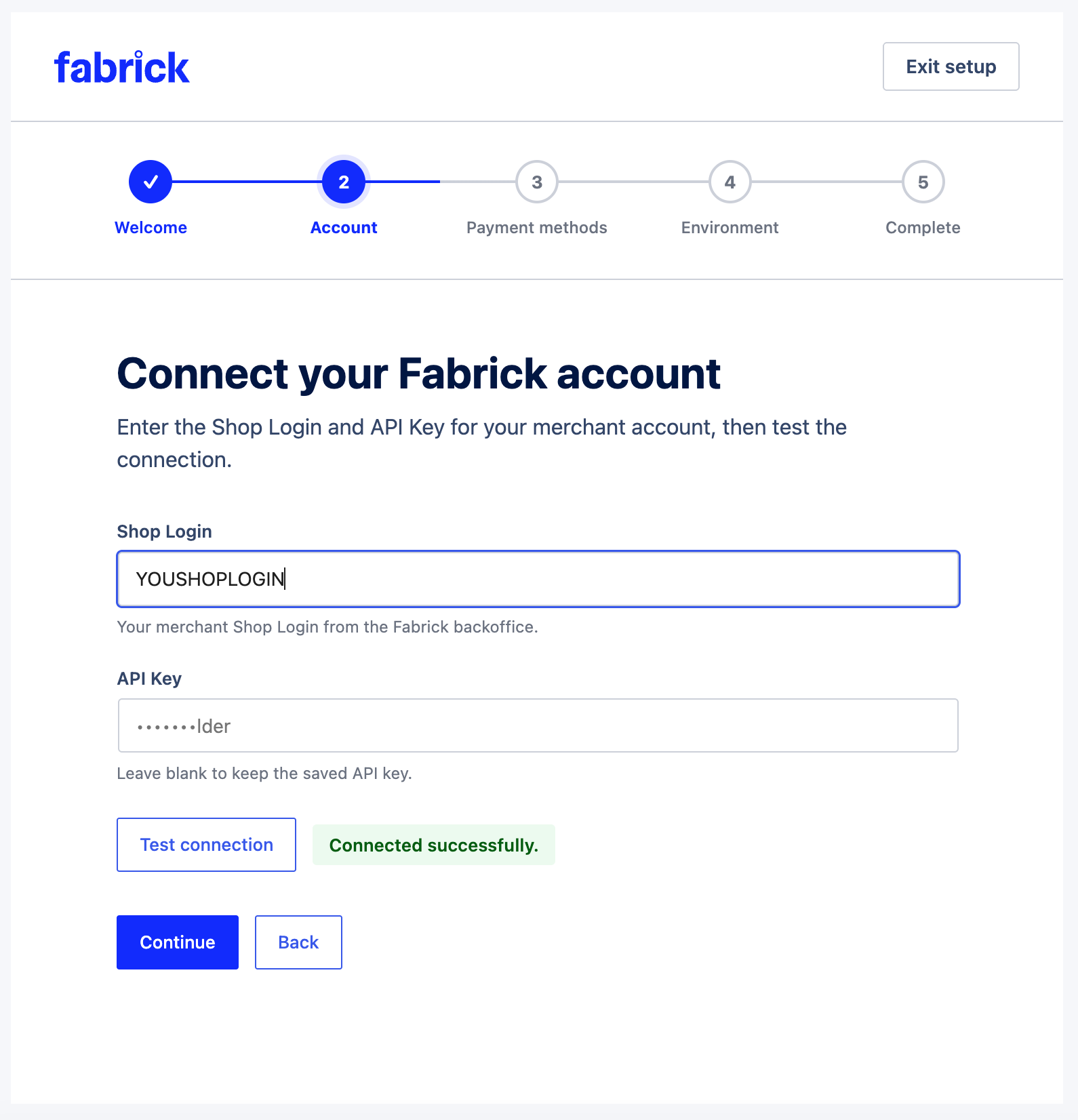
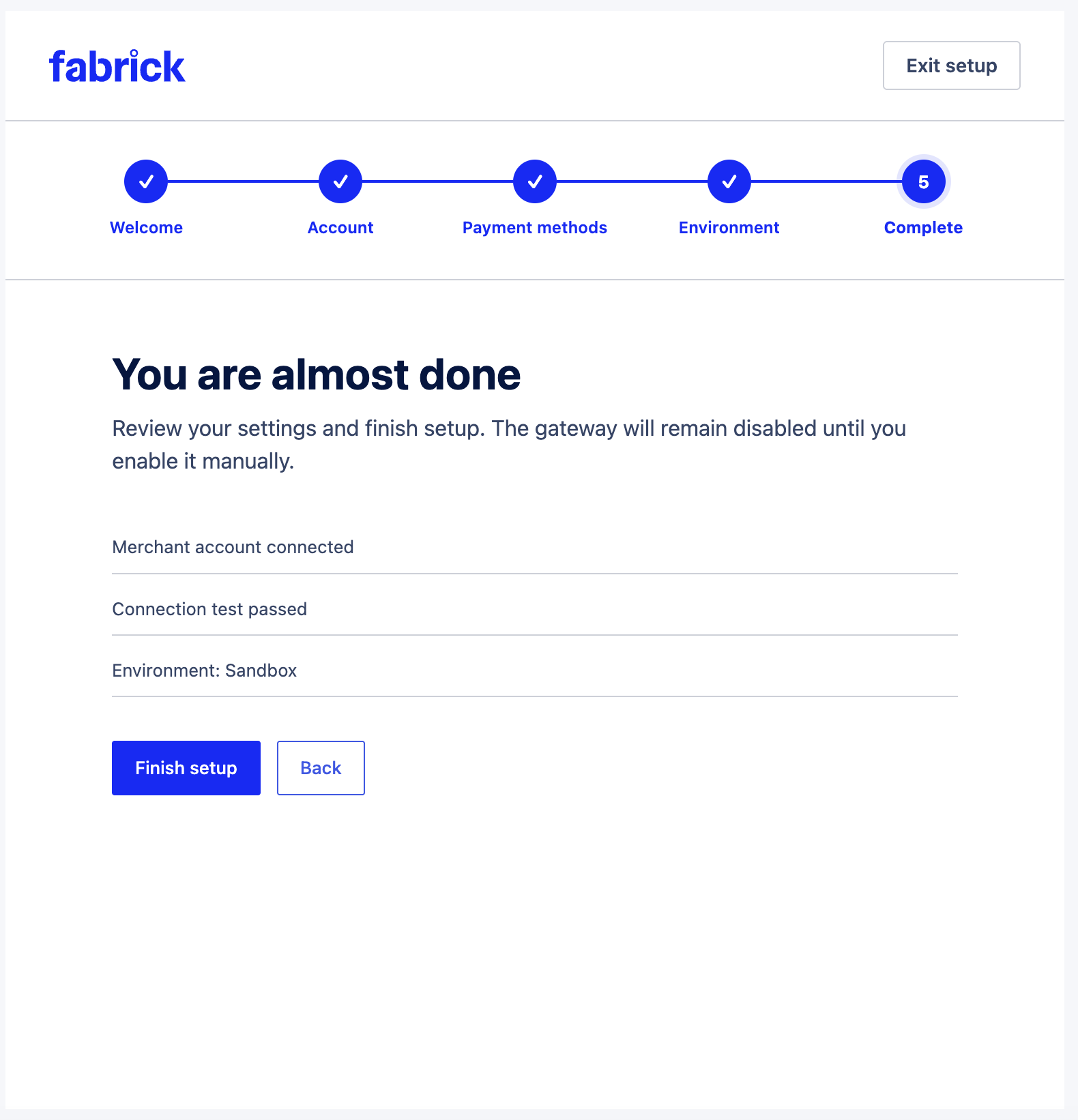
- Open WooCommerce Settings Payments Fabrick Payment Orchestra, or complete the setup wizard on first activation.
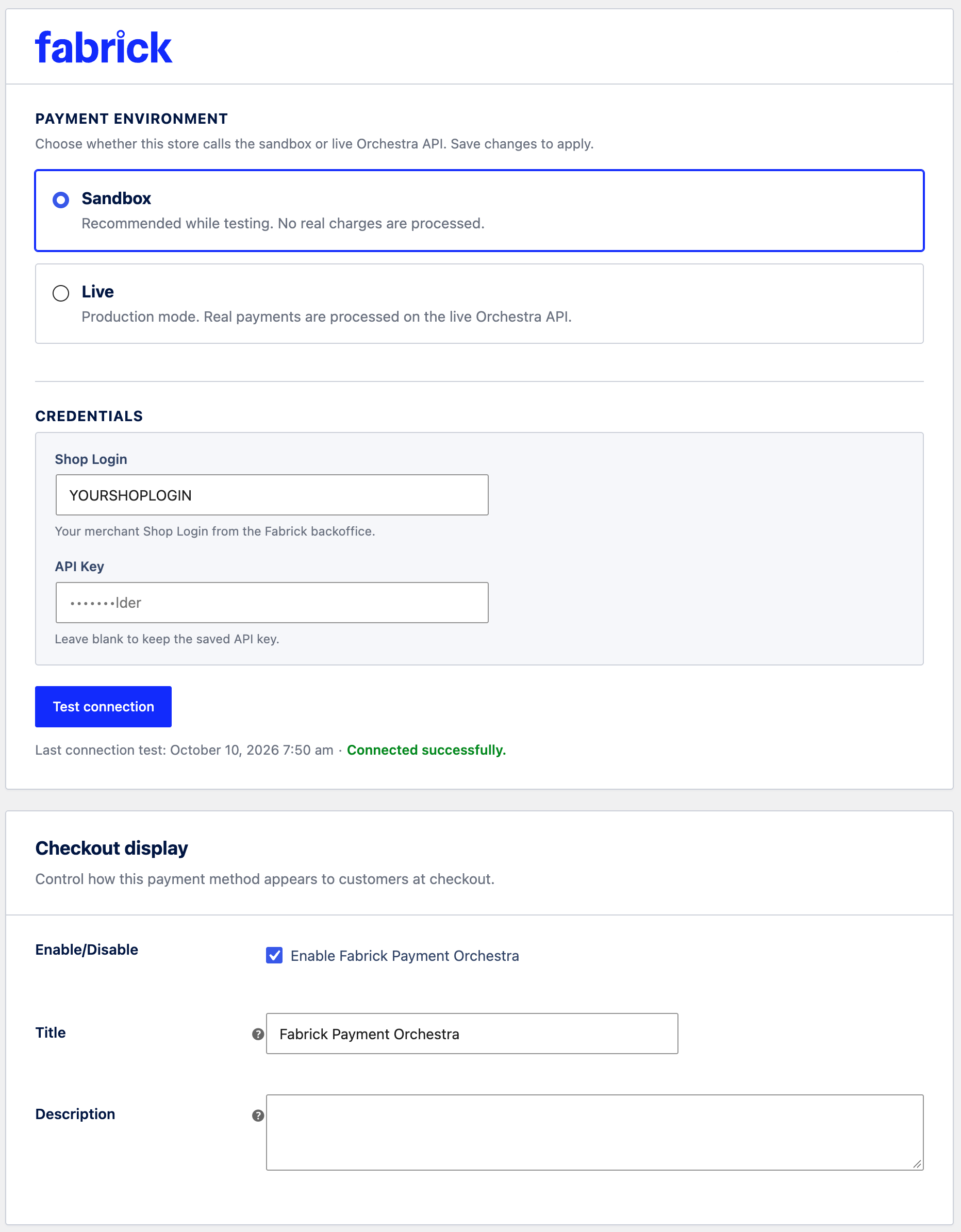
- Enter your Shop Login and API Key from the Fabrick backoffice (Security section).
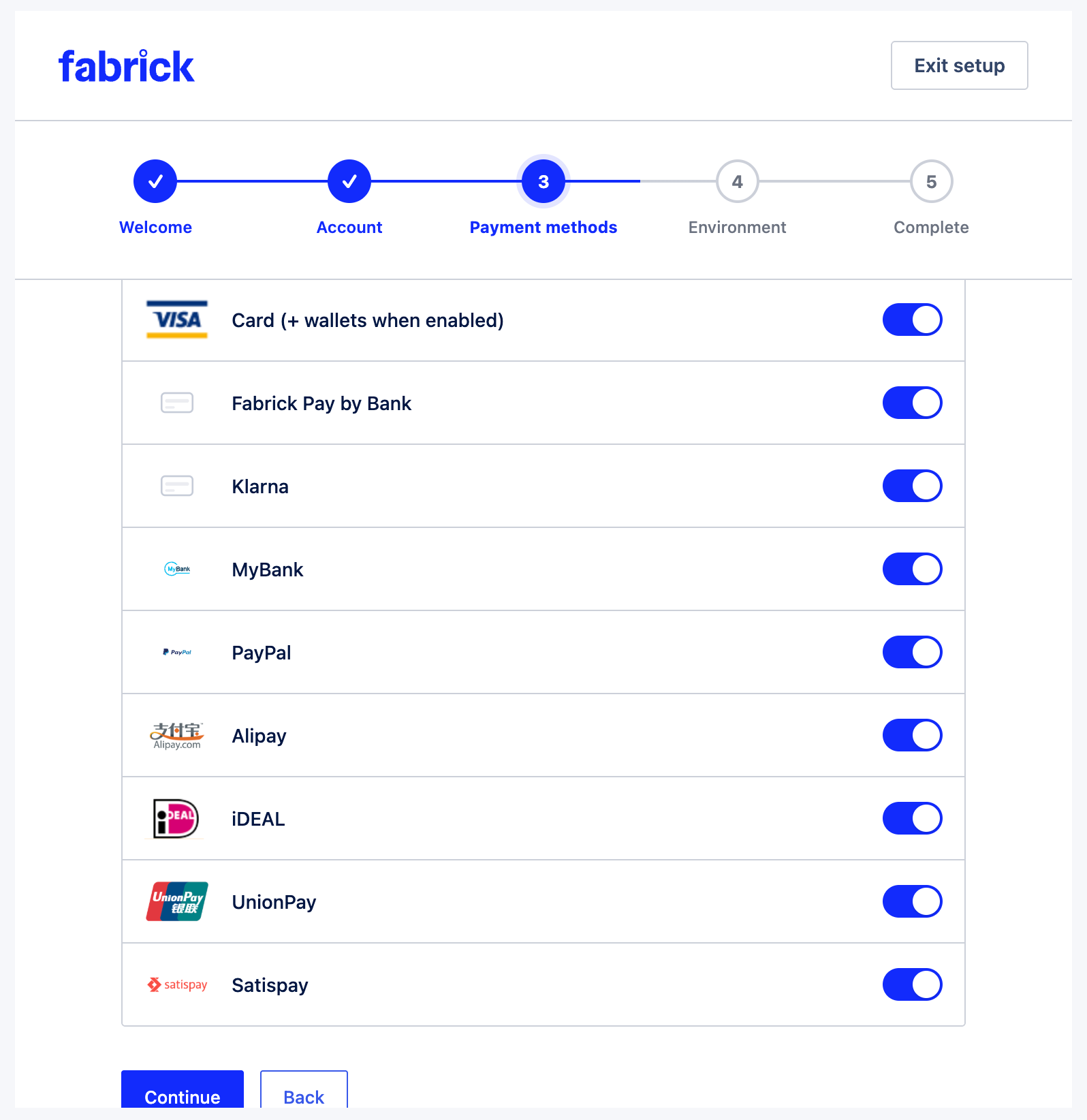
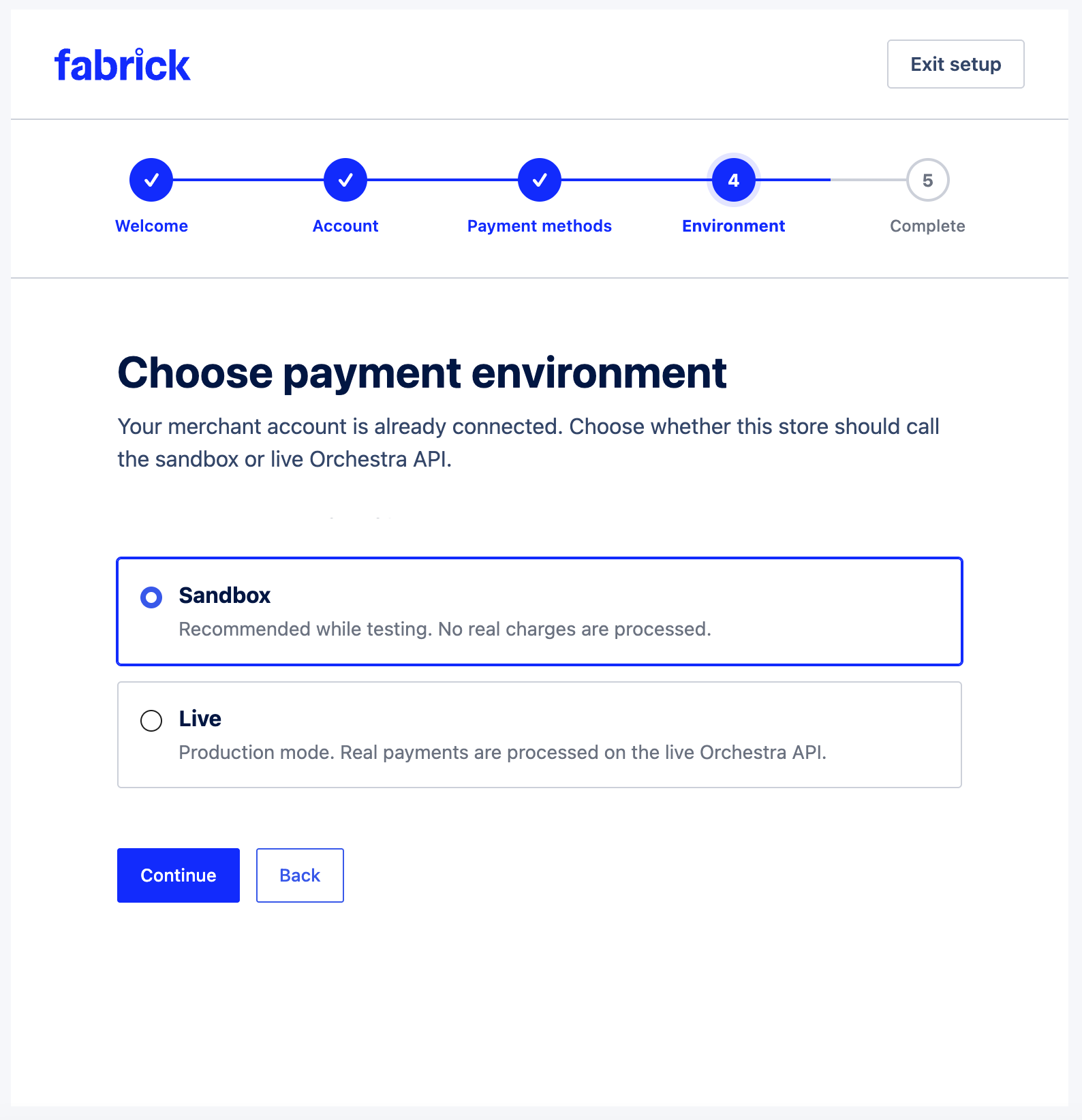
- Choose Sandbox or Live, then enable the payment methods you need.
- For live payments, serve the store over HTTPS.
- Before going live, turn off the old GestPay gateway if it is still active.
- For subscriptions on this plugin: install WooCommerce Subscriptions and enable tokenization in gateway settings. If the store already has subscriptions or saved cards on the old plugin, contact support before migrating.
FAQ
-
Why is a payment method missing at checkout?
-
The checkout lists only methods enabled on your Fabrick account and turned on in this plugin’s settings. Ask Fabrick to activate a method, then refresh the method list in the gateway settings.
-
Where does the customer enter the card details?
-
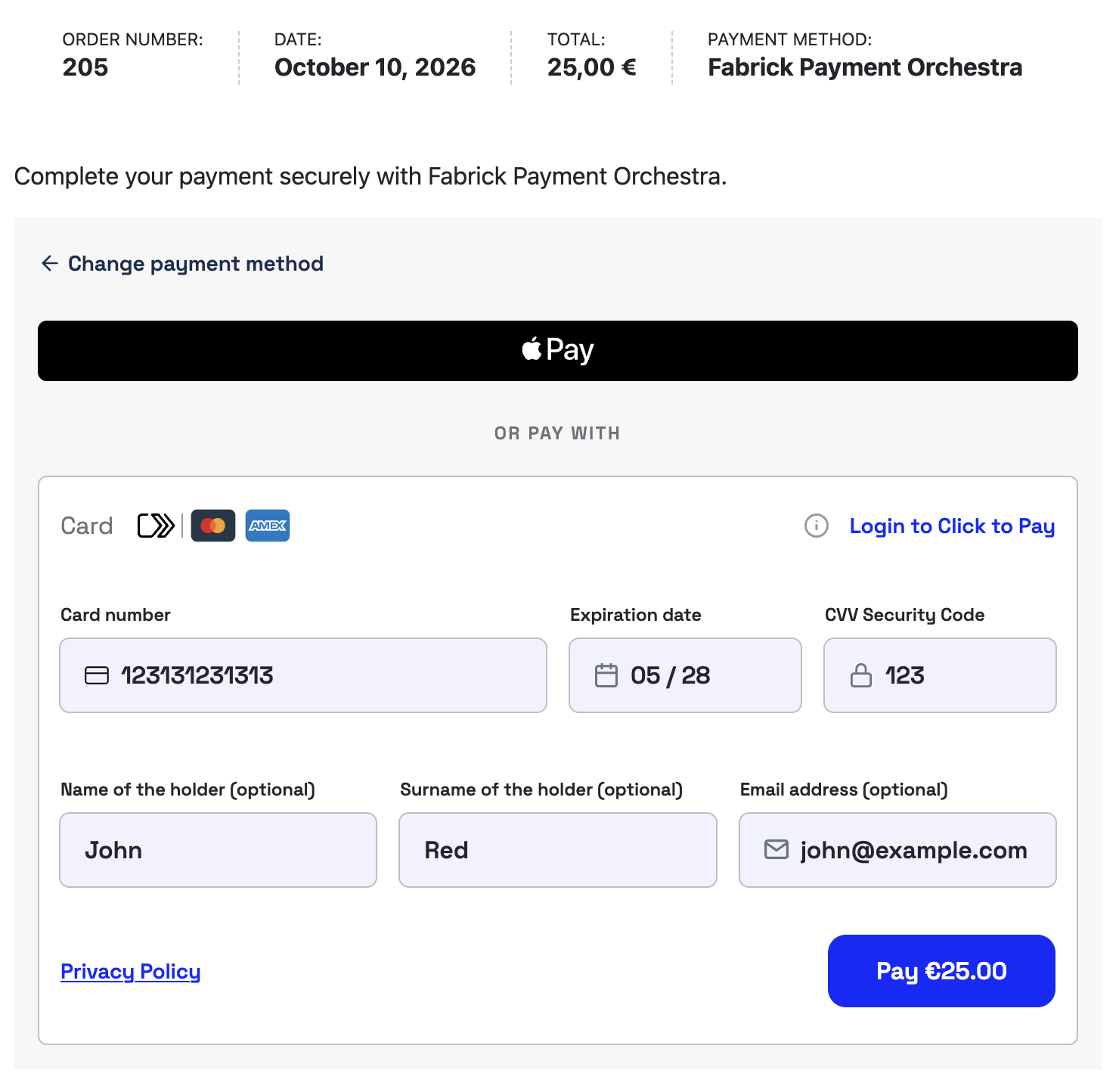
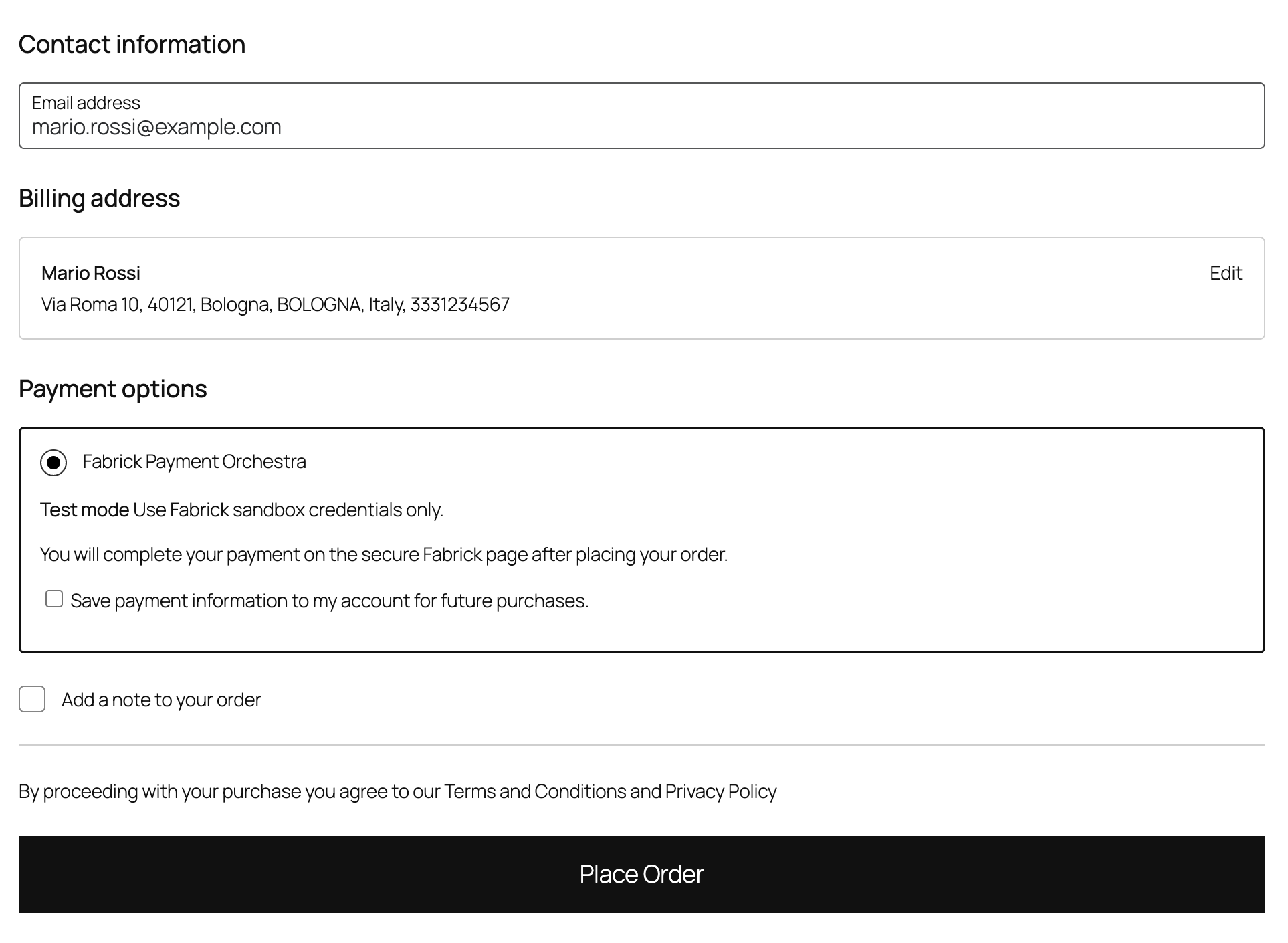
After the customer places the order, WooCommerce opens the order pay page of your store. The customer enters the card number and the security code in the Fabrick payment component on that page. When the card issuer requires 3-D Secure, authentication continues on Fabrick’s page. Alternative methods continue on the provider’s site.
-
Can I migrate from Axerve / GestPay for WooCommerce?
-
This is a separate plugin: installing it does not update Axerve / GestPay for WooCommerce. Test it on a staging site first. Contact support before you migrate a store with active subscriptions or saved cards from the old plugin.
-
Can I use this plugin together with Axerve / GestPay for WooCommerce?
-
Yes. They are separate plugins and can both be active. Turn off the old gateway before you take live payments with this one, so customers see a single Fabrick method at checkout.
-
How do I switch from sandbox to live?
-
In the gateway settings, select Live and enter the live Shop Login and API Key. Sandbox and live credentials are stored separately. Live payments require HTTPS.
-
Why is the order still pending if the customer closed the page?
-
Closing the page does not tell the store whether the payment succeeded. The order stays unpaid until Fabrick confirms the result. If the customer approved the payment and the confirmation is delayed, do not ask them to pay again: check the order after the notification arrives.
-
Is an SSL certificate required?
-
Yes for live payments. Your checkout and callback URLs must be served over HTTPS. Sandbox testing can use HTTP on local development sites with a tunnel (e.g. ngrok) for callbacks.
-
Is WooCommerce Blocks supported?
-
Yes. You do not need to turn Blocks off. After the customer places the order, WooCommerce opens the order pay page with the Fabrick payment component, as in the classic checkout.
-
Is HPOS (High-Performance Order Storage) supported?
-
Yes. The plugin declares compatibility with WooCommerce custom order tables.
-
Do I need WooCommerce Subscriptions?
-
Only for subscription products and renewals. Standard one-off payments work without it.
-
Can I send a payment link instead of checkout?
-
Yes. From the order admin screen, use Send Fabrick payment link on eligible pending or on-hold orders. The buyer receives an email with a hosted payment page URL. Resending generates a new link and invalidates previous ones.
-
Where are developer hooks documented?
-
Public
fabrick_orch_*actions and filters are listed in Actions and filters below (with parameters and examples). The repository also shipsdocs/developer-hooks-guide.md(usage) anddocs/hooks-and-filters-spec.md(design / legacy map) — those files are not included in the WordPress.org zip. -
Where is the source code of the compiled JavaScript?
-
The Blocks checkout script in
build/is compiled fromassets/blocks/, which ships with the plugin together withpackage.jsonandwebpack.config.js. To rebuild it, runnpm installandnpm run buildin the plugin folder (uses@wordpress/scripts). All other JavaScript and CSS files are not minified. -
How do I extend the gateway with code?
-
Create a small custom plugin (preferred) or must-use plugin and register with
add_action/add_filteron thefabrick_orch_*hooks. Load after WooCommerce is available (plugins_loadedpriority 11+ orwoocommerce_init). Prefer lifecycle actions such asfabrick_orch_payment_completed(after verifiedpayment/detail) over rawfabrick_orch_callback_received. -
In which language is the payment form shown?
-
The Fabrick payment component follows the customer’s browser language. The plugin also sends the store language to Fabrick as
languageId(Italian, English, Spanish, French or German; English for any other language) when creating the payment. With WPML, the order language is used for payment links. Whether Fabrick uses that code for buyer emails or the Pay By Link page depends on the Orchestra account; ask Fabrick if you need a confirmed behaviour. Developers can change or omitlanguageIdwith thefabrick_orch_payment_language_idfilter. -
Does debug logging include personal data?
-
Only when the merchant enables gateway debug logging. Create-request logs include technical fields (amount, currency, CMS versions, presence flags) without billing address or email from
OrderDetails/transDetails. Disable debug on production stores when not troubleshooting.
Reviews
There are no reviews for this plugin.
Contributors & Developers
“Fabrick Payment Orchestra” is open source software. The following people have contributed to this plugin.
Contributors

Translate “Fabrick Payment Orchestra” into your language.
Interested in development?
Browse the code, check out the SVN repository, or subscribe to the development log by RSS.
Changelog
1.0.0
- Feature: first public release on WordPress.org. New plugin (separate from Axerve / GestPay for WooCommerce); see the FAQ before migrating.
- Feature: checkout and Pay By Link send
languageIdfrom the store language (WPML order language for payment links). Filter:fabrick_orch_payment_language_id. The payment form texts still follow the buyer browser language. - Feature: export the recent debug log as CSV or Markdown from the gateway Debug card (capability- and nonce-protected).
- Feature: gateway settings show the installed plugin version in the account card header.
- Update: production package includes Blocks checkout source (
assets/blocks/,package.json,webpack.config.js) so the compiled script can be rebuilt; FAQ explains how. - Update: payment method label no longer shows a favicon icon; sandbox uses a clear “Test mode” badge.
- Update: plugin Author is Fabrick S.p.A.; Neting develops and maintains the plugin for Fabrick (WordPress.org account netingweb).
- Update: order-pay CDN loader and My Account hide-add-payment-method CSS use WordPress enqueue APIs (no raw script/style tags).
- Update: production zip no longer ships compiled translation files (
.po/.mo/.json); community translations load from translate.wordpress.org. - Fix: classic checkout payment box uses a white background (aligned with Blocks).
- Fix: order pay page replaces a dead Orchestra session after a WebComponent error instead of retrying a cancelled payment (
1143). - Security: debug
payment/createlogs no longer store buyer personal data fromOrderDetails/transDetails(technical flags only). - Security: if
payment/detailis unavailable when checking a stored session at checkout, the plugin starts a new payment session instead of reusing an unverified one. - Fix: setup wizard parent menu uses
options.phpto avoid astrip_tags()deprecation on PHP 8.1+.
0.2.11
- Fixed: the WooCommerce core spinner no longer overlaps the Fabrick loading indicator on the order pay page (generic
.woocommerce .loaderrule matched a container rendered by the payment component).
0.2.10
- Added: deleting a saved Fabrick card in My Account also deletes the token on Orchestra (
DELETE shop/token/{shopLogin}/{token}). Remote failures are logged and do not undo the local deletion. - Added: deletion is blocked when the card is used by an active or on-hold WooCommerce Subscription (customer must change the subscription payment method first).
- Added: developer action
fabrick_orch_remote_token_deleted.
0.2.9
- Fixed: when debug logging is enabled,
payment/createlogs now include CMS metadata (CMS_Type,CMS_Version,Module_Version,WP_Version) alongsideOrderDetailsandtransDetails.
0.2.8
- Added: first-level CMS metadata on every
payment/createrequest (CMS_Type,CMS_Version,Module_Version,WP_Version) for checkout, Pay By Link, and MIT renewal. WordPress version useswp_get_wp_version()for accurate reporting.
0.2.7
- Changed: MyBank (
MYBANK) can be enabled or disabled like other payment methods and is included inpaymentType[]when selected in gateway settings.
0.2.6
- Added: Orchestra callback
Status=XX(async/pending APM) is accepted and verified viapayment/detail; orders move toon-holdwhen the outcome is pending; buyer return shows a pending confirmation notice. - Fixed: WooCommerce Subscriptions scheduled renewals — gateway declares
subscription_suspensionandsubscription_reactivationsupport (required for renewal cron).
0.2.5
- Changed: live shop methods catalog shows only methods with
paymentPage=visible(hidden terminal methods excluded from admin toggles). - Changed: payment-methods AJAX refresh updates the list HTML in place; cache schema v2 invalidates pre-filter snapshots.
0.2.4
- Added: when debug logging is enabled,
payment/createlogs includeOrderDetailsandtransDetails(plushas_*/transDetails_typeflags) for payload verification.
0.2.3
- Added: ecommerce
transDetails(type=EC) on checkout and Pay By Linkpayment/createfor 3DS2 buyer data (filterfabrick_orch_ecommerce_trans_details). Subscription First still uses MIT01F.
0.2.2
- Fixed: buyer return redirects use verified
payment/detailand bind payment identifiers to the processed order (avoids thank-you for an unrelated paid order; Status=OK unverified shows a neutral “do not pay again” notice). - Fixed: OneClick immediate submit failures and pre-submit skips now emit clear technical logs with stable reason codes.
0.2.1
- Added:
OrderDetailson checkout and Pay By Linkpayment/createso Klarna can appear in<fbk-checkout>(filterfabrick_orch_order_details). - Fixed: inactive terminal payment types are removed from
paymentType[]before create, logged, and pruned from saved settings (avoids HTTP 400 /1403).
0.2.0
- Added: Pay By Link (Hosted Payment Page) — admin order action Send Fabrick payment link for pending/on-hold orders paid with Fabrick Payment Orchestra.
- Added: Buyer email with hosted payment URL (Italian and English templates via
wp_mail). - Added: Order meta
_fabrick_pbl_*for link URL, payment ID, sent time, and 48-hour expiry. - Added: Developer hooks
fabrick_orch_pay_by_link_create_request,fabrick_orch_pay_by_link_generated,fabrick_orch_pay_by_link_email_sent. - Changed: Each admin send regenerates the Pay By Link session; previous payment links are invalidated (best-effort cancel of the prior Orchestra session).
0.1.1
- Fixed: dist zip now packages the plain slug folder (
fabrick-payment-orchestra/) instead of a versioned folder, resolving Plugin CheckTextDomainMismatchfalse positives. - Fixed: My Account saved-card label used the
woocommercetext domain instead of the plugin’s own. - Fixed: removed the discouraged manual translation loader; translations now load automatically via the
Domain Pathheader. - Fixed: dist artifact keeps
composer.json(dependency manifest) instead of stripping it. - Fixed: Short Description and
Tested up toheader updated for WordPress.org compliance.
0.1.0
- Added: Fabrick Payment Orchestra gateway — REST
payment/create,<fbk-checkout>pay page, buyer + S2S callbacks. - Added: WooCommerce Blocks payment method; classic checkout support.
- Added: Tokenization, saved cards, OneClick off-session payments.
- Added: WooCommerce Subscriptions MIT (
01F/01N) with authentication amount headroom. - Added: Admin refunds and void/cancel; HPOS compatibility; onboarding wizard.
- Added: Italian and English translations; public
fabrick_orch_*developer hooks. - Added: Deprecated legacy hook aliases for GestPay migration (
gestpay_revert_order_id,gestpay_on_renewal_payment_failure).