

Description
Estasoft Migration & Database Sanitizer fixes the four things that go wrong with most migration plugins:
- Timeouts on large tables. The database is copied in small batches that adapt to your server’s speed and memory. A job can be paused, resumed after a server restart, and retried from the exact row where it stopped.
- Broken serialized data. Search and replace understands PHP-serialized values, JSON and nested combinations, and fixes string lengths as it goes. Dry run first, always.
- Downtime and half-finished imports. An import is built in temporary tables and switched in with one atomic step. If anything fails before that step, the live site is untouched. A rollback snapshot is taken first.
- Customer data on staging sites. A rule-based sanitizer replaces names, emails, phone numbers, addresses and IP addresses with believable fake values, resets passwords, removes secrets, and can block outgoing email on the copy.
Everything is free. There is no license key, no locked tab, no upgrade banner and no tracking.
What you get
- Overview: database size, largest table, last migration, snapshots and an environment check.
- New migration: export a package, or push to or pull from another WordPress site.
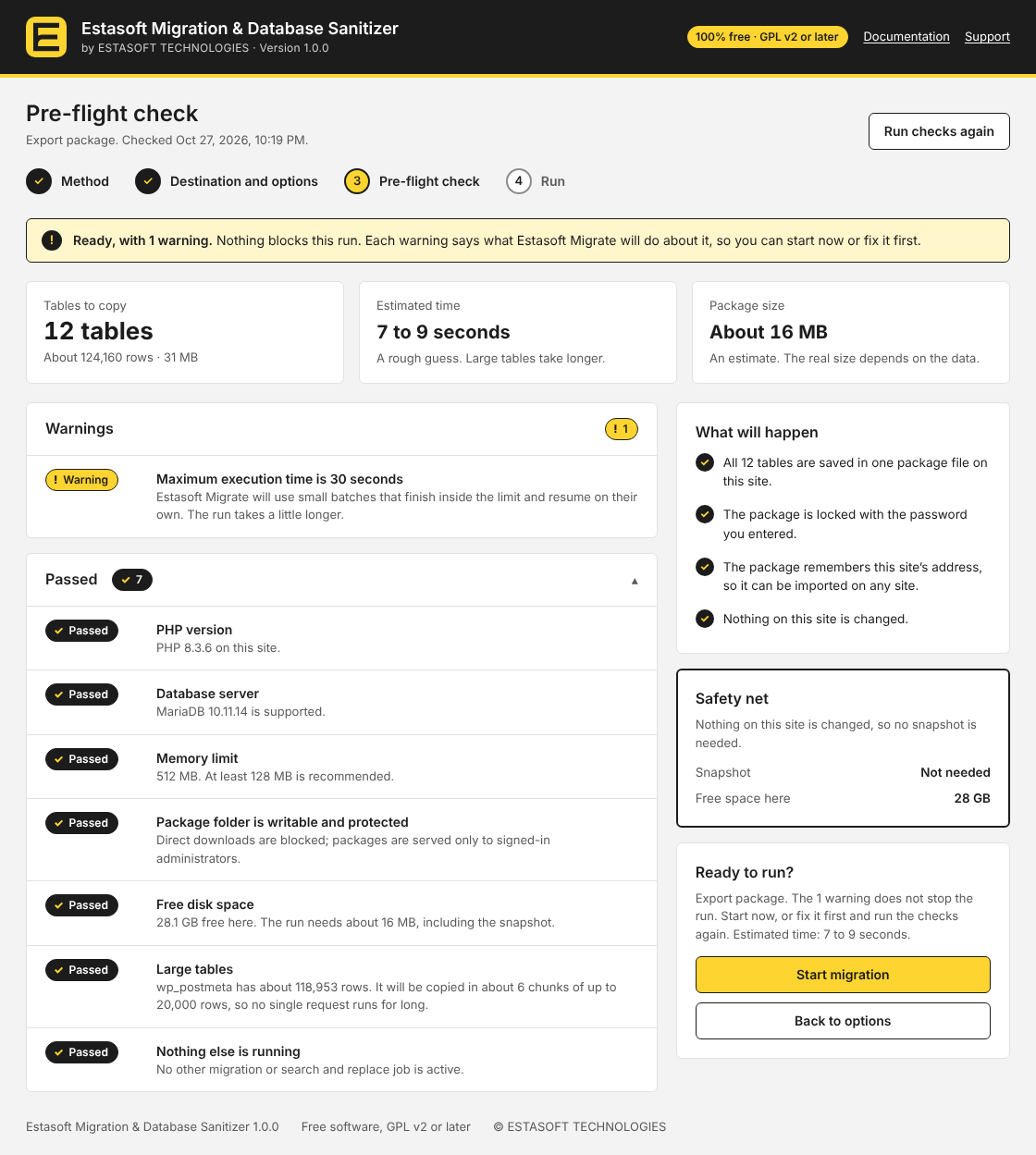
- Pre-flight check: disk space, memory, time limits, PHP and database versions, collations and more, with a plain explanation of anything that could go wrong, before anything is changed.
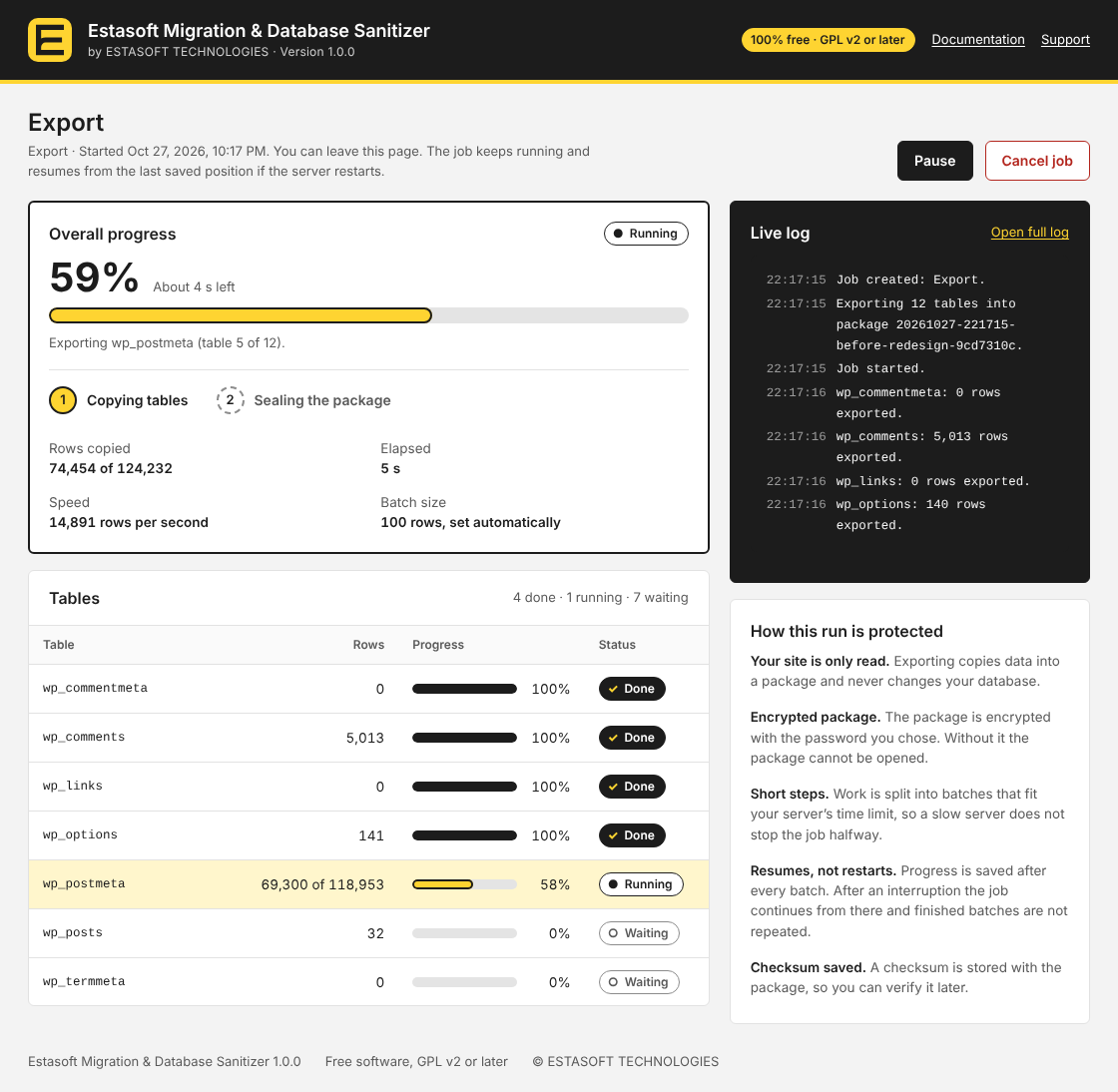
- Progress: live status, per-table progress, pause, resume, cancel and retry.
- Database sanitizer: Staging, Developer handoff and GDPR-safe profiles, a preview of changed values, and your own saved settings. The same fake value is produced for the same real value every time, so references stay consistent.
- Search & replace: serialization-safe, with a table-by-table dry run and optional rollback snapshot.
- Packages and snapshots: download, verify, upload and import
.estmpackages, with optional password encryption. Restore a rollback snapshot in one step. - Logs: a searchable log of every job, with download.
- Settings: batch sizes, storage and clean-up, connection key for incoming migrations, background runner.
- WP-CLI:
wp estasoft-migratehas a command for every action, for scripts and servers without a browser.
Privacy
The plugin does not collect or send any data to Estasoft or anyone else, and it uses no third-party service. It makes web requests only to a WordPress site that you connect yourself (for push and pull), signed with a key that only the two sites know. Packages and snapshots are stored in a protected folder inside your uploads directory and are never publicly downloadable.
A package is a full copy of your database, so treat it like your database. The plugin also adds suggested wording about what it stores to Settings > Privacy, for your privacy policy.
Planned
Delta sync (sending only the chunks that changed). The plugin already stores a checksum for each table and chunk after a migration, so the data is ready.
Requirements
- WordPress 5.8 or newer, PHP 7.4 or newer, MySQL 5.7 / 8.0 or MariaDB 10.3 or newer.
- The PHP
sodiumextension is needed only for encrypted packages (included with PHP 7.2 and newer). - WordPress Multisite is not supported in this version. On a multisite network the pre-flight check stops every migration before anything is changed.
Screenshots




Installation
- Upload the
estasoft-migration-database-sanitizerfolder to/wp-content/plugins/, or install the zip from Plugins > Add New > Upload Plugin. - Activate the plugin.
- Open Estasoft Migrate in the admin menu. The Overview shows an environment check.
FAQ
-
Is it really free?
-
Yes. Every feature is included and the code is licensed under the GPL v2 or later.
-
Will it timeout on a big database?
-
It copies tables in small batches, saves a checkpoint after each one, and picks the next batch size from how long the last one took. If a request is cut off, the job continues from the checkpoint. On servers where a background runner can be used, you can close the browser and the job keeps going.
-
Does it change my live site while importing?
-
Not until the last step. The data is built in temporary tables first, and a verified package plus a rollback snapshot are in place before the tables are switched with one atomic rename.
-
Can I sanitize a database without moving it?
-
Yes. Choose a profile on the Sanitizer screen and export a sanitized package. Your live data is never changed by sanitizing; the masking happens in the package.
-
What is an .estm package?
-
A single file with your database, split into checked blocks, optionally compressed and encrypted with a password. Any block that is damaged is detected before an import starts.
-
How do I move a site over the network?
-
On the destination site, turn on Accept incoming migrations in Settings and copy the connection key. On the source site, choose Push or Pull under New migration and paste the address and key.
-
Is it safe to leave “Accept incoming migrations” on?
-
It switches itself off after 24 hours without a migration (you can choose 1 hour, 7 days or never), and each migration moves that time forward, so a running migration is never cut off. While it is on, a site that has the connection key can send a package and start an import, which replaces this site’s data, or ask for a copy of the database. Requests are signed, a request can be used only once, HTTPS is required by default, and you can limit the addresses that may connect. If a key may have been seen by someone else, use Replace key and tick “Stop the old key at once”.
-
Can I connect two sites on my own computer or network?
-
Yes. WordPress refuses to connect to localhost and private network addresses (such as 192.168.x.x) unless you allow it, so turn on Allow local and private addresses in Settings on the site that starts the push or pull. Turn it off again when you no longer need it.
-
Are my packages safe from being downloaded by other people?
-
They are kept in a folder with a random name inside your uploads directory, with rules that deny web access and an empty index file. Downloads go through your admin session and a permission check. The plugin tests this by requesting a throw-away file from that folder and shows the result on the Packages and Settings screens. If your web server ignores
.htaccessfiles (nginx does), add a rule that denies access towp-content/uploads/estasoft-migrate-*, or protect the package with a password. -
Does it move media files, themes and plugins?
-
No. This version moves the database only. Use it together with your host’s file copy, rsync or your usual deployment for
wp-content. -
Does it work with Multisite?
-
Not yet. This version migrates single sites only, and the pre-flight check says so on a network.
Reviews
There are no reviews for this plugin.
Contributors & Developers
“Estasoft Migration & Database Sanitizer” is open source software. The following people have contributed to this plugin.
Contributors
Translate “Estasoft Migration & Database Sanitizer” into your language.
Interested in development?
Browse the code, check out the SVN repository, or subscribe to the development log by RSS.
Changelog
1.0.0
- First release: chunked, resumable export and import; atomic table swap with rollback snapshots; encrypted
.estmpackages; push and pull between sites; serialization-safe search and replace; rule-based database sanitizer with three profiles; pre-flight checks; logs; WP-CLI commands.