
Description
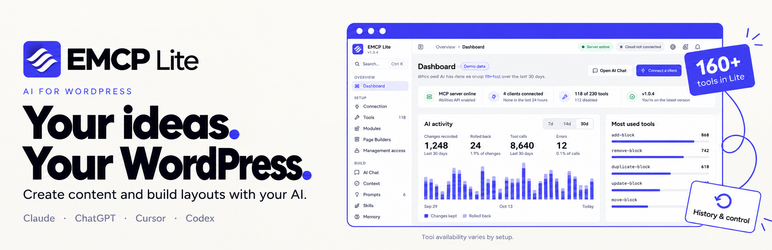
EMCP Lite, the free edition of EMCP Tools, lets your AI assistant design pages on your site, not just write posts. Ask Claude, ChatGPT, Cursor or Claude Code to “build a pricing page in our brand colors”, and it lays out the page with Elementor containers and widgets or block editor blocks and patterns, using your brand kit.
It works by turning your site into a WordPress MCP server through the Model Context Protocol (MCP), the open standard AI assistants use to work with external tools. The same tools handle everyday work too: drafting posts, organizing media and updating menus.
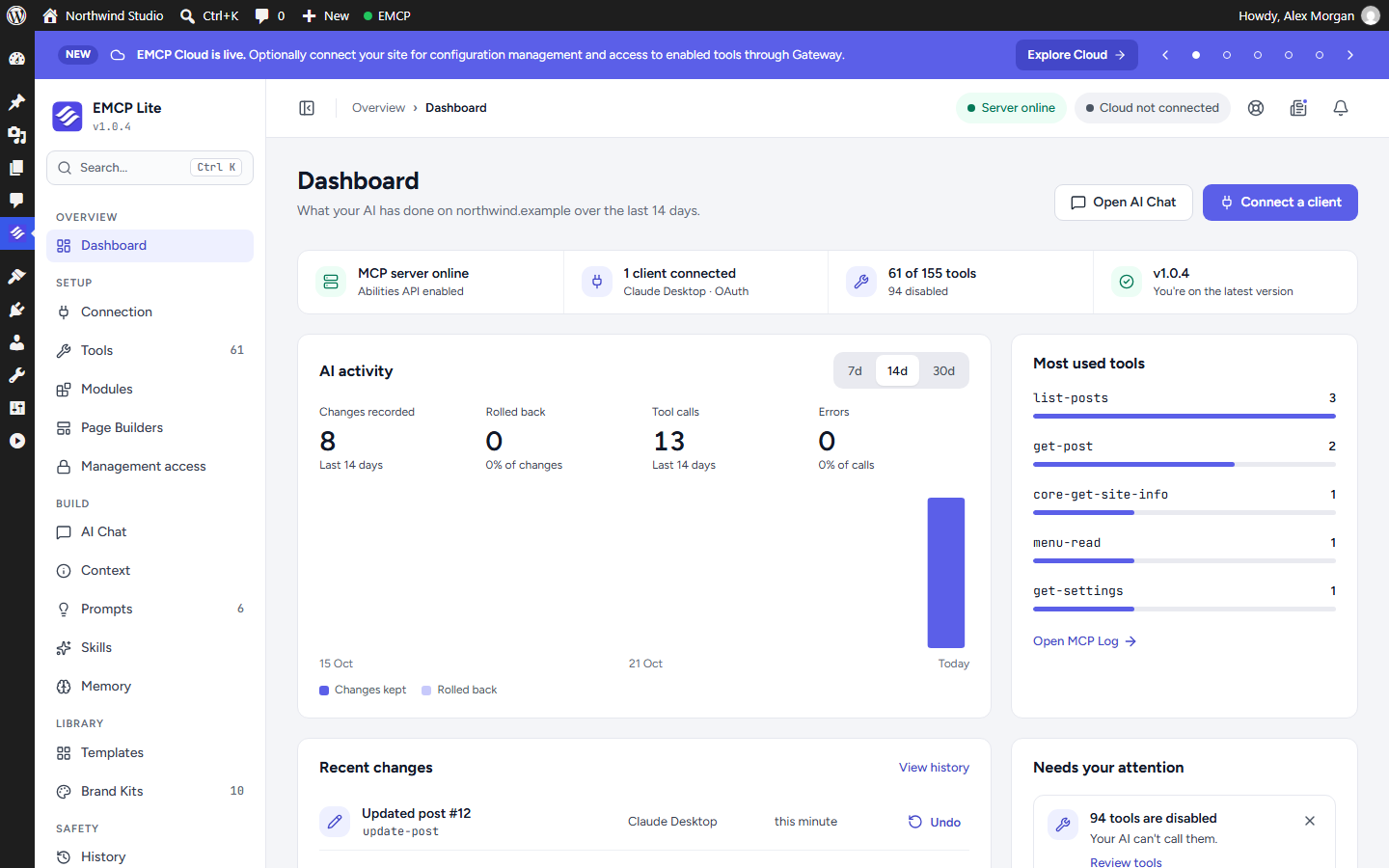
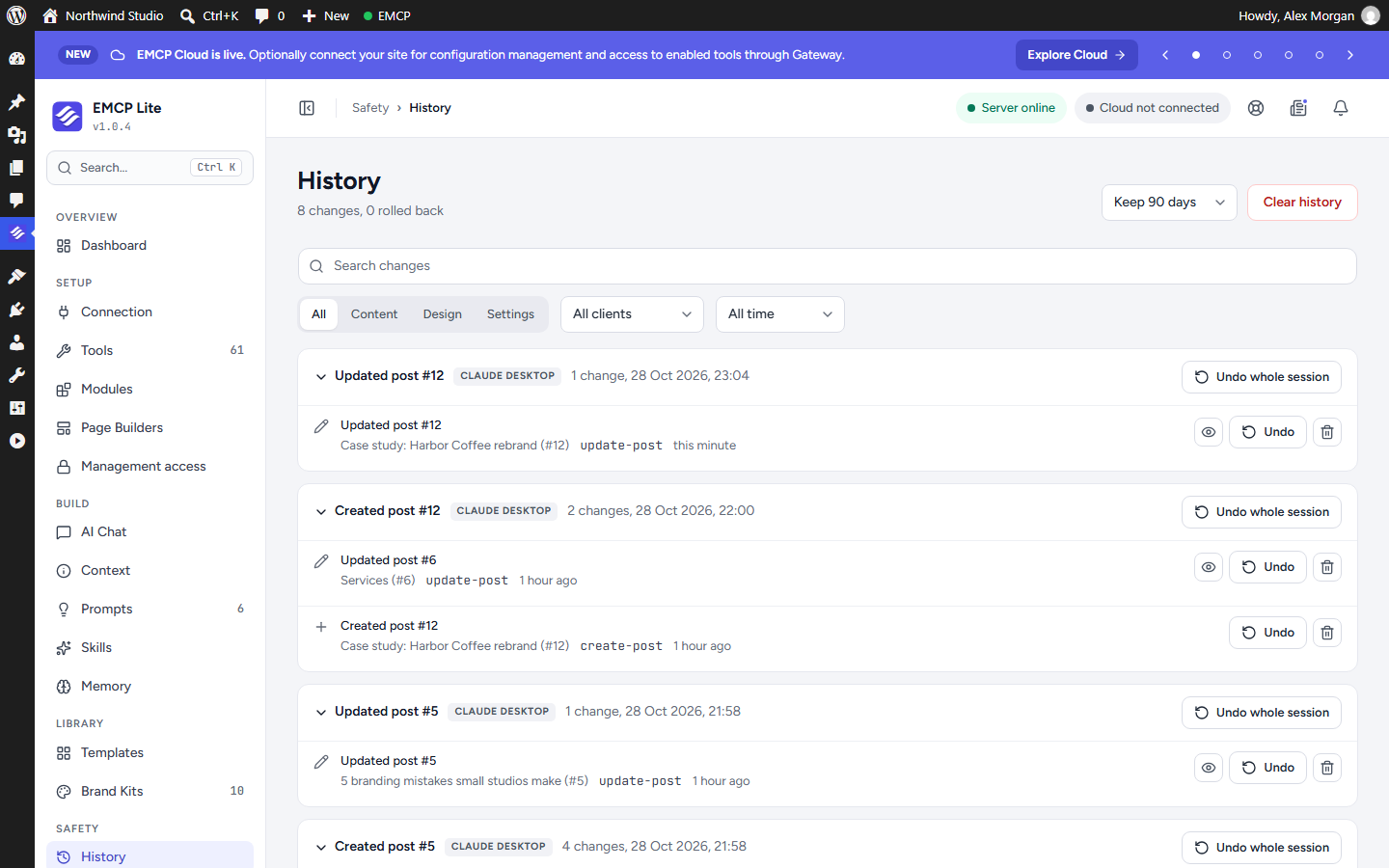
Every request acts as the connected WordPress user, within that user’s permissions and only through the tools you enable. Changes are logged, and supported changes can be undone from History.
What your AI assistant can do
- Create and edit posts, pages, categories, tags and menus.
- Upload, organize and resize media, and add stock photos from Unsplash, Pexels or Pixabay using your own API key.
- Build and edit Elementor pages: containers, widgets, templates, global colors and fonts (when Elementor is active).
- Build and edit block editor (Gutenberg) blocks and patterns, including supported block plugins such as Spectra and Kadence Blocks.
- Design headers, footers and content templates with the optional Themer module.
- Inspect your site: plugins, themes, users, database structure, performance and security checks.
- Read your site settings.
- Use bundled prompts and brand kits to keep results on brand.
Free modules
Turn modules on or off on the Modules screen. All of these are included in EMCP Lite:
- Themer: build headers, footers, single, archive, search and 404 layouts and Loop Items with any page builder, and choose where each one applies.
- Brand Kits: one-click color and typography kits, with bundled free kits, so AI-built pages stay on brand.
- Prompts: ready-to-use prompt blueprints for building pages.
- Image Optimization: compress uploaded images and generate WebP versions automatically.
- SVG Uploads: allow SVG uploads to the Media Library, with every file sanitized before it is saved.
- Redirect Manager: manage 301 and 302 redirects, get a suggested redirect when a page is removed or renamed, and scan for broken internal links.
- EMCP Cloud: optional configuration management and Gateway access. Off until you connect it.
Tools and abilities
EMCP Lite registers 154 tools as WordPress abilities through the Abilities API, and also exposes three read-only WordPress core abilities (site, user and environment info). Tools for Elementor, block plugins, themes and integrations appear only when that product is active, and a few Elementor widget and template tools also need Elementor Pro. Browse every tool in the EMCP tool catalog, which also lists tools from other EMCP editions.
WordPress (37 tools)
- Posts, pages and taxonomies: 9
- Media and stock images: 8
- Navigation menus: 2
- Content search: 2
- Redirects: 5
- Site inspection, read-only (plugins, themes, users, settings, database, performance and security): 11
Elementor (64 tools)
- Query and discovery: 8
- Page management: 6
- Layout and structure: 11
- Widgets: 3
- Templates: 8
- Global colors and typography: 2
- One-call page builder: 1
- SVG icons: 1
- Atomic layout, classes and variables (Elementor 4.0+): 14
- Atomic widgets (Elementor 4.0+): 10
Block editor (32 tools)
- Blocks and patterns: 10
- Spectra: 10
- Kadence Blocks: 12
Themes (5 tools)
- Active theme: 1
- Astra: 2
- Kadence: 2
Plugin integrations (10 tools)
- ACF (Advanced Custom Fields): 2
- Meta Box: 2
- Contact Form 7: 2
- Slim SEO: 2
- Visibility: 2
History and safety (6 tools)
- Changes and rollback: 3
- Content Mirror (Git export and restore): 3
Stay in control
- Choose exactly which tools AI clients may use on the Tools screen.
- Every request runs with the connected user’s WordPress capabilities.
- History records the changes made through EMCP, with one-click undo where supported.
- The MCP Log shows each request from your connected clients.
- Management access lets you decide which administrators can change EMCP settings.
EMCP Lite does not install, update or remove plugins or themes, manage users, change site settings or run custom code.
Connect your AI client
EMCP Lite uses the free, official MCP Adapter plugin from WordPress.org to provide the MCP endpoint. If it is not active yet, EMCP Lite shows a notice with a one-click button that installs and activates it for you.
The Connection screen then guides you through setup for Claude Desktop, Claude.ai, Claude Code, Cursor, ChatGPT, Antigravity and other MCP clients, using OAuth sign-in or a WordPress Application Password.
Video tutorials
Walkthroughs from the EMCP community:
Build a full site without opening the Elementor editor
Use EMCP with open models such as DeepSeek, Kimi and MiniMax
Build Elementor websites with Claude Code
Build a website with Claude and Elementor
Design Elementor pages with Claude Code
Documentation
Step-by-step guides are on the EMCP documentation site:
- Installation
- Requirements
- First steps
- Connection screen overview
- Connect Claude Desktop
- Connect Claude Code
- Connect ChatGPT
- Connect Cursor
- Connect VS Code
- Connect Antigravity
- Connect with OAuth
- Turn tools on or off
- History and undo
- MCP Log
- How the MCP endpoint works
- Documentation FAQ
The documentation covers every EMCP edition, so some pages describe tools that EMCP Lite does not include.
Elementor is optional: the WordPress and Gutenberg tools work without it, and some integrations need their respective plugins. EMCP Lite is independently developed and is not affiliated with WordPress, Elementor, Anthropic or OpenAI.
Privacy and external services
EMCP Lite does not send data anywhere until you connect an AI client or enable an optional service.
AI clients. A direct MCP connection communicates only with the AI client you choose. The client receives the results of the tools it calls, which can include site content or personal data the connected WordPress user can access. Check your AI client’s privacy policy before connecting it. Activity and History records are stored on your own site.
EMCP Cloud (optional). Local tools work without a Cloud account. Choosing Connect sends your site URL, site name, an installation identifier and OAuth registration and authorization details to emcptools.com. Once connected, the plugin exchanges and refreshes tokens and can request account and service status. Settings sync sends supported EMCP preferences, including tool toggles, modules and your free-text site context. Credentials are excluded, but site-context text is not redacted, so do not put passwords or API keys in it. Hosted services may require a paid plan. A developer or administrator can configure a different Cloud endpoint.
Gateway access (optional). Gateway is a separate opt-in that is off by default. Enabling it creates a revocable EMCP OAuth token for the authorizing WordPress user and sends it to the EMCP service. It does not send a WordPress password or Application Password. The token works only on the EMCP MCP endpoint, not wp-admin, the WordPress REST API or EMCP settings. Gateway requests act as that user, within the enabled tools and that user’s permissions, and can include write operations. Gateway relays MCP requests and responses, including any content or personal data the selected tools return. You can turn off Gateway and disconnect Cloud on the Connection screen at any time.
- Service: emcptools.com
- Terms of service
- Privacy policy
Stock photos (optional). Unsplash, Pexels and Pixabay are contacted only after you add that provider’s API key and request a search or download. Requests send your API key, search terms and selected image identifiers, and images are downloaded from the provider’s servers. Unsplash download notifications are sent when its API requires them. Provider terms and image licenses apply:
- Unsplash: terms and privacy policy
- Pexels: terms and privacy policy
- Pixabay: terms and privacy policy
Other requests. When you click Install and activate MCP Adapter, the plugin is downloaded from WordPress.org. Plugin and theme search uses the WordPress.org API, sending your search terms and page number. When a security check runs, it looks up your installed plugins’ slugs on the WordPress.org API to compare versions. Page inspection and media import tools request only the URLs you provide or select. Tutorial videos open on YouTube only when you click them; their thumbnails are bundled with the plugin.
Source code
The full source code, including the uncompressed admin interface source in the admin-src folder, ships with the plugin and is available on GitHub.
To rebuild the admin scripts, run npm ci and then npm run build with a current Node.js LTS release. Composer dependencies are included in the vendor folder, with composer.json and composer.lock.
Bundled libraries:
- Swiper 14.3.0 (MIT)
- Fuse.js (Apache-2.0)
- jsdiff (BSD-3-Clause)
- Lucide (ISC)
- svg-sanitize (GPL-2.0-or-later)
License notices are included in the assets/licenses, assets/fonts and assets/lib/swiper folders.
Screenshots



Installation
The installation guide covers these steps in more detail.
- In your WordPress dashboard, go to Plugins > Add New, search for “EMCP Lite”, then install and activate it.
- If prompted, click Install and activate MCP Adapter. EMCP Lite needs this official WordPress.org plugin to connect AI clients.
- Open EMCP in the admin menu and choose Connection.
- Pick your AI client and follow the steps to connect it. The connection guides walk through each client.
- On the Tools screen, review which tools your AI client may use before allowing write operations.
FAQ
-
What is MCP?
-
The Model Context Protocol is an open standard that lets AI assistants use external tools. EMCP Lite adds a WordPress MCP server to your site, so a compatible assistant can read and update your content through the tools you allow.
-
Which AI clients work with EMCP Lite?
-
Any client that supports remote MCP servers. The Connection screen has guided setup for Claude Desktop, Claude.ai, Claude Code, Cursor, ChatGPT, Antigravity, OpenClaw and Hermes, plus a generic option for other clients. See the connection guides for details.
-
Do I need Elementor?
-
No. The WordPress, media and block editor tools work on any site. Elementor tools appear when Elementor is active.
-
Why do I need the MCP Adapter plugin?
-
MCP Adapter is the official WordPress plugin that turns WordPress abilities into an MCP server. EMCP Lite adds its tools to that server. Using the official plugin means it is updated by the WordPress team and shared with other MCP plugins on your site. EMCP Lite installs and activates it in one click.
-
Do I need an EMCP Cloud account?
-
No. Connecting directly works without an account or license key. EMCP Cloud and Gateway are optional hosted services with their own plans.
-
What can an AI assistant change on my site?
-
Only what you allow. It uses the tools enabled on the Tools screen and the permissions of the WordPress user it connects as. EMCP Lite cannot install or remove plugins or themes, manage users, change site settings or run custom code. Review changes in History and undo them where supported.
-
Where is the documentation?
-
On the EMCP documentation site. Questions and bug reports are welcome in the support forum.
-
Can I use EMCP Lite alongside another EMCP Tools edition?
-
Please activate only one EMCP edition at a time. EMCP Lite pauses automatically when another edition is active.
-
Does uninstalling delete my pages or designs?
-
No. Your content, Themer layouts, brand kits and History are kept. Uninstalling removes local connection credentials and scheduled maintenance tasks. If you use EMCP Cloud, disconnect it before uninstalling to remove the connection on the service side too.
-
Can every change be undone?
-
Not every change. History shows which entries support undo. An undo can be refused if the item changed again afterwards.
Reviews


Contributors & Developers
“EMCP Tools – AI Page Builder for Elementor & Block Editor via MCP: Claude, ChatGPT, Cursor” is open source software. The following people have contributed to this plugin.
Contributors
Interested in development?
Browse the code, check out the SVN repository, or subscribe to the development log by RSS.
Changelog
1.0.4
- First release on WordPress.org.