

Description
Elio Blocks brings the weather to the Block Editor the way WordPress would have built it: with blocks that look, feel and behave like the ones you already use every day.
Insert the Weather block, start typing a city and pick it among the suggestions: the live forecast shows up right in the editor. Publish, and see if the sun shines! ☀️
No coding required. No widgets, no shortcodes, no iframe either.
Try it live on the Elio Blocks website, and read the handbook to go further: every block, and how to add a weather provider or an icon collection from your own code.
Feels native, because it is
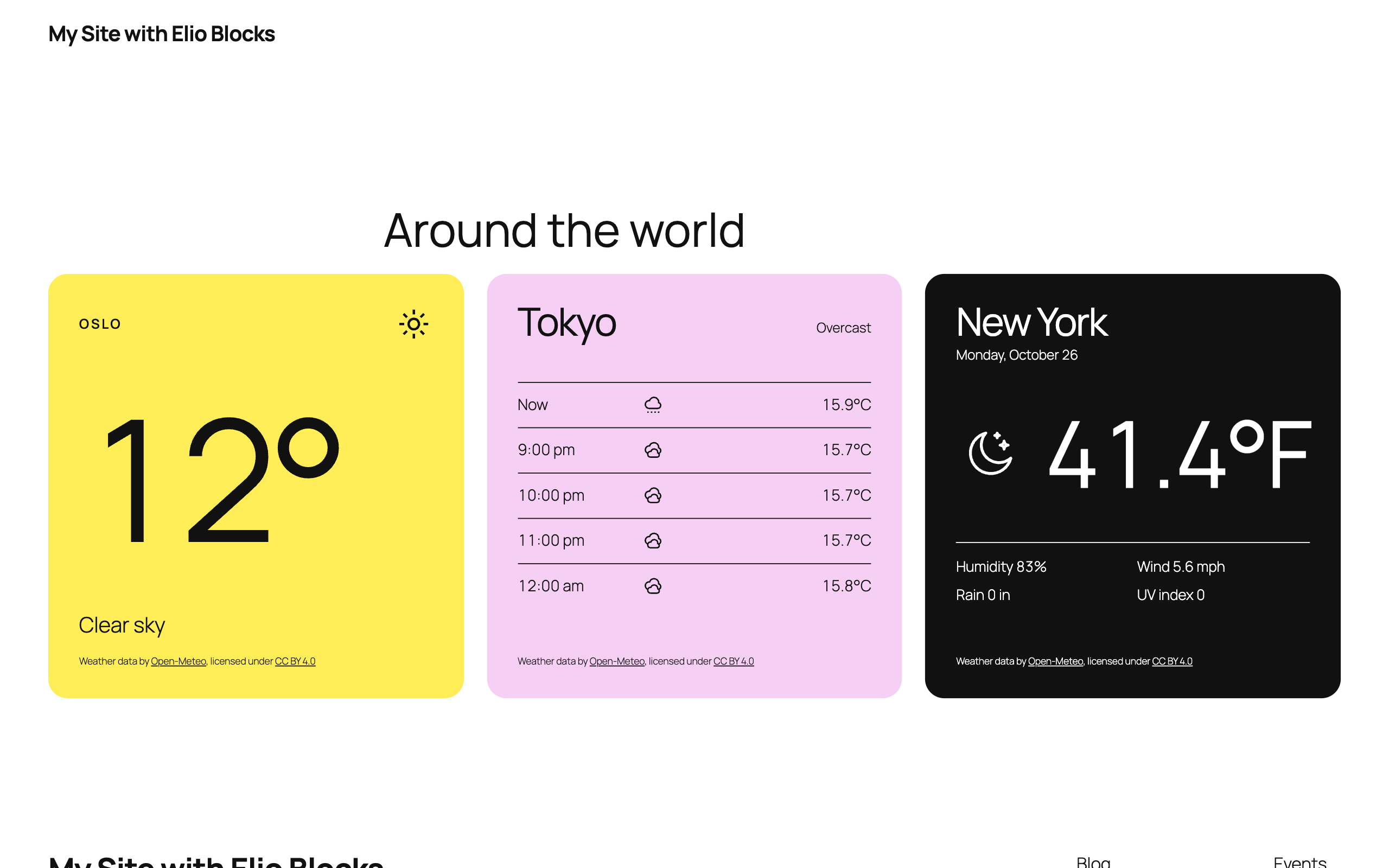
- Blocks all the way down. The Weather block works like the Query Loop: it gets the forecast of its location and passes it on to everything nested inside. Temperature, humidity, wind, UV index, sunrise and sunset, condition icon, time of the last update and more are each a block of their own: add them, remove them, reorder them, nest them in rows, columns or groups, straight from the canvas or the List View.
- A full set of weather icons. 92 icons cover every condition, by day and by night, with a line width and a color you set like any other block. Use another collection for the whole site, a single report or one icon, and on WordPress 7.1 find them in the Icon block too.
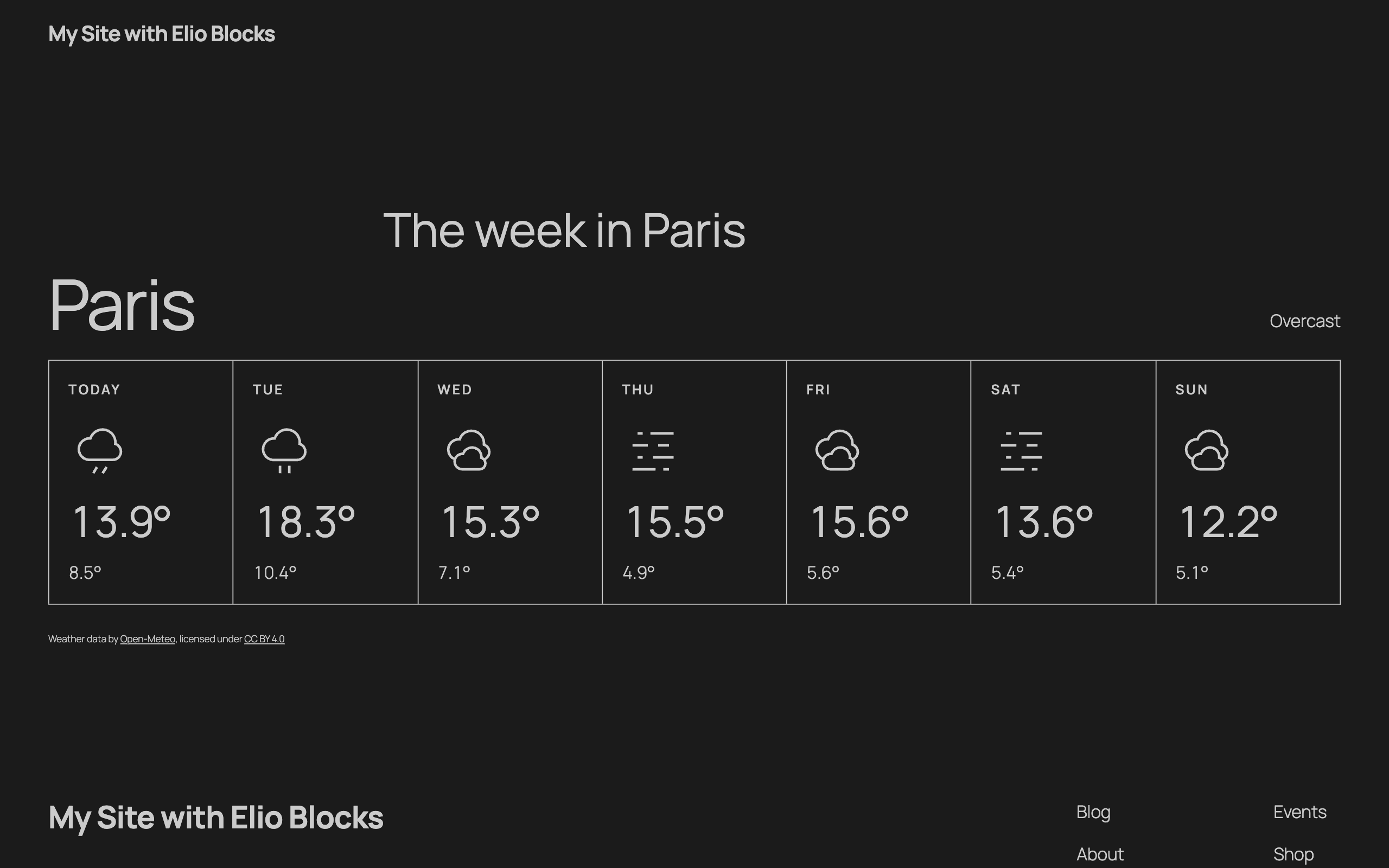
- Forecast lists built like a Post Template. Lay out one hour or one day with the blocks of your choice: the Forecast Template repeats that row for each hour or day, the way the Post Template repeats a post.
- Start from a layout. Pick one of the ready-made variations (Default, Minimal, Hourly Forecast, Daily Forecast), or start blank and build your own.
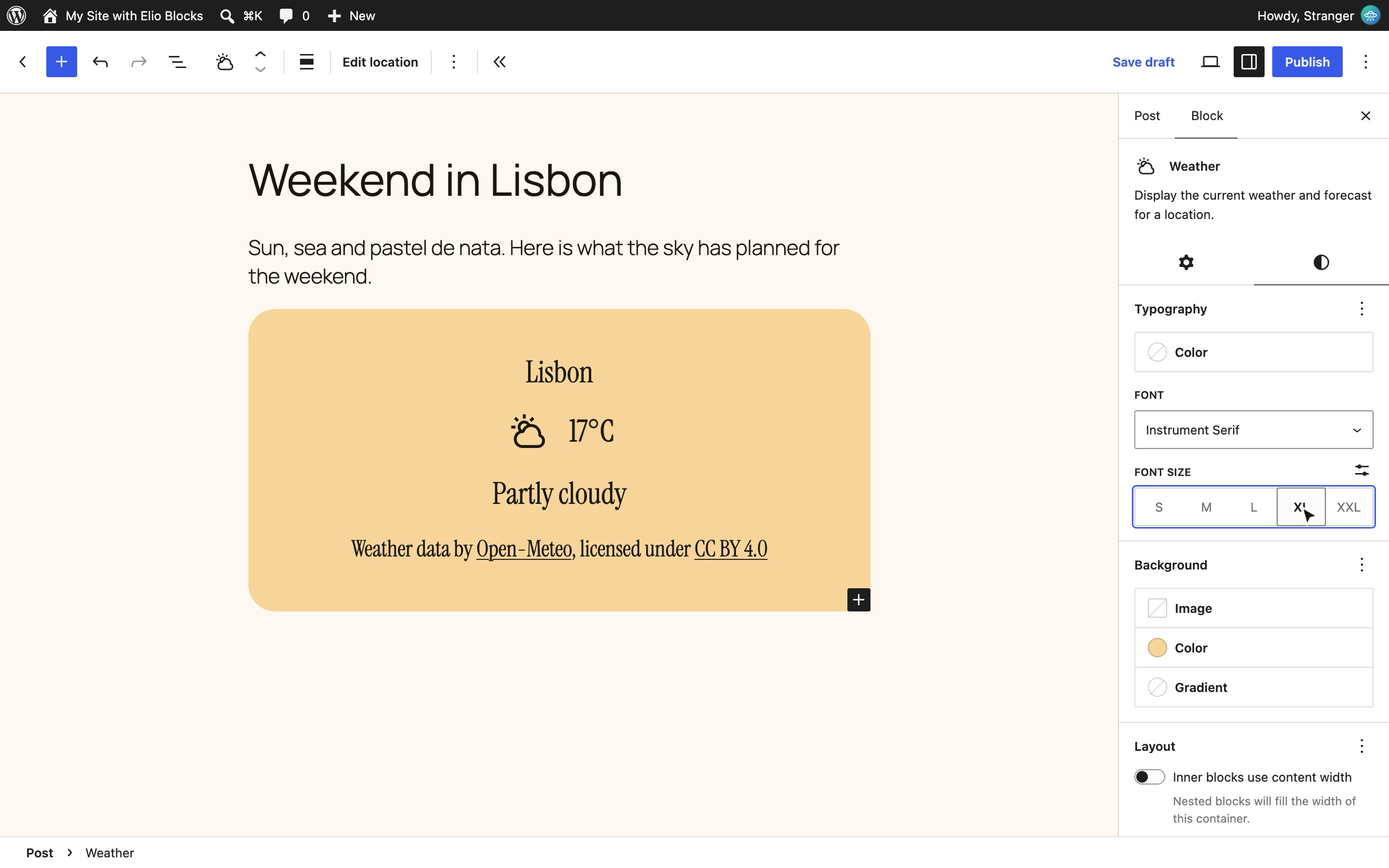
- Every design tool you expect. Colors, typography, spacing, borders and layout come from the standard block supports, so they appear in the same panels as those of core blocks, follow your theme’s presets, and can be set for the whole site in
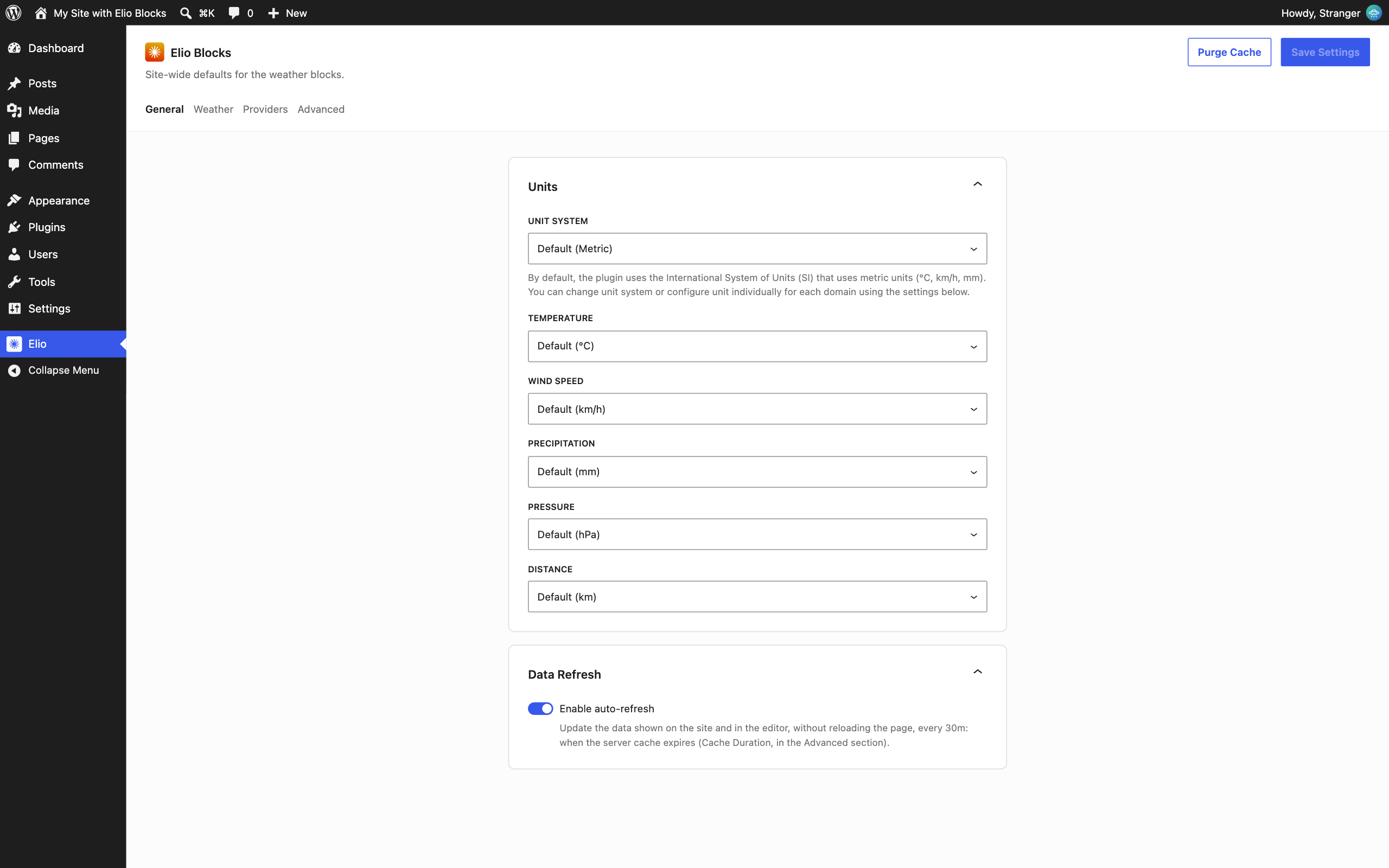
theme.jsonor the Styles of the Site Editor. - Your site’s settings, respected. Dates and times use your site’s language and date formats, in the timezone of the location. Units are metric or imperial, site-wide or per block.
- What you see is what you get. The editor shows the real forecast of your location, styled as it will be on your site.
- Open to developers. Other weather data providers and icon collections can be registered from PHP, with the same functions the plugin uses for its own.
Fast and up to date on the front end
Blocks are rendered on the server, so the weather is in the page from the first byte. Then the Interactivity API, the front-end framework of WordPress itself, keeps the data fresh in your visitors’ browsers without reloading the page. No jQuery, no heavy scripts: condition icons are shared across the page and forecast data is cached on your server.
Weather data and location search are provided by the Open-Meteo API. See the External services section below for what is sent to it and when.
Source code
The scripts and styles in the build folder of the plugin are compiled. Their human-readable sources (the src folder) and the configuration of the build tools are public on GitHub, where the plugin is developed: https://github.com/alexandrebuffet/elio-blocks
To build the plugin from its sources, with Node.js 22 and Composer:
git clone https://github.com/alexandrebuffet/elio-blocks.gitcd elio-blockscomposer installnpm installnpm run build
The build uses @wordpress/scripts (webpack), the build tool of WordPress itself. See the README of the repository for every command.
External services
This plugin relies on Open-Meteo, an open-source weather API, to get weather data and to find locations by name. The blocks cannot display any weather without it. Open-Meteo requires no account and no API key for non-commercial use.
All requests are sent by your WordPress server, through the plugin’s REST API. Visitors’ browsers never contact Open-Meteo directly, so their IP address is not sent to it. Each request carries your server’s IP address and a user agent naming the plugin, its version, your site’s URL and the WordPress version, as the default WordPress user agent does.
Open-Meteo Weather Forecast API
- Endpoint:
https://api.open-meteo.com/v1/forecast, orhttps://customer-api.open-meteo.com/v1/forecastonce the API key of an Open-Meteo subscription is set in the plugin settings. - Used for: the current conditions and the hourly and daily weather forecasts of the location chosen in a Weather block.
- Data sent: the latitude and longitude of that location (rounded to 2 decimals), the unit system (metric or imperial), the list of requested weather variables, the number of forecast days and, with a subscription, its API key. No data about your visitors or your content is sent.
- When: when a page containing a Weather block is displayed, when the block refreshes its data, in the visitor’s browser or in the Block Editor while it is open, and when the block is edited in the Block Editor. Answers are cached in a transient, 30 minutes by default (see Elio in the admin menu), so Open-Meteo is only called again once the cached copy has expired, unless you turn the cache off.
Open-Meteo Geocoding API
- Endpoint:
https://geocoding-api.open-meteo.com/v1/search - Used for: finding a location by name in the Block Editor.
- Data sent: the text typed in the location search field and the maximum number of results.
- When: only when a user who can edit posts searches for a location in the Block Editor. Answers are cached in a transient like weather forecasts. It is never called on the front end.
Terms, privacy and licence
The free Open-Meteo API, which this plugin uses, is for non-commercial use only and has daily request limits. Commercial use requires a paid Open-Meteo subscription. Open-Meteo weather data is licensed under CC BY 4.0: credit Open-Meteo where its data is shown. The Provider Attribution block does it at the bottom of every Weather block, (“Weather data by Open-Meteo, licensed under CC BY 4.0”, both names linked): keep it, or credit Open-Meteo elsewhere on the page if you remove it.
- Open-Meteo website: https://open-meteo.com/
- Terms of use: https://open-meteo.com/en/terms#terms
- Privacy policy: https://open-meteo.com/en/terms#privacy
- Data licence: https://open-meteo.com/en/licence
- Pricing for commercial use: https://open-meteo.com/en/pricing
Credits
The Elio icon collection is a rework inspired by Tabler Icons (MIT License).
Screenshots



Blocks
This plugin provides 21 blocks.
- Wind Speed Display the wind speed or wind gusts.
- Cloud Cover Display the cloud cover percentage.
- Location Display the location name or coordinates.
- Humidity Display the relative humidity.
- Forecast Template Contains the blocks used to render each forecast item, like the date, condition icon, temperature, and more.
- Precipitation Display the precipitation amount.
- Wind Direction Display the wind direction as a cardinal point or in degrees.
- Last Updated Display when the weather data was last updated.
- Weather Display the current weather and forecast for a location.
- Hourly Temperature Display the temperature or feels like temperature of a forecast hour.
- Date & Time Display the date or time of the current conditions or of a forecast item.
- Forecast Display a daily or hourly forecast.
- Pressure Display the atmospheric pressure.
- Sun Event Display the sunrise or sunset time.
- UV Index Display the UV index.
- Provider Attribution Credit the provider of the weather data, as its license requires.
- Condition Icon Display an icon of the weather condition.
- Precipitation Probability Display the probability of precipitation.
- Daily Temperature Display the minimum or maximum temperature, or feels like temperature, of a forecast day.
- Condition Description Display the weather condition description.
- Temperature Display the current temperature or feels like temperature.
Installation
Installation from within WordPress
- Visit Plugins > Add New.
- Search for Elio Blocks.
- Install and activate the Elio Blocks plugin.
Manual installation
- Upload the entire
elio-blocksfolder to the/wp-content/plugins/directory. - Visit Plugins.
- Activate the Elio Blocks plugin.
FAQ
-
Is it free?
-
Yes, this plugin is totally free to use. Let the sunshine in. ☀️
-
Does it require a license or an API key?
-
No, this plugin uses the Open-Meteo API, an open-source weather API that needs no account and no API key. Its free access is for non-commercial use only: see the External services section below. For commercial use, enter the API key of an Open-Meteo subscription in the Providers section of the plugin settings. 😎
-
How does it work?
-
The plugin adds its own REST API endpoints: one serves the weather forecast, another finds locations by name. In the Block Editor, a data store fetches the forecast and passes it to the Weather block and all its inner blocks through block context. On the front end, the blocks are rendered on the server, then the Interactivity API keeps the data up to date in the browser. ⚡️
-
Where can I find the source code?
-
On GitHub: see the Source code section of the description.
-
Can I use a weather service other than Open-Meteo?
-
Open-Meteo is the only one included for now. The plugin was built so that others can join: a developer can register a new weather data provider in PHP, exactly the way Open-Meteo is registered: the handbook shows how. ⛅️
-
Can I change the weather icons?
-
Yes. Pick the icon collection for the whole site in the plugin settings, or for a single Weather block or icon in its sidebar. Developers can also register a collection of their own. 🌙
-
Can I customize the blocks?
-
Yes. Like core blocks, the Weather blocks come with the standard design tools, such as colors, spacing and typography, straight from the Block Editor. Beyond that, you can style them with
theme.json, block style variations or plain CSS. Clear skies ahead. 🌤️ -
Does it work with widgets or shortcodes?
-
No, this plugin only provides blocks. It’s your time to shine: move from widgets and shortcodes to the Block Editor! ⛈️
-
Does it work with the Classic Editor?
-
No, this plugin is only compatible with the Block Editor. Don’t let your website get clouded: make the switch to the Block Editor today! 🌧️
-
Can I use it with page builders?
-
No, this plugin only works with the Block Editor. Don’t wait for the weather to change: move on to the native Block Editor! 🌈
Reviews
There are no reviews for this plugin.
Contributors & Developers
“Elio Blocks” is open source software. The following people have contributed to this plugin.
Contributors
Translate “Elio Blocks” into your language.
Interested in development?
Browse the code, check out the SVN repository, or subscribe to the development log by RSS.
Changelog
1.0.0
- Public release.