

Description
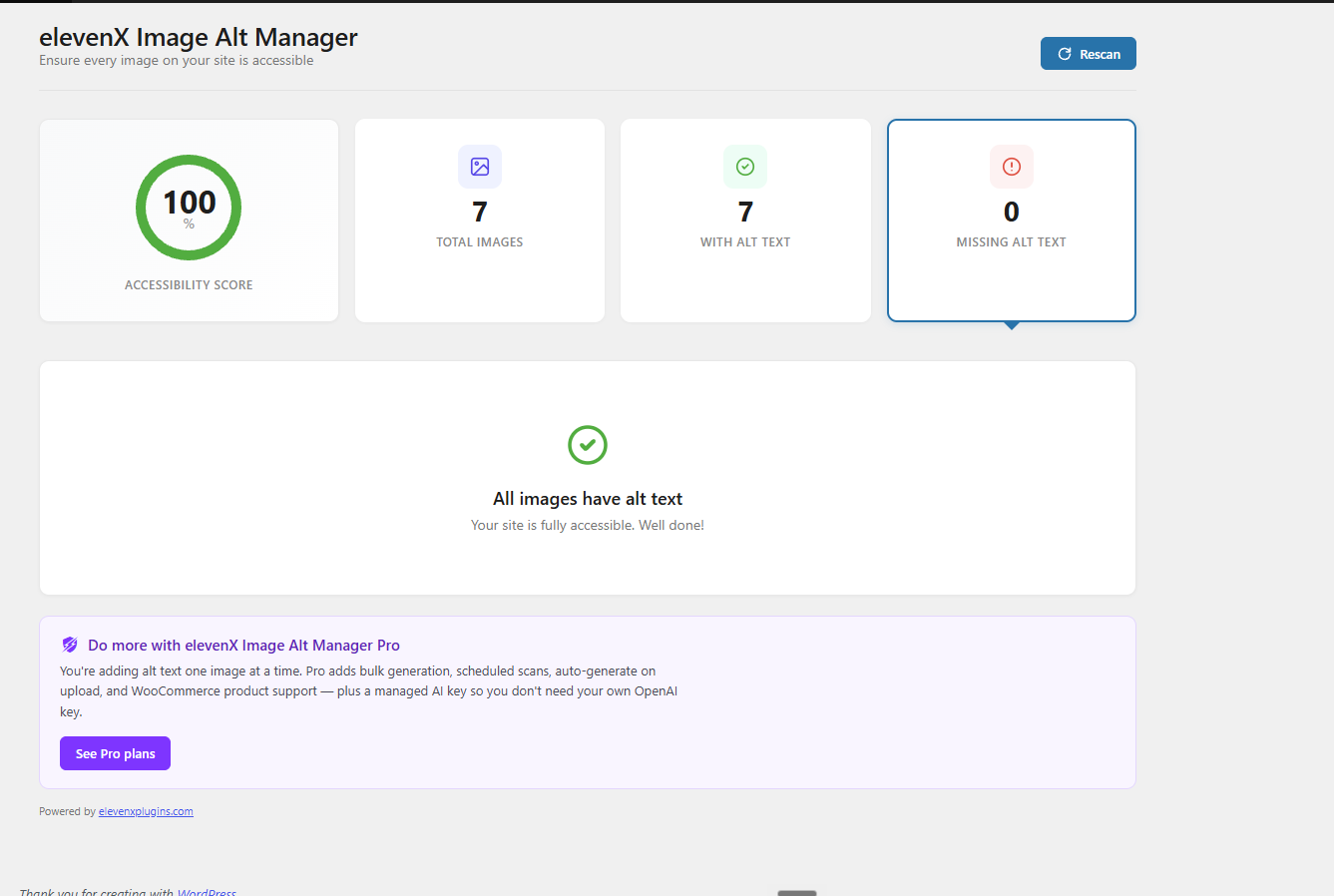
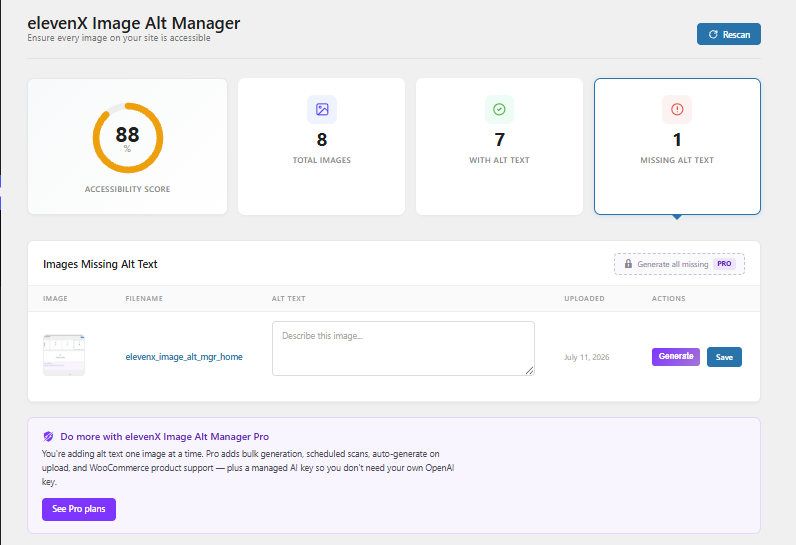
elevenX Image Alt Manager helps you improve your website’s accessibility by identifying images that are missing alternative text descriptions. With a clean, modern dashboard, you can quickly see which images need attention and add alt text without leaving the plugin interface.
Free Features:
- Visual Dashboard – See your accessibility score at a glance with a color-coded progress ring
- Quick Statistics – View total images, images with alt text, and images missing alt text in clear card layouts
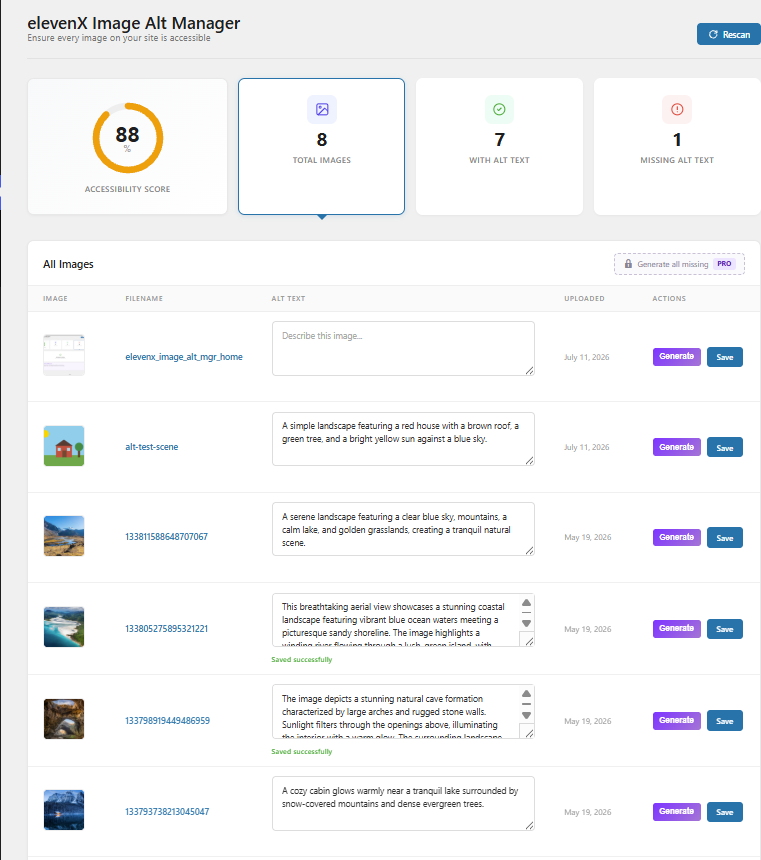
- Inline Editing – Add alt text directly from the dashboard without navigating to individual image edit screens
- Real-time Updates – Stats and score update instantly as you add alt text to images
- Dashboard Widget – Monitor your accessibility score right from the WordPress dashboard home screen
- Paginated Image List – Handles large media libraries with server-side pagination (50 images per page)
- Smart Filtering – Filter by all images, images with alt text, or images missing alt text
- AI-Powered Alt Text – Generate accurate alt text descriptions using GPT-4o-mini with your own API key
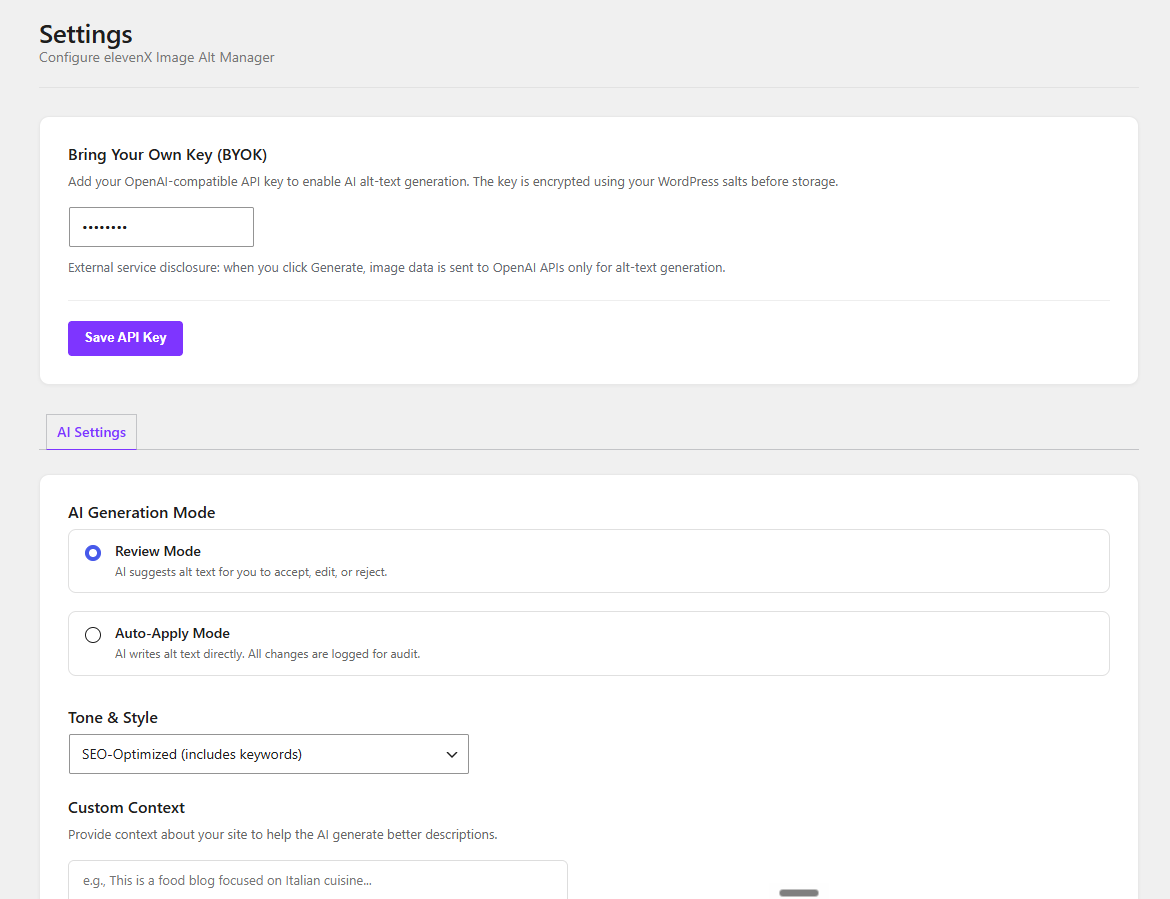
- Tone Presets – Concise, descriptive, or SEO-optimized alt text styles
- Custom Context – Tell the AI about your site for better, more relevant descriptions
- Review or Auto-Apply – Choose to review AI suggestions before applying, or let them auto-apply
Learn more at elevenxplugins.com/alt-text-checker
Why Alt Text Matters:
Alternative text (alt text) is critical for web accessibility. It helps:
- Screen reader users understand image content
- Search engines index your images properly
- Users see descriptions when images fail to load
- Your site comply with WCAG accessibility standards
Perfect For:
- Website owners ensuring accessibility compliance
- Content managers maintaining WCAG standards
- SEO professionals optimizing image content
- Developers building accessible WordPress sites
- Agencies managing multiple client sites
elevenX Image Alt Manager is developed by elevenX Plugins, a division of elevenX Marketing, LLC.
Privacy Policy
elevenX Image Alt Manager does not collect, store, or transmit any personal data during normal operation. When you use AI generation, image data is sent to OpenAI for processing only. Image data is used solely to generate alt text descriptions and is not stored externally. See our full privacy policy at https://elevenxplugins.com/privacy-policy/.
External services
This plugin connects to external services for AI-powered alt text generation.
OpenAI API
Service endpoint: https://api.openai.com/v1/chat/completions
What it is used for:
Generate AI alt text suggestions from image content when the user clicks “Generate Alt Text”. The plugin sends image data to OpenAI’s GPT-4o-mini model to produce descriptive alt text.
What data is sent and when:
Image data (base64-encoded), a system prompt describing the desired output format, and model configuration are sent only when the user explicitly clicks “Generate Alt Text” on an image. No data is sent automatically or in the background. The user must provide their own OpenAI API key in Settings.
Terms of use: https://openai.com/policies/terms-of-use
Privacy policy: https://openai.com/policies/privacy-policy
Support
Please visit the plugin support forum on WordPress.org for help.
Pro version users can contact support@elevenxplugins.com for priority support.
Credits
Developed by elevenX Plugins
A division of elevenX Marketing, LLC
Screenshots
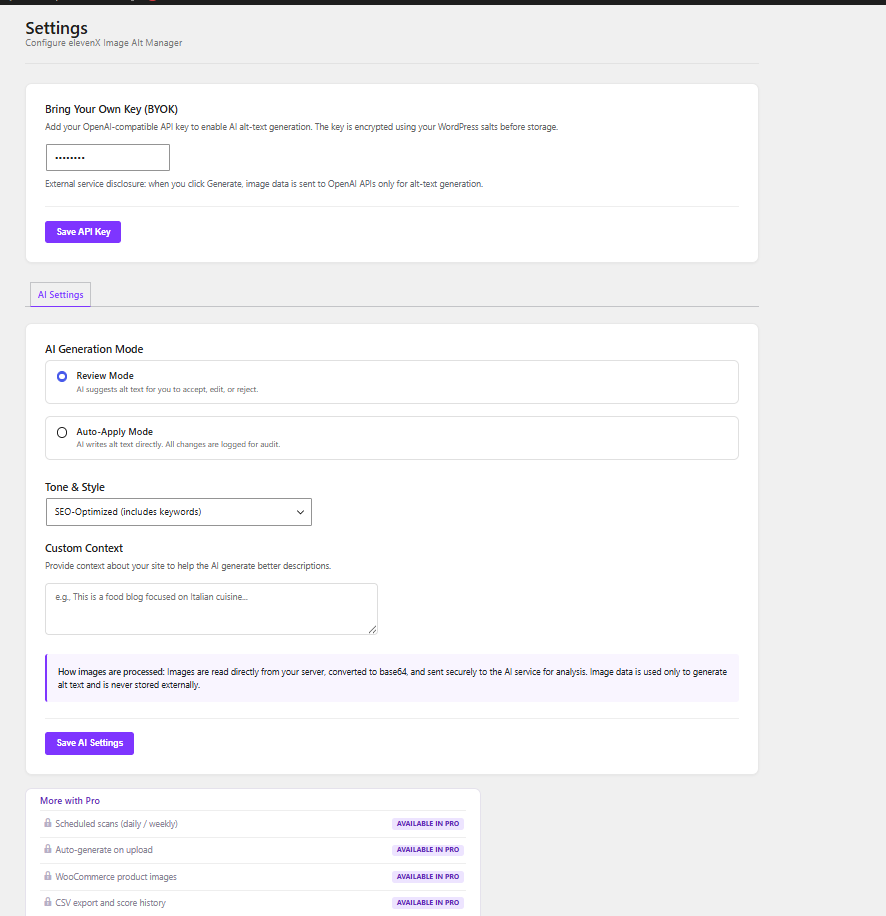
Installation
Automatic Installation:
- Log in to your WordPress admin panel
- Navigate to Plugins > Add New
- Search for “elevenX Image Alt Manager”
- Click “Install Now” and then “Activate”
Manual Installation:
- Download the plugin ZIP file
- Log in to your WordPress admin panel
- Navigate to Plugins > Add New > Upload Plugin
- Choose the ZIP file and click “Install Now”
- Activate the plugin
Getting Started:
Once enabled, you will find “elevenX Image Alt Manager” in your WordPress admin sidebar. Click it to view your dashboard and start adding alt text to images. A summary widget also appears on your main WordPress Dashboard. To use AI generation, go to Settings and enter your OpenAI API key.
FAQ
-
Does this plugin work with all themes?
-
Yes, elevenX Image Alt Manager works with any WordPress theme. It only scans images in your Media Library, which is theme-independent.
-
Will this slow down my website?
-
No. elevenX Image Alt Manager only runs in your WordPress admin area and has no impact on your site’s frontend performance.
-
Does it check images in posts and pages?
-
The plugin scans all images in your WordPress Media Library. Post and page content scanning is available in the pro version.
-
Can I edit alt text for multiple images at once?
-
You can add alt text one image at a time from the dashboard. Bulk operations are available in the pro version.
-
What happens to images I’ve already added alt text to?
-
Images with existing alt text are counted in your “With Alt Text” statistic and will not appear in the missing images list.
-
Does this work with WooCommerce product images?
-
Yes, any image uploaded to your WordPress Media Library will be scanned, including WooCommerce product images. Dedicated WooCommerce integration is available in the pro version.
-
Is my data sent anywhere?
-
When you use AI generation, image data is read from your server, converted to base64, and sent to OpenAI for processing. Image data is used only to generate alt text descriptions and is never stored externally. No data is sent unless you actively click the Generate button. See the External Services section for full details.
-
What AI model is used?
-
AI generation uses GPT-4o-mini for optimal accuracy and cost. You provide your own OpenAI API key in Settings.
-
How accurate is the AI-generated alt text?
-
AI-generated descriptions are highly accurate for most images. We recommend using Review Mode (the default) so you can verify and edit suggestions before they go live.
Reviews
There are no reviews for this plugin.
Contributors & Developers
“elevenX Image Alt Manager” is open source software. The following people have contributed to this plugin.
Contributors
“elevenX Image Alt Manager” has been translated into 3 locales. Thank you to the translators for their contributions.
Translate “elevenX Image Alt Manager” into your language.
Interested in development?
Browse the code, check out the SVN repository, or subscribe to the development log by RSS.
Changelog
2.3.1
- AI generation uses your own OpenAI API key with no usage cap; removed a legacy monthly generation limit.
- Corrected the Plugin URI to a stable URL.
2.3.0
- Free build uses your own OpenAI API key for AI generation; no external proxy in the free version
- Added Pro upgrade information in the admin (Free vs Pro comparison page and a dashboard notice) — all free features remain fully functional
- Updated branding to “elevenX Image Alt Manager”
- Clarified external-service disclosure to reflect that only OpenAI is contacted, and only when you click Generate
- Documentation and build-script corrections
2.2.2
- Fixed API key encryption issue that prevented AI generation from working after saving a key
- Updated readme.txt for WP.org compliance
2.1.2
- Fixed admin asset loading fallback for plugin pages by checking
pagequery var when hook names differ. - Ensures settings page consistently loads
alt-checker.cssandalt-checker.json LocalWP installs.
2.1.1
- Updated settings page tabs to use WordPress admin nav-tab styling
- Fixed settings tab switching so only one tab panel is visible at a time
- Improved feature gating and messaging for pro features
2.1.0
- New: AI generation available for all users
- Added Generate button visible for all users on the image table
- Added usage meter for AI generation tracking
- Bulk and auto features are available in the pro version on elevenxplugins.com
2.0.2
- Fixed “Missing image_url” error when using AI generation with older proxy versions
- Added pro version messaging in dashboard widget and main page
2.0.1
- Switched from image URLs to base64 data for AI processing
- Fixes AI generation on localhost, staging sites, and sites behind authentication
- Images are now read directly from the server filesystem instead of fetched by URL
- Added image processing info box to AI Settings tab
- Increased API timeout to 60 seconds for larger image payloads
- Added file size validation (5 MB max) and MIME type validation
- Updated privacy documentation to reflect base64 transfer method
2.0.0
- Major release: architecture overhaul and AI features
- Refactored to OOP class-based architecture
- Added Settings page with tabbed interface (AI Settings, Automation)
- Added AI-powered alt text generation via GPT-4o-mini
- Added single-image “Generate” button for AI alt text
- Added review workflow: accept, edit, or reject AI suggestions
- Added auto-apply mode for hands-free alt text generation
- Added bulk select and batch AI generation with queue processing
- Added tone presets: concise, descriptive, SEO-optimized
- Added custom context field for site-specific AI prompts
- Added Bring Your Own Key (API key) support
- Added monthly usage tracking with visual meter
- Added server-side pagination (50 images per page) for large libraries
- Added optimized SQL queries for statistics (no full object loading)
- Added custom database tables for AI suggestions, queue, and score history
- Added CSV export for compliance reporting
- Added scheduled scans (daily/weekly) with email digest reports
- Added auto-generate on upload (auto-apply mode)
- Added score history tracking
- Added REST API endpoints (/stats, /images, /generate)
- Added WooCommerce product image integration (pro)
- Added post/page content scanner for embedded images (pro)
- Updated uninstall handler to clean up custom tables and options
- Improved dashboard widget with optimized queries
1.0.0
- Initial release
- Dashboard with accessibility score visualization
- Inline alt text editing with real-time stat updates
- Dashboard widget for at-a-glance monitoring
- Color-coded scoring (green, orange, red)
- Clean, modern card-based interface