
Description
Workshop Bookings Lite adds workshop bookings to WooCommerce products. Customers choose a session or one or more months, select the number of participants and pay through WooCommerce.
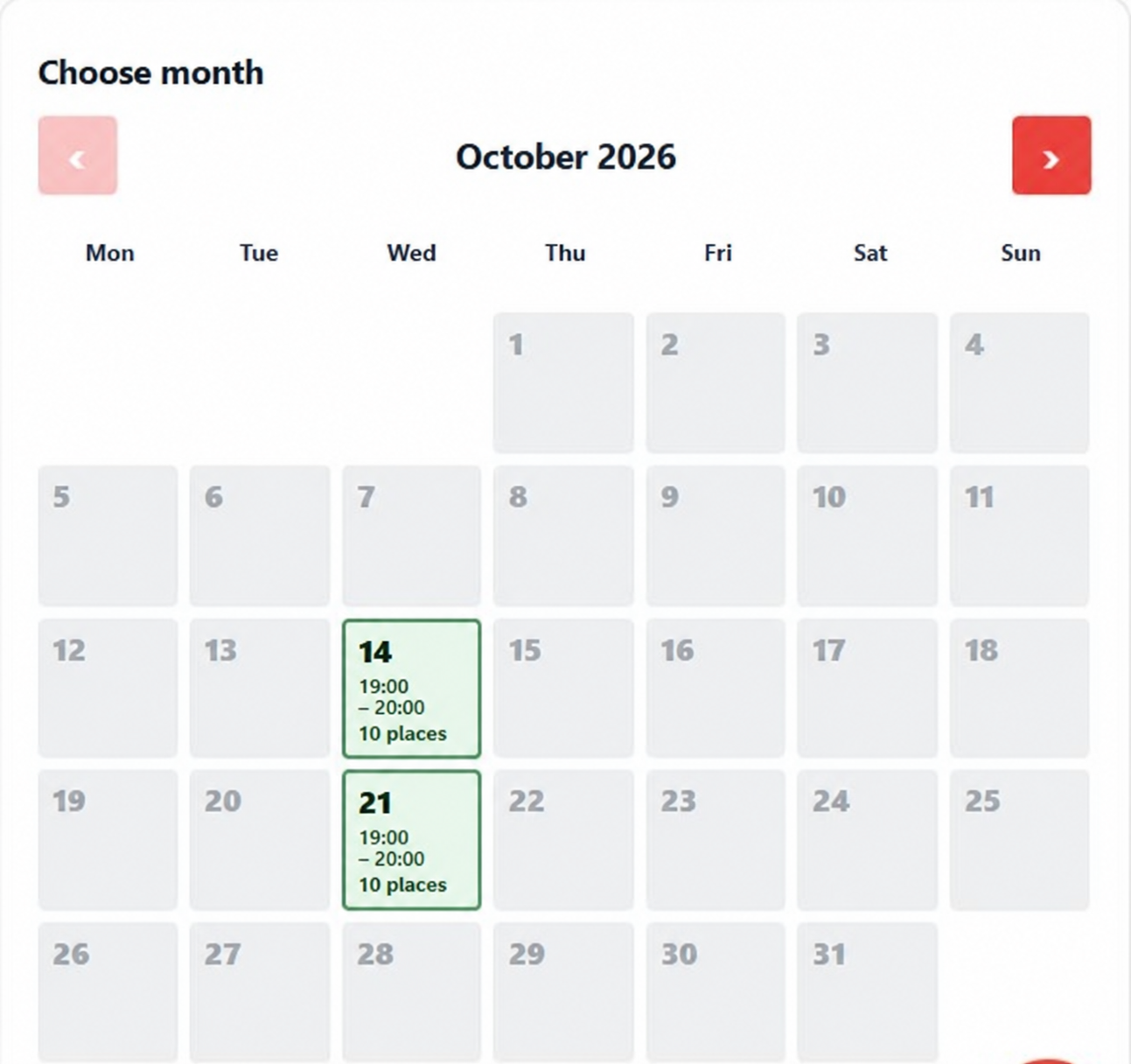
- Visual availability calendar with recurring weekly schedules and blackout dates.
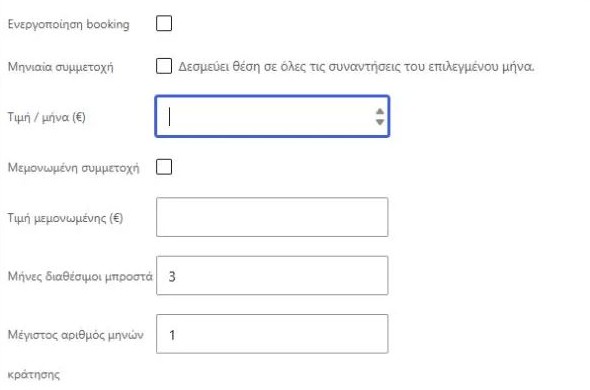
- Individual sessions and monthly participation with shared occurrence capacity.
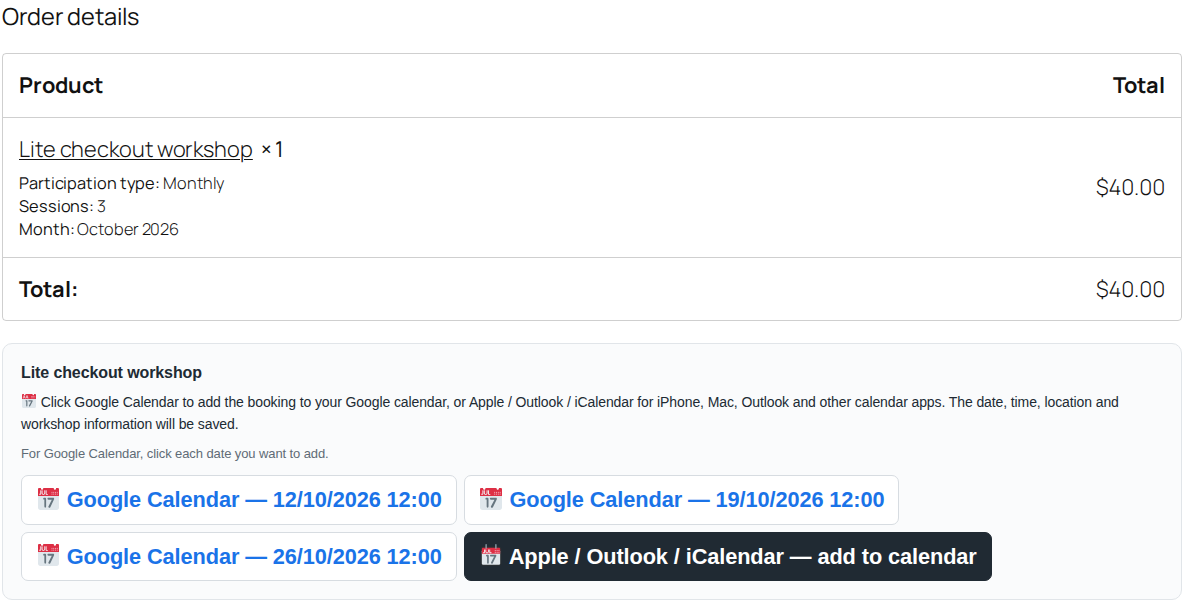
- Multiple selected months in one purchase; quantity is the number of participants.
- Basic scheduled email reminders.
- Add to Google Calendar links and signed multi-event iCalendar downloads for Apple Calendar and Outlook.
- English and Greek interface, selected by the WordPress locale.
- WooCommerce order APIs for both legacy order storage and HPOS.
Monthly participation is a one-time purchase of selected months, not automatic recurring billing. Reminders require a functioning WordPress cron runner and email transport. Configure workshop products using the standard WooCommerce product form.
Lite is independently usable. It includes no external update checker, licensing service, analytics collection or premium feature unlocking code. Optional Pro functionality is distributed in a separate plugin and includes customer analytics, loyalty and referrals, attendance responses, cancellation broadcasts and message templates.
Privacy and external services
Booking information is stored with WooCommerce order items. The plugin reads billing email for transactional reminders and uses your site’s configured email transport. Calendar links are generated locally. Google receives event details only when a customer opens an Add to Google Calendar link; using that link is optional. No Google API credentials or central booking service are required. Calendar download URLs are private signed links; share them only with intended participants.
Existing bookings
The existing kwb* product and order-item metadata is retained. Deactivate another Workshop Bookings edition before activating Lite. Deactivation and removal of plugin files do not delete bookings. Back up files and the database before changing editions.
Source and build information
All distributed JavaScript and CSS is human-readable source in assets/:
eitwb-admin.js, eitwb-calendar.js, eitwb-controls.js and the corresponding .css files.
These are directly executed source files, not compiled bundles. No minified counterpart,
source map, npm dependency or build step is needed to edit or run these assets.
WordPress supplies the jquery and jquery-ui-datepicker dependencies.
All source needed to inspect, modify and run this Lite release is included in this
ZIP. No external source repository or repository access is required.
Maintainer packaging uses Node.js 18+: node tools/build.cjs. It selects the Lite
modules, omits Pro and its SDK, and tools/lite-compliance.cjs applies the documented
Lite namespace and compatibility adaptations. It does not compile or minify JS/CSS.
To repackage the supplied complete Lite source, ZIP the
eit-workshop-bookings-lite-for-woocommerce directory, keeping readme.txt and
eit-workshop-bookings-lite-for-woocommerce.php directly inside that directory.
Compatibility: legacy kwb* product/order metadata and cart payloads are retained.
Settings use eitwb_settings with a legacy kwb_settings fallback and synchronization
for edition switching. Previously scheduled reminders and signed calendar URLs are
still accepted. The shared capacity lock and iCalendar event identifiers stay stable.
Deactivate any old Lite/Pro edition before activating this renamed edition.
Screenshots
Installation
- Install and activate WooCommerce.
- Upload the eit-workshop-bookings-lite-for-woocommerce folder to wp-content/plugins, or upload the installable ZIP through Plugins > Add New.
- Deactivate any legacy or Pro edition, then activate Lite.
- Open WooCommerce > Workshop Bookings to configure reminders and calendars.
- Edit a WooCommerce product, enable Workshop Booking and enter schedules, capacity and prices.
- Make a test booking and verify totals, calendar downloads and reminder delivery.
FAQ
-
Is WooCommerce required?
-
Yes. This plugin uses WooCommerce products, orders, customer details and payment gateways.
-
Yes. A monthly booking reserves its selected scheduled occurrences, and single bookings use the same availability.
-
Does it renew automatically?
-
No. The customer purchases the selected months in one checkout.
-
Do calendar exports need API keys?
-
No. Google links and signed .ics downloads are generated locally.
-
Can customers book as guests?
-
Yes, when guest checkout is enabled in WooCommerce. Referral rewards belong to the separate Pro edition.
-
How do I switch to Pro?
-
Back up your site, deactivate Lite and activate Pro. Existing booking data stays in the database. Do not run both editions together.
-
Does uninstalling erase bookings?
-
No. Order history and settings are retained. Remove personal data through your site’s established WooCommerce data-retention procedures.
-
Are there any hosted dependencies?
-
No external booking, licensing or update service is required. Email uses WordPress and the configured mail transport.
-
How are pending places handled?
-
New checkout requests reserve their places while payment is pending. Cancel abandoned pending orders to release these holds; use WooCommerce cleanup where applicable. Checkout changes use a database lock, and late payments recheck capacity before confirming a booking. If a gateway has already collected money and the place was reallocated after cancellation, review the order note and refund or reschedule manually. Administrator-created orders and manual status overrides require the merchant to check capacity.
Reviews
There are no reviews for this plugin.
Contributors & Developers
“e-iT Workshop Bookings Lite for WooCommerce” is open source software. The following people have contributed to this plugin.
Contributors
Translate “e-iT Workshop Bookings Lite for WooCommerce” into your language.
Interested in development?
Browse the code, check out the SVN repository, or subscribe to the development log by RSS.
Changelog
1.0.5
- Add an optional Lite/Pro comparison and upgrade link on the plugin settings screen.
- Use Greek or English purchase pages according to the WordPress admin language.
- Keep all existing free features and booking data unchanged.
1.0.4
- WordPress.org compliance: distinct e-iT name, slug and EITWB/eitwb namespace.
- Correct WordPress.org contributor to t0nyblue.
- Document readable bundled source and the packaging process.
- Preserve historical booking data, settings, cart sessions, reminders and calendar links.
1.0.3
- Preserve core bookings and settings when switching editions.
1.0.2
- Hide internal metadata on incomplete historical booking items; verify actual admin and HTML/plain email templates.
- Extend packaged regression coverage and use DD/MM/YYYY in customer CSV exports.
1.0.1
- Controlled date fields display DD/MM/YYYY and store ISO dates, including newly added blackout rows.
- Private booking metadata is hidden; friendly booking details follow the current interface language.
1.0.0
- First separately packaged Lite edition.
- Existing booking metadata and calendar URLs preserved.
- Core booking, multi-month purchases, capacity and basic reminders.
- No external updater or licensing mechanism.